> ## Documentation Index
> Fetch the complete documentation index at: https://help.voxdash.com/llms.txt
> Use this file to discover all available pages before exploring further.
# Requesting Access to Restricted Data
> Some datasets in the platform can be previewed but not fully explored or downloaded. For example, you may be able to open a project page, view summary…
Some datasets in the platform can be previewed but not fully explored or downloaded.
For example, you may be able to open a project page, view summary information, or see sample records — but analytics, exports, or detailed fields remain restricted.
To work with this data, you must request access from the data provider.
Restricted items may include:
* Projects
* Questions / surveys
* Vendors or suppliers
* Reports
* Any dataset limited by the provider’s permissions
## Step 1: Submit an Access Request
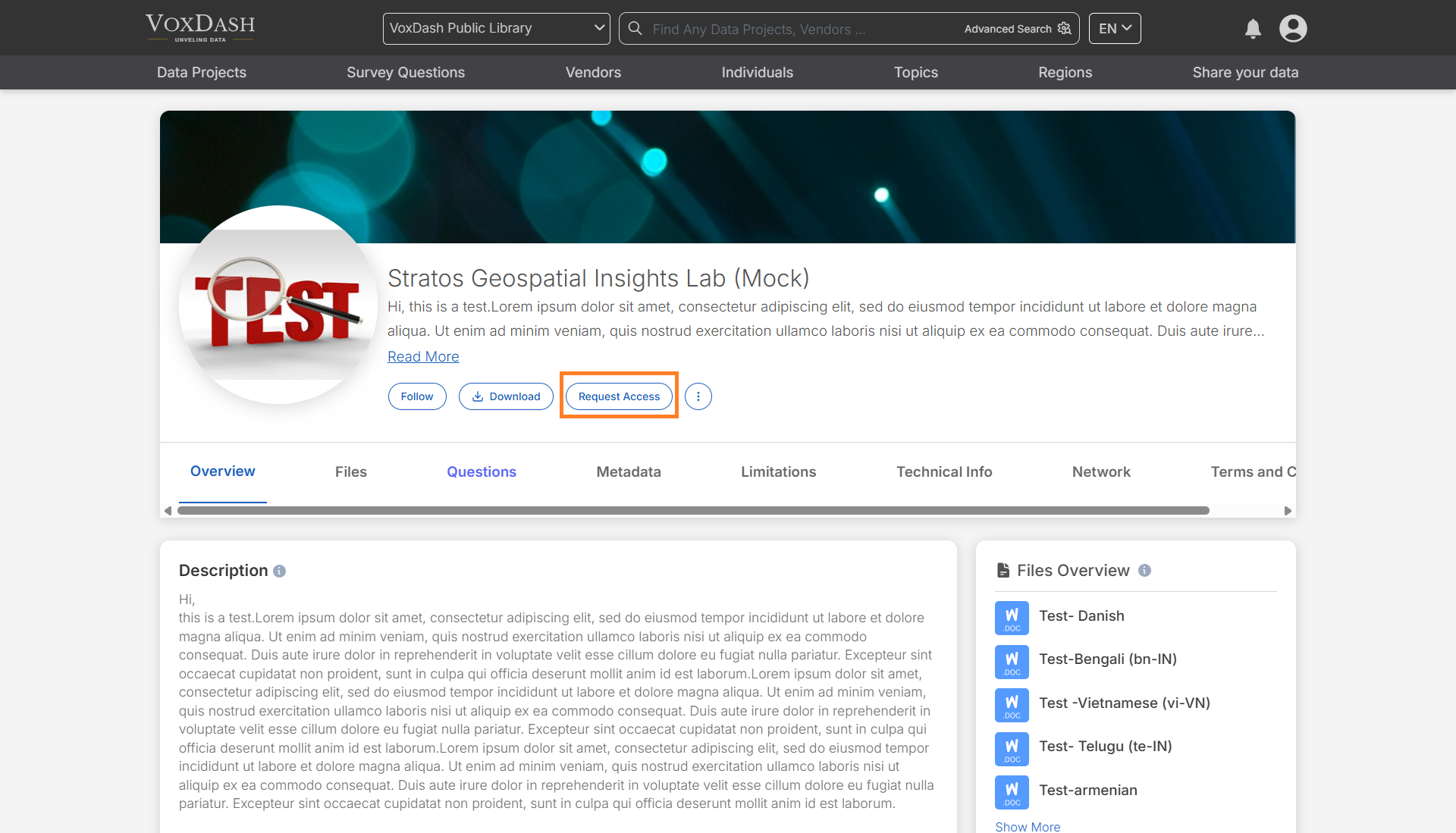
**1.** Navigate to the page containing the data you want to access.
**2.** Click **Request Access**.
A request form will appear.
 ### Provide Contact Information
Enter the details the provider will use to evaluate your request:
* Your name
* Your email address
* Additional email addresses (optional)
**Tip:** Add teammates’ emails if multiple people need access. All listed emails will receive the approval notification.
### Explain Your Request
Write a short explanation describing:
* How you plan to use the data
* The business purpose (analysis, partnership, research, etc.)
* Any relevant project or company context
Good requests are more likely to be approved.
### Provide Contact Information
Enter the details the provider will use to evaluate your request:
* Your name
* Your email address
* Additional email addresses (optional)
**Tip:** Add teammates’ emails if multiple people need access. All listed emails will receive the approval notification.
### Explain Your Request
Write a short explanation describing:
* How you plan to use the data
* The business purpose (analysis, partnership, research, etc.)
* Any relevant project or company context
Good requests are more likely to be approved.
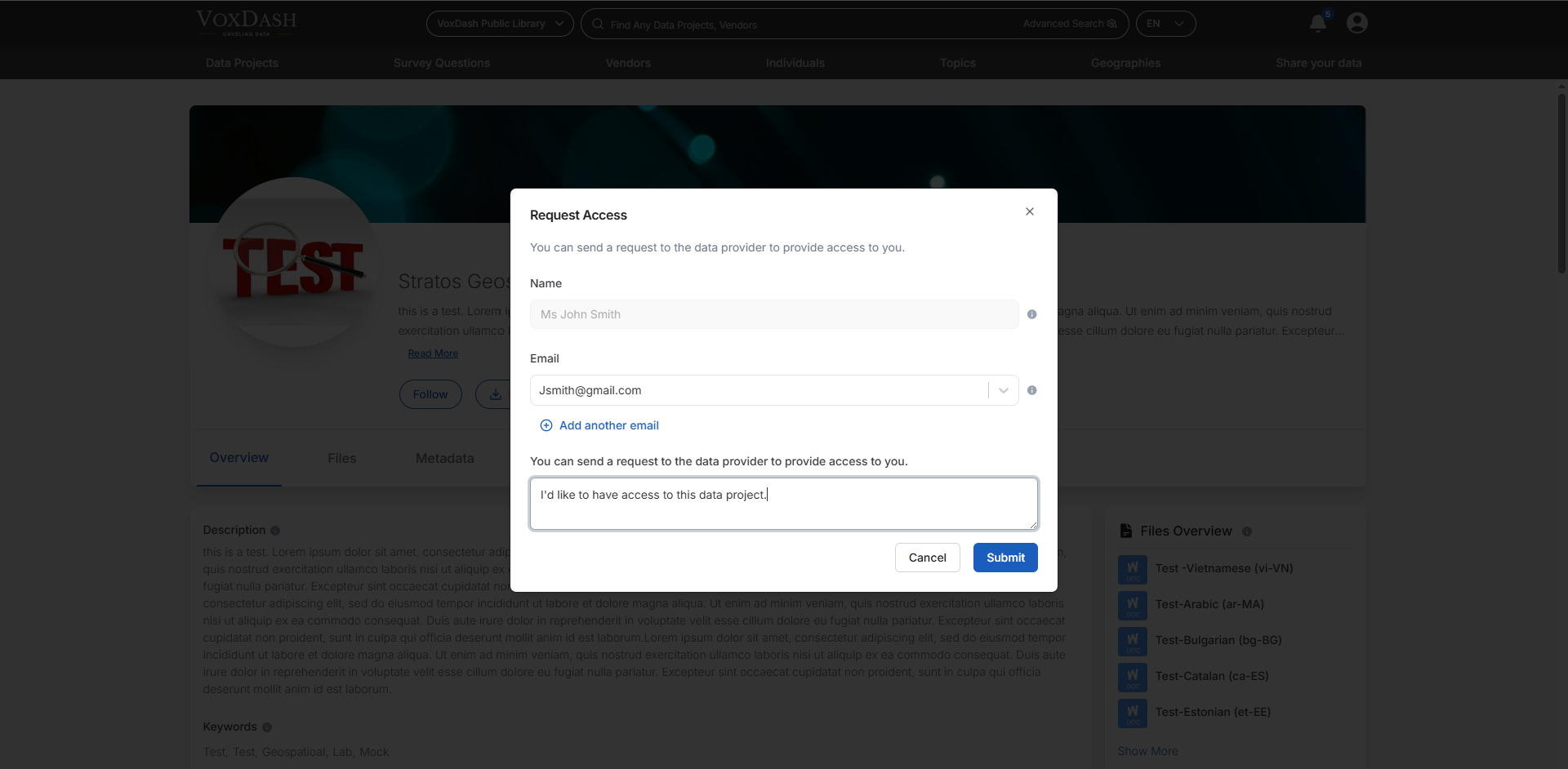 **3.** Click **Submit Request**
The provider will review your request and respond.
**3.** Click **Submit Request**
The provider will review your request and respond.
 ## Step 2: Track Requests in User Central
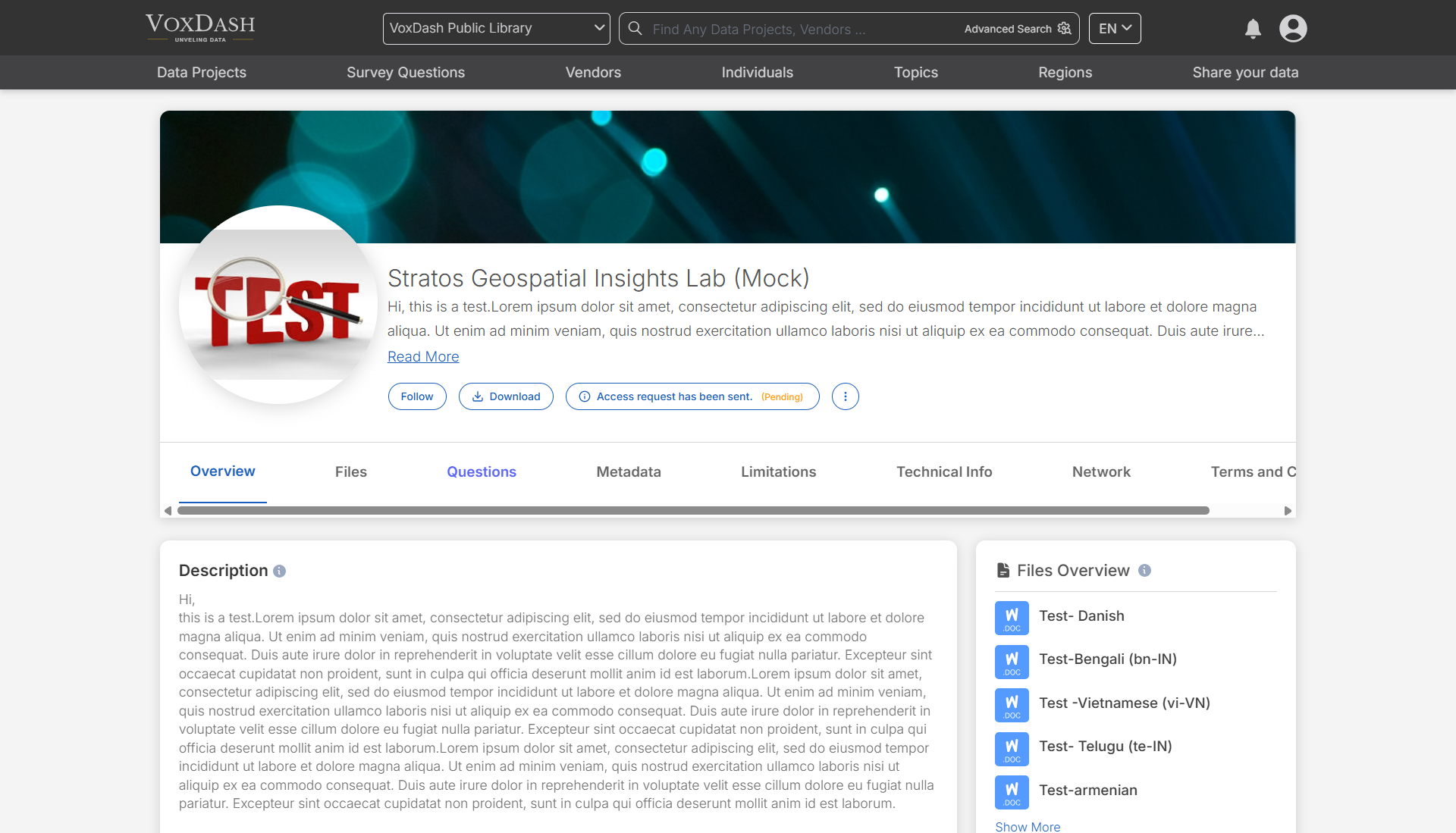
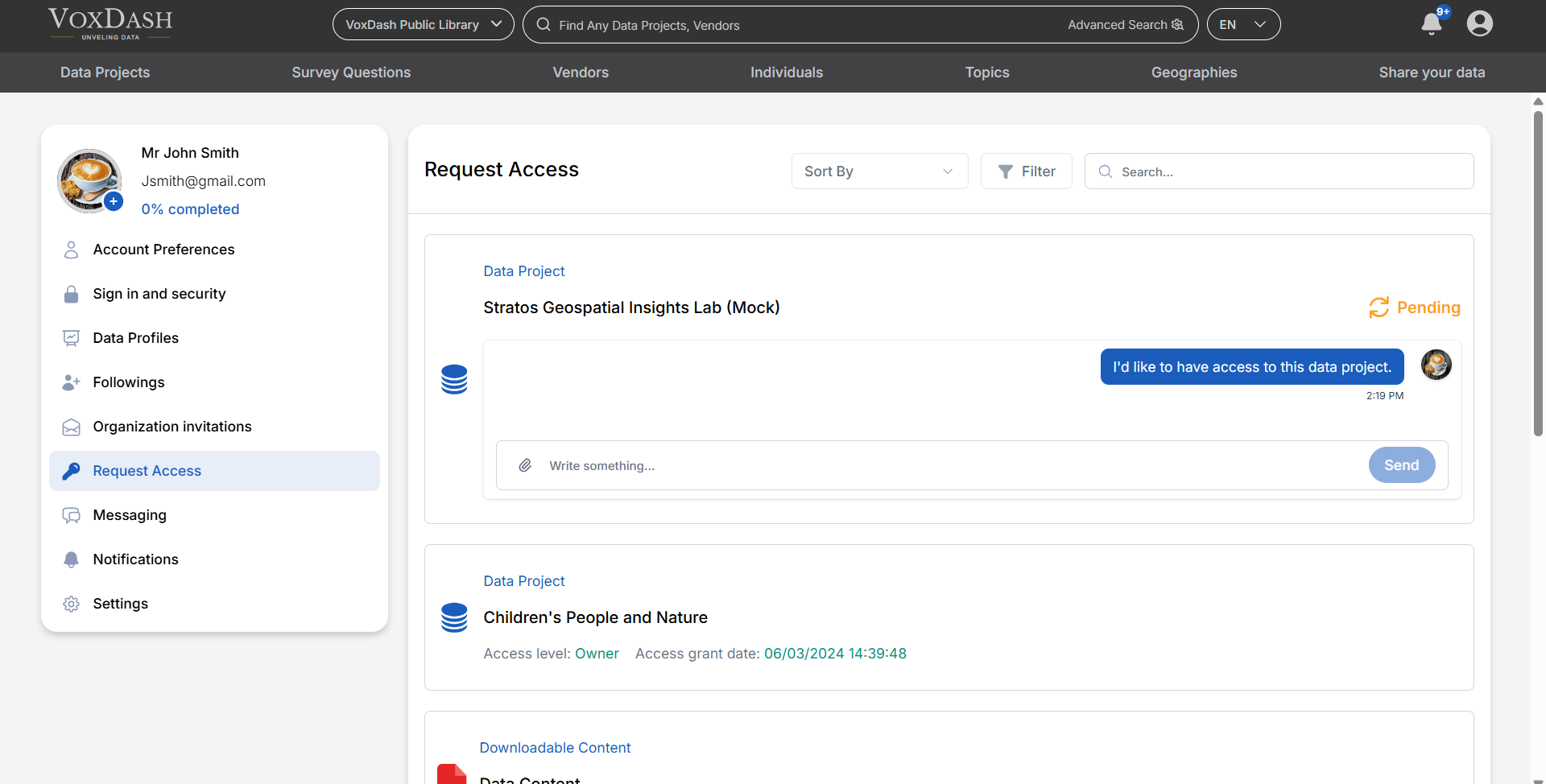
You can manage all your access requests in **User Central → Access**.
This page contains a table listing every dataset you have requested.
For each request you can see:
* Current status (Pending, Approved, Rejected)
* Dataset name
* Access level granted
* Request date
## Step 2: Track Requests in User Central
You can manage all your access requests in **User Central → Access**.
This page contains a table listing every dataset you have requested.
For each request you can see:
* Current status (Pending, Approved, Rejected)
* Dataset name
* Access level granted
* Request date
 ## Step 3: Communicate with the Provider
Each request includes a built-in chat.
Use it to:
* Clarify your use case
* Answer provider questions
* Request additional permissions
* Share context or documents
**Important:** Providers often approve requests faster when communication is clear.
## Step 4 — After Approval
Once approved:
* You will receive a notification email
* The dataset becomes available in the platform
* New analytics and download options appear automatically
Your access level may vary:
| Access Level | What You Can Do |
| ------------ | ---------------------- |
| Viewer | View detailed records |
| Catalog | View basic information |
| Downloader | Download data |
| Owner | All permissions |
## Messages Tab (Direct Contact)
You can also contact providers directly from **Messages**.
Use this when:
* You have general questions before requesting access
* You need help understanding a dataset
* You want to discuss partnership or collaboration
## Best Practices for Approval
To improve approval chances:
* Be specific about your use case
* Mention business relevance
* Keep requests professional and concise
* Communicate through the chat if clarification is requested
## Step 3: Communicate with the Provider
Each request includes a built-in chat.
Use it to:
* Clarify your use case
* Answer provider questions
* Request additional permissions
* Share context or documents
**Important:** Providers often approve requests faster when communication is clear.
## Step 4 — After Approval
Once approved:
* You will receive a notification email
* The dataset becomes available in the platform
* New analytics and download options appear automatically
Your access level may vary:
| Access Level | What You Can Do |
| ------------ | ---------------------- |
| Viewer | View detailed records |
| Catalog | View basic information |
| Downloader | Download data |
| Owner | All permissions |
## Messages Tab (Direct Contact)
You can also contact providers directly from **Messages**.
Use this when:
* You have general questions before requesting access
* You need help understanding a dataset
* You want to discuss partnership or collaboration
## Best Practices for Approval
To improve approval chances:
* Be specific about your use case
* Mention business relevance
* Keep requests professional and concise
* Communicate through the chat if clarification is requested