> ## Documentation Index
> Fetch the complete documentation index at: https://help.voxdash.com/llms.txt
> Use this file to discover all available pages before exploring further.
# File Manager Table
> The File Manager Table is located in the Projects tab in the Data Provider. It serves as the central hub for managing all data projects and survey files…
The **File Manager Table** is located in the [Projects](https://dataprovider.voxdash.com/projects) tab in the Data Provider. It serves as the central hub for managing all data projects and survey files. From this table, users can create projects, upload files, control access, track usage, and manage sharing settings.
## **1. Features at the Top of the Table**
These actions apply to the entire table and help users manage projects efficiently.
### **1.1 Create New Projects and Upload Files**
Using the buttons at the top of the table, users can:
* Create a new project and upload files later
* Upload a complete survey project in one step.
This flexibility allows users to start projects quickly or migrate existing survey data.
For more details, refer to the documentation on [Upload Process](Data-Management/Bulk-File-Upload) and [Multi-Upload](Data-Management/Multi-Folder-Upload).
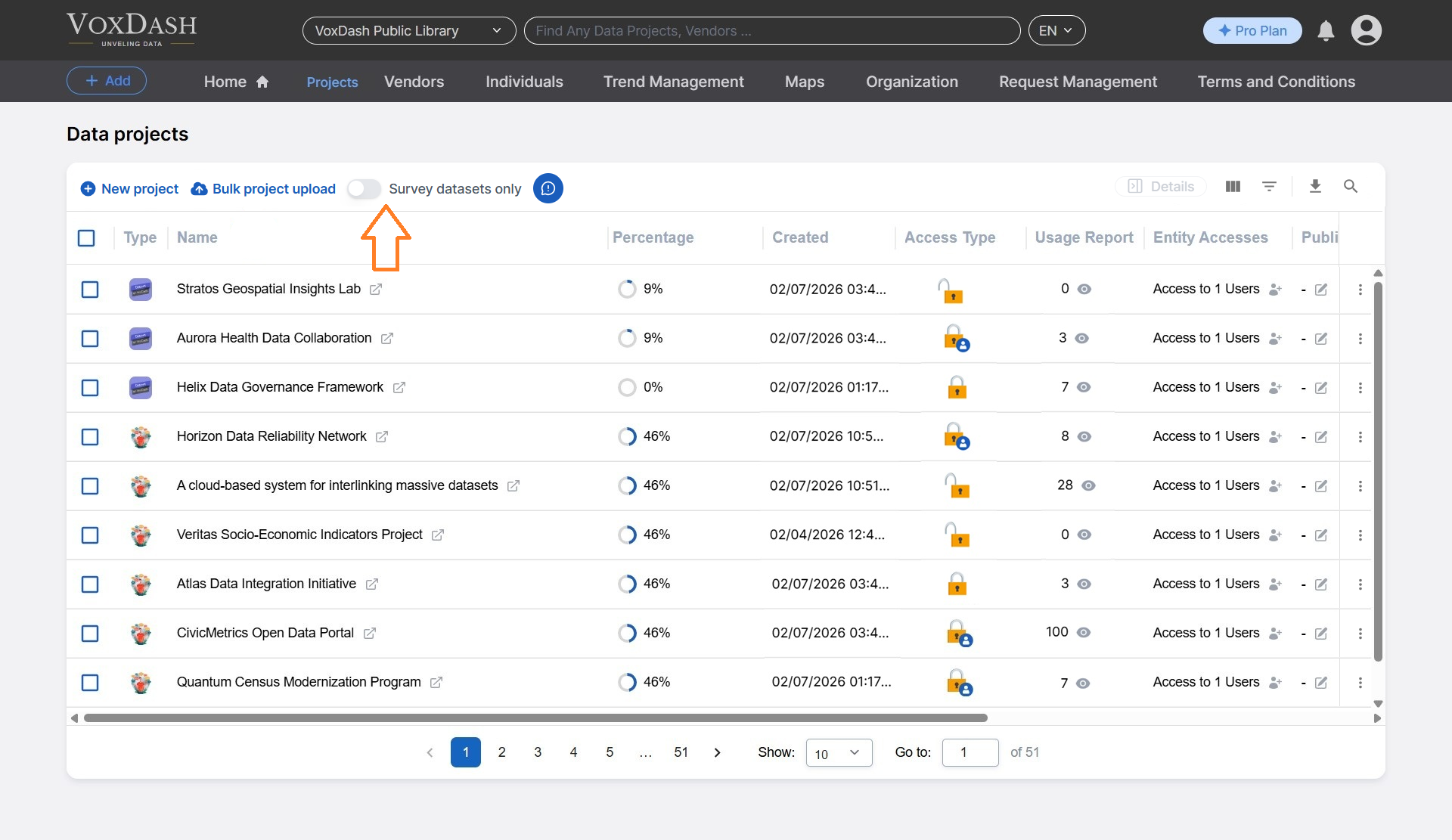
 ### **1.2 Survey Datasets Only**
Using this feature, filters all the projects and only show the ones with survey datasets.
### **1.2 Survey Datasets Only**
Using this feature, filters all the projects and only show the ones with survey datasets.
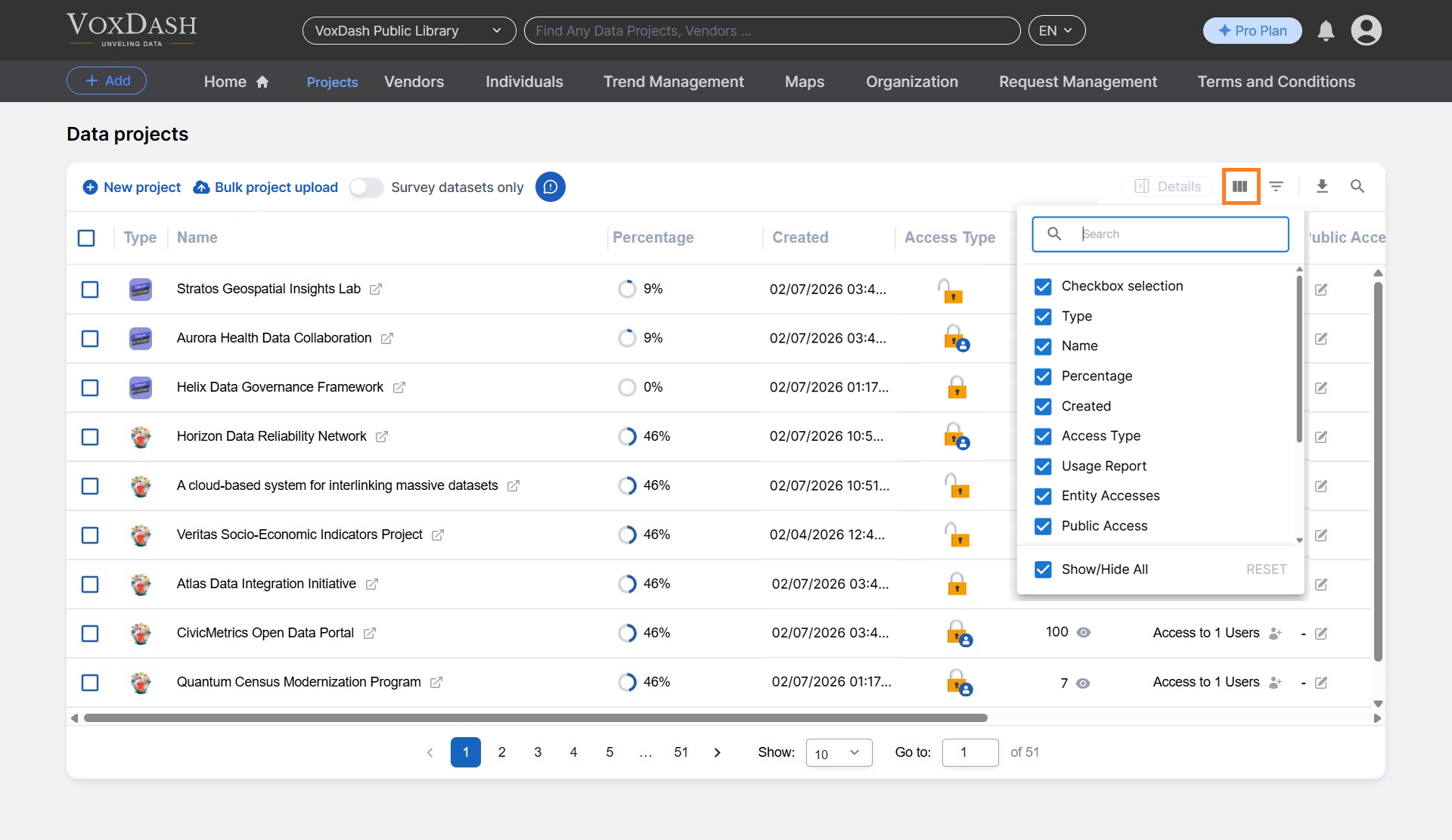
 ### **1.3 Change Column Order**
This feature allows users to:
* Reorder table columns based on preference
* Show or hide specific columns to customize the table view
This helps users focus on the most relevant project information.
### **1.3 Change Column Order**
This feature allows users to:
* Reorder table columns based on preference
* Show or hide specific columns to customize the table view
This helps users focus on the most relevant project information.
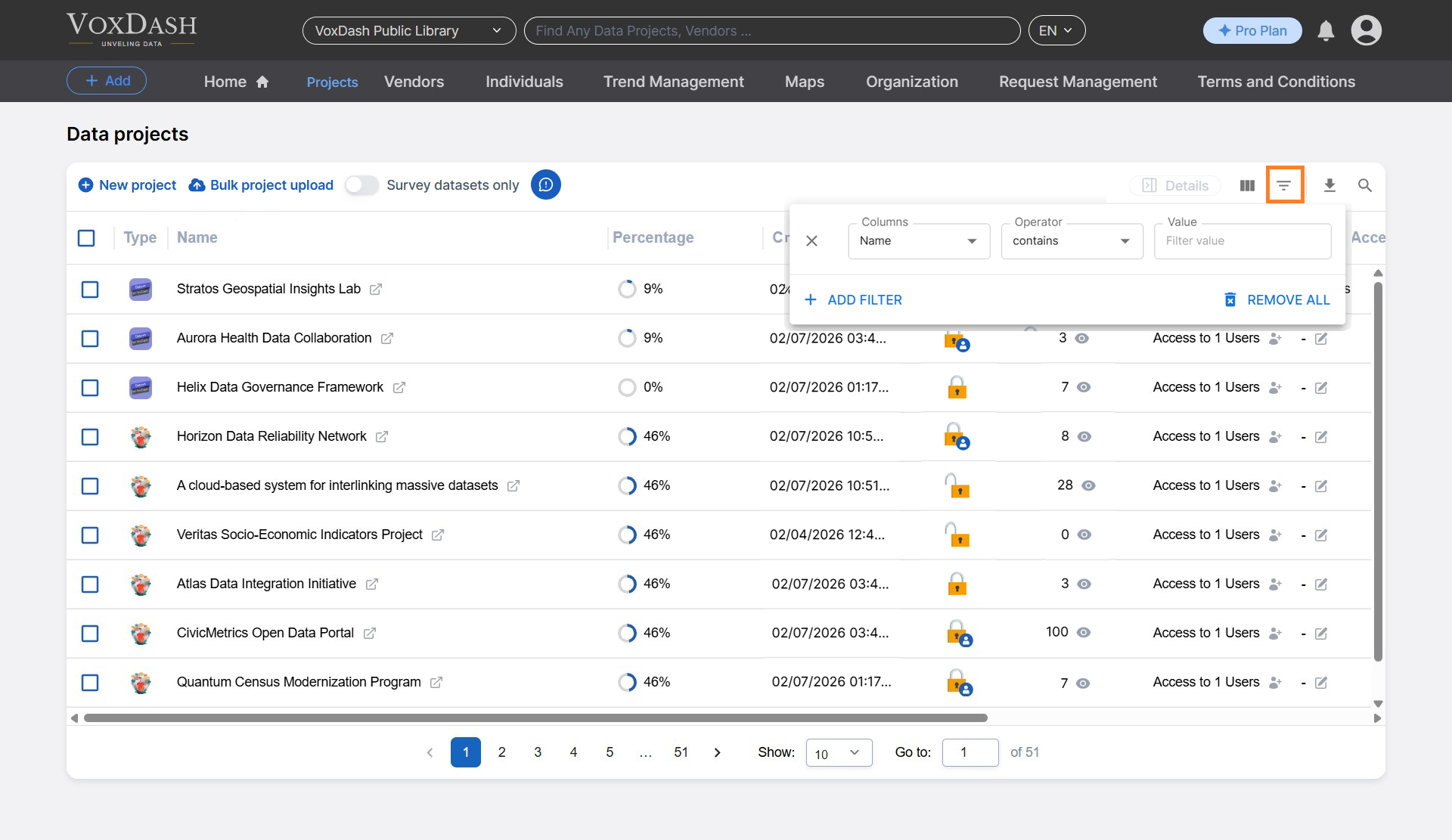
 ### **1.4 Filter Projects**
The filter option enables users to:
* Narrow down the list of projects based on specific criteria (e.g., project name)
* Quickly locate relevant projects in large datasets
### **1.4 Filter Projects**
The filter option enables users to:
* Narrow down the list of projects based on specific criteria (e.g., project name)
* Quickly locate relevant projects in large datasets
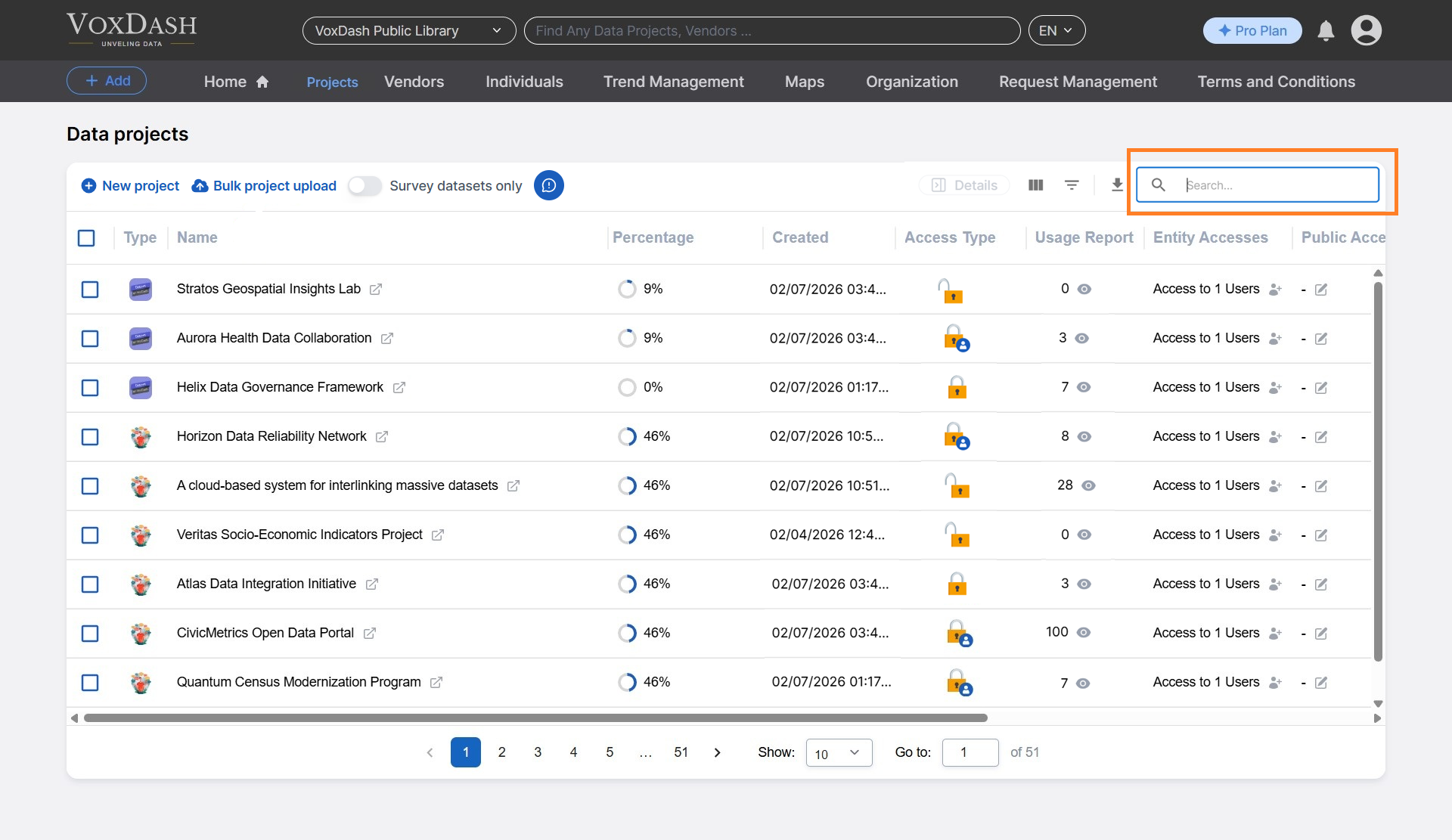
 ### **1.5 Search**
The search bar allows users to:
* Instantly find projects by typing all or part of a project name
* Reduce time spent scrolling through long project lists
### **1.5 Search**
The search bar allows users to:
* Instantly find projects by typing all or part of a project name
* Reduce time spent scrolling through long project lists
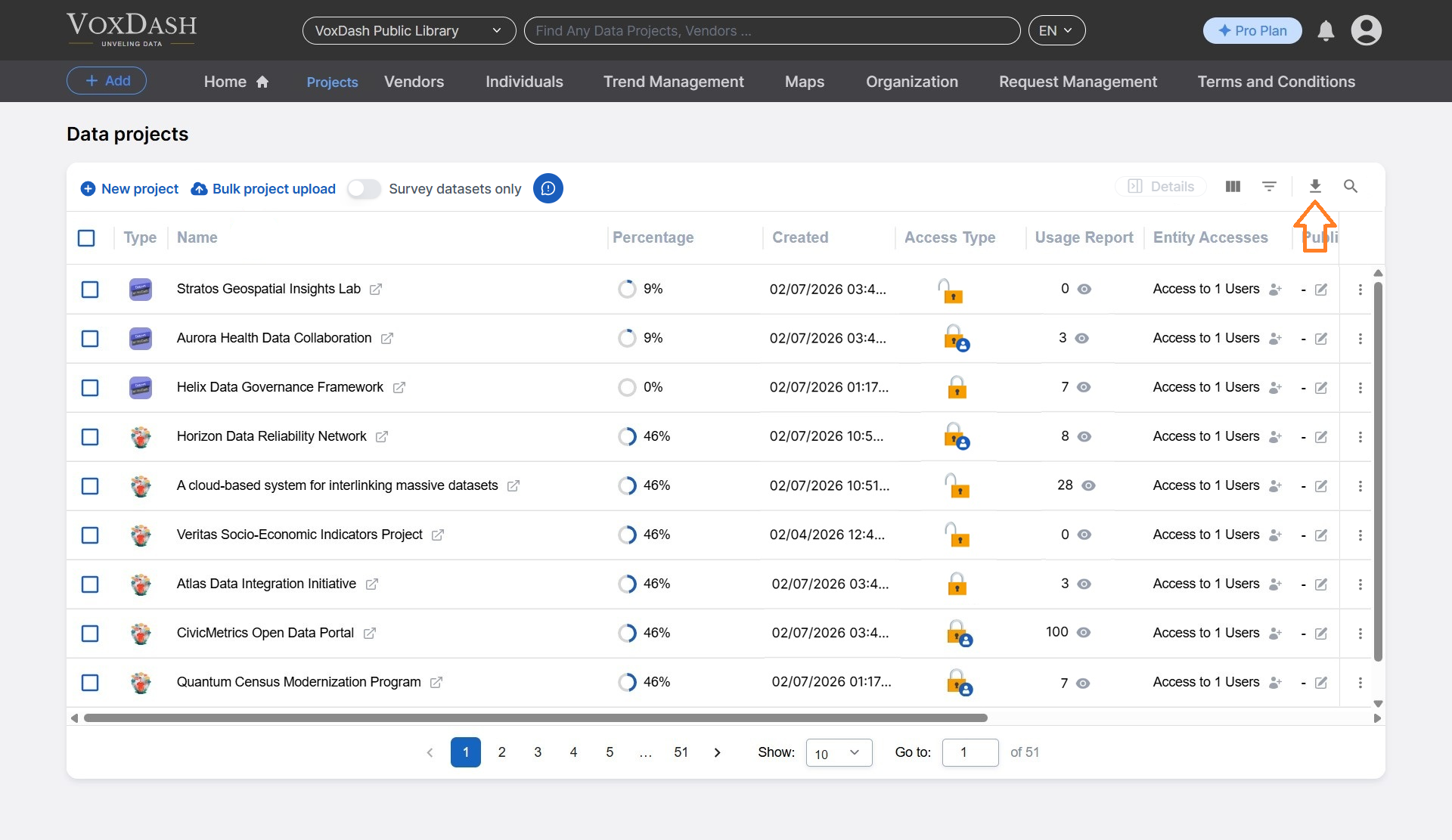
 ### **1.6 Export**
With one click, users can:
* Export project information along with relevant metadata
* Download project details for reporting, auditing, or offline analysis
### **1.6 Export**
With one click, users can:
* Export project information along with relevant metadata
* Download project details for reporting, auditing, or offline analysis
 ## **2. Table Columns and Their Features**
Each column in the File Manager Table provides specific information and controls for individual projects.
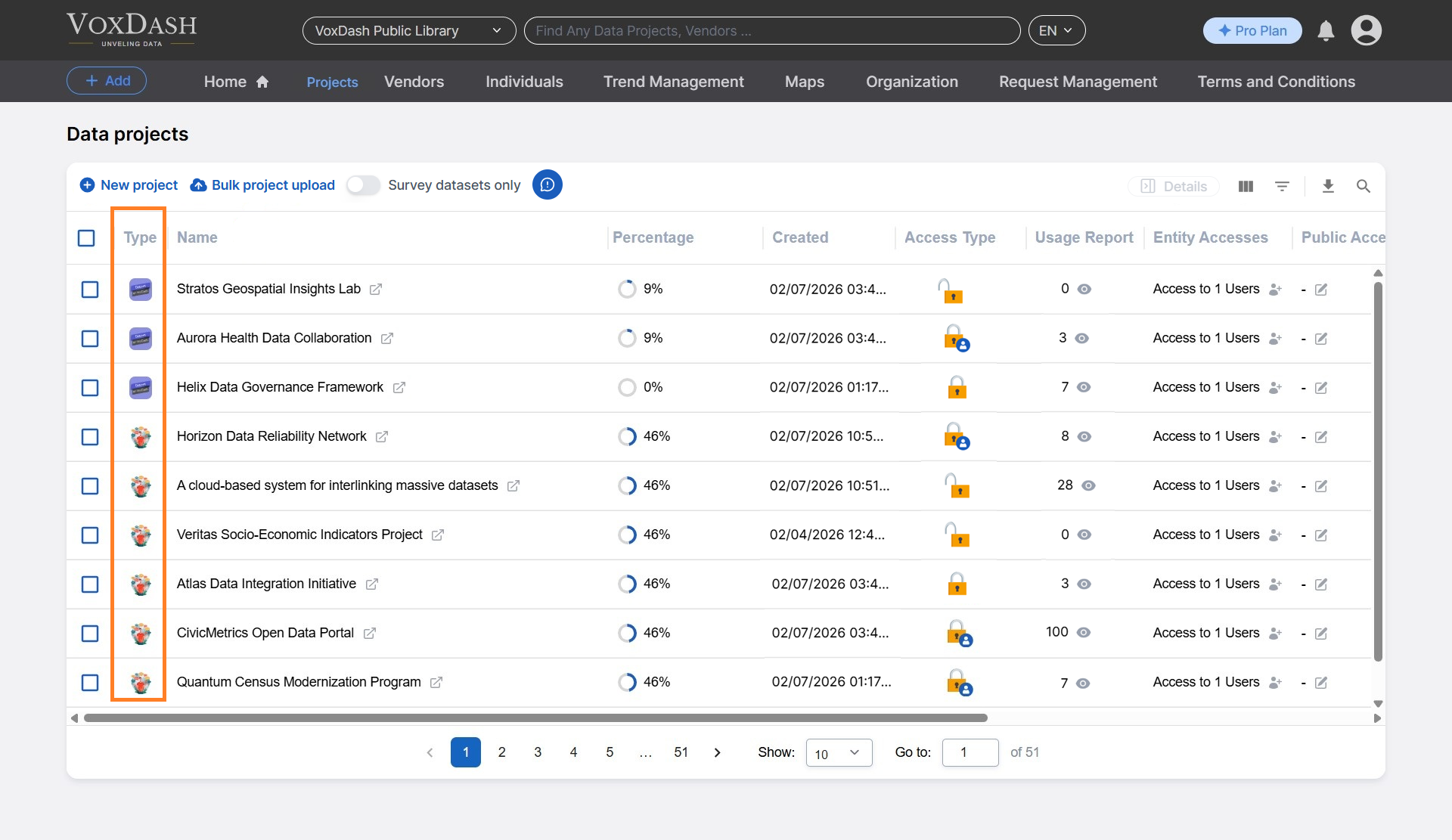
### **2.1 Type**
Displays a cover image or file type icon for each project, helping users quickly identify the nature of the data.
## **2. Table Columns and Their Features**
Each column in the File Manager Table provides specific information and controls for individual projects.
### **2.1 Type**
Displays a cover image or file type icon for each project, helping users quickly identify the nature of the data.
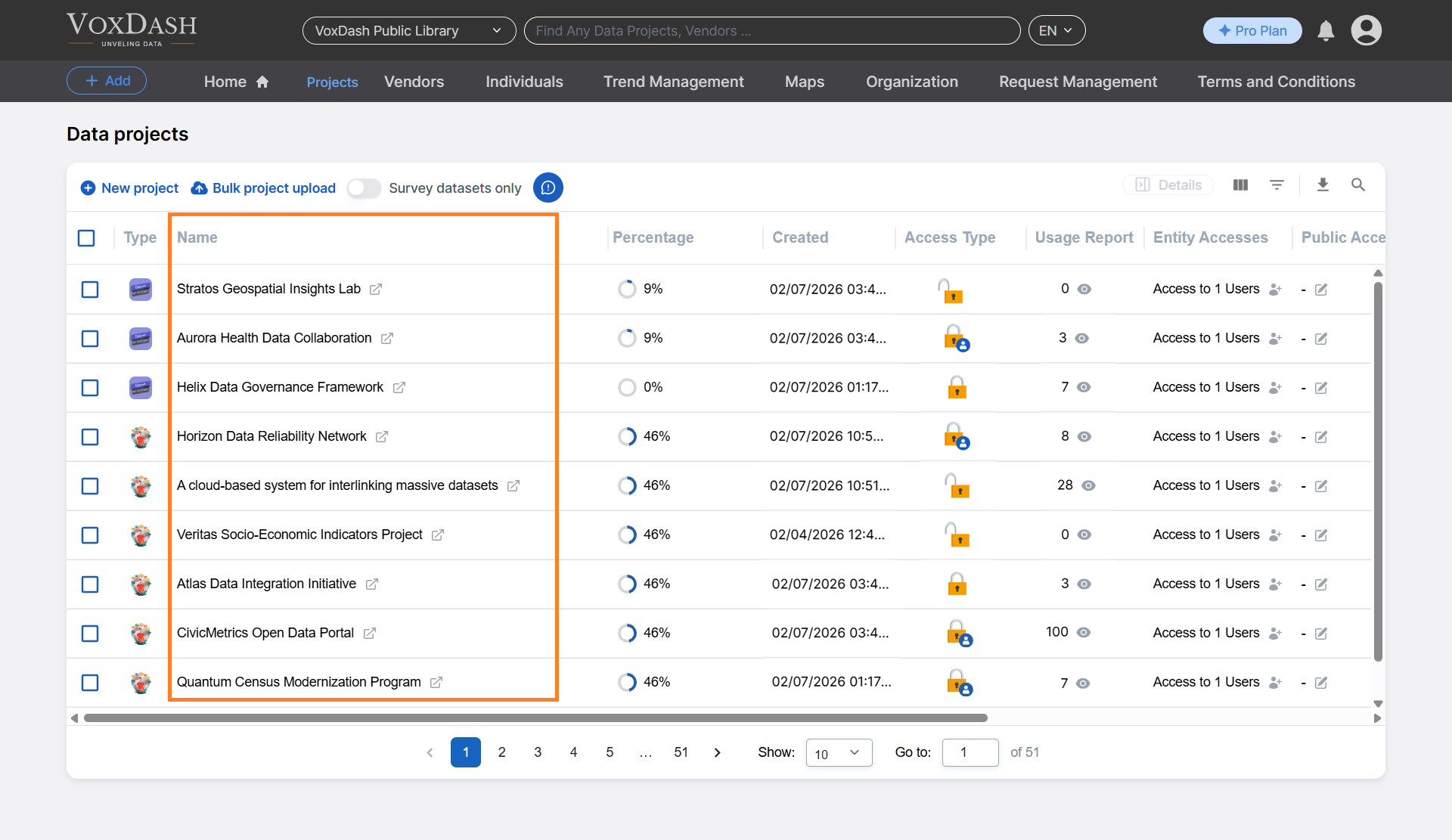
 ### **2.2 Name**
Shows the project name, as defined during creation.
You can change the name later, if needed.
### **2.2 Name**
Shows the project name, as defined during creation.
You can change the name later, if needed.
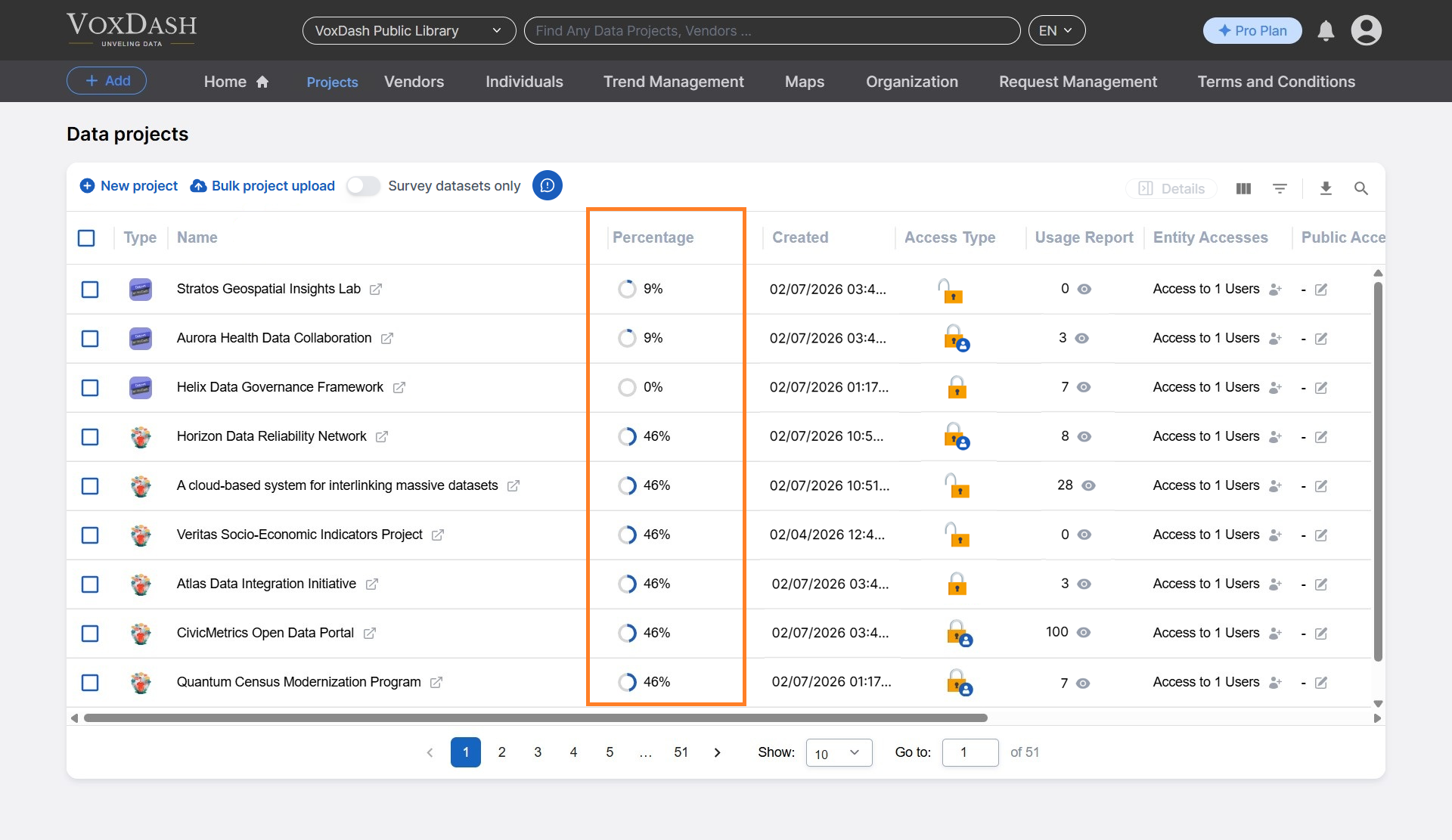
 ### **2.3 Percentage**
Indicates the data entry completion percentage, allowing users to:
* Track progress immediately
* Identify projects that are still in progress or completed
### **2.3 Percentage**
Indicates the data entry completion percentage, allowing users to:
* Track progress immediately
* Identify projects that are still in progress or completed
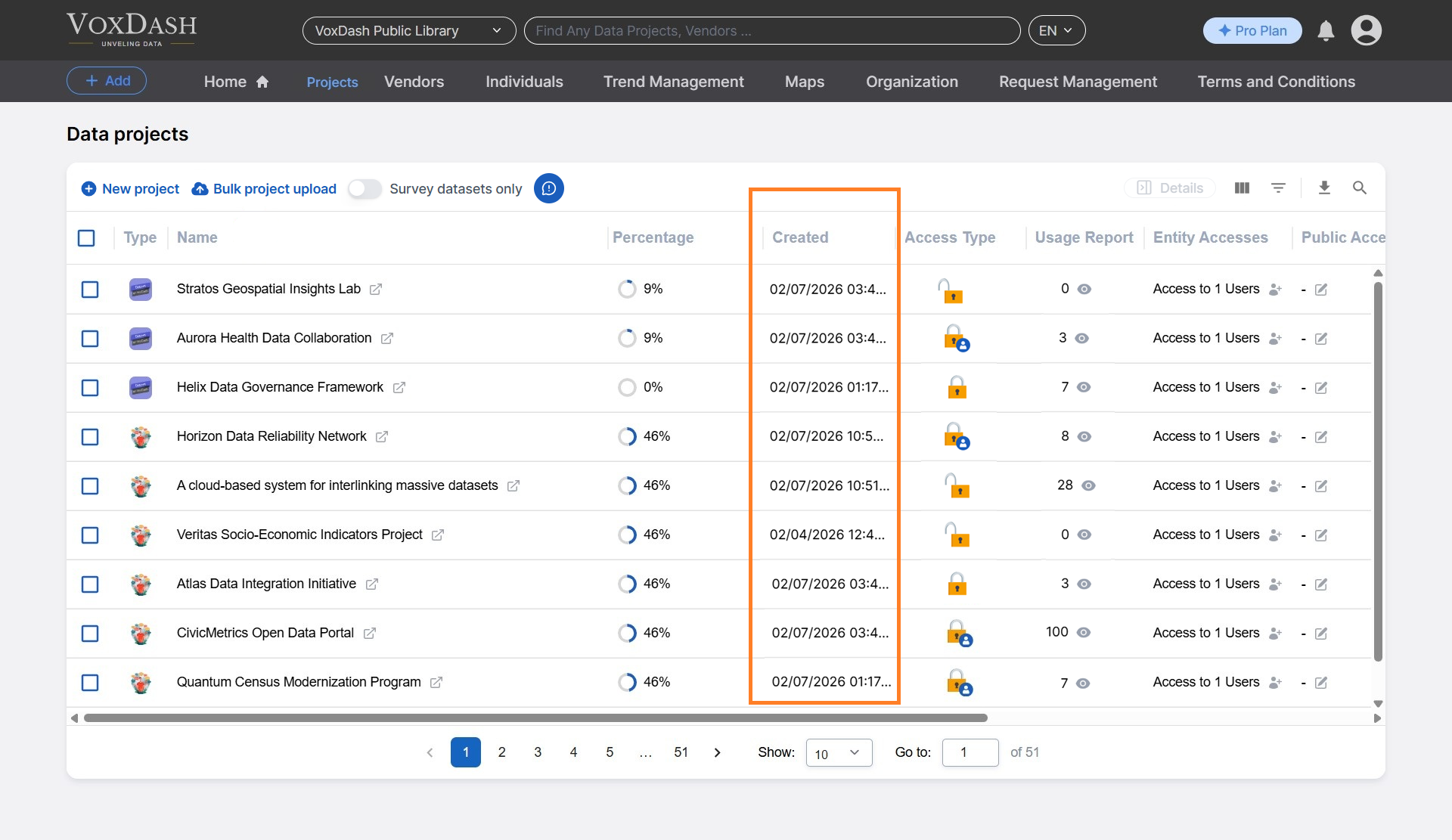
 ### **2.4 Created**
Displays the date and time when the project was created and added to VoxDash.
This helps with version tracking and project history review.
### **2.4 Created**
Displays the date and time when the project was created and added to VoxDash.
This helps with version tracking and project history review.
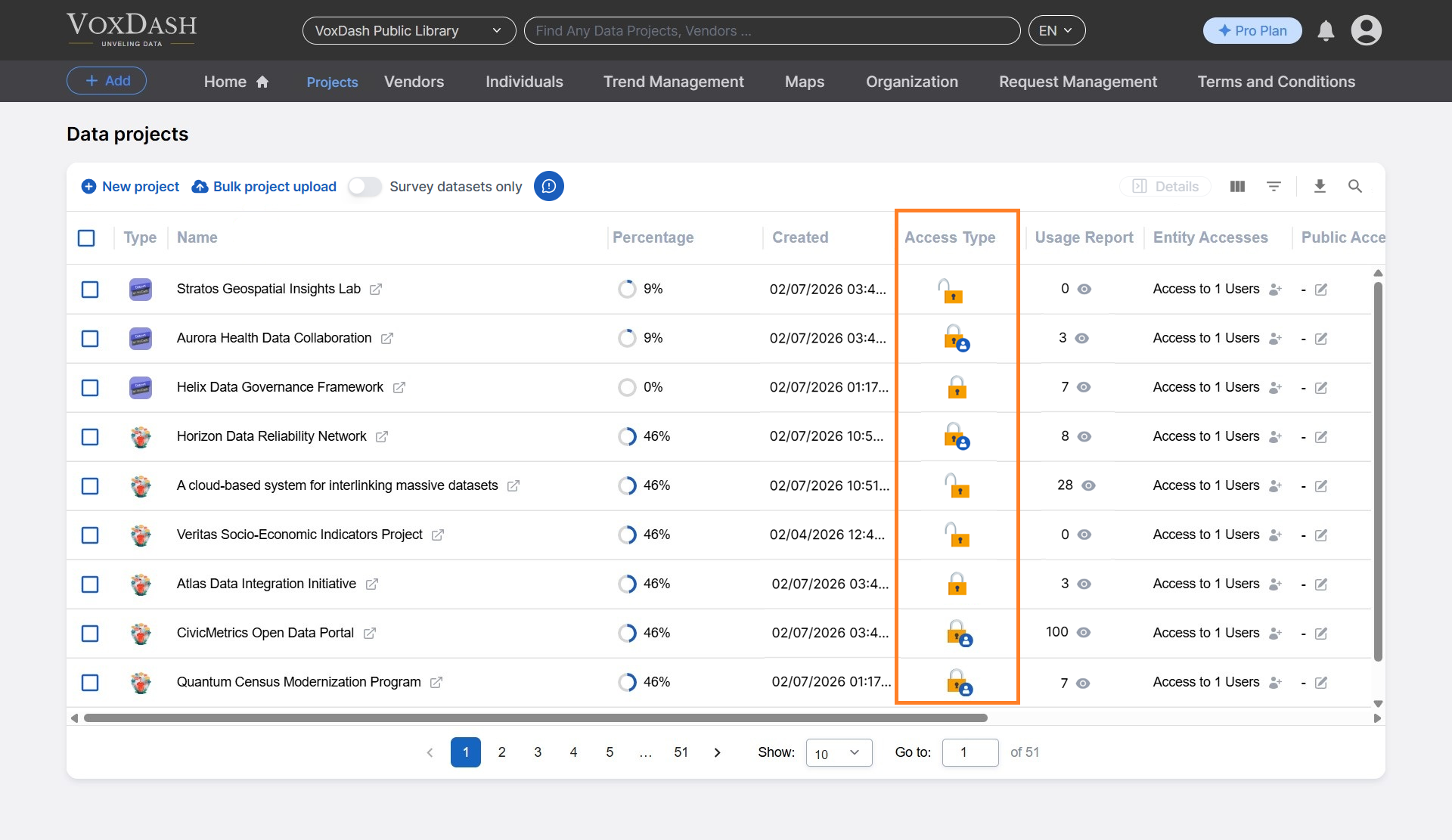
 ### **2.5 Access Type**
Shows which users have been granted access to the project:
* Access may be assigned by username or user ID
* Only authorized users can view the dataset
This column provides visibility into project-level access control.
### **2.5 Access Type**
Shows which users have been granted access to the project:
* Access may be assigned by username or user ID
* Only authorized users can view the dataset
This column provides visibility into project-level access control.
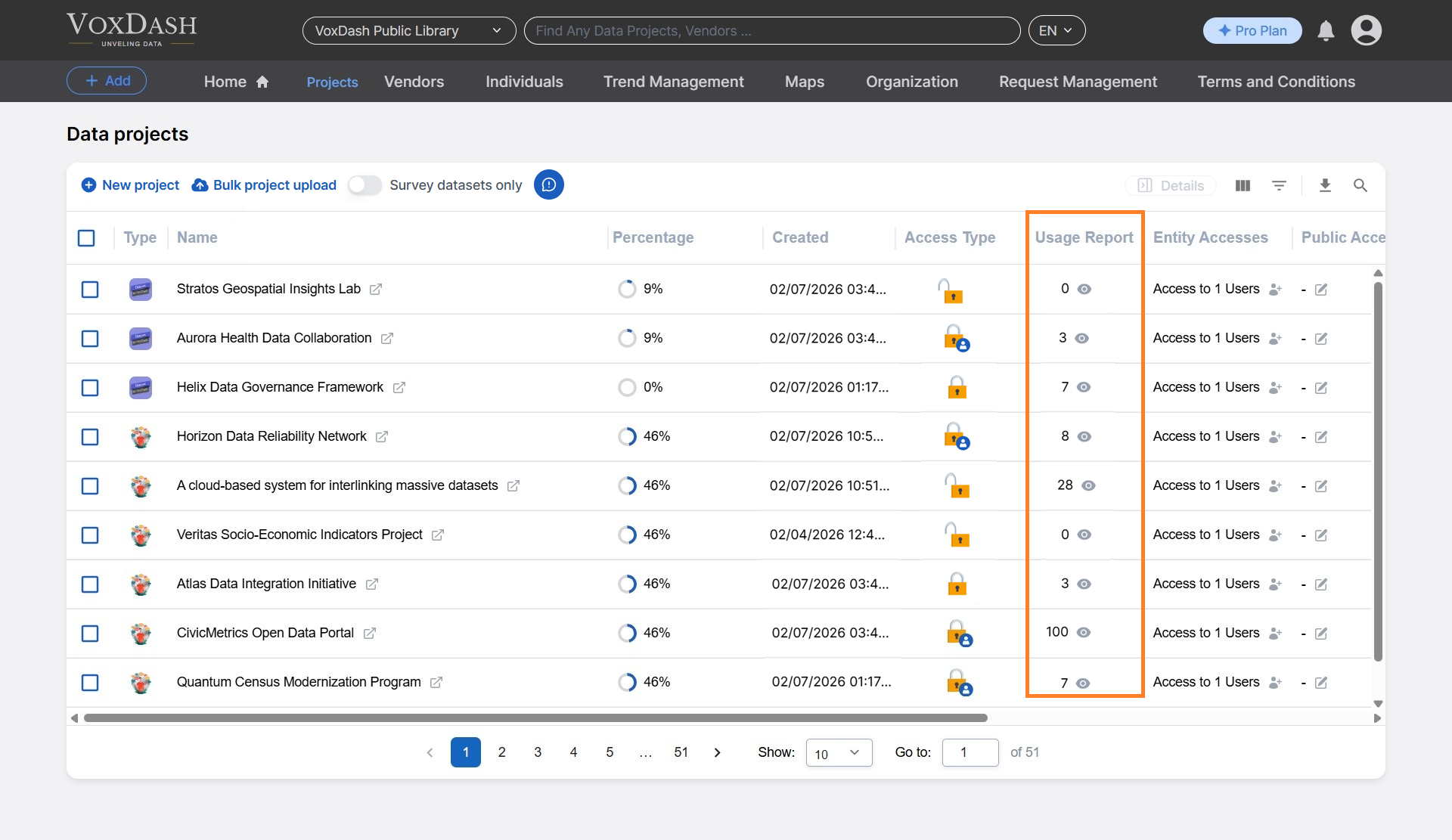
 ### **2.6 Usage Report**
Displays the number of visits or interactions with the data project.
This helps data providers:
* Monitor engagement
* Understand how often the data is being accessed
### **2.6 Usage Report**
Displays the number of visits or interactions with the data project.
This helps data providers:
* Monitor engagement
* Understand how often the data is being accessed
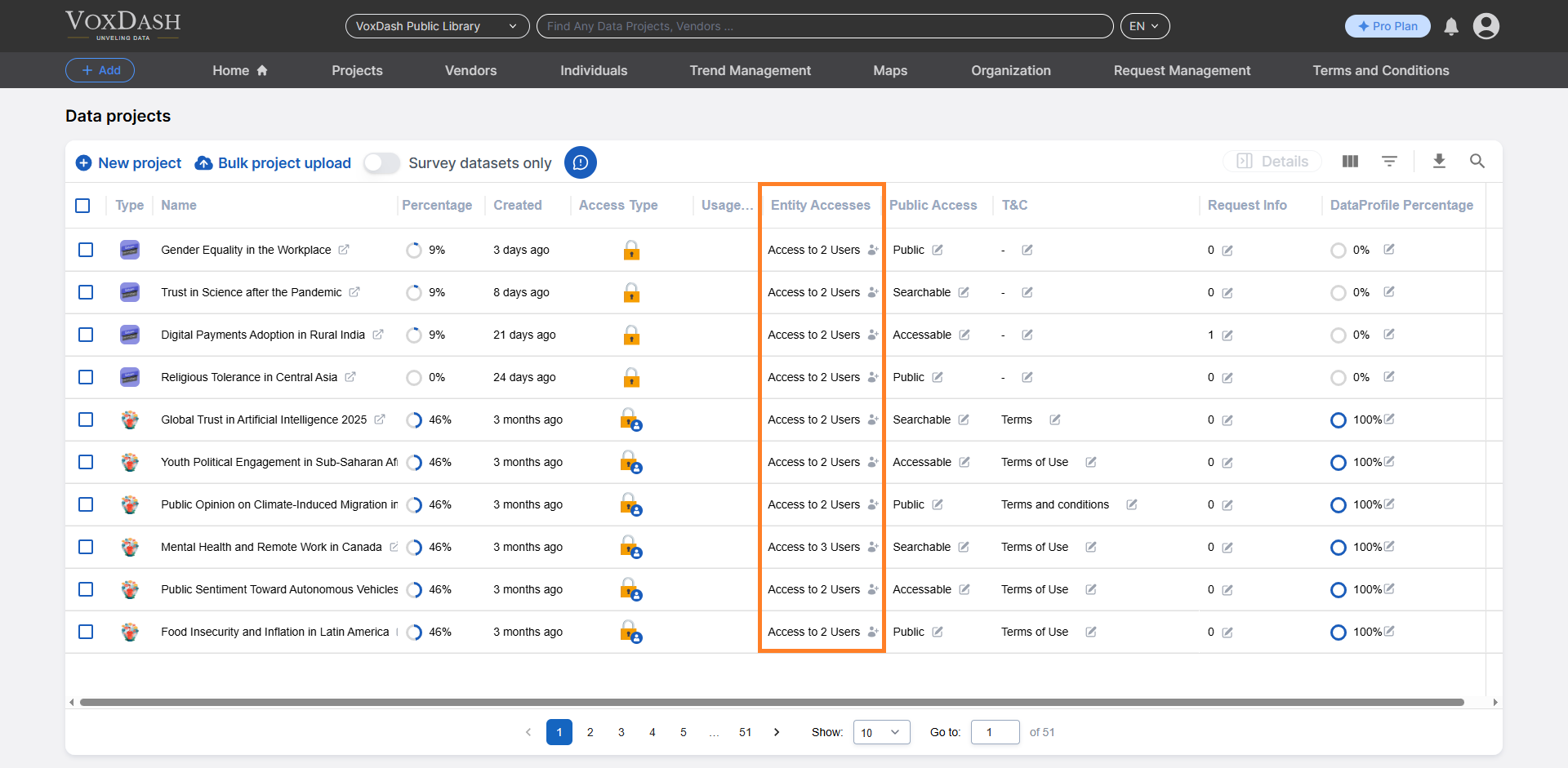
 ### **2.7 Entity Access**
Entity Access allows users to manage who can view or modify a project. With this feature, users can:
* Assign specific roles (e.g., viewer, editor)
* Apply data restrictions
* Set expiration dates for access
This ensures secure and controlled data sharing.
Read more about [Entity Access](/Access-Controls/Entity-Level-Access-Control)
### **2.7 Entity Access**
Entity Access allows users to manage who can view or modify a project. With this feature, users can:
* Assign specific roles (e.g., viewer, editor)
* Apply data restrictions
* Set expiration dates for access
This ensures secure and controlled data sharing.
Read more about [Entity Access](/Access-Controls/Entity-Level-Access-Control)
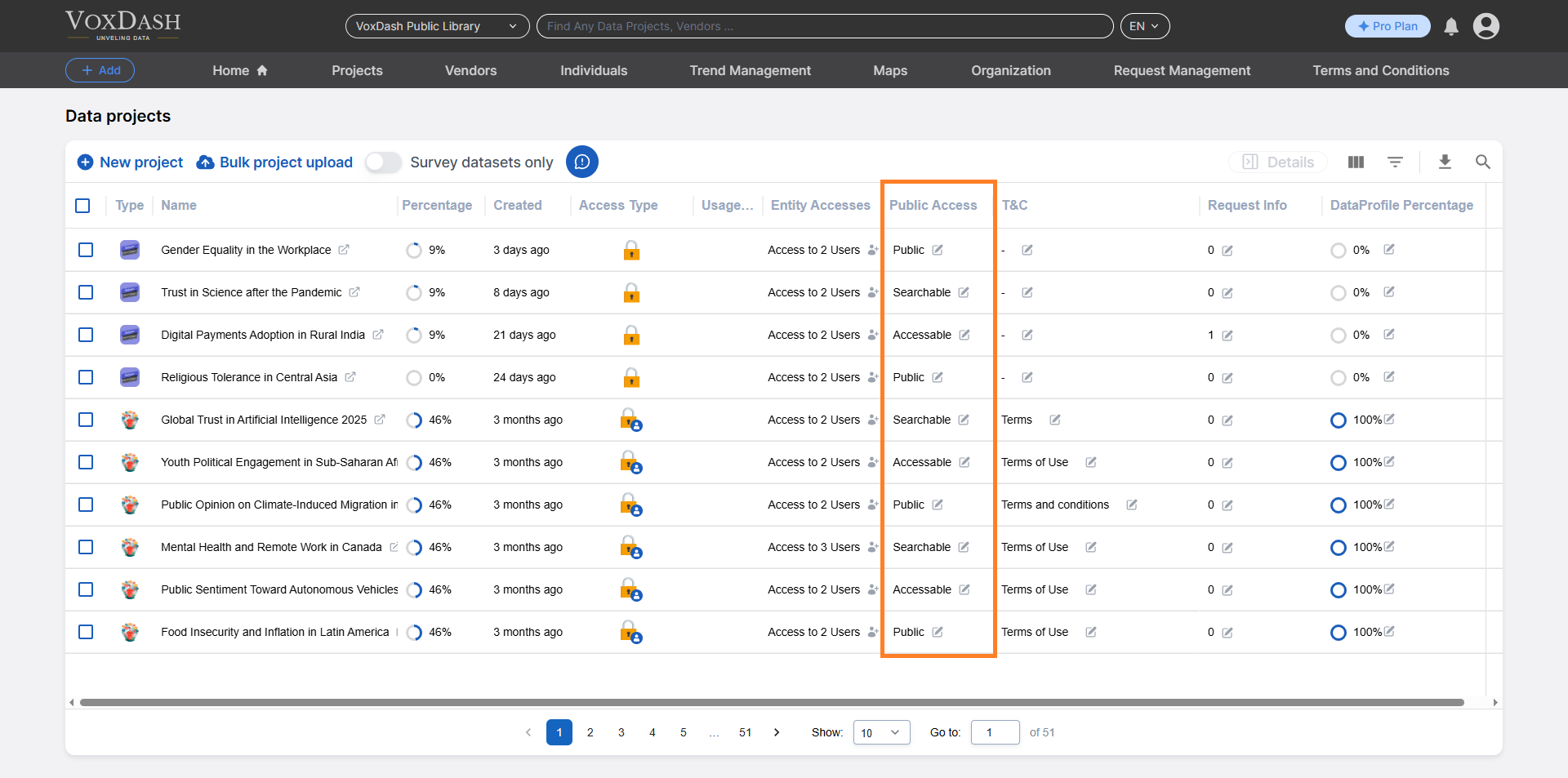
 ### **2.8 Public Access**
This column manages public sharing settings, allowing users to:
* Enable or disable public access
* Control how the project is shared externally
Public access settings help balance visibility and data security.
Read more about [Public Access](/Access-Controls/Public-Access-Settings)
### **2.8 Public Access**
This column manages public sharing settings, allowing users to:
* Enable or disable public access
* Control how the project is shared externally
Public access settings help balance visibility and data security.
Read more about [Public Access](/Access-Controls/Public-Access-Settings)
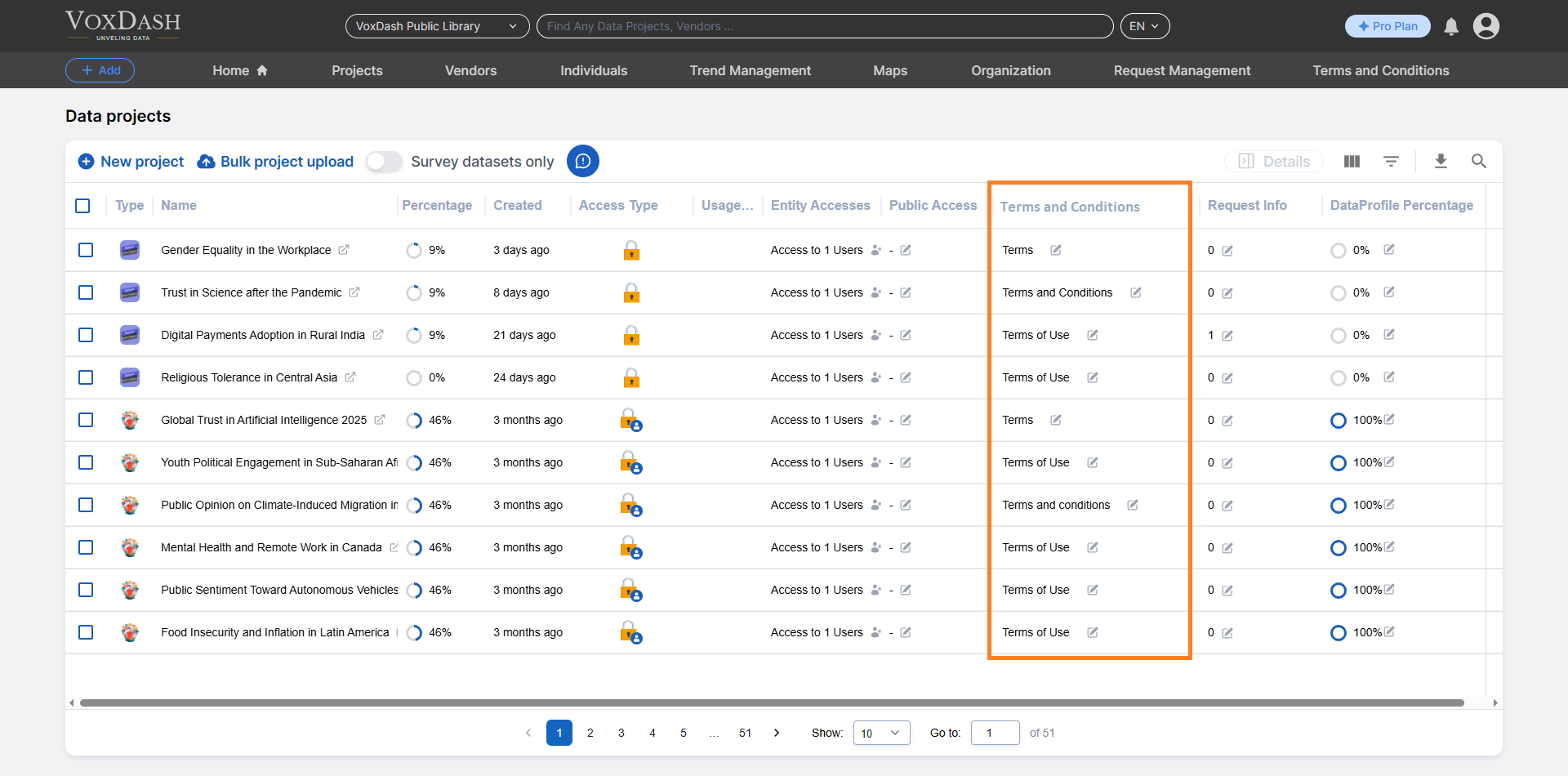
 ### **2.9 T\&C (Terms and Conditions)**
Users can:
* Add, edit, or manage Terms and Conditions directly from the table
* Ensure users agree to usage rules before accessing the data
This helps maintain compliance and proper data usage.
### **2.9 T\&C (Terms and Conditions)**
Users can:
* Add, edit, or manage Terms and Conditions directly from the table
* Ensure users agree to usage rules before accessing the data
This helps maintain compliance and proper data usage.
 Read more about [Terms ans Conditions](/Terms-&-Legal/Terms-&-Contract-Management)
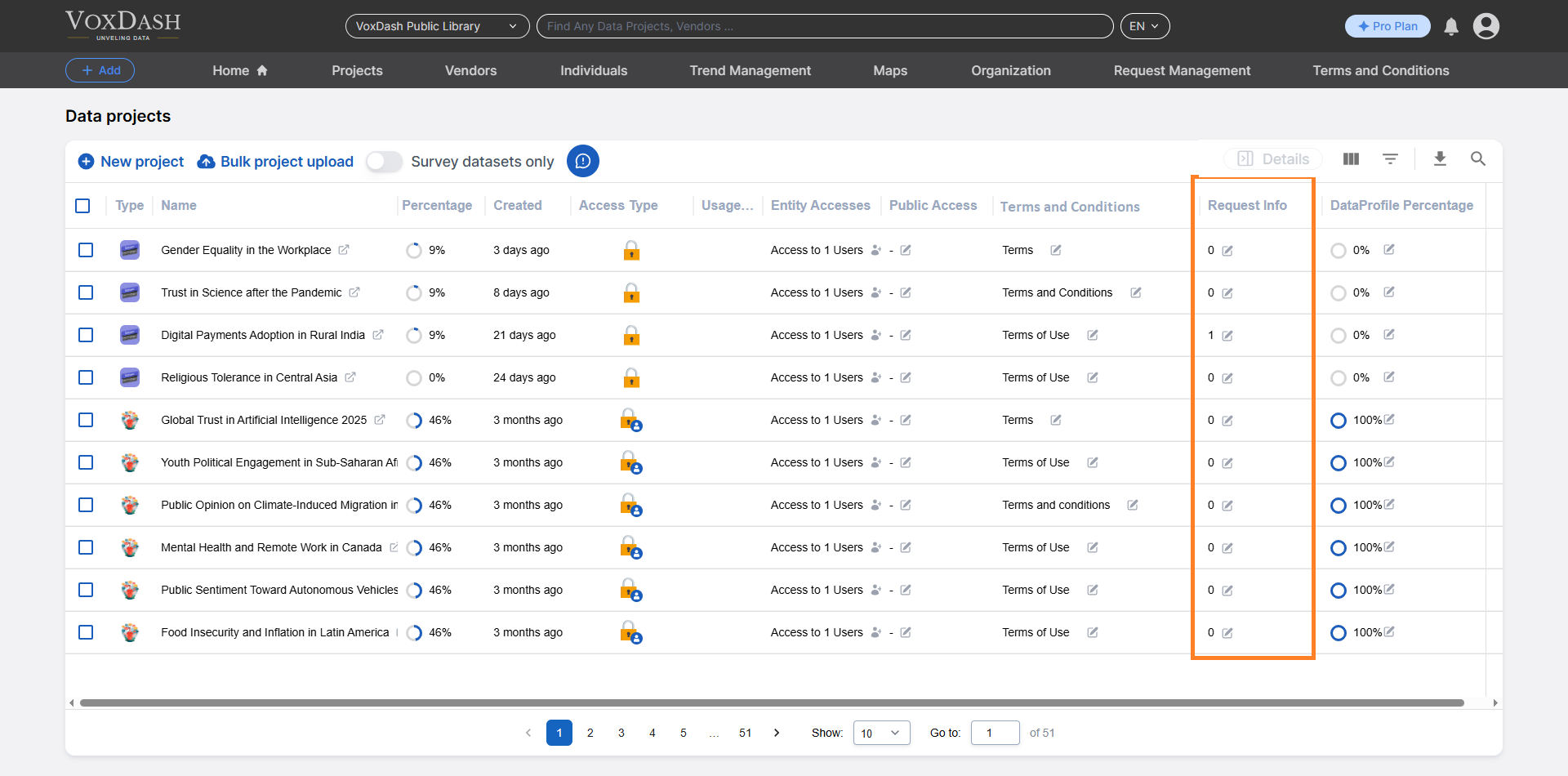
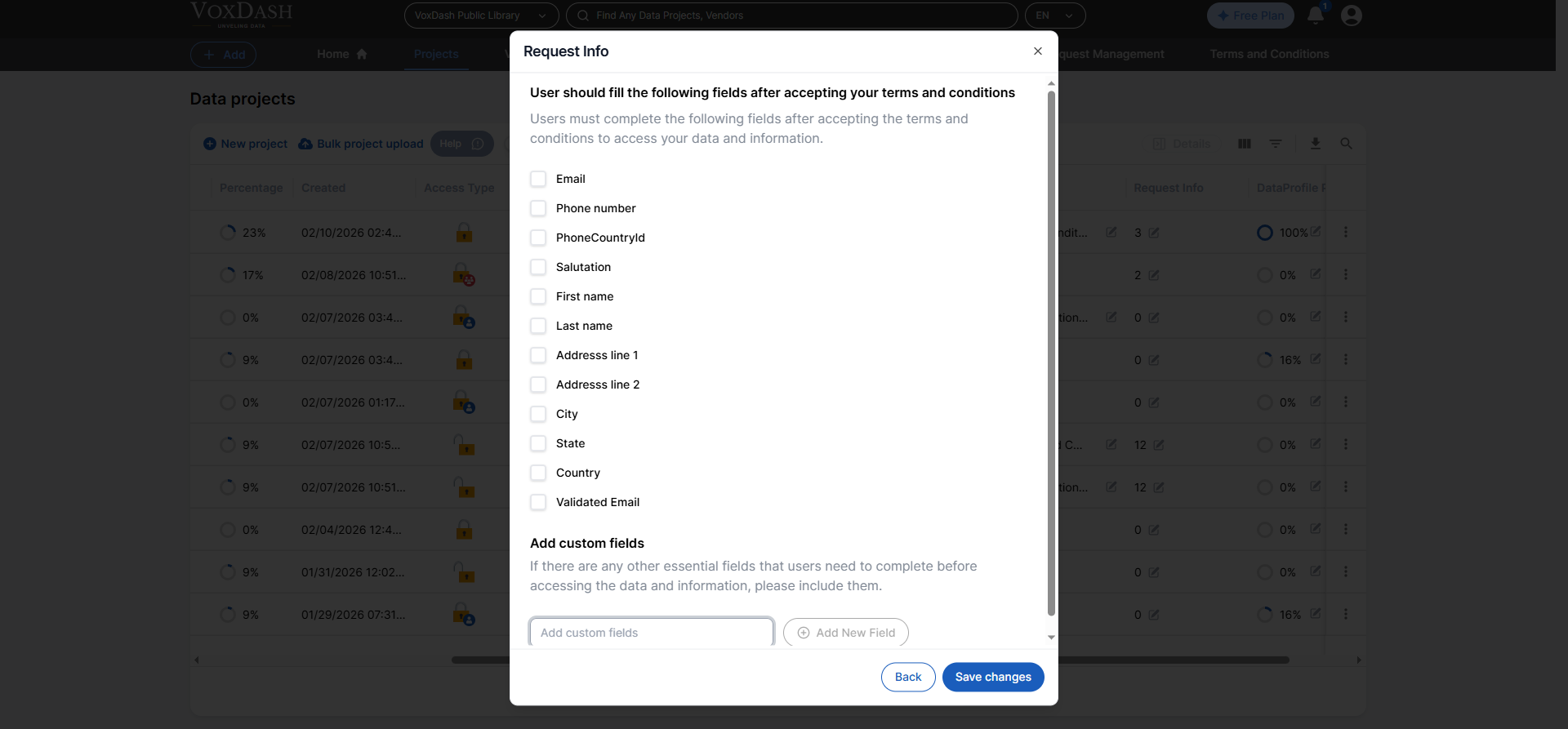
### **2.10 Request Info**
Data providers can define required fields that users must complete before accessing the dataset.
For example, you may request:
* Organization name
* Purpose of use
* Contact information
This feature ensures transparency and controlled data distribution.
Learn more about this feature [here](/Access-Controls/Request-info)
Read more about [Terms ans Conditions](/Terms-&-Legal/Terms-&-Contract-Management)
### **2.10 Request Info**
Data providers can define required fields that users must complete before accessing the dataset.
For example, you may request:
* Organization name
* Purpose of use
* Contact information
This feature ensures transparency and controlled data distribution.
Learn more about this feature [here](/Access-Controls/Request-info)
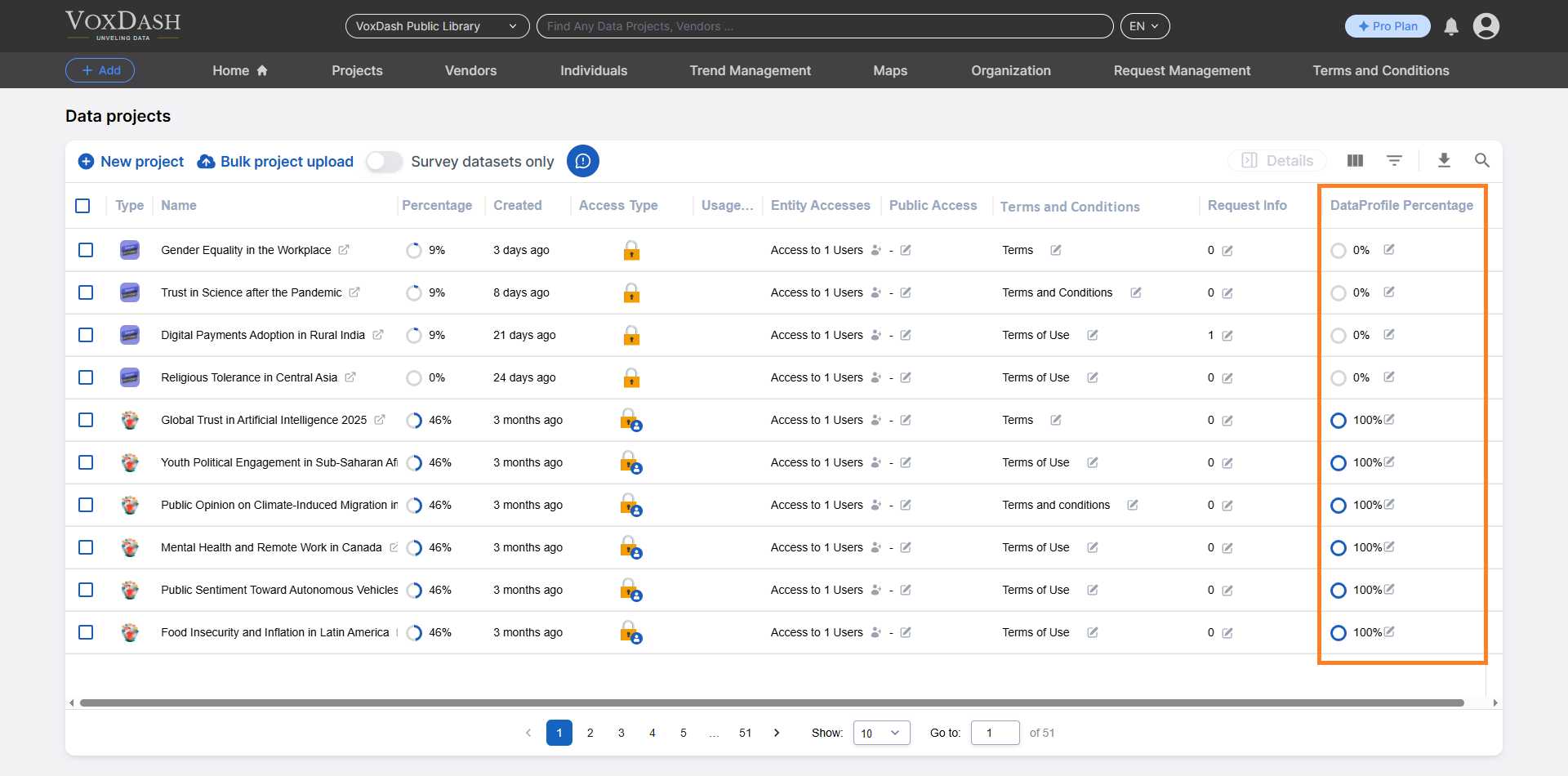
 ### **2.11 Data Profile Percentage**
Displays how much of the Data Profile section has been completed.
The Data Profile typically includes:
* Metadata
* Project description
* Data categories
* Methodology details
Maintaining a complete data profile improves data quality and discoverability.
For more details, refer to the [Data Profile](/Survey-&-Data-Entry/Data-Profile-Guide) section.
### **2.11 Data Profile Percentage**
Displays how much of the Data Profile section has been completed.
The Data Profile typically includes:
* Metadata
* Project description
* Data categories
* Methodology details
Maintaining a complete data profile improves data quality and discoverability.
For more details, refer to the [Data Profile](/Survey-&-Data-Entry/Data-Profile-Guide) section.
 ## **3. Burger Menu Features (Project Actions)**
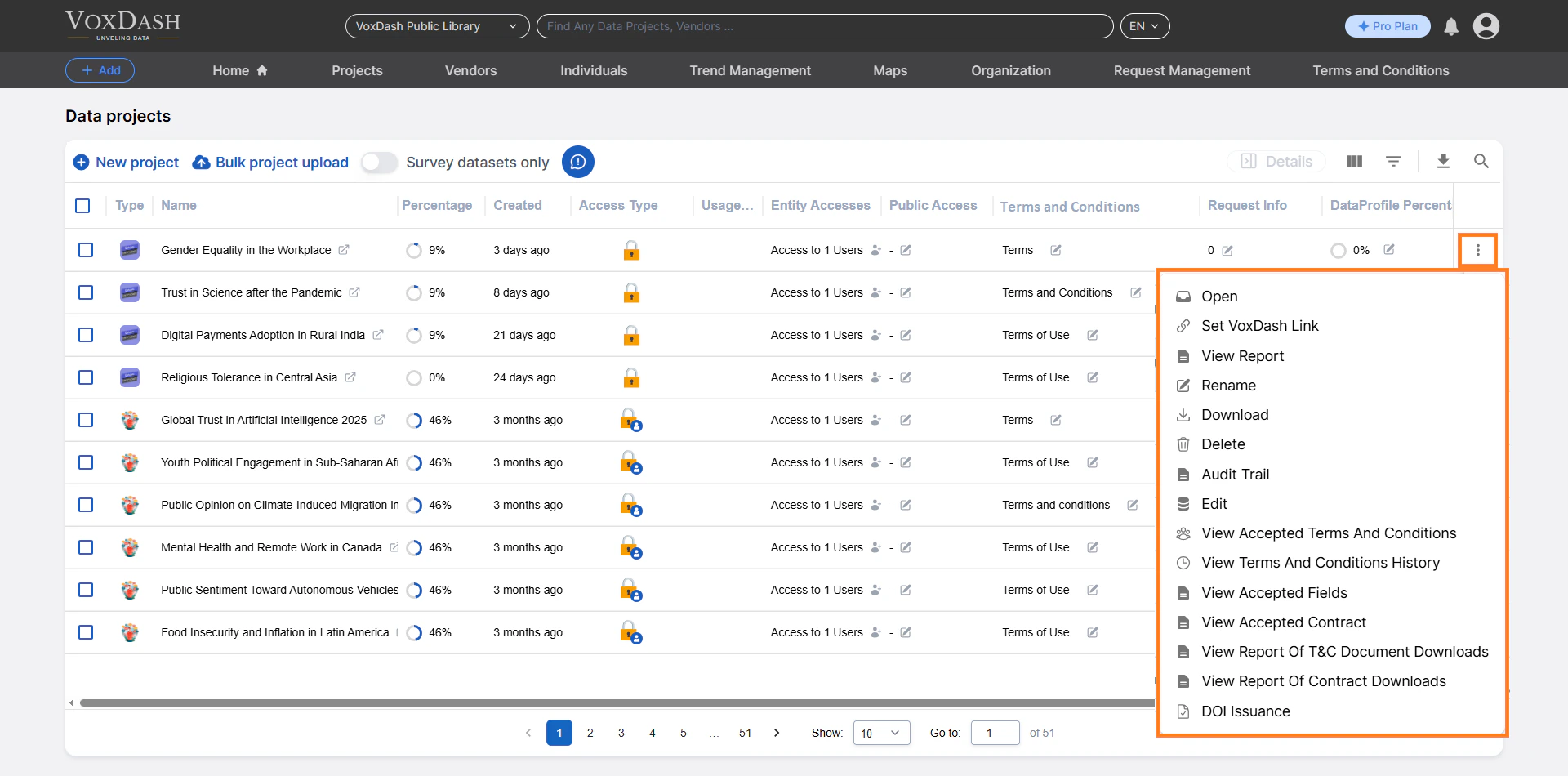
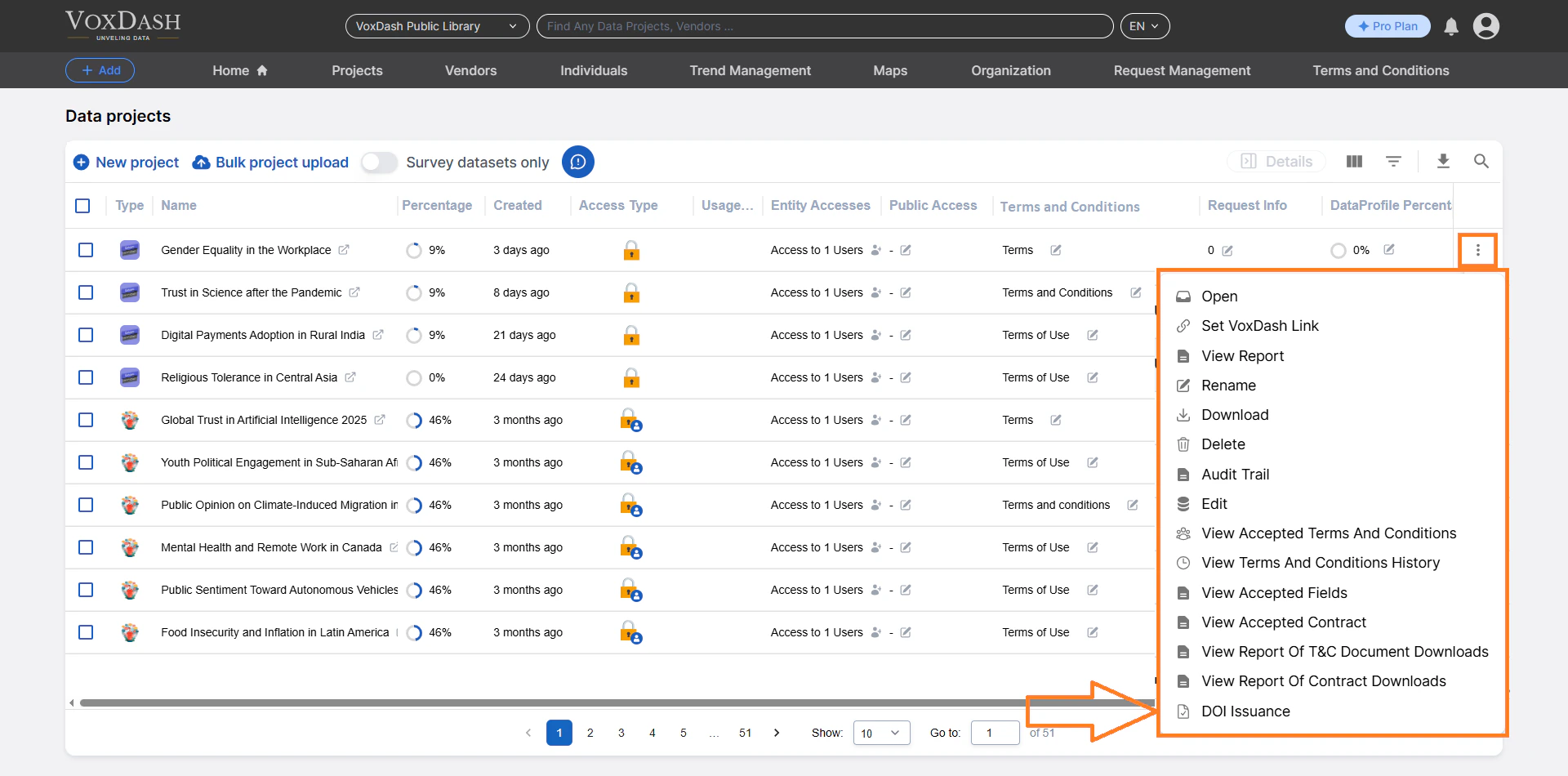
Each project row includes a Burger Menu (⋮) containing additional actions.
## **3. Burger Menu Features (Project Actions)**
Each project row includes a Burger Menu (⋮) containing additional actions.
 ### **3.1 Open**
Click Open to navigate to the project’s file section.
From there, you can:
* View project details
* Perform data entry
* Review uploaded files
* Manage dataset components
* Add [Placeholder](/Data-Management/Placeholder-Files) or [Sample File](/Data-Management/Sample-Files)
For more details, refer to the [Data Entry](/Survey-&-Data-Entry/Data-Entry-Overview) and [Survey Data Entry](/Survey-&-Data-Entry/Survey-Data-Entry-Guide) section.
### **3.1 Open**
Click Open to navigate to the project’s file section.
From there, you can:
* View project details
* Perform data entry
* Review uploaded files
* Manage dataset components
* Add [Placeholder](/Data-Management/Placeholder-Files) or [Sample File](/Data-Management/Sample-Files)
For more details, refer to the [Data Entry](/Survey-&-Data-Entry/Data-Entry-Overview) and [Survey Data Entry](/Survey-&-Data-Entry/Survey-Data-Entry-Guide) section.
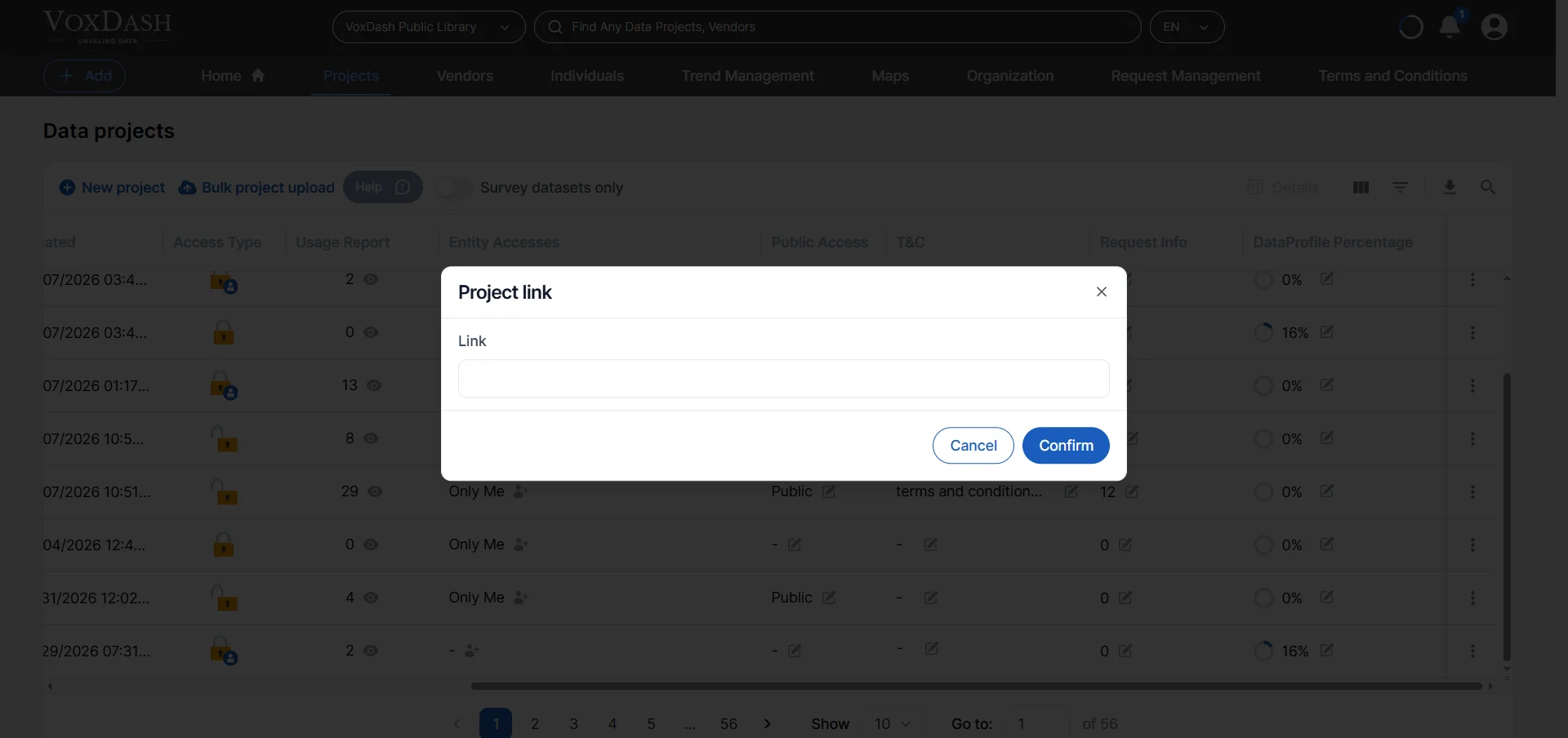
 ### **3.2 Set VoxDash Link**
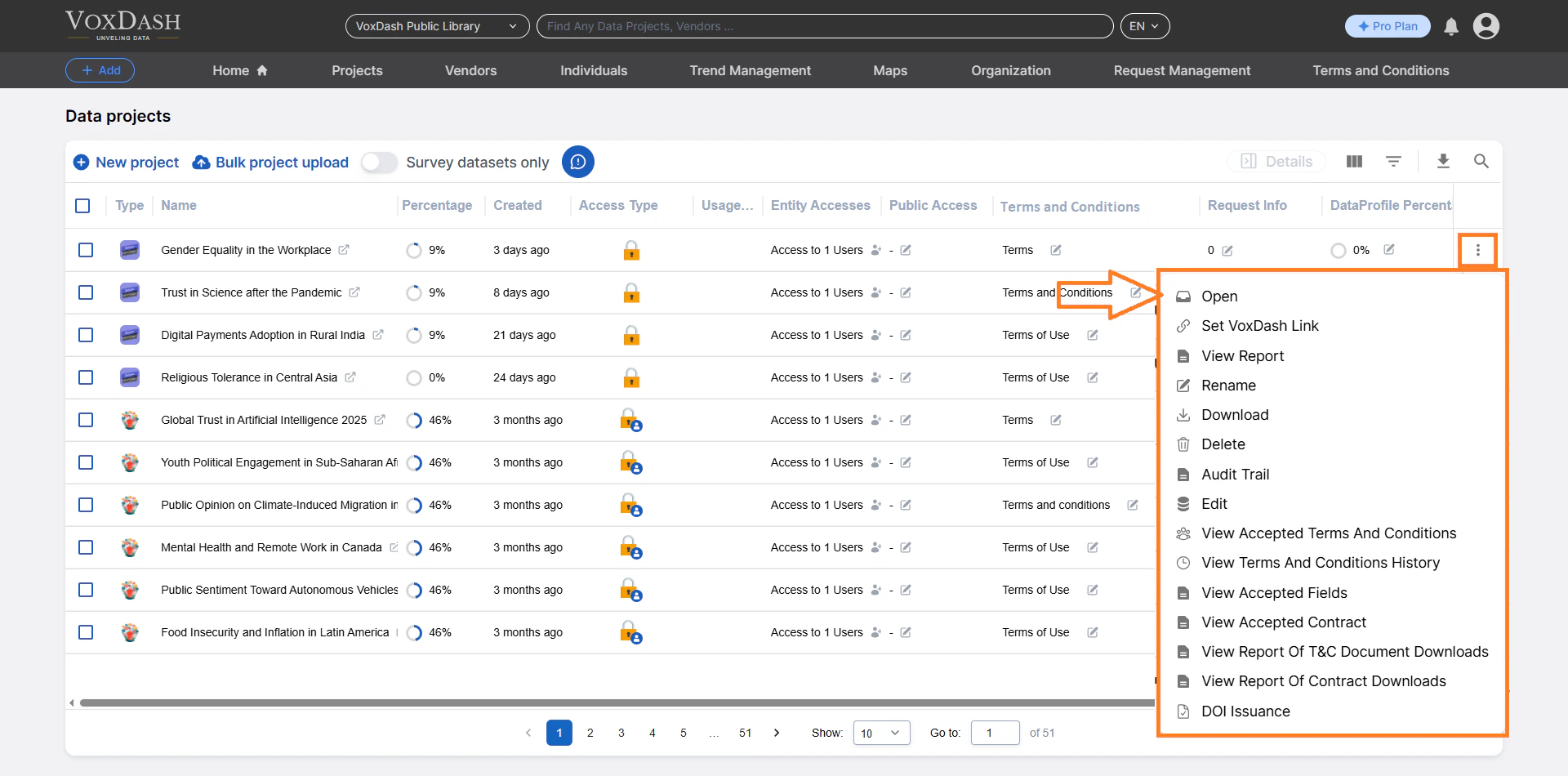
Generate a unique, platform-specific link for your project.
This allows you to:
* Quickly access the project
* Share direct links internally
* Improve workflow efficiency
### **3.2 Set VoxDash Link**
Generate a unique, platform-specific link for your project.
This allows you to:
* Quickly access the project
* Share direct links internally
* Improve workflow efficiency
 ### **3.3 View Report**
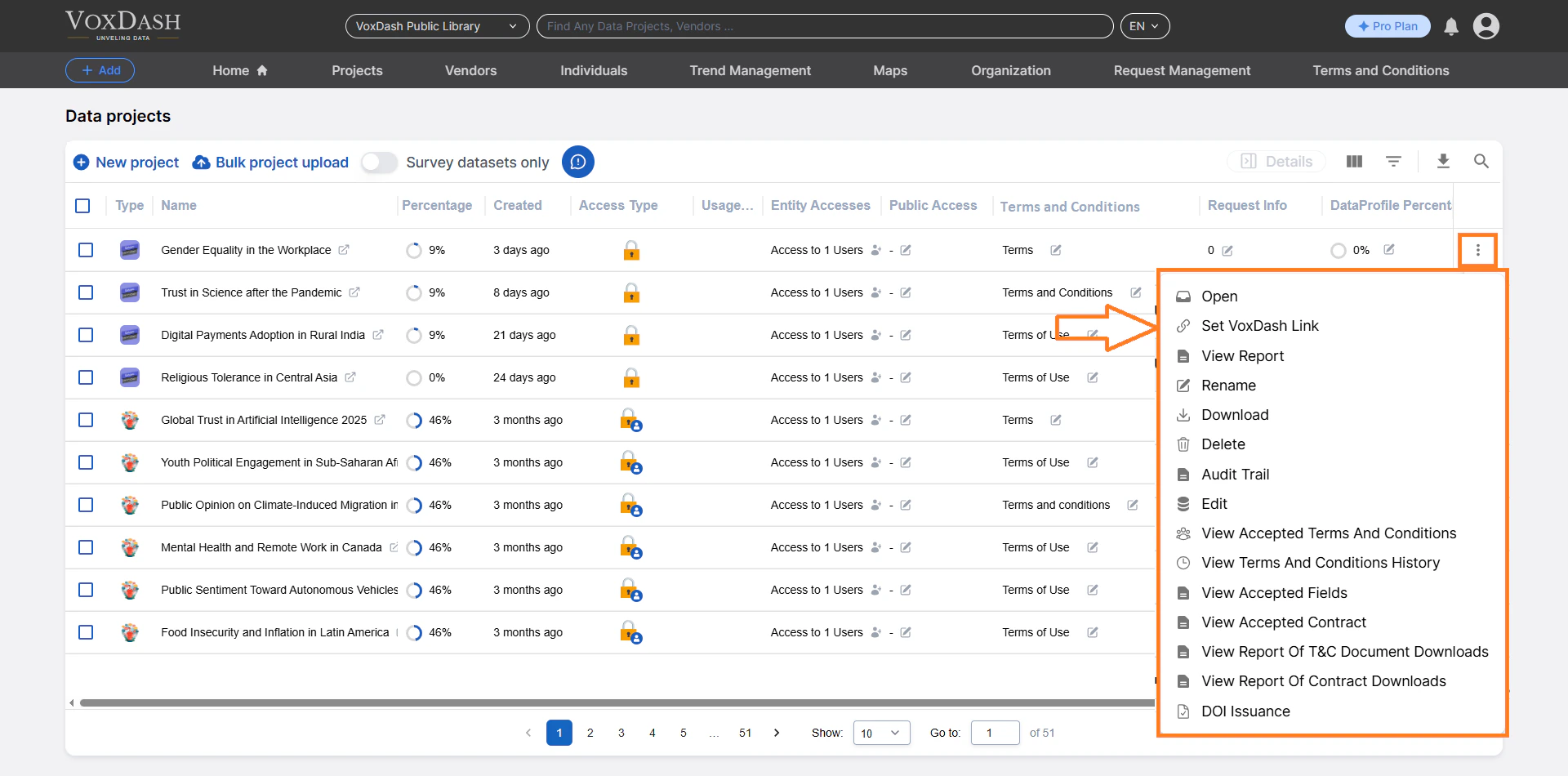
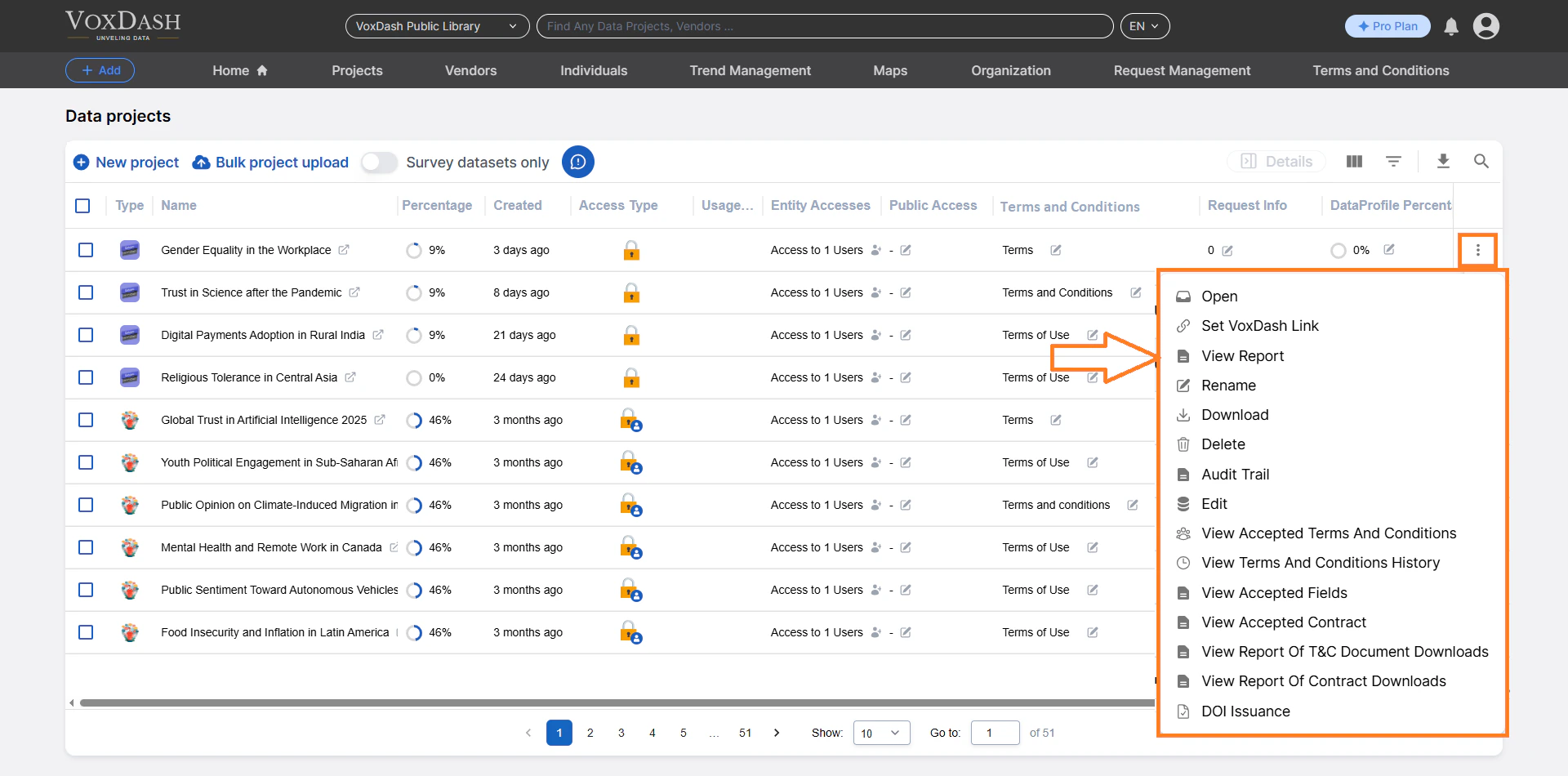
Access detailed reports related to the project, including:
* Usage statistics
-Data insights
-Performance metrics
This feature supports analytics and reporting needs.
### **3.3 View Report**
Access detailed reports related to the project, including:
* Usage statistics
-Data insights
-Performance metrics
This feature supports analytics and reporting needs.
 ### **3.4 Rename**
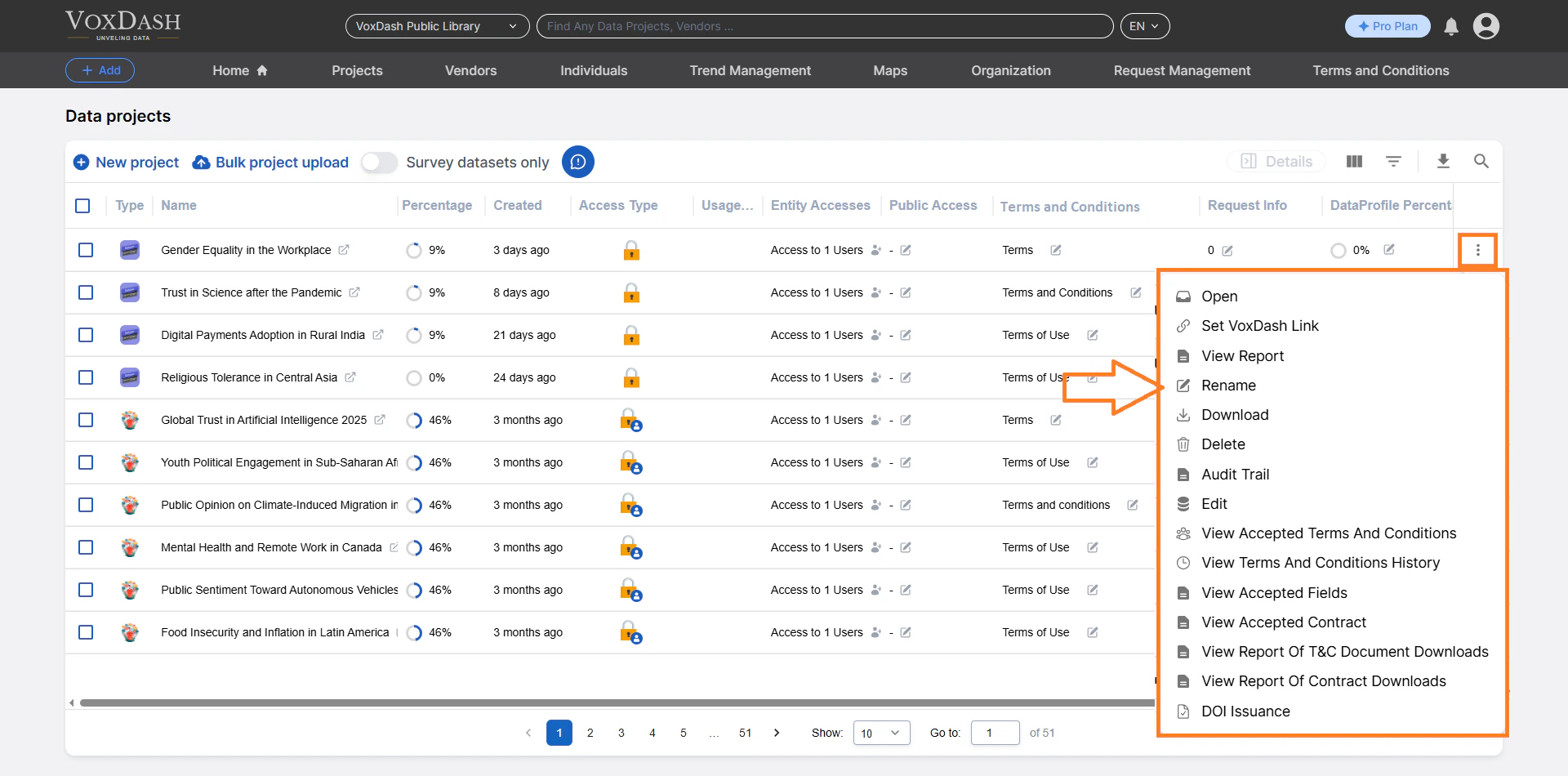
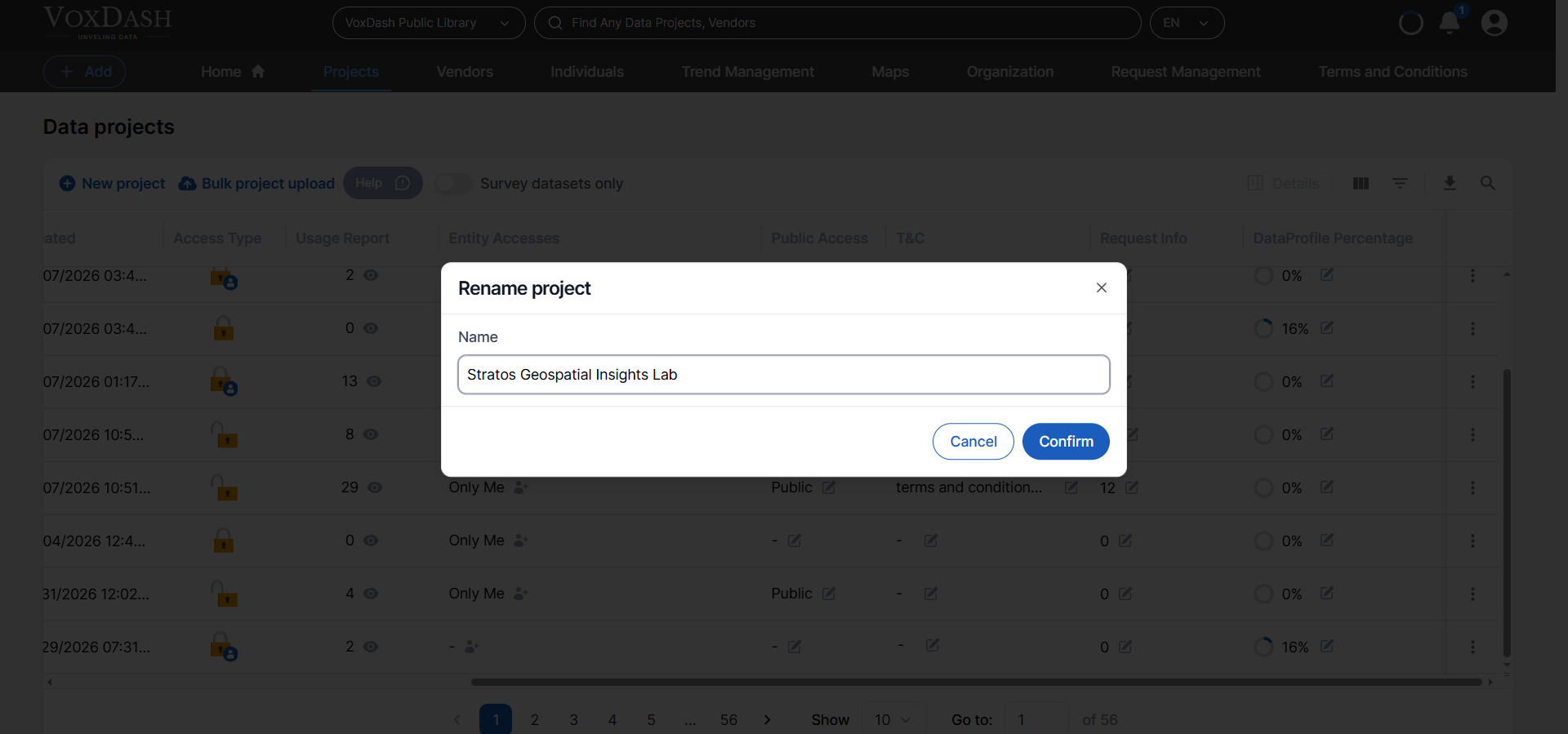
Rename the project directly from the table without entering the data entry section.
This allows for quick corrections or updates to project titles.
### **3.4 Rename**
Rename the project directly from the table without entering the data entry section.
This allows for quick corrections or updates to project titles.
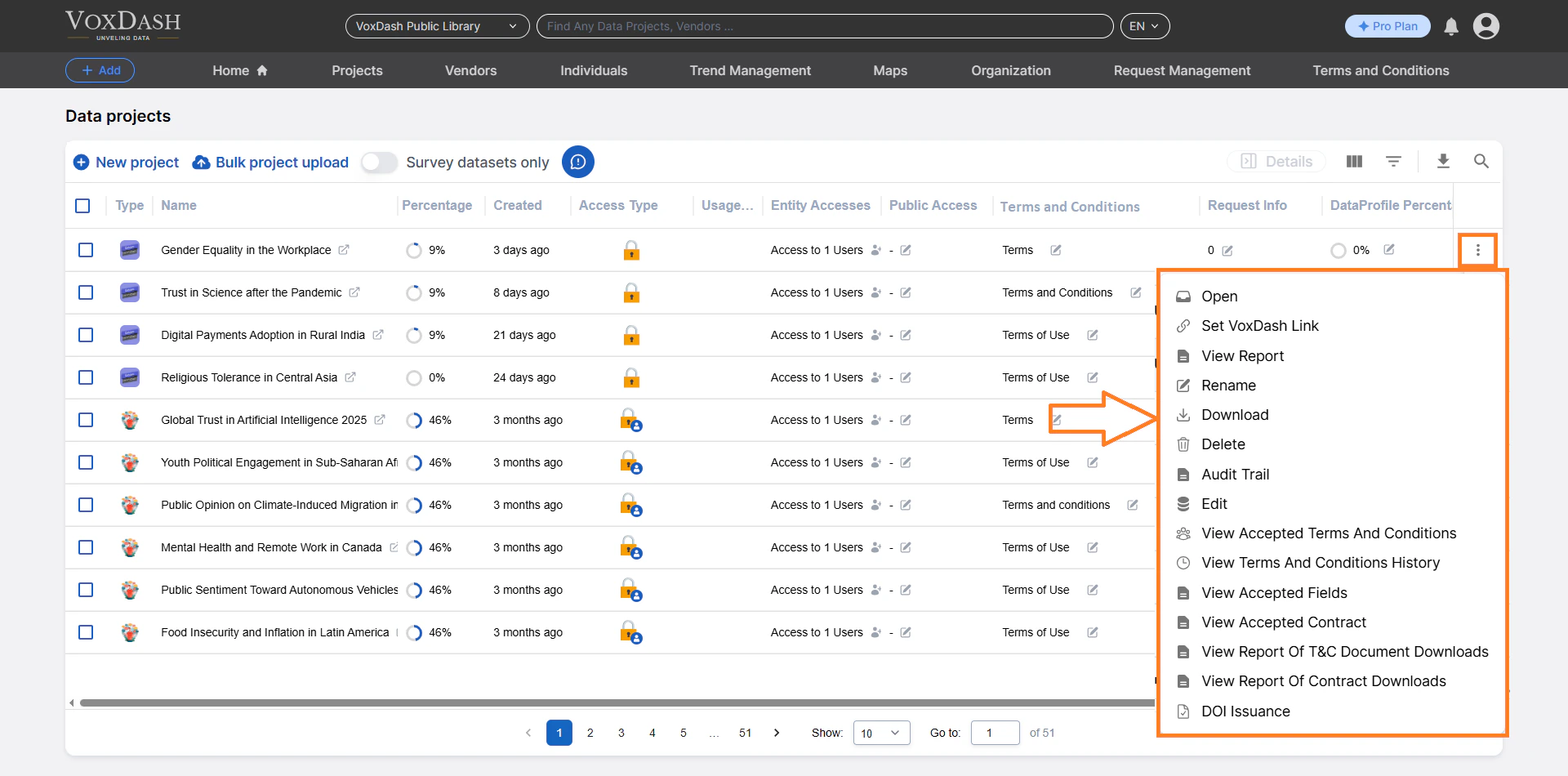
 ### **3.5 Download**
Download the full project file, including associated datasets.
This is useful for:
* Backup purposes
* Offline analysis
* External reporting
### **3.5 Download**
Download the full project file, including associated datasets.
This is useful for:
* Backup purposes
* Offline analysis
* External reporting
 ### **3.6 Delete**
Permanently remove a project from the system.
**Important:** Deleting a project **cannot be undone**. Ensure you have downloaded or backed up any necessary files before proceeding.
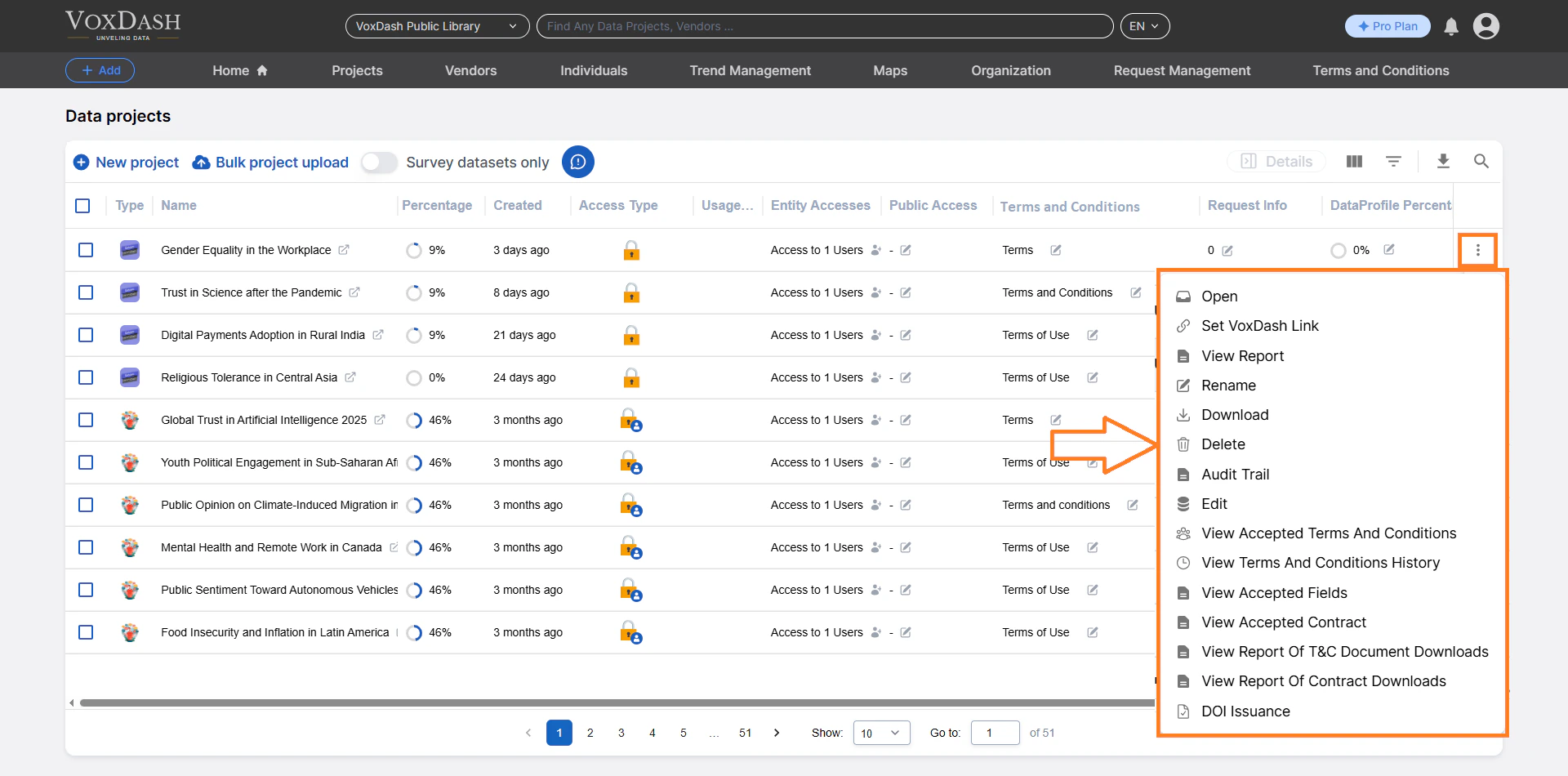
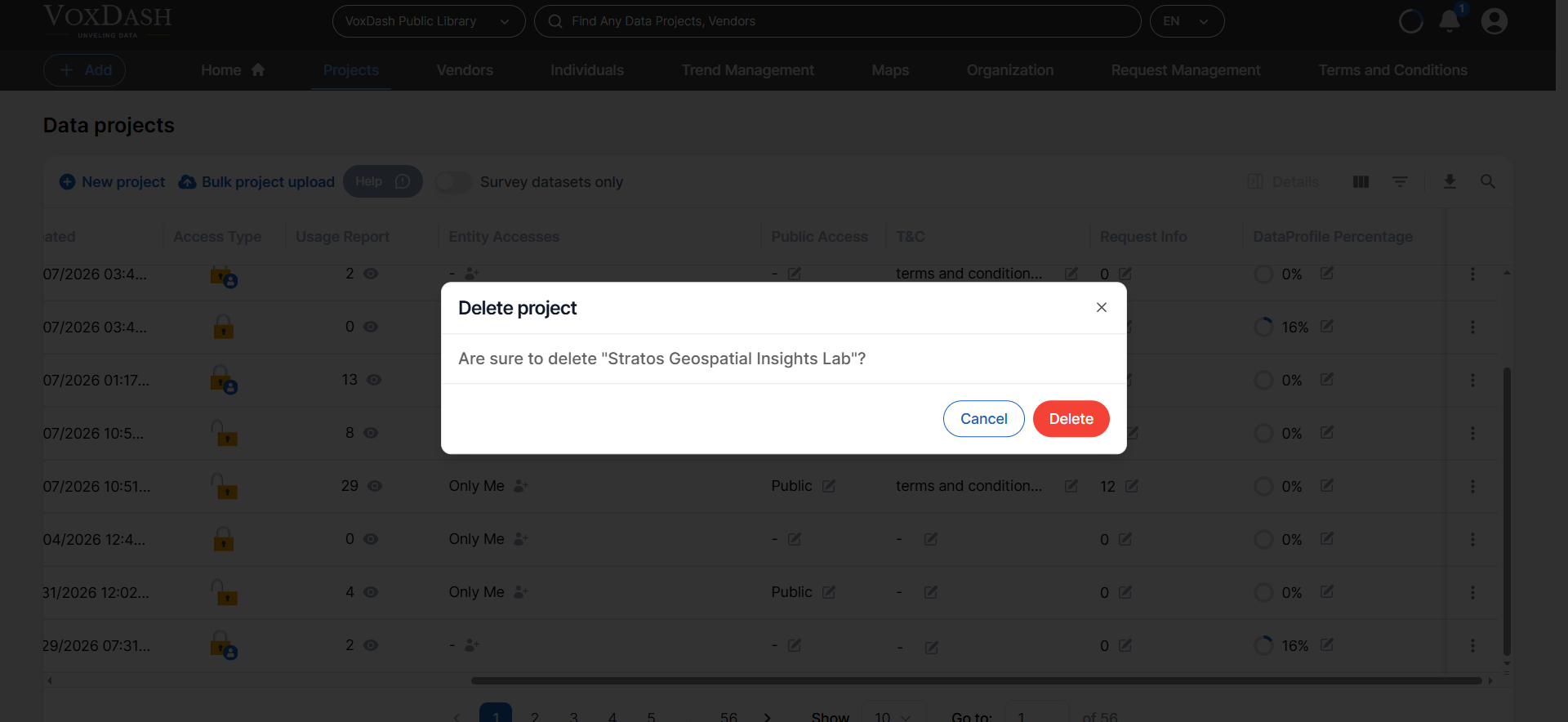
### **3.6 Delete**
Permanently remove a project from the system.
**Important:** Deleting a project **cannot be undone**. Ensure you have downloaded or backed up any necessary files before proceeding.
 ### **3.7 Audit Trail**
View a detailed log of all project activities, including:
* User actions
* Edits
* Access changes
* Timestamped modifications
The Audit Trail ensures accountability and transparency within your data workflow. Read more information [here](/Data-Management/Audit-Trail).
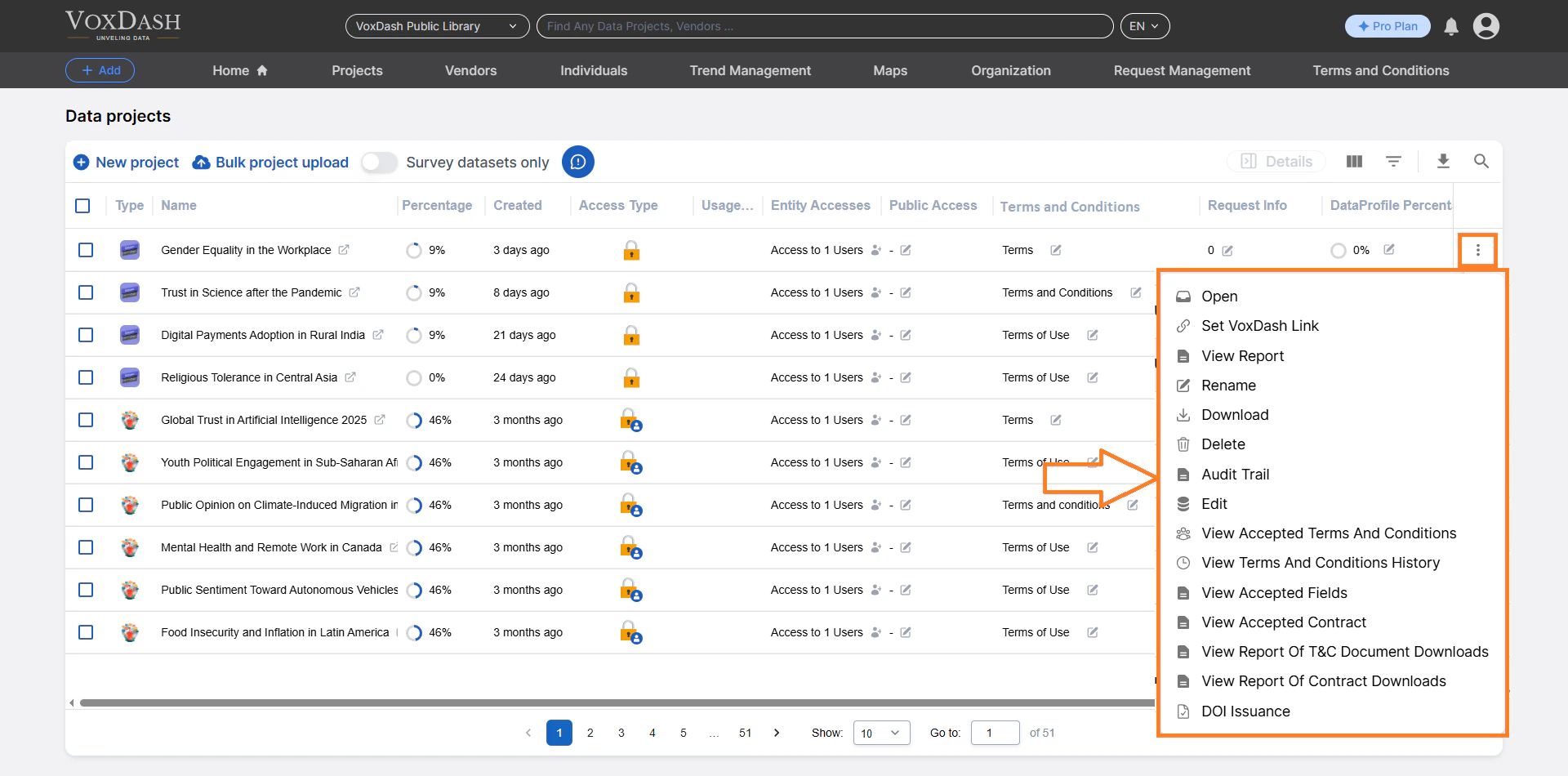
### **3.7 Audit Trail**
View a detailed log of all project activities, including:
* User actions
* Edits
* Access changes
* Timestamped modifications
The Audit Trail ensures accountability and transparency within your data workflow. Read more information [here](/Data-Management/Audit-Trail).
 ### **3.8 Edit**
Modify project data directly from this option.
You can:
* Update entries
* Correct errors
* Adjust project settings
This streamlines data management without navigating through multiple sections.
Read more about [Data Entry](/Survey-&-Data-Entry/Data-Entry-Overview)
### **3.8 Edit**
Modify project data directly from this option.
You can:
* Update entries
* Correct errors
* Adjust project settings
This streamlines data management without navigating through multiple sections.
Read more about [Data Entry](/Survey-&-Data-Entry/Data-Entry-Overview)
 ### 3.9 View Accepted T\&C
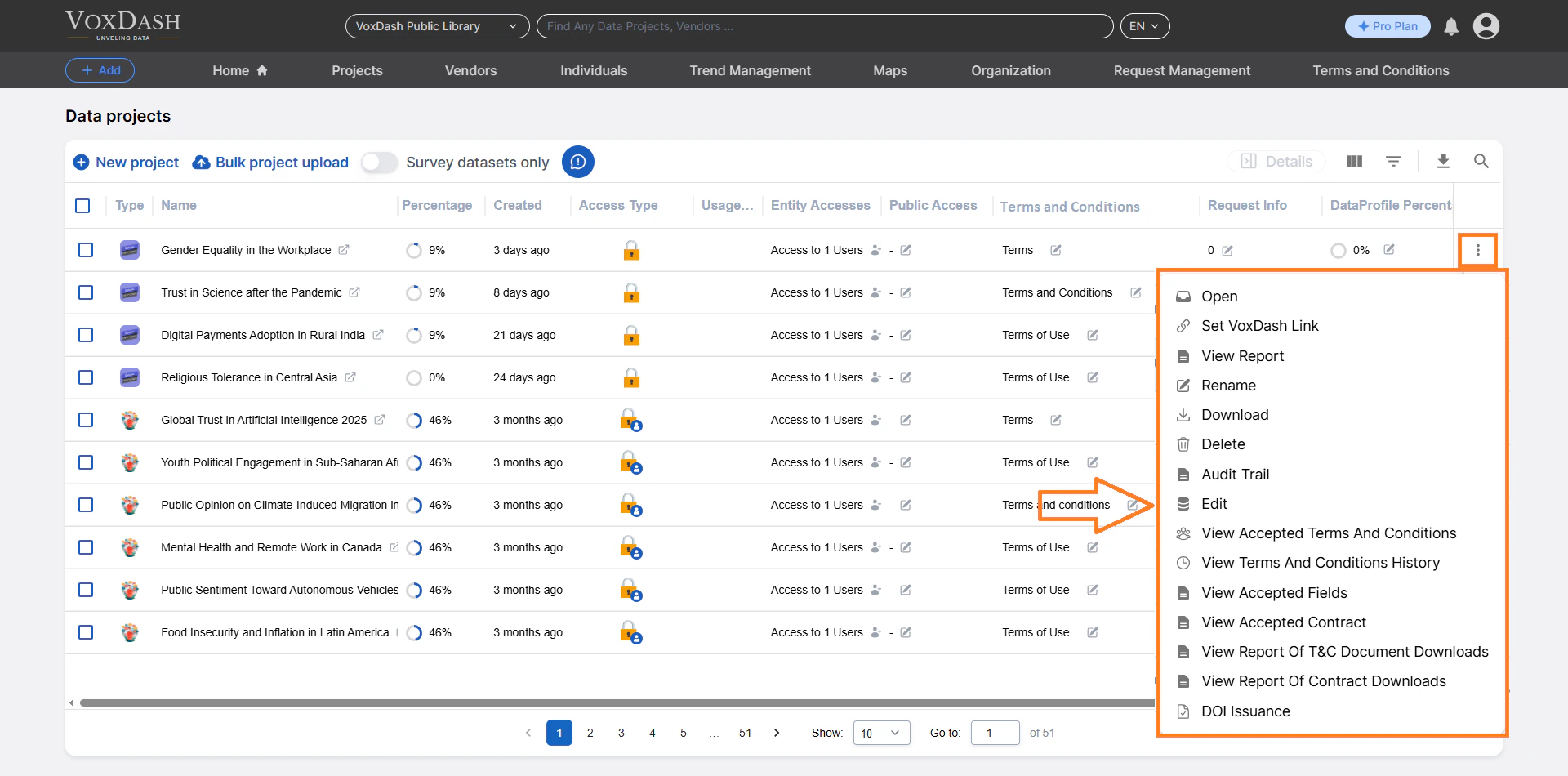
If you set terms and conditions for a public dataset, users must accept them before viewing the data. Clicking here takes you to a table showing which users have accepted the terms and conditions.
### 3.9 View Accepted T\&C
If you set terms and conditions for a public dataset, users must accept them before viewing the data. Clicking here takes you to a table showing which users have accepted the terms and conditions.
 ### **3.10 View T\&C History**
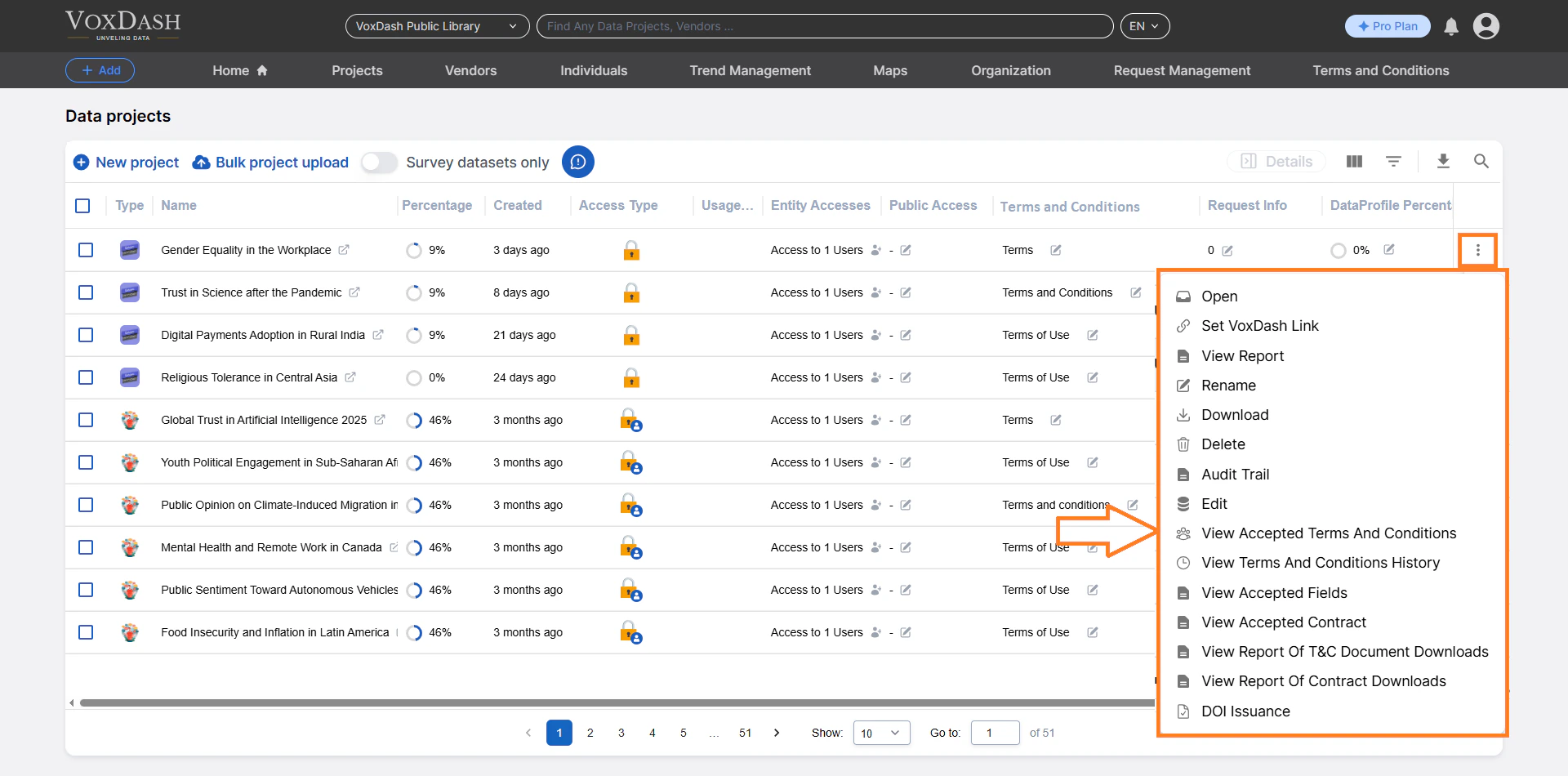
The T\&C History section allows you to review all previous and current versions of a project’s Terms & Conditions.
Learn more about [T\&C History](/Terms-&-Legal/Terms-and-Contract-History)
### **3.10 View T\&C History**
The T\&C History section allows you to review all previous and current versions of a project’s Terms & Conditions.
Learn more about [T\&C History](/Terms-&-Legal/Terms-and-Contract-History)
 ### **3.11 View Accepted Fields**
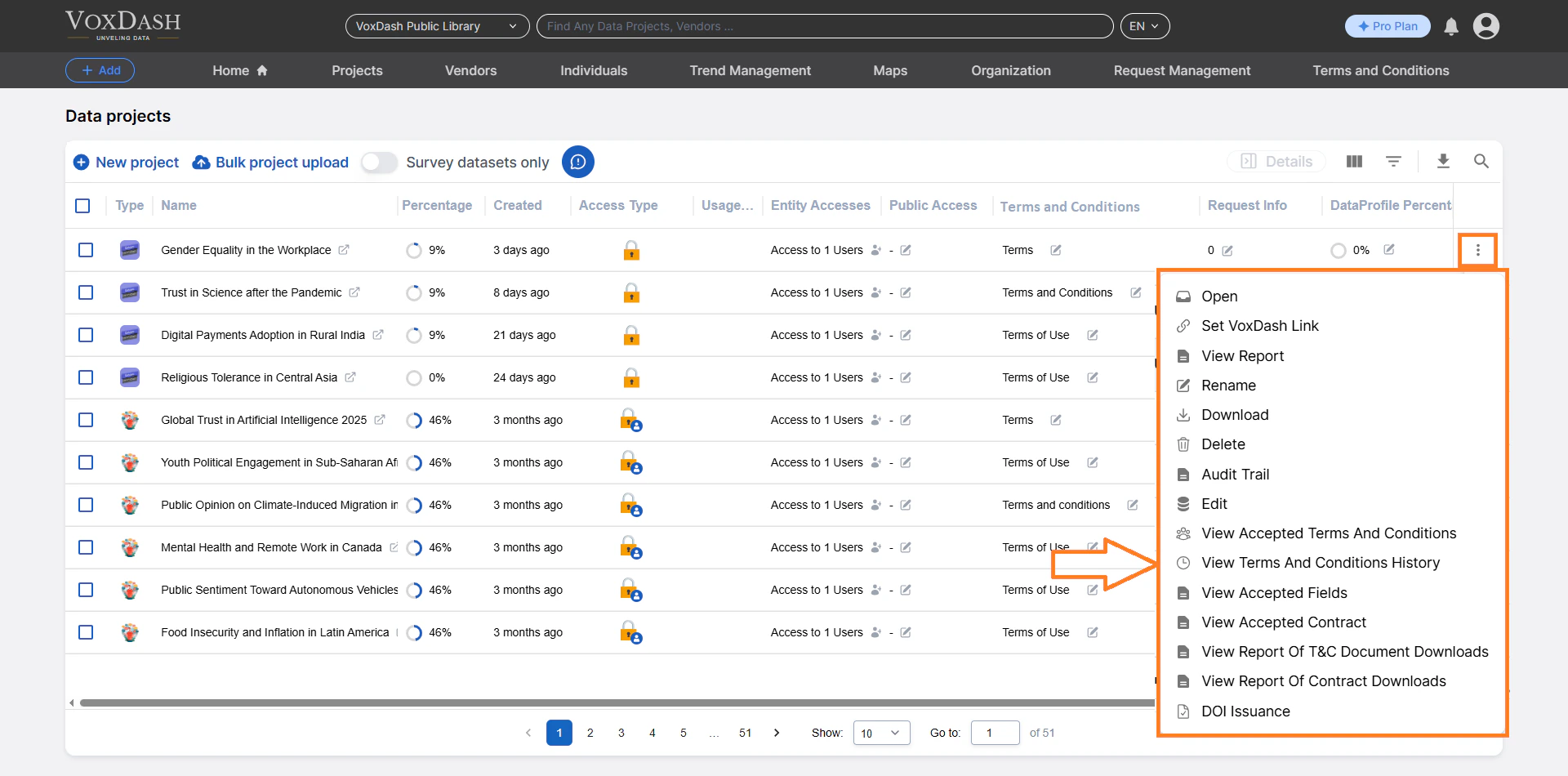
The **Accepted Fields** feature in VoxDash allows data providers to establish mandatory information that users must submit before gaining access to specific datasets. This ensures transparency, helps manage data distribution, and provides valuable insights into who is accessing your data and why.
Learn more about [Accepted Fields](/Access-Controls/Managing-Accepted-Fields)
### **3.11 View Accepted Fields**
The **Accepted Fields** feature in VoxDash allows data providers to establish mandatory information that users must submit before gaining access to specific datasets. This ensures transparency, helps manage data distribution, and provides valuable insights into who is accessing your data and why.
Learn more about [Accepted Fields](/Access-Controls/Managing-Accepted-Fields)
 ### **3.12 View Accepted Contract**
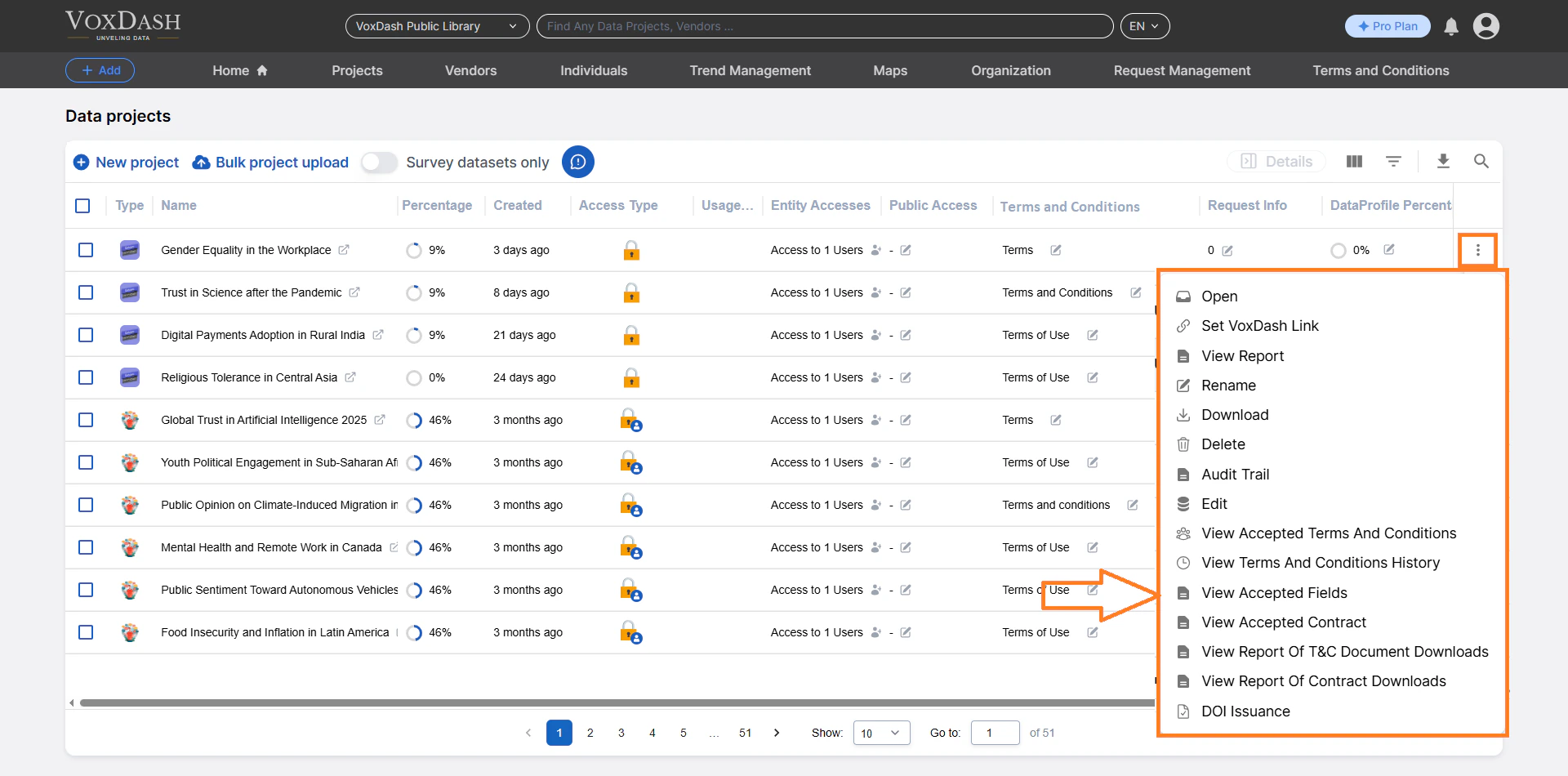
This section explains how contracts work, how acceptance types function, and how to view all users who have accepted a contract for each project.
Learn more about [Accepted Contract](/Terms-&-Legal/View-Accepted-Contract)
### **3.12 View Accepted Contract**
This section explains how contracts work, how acceptance types function, and how to view all users who have accepted a contract for each project.
Learn more about [Accepted Contract](/Terms-&-Legal/View-Accepted-Contract)
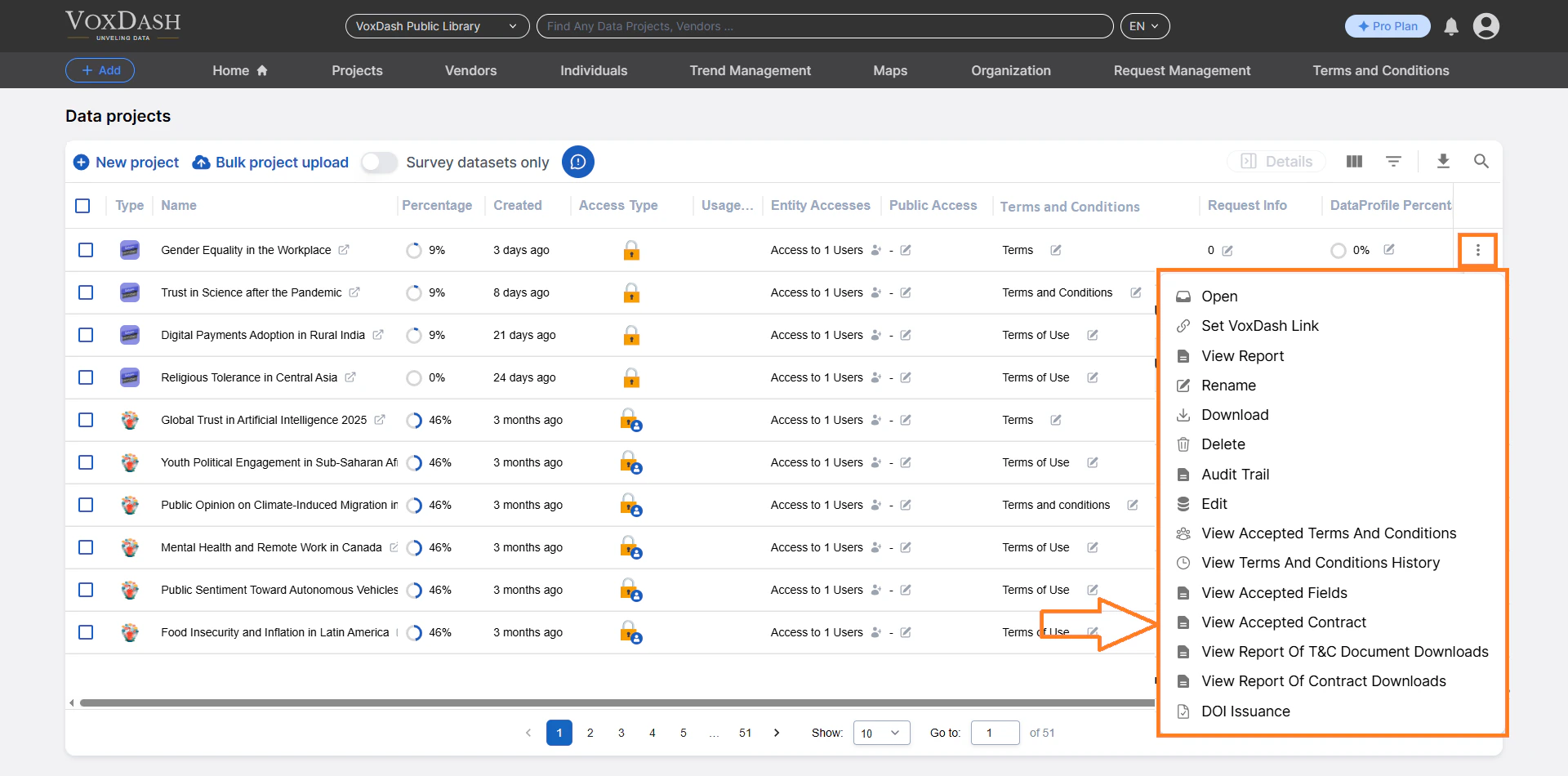 ### **3.13 View Report of T\&C Document Downloads**
In addition to tracking which users *accepted* Terms & Conditions (T\&C), VoxDash also keeps a record of users who **download** a T\&C document.
Learn more about [Report of T\&C Document Downloads](/Terms-&-Legal/View-downloaded-terms)
### **3.13 View Report of T\&C Document Downloads**
In addition to tracking which users *accepted* Terms & Conditions (T\&C), VoxDash also keeps a record of users who **download** a T\&C document.
Learn more about [Report of T\&C Document Downloads](/Terms-&-Legal/View-downloaded-terms)
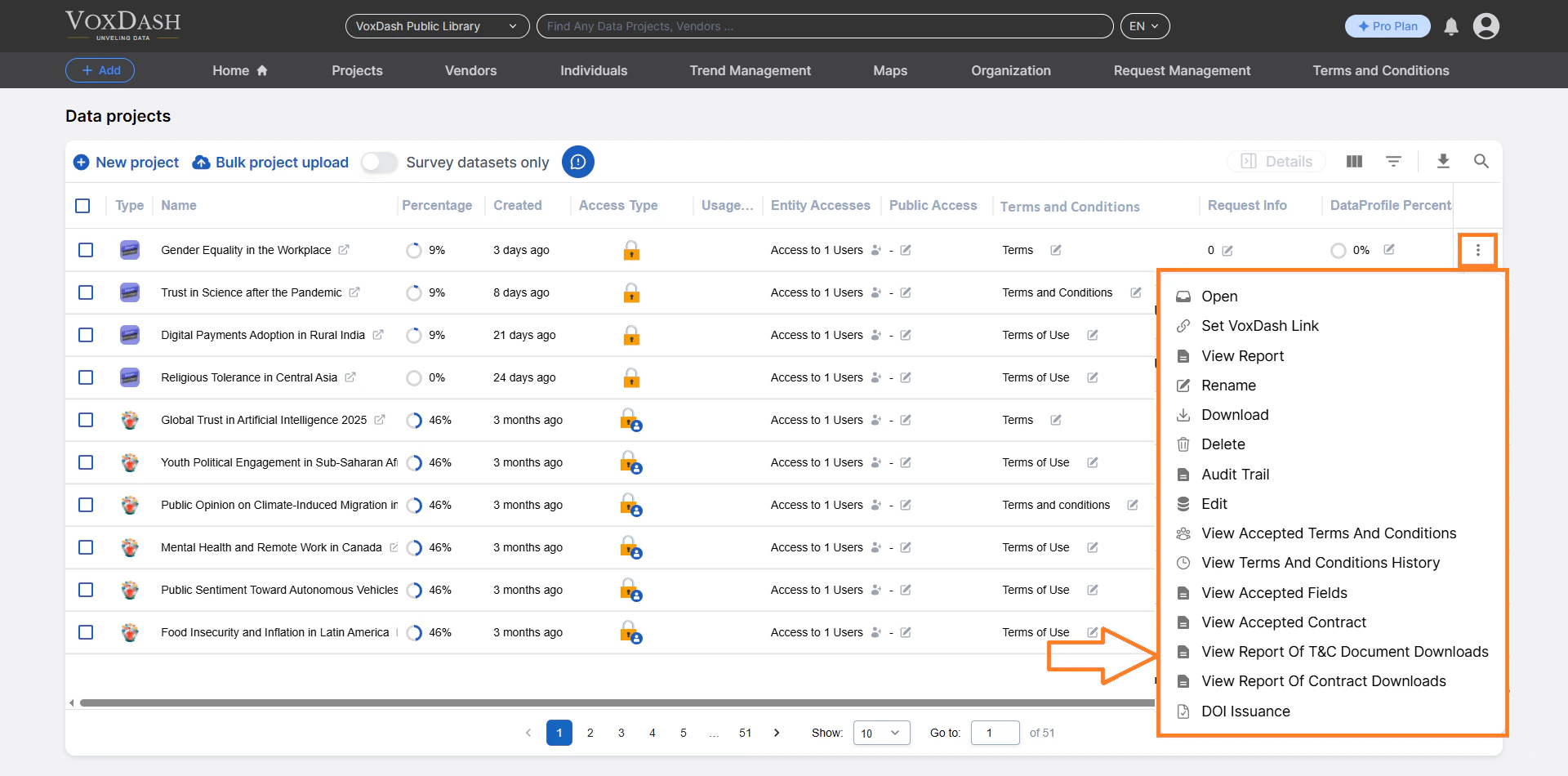 ### **3.14 View Report of Contract Downloads**
VoxDash keeps a detailed log of every time a **Contract file** is downloaded by users.
Learn more about [Report of Contract Downloads](/Terms-&-Legal/View-Accepted-Contract)
### **3.14 View Report of Contract Downloads**
VoxDash keeps a detailed log of every time a **Contract file** is downloaded by users.
Learn more about [Report of Contract Downloads](/Terms-&-Legal/View-Accepted-Contract)
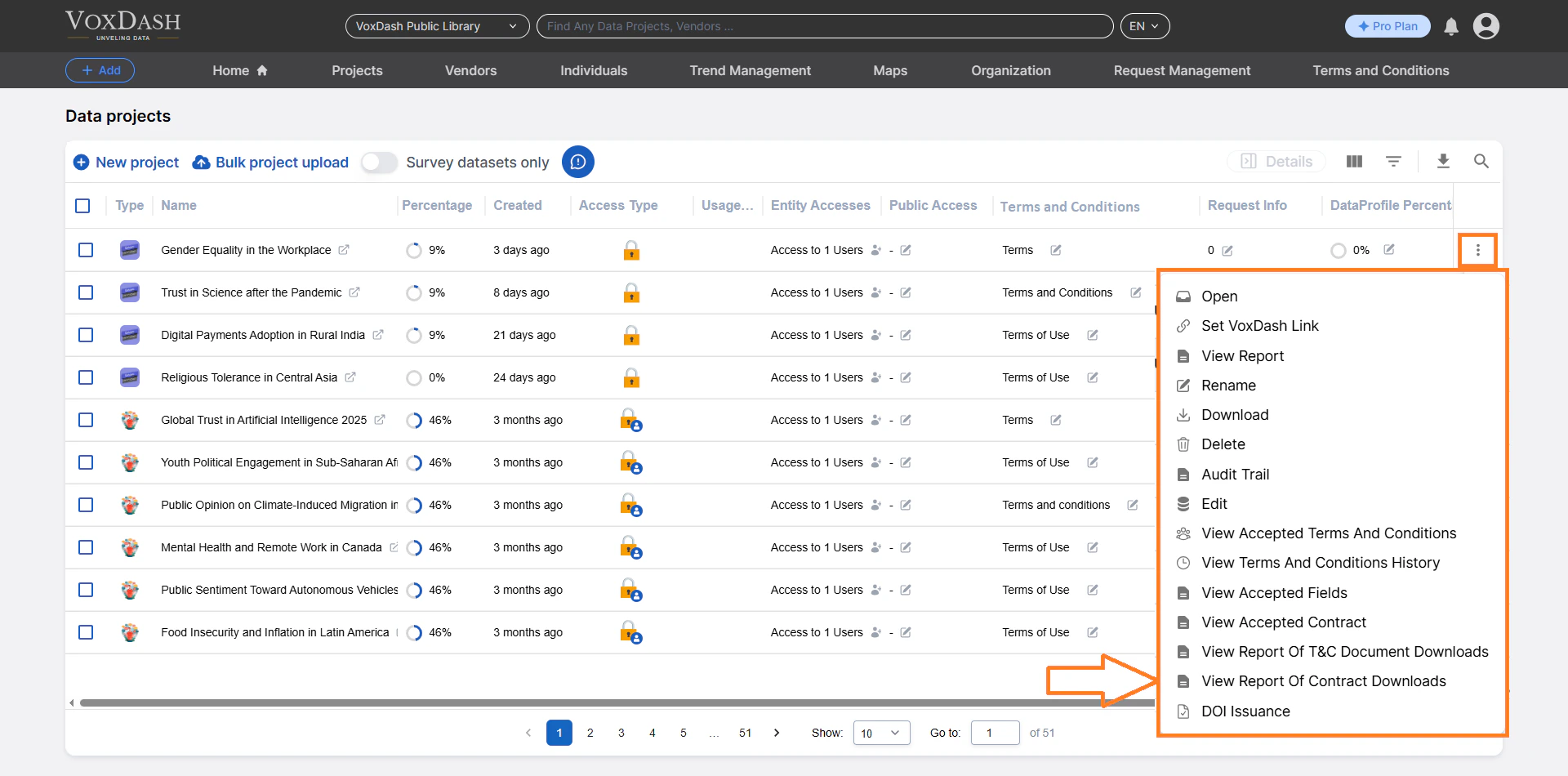 ### **3.15 DOI Issuance**
Issue a Digital Object Identifier (DOI) for your dataset.
A DOI:
* Provides a permanent, citable reference
* Enhances data credibility
* Supports academic and professional publication standards
This feature is especially valuable for research and public data publishing.
Learn more about [DOI](/Survey-&-Data-Entry/DOI)
### **3.15 DOI Issuance**
Issue a Digital Object Identifier (DOI) for your dataset.
A DOI:
* Provides a permanent, citable reference
* Enhances data credibility
* Supports academic and professional publication standards
This feature is especially valuable for research and public data publishing.
Learn more about [DOI](/Survey-&-Data-Entry/DOI)
 ## **Summary**
The File Manager Table acts as the command center for managing analytics and survey-based projects within your SaaS platform. It provides:
Complete project lifecycle management
* Advanced access control
* Real-time progress tracking
* Reporting and analytics tools
* Secure data sharing capabilities
Using these tools effectively ensures organized workflows, secure collaboration, and high-quality data management.
## **Summary**
The File Manager Table acts as the command center for managing analytics and survey-based projects within your SaaS platform. It provides:
Complete project lifecycle management
* Advanced access control
* Real-time progress tracking
* Reporting and analytics tools
* Secure data sharing capabilities
Using these tools effectively ensures organized workflows, secure collaboration, and high-quality data management.