> ## Documentation Index
> Fetch the complete documentation index at: https://help.voxdash.com/llms.txt
> Use this file to discover all available pages before exploring further.
# Sample Files
> A sample file is a smaller, representative portion of your dataset that provides an overview of the structure, variables, and type of data collected. If you…
## **What is a Sample File?**
A sample file is a smaller, representative portion of your dataset that provides an overview of the structure, variables, and type of data collected. If you have a private or paid survey file, you can share a sample file to give users a preview of your data without disclosing the entire dataset. This allows users to understand the format of your Survey file, the type of questions included in your surveys, and how the data is structured before accessing or purchasing the full dataset.
## **Steps to Add a Sample File**
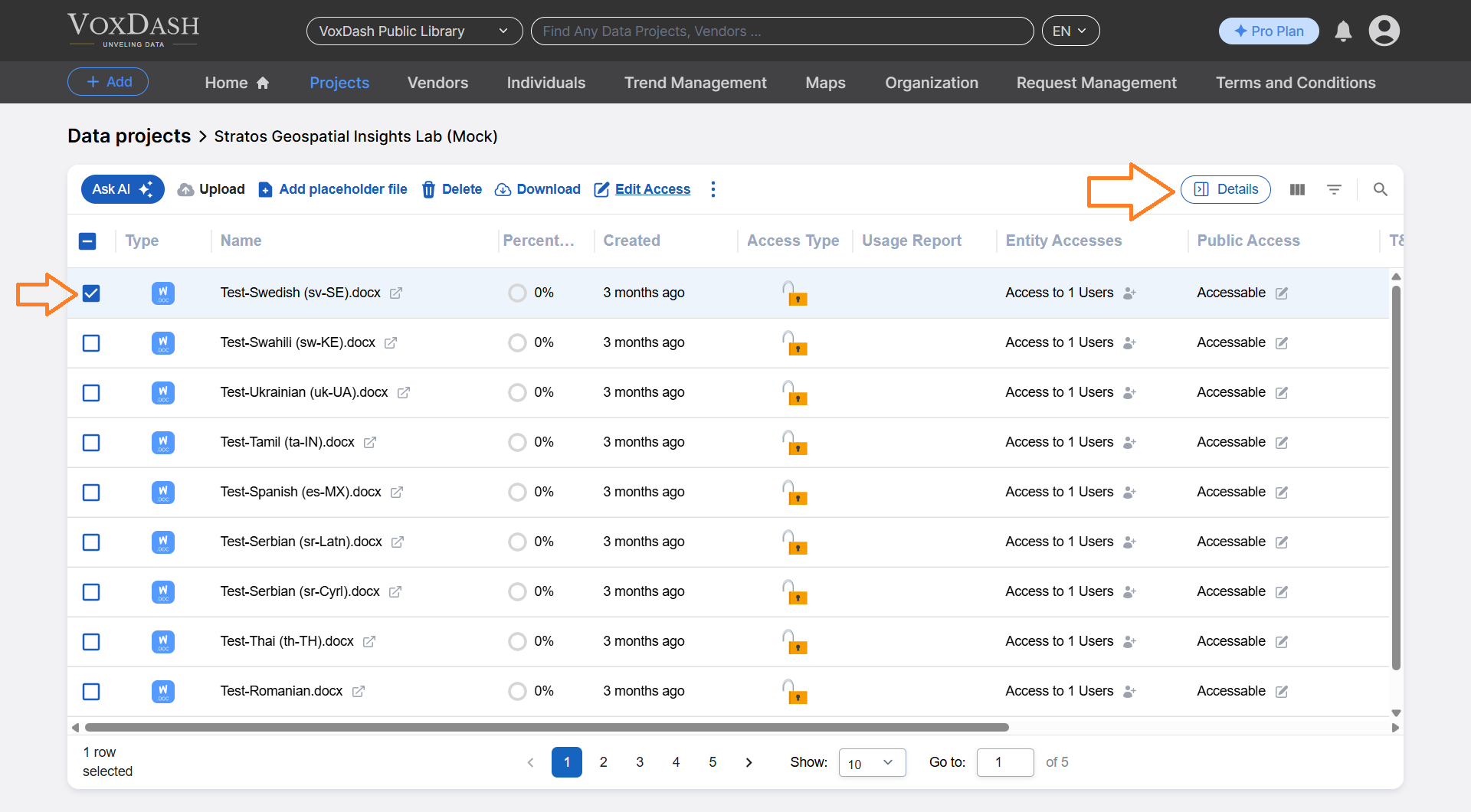
1. Go to the [Data Project](https://dataprovider.voxdash.com/projects) page where you want to add a sample file.
2. Locate and click on the file you want to set as a sample. Use the **Detail** button to open a modal window.
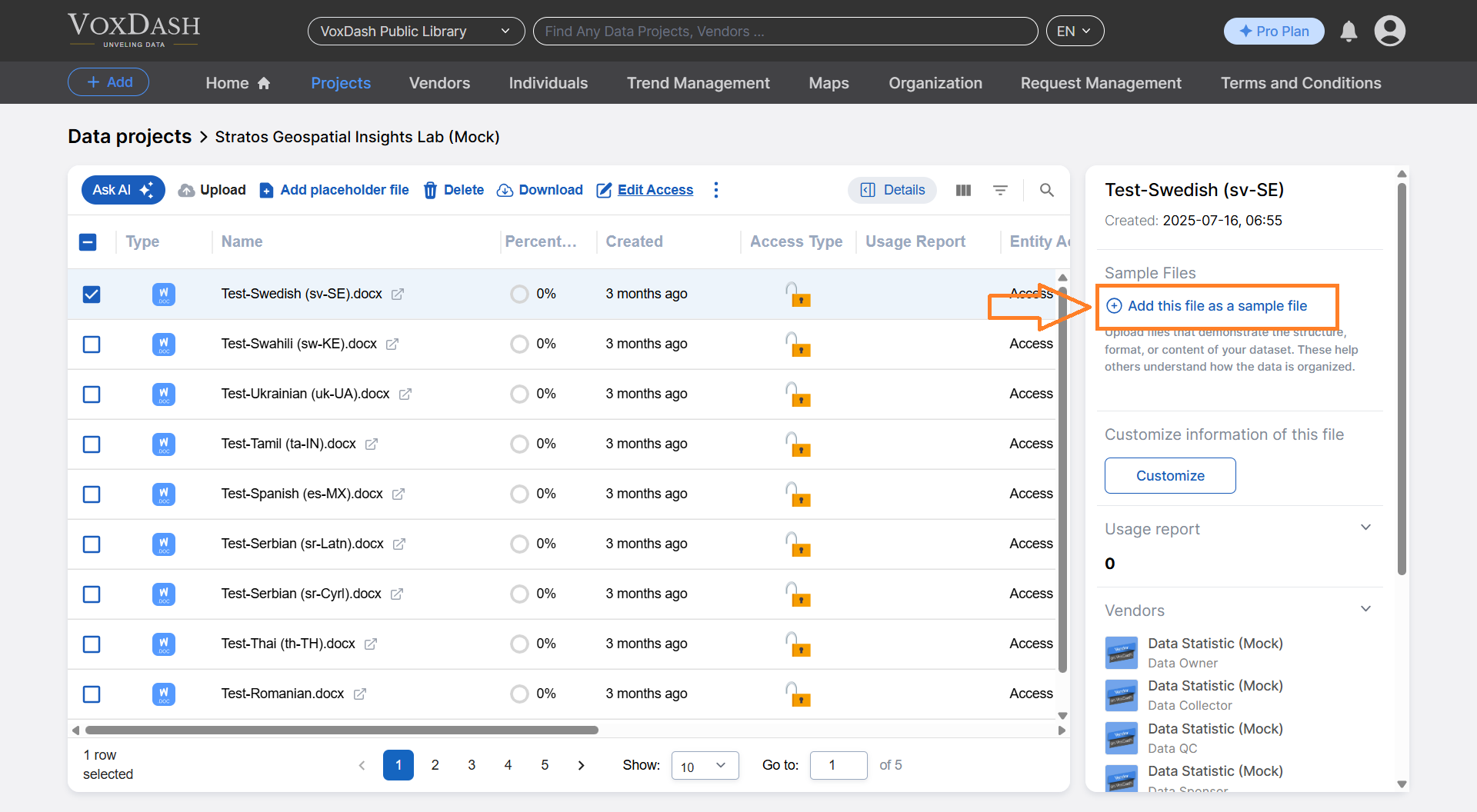
 3. Click the **Add this file as a sample file** button (highlighted in blue).
 4. Select the file you want to use as a sample.
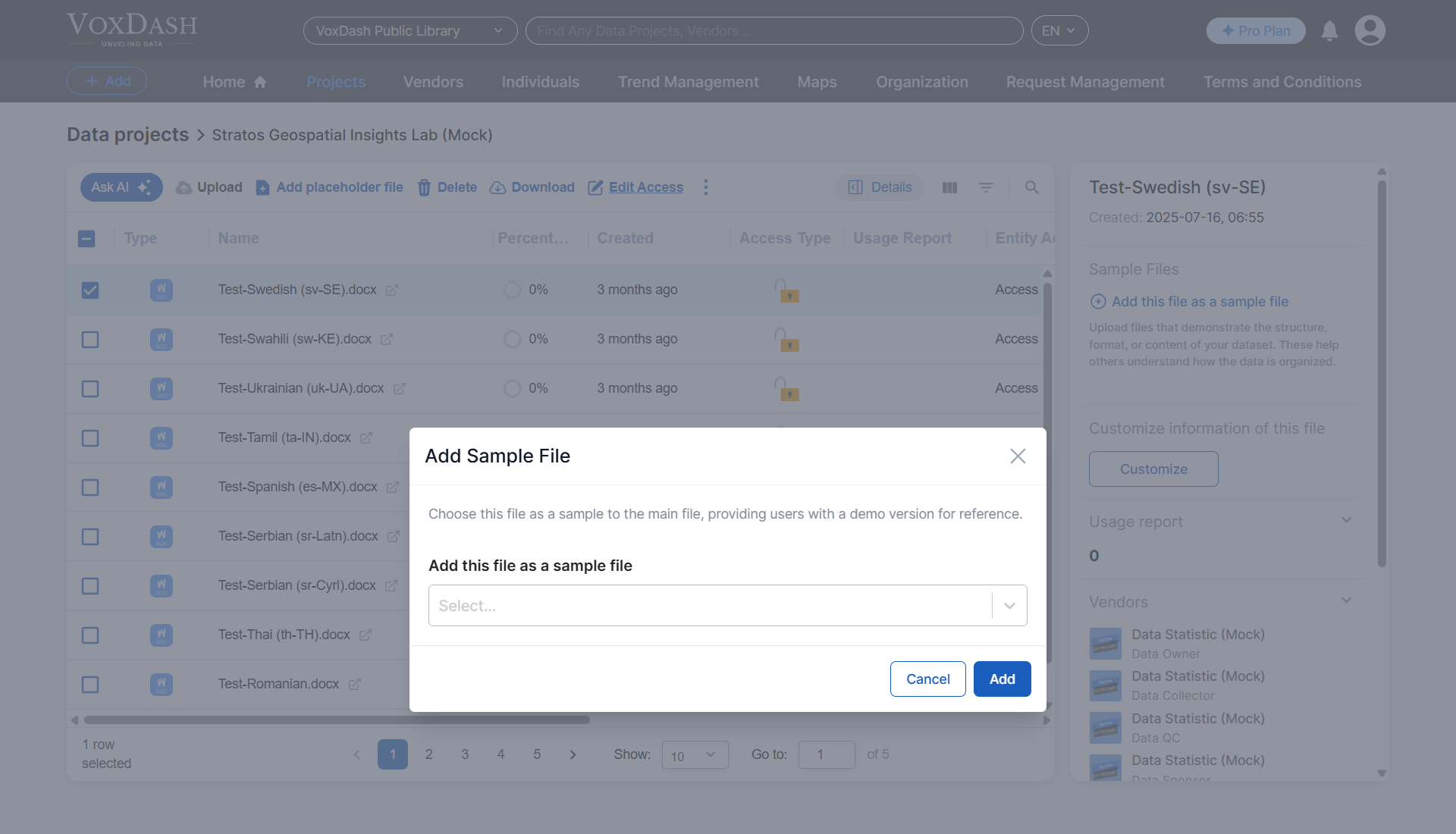 5. Click the **Add** button to confirm.
Once added, your sample file will be displayed in the **Files** section on your **Data Project** page and will be visible on voxdash.com.
5. Click the **Add** button to confirm.
Once added, your sample file will be displayed in the **Files** section on your **Data Project** page and will be visible on voxdash.com.