> ## Documentation Index
> Fetch the complete documentation index at: https://help.voxdash.com/llms.txt
> Use this file to discover all available pages before exploring further.
# Organization Data Exports
> Download your organization's users, admins, and user groups as Excel files.
From your organization screens you can export three lists to Excel for reporting or
record-keeping. These are **export-only** — there is no matching import.
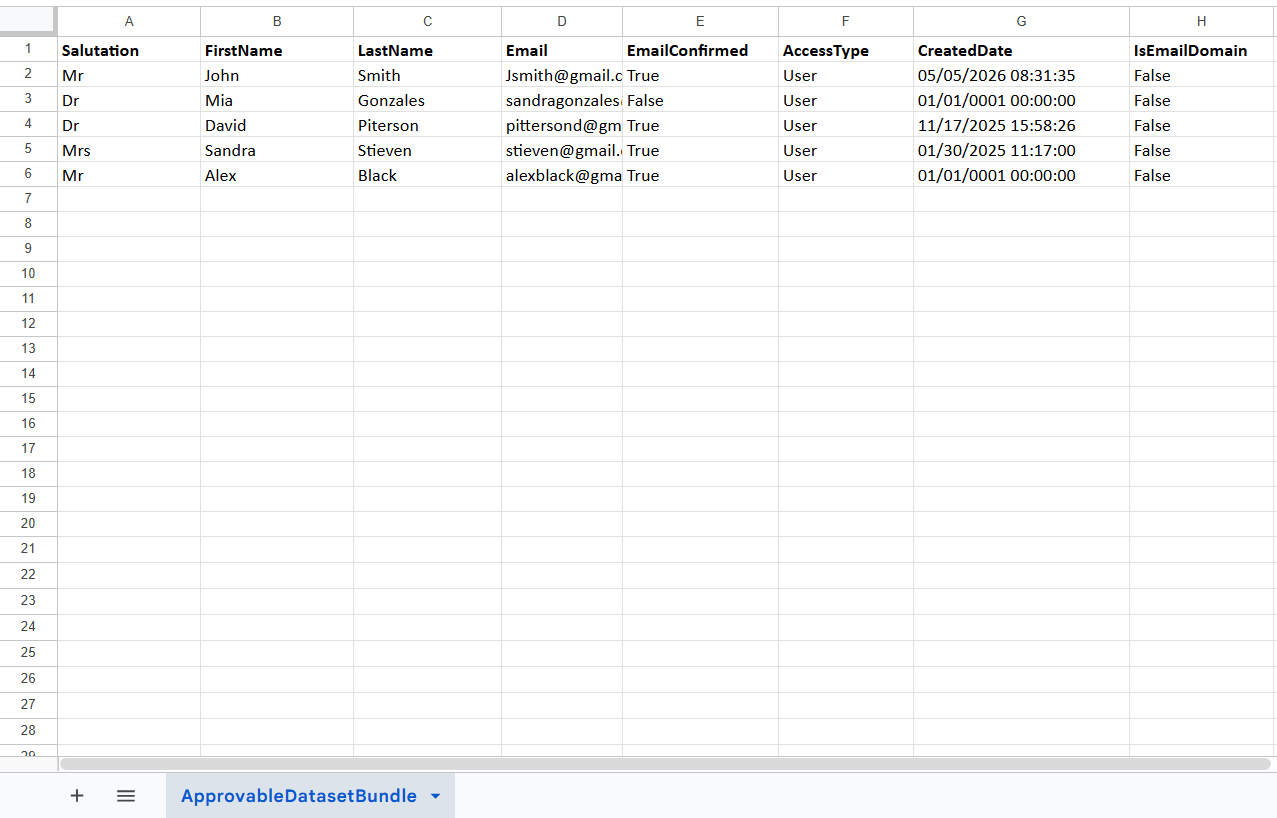
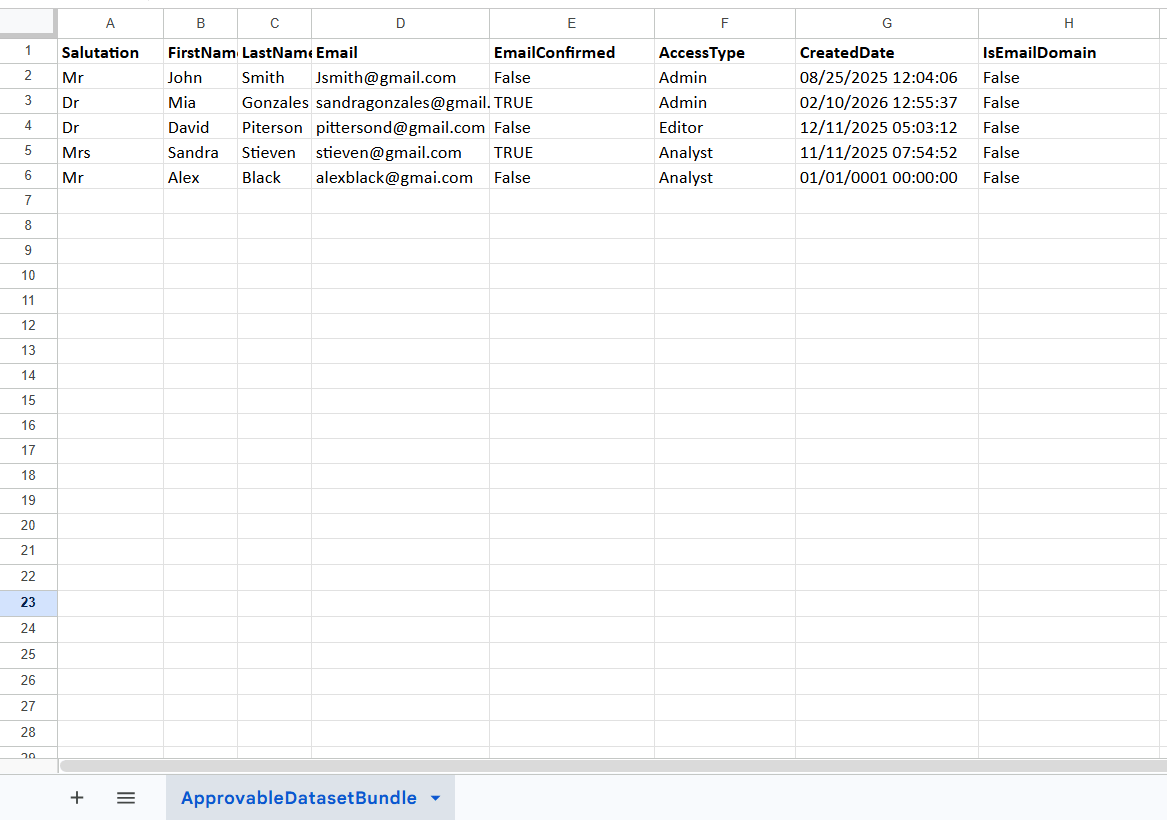
organization\_users\_sample.xlsx
organization\_user\_groups\_sample.xlsx
Same columns as the Users export.
## Users / Admins export
Found in **Organization → User management** (and **Admin management**). Click the
**Export** action to download the current list.
| Column | Description | Example | |
| --------------- | --------------------------------- | -------------------------------------------------------------------------------------- | ------- |
| Salutation | Title / honorific | `Ms` | |
| First Name | Given name | `Grace` | |
| Last Name | Family name | `Hopper` | |
| Email | Email address | `grace@example.com` | |
| Access Type | Their role in the organization | `Editor` | |
| Date Added | When they joined the organization | `2026-01-15` | |
| Is Email Domain | No | Indicates whether the email belongs to an approved/organization domain. Boolean value. | `false` |
 ## User groups export
Found in **Organization → User groups**. Click **Export**.
| Column | Description | Example |
| ------------ | -------------------------- | --------------------- |
| Name | Group name | `Analysts` |
| Description | What the group is for | `Data analysts group` |
| Member Count | Number of members | `12` |
| Date Created | When the group was created | `2026-01-10` |
## User groups export
Found in **Organization → User groups**. Click **Export**.
| Column | Description | Example |
| ------------ | -------------------------- | --------------------- |
| Name | Group name | `Analysts` |
| Description | What the group is for | `Data analysts group` |
| Member Count | Number of members | `12` |
| Date Created | When the group was created | `2026-01-10` |
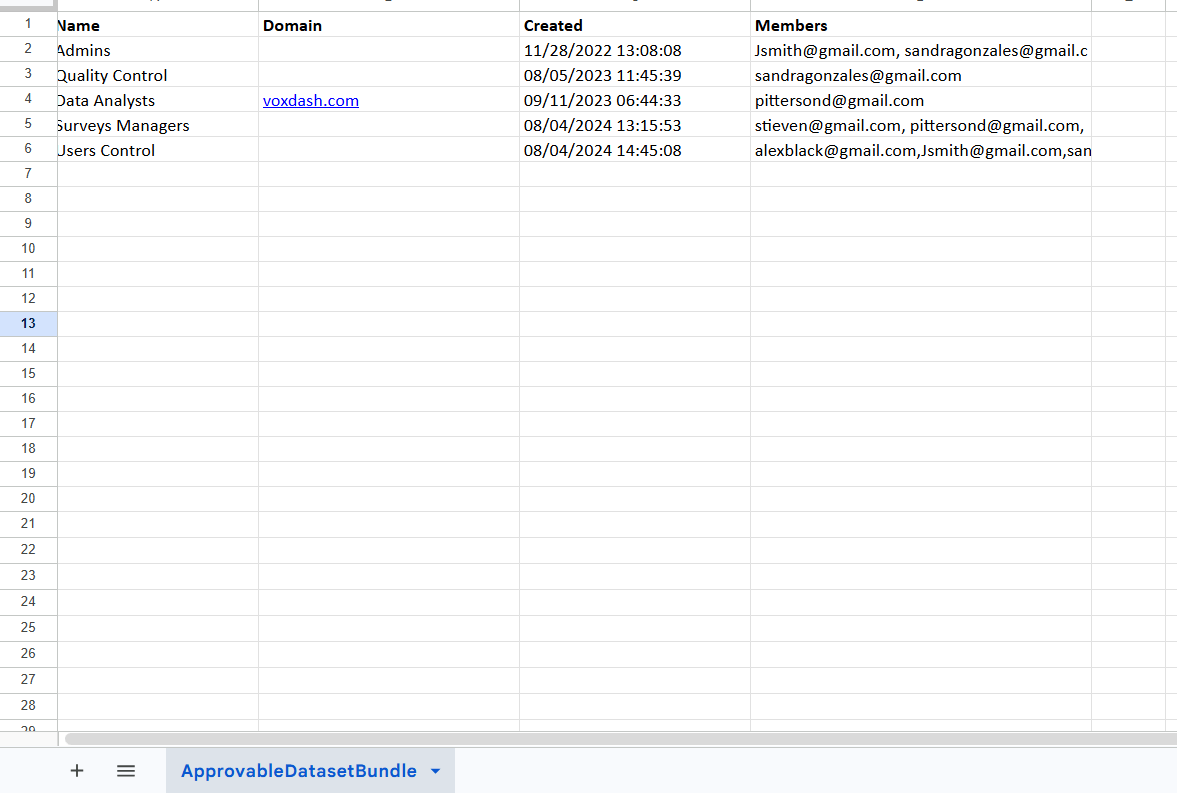 Files download with an automatic name like
`organization_users_20260620_090807.xlsx`. The columns you see depend on the table's
current configuration, so your export may include additional columns.
Files download with an automatic name like
`organization_users_20260620_090807.xlsx`. The columns you see depend on the table's
current configuration, so your export may include additional columns.