> ## Documentation Index
> Fetch the complete documentation index at: https://help.voxdash.com/llms.txt
> Use this file to discover all available pages before exploring further.
# Survey Questions — Import & Export
> Export a survey's questions to Excel, edit the wording, and re-import to update them in bulk.
Export a survey's questions and their answer options to Excel, edit the text, then
re-import to update them all at once. Find this on the survey's **Questions** tab
(Data Provider → Survey → Questions).
survey\_questions\_sample.xlsx — download, edit, and re-upload.
## Export
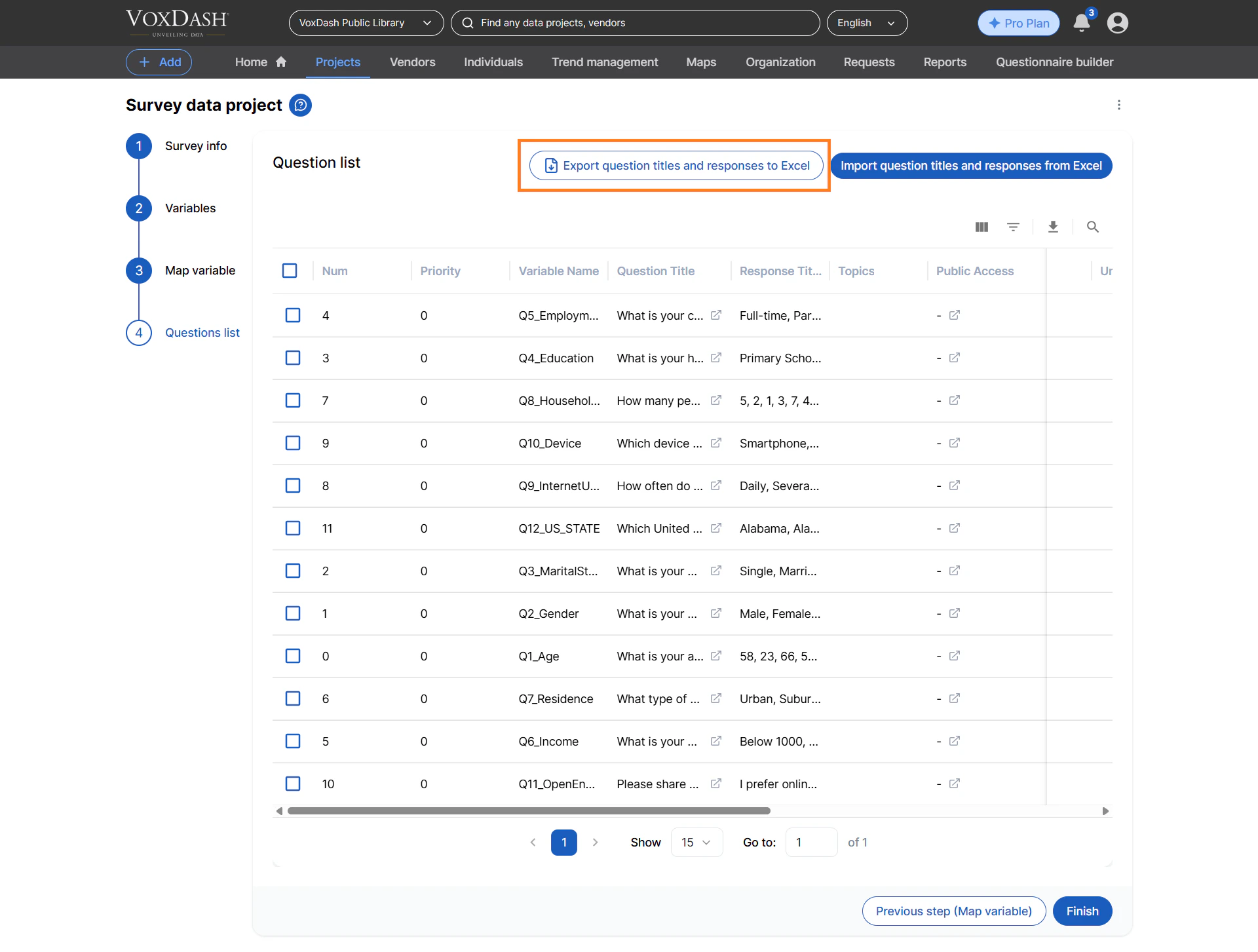
Open the survey and select the **Questions** tab.
Click **Export to Excel**. A file named like
`survey_questions___.xlsx` downloads.
 ## Import
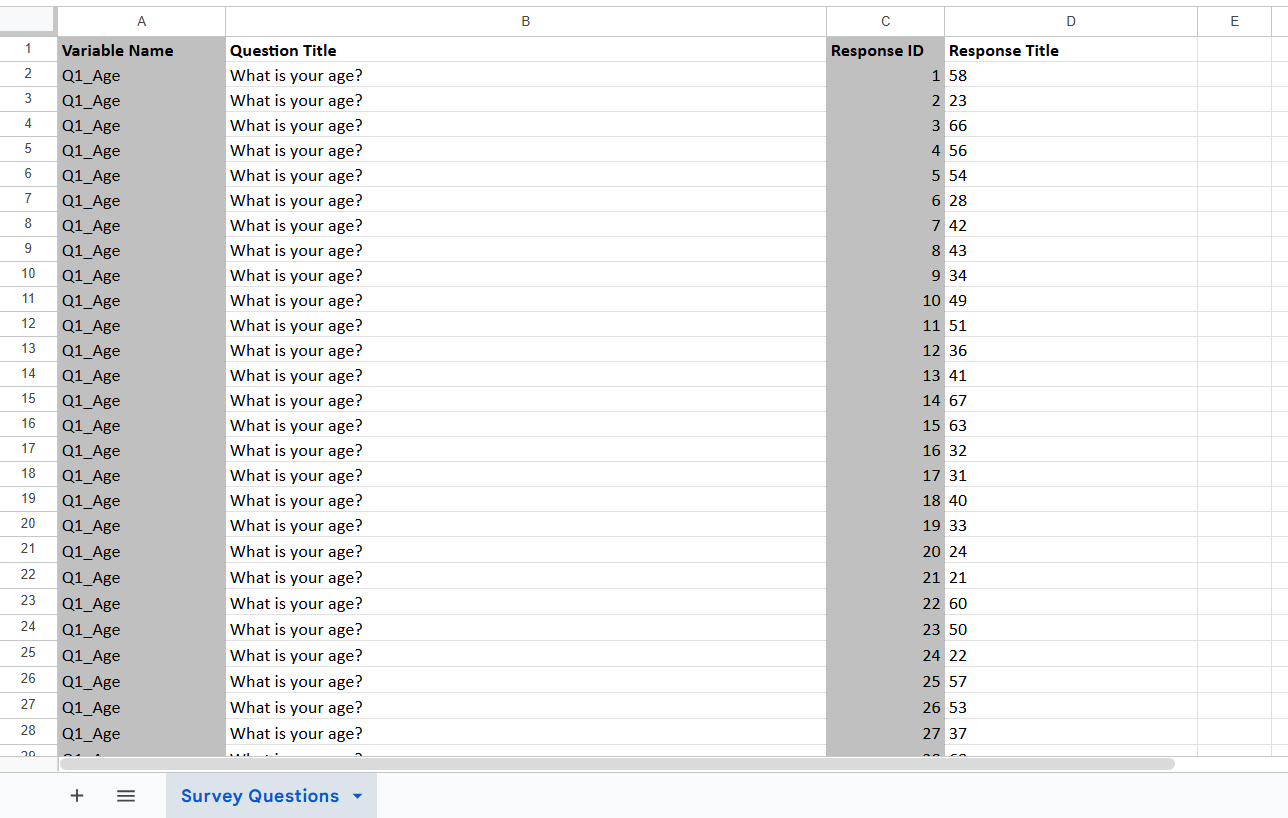
Edit the exported file (or the sample). Change the **Question Title** and
**Response Title** cells only.
Do **not** change **Variable Name** or **Response ID** — they tell VoxDash which
question and answer to update.
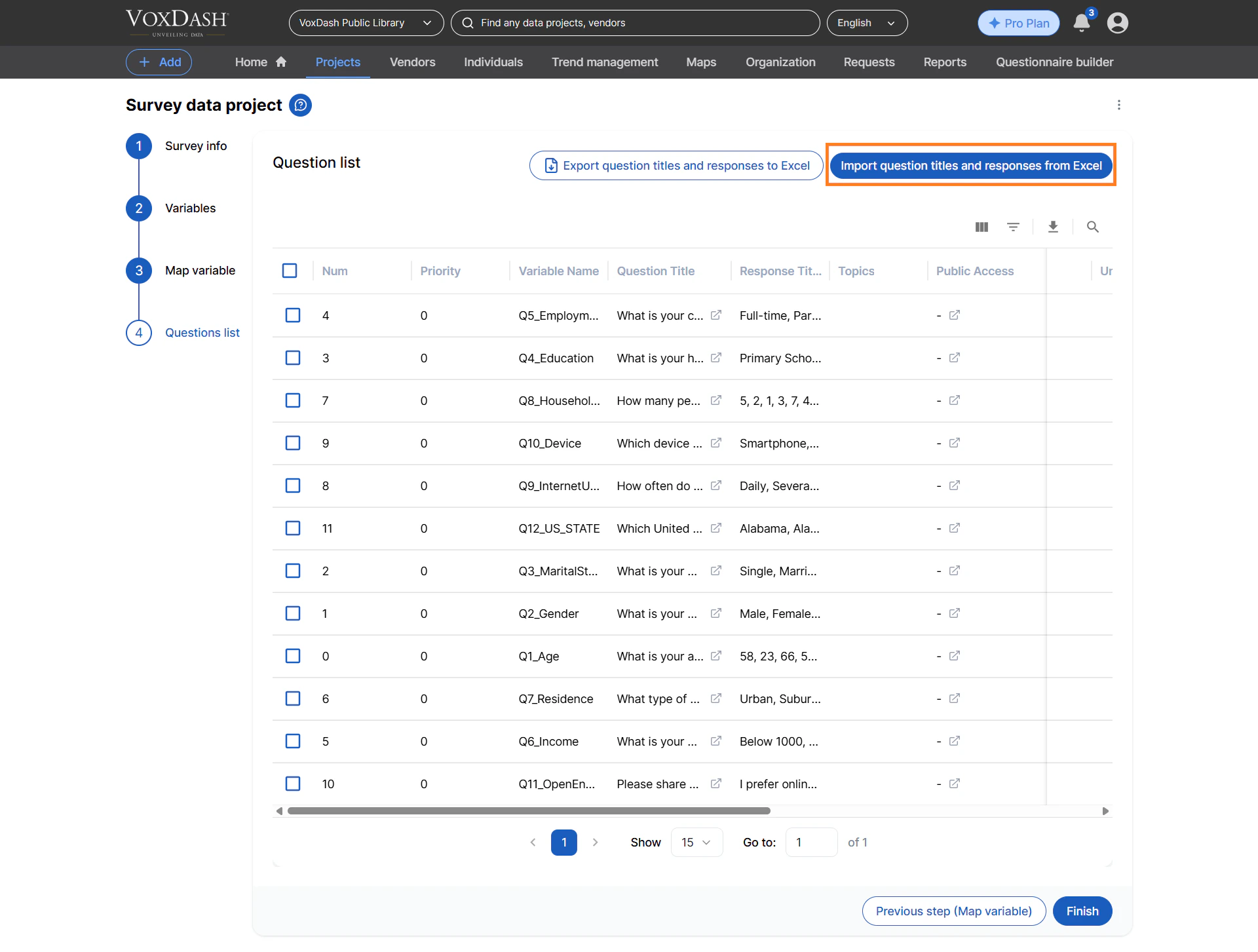
On the **Questions** tab, click **Import from Excel** and choose your file. A
summary shows how many questions and responses were updated.
## Import
Edit the exported file (or the sample). Change the **Question Title** and
**Response Title** cells only.
Do **not** change **Variable Name** or **Response ID** — they tell VoxDash which
question and answer to update.
On the **Questions** tab, click **Import from Excel** and choose your file. A
summary shows how many questions and responses were updated.
 ## Columns
| Column | Required | Description | Example |
| -------------- | -------- | -------------------------------------------- | ------------------------ |
| Variable Name | Yes | Identifies the question. Do not change. | `Q1` |
| Question Title | Yes | The question text. | `How satisfied are you?` |
| Response ID | Yes | Identifies the answer option. Do not change. | `1` |
| Response Title | Yes | The answer-option text. | `Very satisfied` |
## Columns
| Column | Required | Description | Example |
| -------------- | -------- | -------------------------------------------- | ------------------------ |
| Variable Name | Yes | Identifies the question. Do not change. | `Q1` |
| Question Title | Yes | The question text. | `How satisfied are you?` |
| Response ID | Yes | Identifies the answer option. Do not change. | `1` |
| Response Title | Yes | The answer-option text. | `Very satisfied` |
 ## Limits & rules
| Rule | Value |
| ------------ | ------------------------------------- |
| File type | `.xlsx` only (contents verified) |
| Maximum size | 10 MB |
| Access | Edit (Organizer) access to the survey |
You can reorder columns, but the four header names above must be present and spelled
as shown (matching is case-insensitive).
## Troubleshooting
| Message | What it means |
| -------------------------------------- | --------------------------------------------------------------------------------- |
| Invalid file | Not a real `.xlsx`, empty, too large, or corrupt. Re-export and retry. |
| No permission or no questions | You lack edit access, or the survey has no questions. |
| Invalid Excel format / missing columns | The sheet is unreadable or a column header is missing. Start from a fresh export. |
## Limits & rules
| Rule | Value |
| ------------ | ------------------------------------- |
| File type | `.xlsx` only (contents verified) |
| Maximum size | 10 MB |
| Access | Edit (Organizer) access to the survey |
You can reorder columns, but the four header names above must be present and spelled
as shown (matching is case-insensitive).
## Troubleshooting
| Message | What it means |
| -------------------------------------- | --------------------------------------------------------------------------------- |
| Invalid file | Not a real `.xlsx`, empty, too large, or corrupt. Re-export and retry. |
| No permission or no questions | You lack edit access, or the survey has no questions. |
| Invalid Excel format / missing columns | The sheet is unreadable or a column header is missing. Start from a fresh export. |