> ## Documentation Index
> Fetch the complete documentation index at: https://help.voxdash.com/llms.txt
> Use this file to discover all available pages before exploring further.
> The Organization Front Page section controls how your organization appears across VoxDash. It centralizes branding, identity, and attribution settings…
# Landing Page
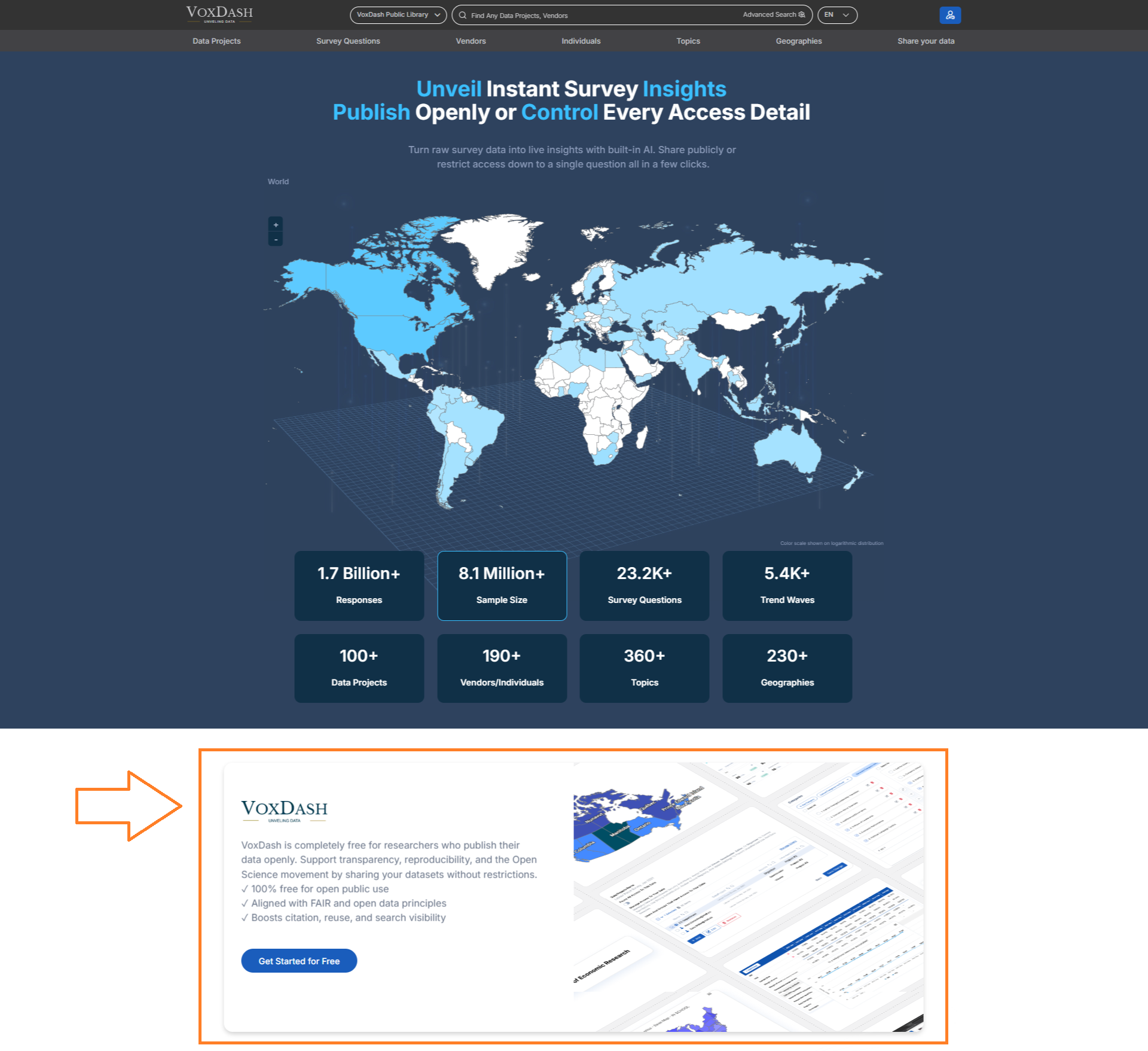
The Organization Front Page section controls how your organization appears across VoxDash. It centralizes branding, identity, and attribution settings, including your logo, cover image, and a concise description of your organization on the VoxDash front page.
 ## steps to set your organization front page
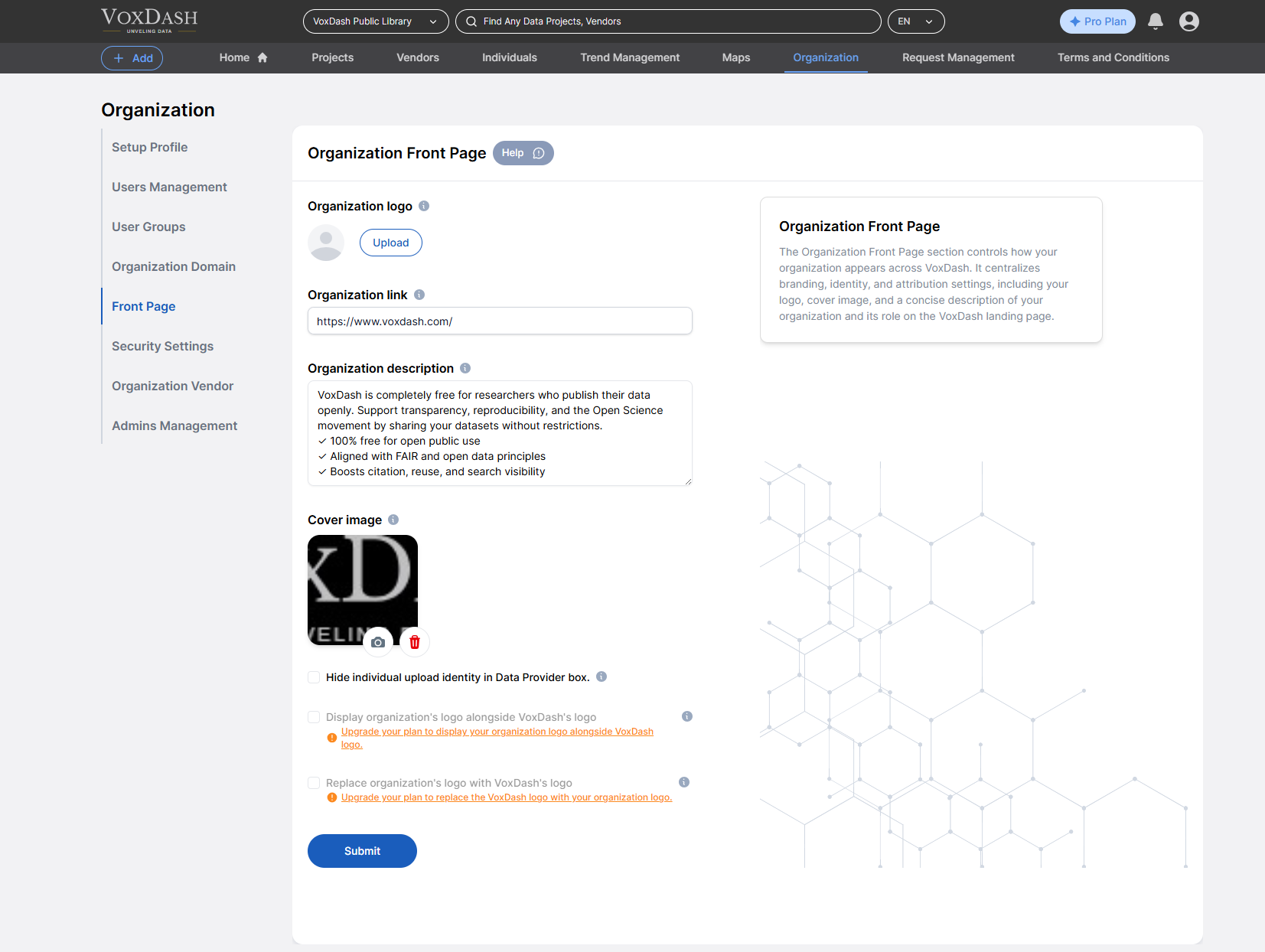
### 1.Set your organization logo
You can upload a logo or a symbolic graph for your organization to showcase it to your users.
### 2.Set your organization link
If your organization has a dedicated webpage, please enter the URL here.
### 3. Add detailed description
Provide a detailed description of the organization, including its purpose, scope, and key attributes.
### 4. Add cover image
Here you can upload a cover image in your organization's front page showcase it to your users.
## **Additional Configuration Options**
When setting up your homepage, the following options are available (depending on your subscription plan):
* **Hide Staff Identity**\
Choose to anonymize the names of staff members who upload or manage datasets.
* **Display Your Logo Alongside VoxDash Branding**\
Your organization's logo can appear next to the VoxDash logo for co-branding.
* **Enhanced Access and Features for Upgraded Plans**\
These customization options and privacy settings are available exclusively to users on higher-tier plans.
By following these steps you set your organization front page information on the VoxDash landing page right under the hero section.
## steps to set your organization front page
### 1.Set your organization logo
You can upload a logo or a symbolic graph for your organization to showcase it to your users.
### 2.Set your organization link
If your organization has a dedicated webpage, please enter the URL here.
### 3. Add detailed description
Provide a detailed description of the organization, including its purpose, scope, and key attributes.
### 4. Add cover image
Here you can upload a cover image in your organization's front page showcase it to your users.
## **Additional Configuration Options**
When setting up your homepage, the following options are available (depending on your subscription plan):
* **Hide Staff Identity**\
Choose to anonymize the names of staff members who upload or manage datasets.
* **Display Your Logo Alongside VoxDash Branding**\
Your organization's logo can appear next to the VoxDash logo for co-branding.
* **Enhanced Access and Features for Upgraded Plans**\
These customization options and privacy settings are available exclusively to users on higher-tier plans.
By following these steps you set your organization front page information on the VoxDash landing page right under the hero section.