> ## Documentation Index
> Fetch the complete documentation index at: https://help.voxdash.com/llms.txt
> Use this file to discover all available pages before exploring further.
# Organization Domain Setup
> Organizations or upgraded users in VoxDash can create a custom homepage for their company by setting up an organization domain. This feature enhances your…
Organizations or upgraded users in VoxDash can create a custom homepage for their company by setting up an organization domain. This feature enhances your brand visibility, allows for customization, and provides a professional digital presence within the VoxDash ecosystem.
## **What Is an Organization Domain?**
An **organization domain** is a unique subdomain (e.g., yourcompany.voxdash.com) representing your company or institution within VoxDash. It serves as a branded portal where visitors can view information, data contributions, and organizational identity.
### **Benefits of Setting an Organization Domain:**
* Enhances brand credibility and recognition
* Establishes a centralized space for all your data activities
* Provides a professional presence for public or internal users
## **Accessing Organization Domain**
To begin:
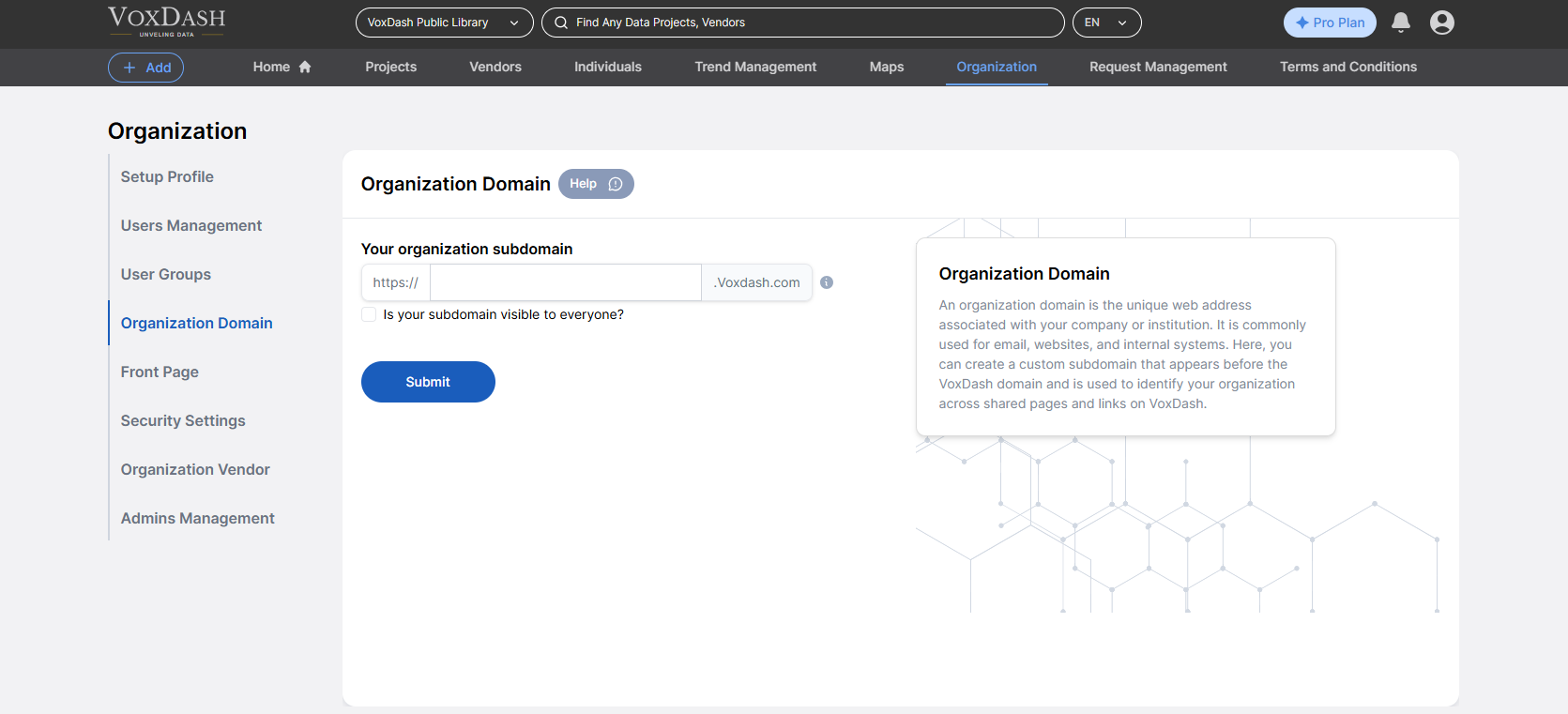
1. Open the **Data Provider Panel**.
2. Go to the **Organization Page** from the main dashboard.
3. Navigate to the **Organization Domain**
 ## Setting Up Your Subdomain
### **Create a Subdomain**
Choose a unique subdomain for your organization.
* You can decide whether this page is **publicly visible** or **restricted to internal users only**.
## Setting Up Your Subdomain
### **Create a Subdomain**
Choose a unique subdomain for your organization.
* You can decide whether this page is **publicly visible** or **restricted to internal users only**.