> ## Documentation Index
> Fetch the complete documentation index at: https://help.voxdash.com/llms.txt
> Use this file to discover all available pages before exploring further.
# Questionnaire Builder – List Overview
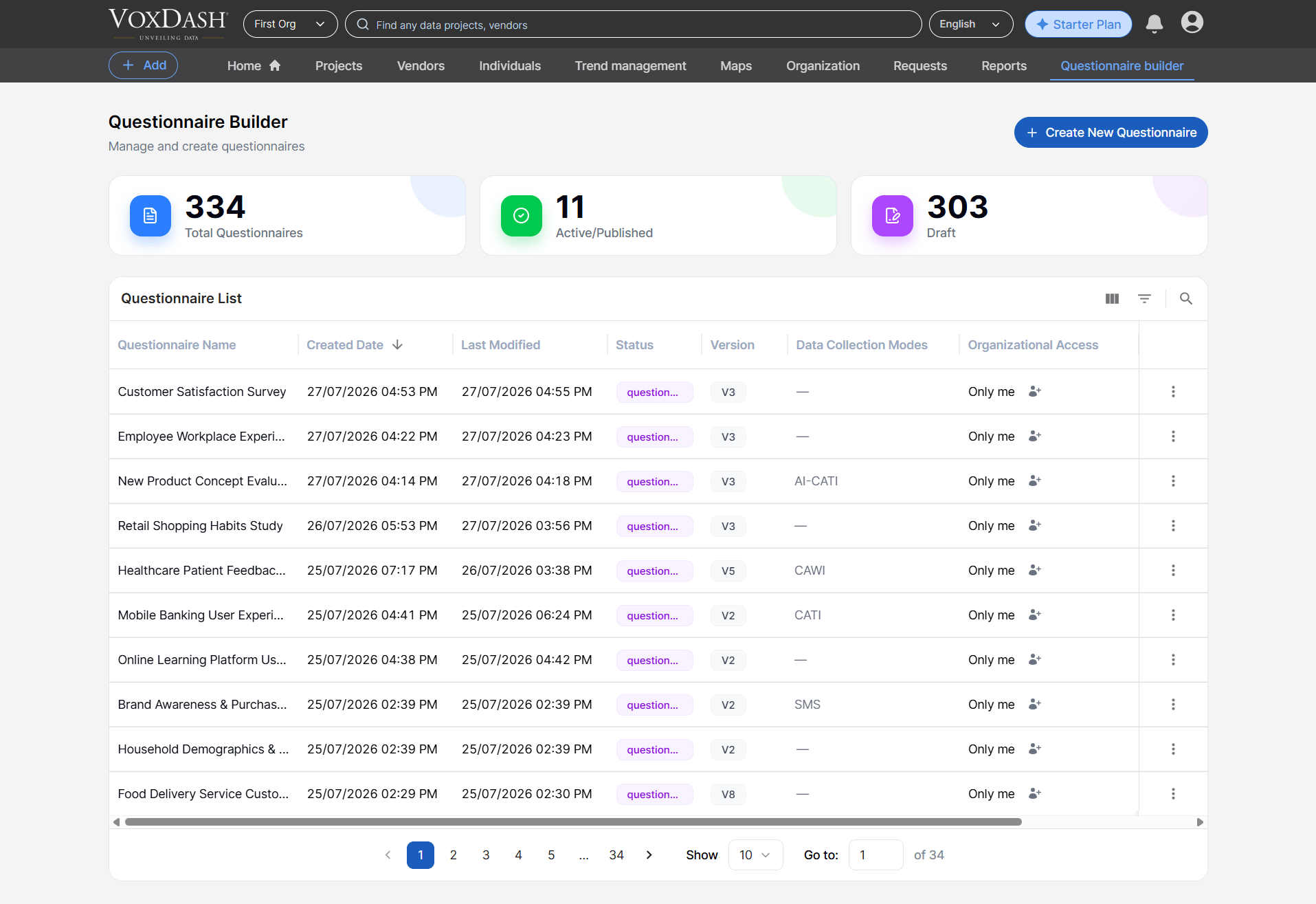
> The Questionnaire List is your central workspace for viewing, organizing, and managing every questionnaire created within VoxDash. It provides a quick…
The **Questionnaire List** is your central workspace for viewing, organizing, and managing every questionnaire created within VoxDash. It provides a quick snapshot of your activity and helps you navigate large collections efficiently.
## On This Page, You Will Find:
1. **Total Created Questionnaires**\
Shows the complete number of questionnaires you have built. This includes both drafts and published versions.
2. **Total Drafted Questionnaires**\
Indicates how many questionnaires are still in progress. Drafts can be revisited and edited at any time before activation.
3. **Total Active Questionnaires**\
Displays the number of questionnaires currently published and available for respondents. Active questionnaires can continue collecting data until you disable or archive them.
These metrics help you quickly understand your overall workload and performance in the questionnaire creation process.
## Questionnaires Table
The **Questionnaires Table** provides a detailed, structured view of all questionnaires along with their key properties. This table is designed to help you efficiently track progress, audit changes, and locate relevant items.
Each row includes:
* **Questionnaire Name**\
The title you assigned to the questionnaire. This helps you easily identify its purpose or target audience.
* **Created Date**\
The exact date the questionnaire was originally created.
* **Last Modified Date**\
Shows when the most recent update was made—useful for tracking revisions or collaborative edits.
* **Status**\
Indicates whether the questionnaire is in **Draft**, **Active**, or **Archived** state.
* *Draft*: Under construction, not visible to respondents.
* *Active*: Published and collecting responses.
* *Archived*: No longer active but preserved for record‑keeping.
* **Version**\
Displays the current questionnaire version, especially helpful when managing incremental improvements or A/B test variations.
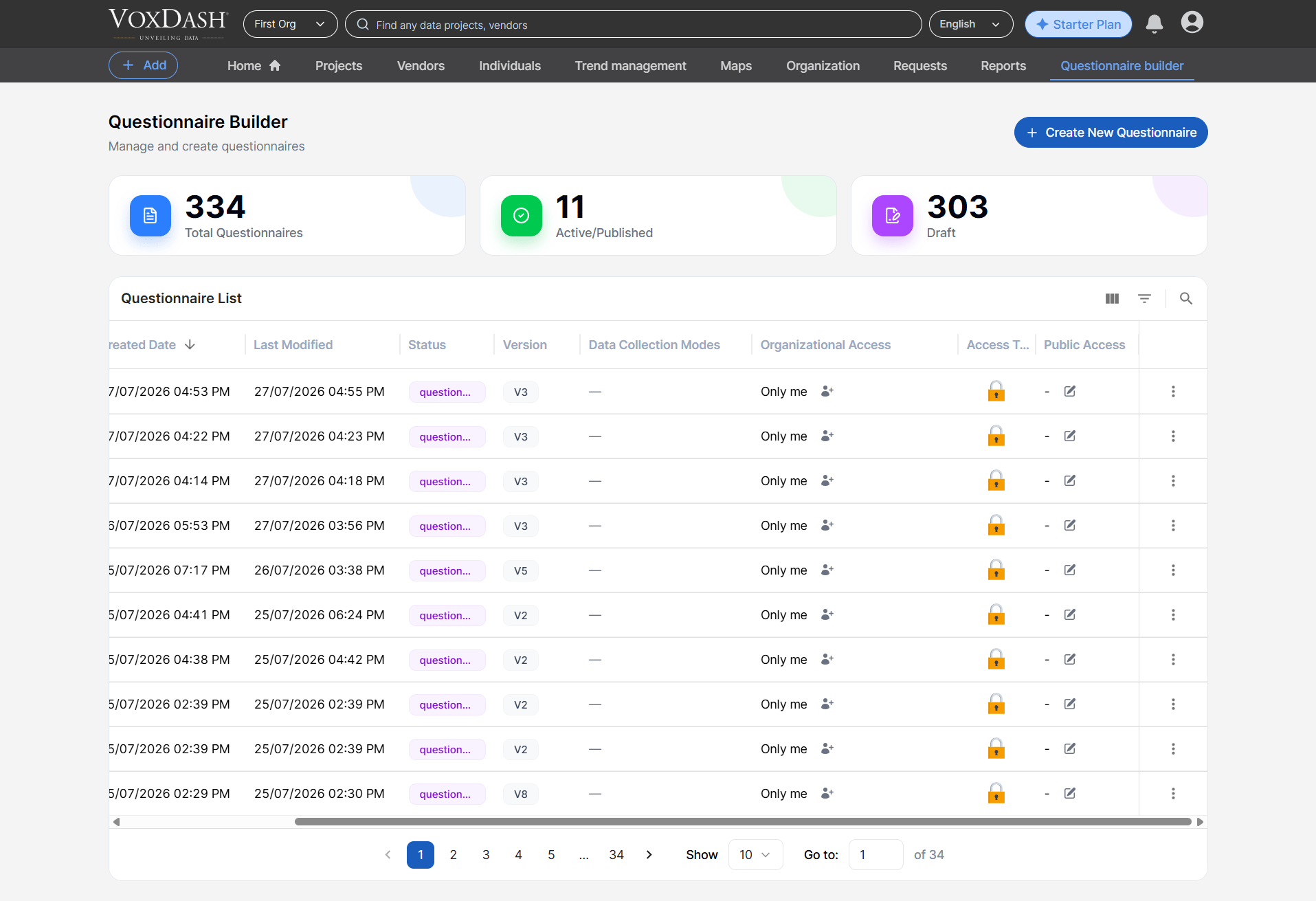
You can freely **reorder columns**, allowing you to prioritize the fields most relevant to your workflow.
## **Questionnaires Table Features**
### **Column Order Customization**
Drag and drop columns to adjust their position. This helps you build a layout tailored to your review style—whether you prefer seeing status, dates, or version numbers first.
 ### **Search and Filter**
Quickly narrow down large lists by applying filters such as:
* Name
* Status
* Creation Date
* Last Modified Date
* Version
These filters are especially useful for teams handling dozens or hundreds of questionnaires, ensuring you can find exactly what you need without manually scrolling through the list.
## **Burger Menu Features (Row Actions)**
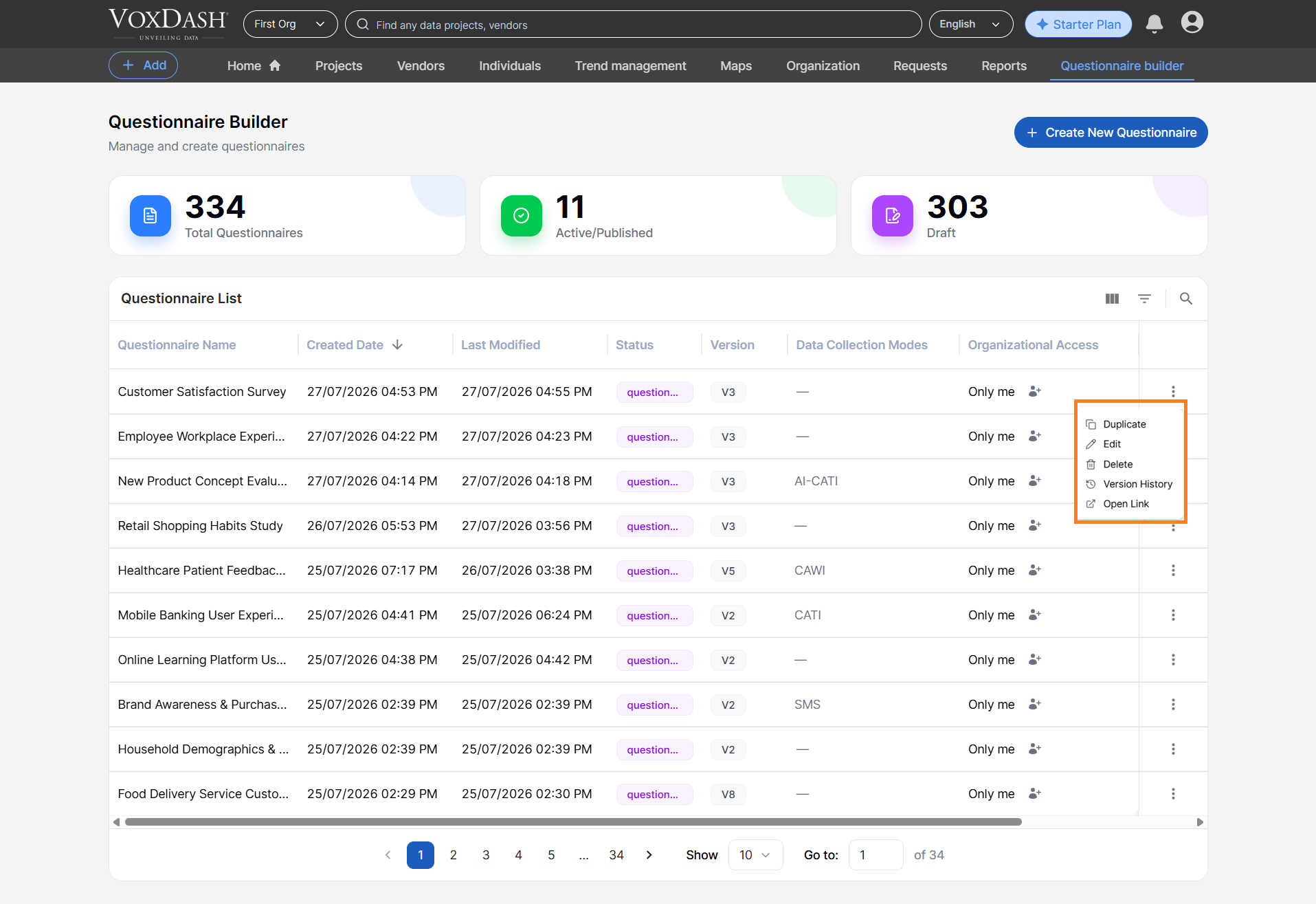
Each questionnaire row includes an **Action Menu (⋮)** with a selection of shortcuts that streamline your workflow:
* **Duplicate**\
Instantly create an exact replica of the selected questionnaire. This is ideal for building similar forms without starting from scratch.
* **Edit**\
Open the questionnaire in edit mode to adjust questions, logic, settings, or appearance.
* **Open Link**\
Open the questionnaire in VoxDash, allowing you to share or access the questionnaire directly within the platform.
* **Version History**
The Version History option displays previous versions of the questionnaire.
* **Delete**\
Permanently remove the questionnaire from your list. Deleted questionnaires cannot be recovered, so use this action cautiously.
### **Search and Filter**
Quickly narrow down large lists by applying filters such as:
* Name
* Status
* Creation Date
* Last Modified Date
* Version
These filters are especially useful for teams handling dozens or hundreds of questionnaires, ensuring you can find exactly what you need without manually scrolling through the list.
## **Burger Menu Features (Row Actions)**
Each questionnaire row includes an **Action Menu (⋮)** with a selection of shortcuts that streamline your workflow:
* **Duplicate**\
Instantly create an exact replica of the selected questionnaire. This is ideal for building similar forms without starting from scratch.
* **Edit**\
Open the questionnaire in edit mode to adjust questions, logic, settings, or appearance.
* **Open Link**\
Open the questionnaire in VoxDash, allowing you to share or access the questionnaire directly within the platform.
* **Version History**
The Version History option displays previous versions of the questionnaire.
* **Delete**\
Permanently remove the questionnaire from your list. Deleted questionnaires cannot be recovered, so use this action cautiously.
 ## **Create a Questionnaire**
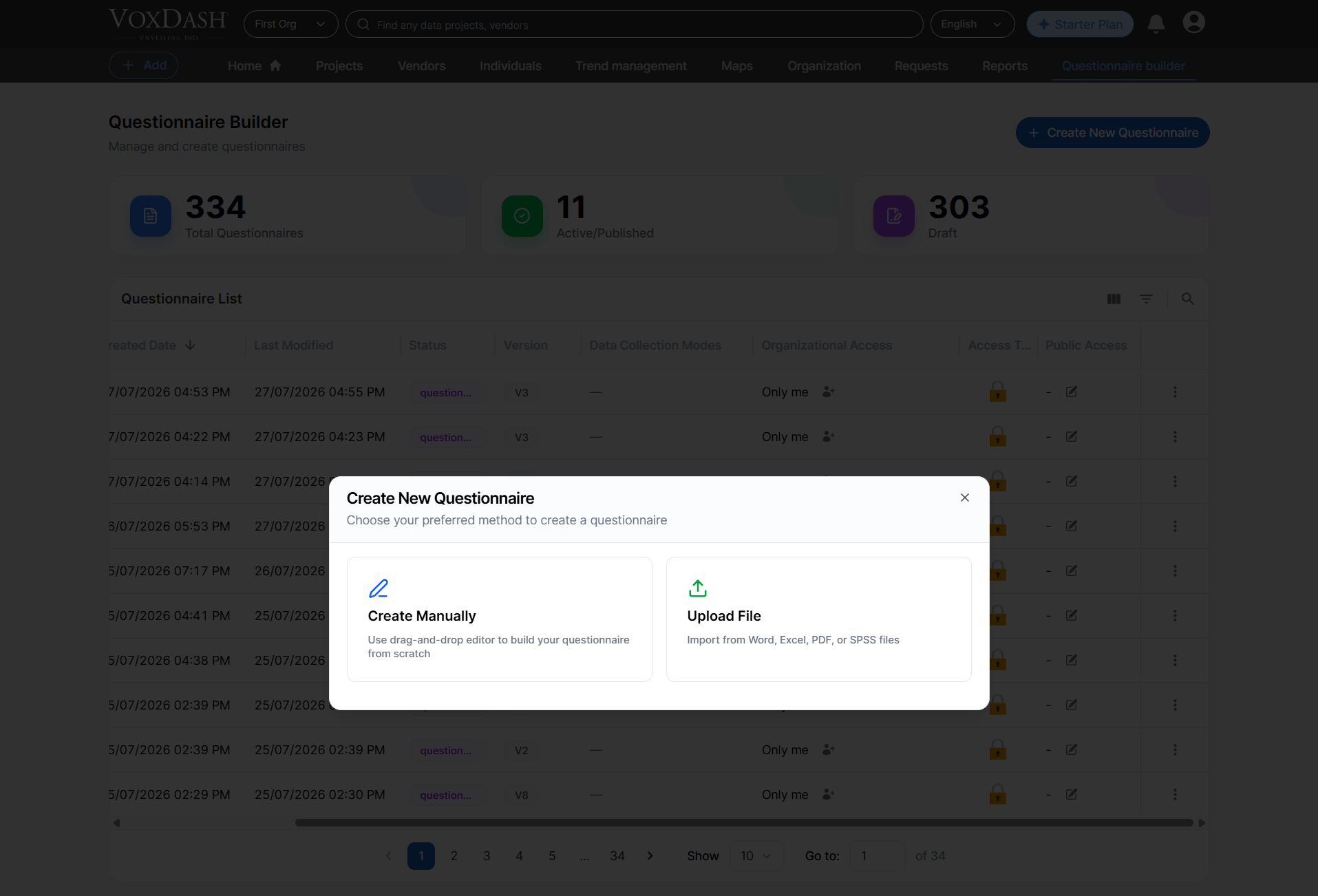
Select the **Create Questionnaire** button to begin building a new questionnaire. You can choose between:
* **Create from Scratch**\
Start with a blank canvas and design every question exactly as needed.
* **Import a File**\
You can eaither import a file from **your device** or **VoxDash library**.
## **Create a Questionnaire**
Select the **Create Questionnaire** button to begin building a new questionnaire. You can choose between:
* **Create from Scratch**\
Start with a blank canvas and design every question exactly as needed.
* **Import a File**\
You can eaither import a file from **your device** or **VoxDash library**.
 For step‑by‑step instructions, advanced configuration options, and recommended best practices, visit the [Create a Questionnaire](/Questionnaire-Builder/QB-Create) documentation page.