> ## Documentation Index
> Fetch the complete documentation index at: https://help.voxdash.com/llms.txt
> Use this file to discover all available pages before exploring further.
# Terms & Conditions History
> Each data project must include a Terms & Conditions document. This document defines the legal and usage rules that apply to the dataset. The T&C may cover…
Each data project must include a **Terms & Conditions** document.
This document defines the legal and usage rules that apply to the dataset.
The T\&C may cover:
* Permitted and restricted usage
* Data redistribution policies
* Download limitations
* Confidentiality requirements
* Compliance obligations
* Expiration terms
* Liability disclaimers
Since legal requirements and business policies may change over time, each project can have multiple versions of its Terms & Conditions.
The **Terms & Conditions History** section allows you to review all previous and current versions of a project’s Terms & Conditions.
## Accessing Terms & Conditions History
To view the Terms & Conditions history:
1. Navigate to the [File Manager](https://dataprovider.voxdash.com/projects)
2. Locate the desired project
3. Click the **hamburger menu (⋮)** next to the project
4. Select **T\&C History**
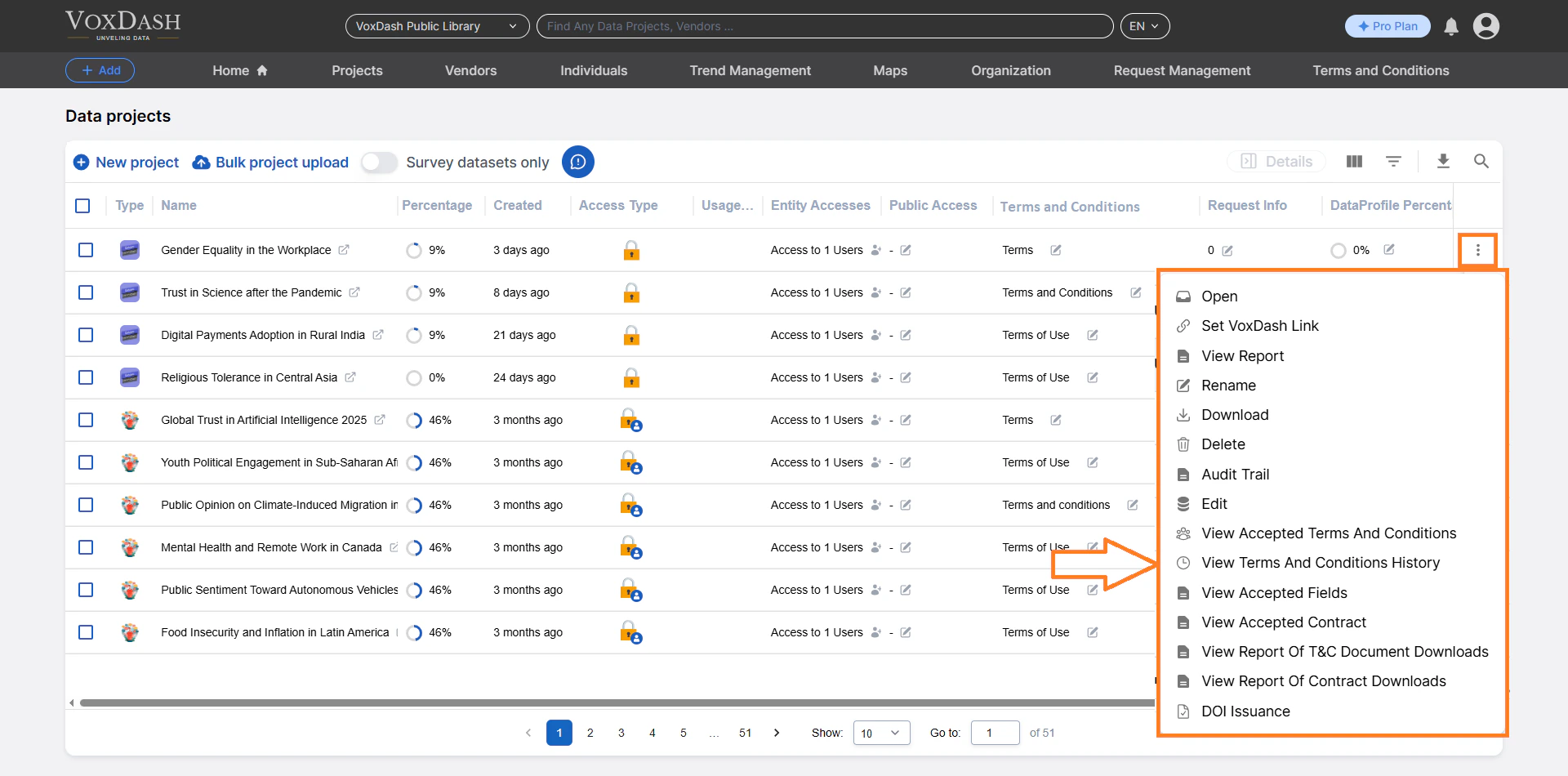 You will be redirected to the T\&C History table for that specific project.
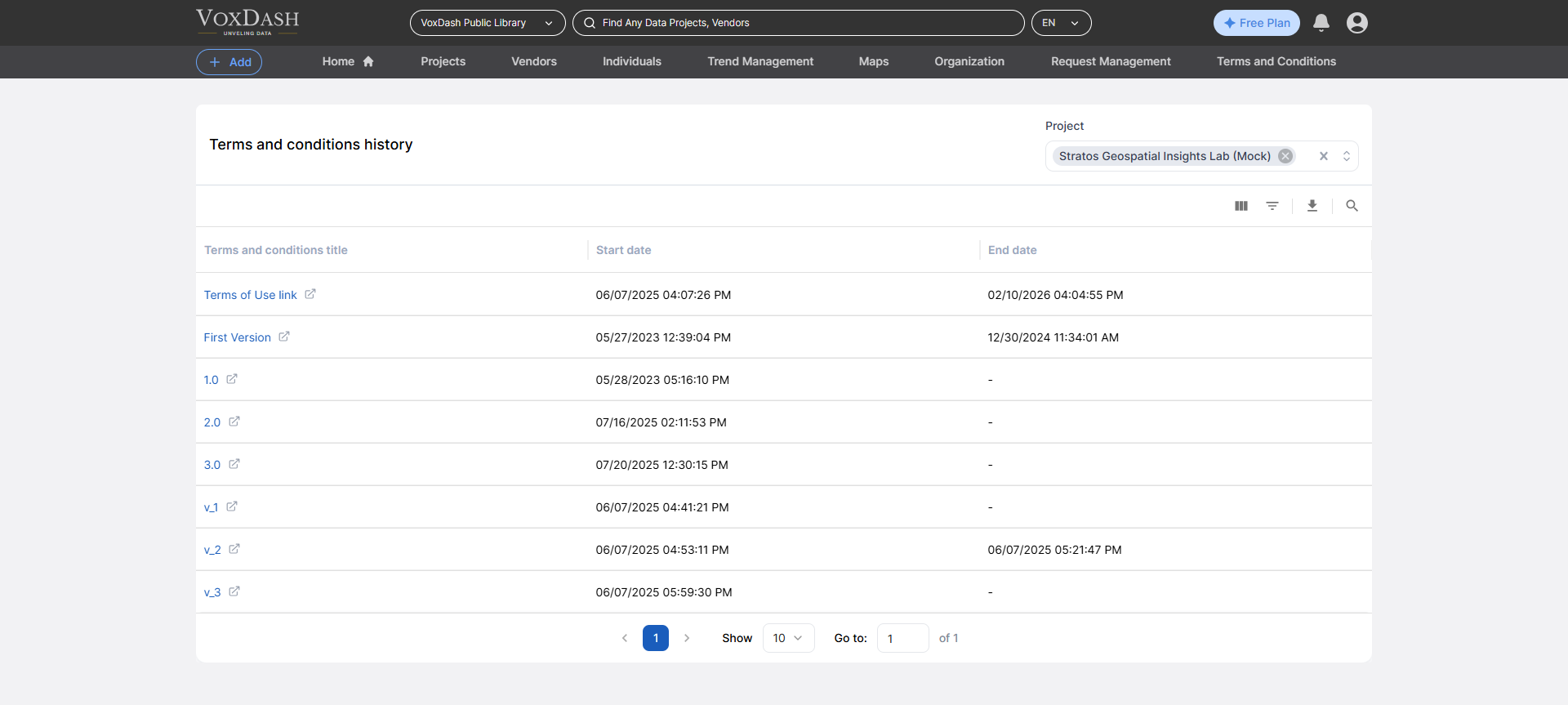 ## What You Can See in the T\&C History Table
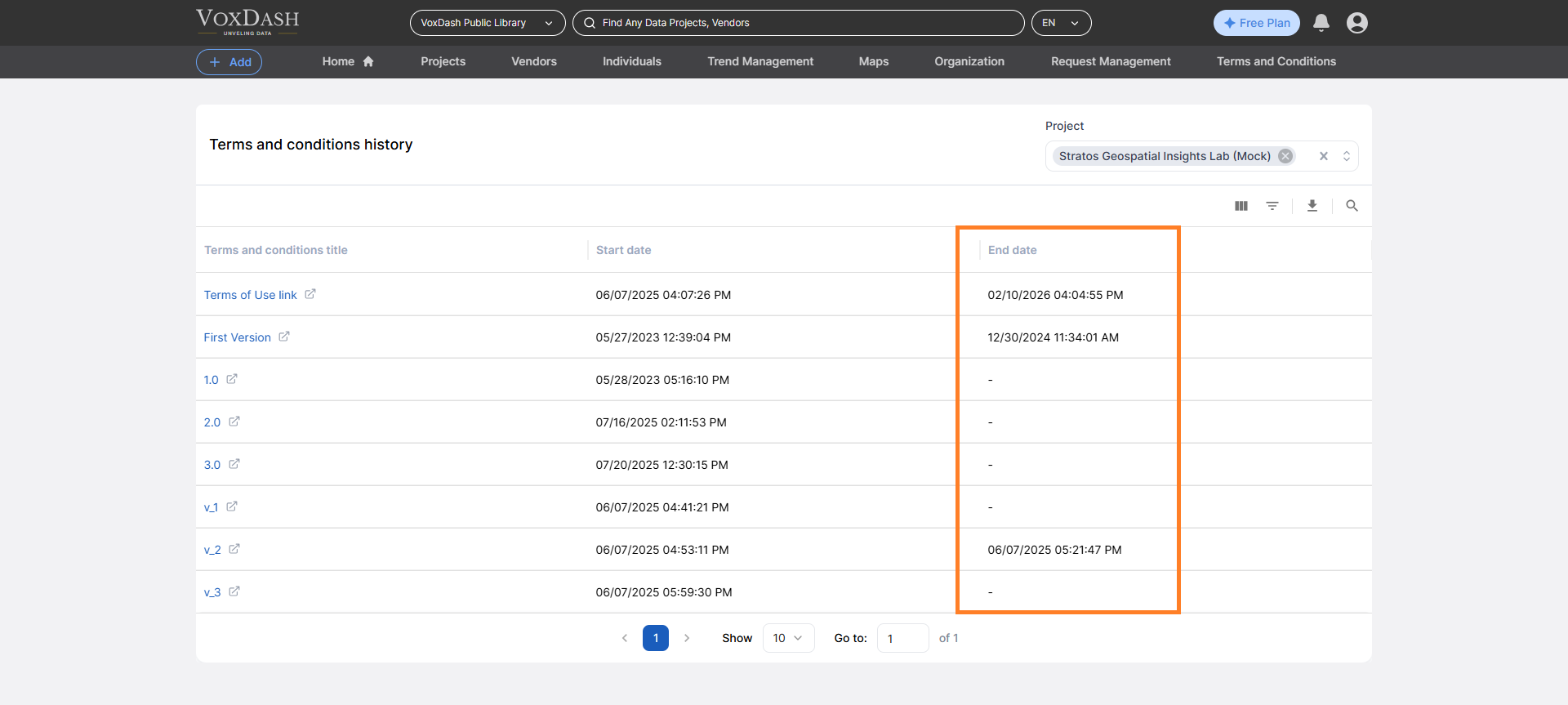
The table displays all versions of the Terms & Conditions associated with the selected project.
For each version, you can view:
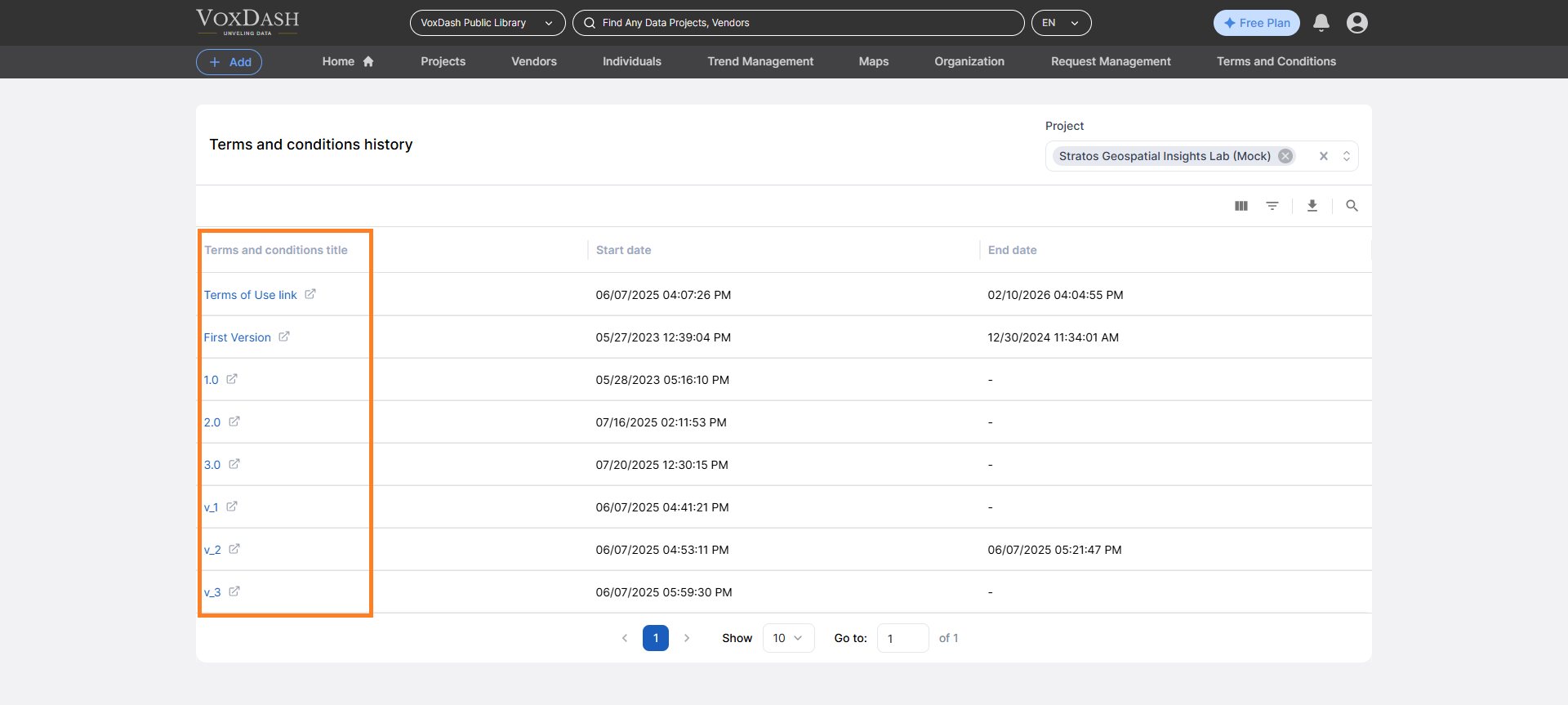
### Version Name
A unique identifier or title for that specific version of the Terms & Conditions.
Example:
* T\&C v1.0 – Initial Release
* T\&C v2.0 – Updated Download Policy
## What You Can See in the T\&C History Table
The table displays all versions of the Terms & Conditions associated with the selected project.
For each version, you can view:
### Version Name
A unique identifier or title for that specific version of the Terms & Conditions.
Example:
* T\&C v1.0 – Initial Release
* T\&C v2.0 – Updated Download Policy
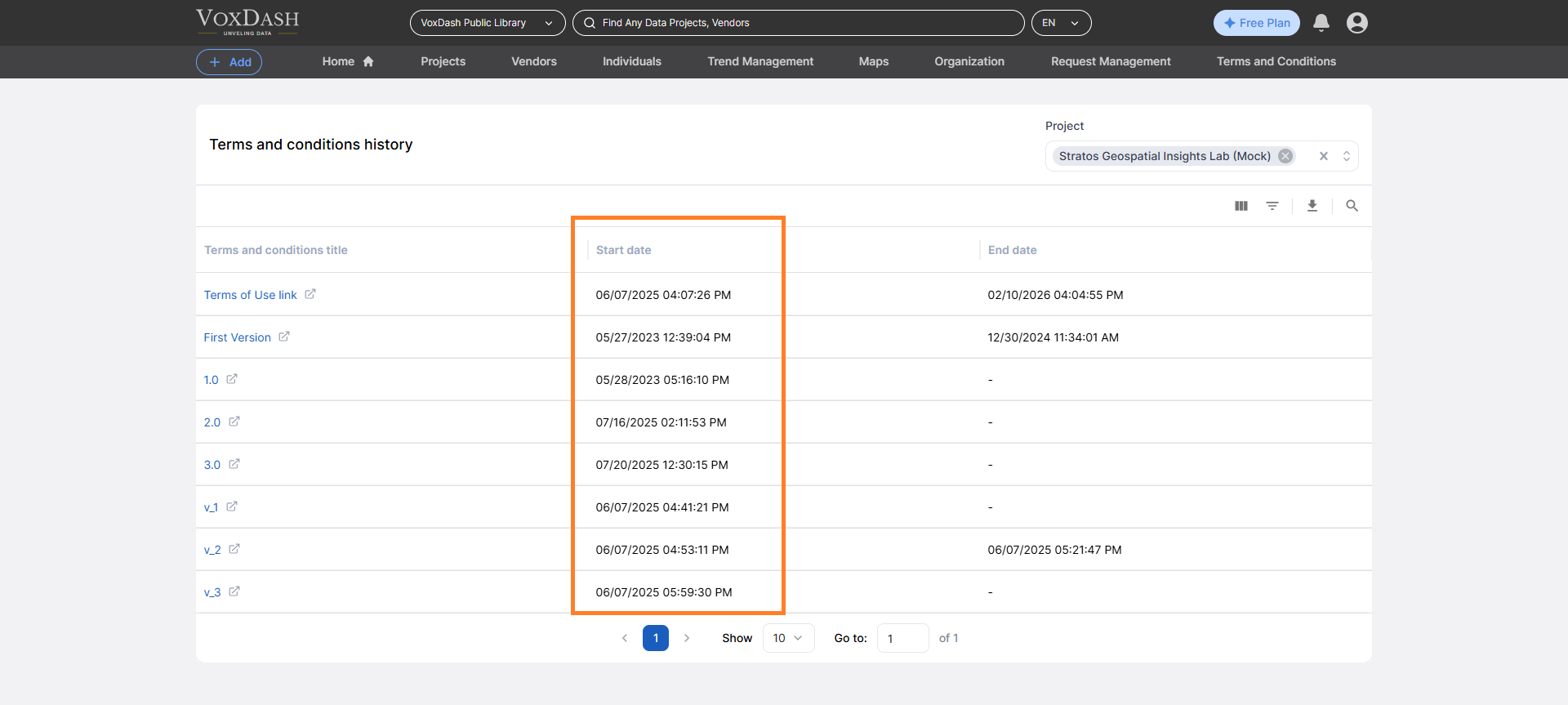
 ### Start Date
The date when the version became active.
This indicates when the terms started applying to new users or new access approvals.
### Start Date
The date when the version became active.
This indicates when the terms started applying to new users or new access approvals.
 ### End Date
The date when the version was replaced or deactivated.
If no end date is shown, the version is currently active.
### End Date
The date when the version was replaced or deactivated.
If no end date is shown, the version is currently active.
 ## Why Version History Matters
Tracking T\&C versions helps you:
* Maintain legal transparency
* Support compliance audits
* Identify which users accepted which version
* Resolve disputes related to past access terms
* Monitor policy evolution over time
Each approved user is typically bound by the version active at the time of access approval.
## Features Available on the T\&C History Page
The T\&C History table includes management tools to help you navigate large version histories.
### Search
Use the search bar to quickly find:
* A specific version name
* Keywords within version titles
This is useful when multiple updates have been published over time.
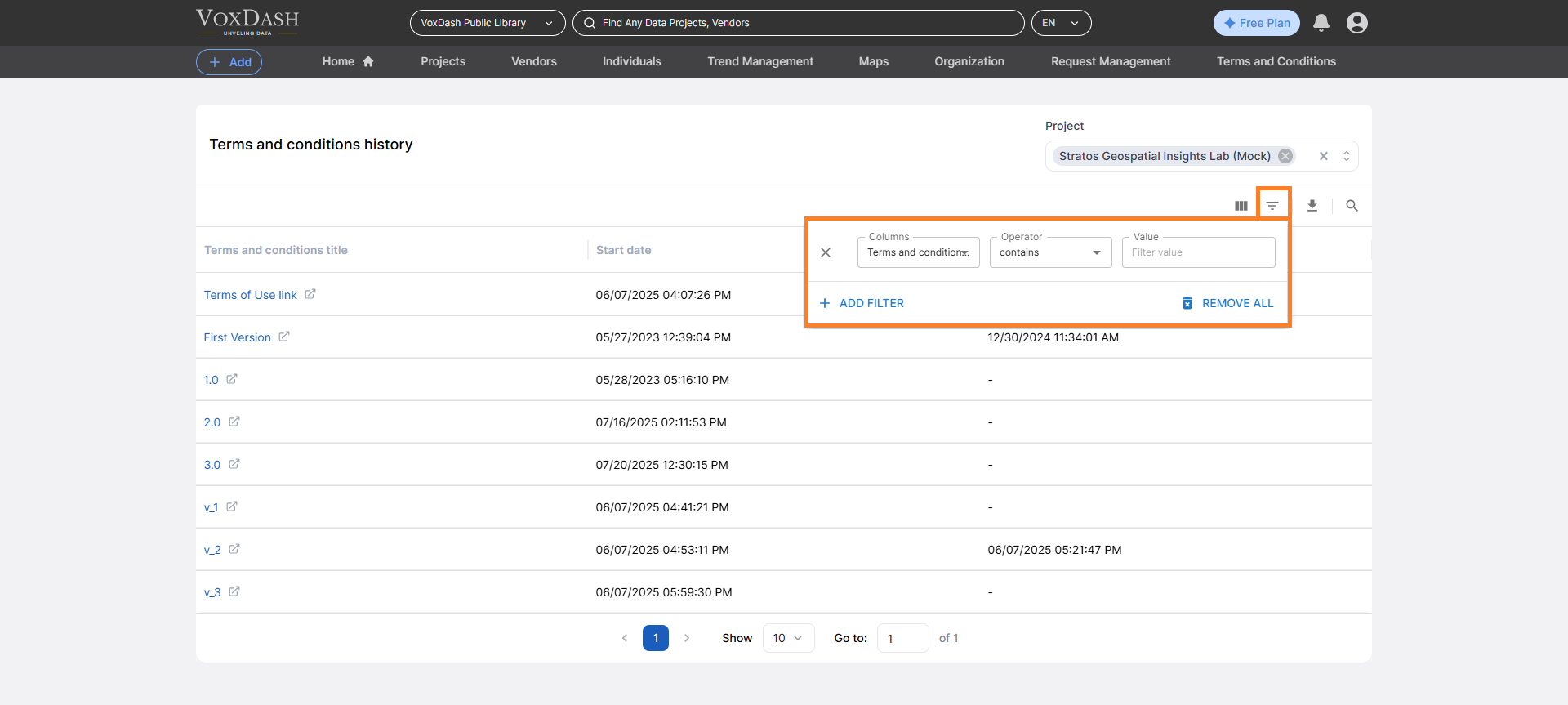
### Filter
Apply filters to narrow results based on:
* Active vs. expired versions
* Date ranges
* Specific version naming conventions
Filtering allows you to focus on relevant policy periods.
## Why Version History Matters
Tracking T\&C versions helps you:
* Maintain legal transparency
* Support compliance audits
* Identify which users accepted which version
* Resolve disputes related to past access terms
* Monitor policy evolution over time
Each approved user is typically bound by the version active at the time of access approval.
## Features Available on the T\&C History Page
The T\&C History table includes management tools to help you navigate large version histories.
### Search
Use the search bar to quickly find:
* A specific version name
* Keywords within version titles
This is useful when multiple updates have been published over time.
### Filter
Apply filters to narrow results based on:
* Active vs. expired versions
* Date ranges
* Specific version naming conventions
Filtering allows you to focus on relevant policy periods.
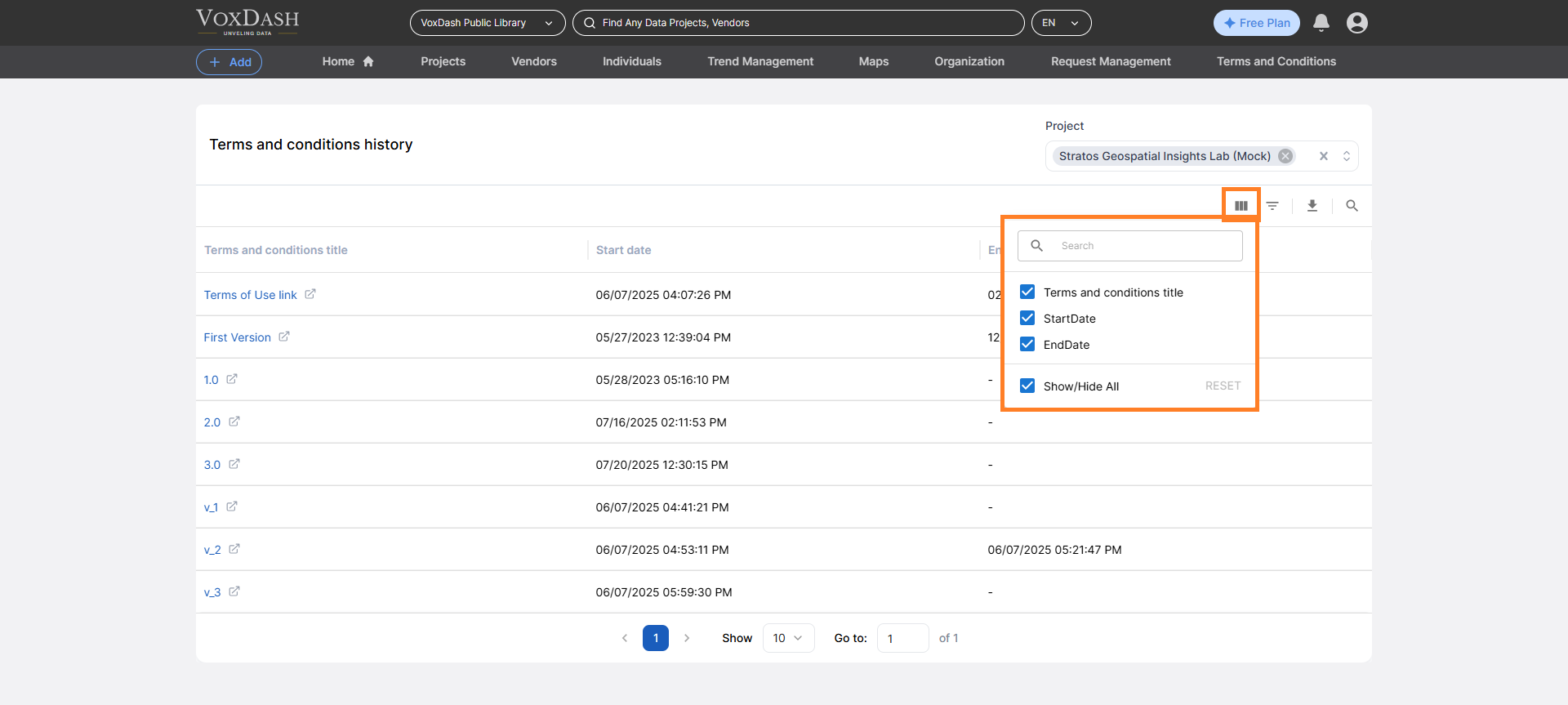
 ### Column Ordering
You can customize the table view by:
* Reordering columns
* Sorting by start date, end date, or version name
For example:
* Sort by Start Date to view versions chronologically
* Sort by End Date to identify recently expired terms
### Column Ordering
You can customize the table view by:
* Reordering columns
* Sorting by start date, end date, or version name
For example:
* Sort by Start Date to view versions chronologically
* Sort by End Date to identify recently expired terms
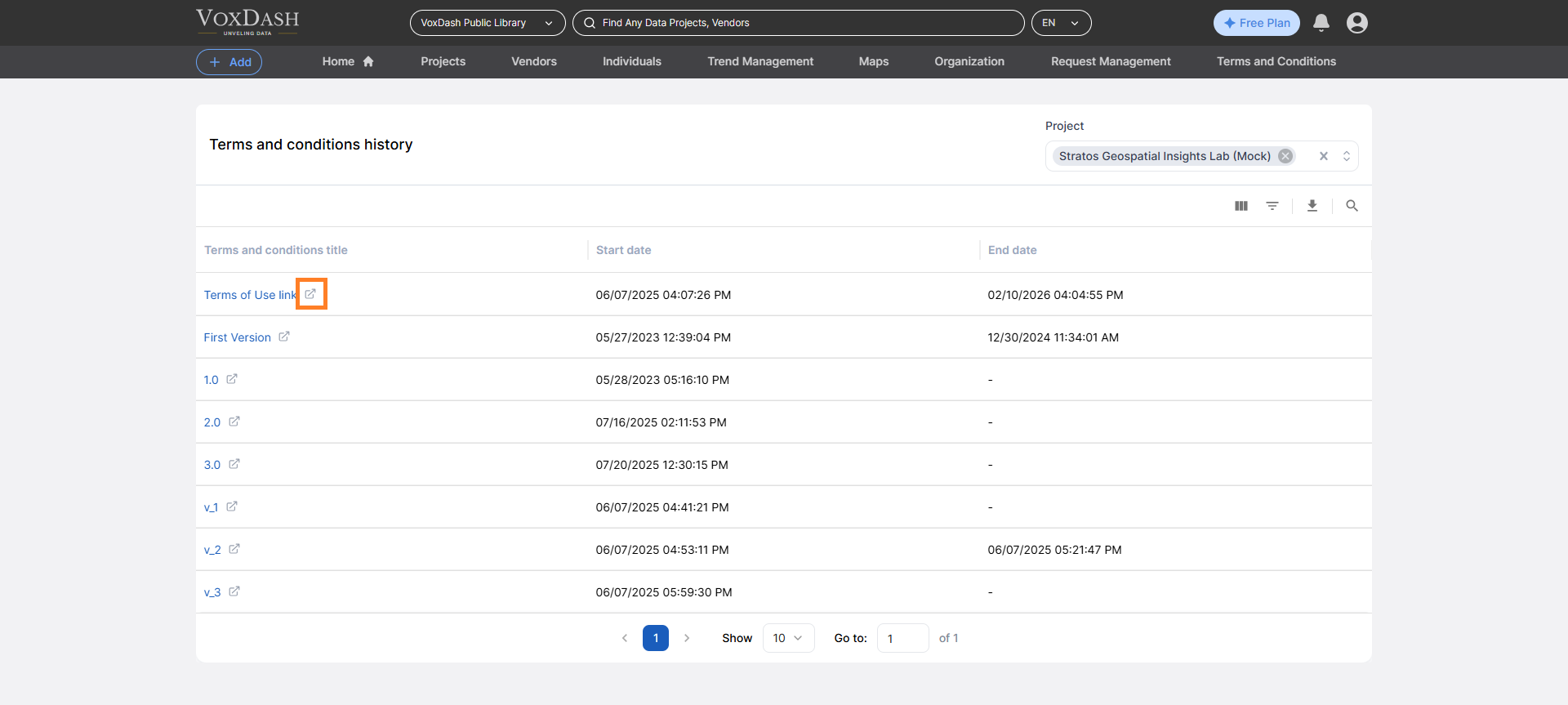
 ## Viewing Full T\&C Details
To view the full content of a specific version:
1. Click the **icon next to the version name**
2. You will be redirected to the detailed T\&C page
On that page, you can:
* Read the full legal text
* Review policy changes
* Verify the exact terms that were active during a specific period
## Viewing Full T\&C Details
To view the full content of a specific version:
1. Click the **icon next to the version name**
2. You will be redirected to the detailed T\&C page
On that page, you can:
* Read the full legal text
* Review policy changes
* Verify the exact terms that were active during a specific period
 ## Best Practices
* Update Terms & Conditions whenever usage policies change.
* Use clear version naming conventions (e.g., v1.0, v2.1).
* Review T\&C updates before approving new access requests.
* Keep historical versions for compliance and audit purposes.
The T\&C History section ensures full traceability of policy changes and supports secure, compliant data sharing within the platform.
## Best Practices
* Update Terms & Conditions whenever usage policies change.
* Use clear version naming conventions (e.g., v1.0, v2.1).
* Review T\&C updates before approving new access requests.
* Keep historical versions for compliance and audit purposes.
The T\&C History section ensures full traceability of policy changes and supports secure, compliant data sharing within the platform.