> ## Documentation Index
> Fetch the complete documentation index at: https://help.voxdash.com/llms.txt
> Use this file to discover all available pages before exploring further.
# User Profile Page
> When users sign up for VoxDash, a personal profile page is automatically created. This profile serves as a central place to manage personal details, showcase…
When users sign up for VoxDash, a **personal profile page** is automatically created. This profile serves as a central place to manage personal details, showcase professional background, and contribute to the platform’s collaborative data environment.
## **Completing Your Profile**
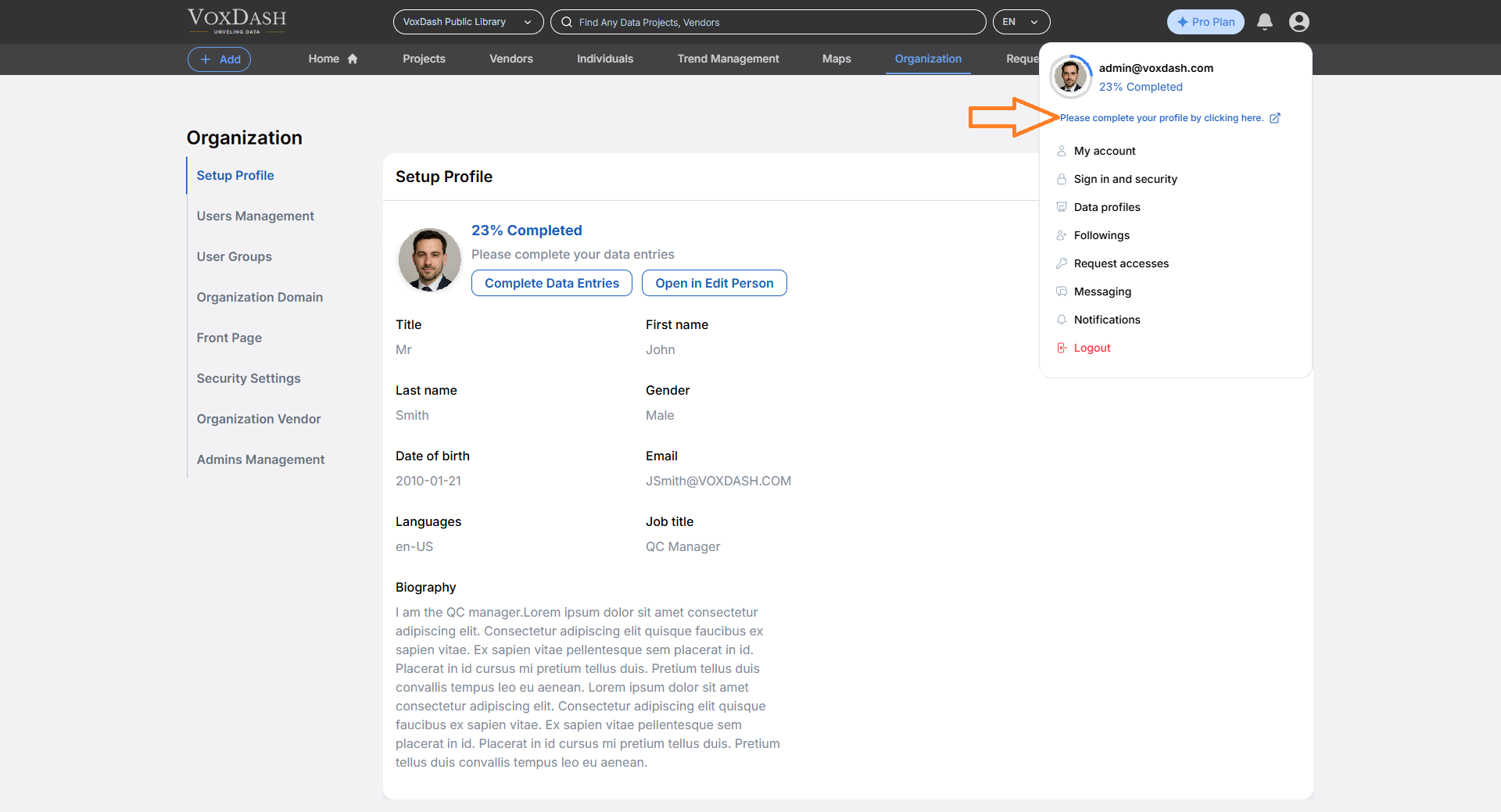
Users are encouraged to complete their profile information. VoxDash displays a **profile completion percentage**, guiding users to fill in missing details and helping them build a stronger presence on the platform.
Your **Personal Profile** includes:
* Full name
* Professional background
* Job title
* Languages
* Email
* Date of birth
This profile helps other users understand your role, contributions, and professional identity within the platform.
## **Accessing the Profile Setup**
To access or update your profile:
1. Open the **Data Provider Panel**.
2. Navigate to the first tab in the [Organization Page](https://dataprovider.voxdash.com/org/setupProfile) from the main dashboard.
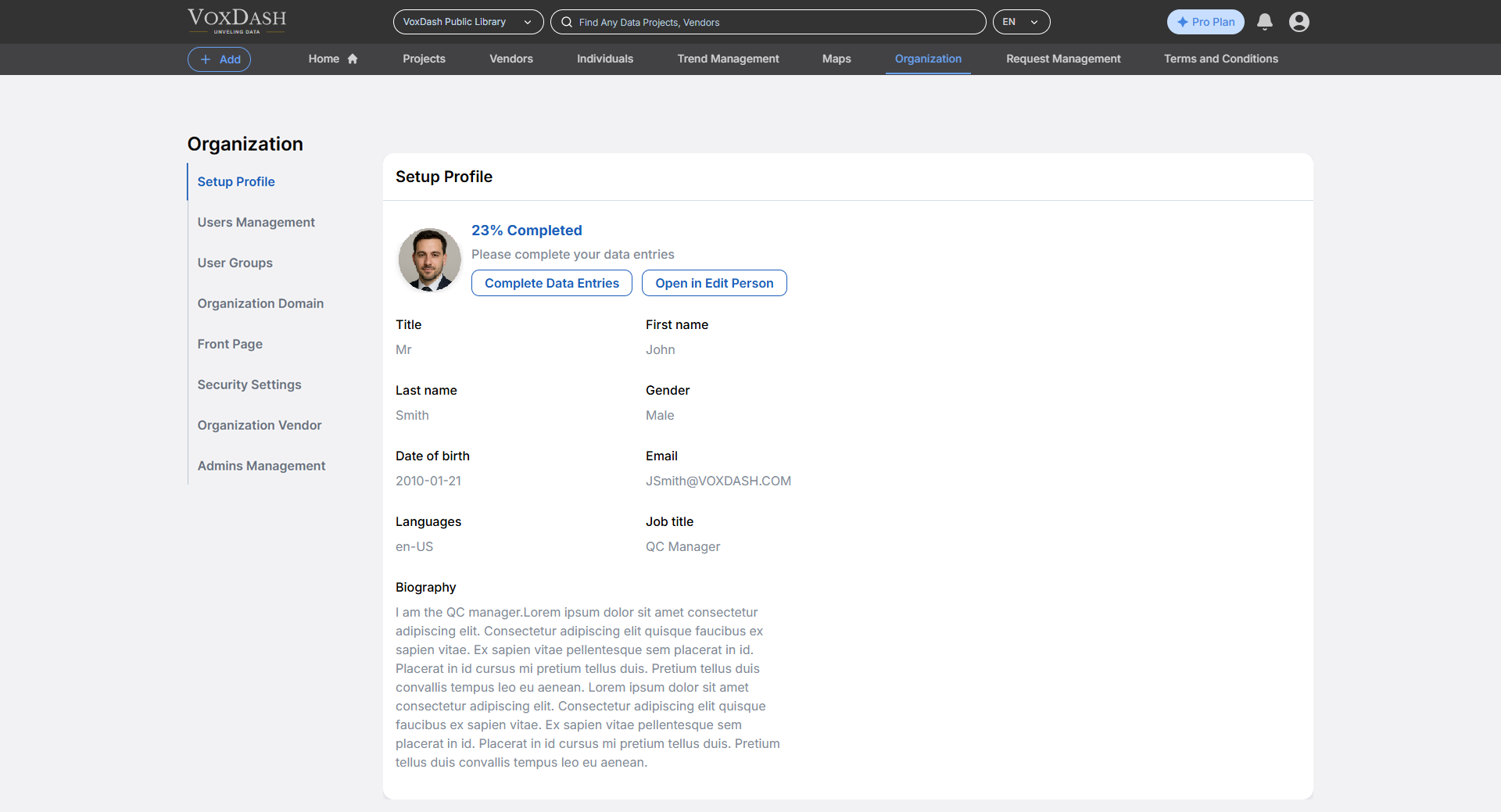 **Note:** This section is also visible under your account settings and can be updated at any time.
 ## **Profile Visibility and Use**
* Your individual page is **visible to other users** on the platform, enhancing collaboration and transparency.
* It can be used as part of **data entry**, particularly in workflows where contributor identity or role is relevant (e.g., tagging who collected or uploaded a dataset).
## **Why Keep Your Profile Up to Date?**
* Builds trust and credibility with collaborators
* Makes it easier to be assigned roles or tasks
* Helps maintain accurate contributor records for data provenance
## **Profile Visibility and Use**
* Your individual page is **visible to other users** on the platform, enhancing collaboration and transparency.
* It can be used as part of **data entry**, particularly in workflows where contributor identity or role is relevant (e.g., tagging who collected or uploaded a dataset).
## **Why Keep Your Profile Up to Date?**
* Builds trust and credibility with collaborators
* Makes it easier to be assigned roles or tasks
* Helps maintain accurate contributor records for data provenance