

What Is AI Open-Ended Analysis?
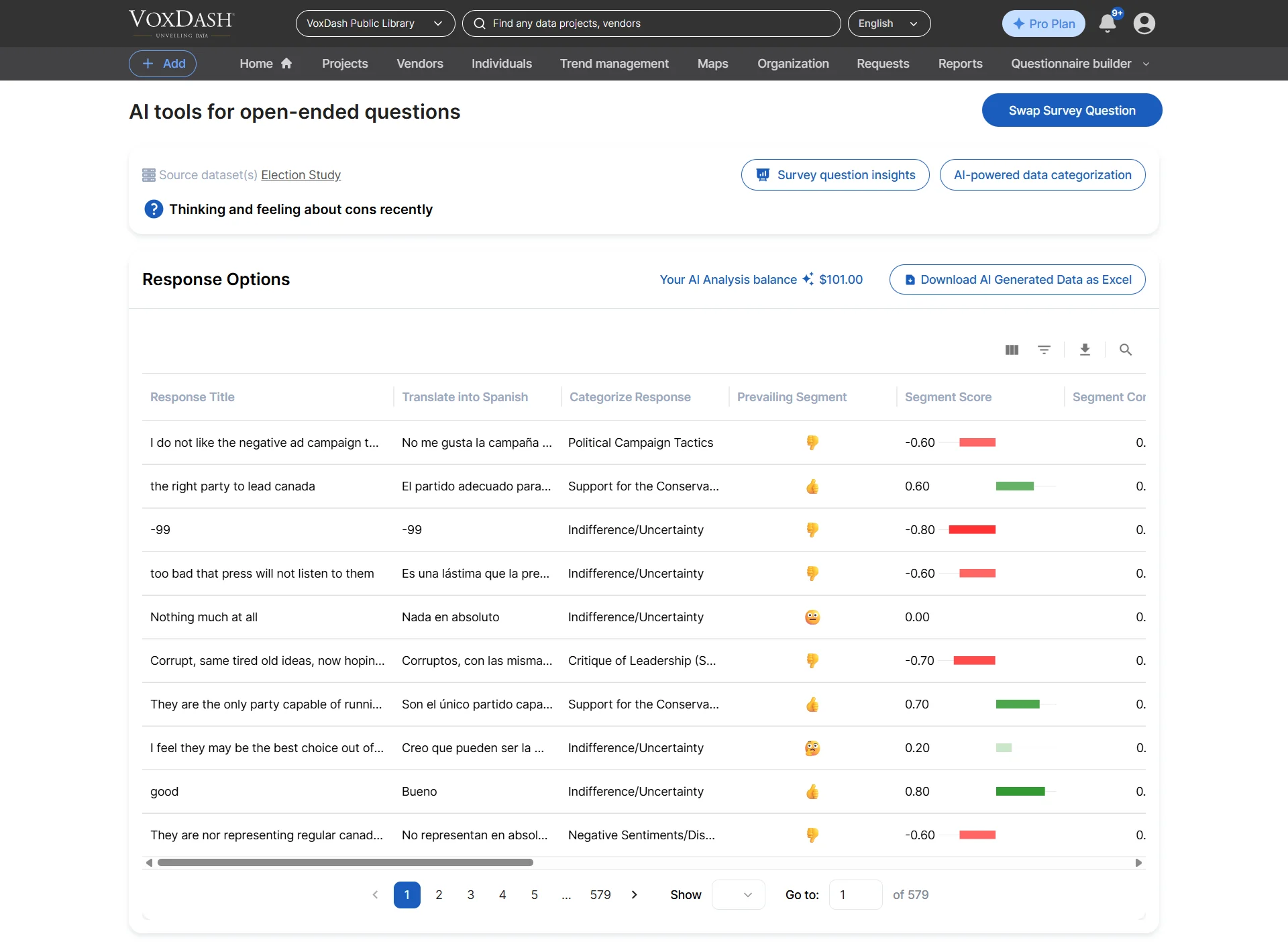
AI Open-Ended Analysis enables users to analyze free-text survey responses using artificial intelligence and Natural Language Processing (NLP). Instead of manually reading hundreds or thousands of responses, the AI automatically:- Detects recurring themes and topics
- Groups similar responses together
- Identifies sentiment and emotional tone
- Corrects grammar and spelling issues
- Translates multilingual responses
- Converts qualitative feedback into measurable insights
How to Access AI Open-Ended Analysis
To access the AI Open-Ended Analysis tools:- Navigate to the File Manager page.
- Select a project, or open a project and choose a specific survey file.
- Click the Ask AI button.
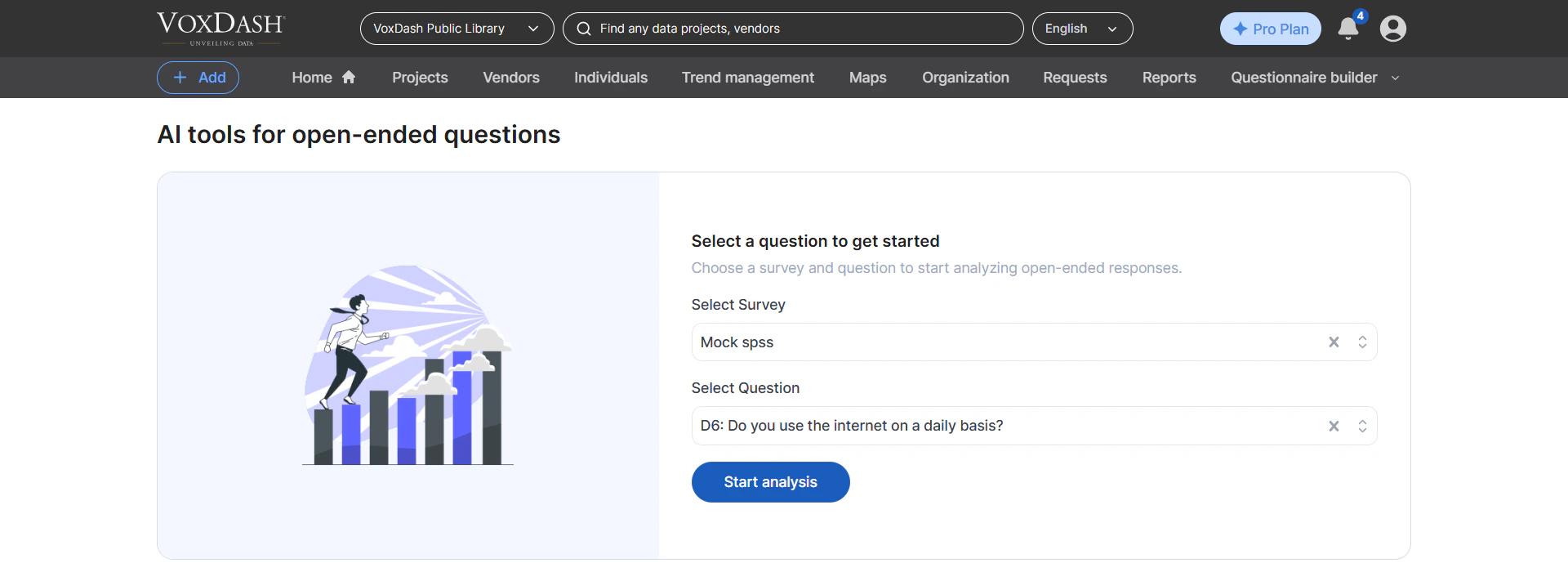
- You will be redirected to the AI Chat interface.
- Select the survey and choose the open-ended question you want to analyze.
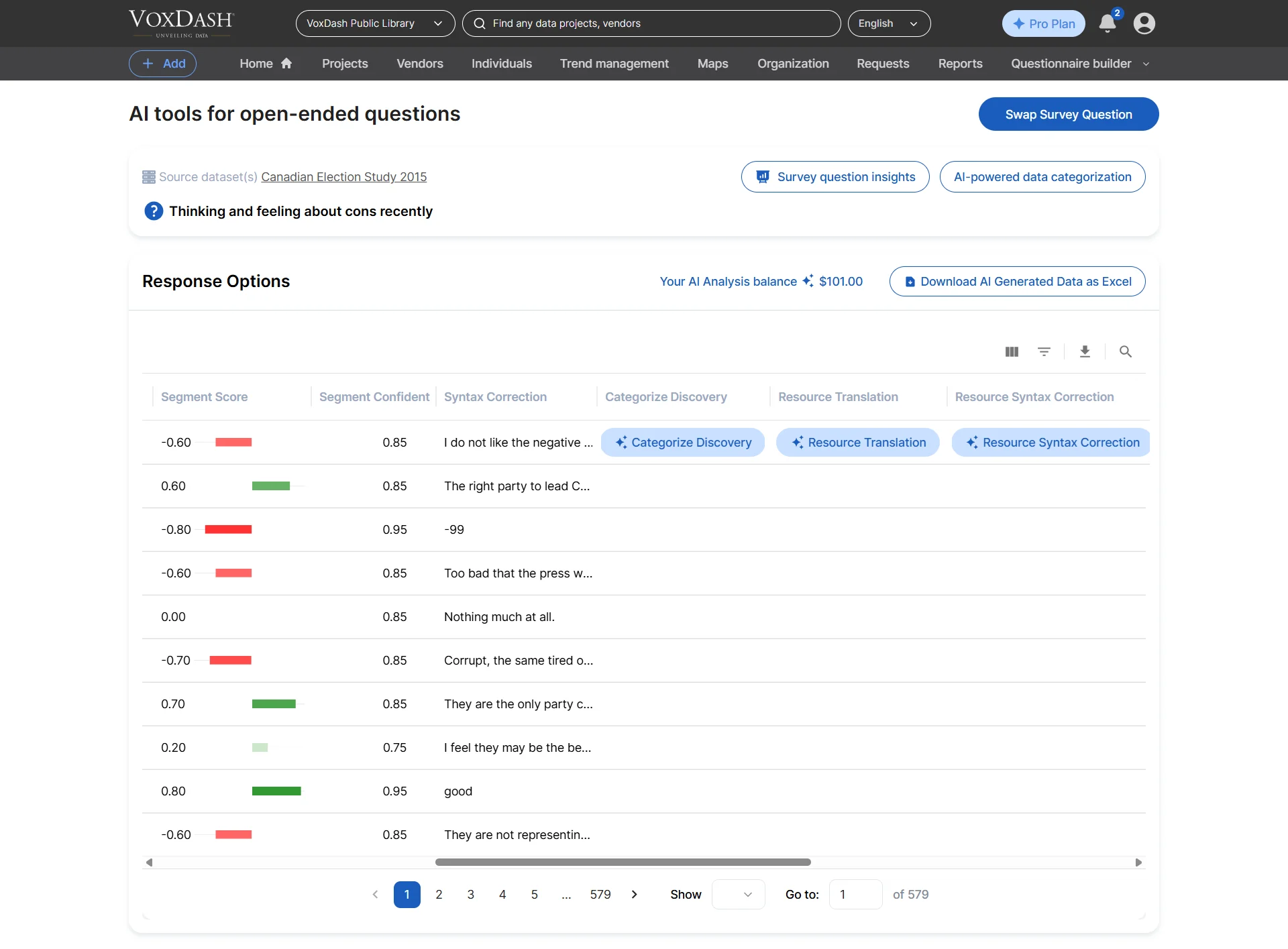
- Choose one or more AI analysis tools to begin processing the responses.
What the AI Open-Ended Tool Can Do
When your survey includes questions that allow respondents to answer in their own words, the AI Open-Ended Analysis tools can automatically process and interpret the responses.Summarize and Cluster Responses
The AI identifies patterns, repeated ideas, and similarities across responses and groups them into key themes or summarized categories. For example, if multiple respondents mention:- “The website loads slowly”
- “Pages take too long to open”
- “Checkout performance is slow”
- Detect recurring themes instantly
- Reduce manual coding effort
- Simplify large-scale text analysis
- Generate structured summaries from raw feedback
Relate Responses to Existing Categories
The AI can map open-ended responses to existing survey categories or business metrics, allowing structured and unstructured data to be analyzed together. For example:- Product feedback responses can be linked to product categories
- Customer complaints can be tied to support topics
- Comments can be associated with satisfaction scores or demographics
- Combine text analysis with survey metrics
- Improve segmentation and reporting
- Enable cross-analysis between comments and structured data
Available AI Tools for Open-Ended Text Analysis
VoxDash provides several AI-powered tools to streamline open-ended response analysis.1. Translation
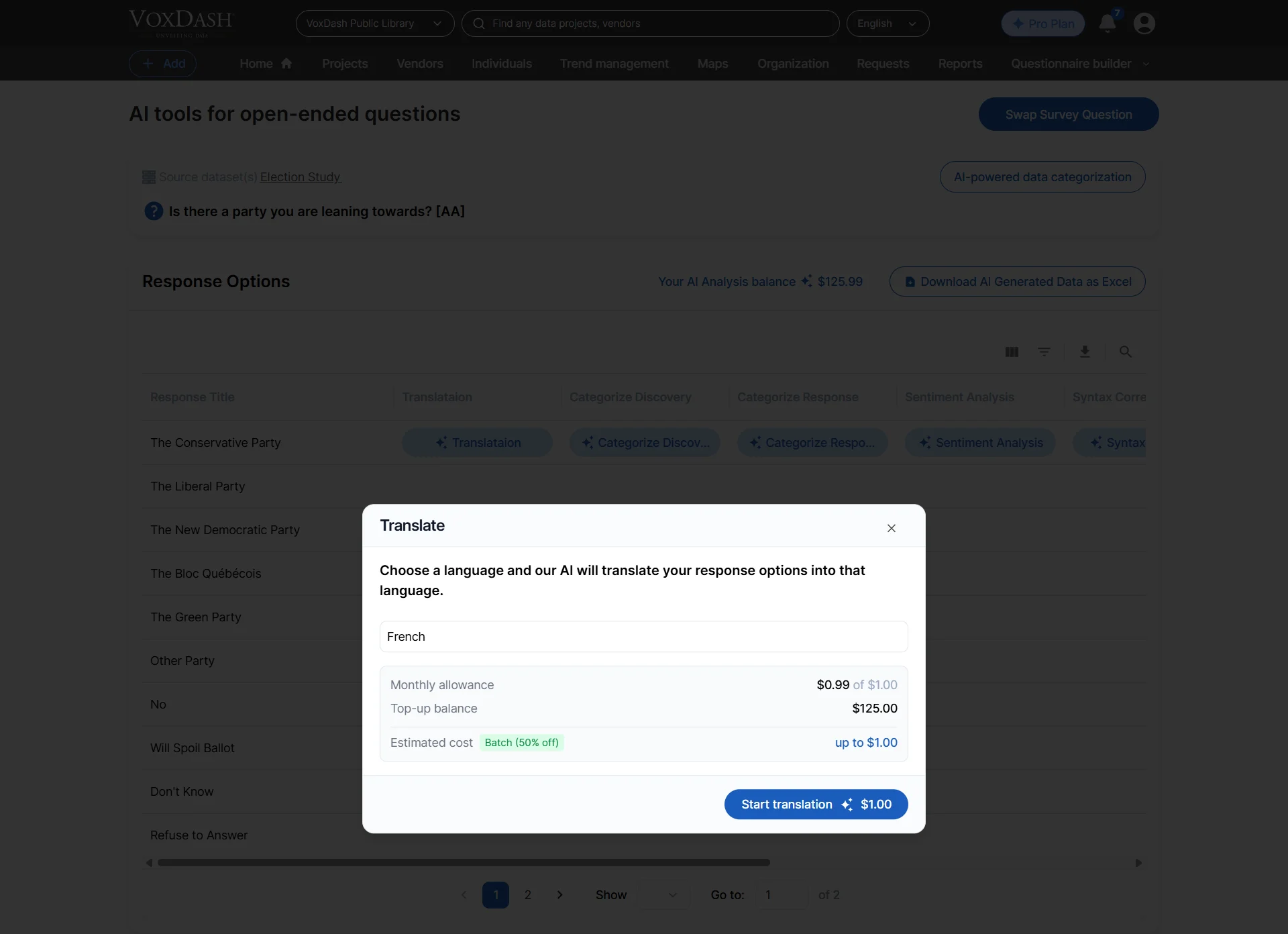
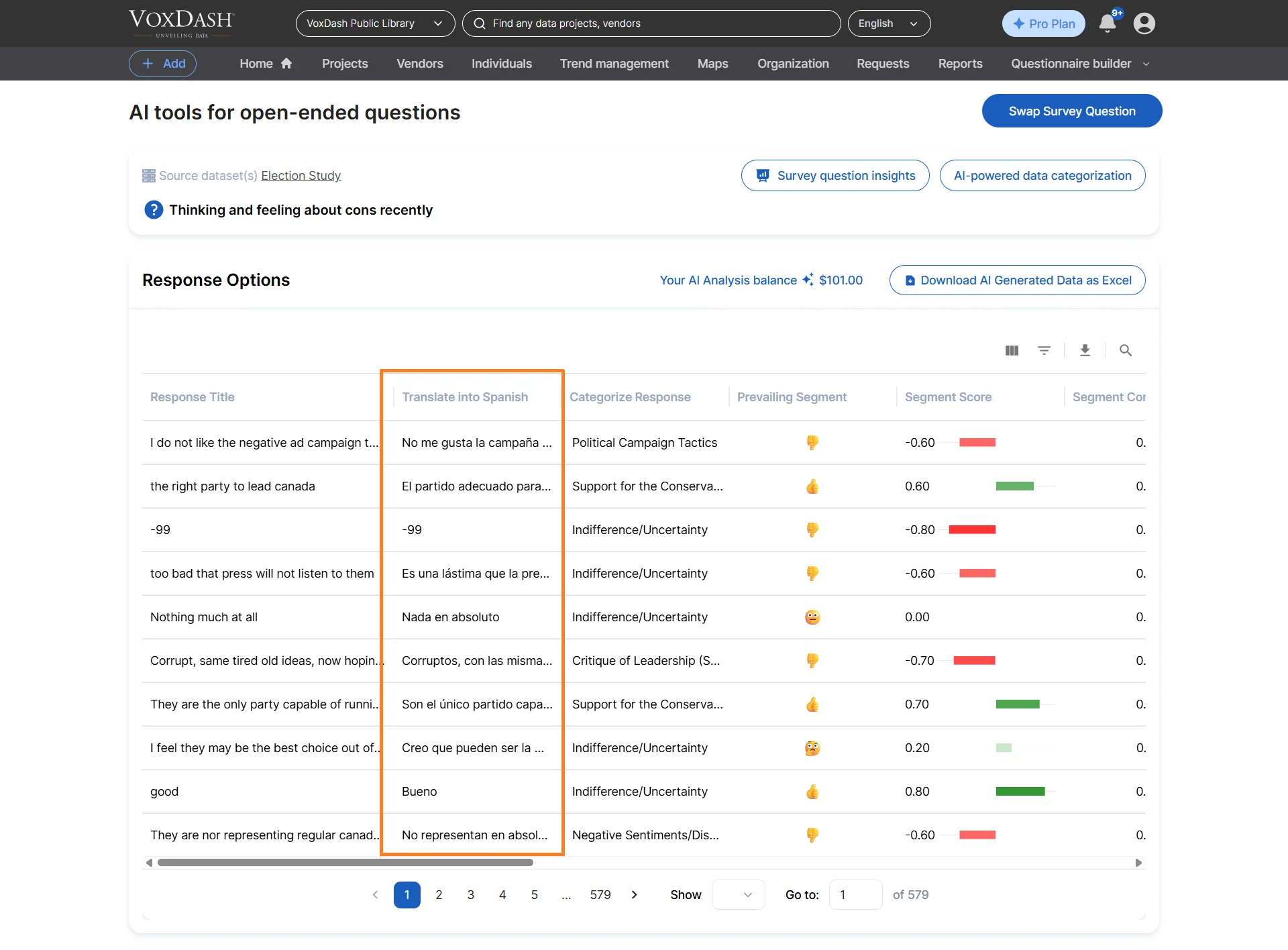
Automatically translate responses into supported languages. This feature is especially useful for international surveys where respondents may submit answers in multiple languages. The AI standardizes responses into a common language for easier analysis and reporting.How to Use
- Open the selected open-ended question.
- Click the Translate button.
- Select the target language.
- Start the translation process.
- Simplify multilingual analysis
- Eliminate language barriers
- Improve consistency across global datasets
2. Syntax Correction
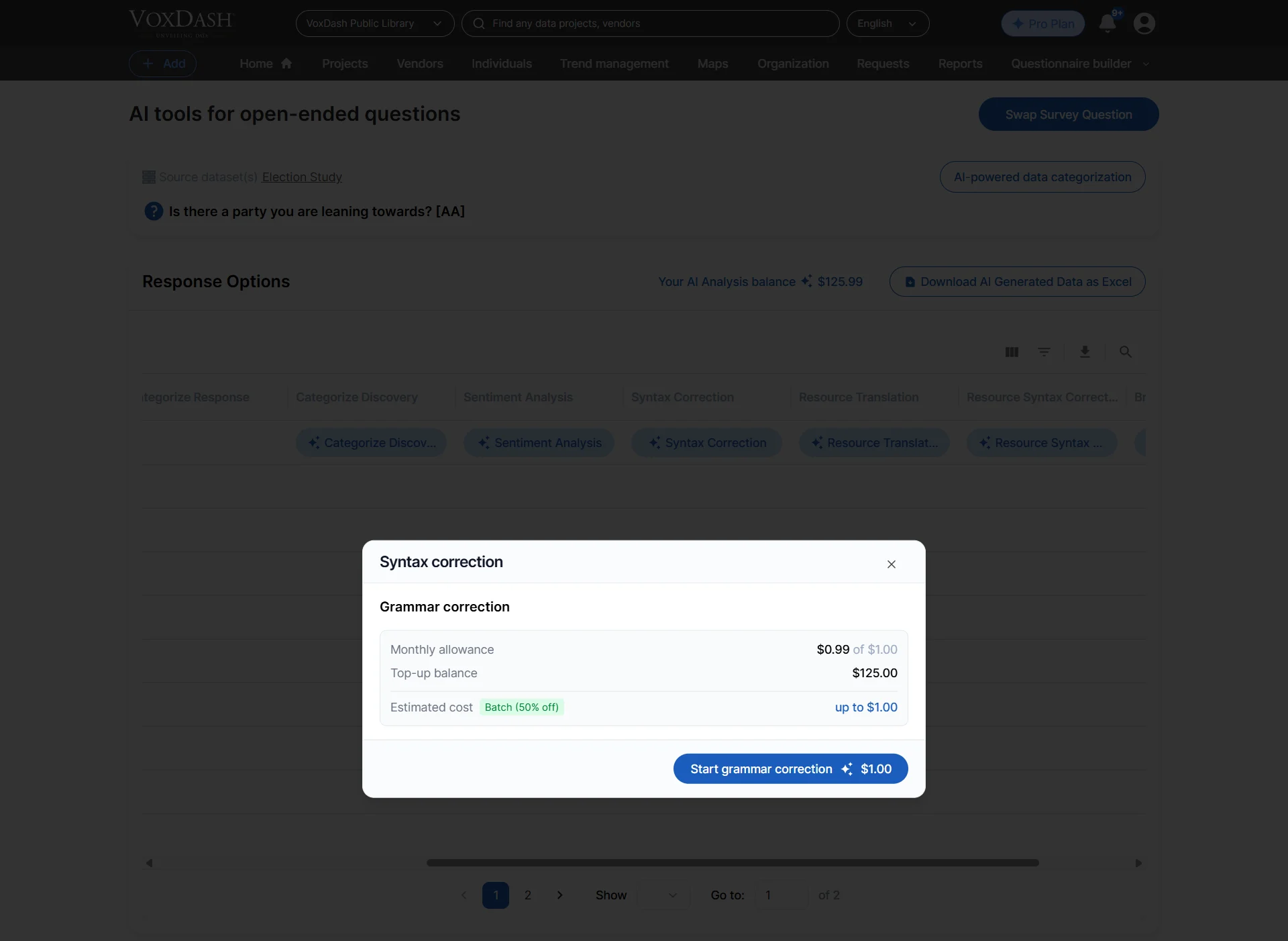
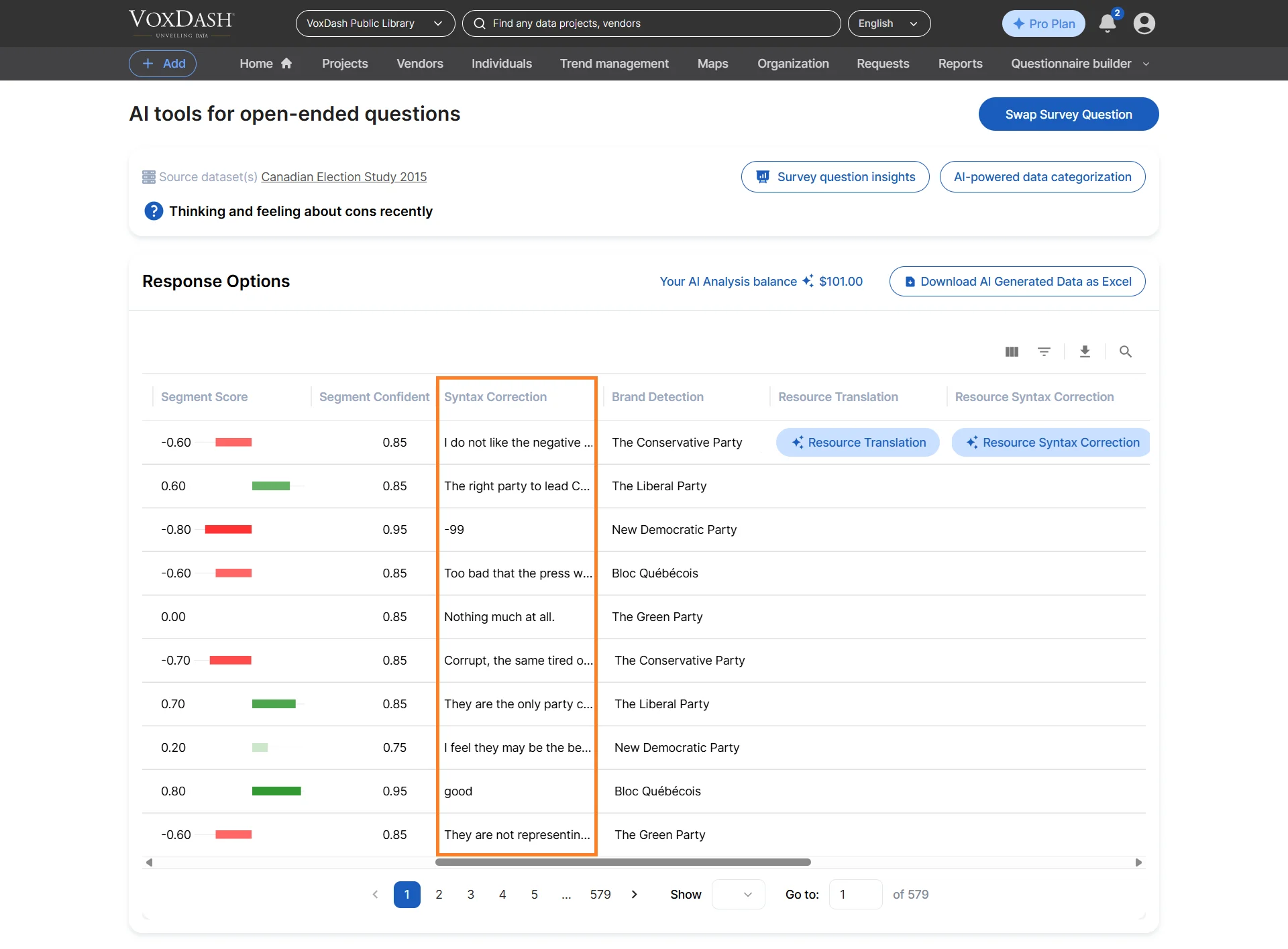
Automatically correct grammar, spelling, and formatting issues to improve readability and analytical accuracy. For example:- “I lik the prodct” → “I like the product”
- “custmer servce was bad” → “Customer service was bad”
How to Use
- Open the selected question.
- Click the Syntax Correction button.
- Start the correction process.
- Improve text clarity
- Increase AI classification accuracy
- Standardize inconsistent responses
3. Categorization (Thematic Grouping)
Automatically classify responses into predefined or dynamically generated themes using Natural Language Processing (NLP). The AI identifies common discussion topics and groups responses into meaningful categories suchs as:- Pricing Issues
- Delivery Delays
- Product Quality
- Customer Support
- Website Experience
How to Use
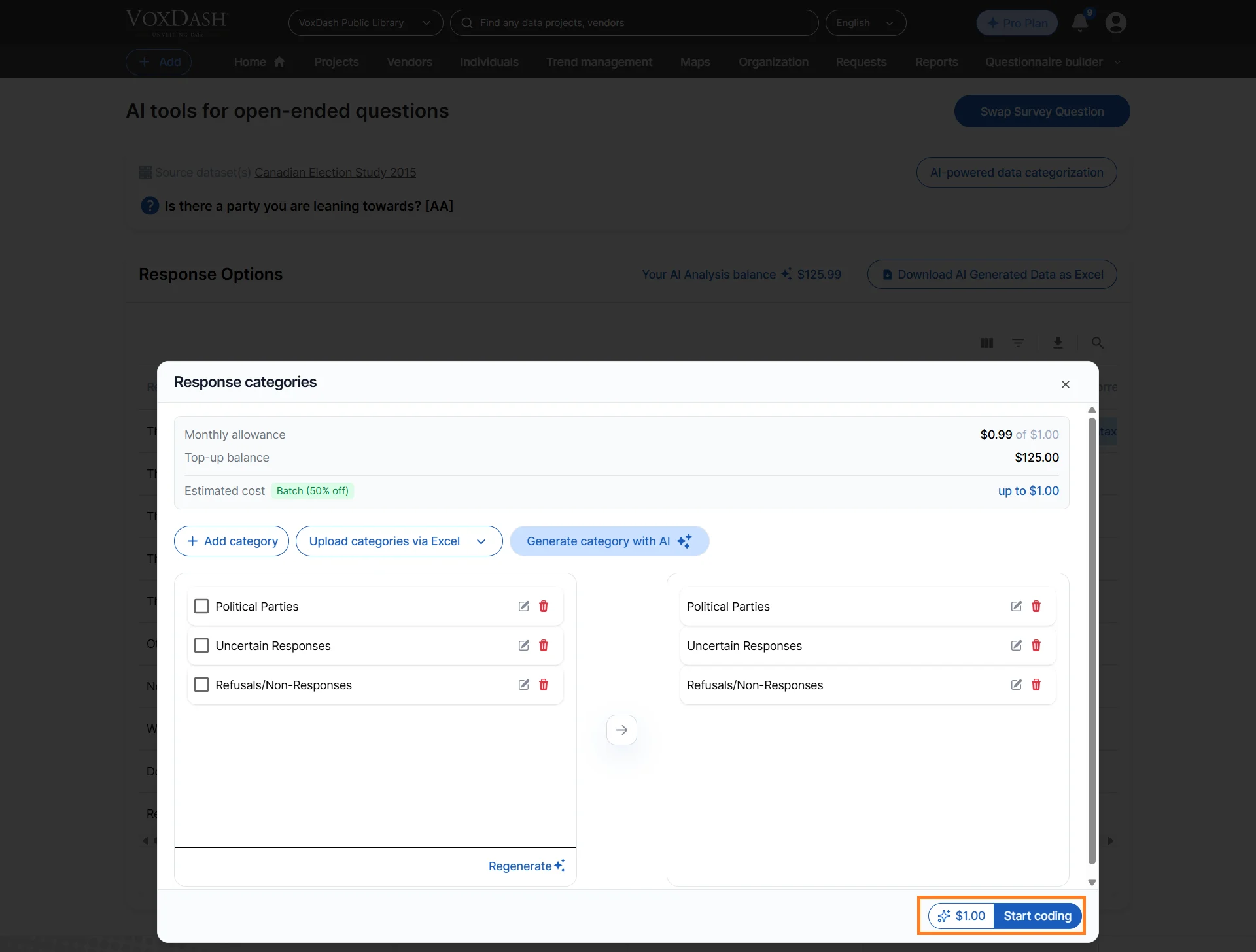
- Click the Category button.
- In the category modal, manually create categories or generate them automatically using AI.
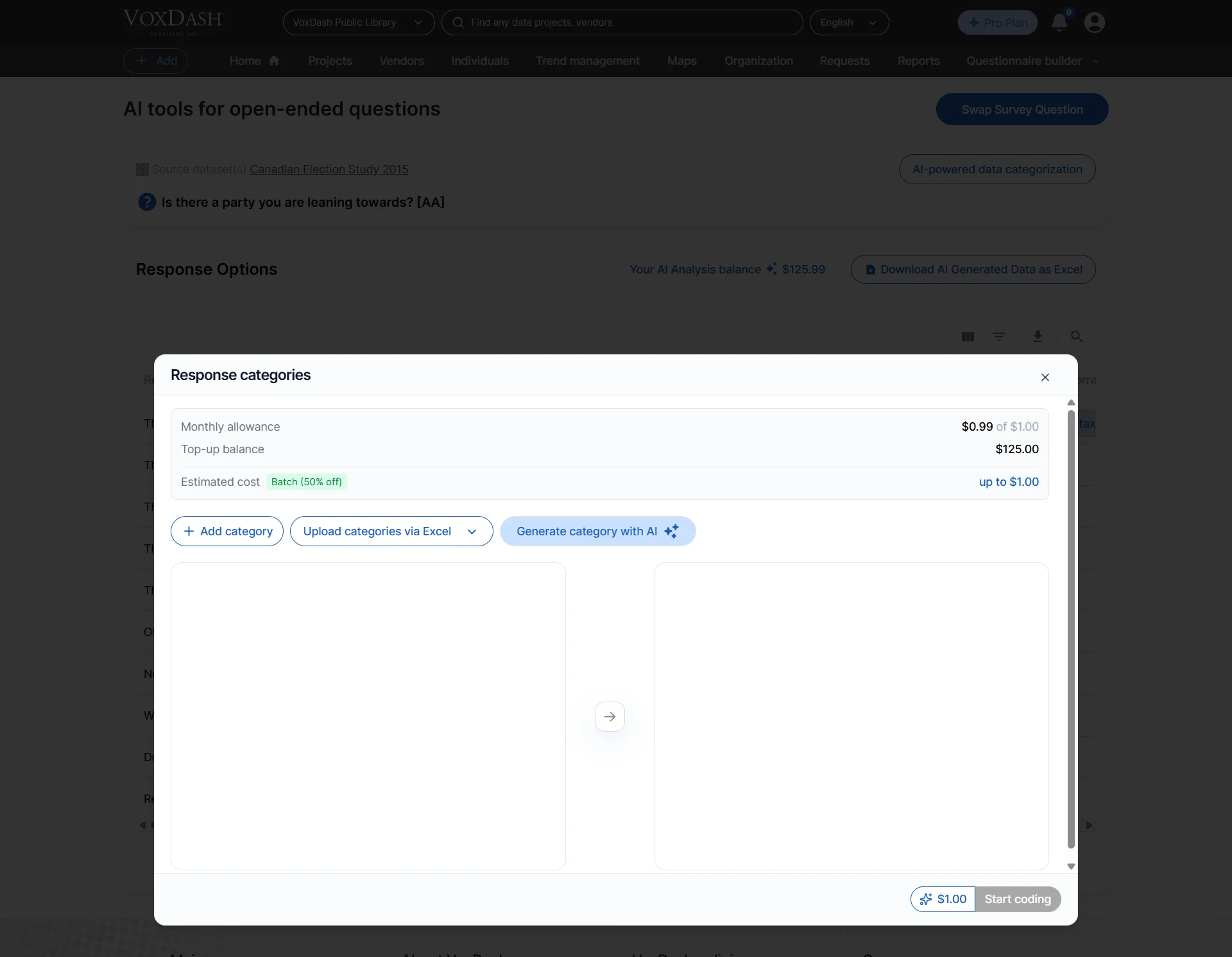
- Enter the number of categories you want the AI to generate.
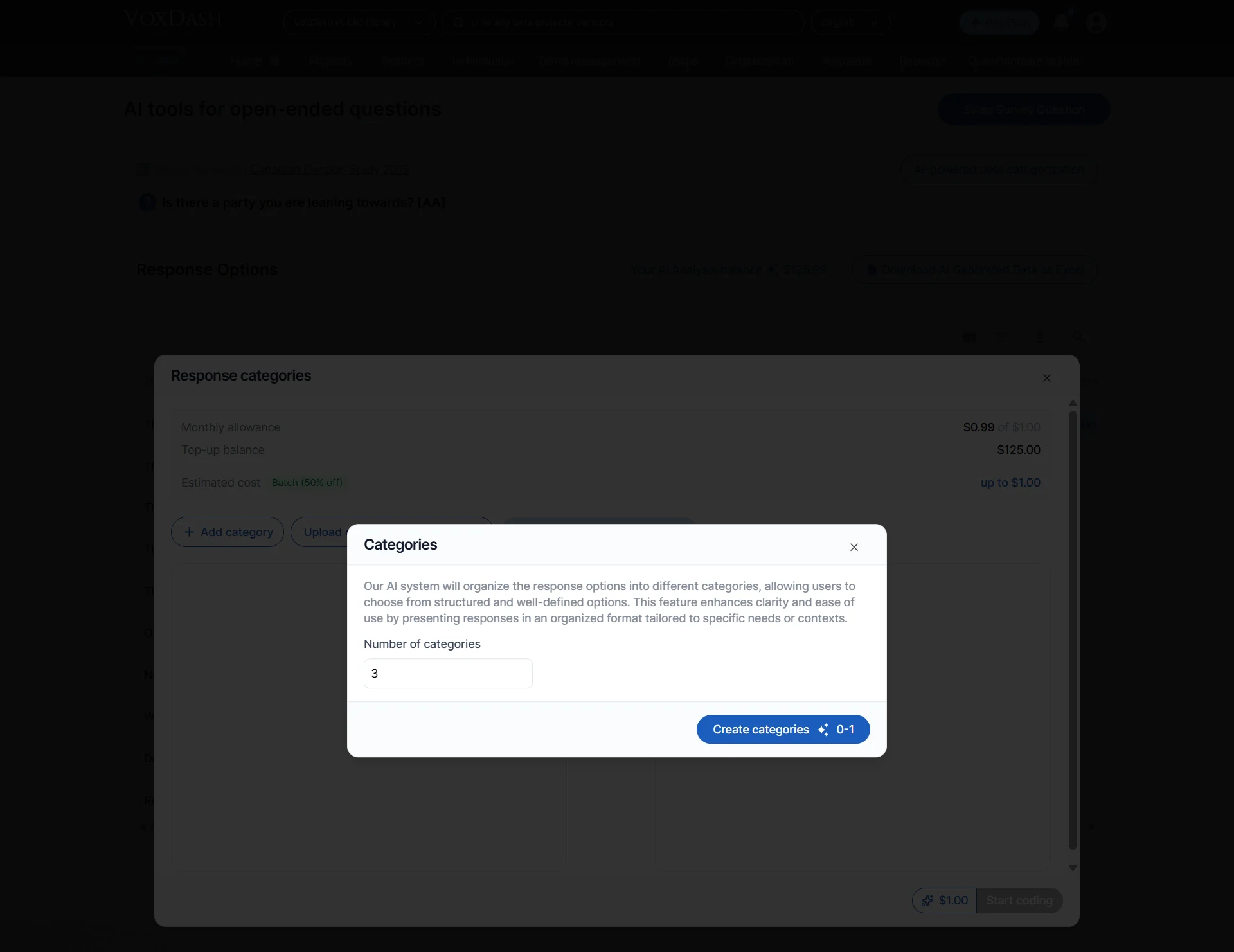
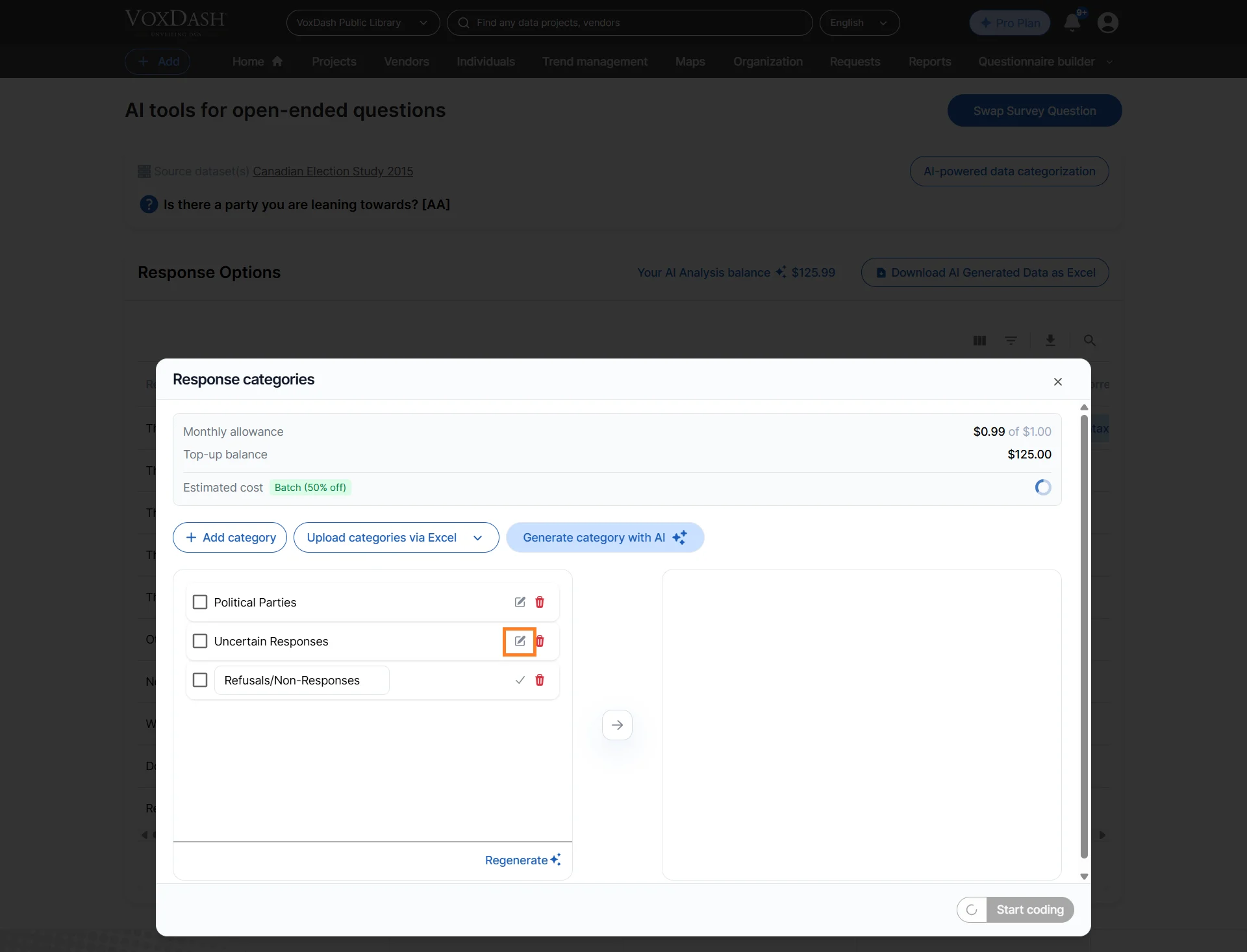
- Use the Edit icon to rename categories if needed.
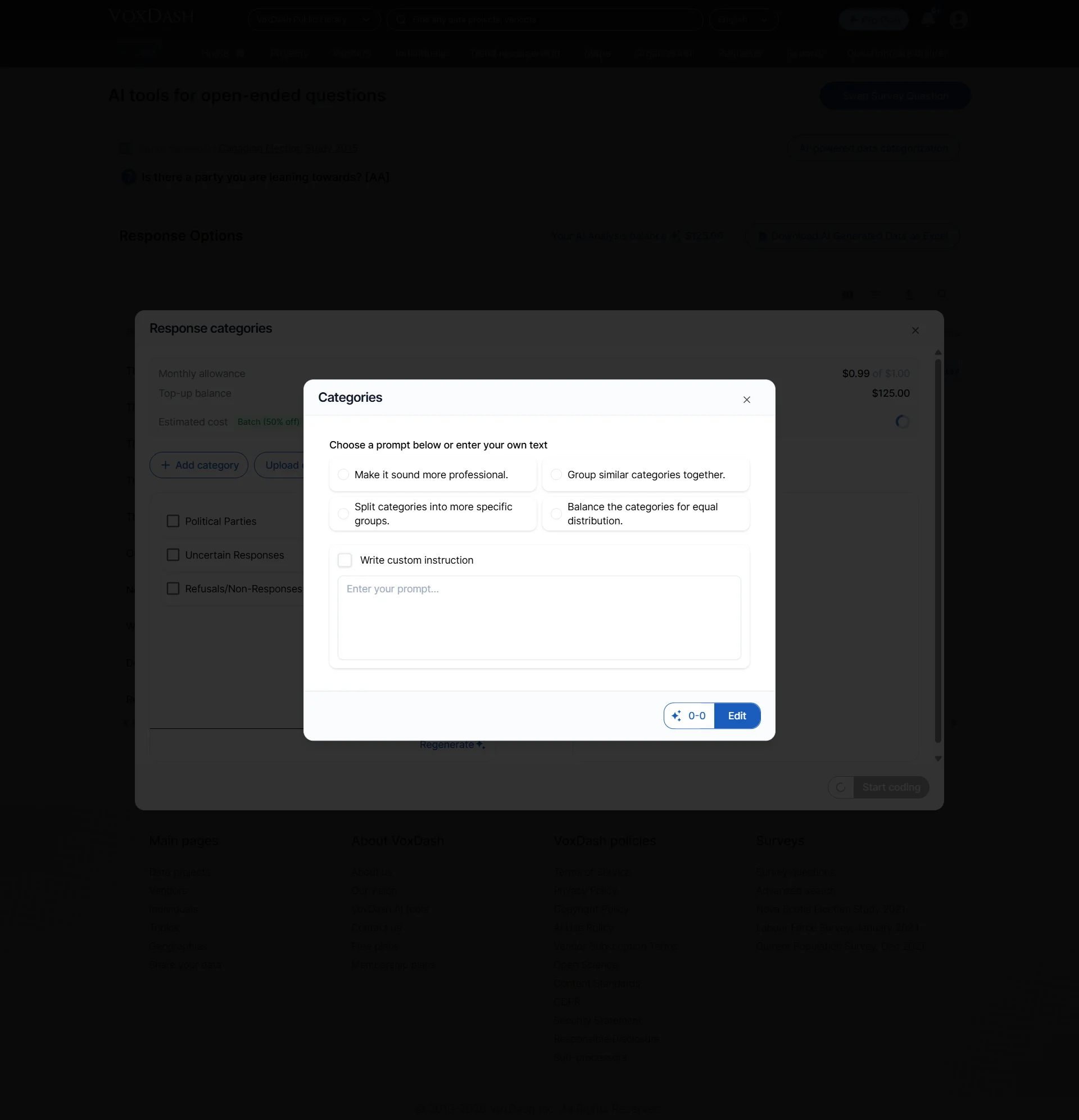
- If necessary, regenerate categories using AI.
- VoxDash provides suggested prompts to simplify category generation, but you can also customize the prompts based on your analysis goals.
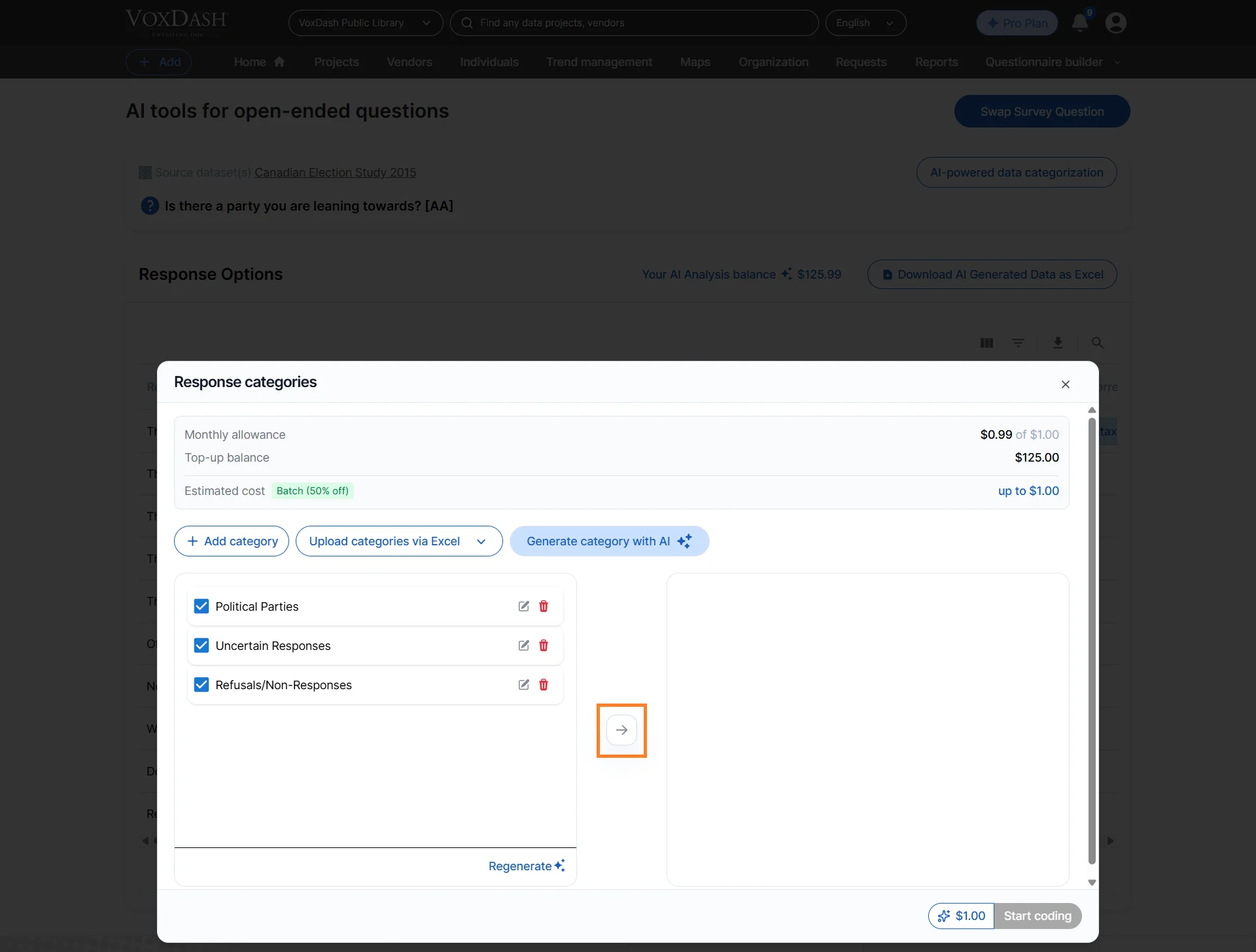
- Select the categories you want to use for classification.
- Click Start Coding to begin categorization.
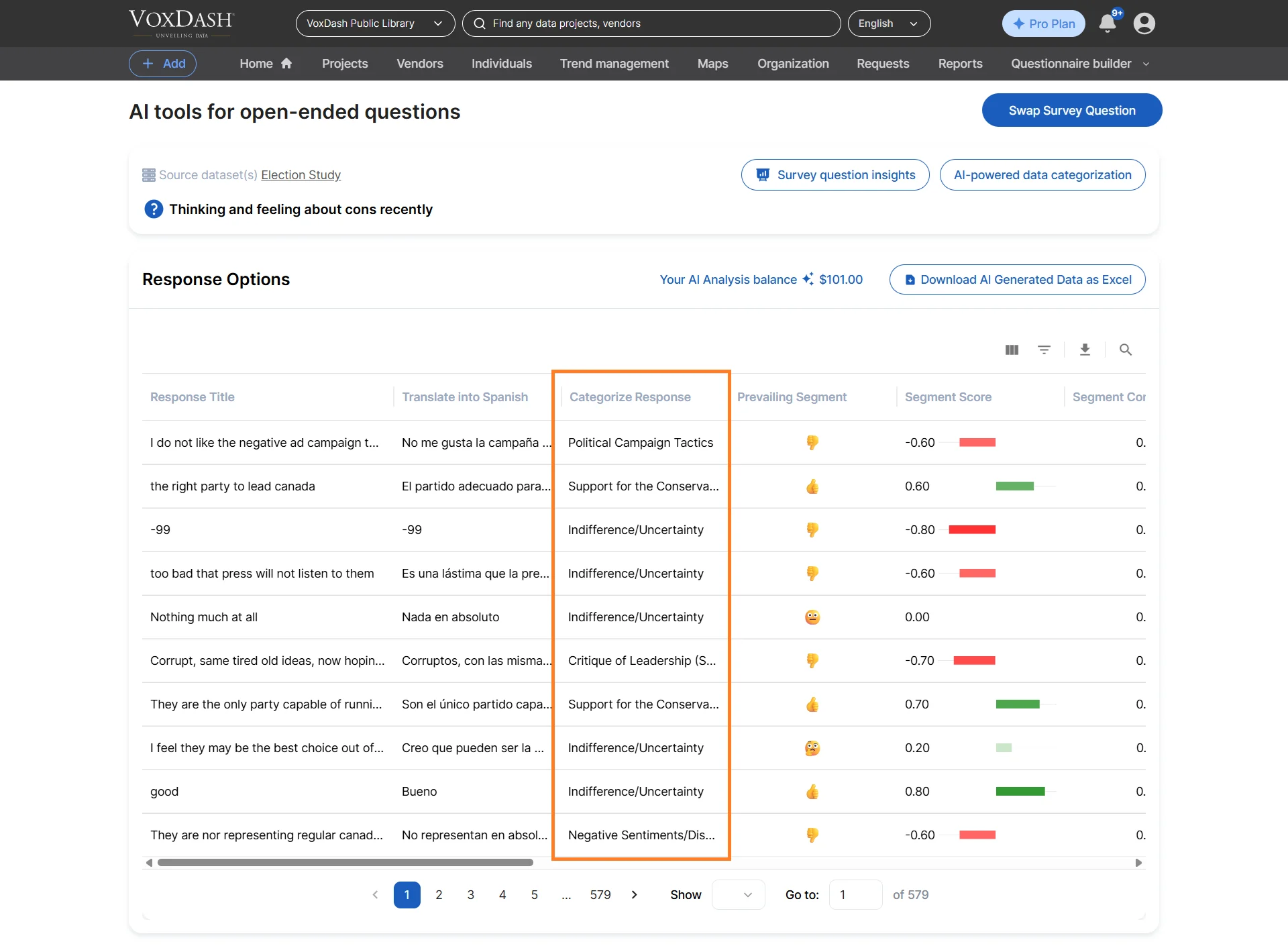
- Transform text into structured insights
- Simplify reporting and dashboards
- Identify dominant customer concerns quickly
4. Sentiment Analysis
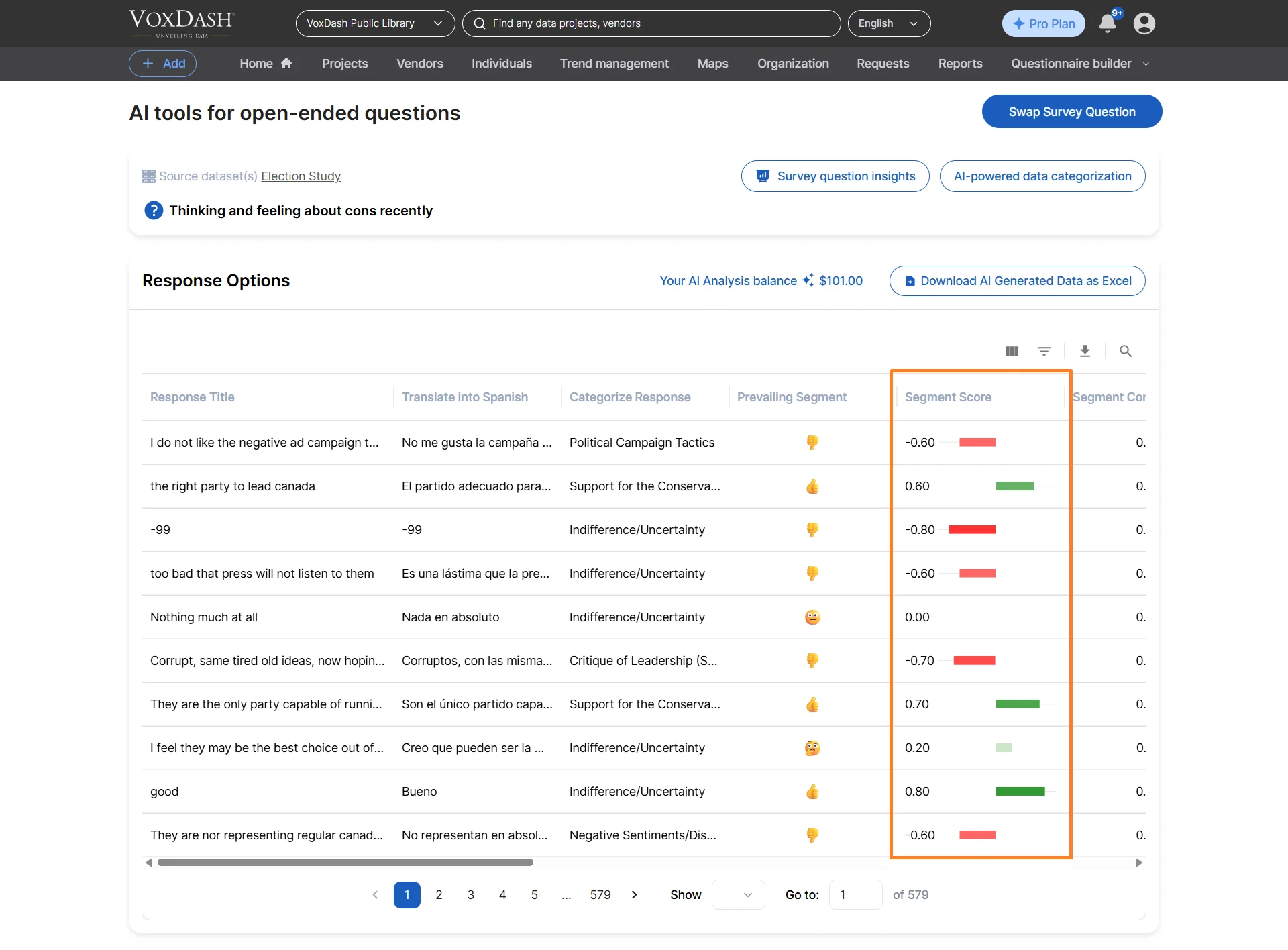
Analyze the emotional tone of responses to determine whether feedback is:- Positive
- Negative
- Neutral
How to Use
- Open the selected question.
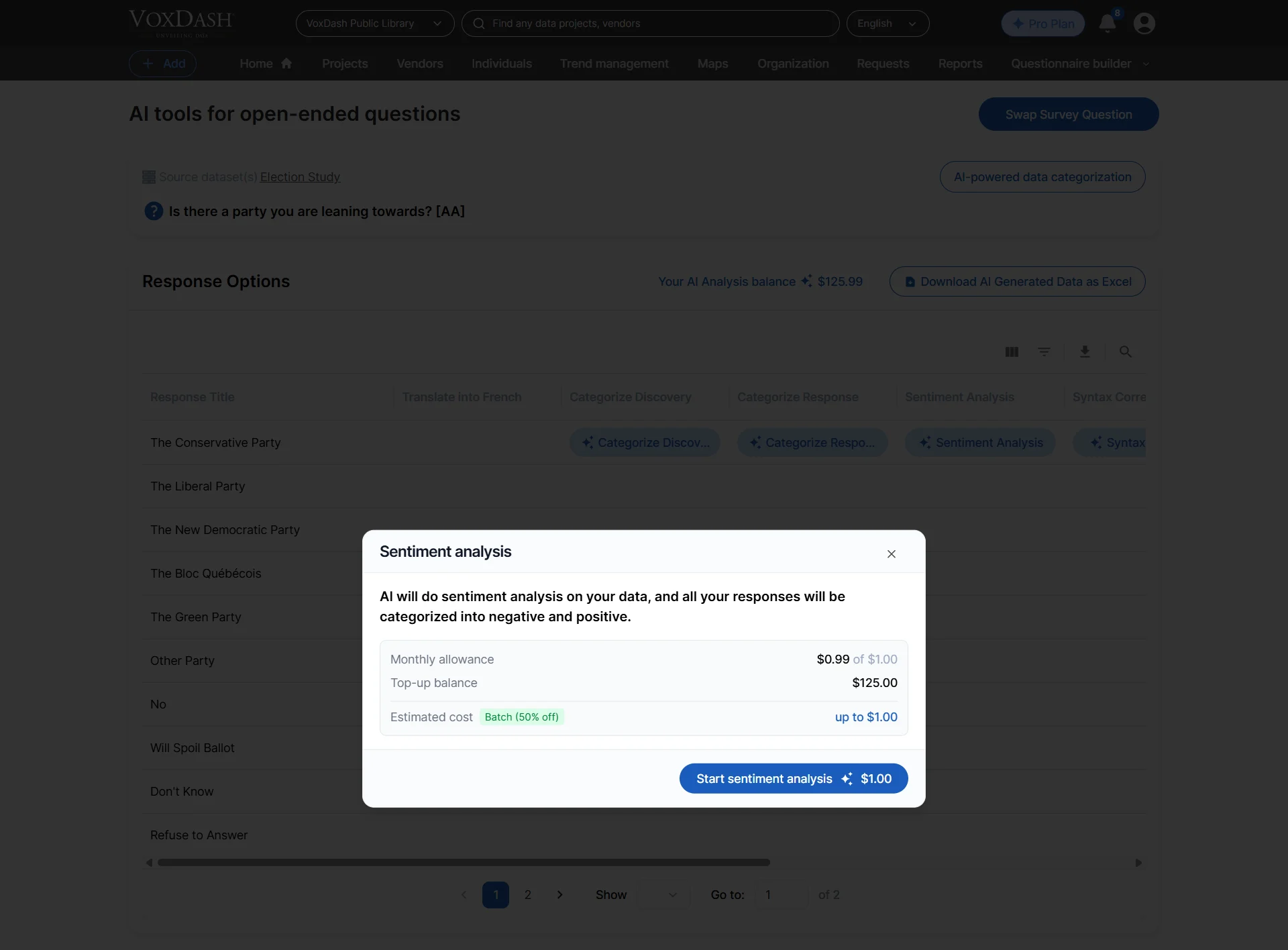
- Click the Sentiment button.
- Start the analysis process.
- “Excellent service and fast delivery” → Positive
- “The checkout experience was frustrating” → Negative
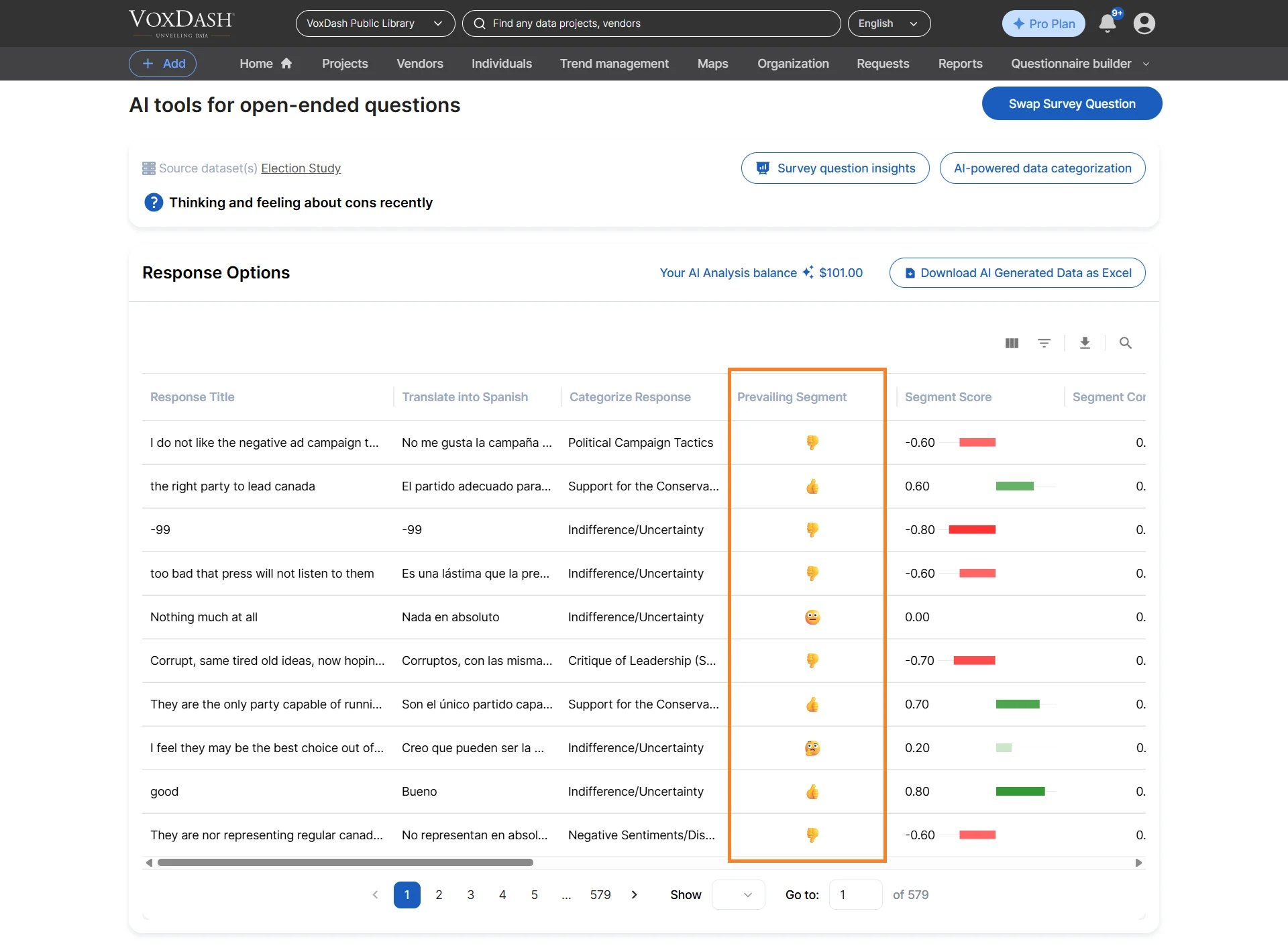
- Measure customer satisfaction
- Detect dissatisfaction early
- Compare sentiment across demographics or products
- Monitor brand perception trends
5. Brand Detection
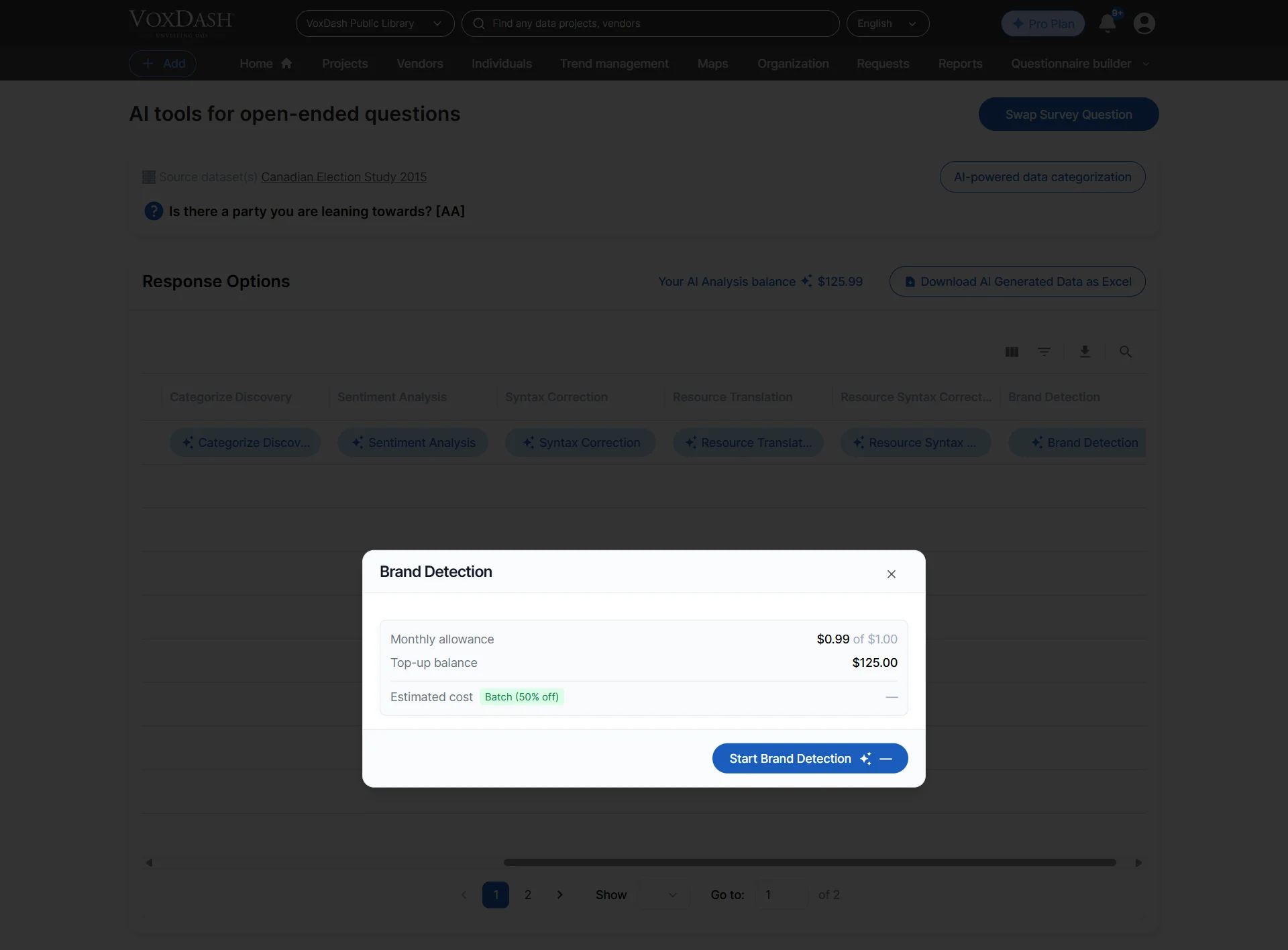
Brand Detection automatically identifies mentions of brands, products, competitors, or company names within open-ended responses. This feature helps businesses monitor brand visibility, track competitor mentions, and understand how customers discuss products or services in their own words.How to Use
- Open the selected open-ended question.
- Click the Brand Detection button.
- Start the analysis process.
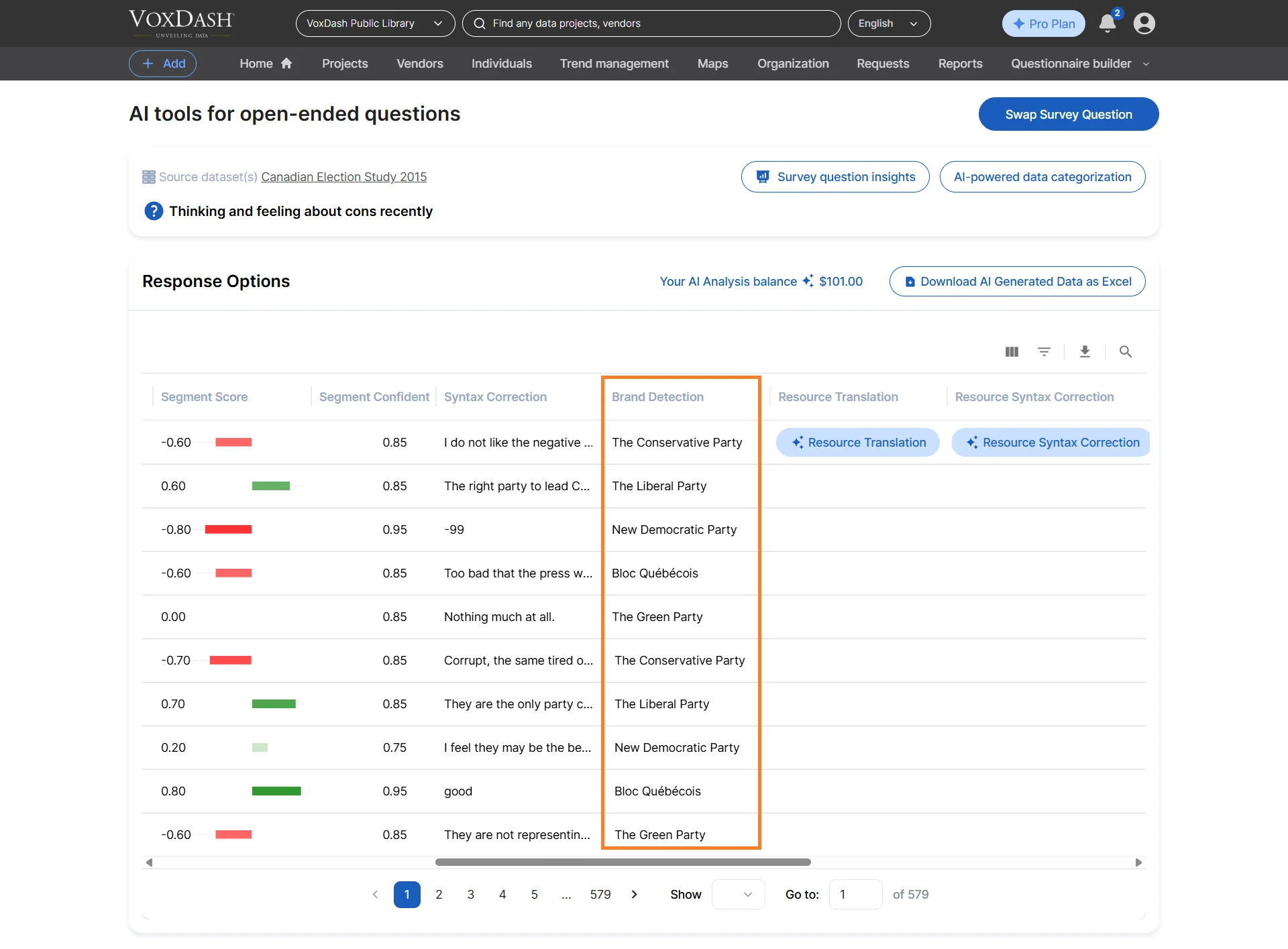
- “I prefer Nike over Adidas for running shoes.”
- “Apple products are easier to use than other brands.”
- Monitor brand awareness and perception
- Track competitor mentions
- Identify frequently discussed products or companies
- Analyze customer preferences by brand
Regenerating a Column
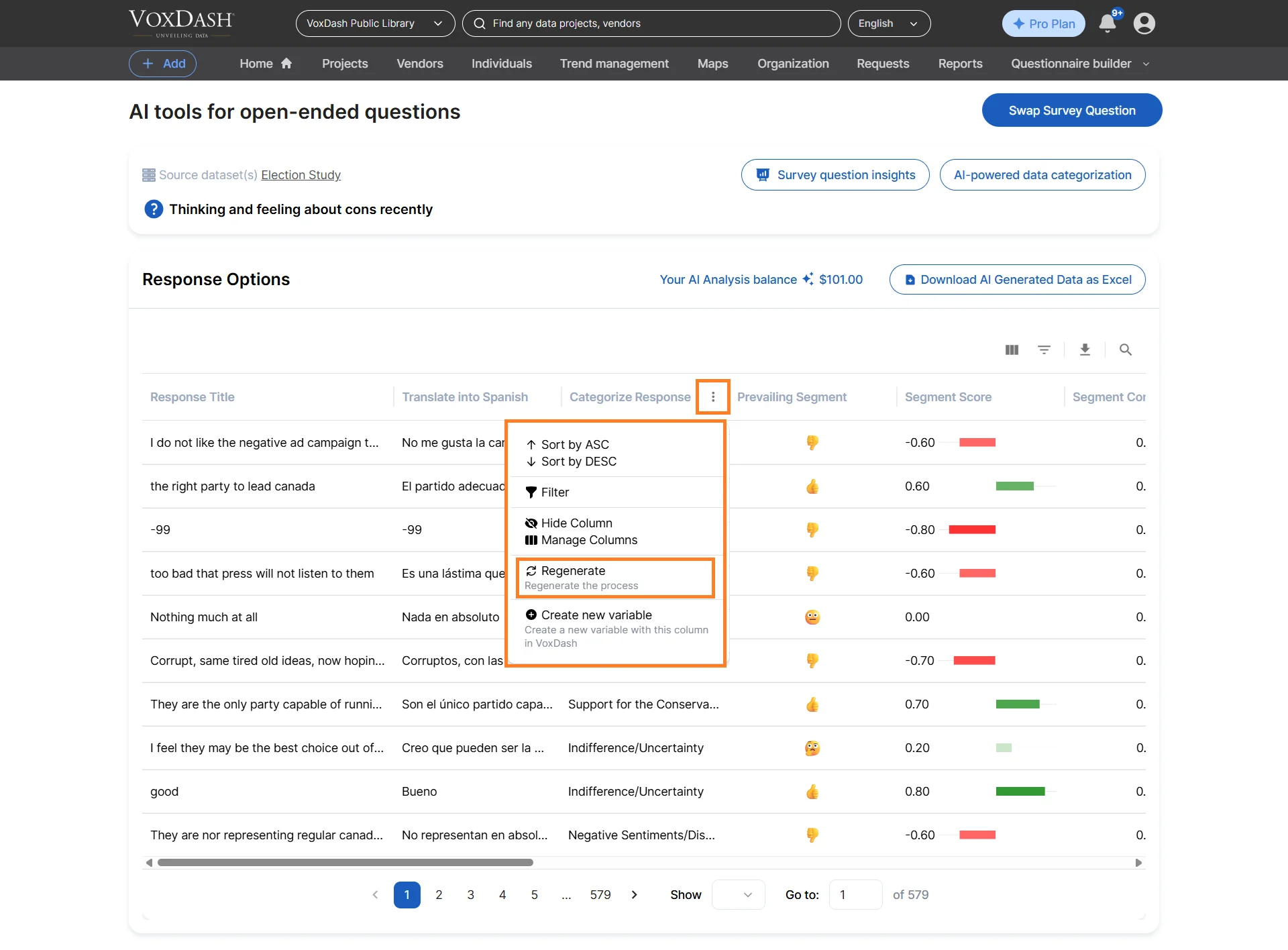
Users can regenerate AI-generated columns at any time to refine or improve the results. This is useful when:- You want different AI-generated categories
- You updated prompts or instructions
- You need more accurate classification results
- You want to rerun sentiment or brand analysis
How to Regenerate a Column
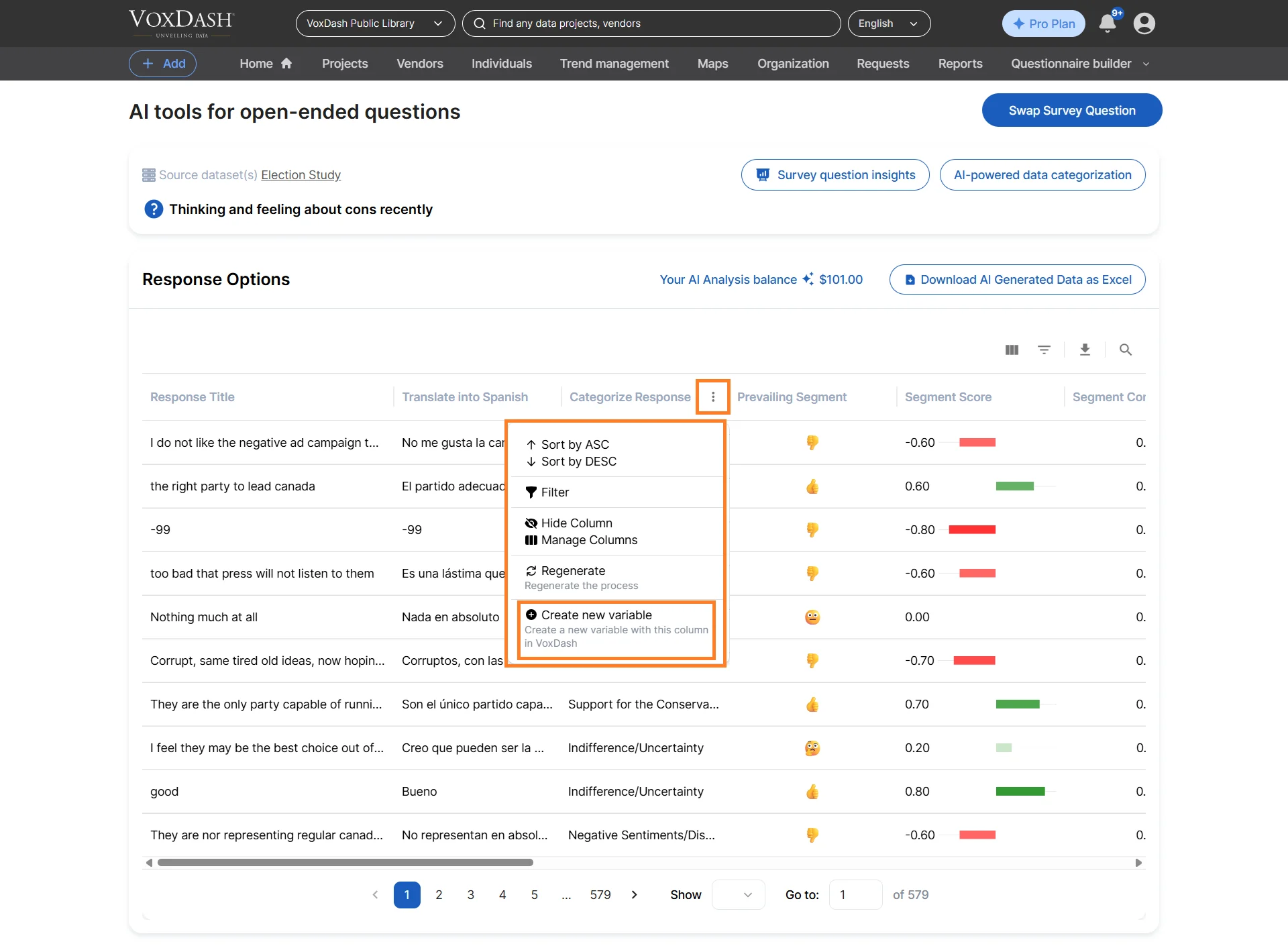
- Click the menu icon next to the column name.
- Select Regenerate.
- Apply the changes.
Add a New Variable
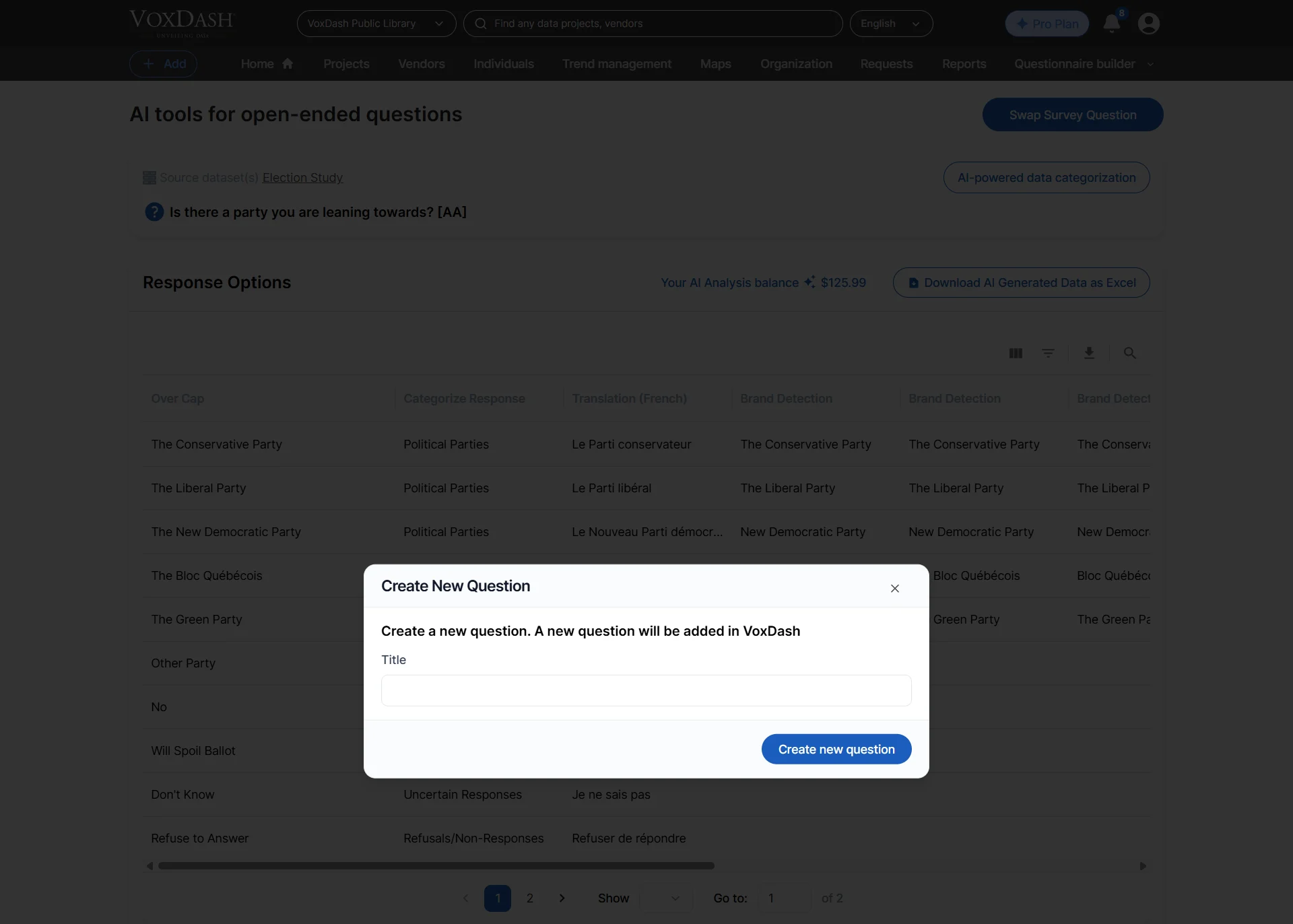
Open-ended responses are often difficult to analyze quantitatively because each response may be unique. To simplify reporting and percentage-based analysis, VoxDash allows users to convert AI-generated categories into structured variables. This feature creates a new survey variable based on categorized responses, enabling users to use charts, filters, cross-tabulations, and dashboards with qualitative data.How to Add a New Variable
- Click the menu icon next to the column name.
- Select Add New Variable.
- Apply the changes.
- Convert qualitative feedback into measurable data
- Improve dashboard reporting
- Enable filtering and segmentation
- Simplify statistical analysis
Columns Management
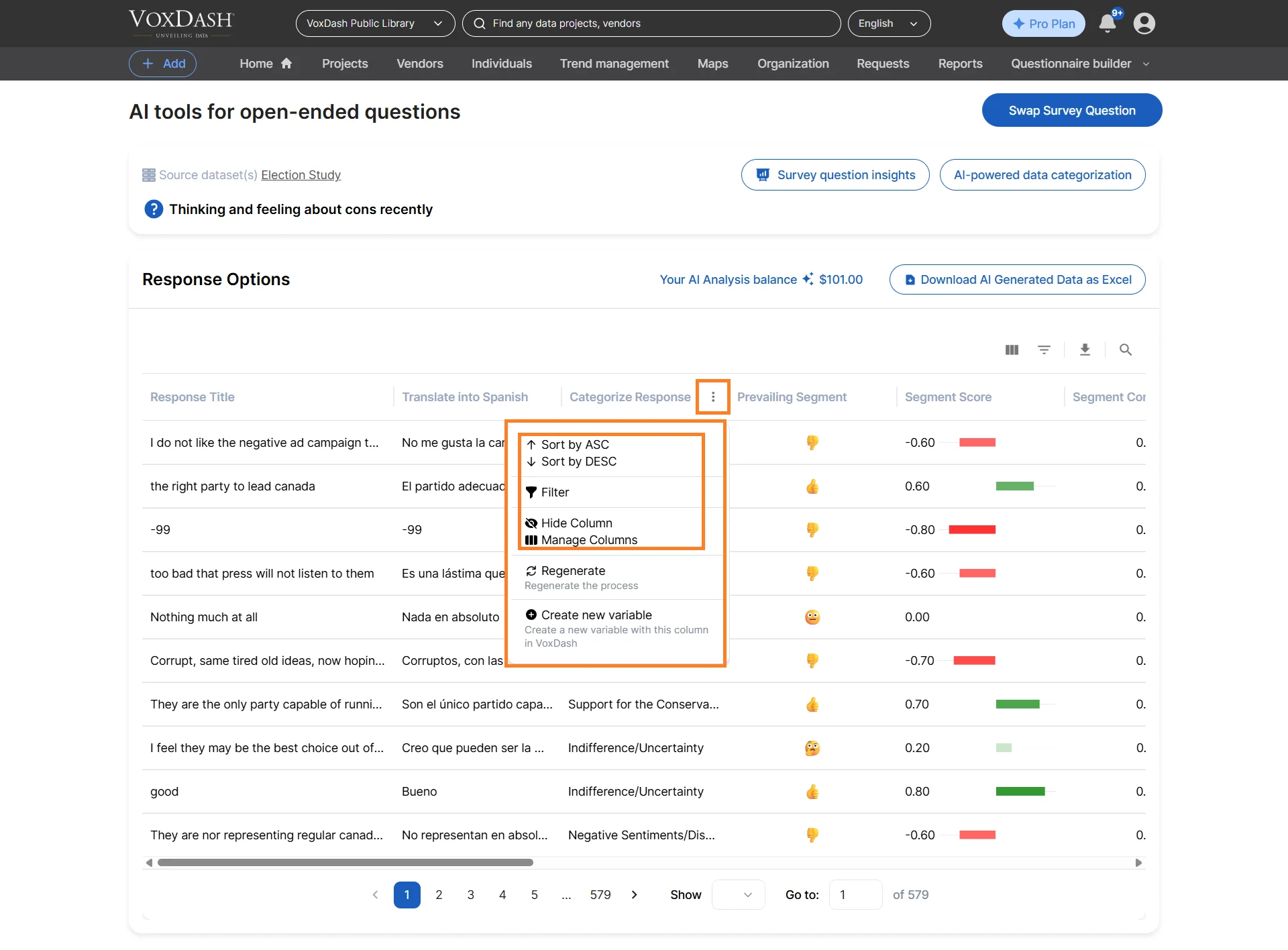
VoxDash provides flexible tools for managing AI-generated columns. Users can:- Sort columns
- Filter responses
- Hide or show columns
- Reorder columns
- Manage generated variables
- Customize the analysis workspace
Download AI Generated data
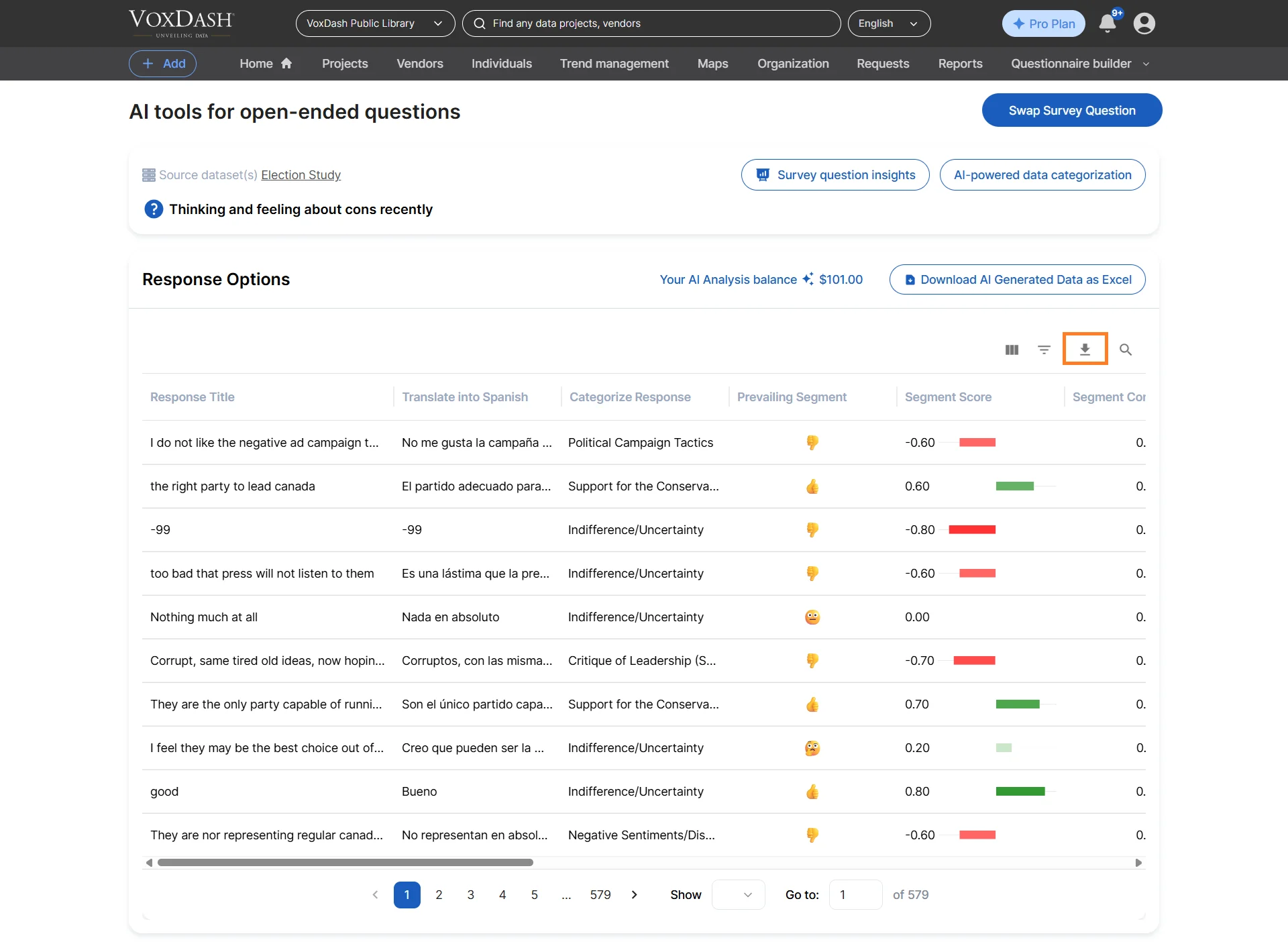
After generating AI-powered insights, you can export the processed data for external reporting, sharing, or additional analysis. Supported export formats include:- Excel (.xlsx)
- CSV (.csv)
How to Export AI Data
Click the Download AI Generated Data button or use the Export button and select CSV format.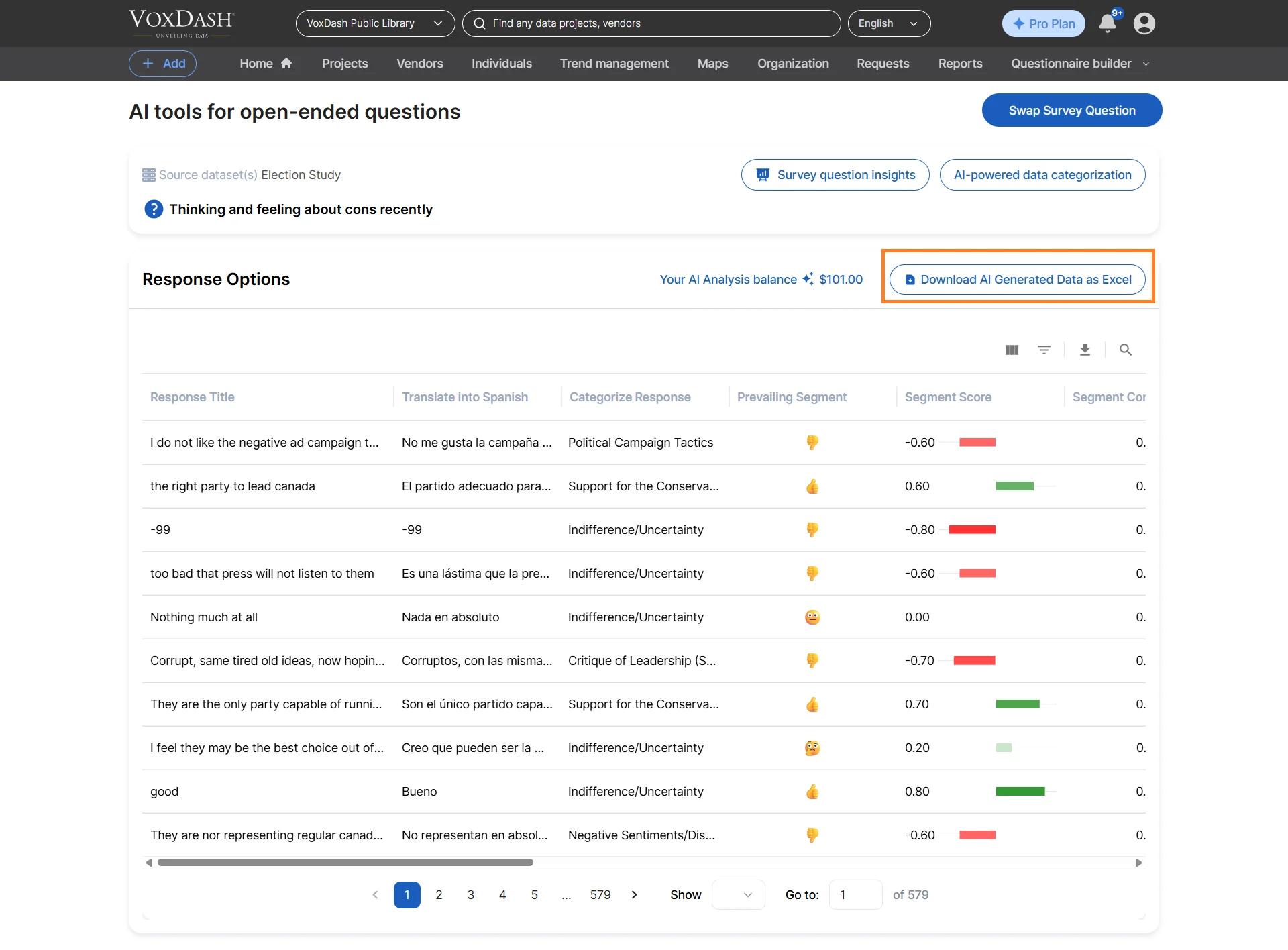
Changing the Question
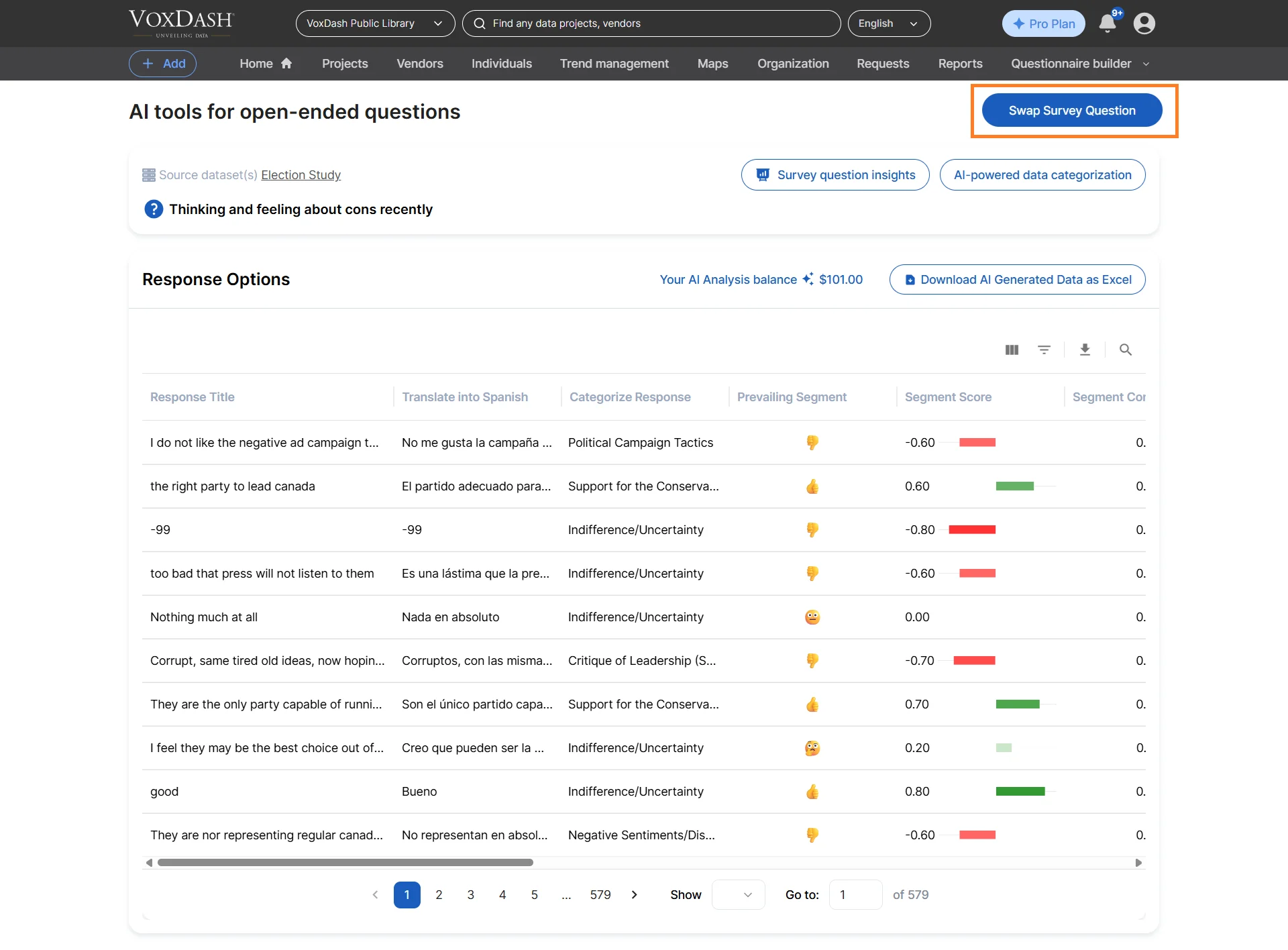
After completing the analysis for one question, you can easily switch to another survey or open-ended question without leaving the AI analysis interface.How to Change the Selected Question
- Click the Swap Question button.
- Select the survey you want to work with.
- Choose the new question you would like to analyze using AI.
Benefits of Using AI Open-Ended Analysis
- Save Time Automate the manual process of reviewing, sorting, and tagging thousands of text responses.
- Improve Accuracy Reduce human error and inconsistency in categorization and sentiment labeling.
- Discover Hidden Insights Surface trends, concerns, and recurring themes that may otherwise go unnoticed.
- Scale Qualitative Analysis Analyze large volumes of open-ended responses quickly and efficiently.
- Support Multiple Languages Process multilingual surveys without requiring manual translation.
- Enhance Decision-Making Turn unstructured feedback into actionable insights that support product, marketing, and business decisions.
Best Practices for Open-Ended Analysis
To achieve the best results with AI-powered text analysis:- Use clearly written survey questions
- Keep response formats consistent when possible
- Review AI-generated categories for accuracy
- Use sentiment analysis together with demographic filters
- Combine qualitative and quantitative analysis for deeper insights
- Translate multilingual responses before categorization when needed