

- Collect important user details
- Understand the intended use of the data
- Maintain data governance and compliance
- Reduce unnecessary back-and-forth communication
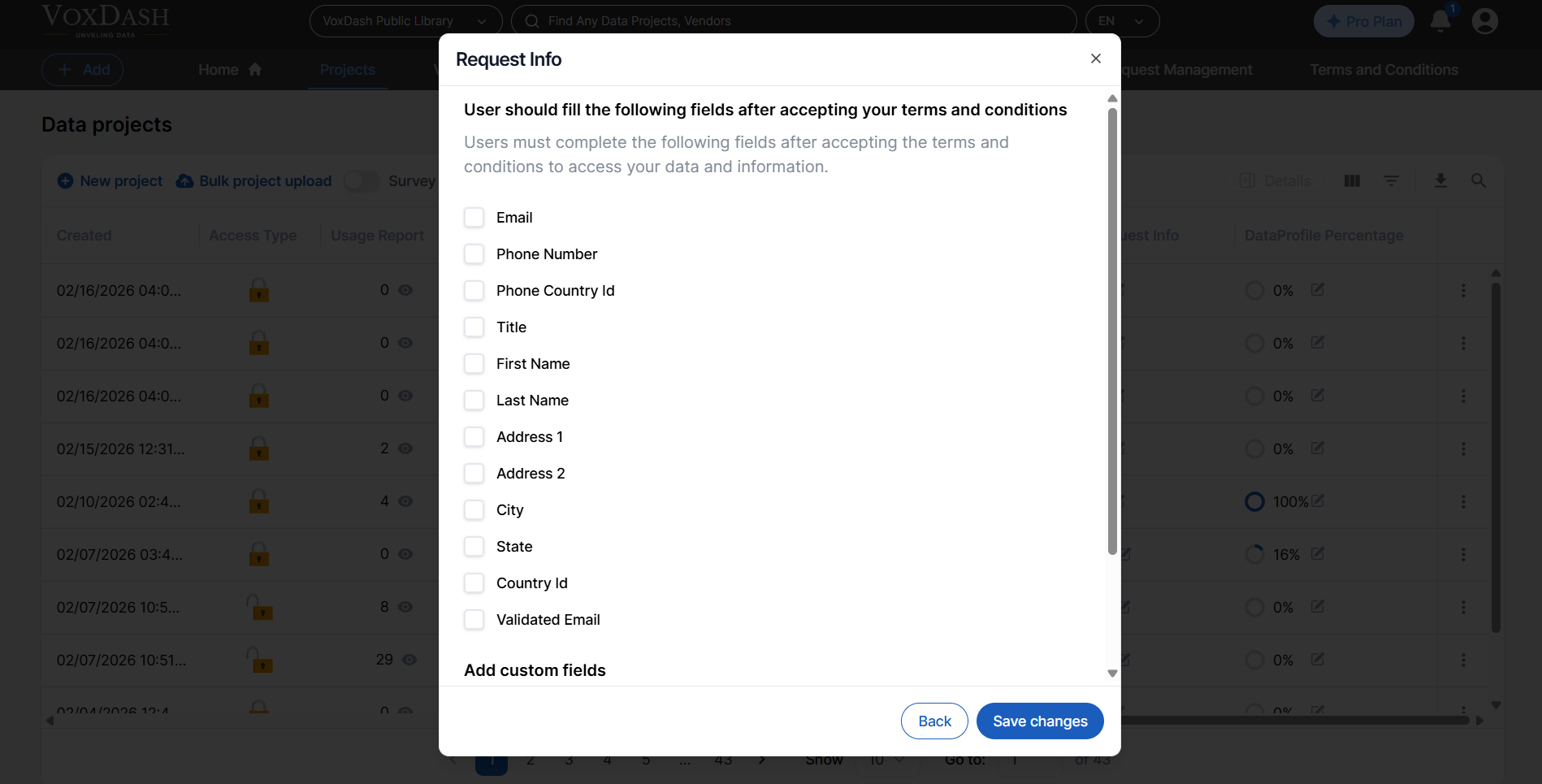
When Does the Request Info Modal Appear?
The modal appears when:- A dataset is publicly listed but requires user information before access
- A provider has configured mandatory information fields
- The user attempts to open or view restricted content within a public dataset
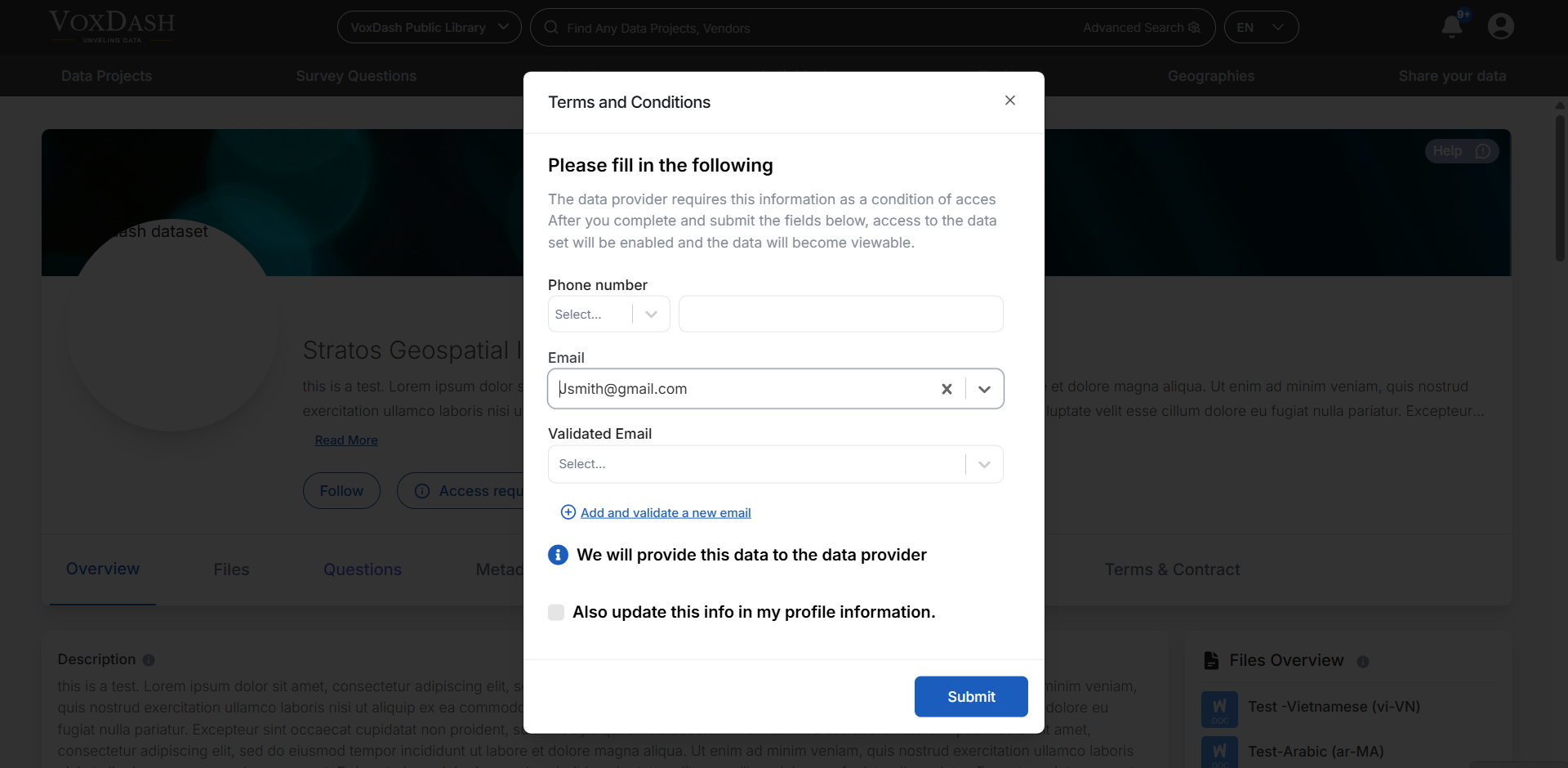
Email Options
Within the Request Info Modal, users must provide an email address. There are two possible options:Verified Email
This is an email address that:- Has already been verified within the platform
- Is associated with the user’s account
- Has completed email confirmation during registration
- Higher trust and credibility
- Faster approval (if manual review is required)
- Accurate tracking within the system
Regular Email
This is an email address that:- Has not been verified on the platform
- May be different from the user’s primary account email
- Is provided temporarily for access purposes
- They want to use a company email instead of a personal one
- They are accessing data on behalf of another department
- They need notifications sent to a different address
Custom Information Fields
Providers can configure additional fields in the Request Info Modal. Examples include:- Company name
- Job title
- Intended use of data
- Project name
- Access duration
- Legal agreement confirmation
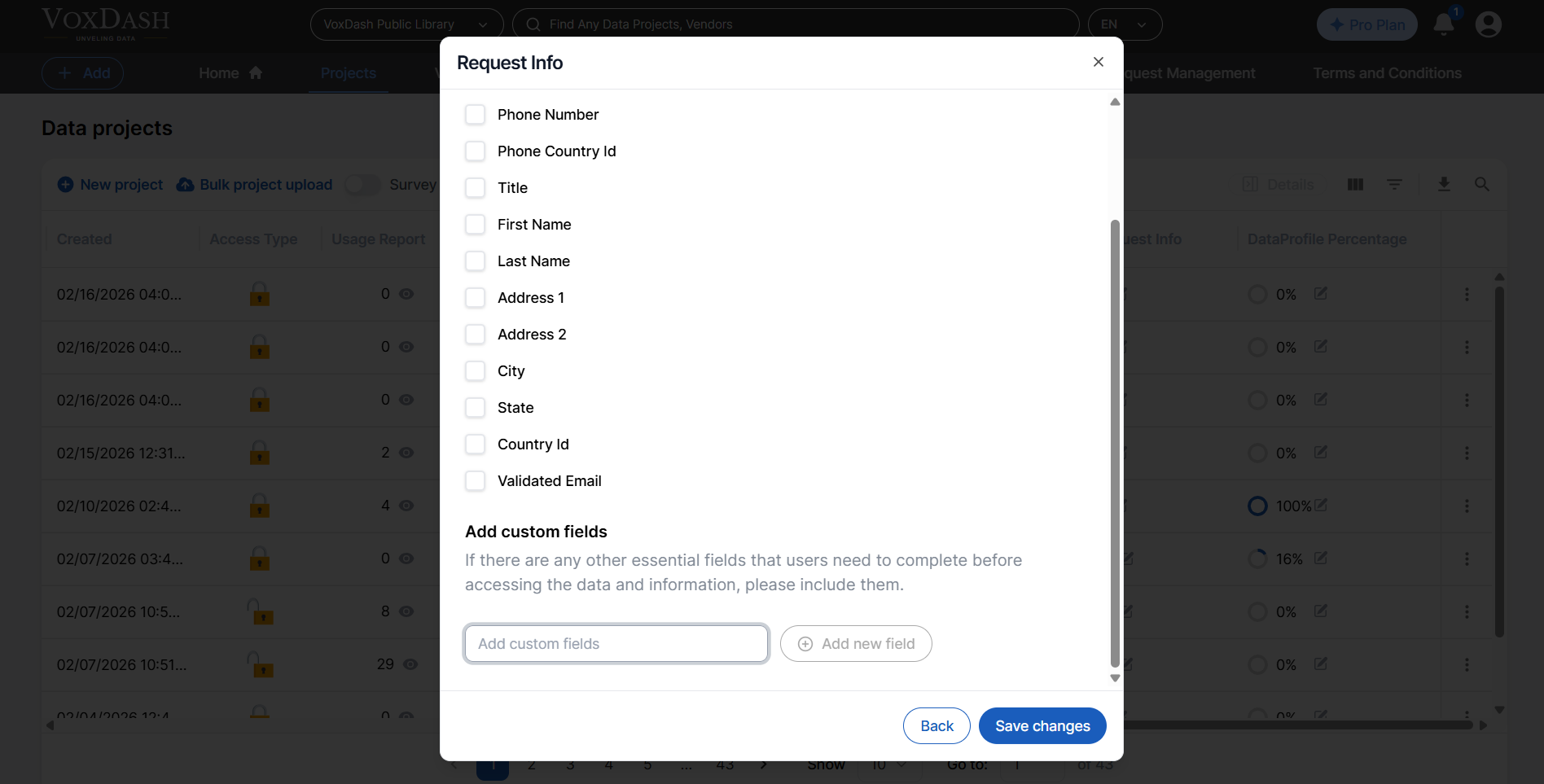
- Collect compliance-related information
- Qualify potential partners
- Filter non-serious requests
Where Submitted Information Appears
All submitted information is stored and displayed in the File Manager table (or corresponding data management table). Providers can view:- User details
- Selected email type
- Custom field responses
- Submission date
Editing Configuration
Providers can modify Request Info Modal settings at any time. You can:- Add or remove required fields
- Change which email types are allowed
- Update field requirements
- Adjust validation rules
Best Practices
- Require verified emails for sensitive datasets.
- Keep forms concise to improve completion rates.
- Add only necessary fields to reduce friction.
- Use custom fields for compliance or partnership qualification.