

What is a Sample File?
A sample file is a smaller, representative portion of your dataset that provides an overview of the structure, variables, and type of data collected. If you have a private or paid survey file, you can share a sample file to give users a preview of your data without disclosing the entire dataset. This allows users to understand the format of your Survey file, the type of questions included in your surveys, and how the data is structured before accessing or purchasing the full dataset.Steps to Add a Sample File
- Go to the Data Project page where you want to add a sample file.
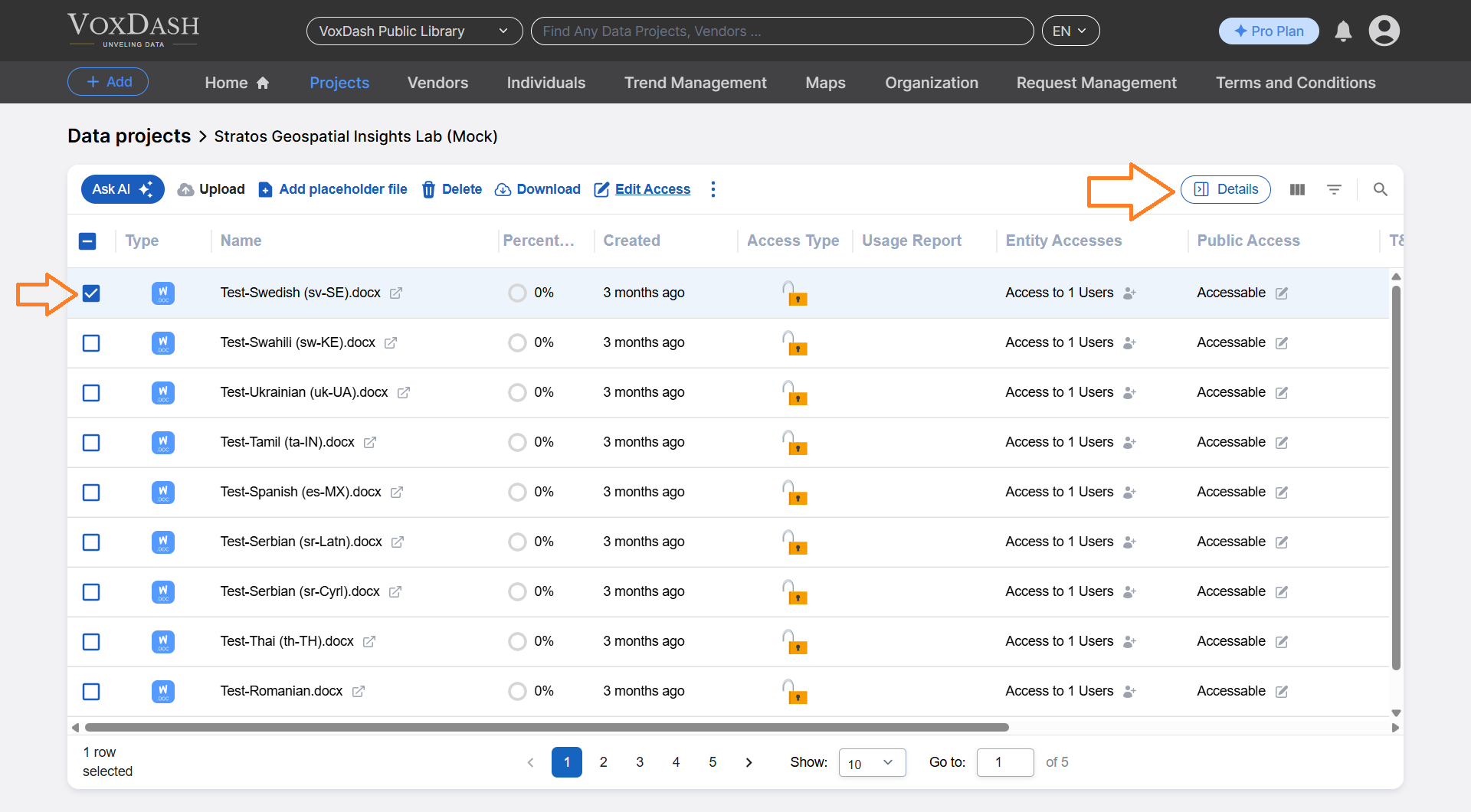
- Locate and click on the file you want to set as a sample. Use the Detail button to open a modal window.
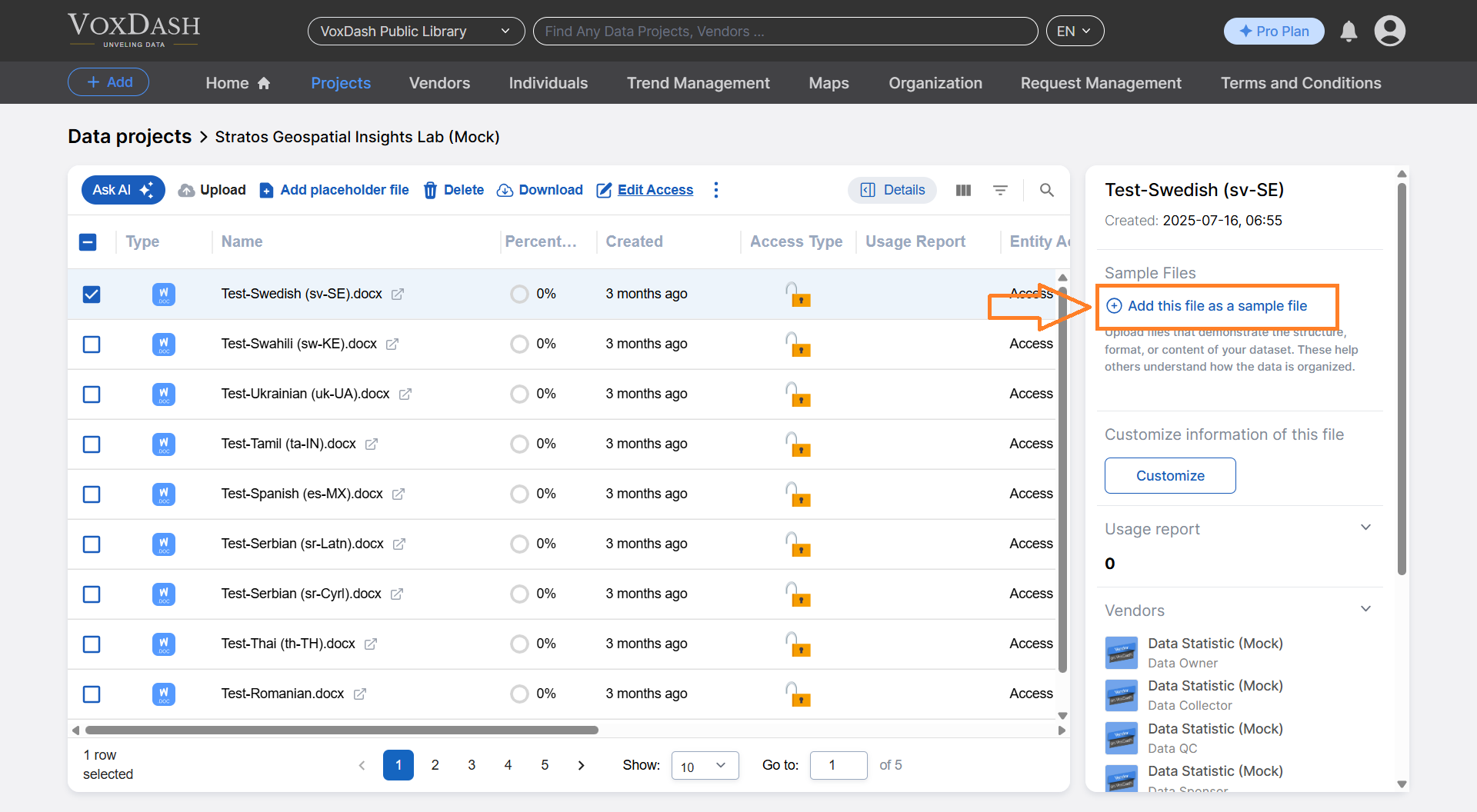
- Click the Add this file as a sample file button (highlighted in blue).
- Select the file you want to use as a sample.
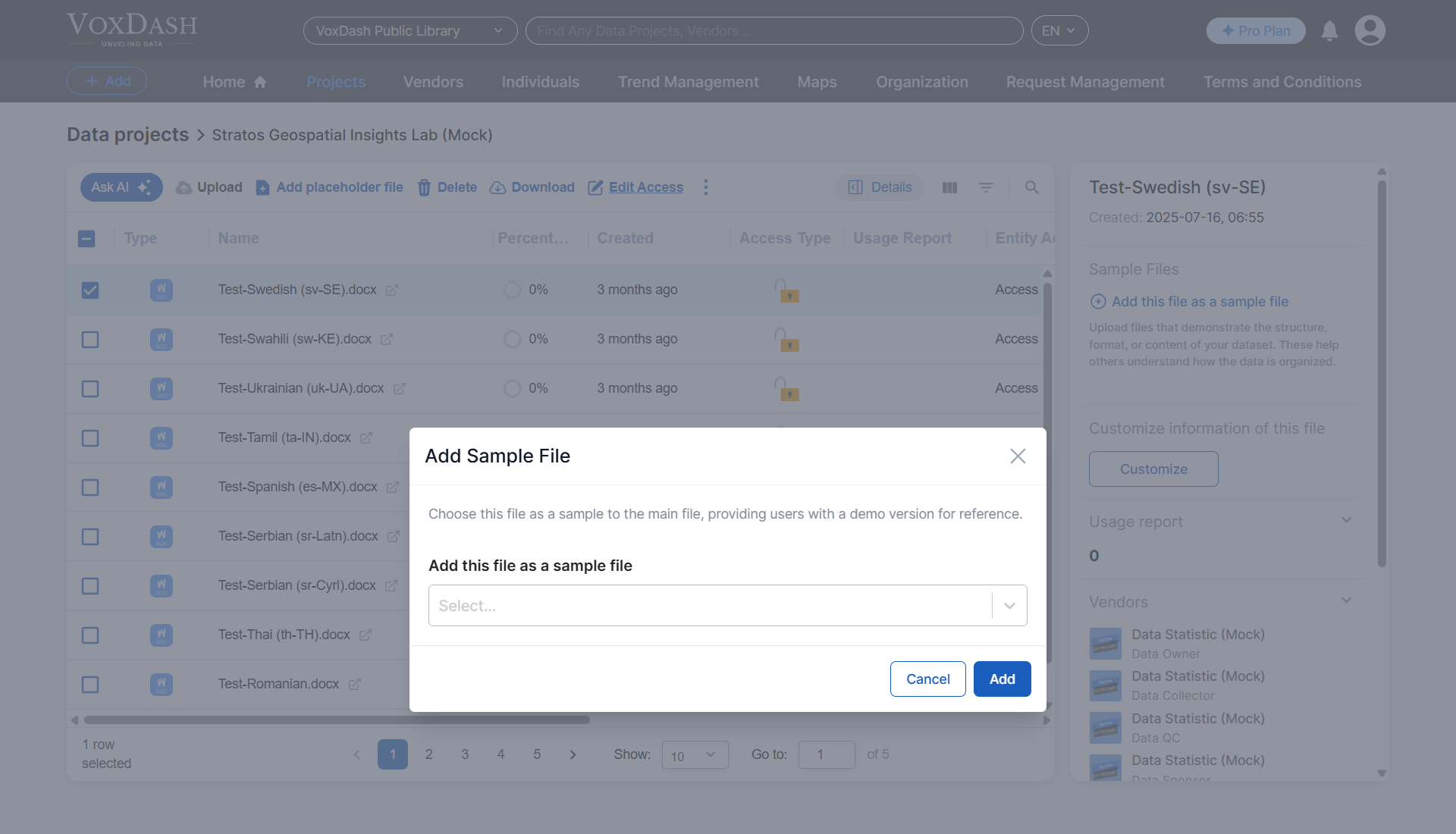
- Click the Add button to confirm.