

1. Initiate the Upload
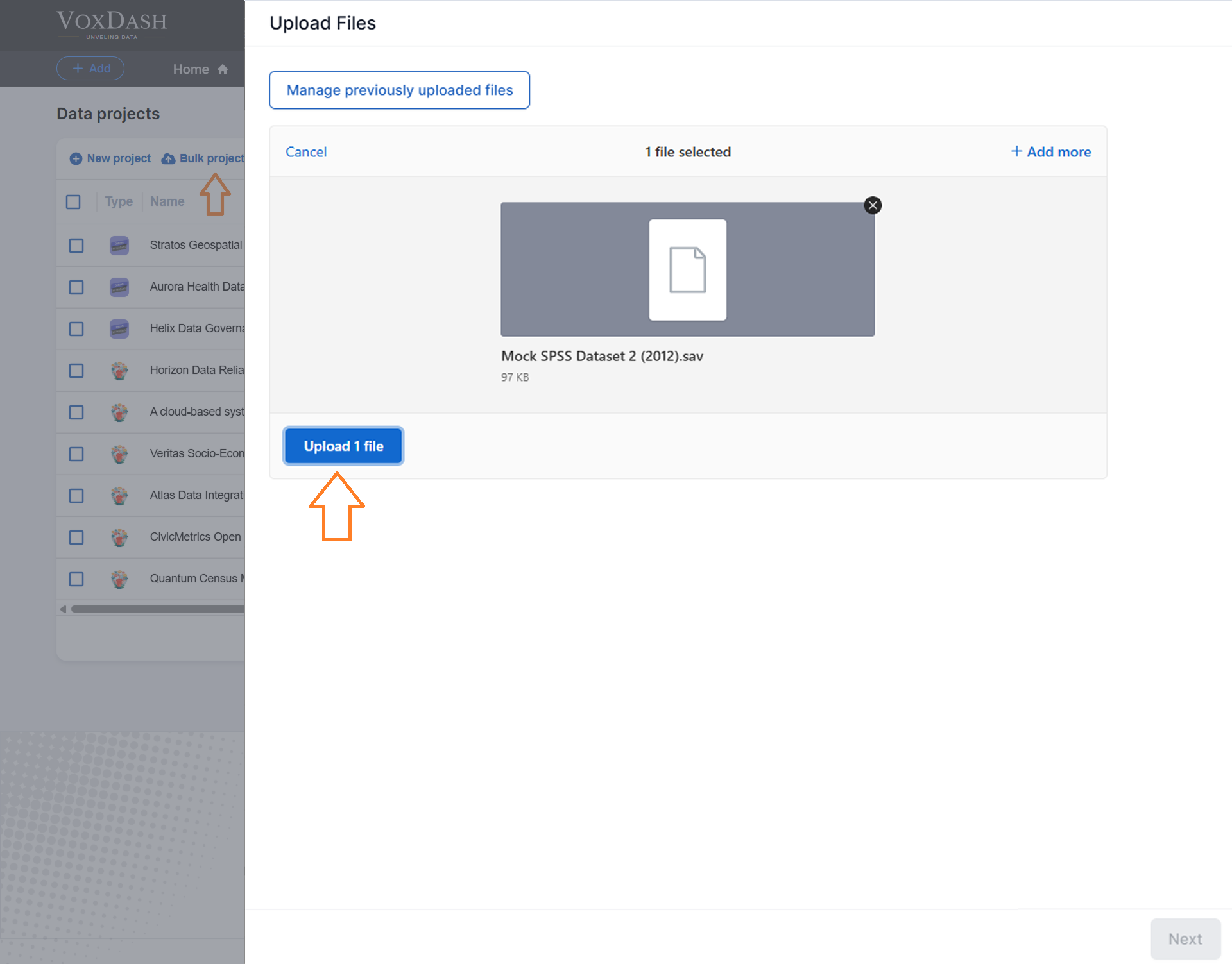
- Navigate to Data Provider > Project > Bulk Project Upload.
- Click the blue Bulk New Project Upload button located in the top-left corner to select and upload your entire folder.

2. Select Your File
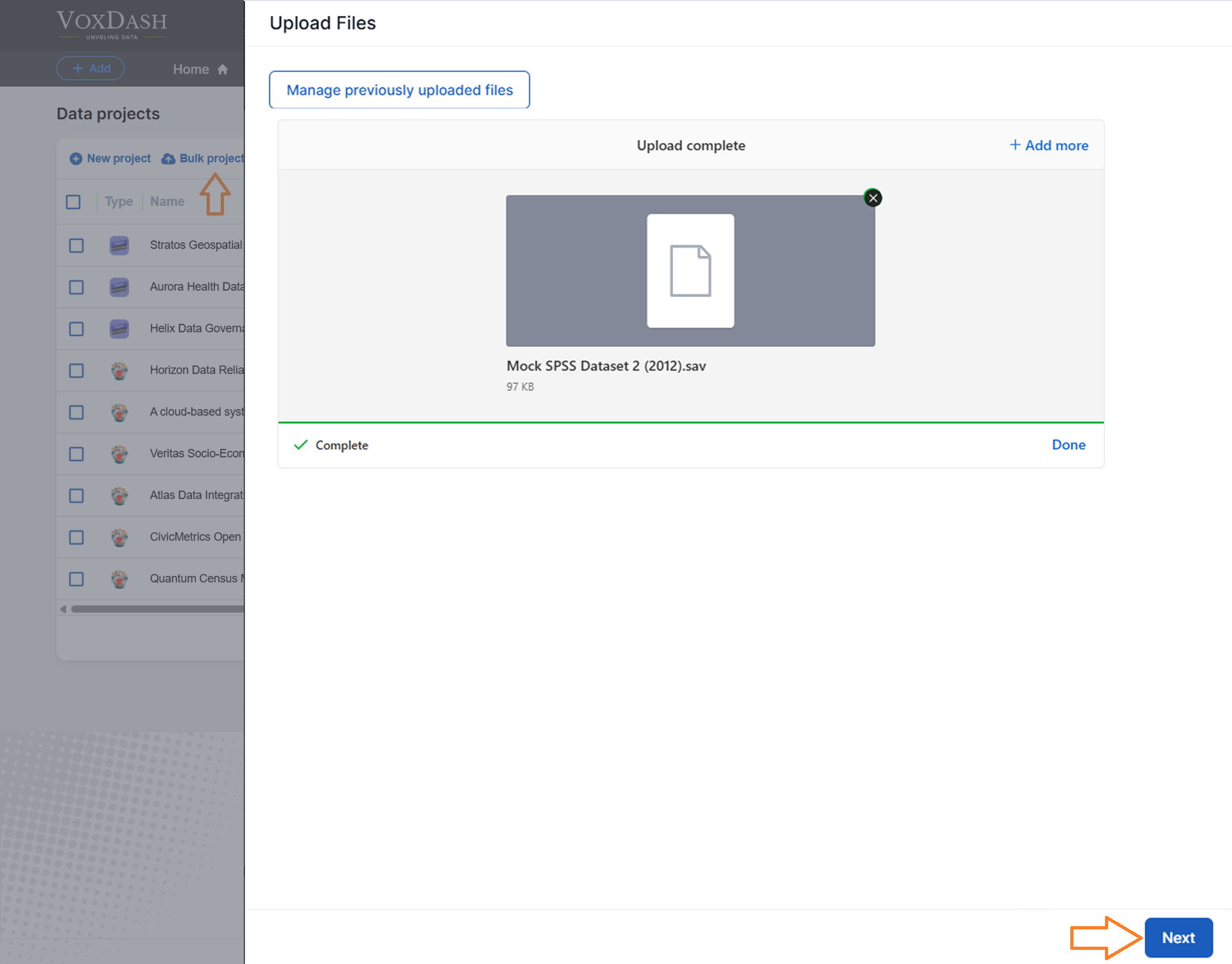
- After the upload is complete, click the blue Next button in the bottom-right corner.
- This will open the Upload Files page. Here, select the uploaded file(s) you want to add to your Data Projects in VoxDash.
3. Rename Your Folder (Optional)
If needed, click the pencil icon next to the folder name to rename it for better organization and clarity.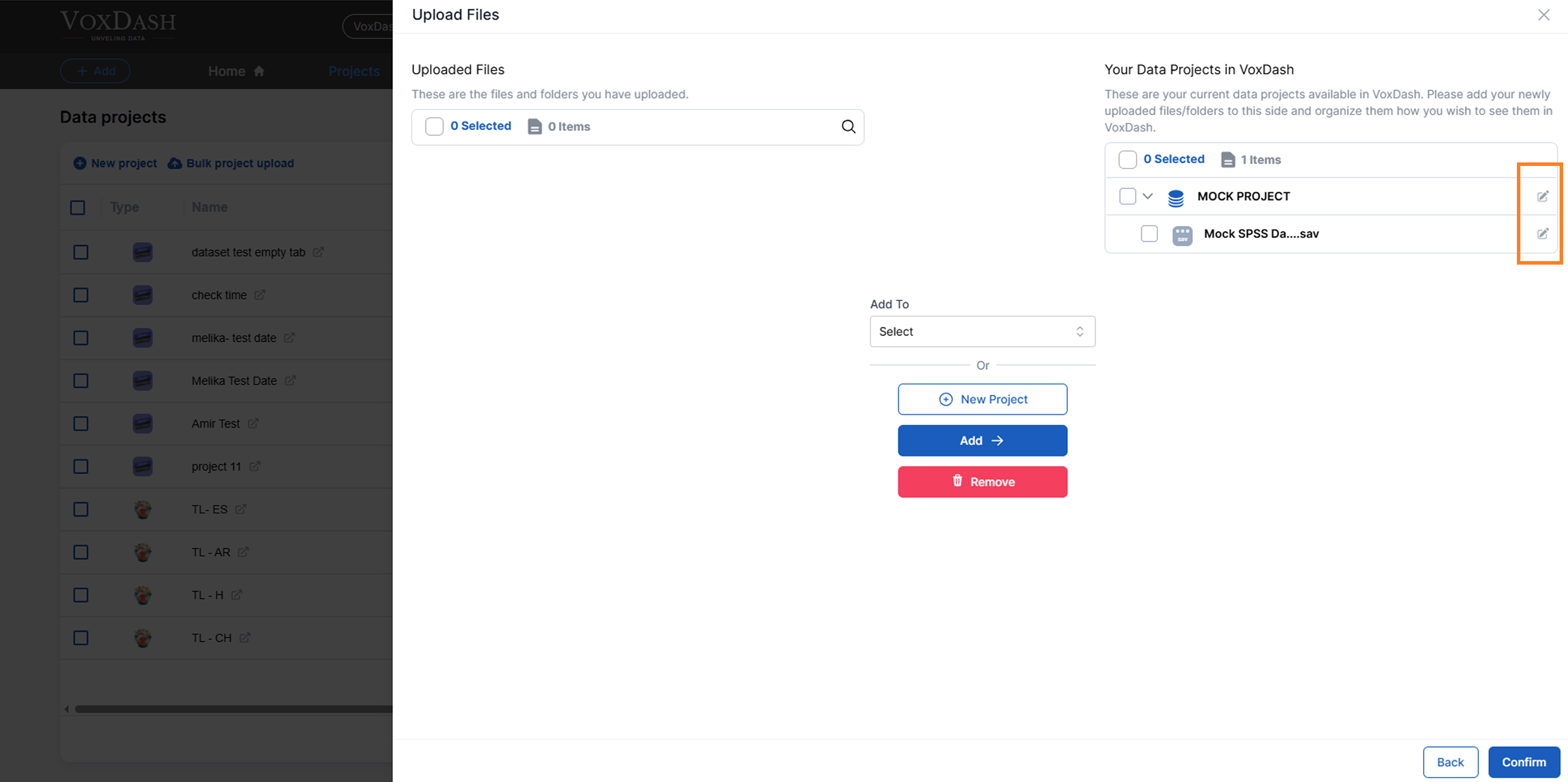
4. Finalize the Upload
Click the blue Confirm button in the bottom-right corner to finalize the upload and make the files visible in the Data Project list.Tips for Efficient Uploads
Uploading Files
When uploading a single file, ensure you first create a folder for it. Once the folder is set, change the name and upload the files into it, then confirm the changes to complete the process.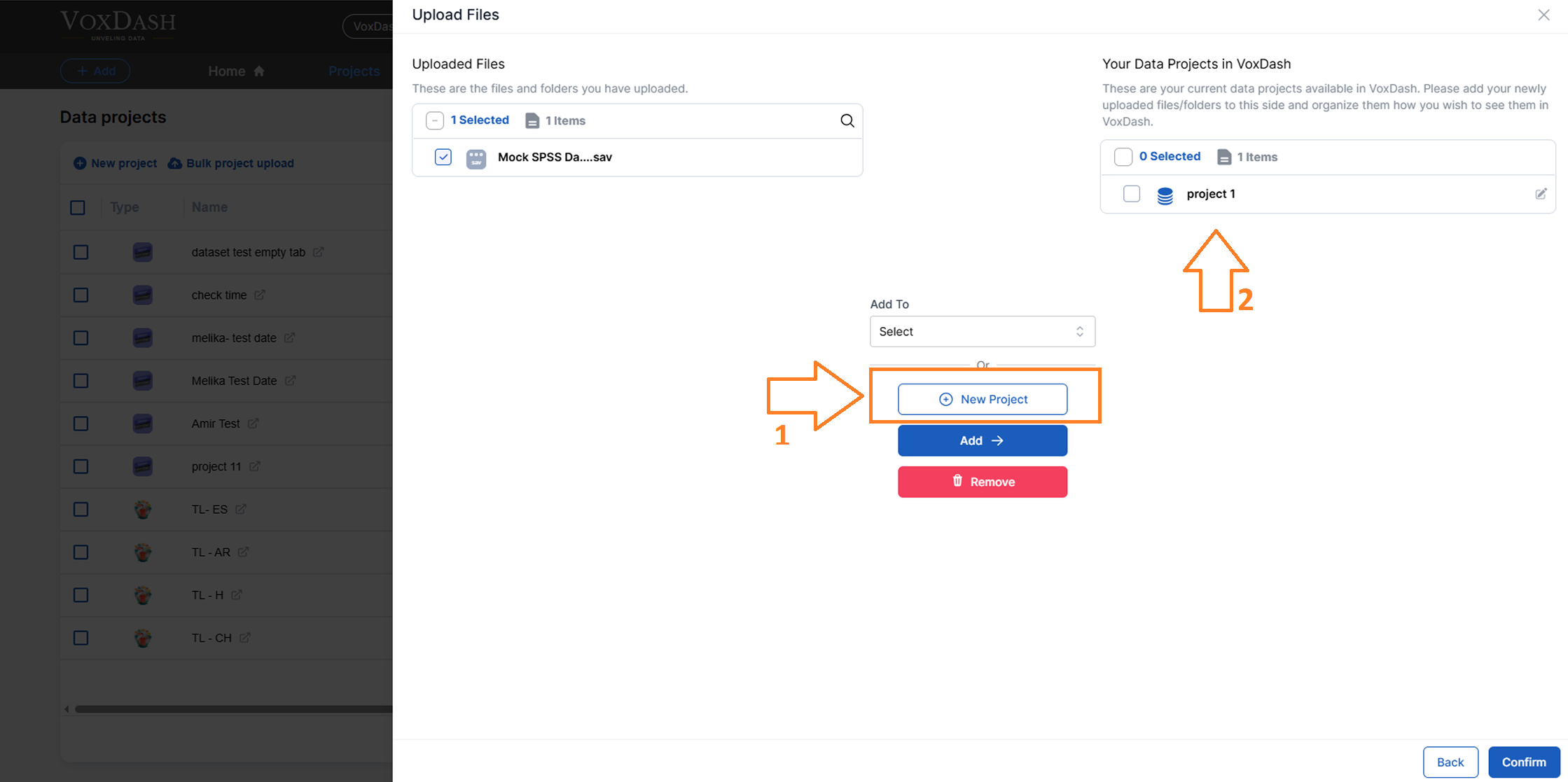
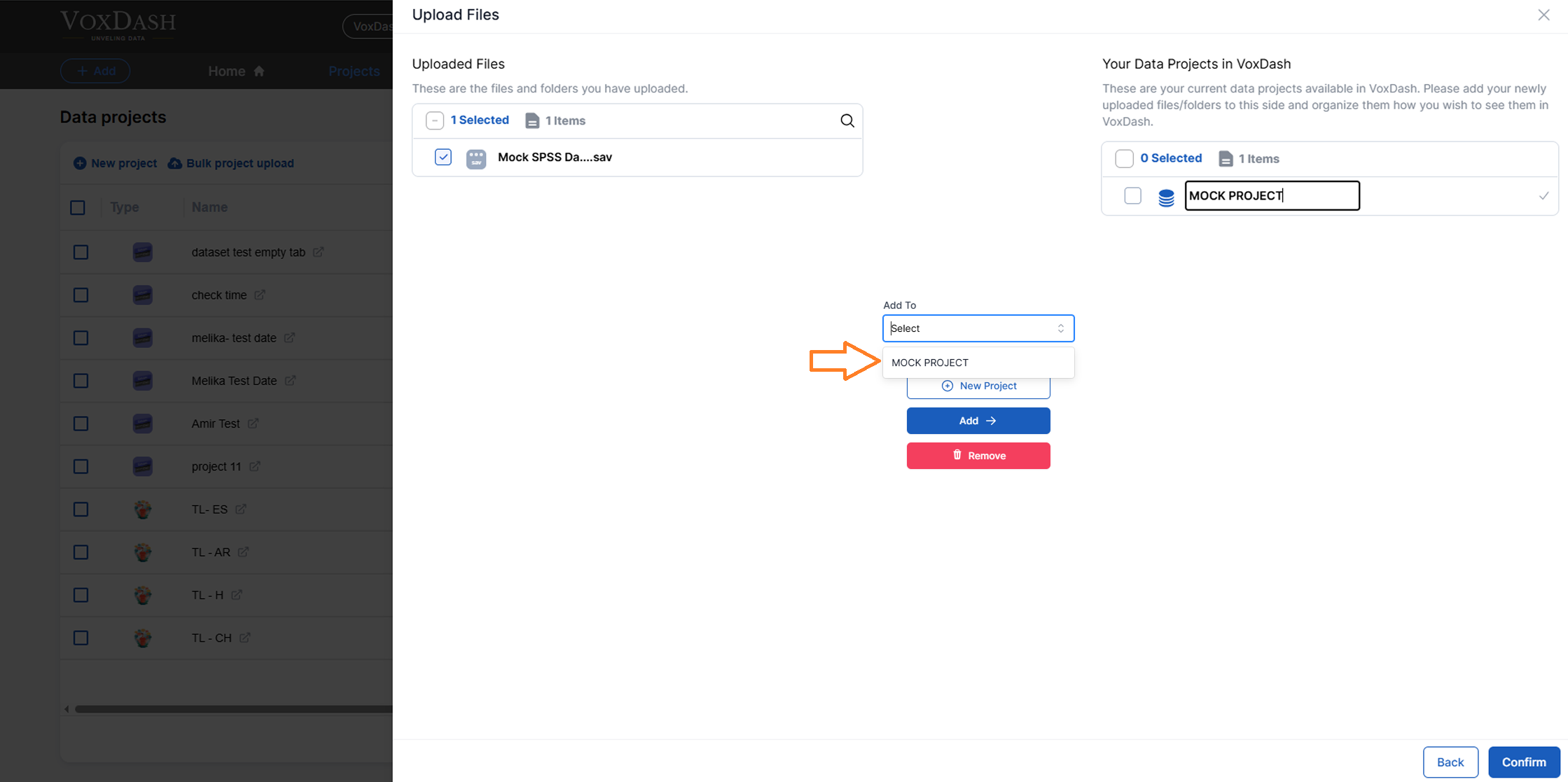
Removing Extra Projects
If you have created extra projects, select the unwanted project(s) and click the Remove button to exclude them from the upload.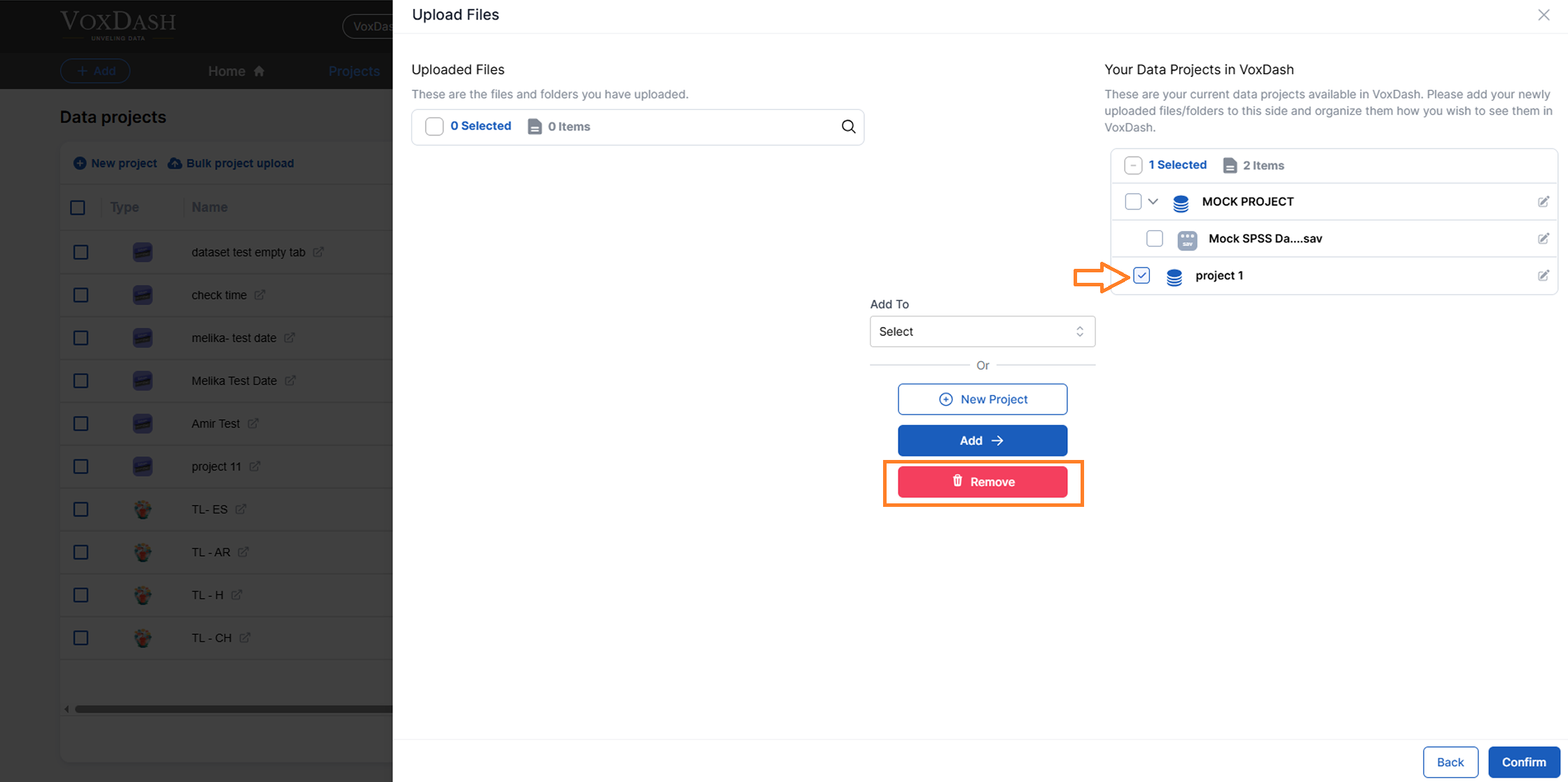
Requirements
To successfully use the “Bulk New Project Upload” feature, ensure the following:- Your folder contains the appropriate Survey file(s) or other required data formats.
- File names and folder structures are organized for ease of use.
Summary of Steps
- Navigate to Data Provider > Project > Bulk Project Upload.
- Click the blue “Bulk New Project Upload” button to upload your folder.
- Click Next to proceed to the Upload Files page.
- Select your file(s) and add them to your Data Projects in VoxDash.
- Click Confirm to make the uploaded files visible in the project list.