

How to Use Advanced Search
- Click the Advanced Search option in the top header.
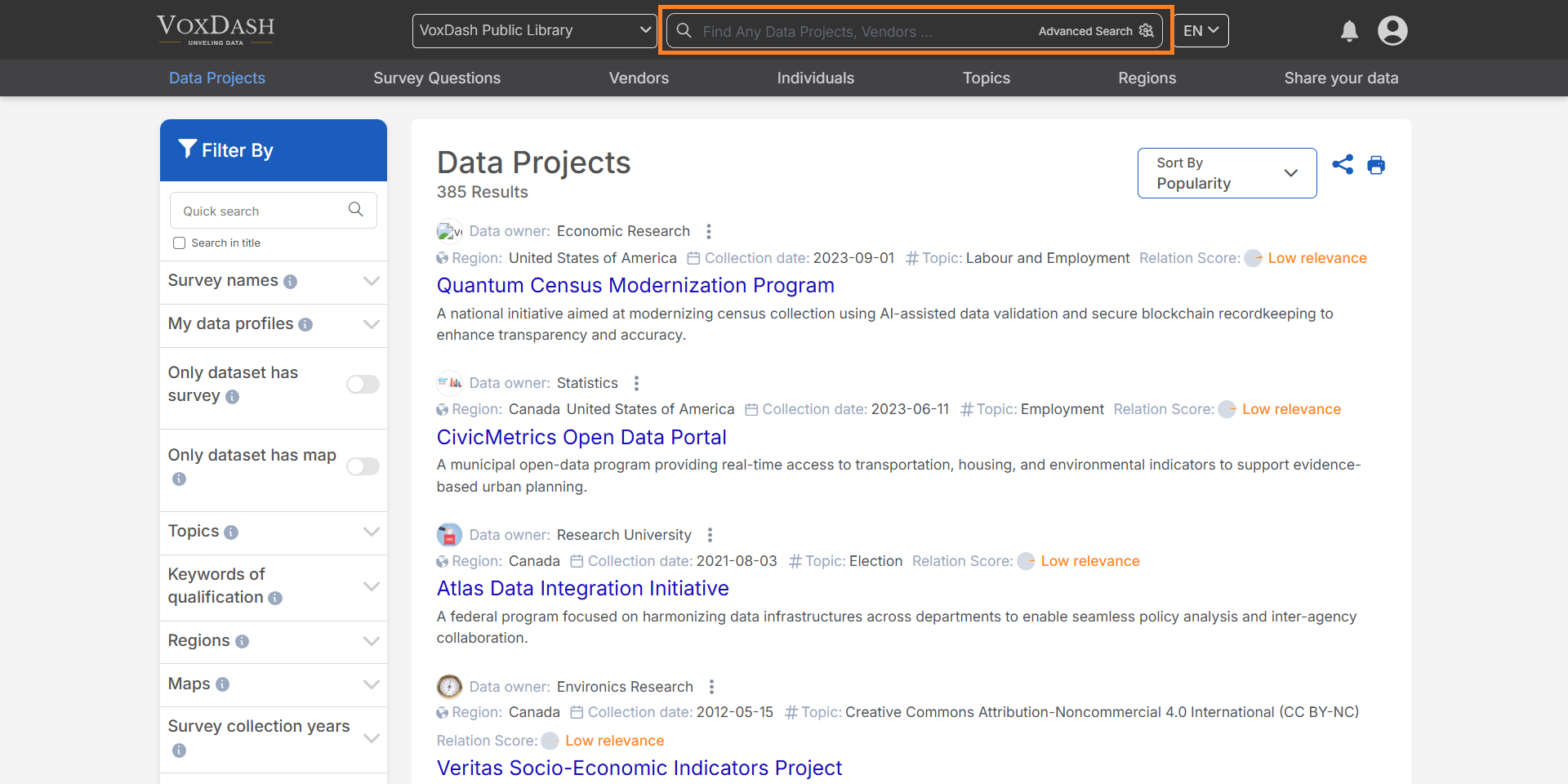
- Select a category to search in.
- Apply filters to refine your results.
- Combine multiple filters for more precise results.
Categories and Filters
1. General
Keywords: Search using specific words or phrases relevant to your query.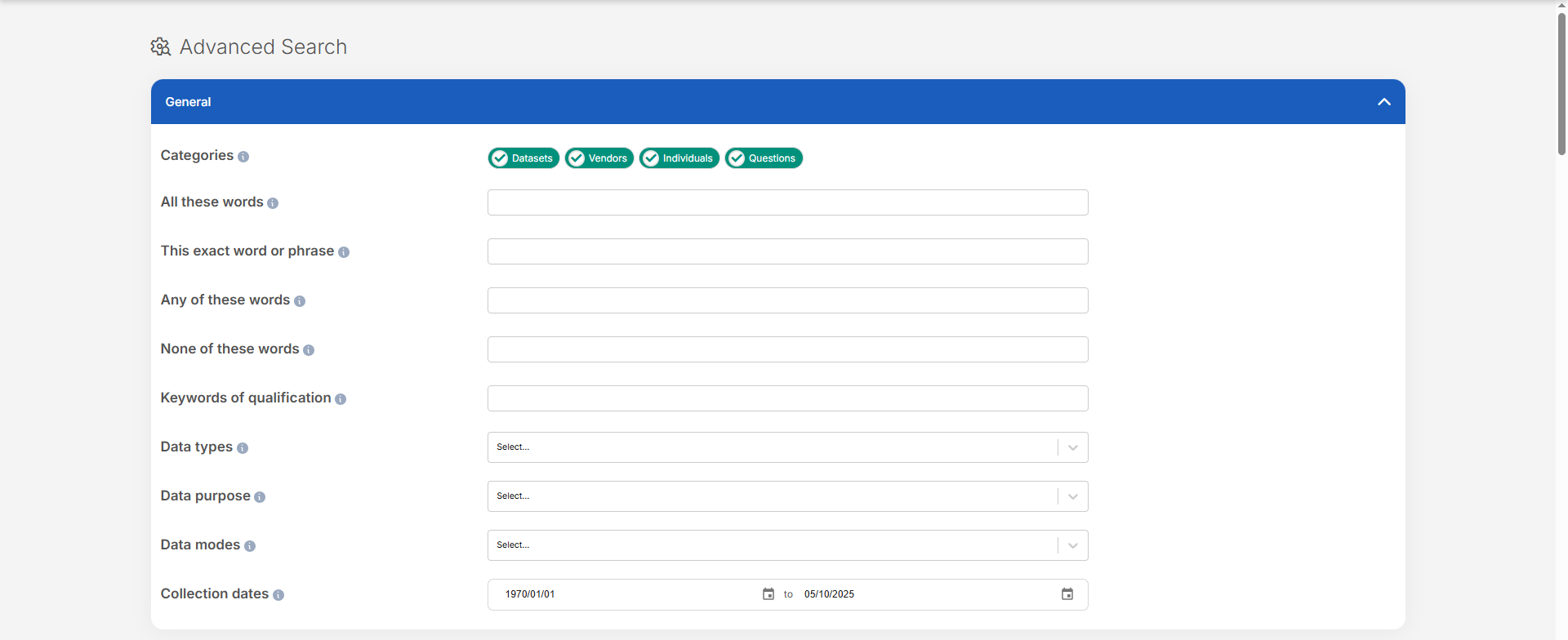
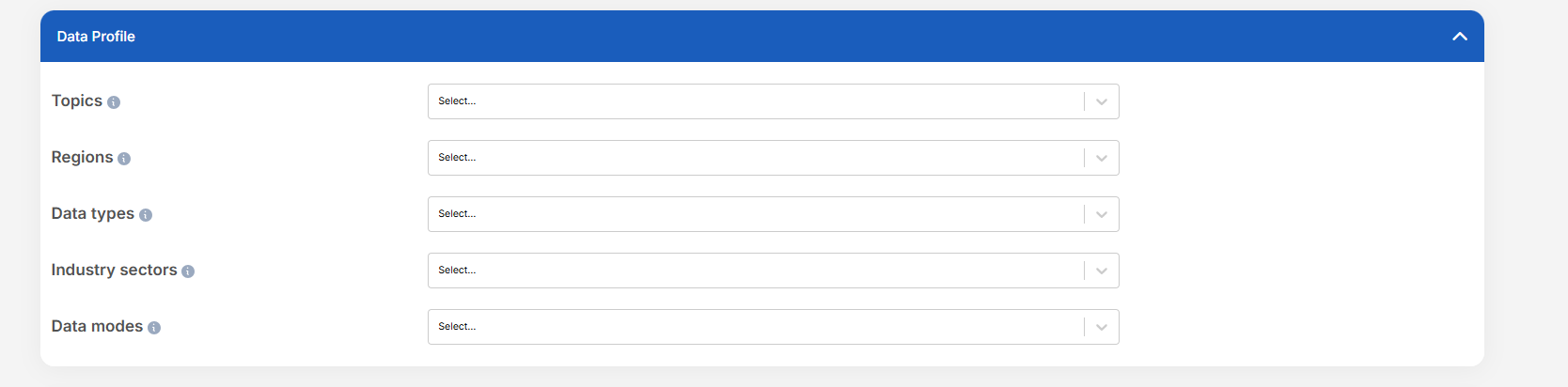
2. Data Profiles
Filter datasets based on the following metadata:- Topics: Subject areas like pricing, product trends, or consumer behavior.
- Regions: Geographic coverage of the data (e.g., countries, cities).
- Data Types: Formats such as numerical, text, survey, or time-series.
- Industry Sectors: Industries like retail, healthcare, or finance.
- Data Modes: Collection methods like real-time, batch, or historical data.
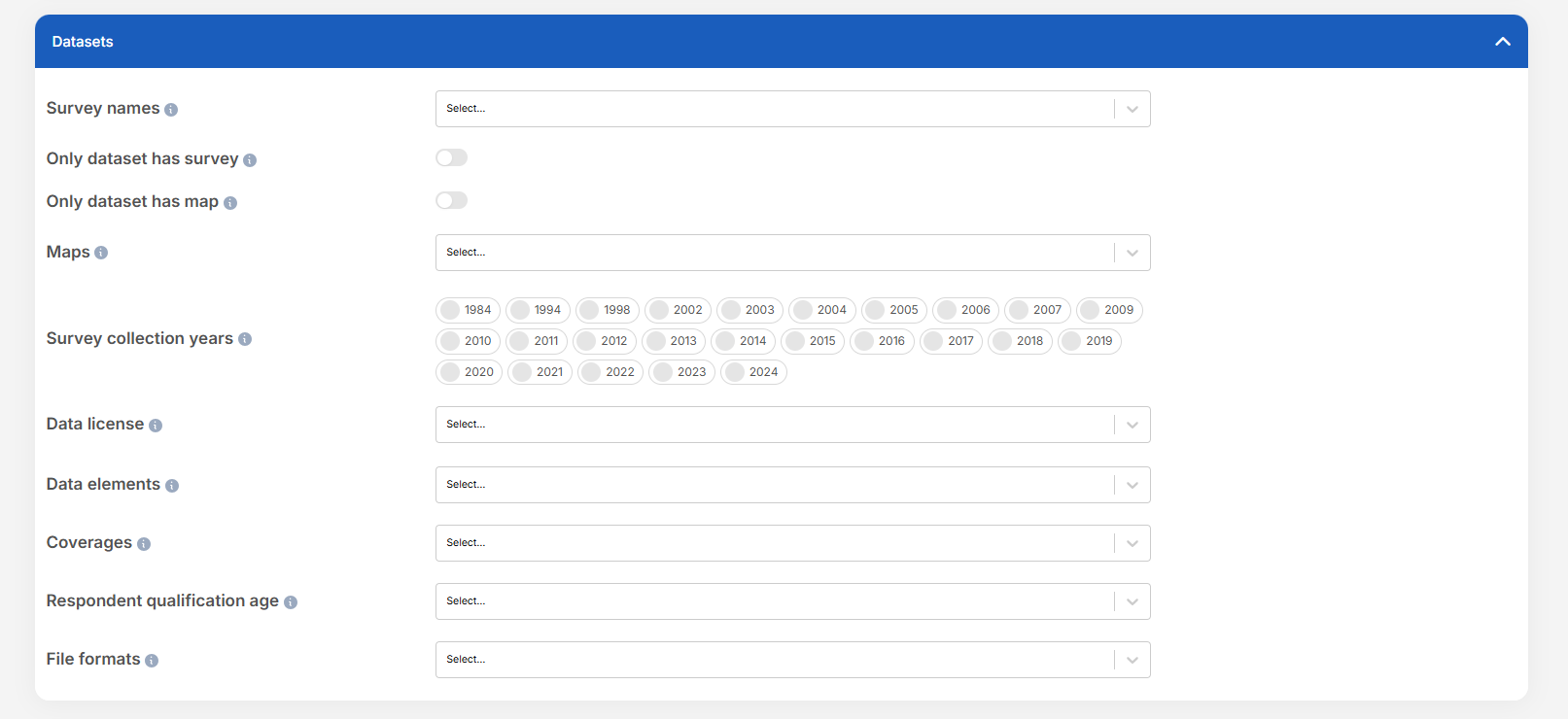
3. Datasets
Narrow down datasets using:-
Access Level:
- Demo: Preview data
- Free: No cost
- Basic / Professional / Unlimited / Unlimited Plus: Varying levels of paid access
- Test: Temporary or development-only
- Vendors: Source of the data.
- File Formats: Download formats (e.g., CSV, JSON, Excel).
- Data License: Terms of use (e.g., open, proprietary).
- Data Regulations: Compliance (e.g., GDPR).
- Data Elements: Specific data fields (e.g., price, timestamp).
- Collection Dates: When the data was collected.
4. Vendors
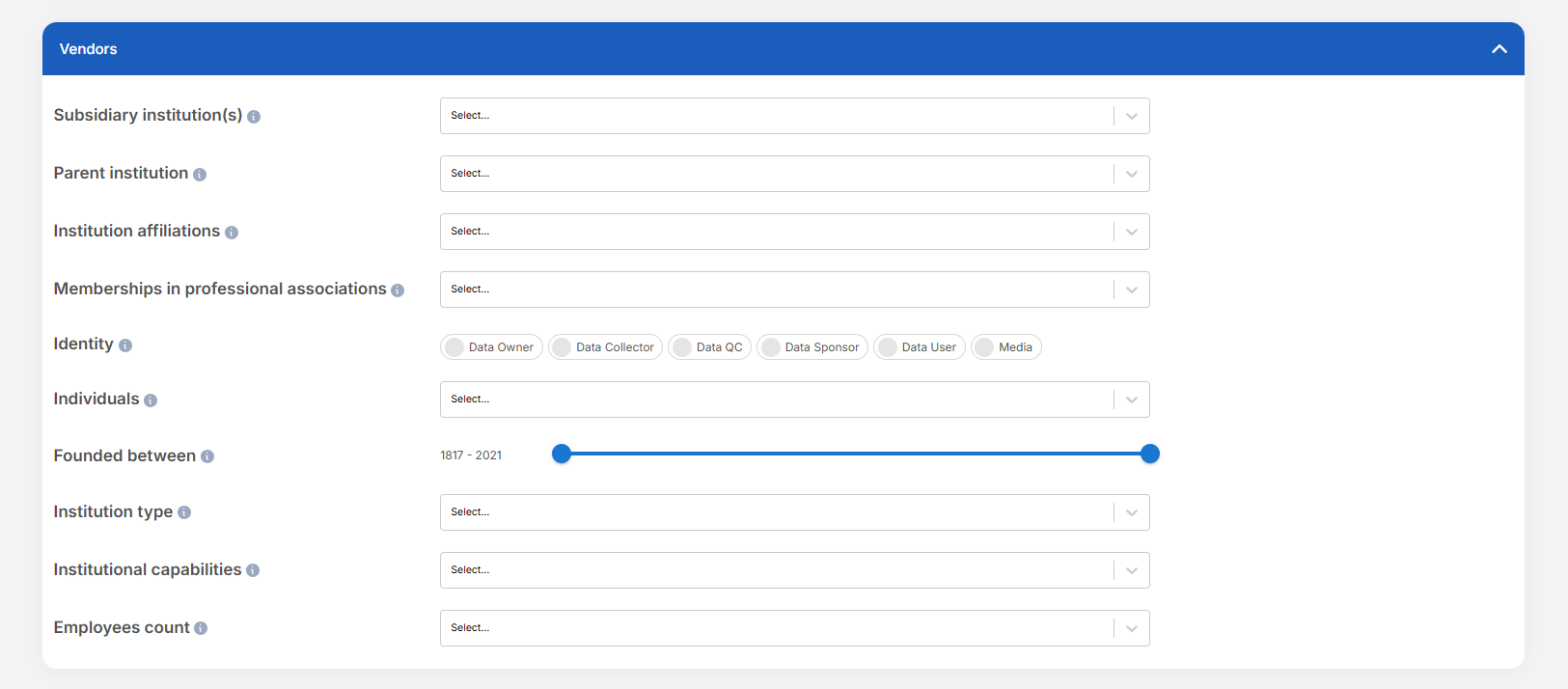
Identify and filter data providers by:- Institution Type: Academic, commercial, nonprofit, etc.
- Institutional Capabilities: Areas of expertise (e.g., AI, analytics).
- Employee Count: Organization size.
- Qualification Keywords: Skills or certifications.
- Subsidiary Institution(s): Owned companies.
- Parent Institution: Controlling entity.
- Institutional Affiliations: Partnerships or alliances.
- Memberships in Professional Associations: Networks (e.g., IEEE).
- Key Persons: Notable individuals in the organization.
- Foundation Date: Year established.
5. People
Find individual experts or contributors by:- Qualification Keywords: Skills, credentials, or areas of expertise.
- Memberships in Professional Associations: Professional affiliations or memberships.

6. Questions
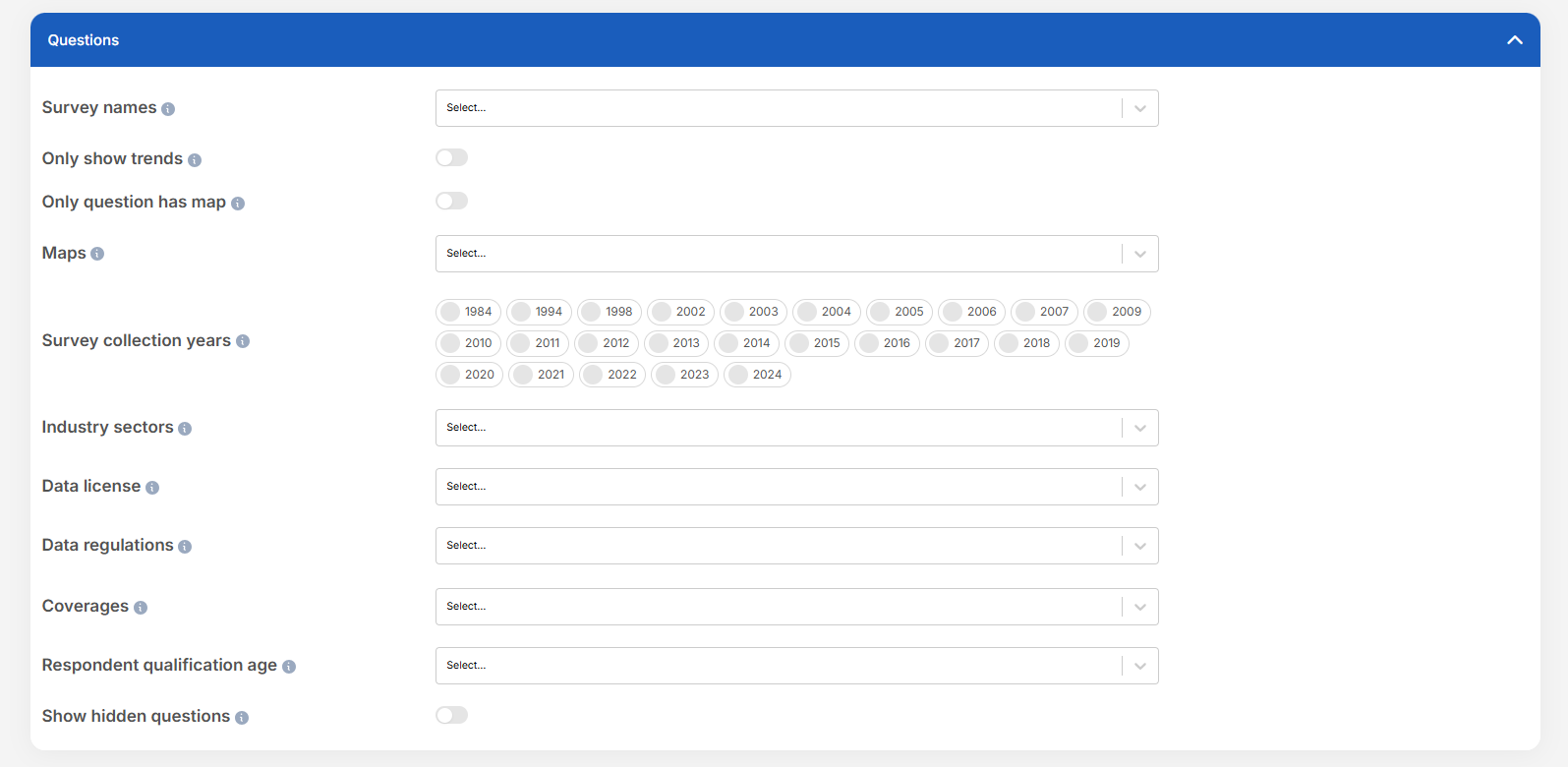
Filter questions based on the following metadata:- Survey name: Filter questions by the survey project they belong to. Useful if you want to focus only on specific surveys or compare across known datasets.
- Only show trends: Show only datasets that include trendable data across waves or time.
- Only show questions that include a map: Filter to questions that include a mapped geographic component.
- Maps: View and explore interactive maps displaying survey data, geographic trends, or vendor activities across different regions.
- Survey Collection Dates: When the data was collected.
- Industry Sectors: Industries like retail, healthcare, or finance.
- Data license: Indicates the legal terms for using, sharing, or modifying this dataset. Some licenses allow unrestricted reuse, while others limit commercial use, require attribution, or prohibit changes. Always review the license before using the data.
- Data regulations: Indicates which privacy laws or regulatory frameworks govern this dataset such as GDPR, HIPAA, or CCPA. These rules may affect how you can access, use, share, or analyze the data, especially for sensitive or personal information.
- Coverages: Select datasets based on geographic, demographic, or topical coverage.
- Respondent qualification age: The age range used to qualify respondents for this survey. If unspecified, no age-based restriction was applied to participant eligibility.
- Show hidden questions: Show survey questions that the data provider marked as hidden. Hidden questions are ones that the provider considered incomplete, irrelevant, or not suitable for analysis. They are hidden by default, but you can reveal them here to see the full set of questions included in the dataset.
Tips
- Use multiple filters across categories to narrow results effectively.
- Save your frequent searches for quicker access later.
- If you can’t find what you need, try broadening one or more filters.