

Messaging is not used to talk to data providers. To contact a data provider about a dataset you requested, use the chat built into that request on the Request Access page. See Communicate with the Provider.
1. What You Can Use Messaging For
Contact the VoxDash support team when you want to:- Ask a question about your account or subscription
- Report a problem with the platform
- Ask for help using a feature
- Send feedback or a suggestion
- Raise any other question for the VoxDash team
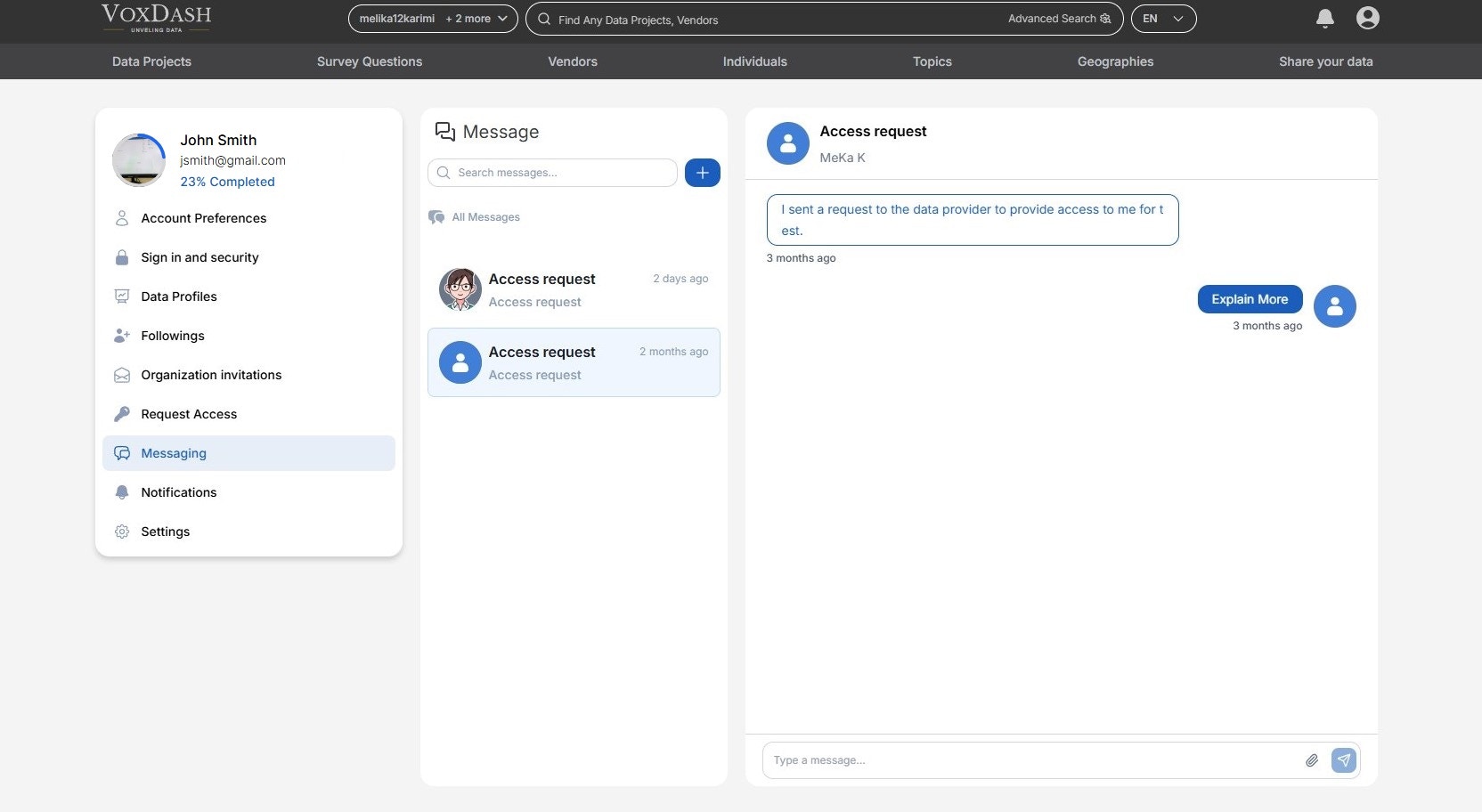
2. Start a New Conversation
- Open User Central → Messaging.
- Click the + button next to the search box.
- Enter a Subject (up to 100 characters) and your Message (up to 500 characters).
- Optionally, attach a file, such as a screenshot of the problem.
- Click Submit.
3. Manage Your Conversations
- Select a conversation in the list to open it and read the replies.
- A badge on a conversation shows how many new messages it has.
- Use the search box to find a conversation by its subject.
- Reply at the bottom of an open conversation to continue it.
4. Messaging vs. Access Request Chat
For more about access requests, see Requesting Access to Restricted Data and Request Access Management.