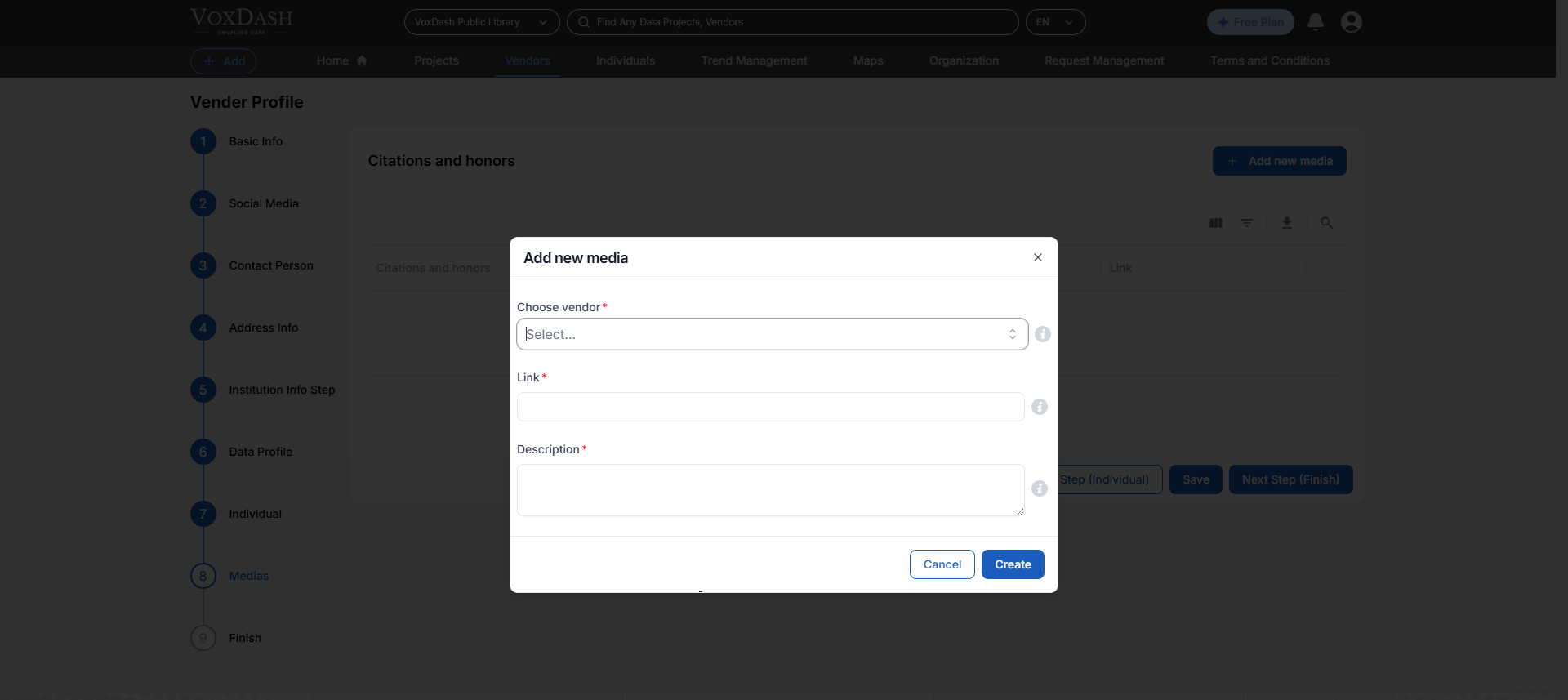
Wizard 1 (Basic Info)
- Institution name: Enter the full name of the institution or organization.
- Short description: Provide a brief description of the institution (limit to 1-2 sentences).
- Long description: Provide a detailed description of the institution, including its mission, values, and key offerings.
- Email address: Provide the official contact email for this vendor or institution. This address may be used for verification and communication about uploaded data projects. Use a monitored, organizational email rather than a personal one when possible.
- Duns number: Enter the nine-digit DUNS (Data Universal Numbering System) identifier for the vendor, if available. This helps uniquely identify organizations for global business, funding, and research records. Leave blank if no DUNS is assigned.
- Vendor profile unique URL: Create a unique link for this vendor’s profile on VoxDash. This will be the permanent web address others can use to reference the vendor. Avoid spaces or special characters; use simple text (e.g., voxdash.com/vendor/YourOrgName).
- Industry sector: Select the primary industry sector in which this vendor operates. This helps users filter and discover vendors working in specific fields such as polling, academic research, technology, healthcare, or other domains.
- Institutional capabilities: Choose the main capabilities or services this vendor can provide (e.g., survey design, CATI, online panels, data analysis, translation). Multiple capabilities can be selected to give a fuller picture of expertise.
- Keywords of qualifications: Select keywords that highlight this vendor’s qualifications, expertise, or areas of specialization. These keywords improve search visibility and help others quickly understand the vendor’s strengths.
- Languages: Select the languages you support for surveys and fieldwork.
- Institution type: Identify the type of institution this vendor represents, such as private company, nonprofit, academic center, governmental agency, or independent consultancy. This field supports classification and comparability across vendors.
- Founded: Enter the year the vendor or institution was founded. This provides context on the vendor’s history and track record, and may help users assess organizational maturity.
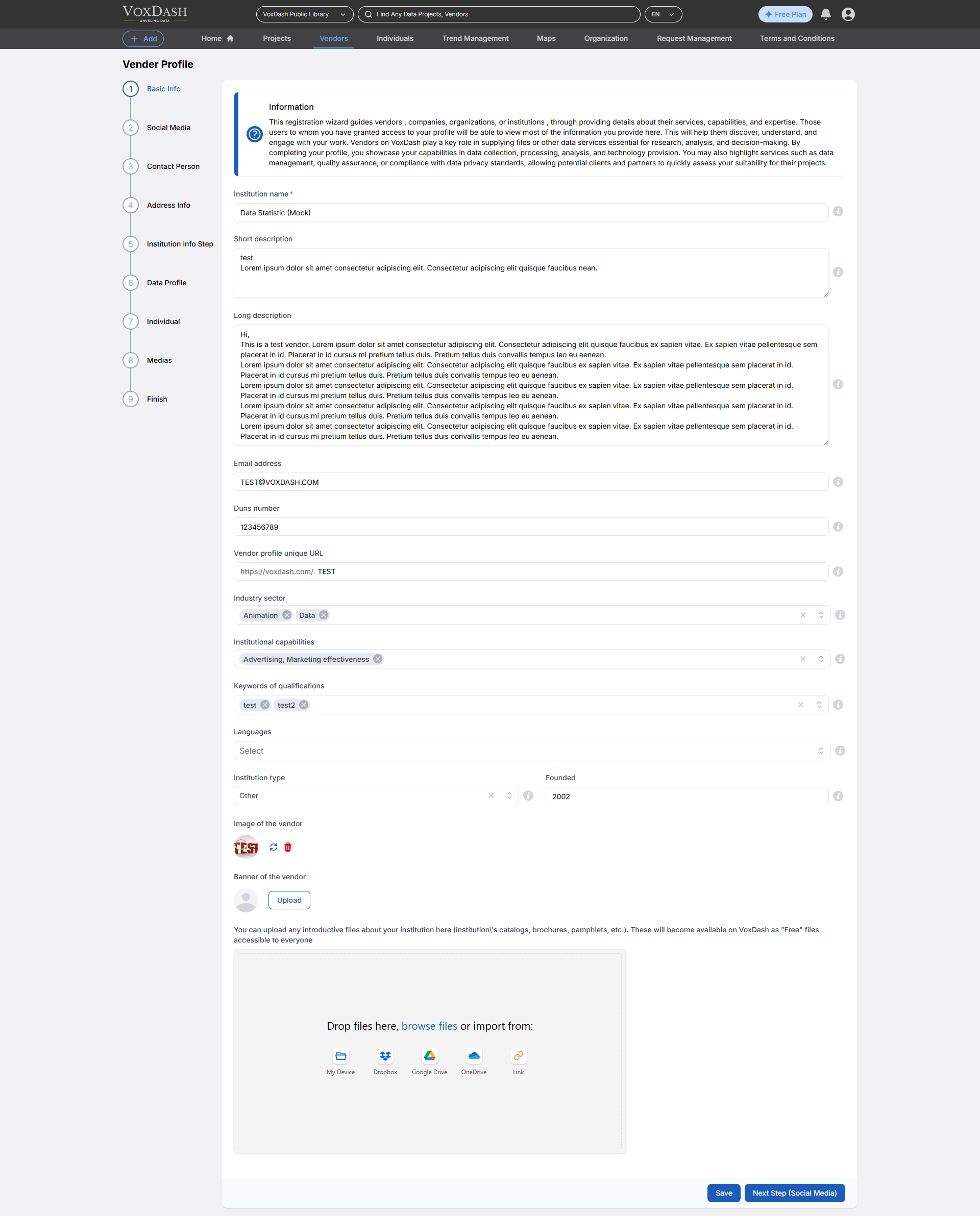
Wizard 2 (Social Media)
- Institution website: Enter the URL of the institution’s official website (e.g., https://www.institutionname.com).
- Institution email: Provide the official email address for the institution, used for communication and inquiries.
- Institution social media: Enter the exact username or handle used by the institution for this social media account (without the ’@’ symbol unless it is part of the username).
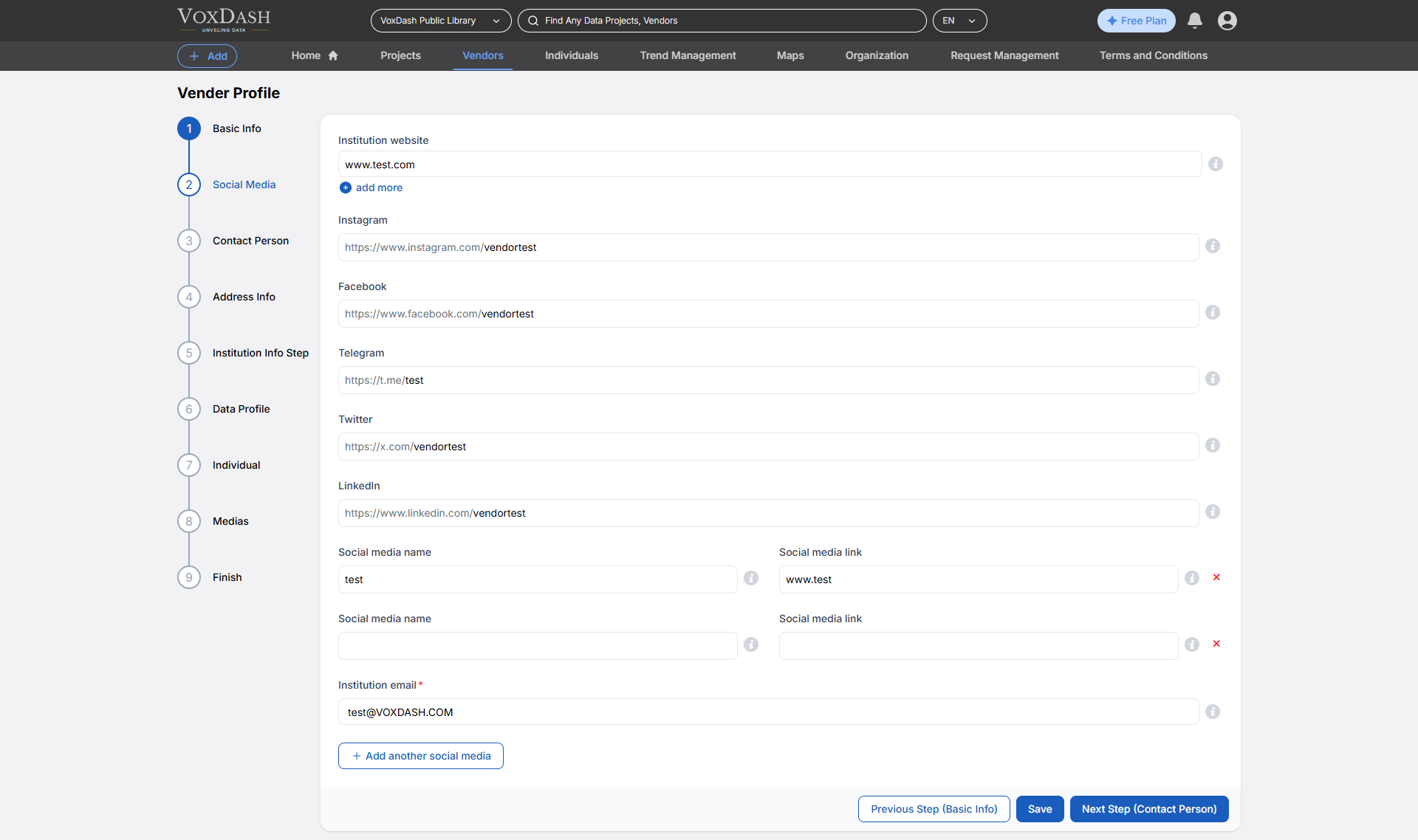
Wizard 3 (Contact Person)
- Title of the contact person: Select the appropriate title for the contact person (e.g., Mr., Ms., Dr.).
- First name of the contact person: Enter the first name of the contact person.
- Last name of the contact person: Enter the last name or family name of the contact person.
- Job title of contact person: Enter the job title or position of the contact person within the organization.
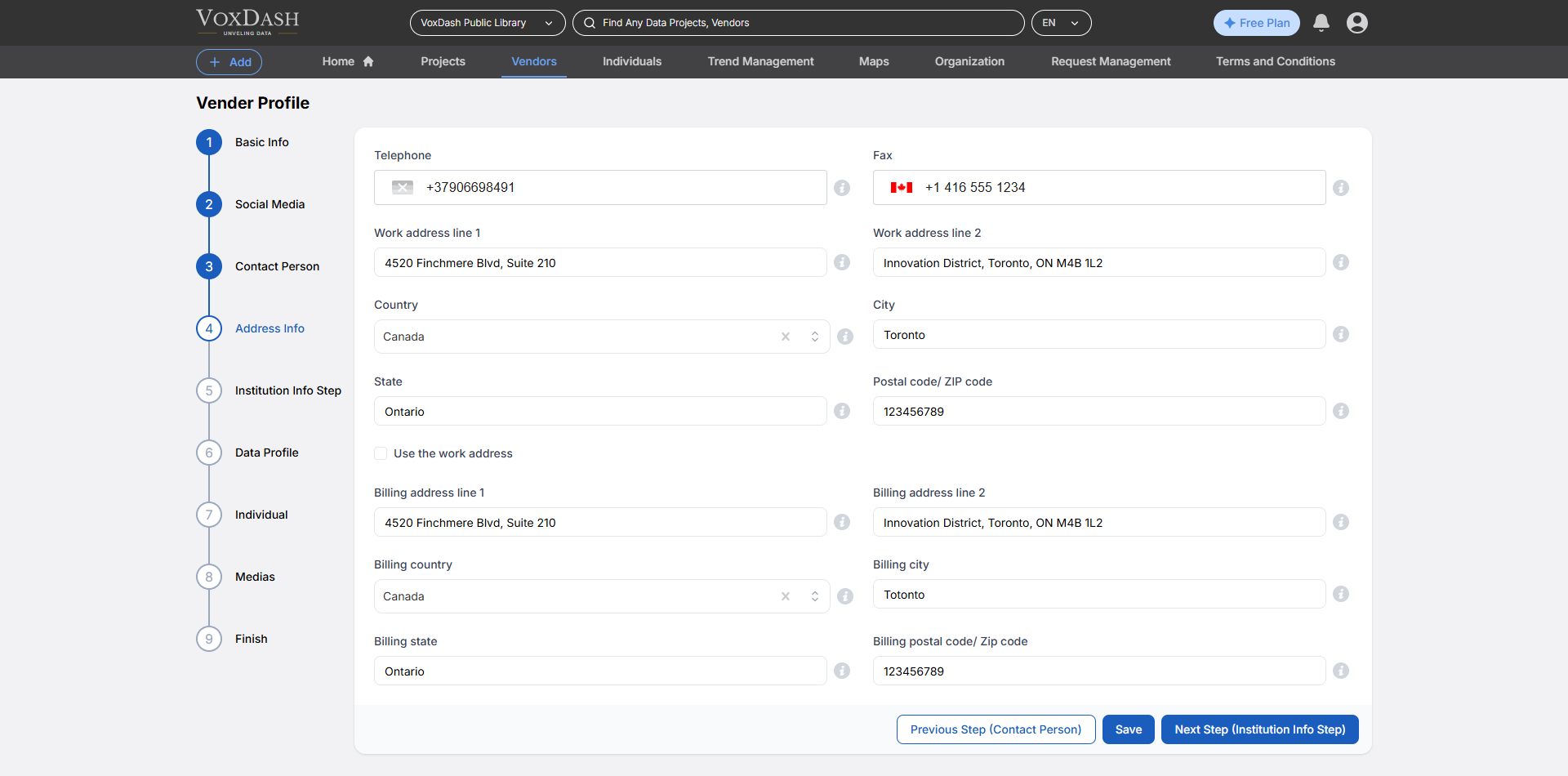
Wizard 4 (Address Info)
- Telephone: Enter the primary contact phone number, including the country code.
- Fax: Enter the fax number, including the area or country code.
- Work address line 1: Enter the first line of the work address (e.g., building number and street name).
- Work address line 2: Enter additional details for the work address (e.g., apartment, suite, or floor).
- Country: Select the country where this address is located. This will be used for location validation, tax calculation, and correspondence purposes
- City: Enter the full name of the city or municipality for this address. Avoid abbreviations unless they are officially recognized.
- State: Enter the state, province, or region for this address exactly as recognized in official postal records.
- Postal code/ ZIP code: Enter the complete postal or ZIP code for this address, following the correct format for the selected country. This ensures proper mail delivery and location matching.
- Billing address line 1: Enter the primary street address or P.O. Box for your billing location, including building number and street name. This should be the first line of the billing address.
- Billing address line 2: Enter any additional details for your billing address, such as apartment, suite, unit, floor, or building name. This field is optional but helps ensure accurate invoice delivery.
- Billing Country: Select the country where this address is located. This will be used for location validation, tax calculation, and correspondence purposes
- Billing City: Enter the full name of the city or municipality for this address. Avoid abbreviations unless they are officially recognized.
- **Billing State:Enter the state, province, or region for this address exactly as recognized in official postal records.
- Billing Postal code/ ZIP code: Enter the complete postal or ZIP code for this address, following the correct format for the selected country. This ensures proper mail delivery and location matching.
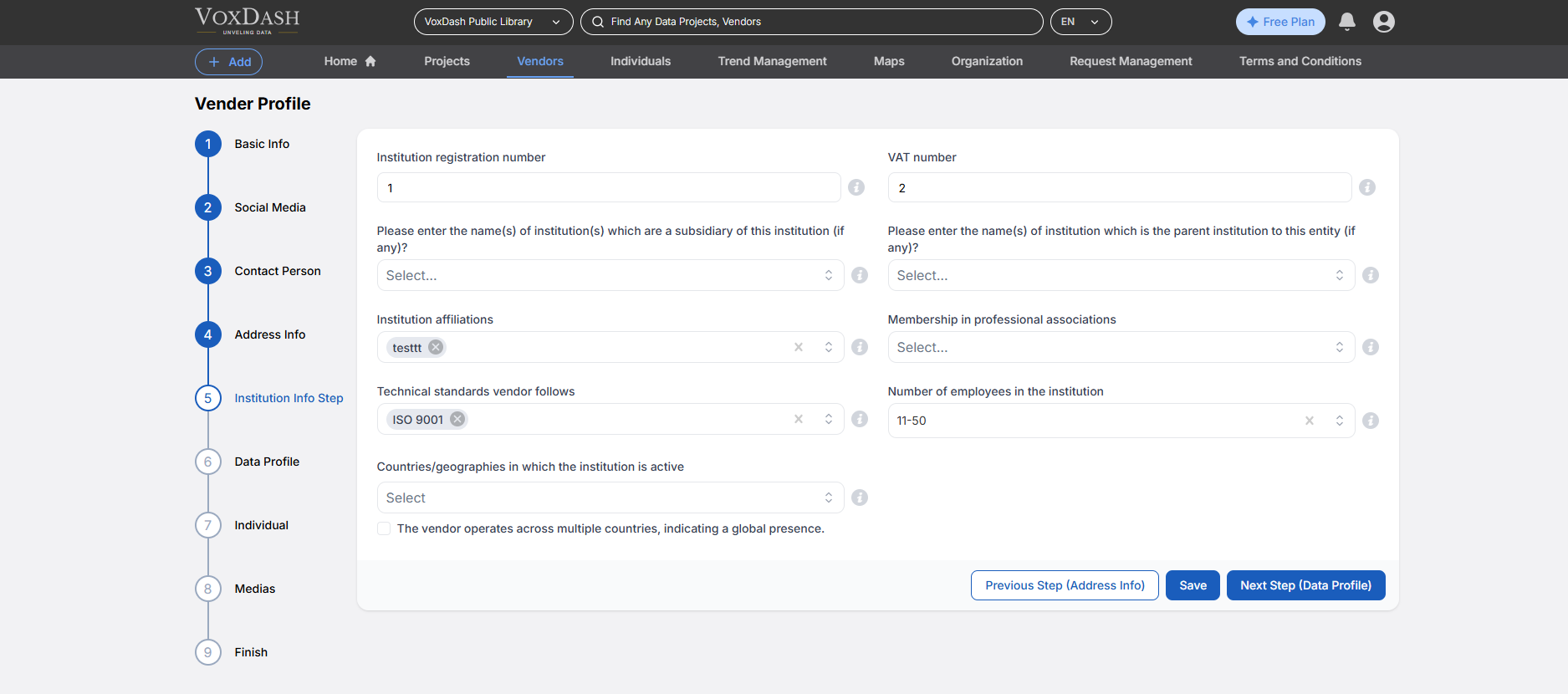
Wizard 5 (Institution Info Step)
- Institution registration number: Enter the official registration or incorporation number assigned by the relevant national authority. This helps verify the legal existence of the institution.
- VAT number: Provide the Value Added Tax (VAT) number if applicable. This identifier is used in many jurisdictions for tax compliance and invoicing.
- Please enter the name(s) of institution(s) which are a subsidiary of this institution (if any)?: Select or enter the names of any institutions that are subsidiaries of this entity. Subsidiaries are organizations owned or controlled by the vendor.
- Please enter the name(s) of institution which is the parent institution to this entity (if any)?: Select or enter the name of the parent institution, if this entity is part of a larger organization. Leave blank if the vendor operates independently.
- Institution affiliations: List formal affiliations the institution holds with other organizations, networks, or research bodies. Examples include university partnerships, joint ventures, or strategic alliances.
- Membership in professional associations: Specify memberships in professional or industry associations (e.g., AAPOR, WAPOR, ESOMAR). This highlights the institution’s commitment to recognized standards and best practices.
- Technical standards vendor follows: Select the technical or methodological standards the institution complies with (e.g., ISO, GDPR, HIPAA, AAPOR standards). This demonstrates adherence to recognized protocols.
- Number of employees in the institution: Provide the approximate number of employees working for the institution. This indicates organizational size and operational capacity.
- Countries/geographies in which the institution is active: Select the countries or geographies where the institution conducts operations, projects, or data collection. Multiple geographies can be chosen to reflect global reach.
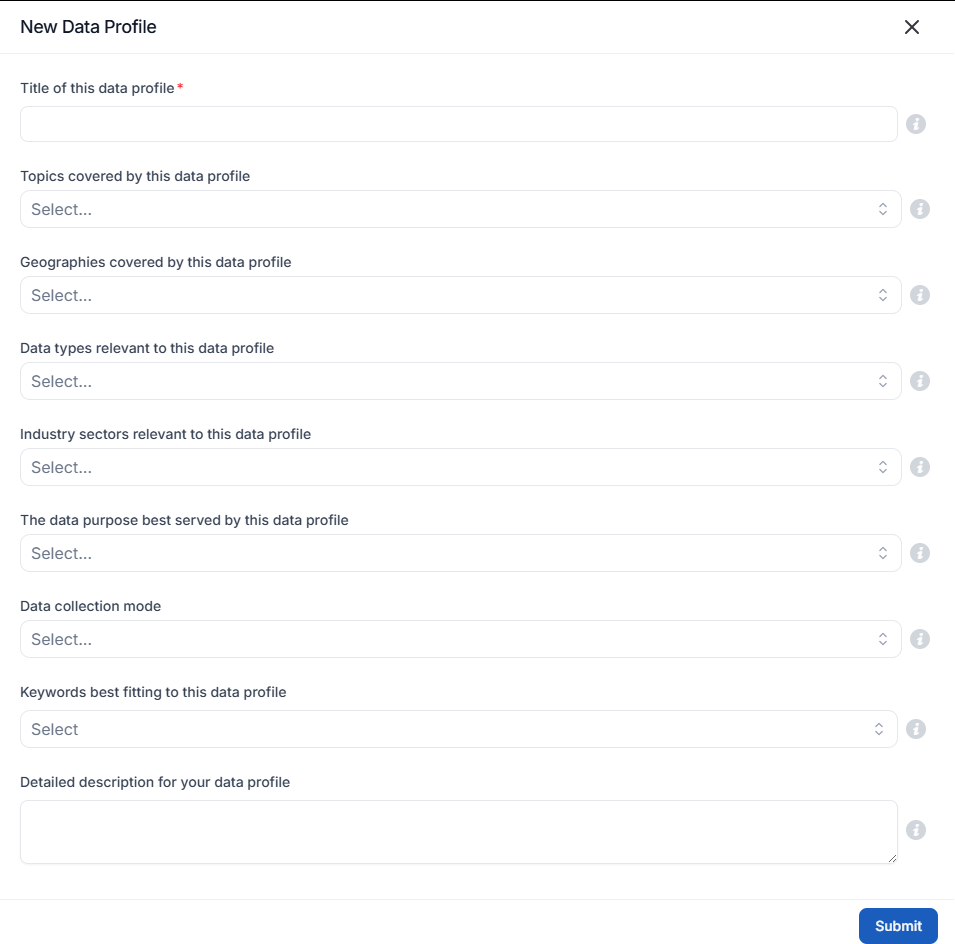
Wizard 6 (Data Profile)
- Title of the Data Profile: A clear and concise name that accurately represents the data being profiled.
- Topics Covered by the Data Profile: The primary subjects or themes that the data encompasses.
- Geographical Regions Covered by the Data Profile: The specific locations or areas where the data was collected or is relevant.
- Relevant Data Types: The kinds of data included, such as qualitative, quantitative, structured, or unstructured data.
- Industry Sectors Applicable to the Data Profile: The business domains or industries that can benefit from the data.
- Primary Purpose of the Data Profile: The intended use cases for the data, such as market research, trend analysis, or operational insights.
- Data Collection/Creation Methods: The techniques used to gather or generate the data, such as surveys, sensors, or manual input.
- Keywords Associated with the Data Profile: Relevant terms that improve searchability and categorization of the profile.
- Detailed Description of the Data Profile: A comprehensive explanation of the data, including its sources, structure, and potential applications.
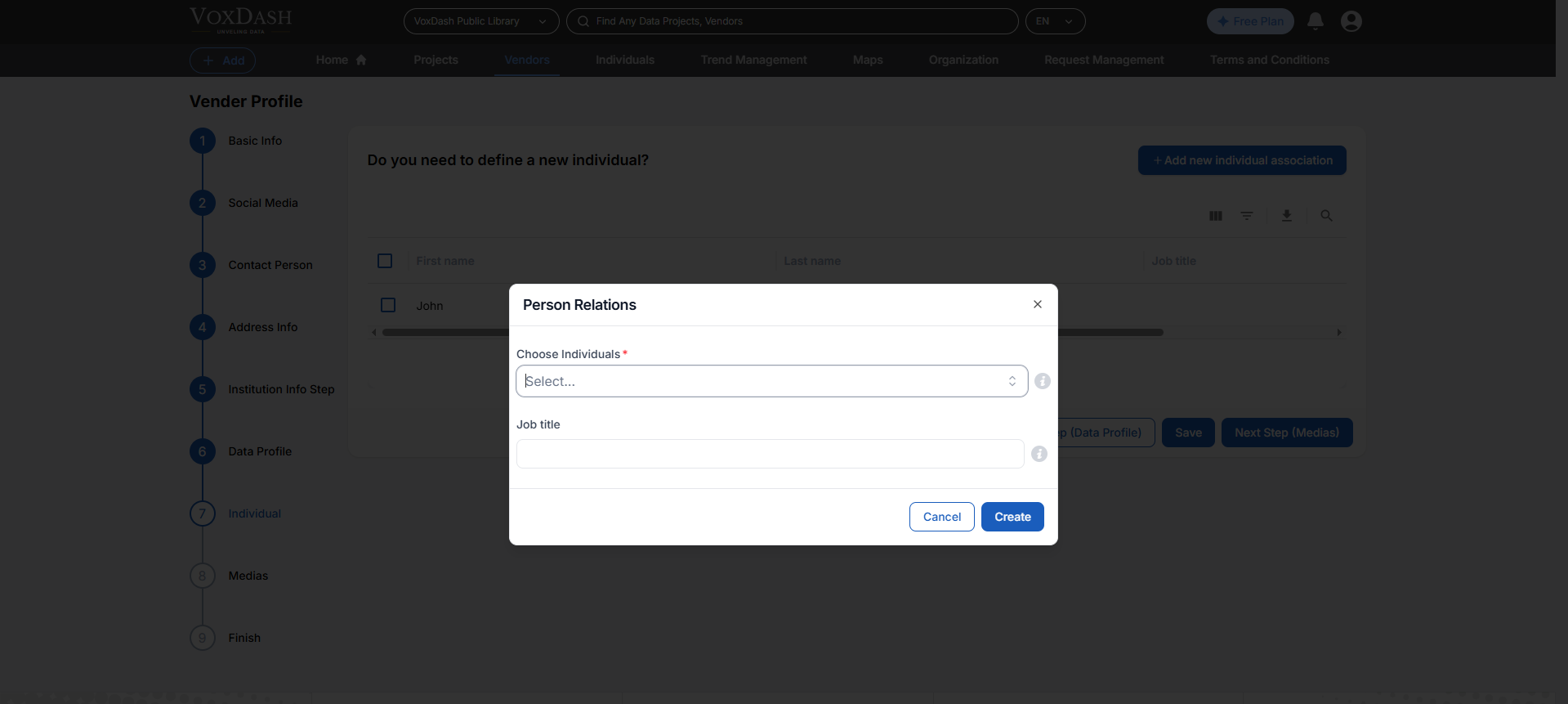
Wizard 7 (Individual)
- Choose Individuals: Select the individual associated with this dataset from the available list.
- Identity of these inividuals regarding this your data project: Enter the individual’s current job title or professional role (e.g., data analyst, reviewer).
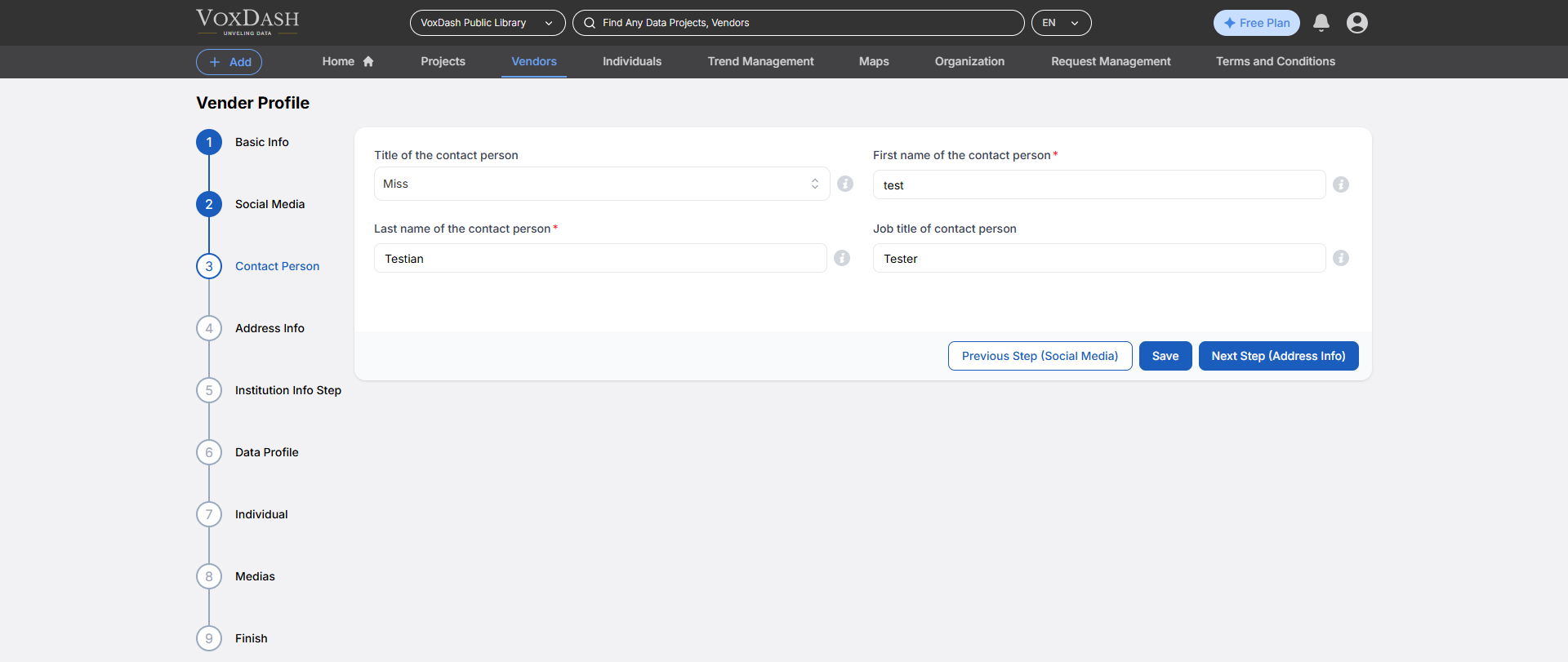
Wizard 8 (Medias)
- Choose vendors: Select the vendor associated with this institute from the available list or create a new one.
- Link: Enter the full URL of the institution’s official social media page or profile.
- Description: Provide a detailed description of the institution, including its mission, values, and key offerings.