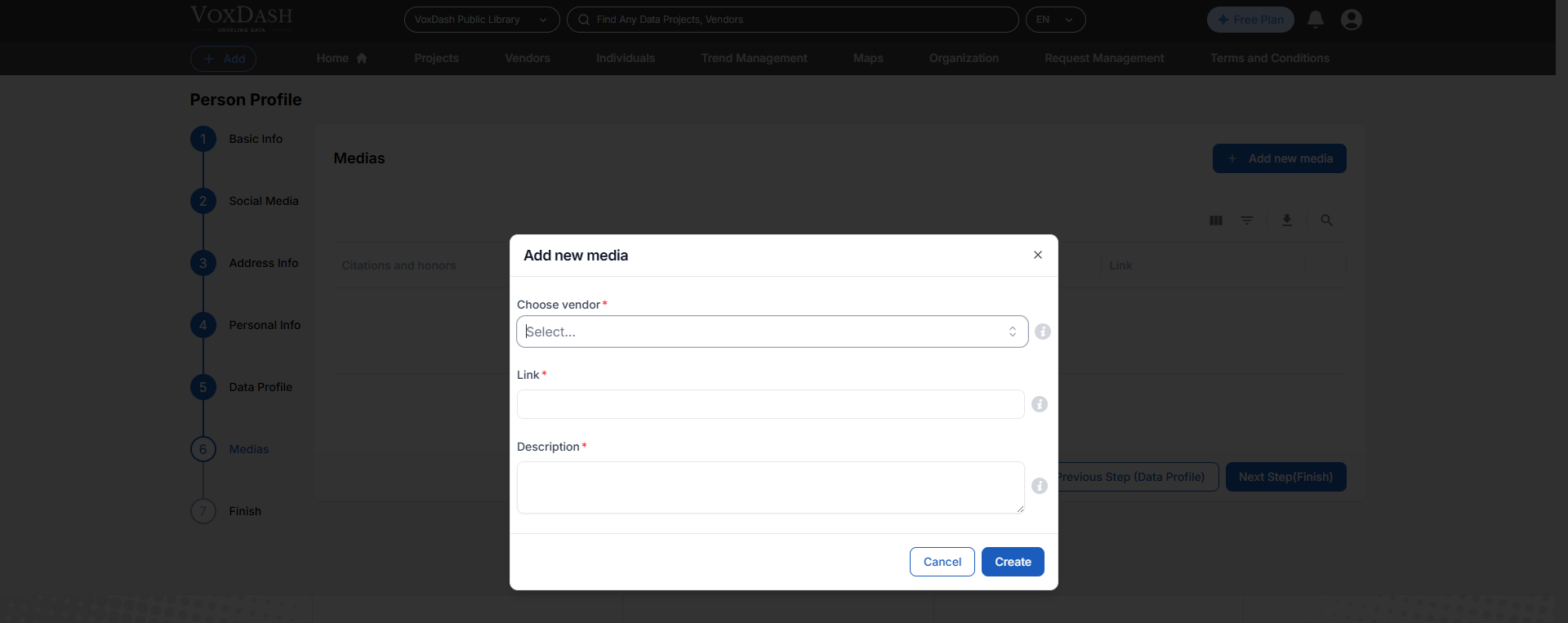
Wizard 1 (Basic Info)
- Title of the individual: Select the appropriate title for the individual (e.g., Mr., Ms., Dr.).
- First name of the individual: Enter the first name of the individual being profiled.
- Last name of the individual: Enter the last name or family name of the individual being profiled.
- Gender: Specify the gender of the individual (e.g., Male, Female, Non-binary).
- Date of birth: Provide the date of birth of the individual in the specified format (e.g., DD/MM/YYYY).
- Industry sector: Select the primary industry sector in which this person operates. This helps users filter and discover individuals working in specific fields such as polling, academic research, technology, healthcare, or other domains.
- Institutional capabilities: Choose the main capabilities or services this person can provide (e.g., survey design, CATI, online panels, data analysis, translation). Multiple capabilities can be selected to give a fuller picture of expertise.
- Email: Enter the email address of the individual for contact purposes.
- Languages: List the languages the individual speaks or works in, separated by commas.
- Job title: Enter the current job title of the individual (e.g., Director, Data Scientist).
- Individual unique URL: Provide a unique URL for the individual’s profile, if applicable.
- Biography: Provide a brief biography of the individual, highlighting their achievements and roles.
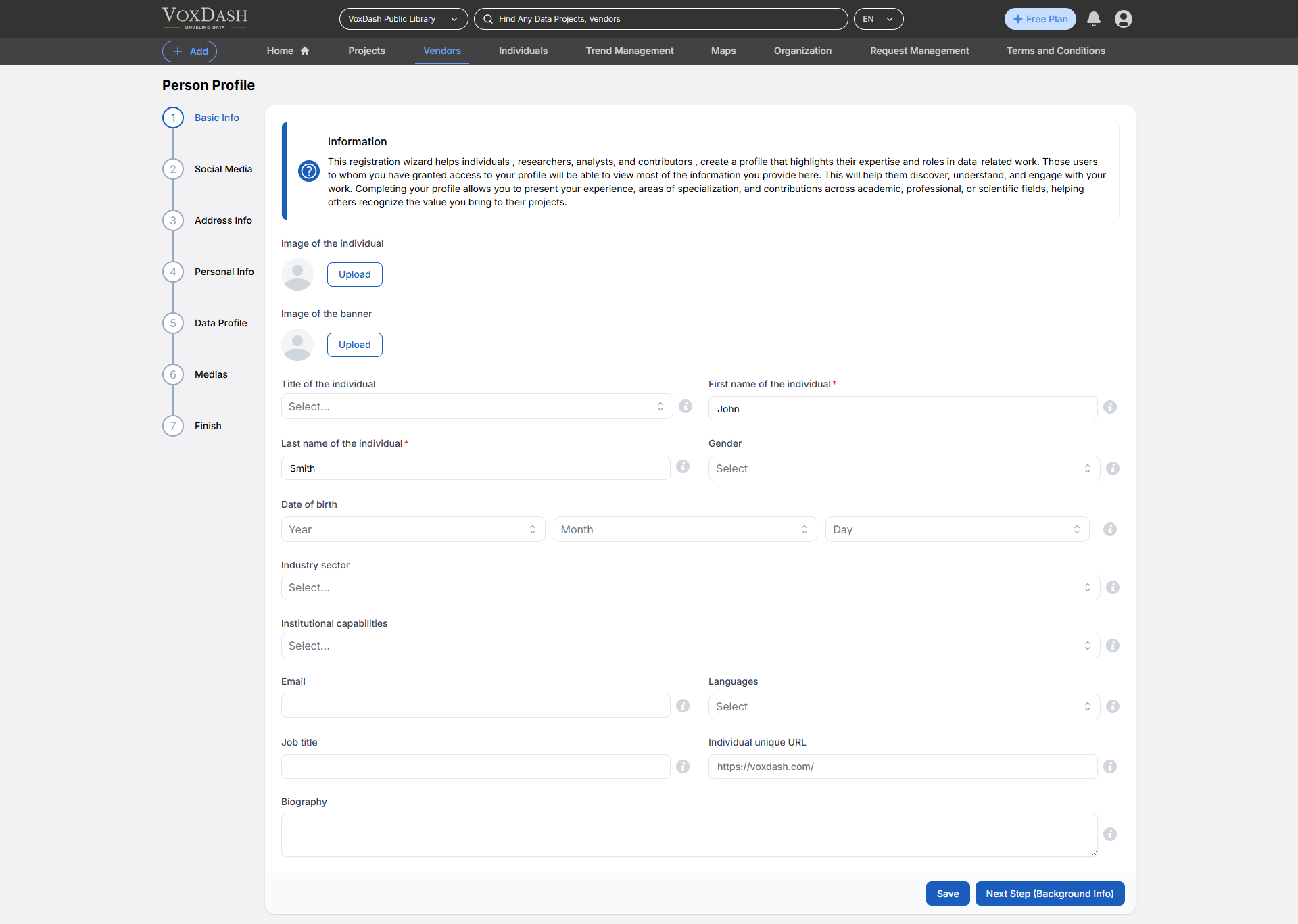
Wizard 2 (Social Media)
- Institution website: Enter the URL of the institution’s official website (e.g., https://www.institutionname.com).
- Institution email: Provide the official email address for the institution, used for communication and inquiries.
- Institution social media: Enter the exact username or handle used by the institution for this social media account (without the ’@’ symbol unless it is part of the username).
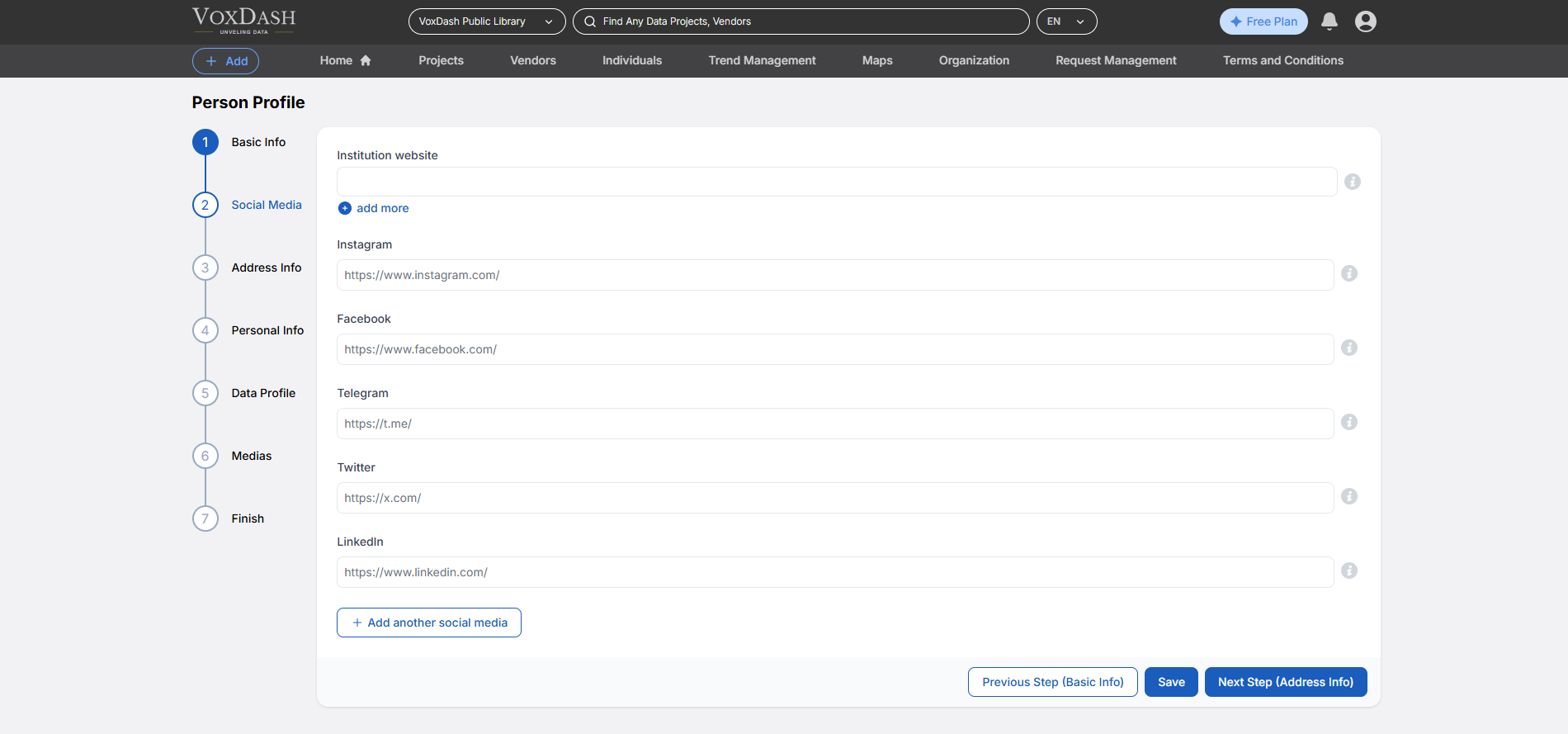
Wizard 3 (Address Info)
- Telephone: Enter the primary contact phone number, including the country code.
- Fax: Enter the fax number, including the area or country code.
- Work address line 1: Enter the first line of the work address (e.g., building number and street name).
- Work address line 2: Enter additional details for the work address (e.g., apartment, suite, or floor).
- Country: Select the country where this address is located. This will be used for location validation, tax calculation, and correspondence purposes
- City: Enter the full name of the city or municipality for this address. Avoid abbreviations unless they are officially recognized.
- State: Enter the state, province, or region for this address exactly as recognized in official postal records.
- Postal code/ ZIP code: Enter the complete postal or ZIP code for this address, following the correct format for the selected country. This ensures proper mail delivery and location matching.
- Billing address line 1: Enter the primary street address or P.O. Box for your billing location, including building number and street name. This should be the first line of the billing address.
- Billing address line 2: Enter any additional details for your billing address, such as apartment, suite, unit, floor, or building name. This field is optional but helps ensure accurate invoice delivery.
- Billing Country: Select the country where this address is located. This will be used for location validation, tax calculation, and correspondence purposes
- Billing City: Enter the full name of the city or municipality for this address. Avoid abbreviations unless they are officially recognized.
- **Billing State:Enter the state, province, or region for this address exactly as recognized in official postal records.
- Billing Postal code/ ZIP code: Enter the complete postal or ZIP code for this address, following the correct format for the selected country. This ensures proper mail delivery and location matching.
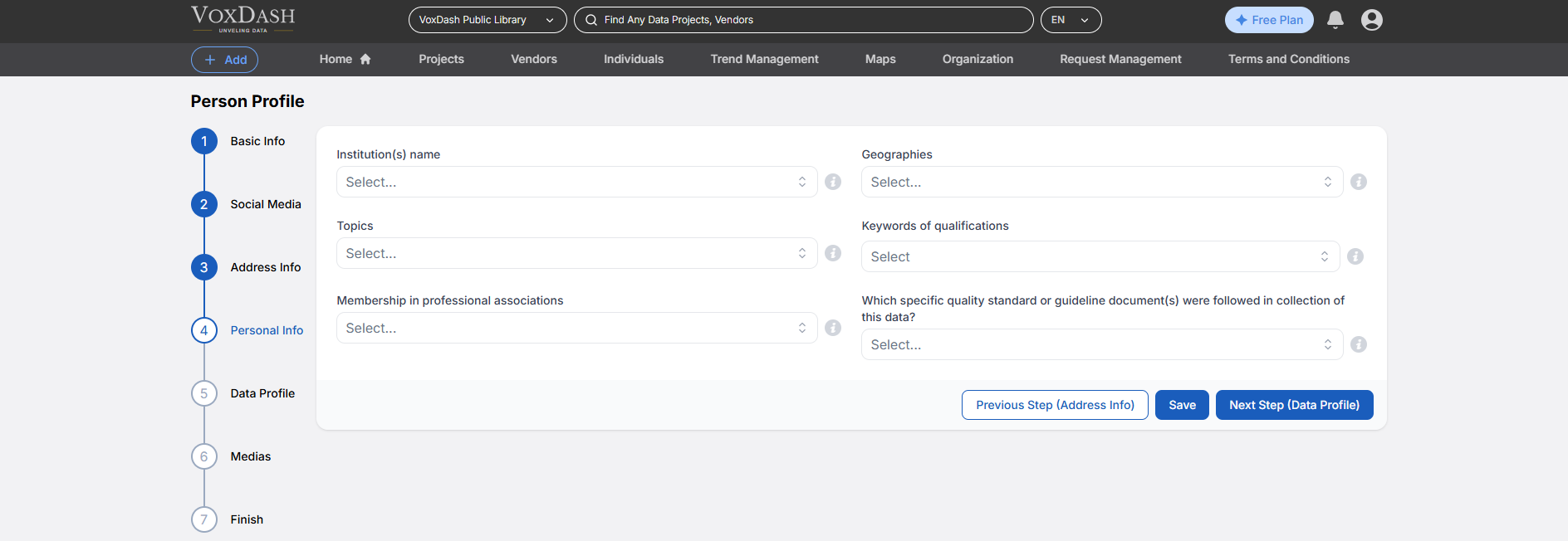
Wizard 4 (Personal Info)
- Institution(s) name: List the official names of the institutions you are affiliated with. Separate multiple names with commas.
- Geographies: Select the countries or geographies where the institution conducts operations, projects, or data collection. Multiple geographies can be chosen to reflect global reach.
- Topics: Enter relevant topics related to your institution’s expertise or focus areas.
- Keywords of qualifications: Select keywords that highlight this vendor’s qualifications, expertise, or areas of specialization. These keywords improve search visibility and help others quickly understand the vendor’s strengths.
- Membership in professional associations: List any professional associations, societies, or organizations the individual is a member of (e.g., AAPOR, WAPOR, AMA). This helps verify professional credibility and makes it easier for users to find experts by their affiliations.
- Which specific quality standard or guideline document(s) were followed in collection of this data?: List any industry standards, certifications, or regulations followed by your institution.
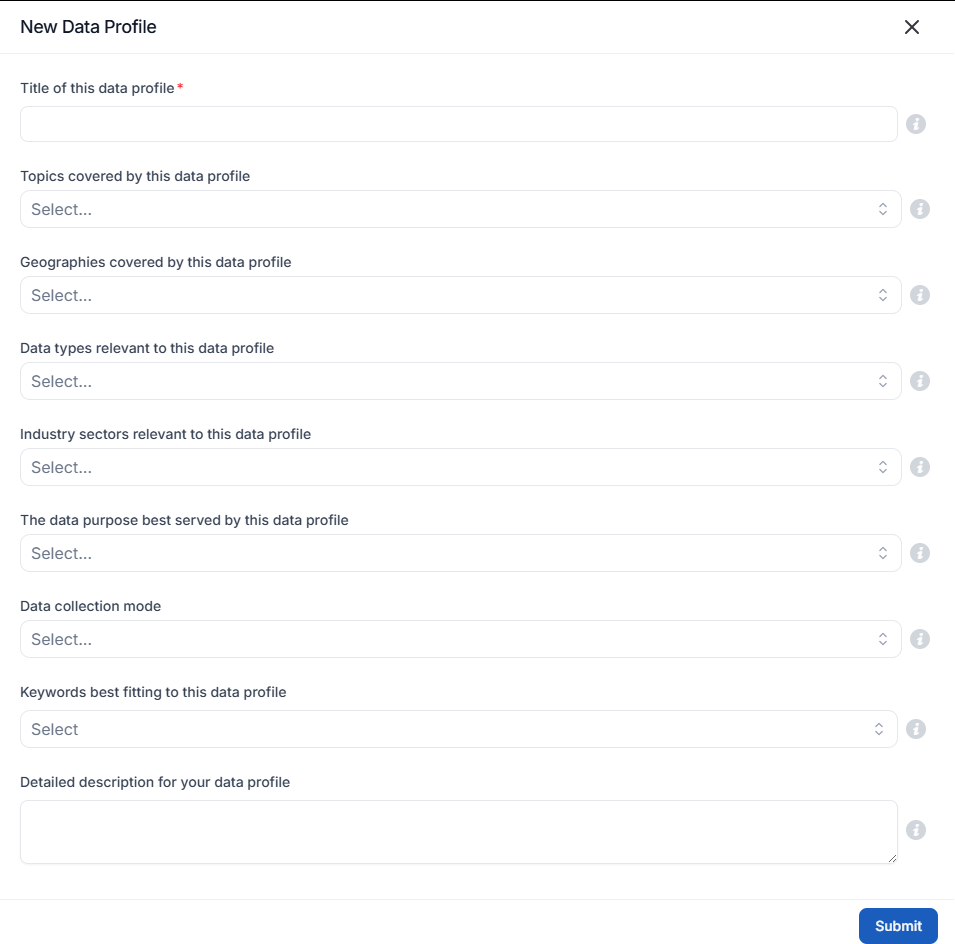
Wizard 5 (Data Profile)
- Title of the Data Profile: A clear and concise name that accurately represents the data being profiled.
- Topics Covered by the Data Profile: The primary subjects or themes that the data encompasses.
- Geographical Regions Covered by the Data Profile: The specific locations or areas where the data was collected or is relevant.
- Relevant Data Types: The kinds of data included, such as qualitative, quantitative, structured, or unstructured data.
- Industry Sectors Applicable to the Data Profile: The business domains or industries that can benefit from the data.
- Primary Purpose of the Data Profile: The intended use cases for the data, such as market research, trend analysis, or operational insights.
- Data Collection/Creation Methods: The techniques used to gather or generate the data, such as surveys, sensors, or manual input.
- Keywords Associated with the Data Profile: Relevant terms that improve searchability and categorization of the profile.
- Detailed Description of the Data Profile: A comprehensive explanation of the data, including its sources, structure, and potential applications.
Wizard 6 (Medias)
- Choose vendors: Select the vendor associated with this institute from the available list or create a new one.
- Link: Enter the full URL of the institution’s official social media page or profile.
- Description: Provide a detailed description of the institution, including its mission, values, and key offerings.