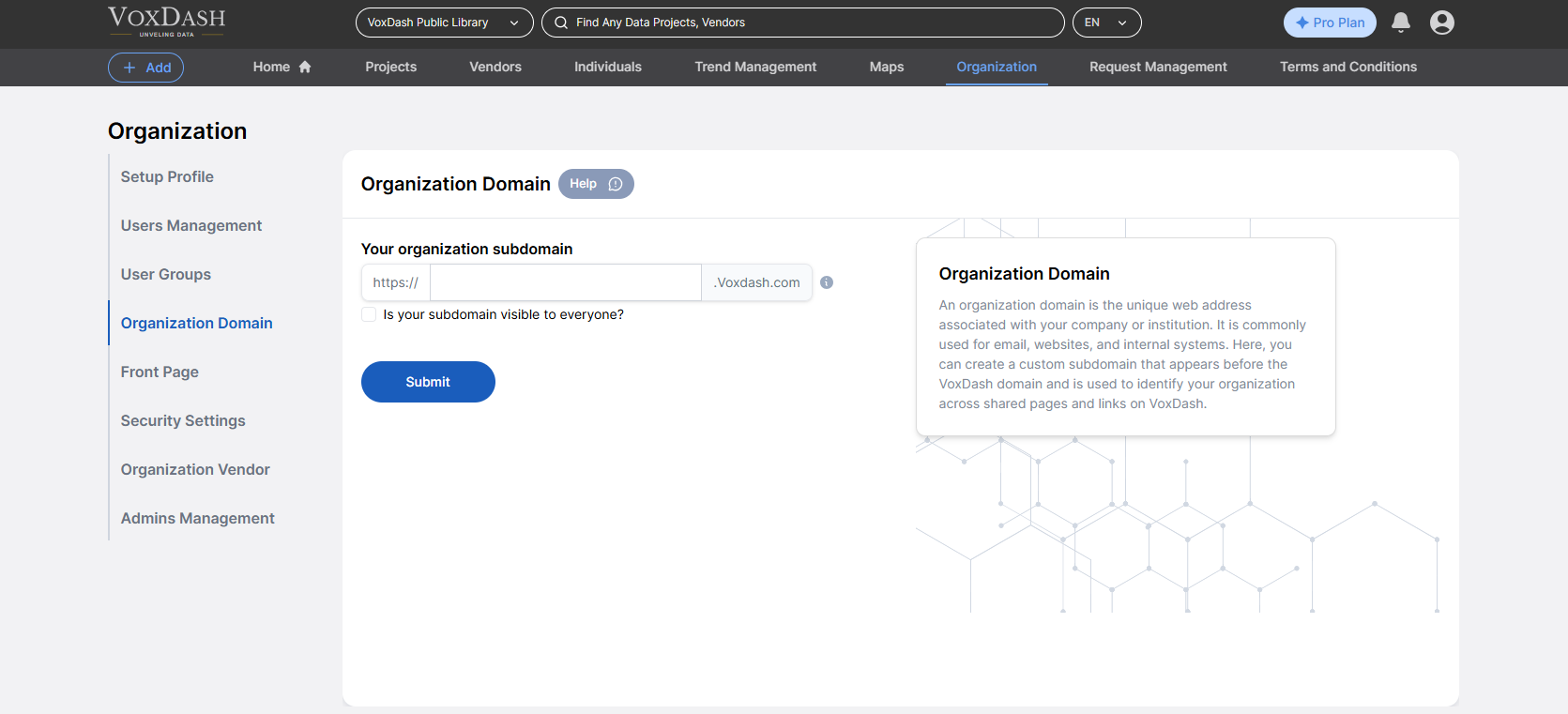
Organizations or upgraded users in VoxDash can create a custom homepage for their company by setting up an organization domain. This feature enhances your brand visibility, allows for customization, and provides a professional digital presence within the VoxDash ecosystem.

What Is an Organization Domain?

An organization domain is a unique subdomain (e.g., yourcompany.voxdash.com) representing your company or institution within VoxDash. It serves as a branded portal where visitors can view information, data contributions, and organizational identity.

Benefits of Setting an Organization Domain:

  • Enhances brand credibility and recognition
  • Establishes a centralized space for all your data activities
  • Provides a professional presence for public or internal users

Accessing Organization Domain

To begin:
  1. Open the Data Provider Panel.
  2. Go to the Organization Page from the main dashboard.
  3. Navigate to the fourth tab, labeled Organization Domain

Setting Up Your Homepage**

  1. Create a Subdomain
    Choose a unique subdomain for your organization.
  • You can decide whether this page is publicly visible or restricted to internal users only.
  1. Customize Your Homepage
    Personalize your page with the following:
  • Organization logo
  • Banner or featured image
  • Static text (e.g., About Us, Mission Statement, Services)

Additional Configuration Options

When setting up your homepage, the following options are available (depending on your subscription plan):
  • Hide Staff Identity
    Choose to anonymize the names of staff members who upload or manage datasets.
  • Display Your Logo Alongside VoxDash Branding
    Your organization’s logo can appear next to the VoxDash logo for co-branding.
  • Enhanced Access and Features for Upgraded Plans
    These customization options and privacy settings are available exclusively to users on higher-tier plans.