

Date Format
You can choose how dates are displayed throughout the platform. This affects:- Dashboard timestamps
- Report exports
- Activity logs
- Access granted and expiration dates
- Data tables
Available Options (Examples)
- MM/DD/YYYY (e.g., 02/15/2026)
- DD/MM/YYYY (e.g., 15/02/2026)
- YYYY-MM-DD (e.g., 2026-02-15)
Time Format
You can choose between:- 12-hour format (AM/PM)
- 24-hour format
- Dashboard activity timestamps
- Report generation times
- Access request logs
- Notification timestamps
Time Zone
You can set your preferred time zone to ensure all timestamps reflect your local time. This setting impacts:- Data refresh times
- Report scheduling
- Access granted timestamps
- Expiration dates
- User activity logs
Why These Settings Matter
Correct date and time configuration helps:- Avoid reporting errors
- Prevent misunderstandings in data analysis
- Align cross-team communication
- Maintain accurate compliance records
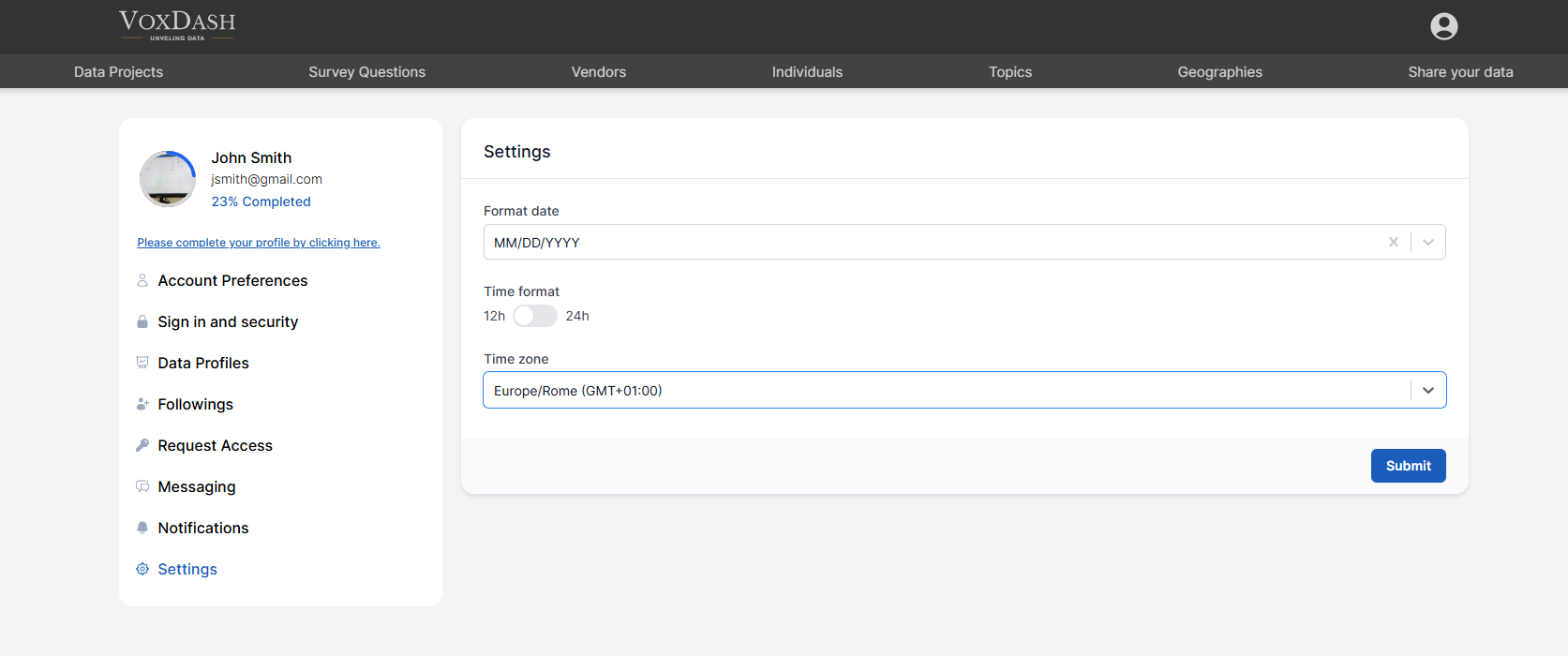
Saving Changes
After adjusting your preferences:- Click Submit
- Refresh the page (if needed) to apply updates