

How to View Survey Administration Questions
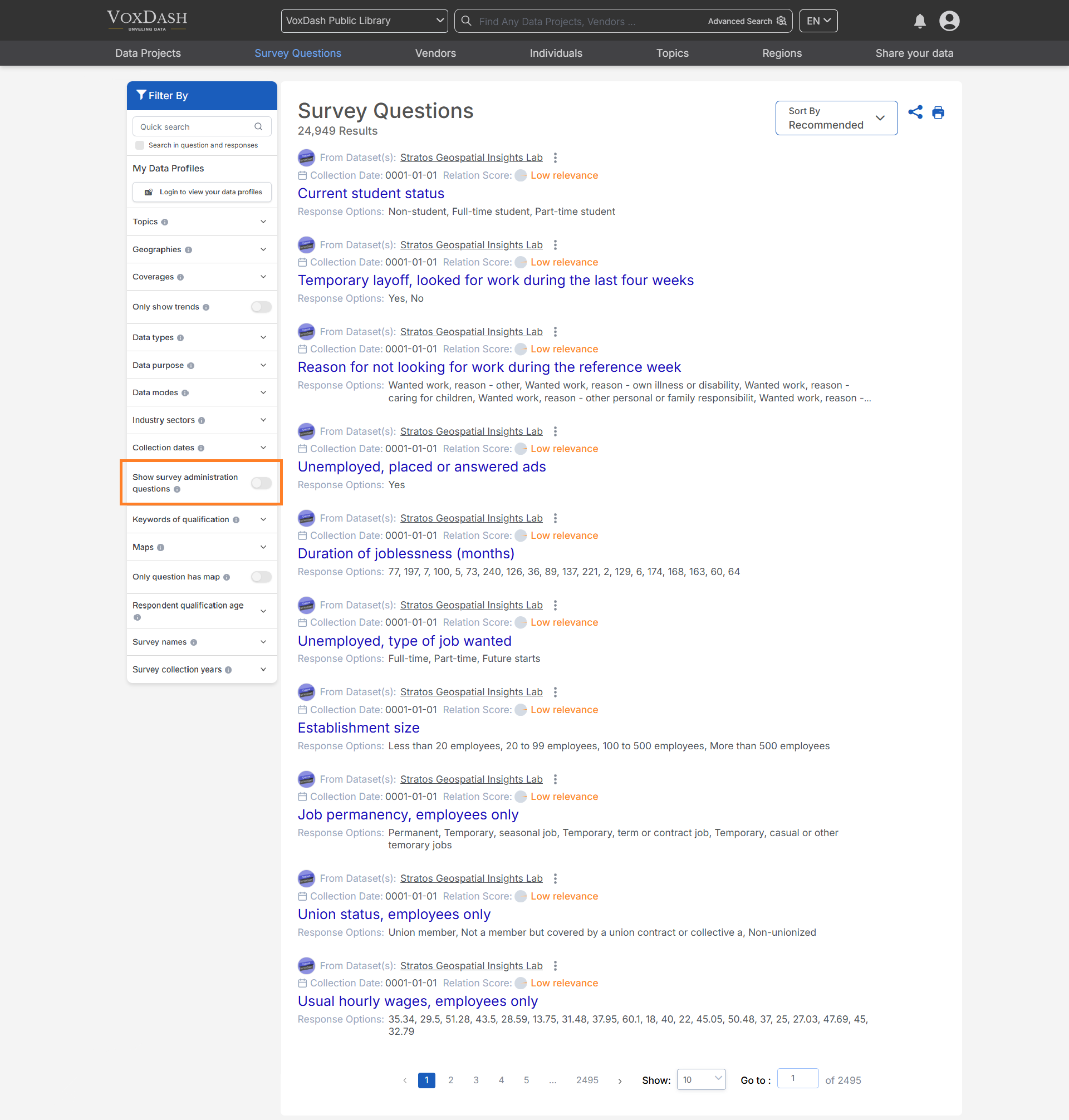
- Go to the Survey Questions Section of your data project.
- Use the Filter option and select Show Administration Questions.
- The list will now display all survey questions, including those hidden by default.
Adding Survey Administration Question Variables
You can include survey administration questions in your data project before uploading it to VoxDash by preparing your Survey file as follows:- Open your Survey data project.
- Identify variables that you want to exclude from analysis but still keep in the data project (for example, internal notes or incomplete responses).
- Add the prefix Hide_ to the variable names for those fields.
Hide_TestVariable, Hide_InternalNotes.
Learn more about preparing your SPSS here
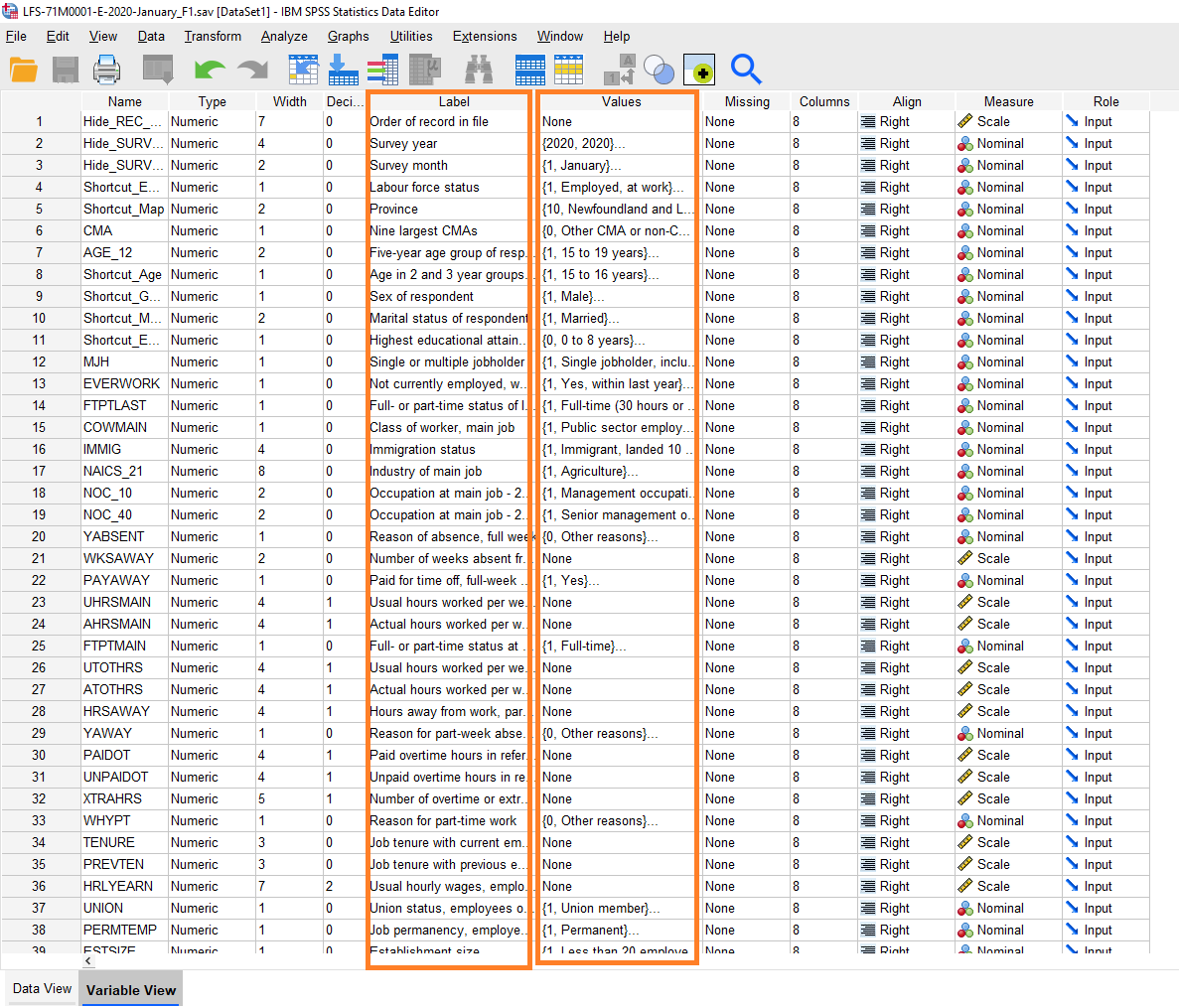
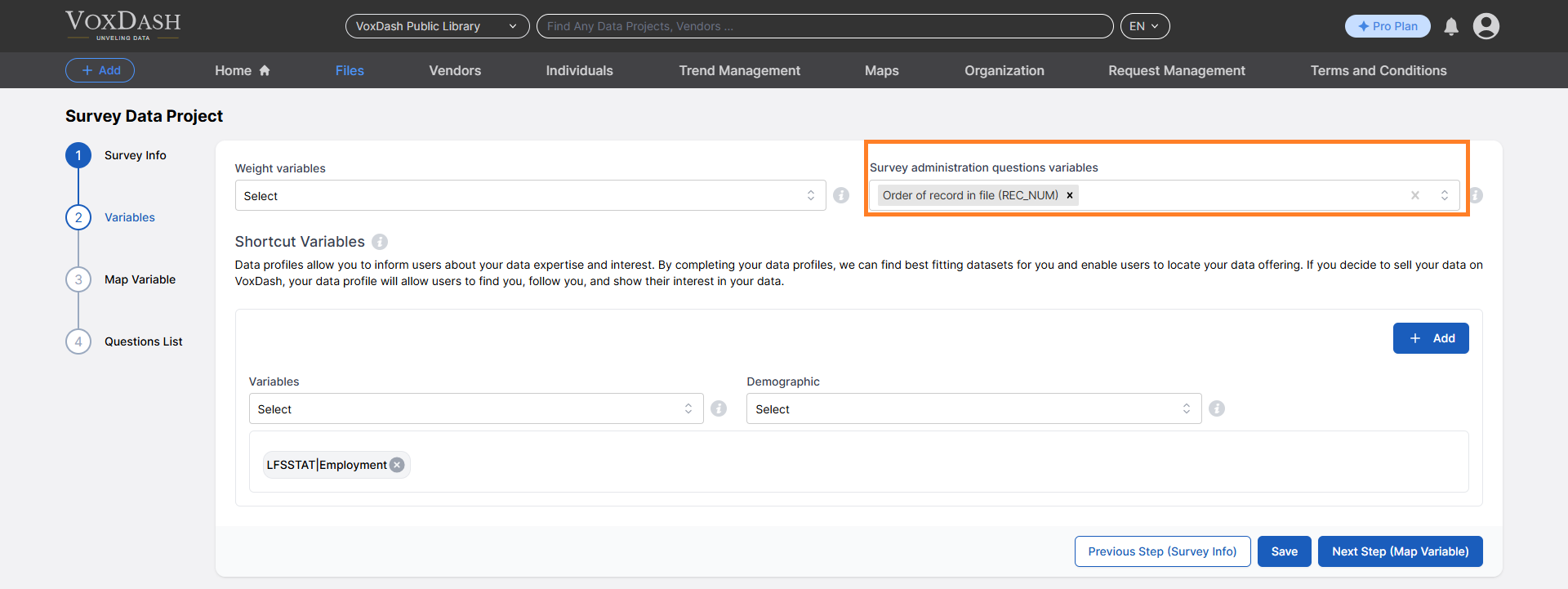
- You can perform this step directly in SPSS or add the administration questions later in the Survey Data Entry Wizard 2 during data preparation.
Notes
- Administration questions are intended primarily for internal tracking and should generally not be used in reports or dashboards.
- Revealing hidden questions can be useful for audit trails, quality control, or when refining survey design.
- You can learn more about preparing your Survey file before uploading it into VoxDash, Click here.