

- Any user can view and use data in the VoxDash Public Archive.
- Each organization in VoxDash has its own data, and owners can switch between the organizations through the header.
- Each organization can invite other organizations to join them via the data provider panel.
Key Features of an Organization in a Public Panel
Access to All Published Projects
Within the Public Panel, you can:- View all uploaded data projects
- Analyze data through each question
- View all vendors and individuals in VoxDash and learn more about their work.
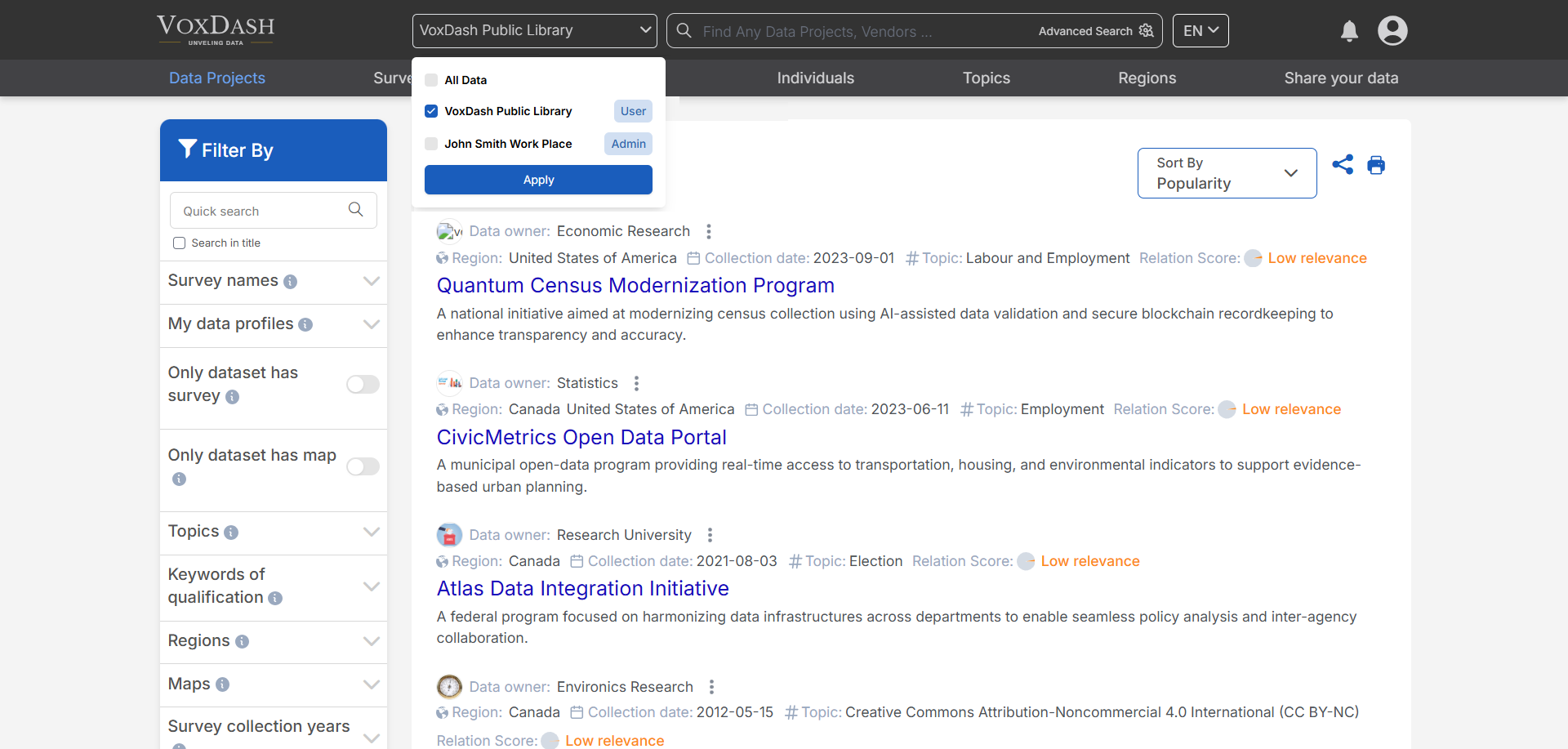
How to Select or Add an Organization
- Locate the Header Menu: At the top of the website, you will see a dropdown or clickable menu labeled with the current organization name.
- Click to Expand the Menu: Click the organization name to open the list of organizations available to your account.
- Choose an Organization: Select the desired organization from the list. Once selected, VoxDash will load data and dashboards specific to that organization.