

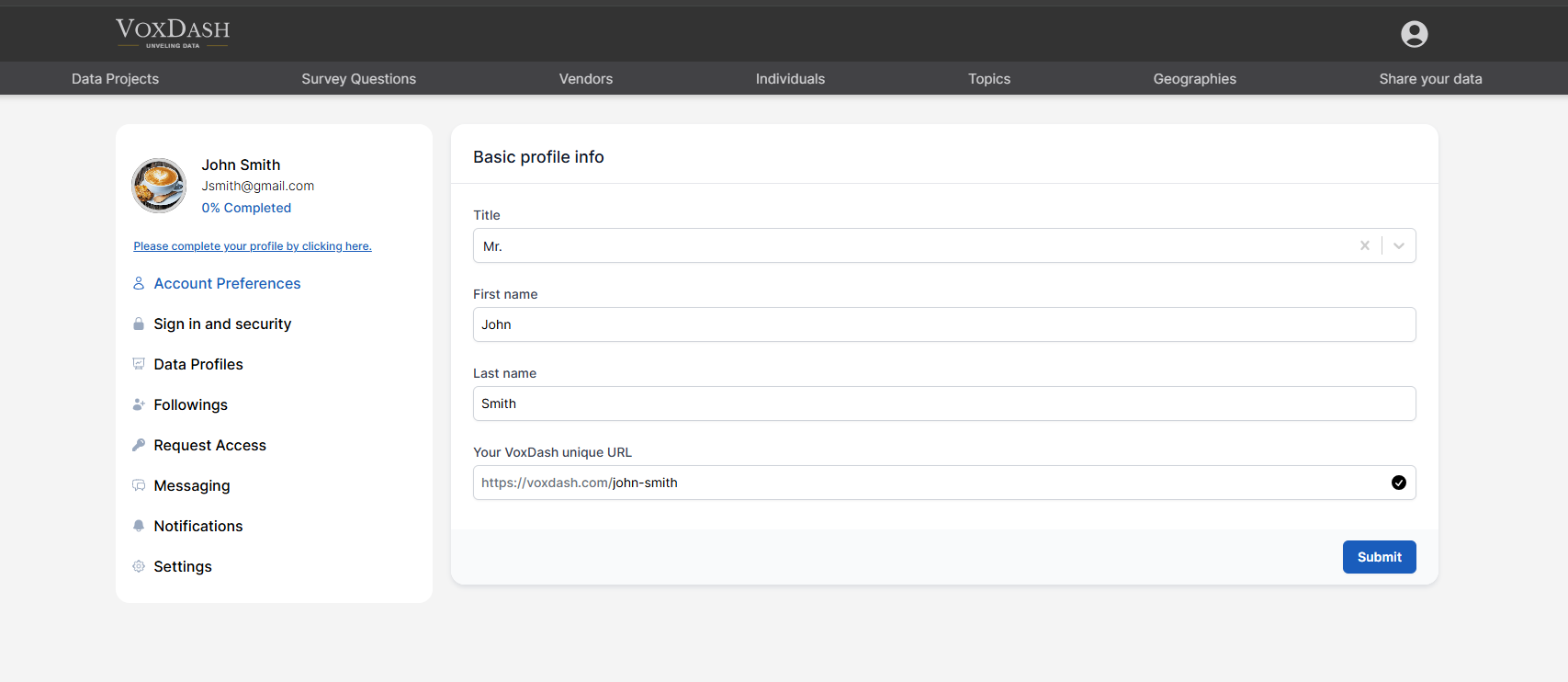
1. Basic Profile Information
On this page, you can complete and edit your core profile details, including:1.1 Title
Select or enter your professional title (for example: Dr., Mr., Ms., Prof., Manager). Your title may appear in shared reports, project ownership details, and collaboration views.1.2 Name
Enter your full name as you would like it displayed on:- Shared datasets
- Reports
- Public project pages
- Internal collaboration views
1.3 VoxDash Unique URL
Your VoxDash Unique URL is your personalized profile link within the platform. This URL:- Identifies you within the system
- Can be shared with collaborators
- May appear on public datasets (if enabled)
- Enhances your professional visibility
- Use a clean, professional format (e.g., yourname, companyname, or firstname-lastname)
- Avoid special characters or unnecessary numbers
- Keep it consistent with your organization branding (if applicable)
2. Completing Your Full Profile
In addition to the basic information on the Account Preference page, you can further customize your profile by navigating to:- Data Provider Settings
- Organization Settings
- Profile Setup Section
- Add organization details
- Upload a profile picture or company logo
- Provide contact information
- Configure notification preferences
- Manage data visibility and sharing settings
- Increase credibility when sharing datasets
- Improve collaboration within teams
- Enhance discoverability in analytics and eCommerce projects
- Build trust with external stakeholders
- Keep your profile information accurate and updated.
- Use professional naming conventions.
- Ensure your unique URL aligns with your brand or organization.
- Review your settings periodically to maintain security and visibility preferences.