

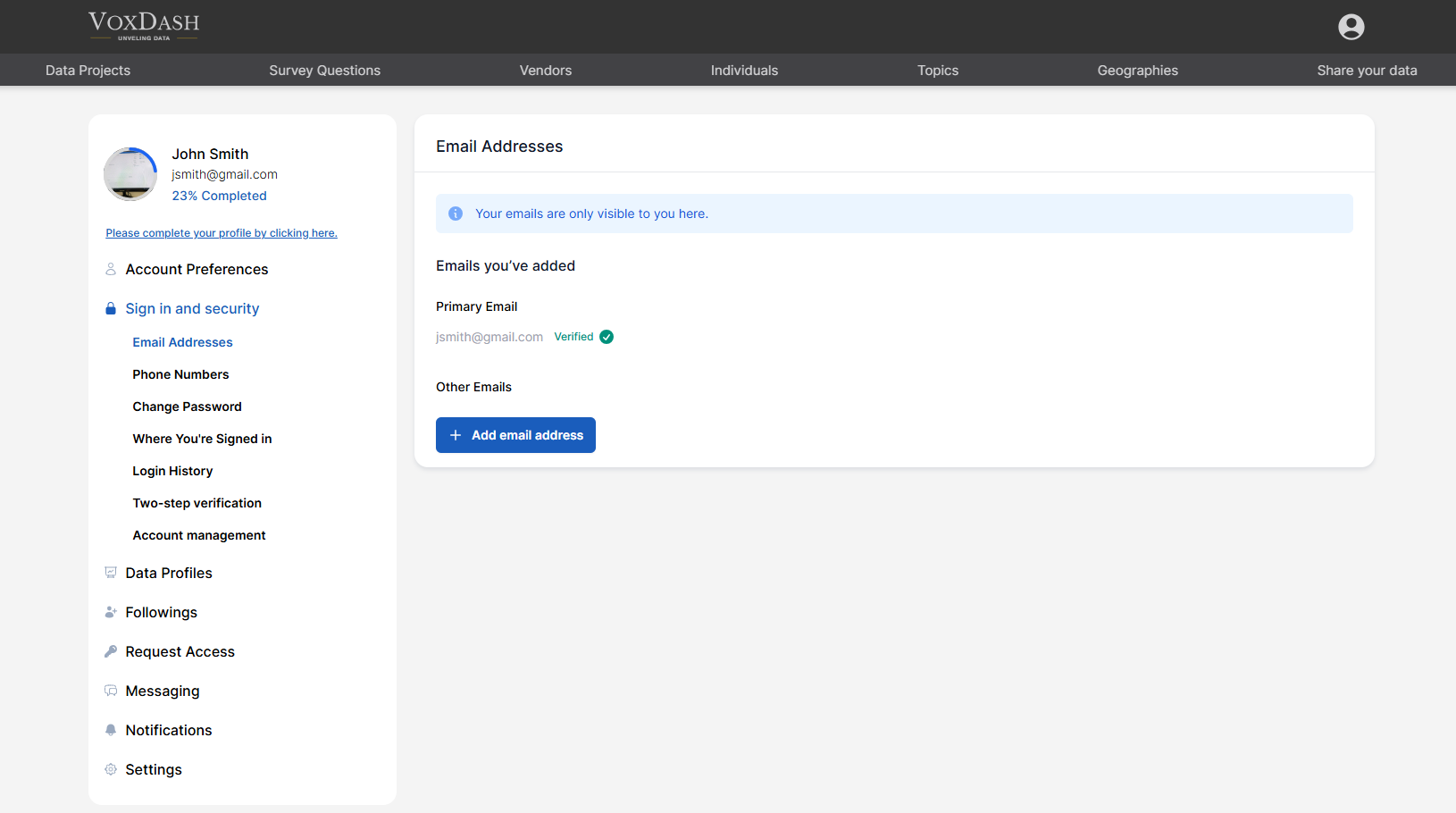
1. Email Addresses
In this section, you can manage all email addresses associated with your account. You can:- View your primary email address
- Add additional email addresses
- Set a different email as your primary address
- Verify newly added email addresses
Why Verification Is Important
You must verify your email address to:- Access certain platform features
- Receive system notifications
- Reset your password securely
- Receive project or collaboration updates
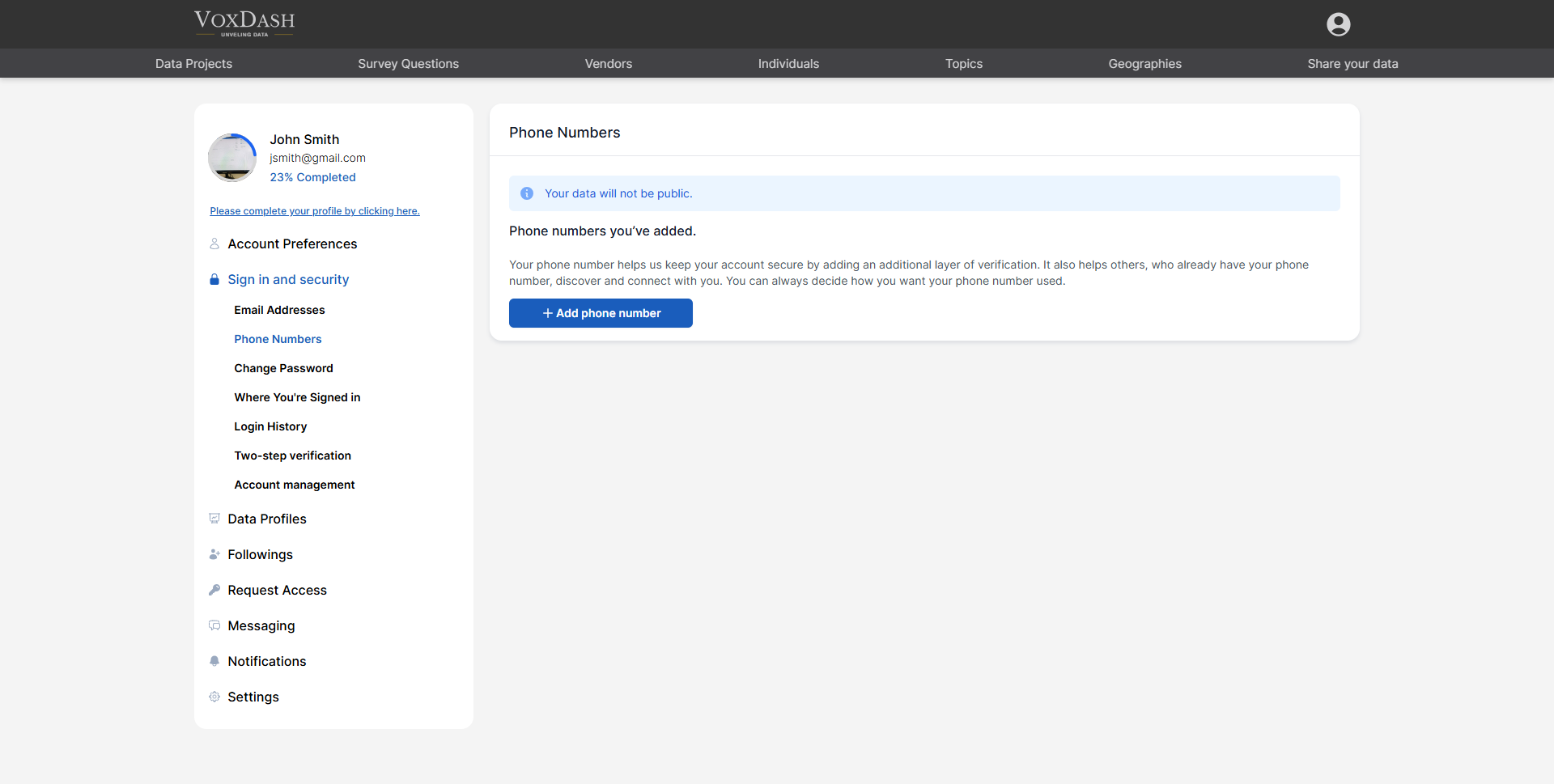
2. Phone Numbers
Here, you can manage the phone numbers associated with your account. You can:- Add or remove phone numbers
- Set a primary phone number
- Use a phone number for password recovery
- Enable security verification via SMS
Why Add a Phone Number?
Your phone number:- Adds an additional layer of security
- Helps verify your identity during login
- Supports two-step verification
- Can be used for password resets
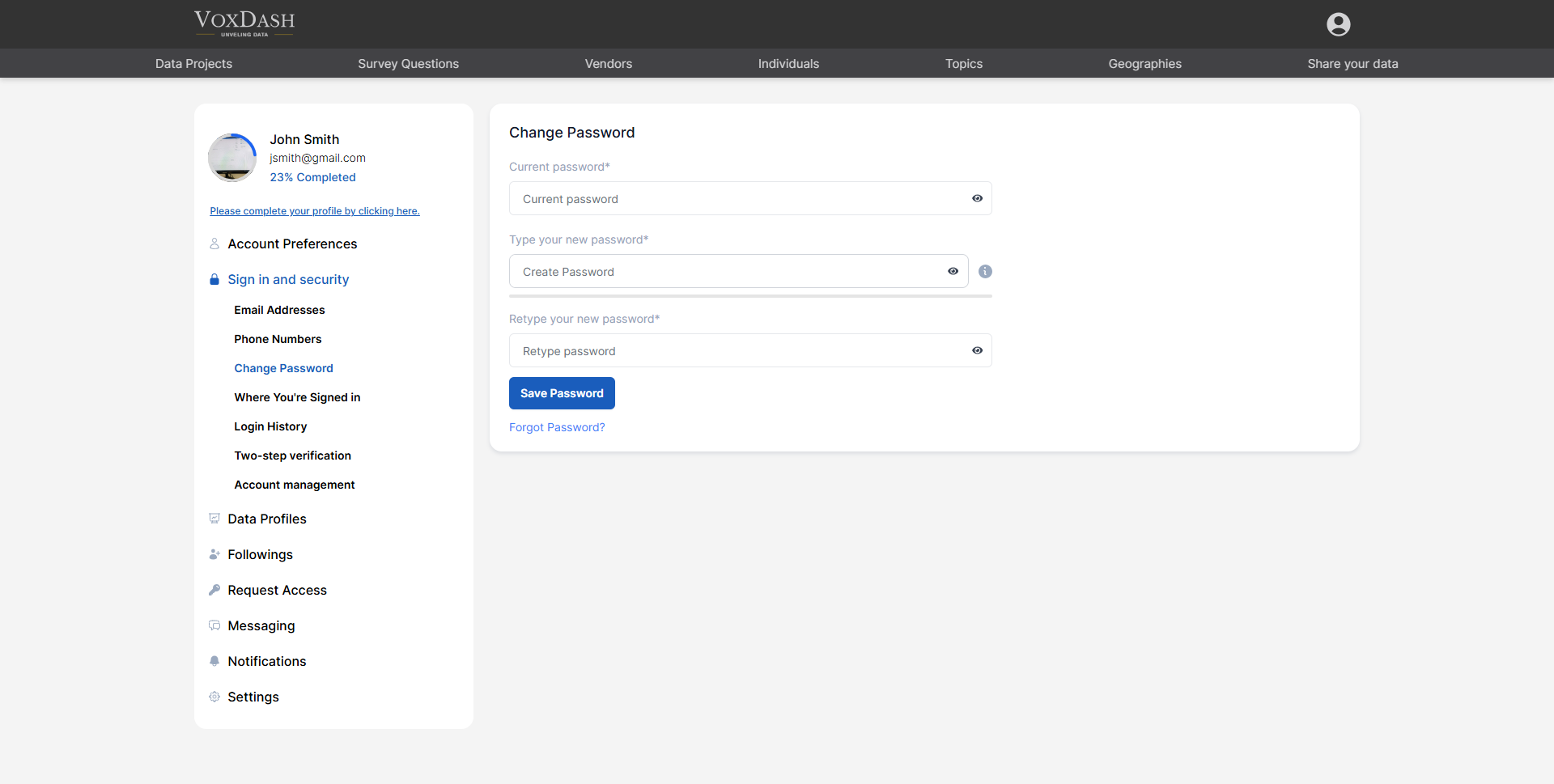
3. Change Password
Use this option to update your account password. To change your password:- Enter your current password.
- Enter your new password.
- Confirm the new password.
- Save changes.
Password Best Practices
For stronger security:- Use at least 8–12 characters
- Include uppercase and lowercase letters
- Add numbers and special characters
- Avoid using easily guessed words or personal information
- Do not reuse passwords from other platforms
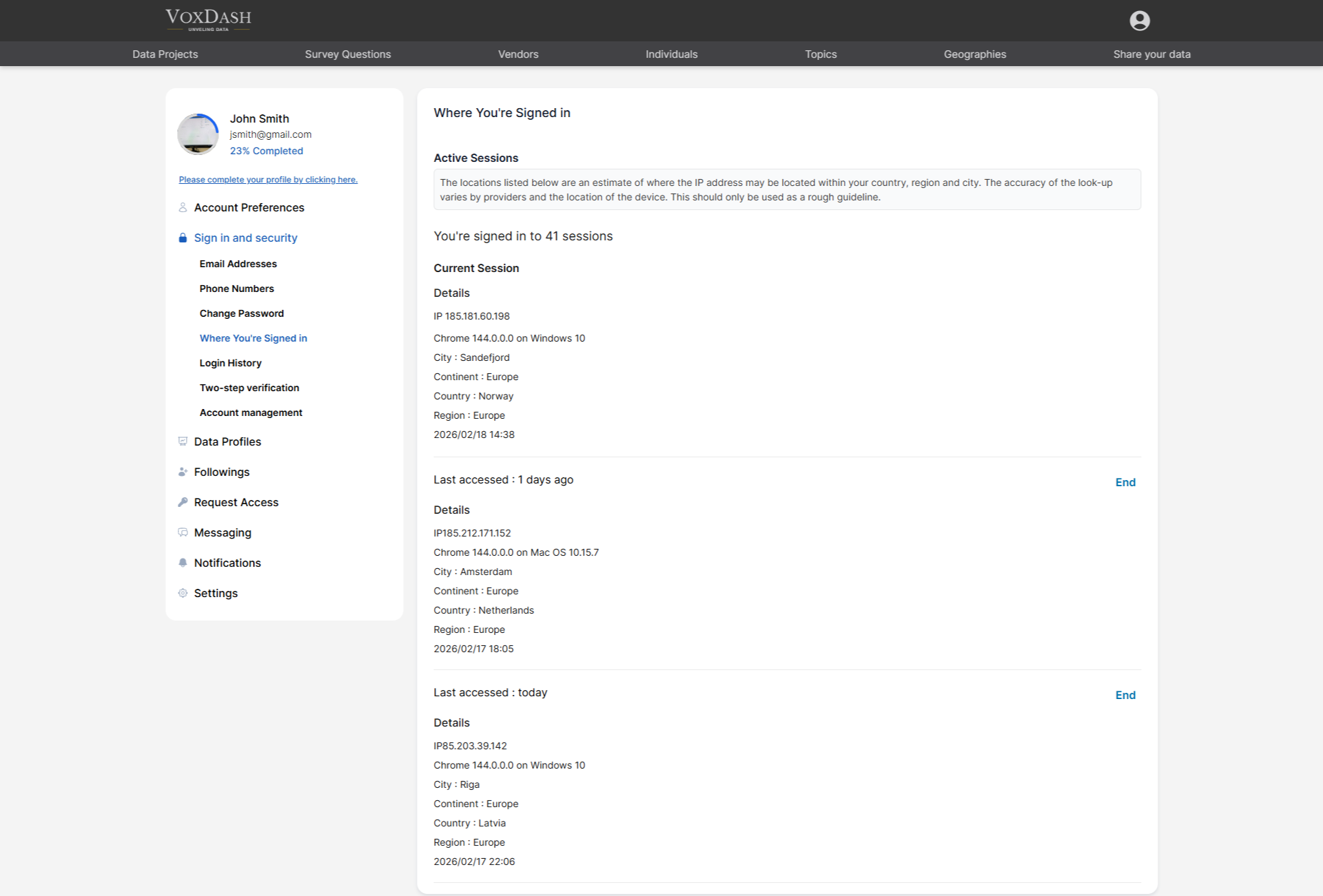
4. Where You’re Signed In
This section displays all active sessions associated with your account. You can view detailed information about:- Current session
- Other active sessions
- IP address
- Browser (e.g., Chrome) and operating system version
- Continent
- Country
- Region
- Date and time of access
Why This Matters
This feature helps you:- Monitor suspicious activity
- Identify unknown devices
- Track access locations
- Log out of sessions remotely (if available)
5. Login History
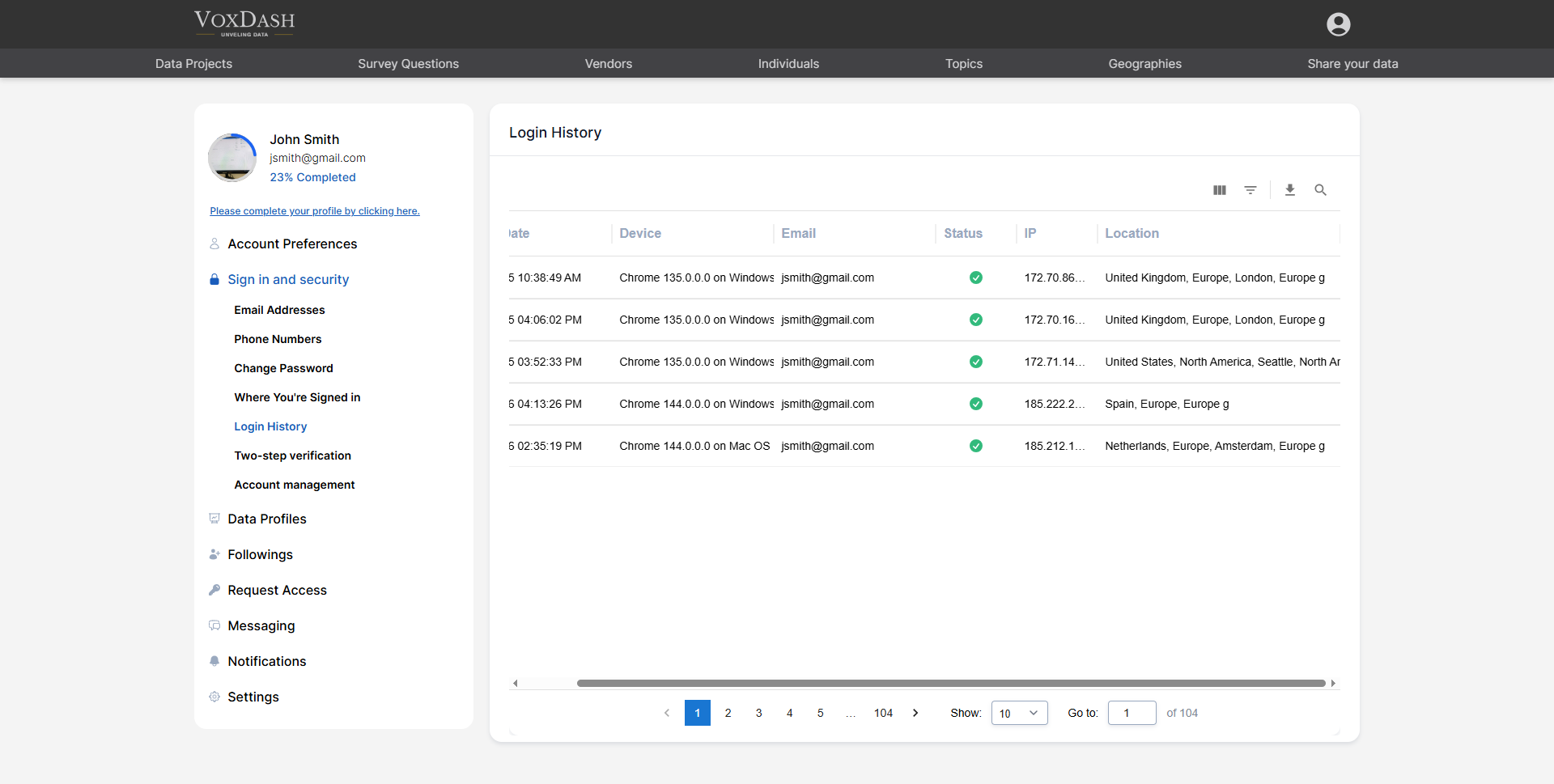
The Login History table provides a complete record of your account login attempts. The table includes:- Created date
- Device used
- Email address
- Login status (successful or failed)
- IP address
- Location
Use Cases
Login history helps you:- Audit account activity
- Investigate unauthorized access attempts
- Maintain compliance in regulated environments
- Improve overall account security awareness
6. Two-Step Verification (2FA)
Two-step verification significantly enhances your account security. When enabled, you must enter a verification code in addition to your password when:- Signing in on a new device
- Accessing from a new location
- Performing sensitive actions (if applicable)
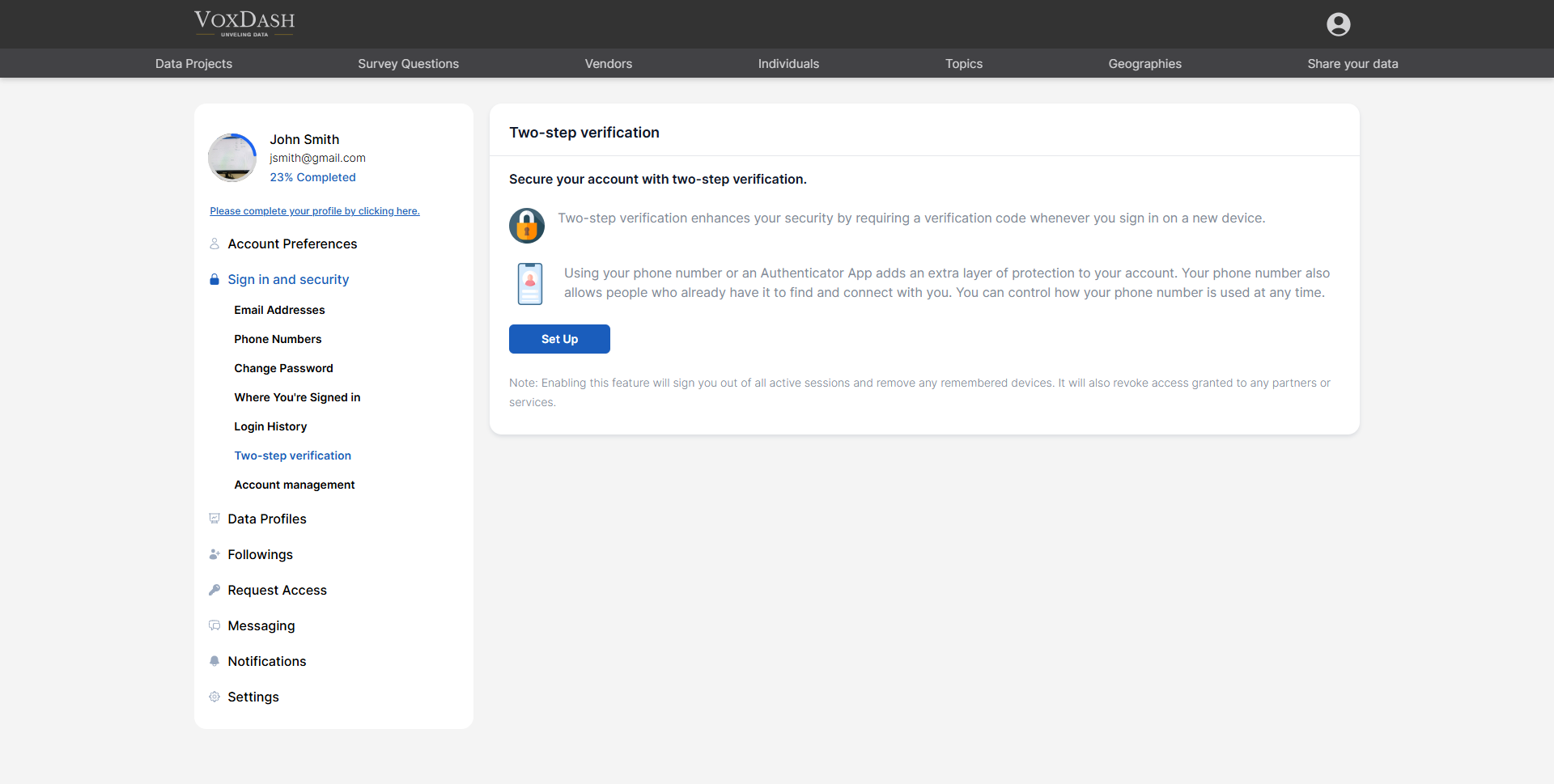
- Your phone number (SMS verification)
- An authenticator app
Benefits of Two-Step Verification
- Prevents unauthorized access even if your password is compromised
- Protects sensitive analytics and eCommerce data
- Adds an extra identity confirmation layer
Important Note
Enabling two-step verification will:- Sign you out of all active sessions
- Remove remembered devices
- Revoke access granted to certain partners or services (if applicable)
7. Account Management
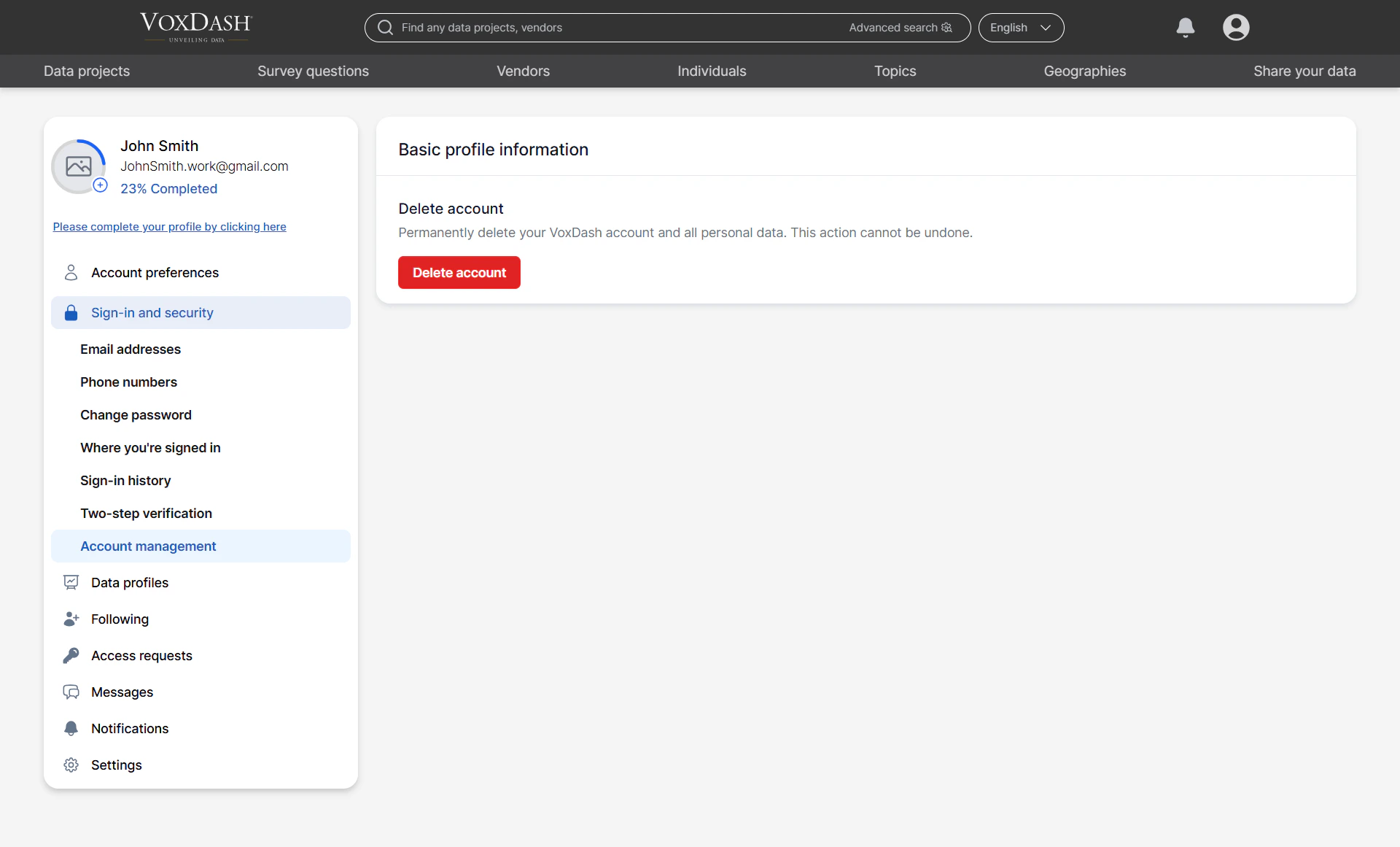
Delete Account: You can permanently delete your account from this section. Warning: Deleting your account may:- Remove access to all projects
- Permanently delete associated data
- Revoke shared access
- Remove analytics history
- Download any important data
- Transfer project ownership (if applicable)
- Inform collaborators before proceeding
Security Best Practices Summary
To keep your account secure:- Use a strong, unique password
- Verify your email and phone number
- Enable two-step verification
- Regularly review login history
- Monitor active sessions
- Log out from unfamiliar devices