

- Create a new vendor specifically for your organization, or
- Link an existing vendor that has already been added to the platform.
Accessing Vendor Settings
- Open the Data Provider Panel.
- Go to the Organization Page from the main dashboard.
- Navigate to the Organization Settings.
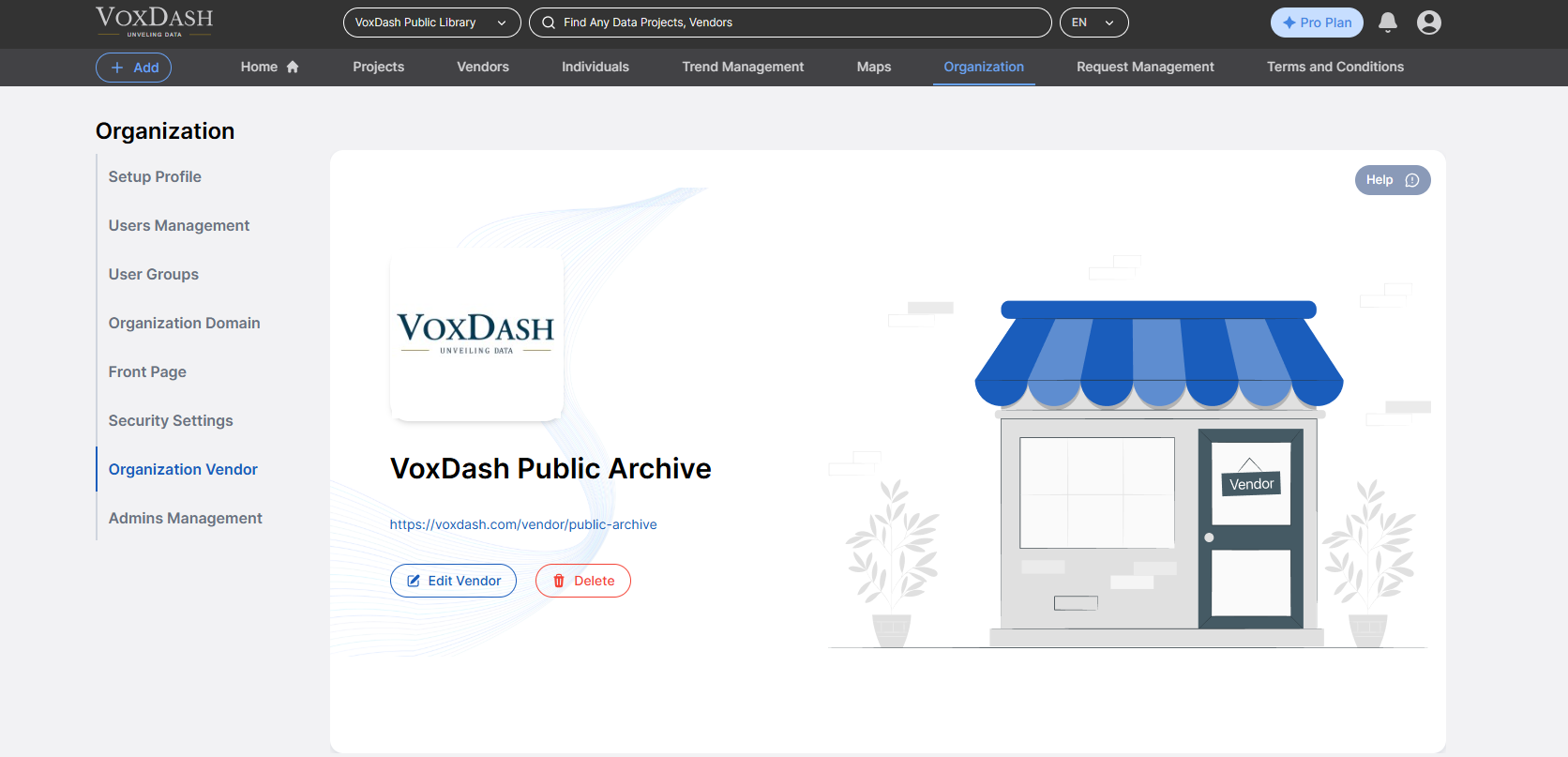
How to Create or Link a Vendor
Follow these steps to add or link a vendor to your organization:- Click on the “Add Vendor” button.
- Choose whether to:
- Create a new vendor by entering the required details (e.g., name, contact info…).
- Select an existing vendor from the dropdown list.
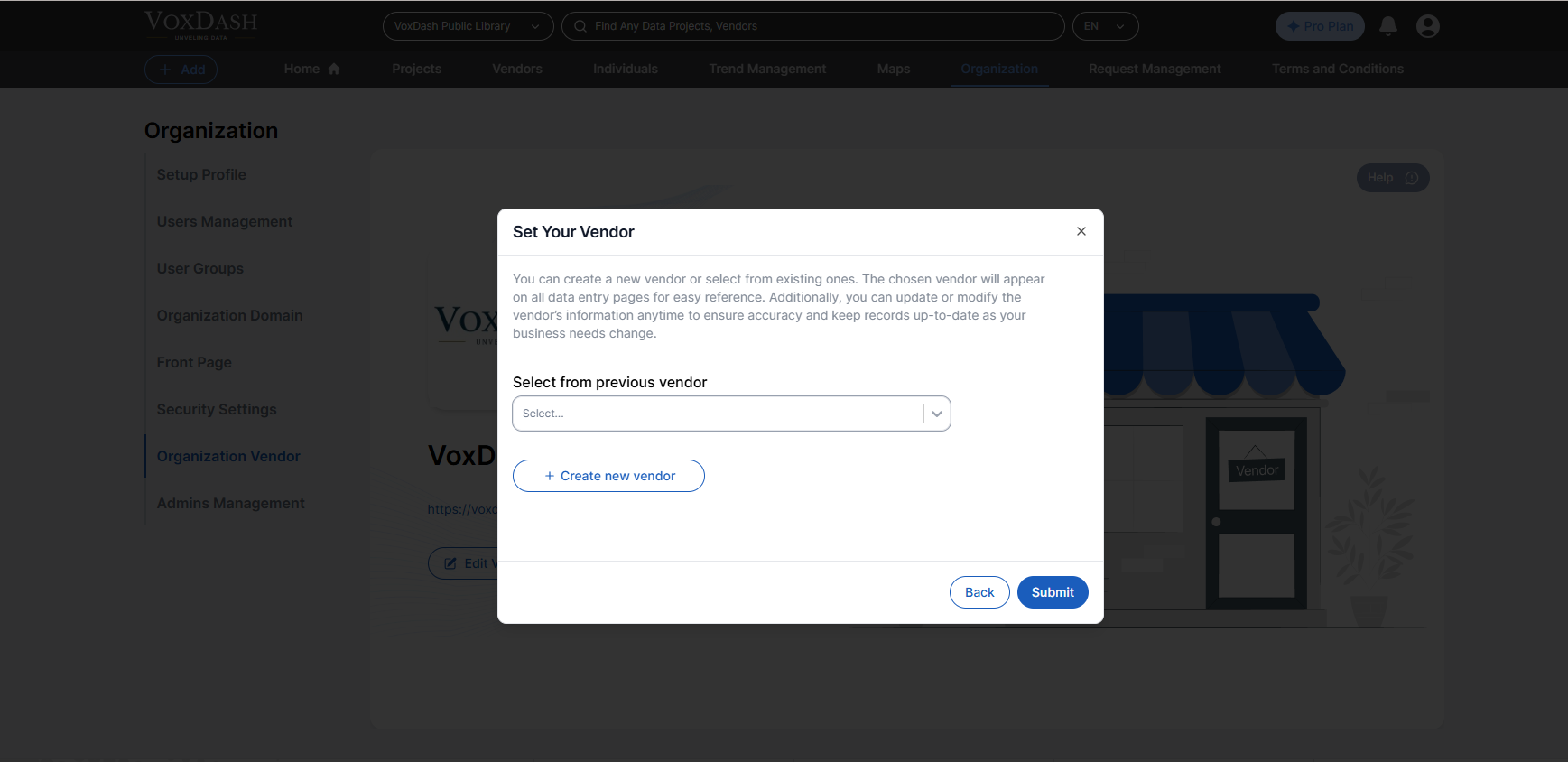
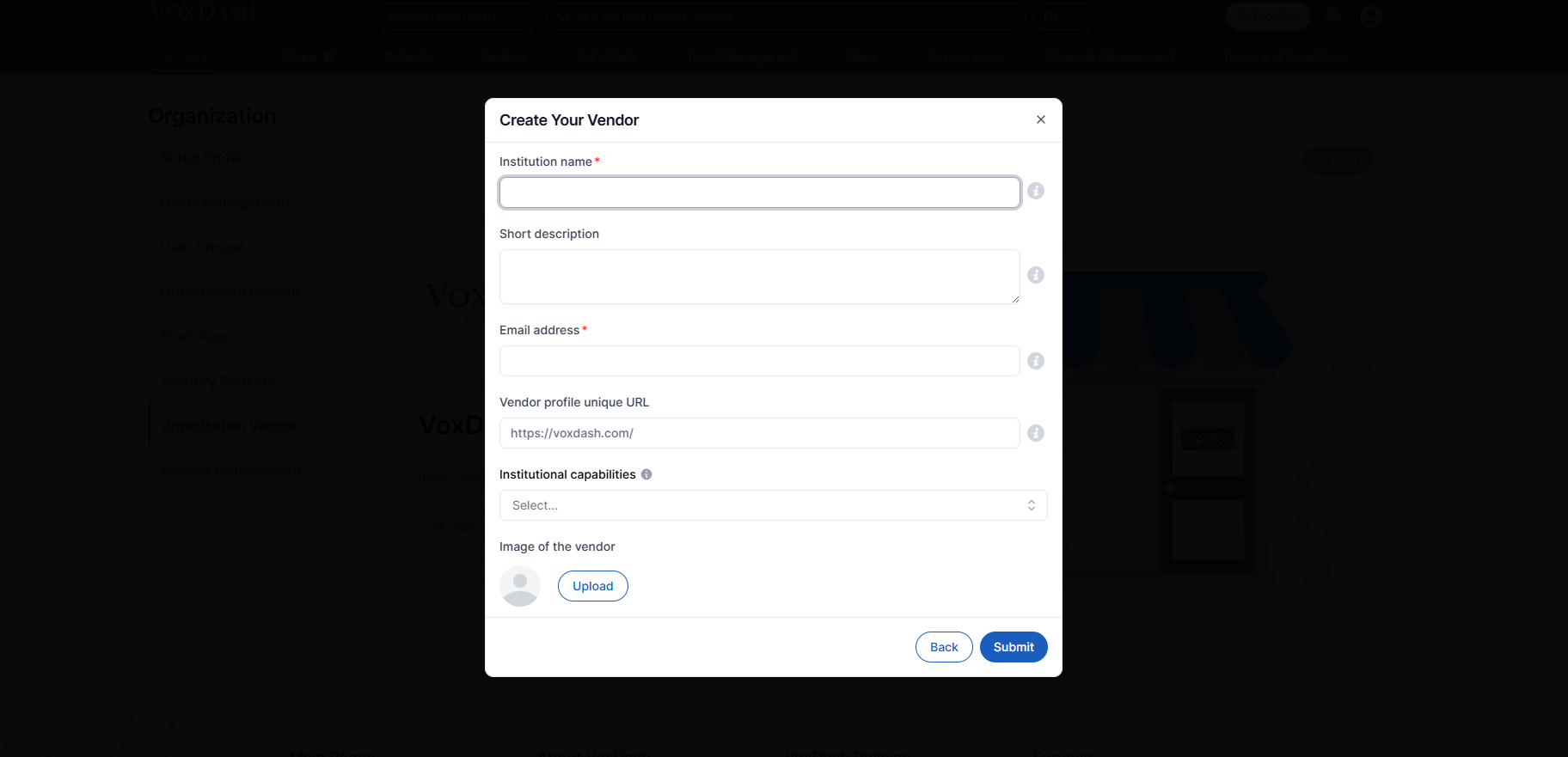
- Confirm and save your changes.
Why Connect a Vendor?
- Assign survey and data collection tasks to external partners
- Organize data workflows by external collaborators
- Maintain transparency and accountability across vendors
- Easily control vendor access permissions and roles