

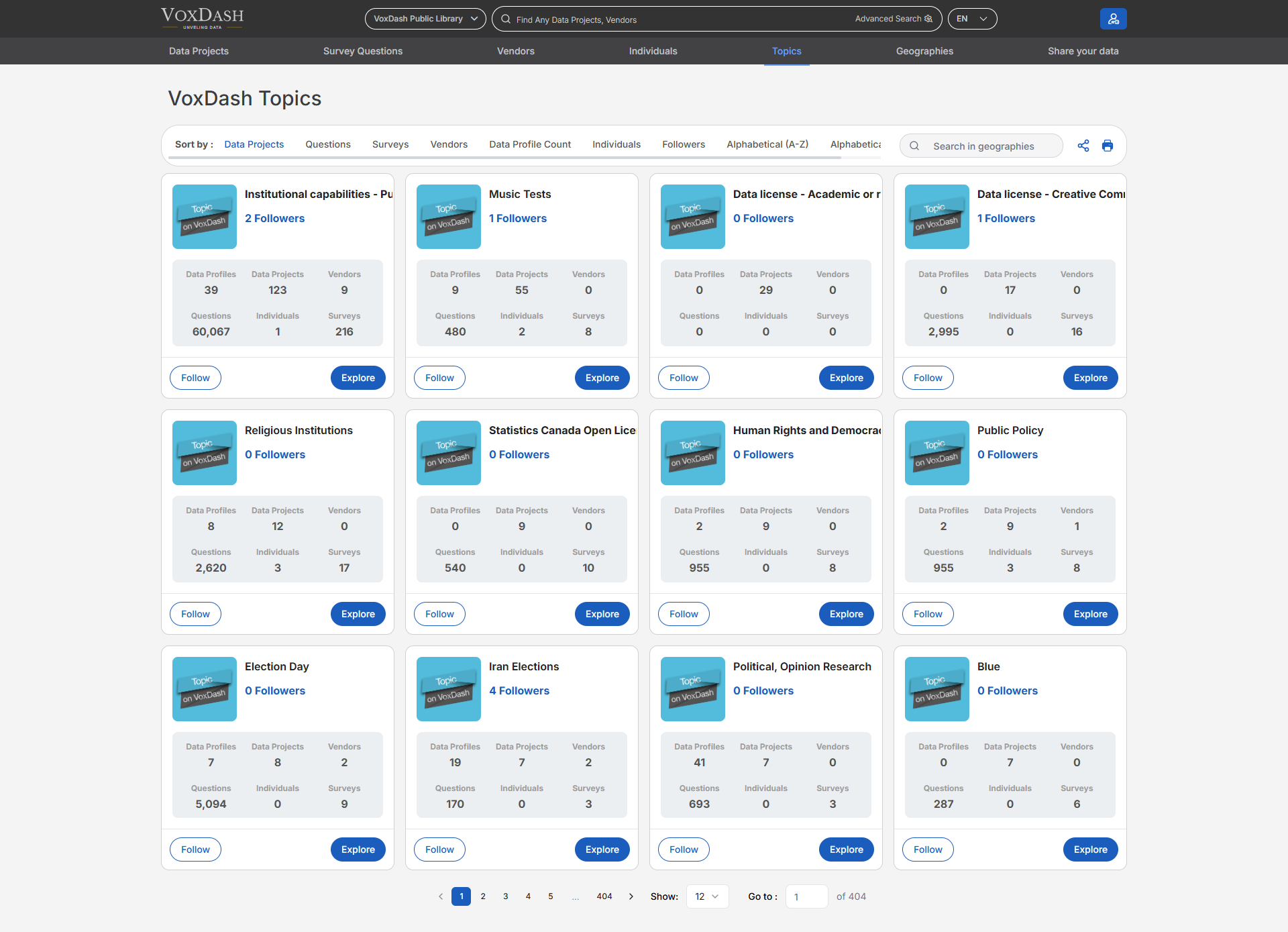
Overview
Topics can be applied in various topic-related fields during data entry, such as:- Data Profiles
- Data Projects
- Surveys and survey questions
- Vendors and individuals By using topics consistently, users can create meaningful relationships between datasets and enable better filtering, reporting, and analysis.
Viewing Available Topics
On the Topics List page, users can:- View all approved topics available on VoxDash
- Browse topics alphabetically or scroll through the full list
- Quickly understand how widely each topic is used across the platform Each topic entry displays usage statistics, helping users identify popular or highly relevant topics.
Topic Usage Metrics
For each topic, the list shows the number of related items, including:- Data Profiles associated with the topic
- Data Projects linked to the topic
- Vendors connected to the topic
- Individuals associated with the topic
- Surveys that include the topic
- Questions tagged with the topic
Followers
Each topic displays the number of followers, indicating how many users are actively tracking it. Users can:- Follow topics they are interested in
- Receive updates or easily access followed topics later (based on platform settings)
Creating New Topics
Users can create new topics directly during the data entry process when an existing topic does not meet their needs.Topic Approval Process
- Newly created topics are initially visible only to the creator
- The main admin reviews and approves new topics
- Once approved, the topic becomes available to all users across VoxDash
- If a topic is not approved, it remains visible only to the user who created it
Key Benefits of Using Topics
- Improves data organization and categorization
- Enables better search, filtering, and reporting
- Connects related data across projects and profiles
- Help users discover relevant datasets and insights