

Accessing the Audit Trail
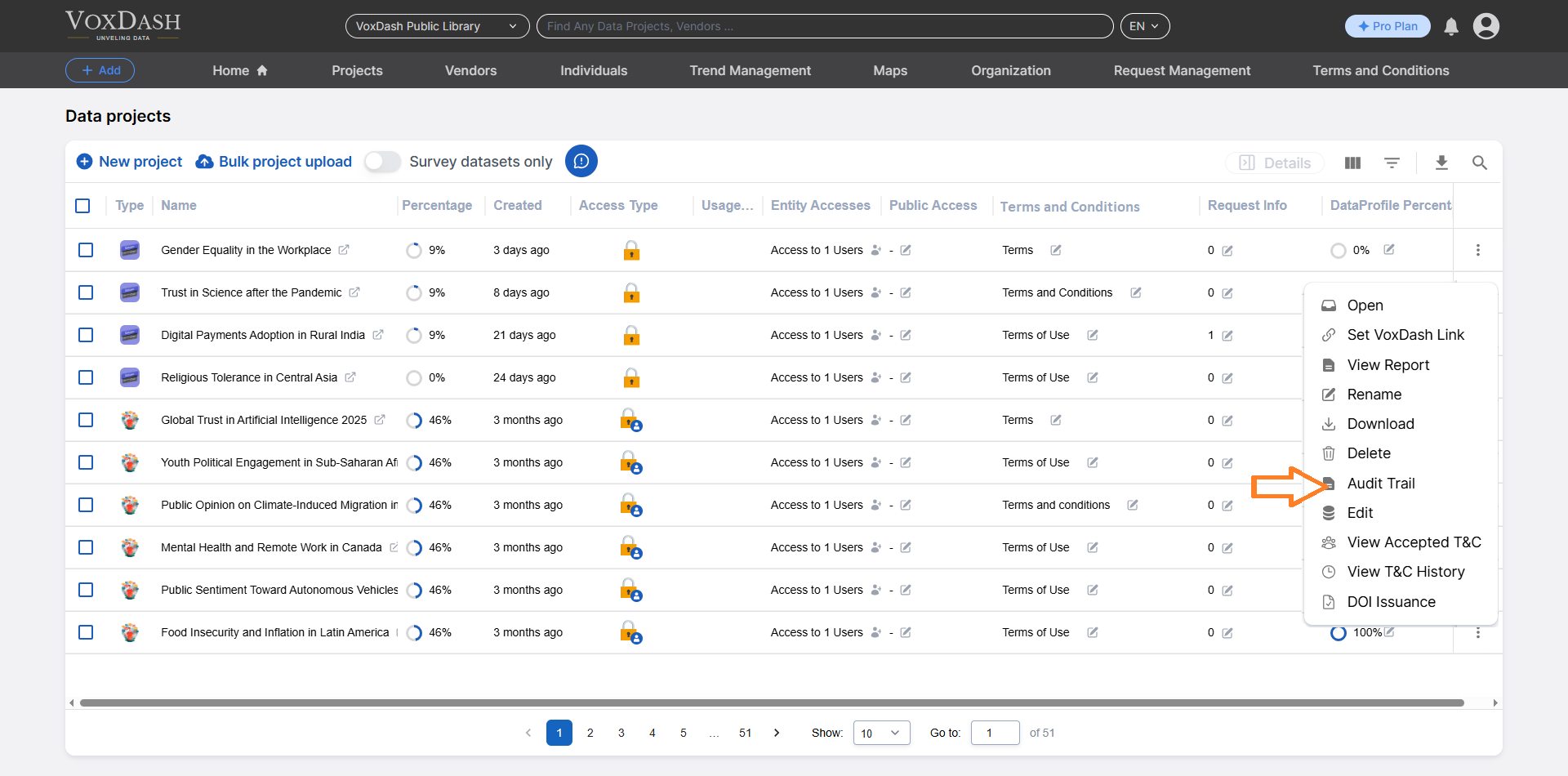
To view the Audit Trail for a dataset:- Navigate to the Data Provider section of the platform.
- Open the File Manager tab.
- Locate the dataset you want to review.
- Click on the menu (⋮) next to the dataset.
- Select Audit Trail from the dropdown options.
What Information is Available?
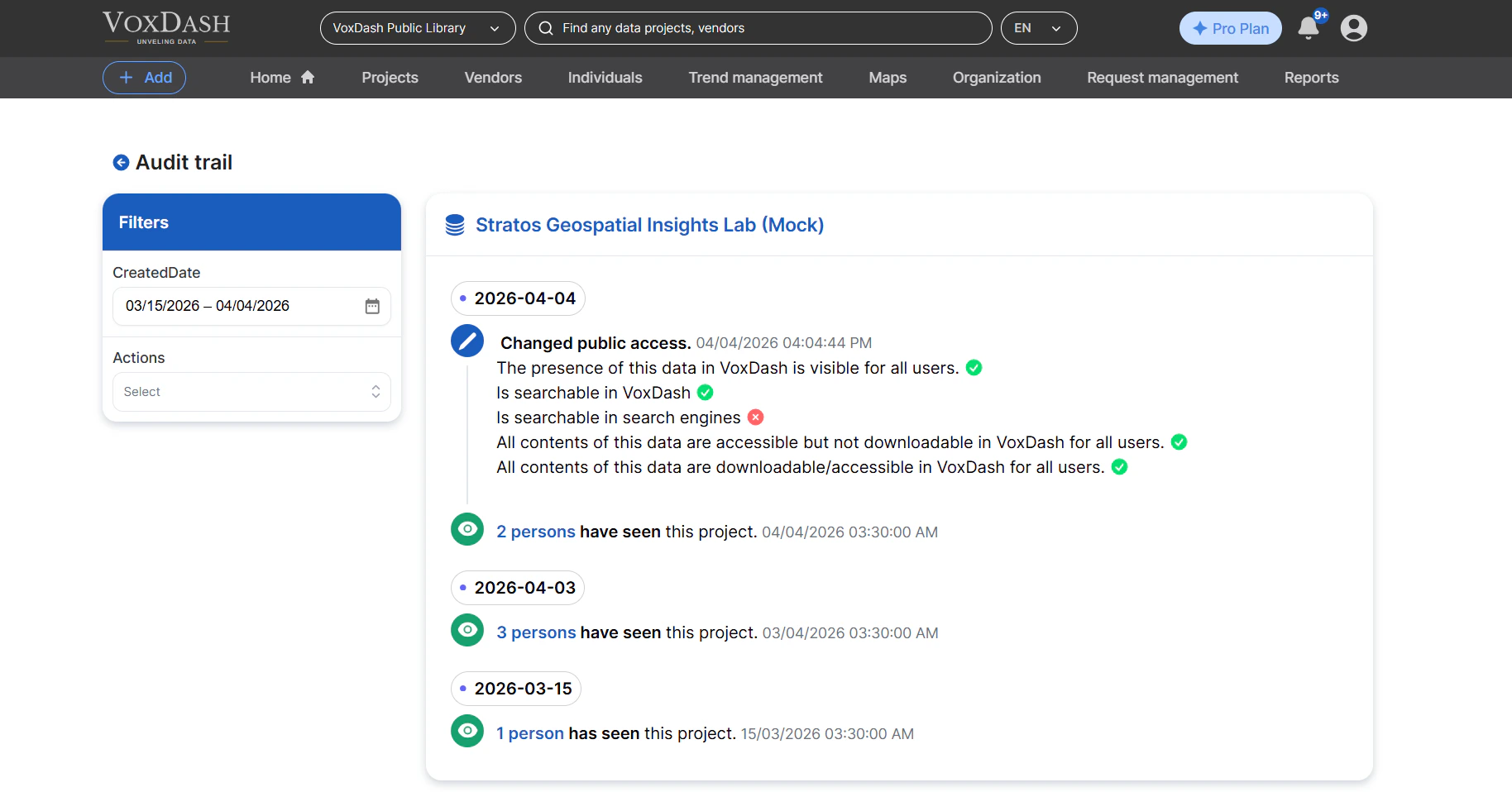
The Audit Trail provides a detailed, date-based log of activities associated with each dataset. The following types of information are included:- Public Access Changes Track when a dataset’s visibility has been modified (e.g., made public or restricted).
- Page View Reports Monitor how often the dataset has been viewed, helping you understand engagement and usage trends.
Using Filters
The Audit Trail includes a filtering system to help you quickly locate relevant records. Administrators can refine the displayed data using the following filters:- Created Date Filter records based on when the activity occurred.
-
Action Type
Filter by specific types of actions performed on the dataset. Available actions include:
- Indexed Change – Indicates updates to the dataset’s indexing status.
- Downloadable Change – Tracks changes to whether the dataset can be downloaded.
- Viewed – Records when the dataset has been accessed or viewed by users.