

• Uploading existing files
• Creating one manually using the Questionnaire Builder
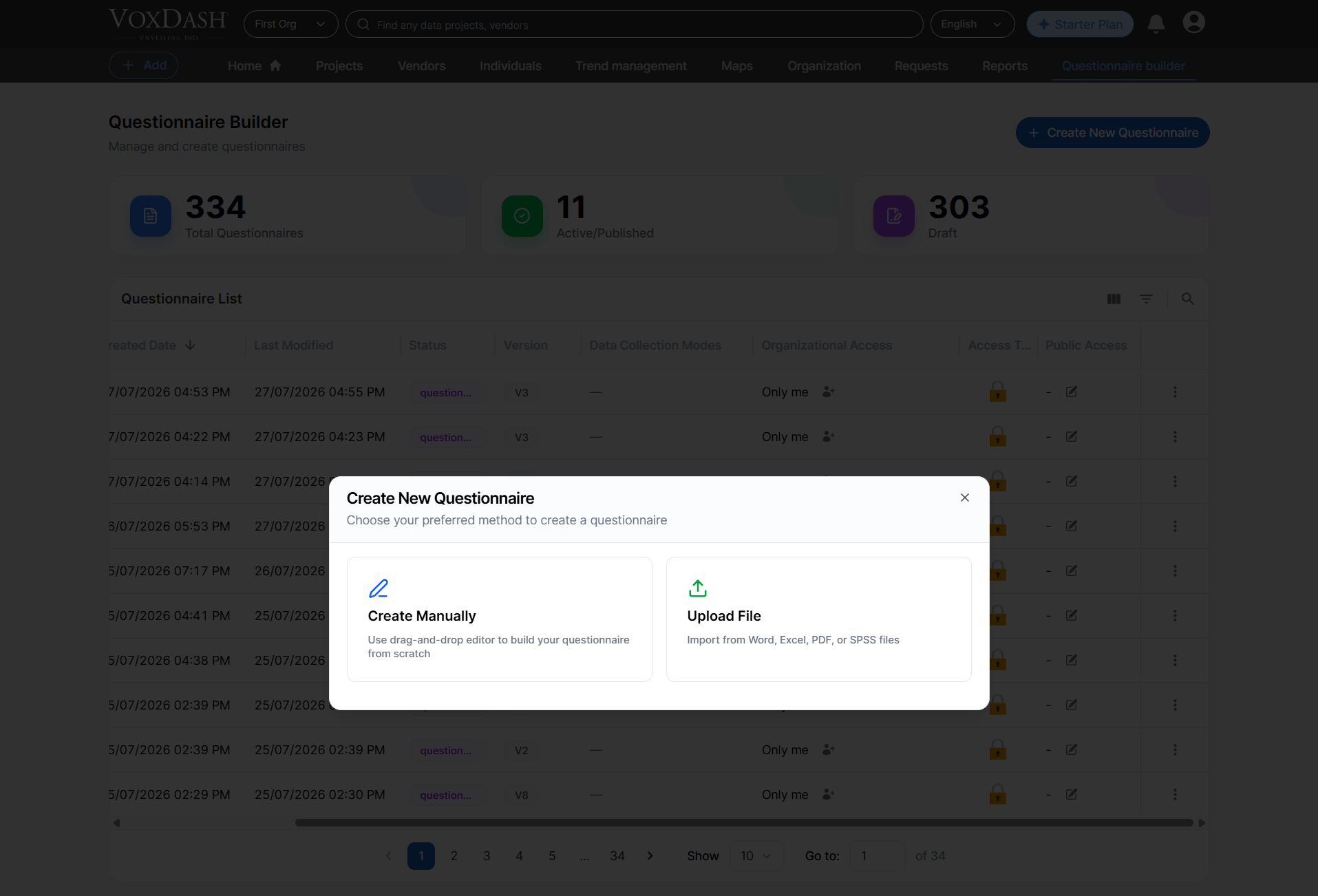
Creation Method
The creation process starts with selecting how you want to build your questionnaire. You may either upload files (from your device or from the VoxDash Library) or create everything manually. Available Methods1. Upload File
Upload files from your device or select existing files stored in your VoxDash Library. Multiple files can be uploaded or selected at once.1.1 Upload From Device
You may upload files directly from your computer. Supported formats:• Word (.doc, .docx)
• Excel (.xls, .xlsx)
• SPSS (.sav)
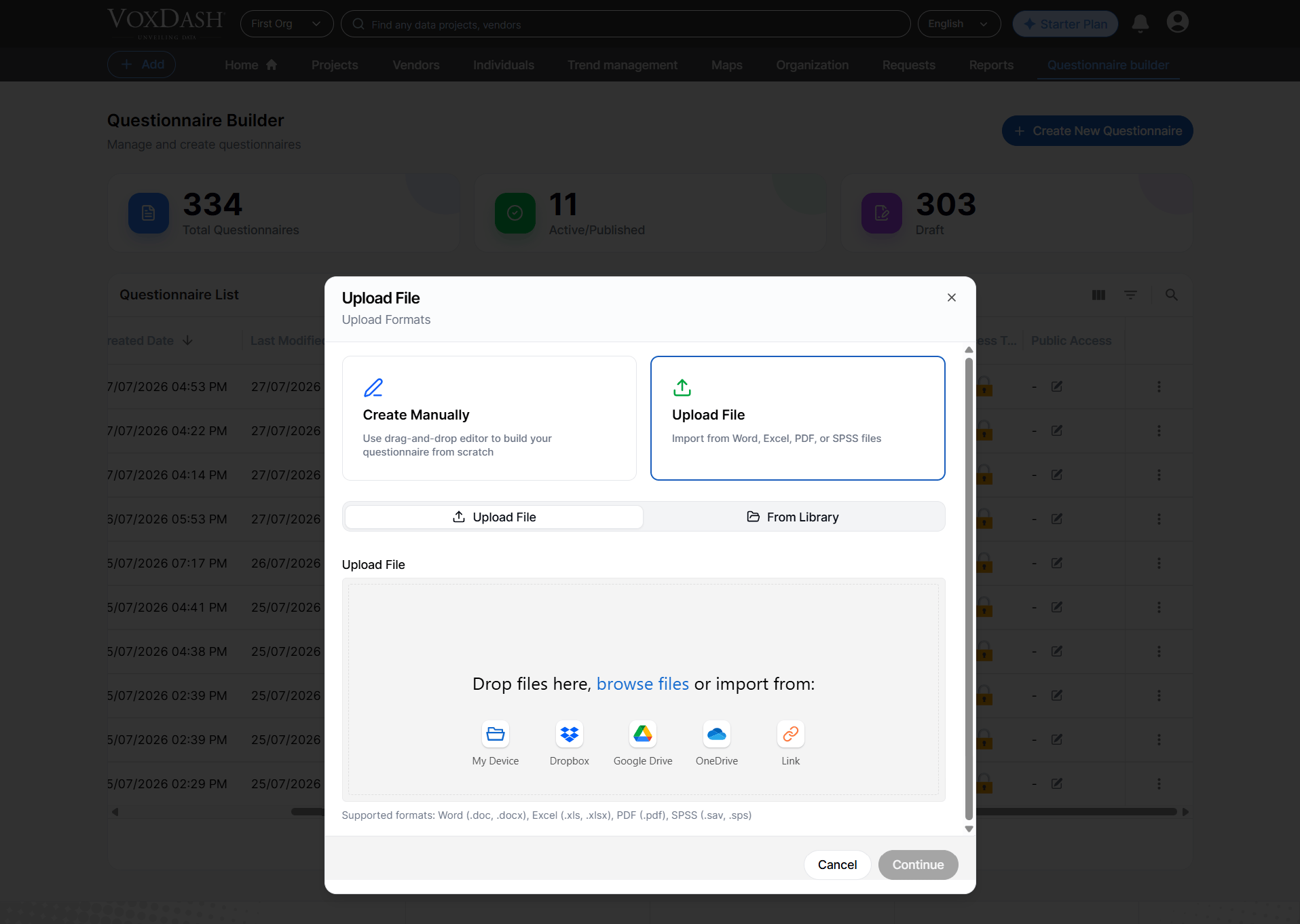
1.2 Upload From VoxDash Library
If you previously uploaded files to your VoxDash file manager, you can select them again from the library. Supported formats: • Word• Excel
• SPSS
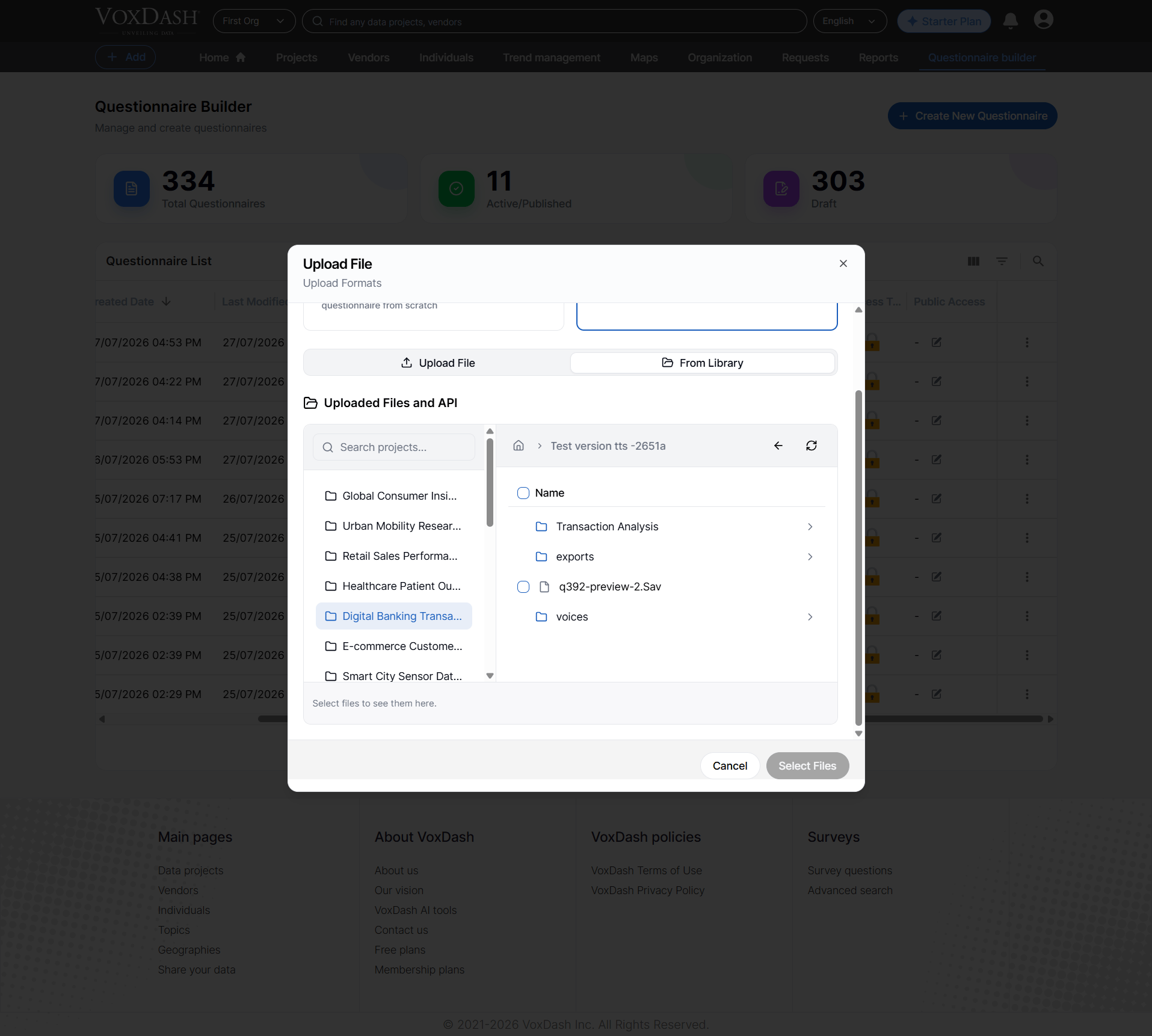
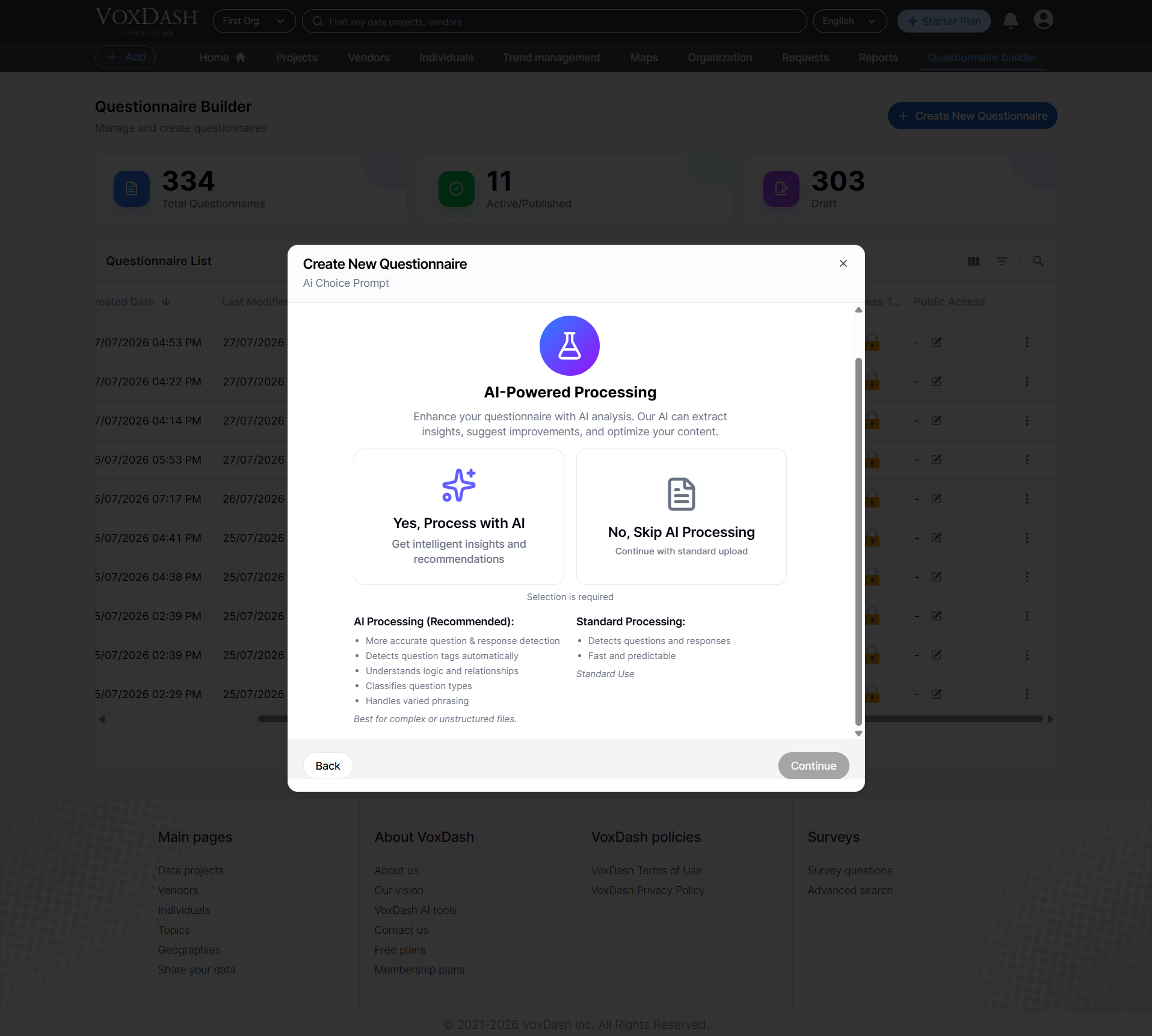
1.3 Choosing the Processing Method
After selecting your files, choose how the system should process the content.1.3.1 AI Processing (Recommended)
This method uses AI and consumes system tokens. The AI scans your files and automatically structures your questionnaire with higher accuracy. AI advantages: • More accurate detection of questions and response options• Automatic identification of question tags (e.g., screener, single‑select, open‑ended)
• Understanding of logic and relationships across questions
• Automatic classification of question types
• Ability to interpret varied phrasing and formatting During import, AI processes and reports: • Total questions detected
• Questions identified as screeners
• Questions containing logic
• Questions associated with quotas This method is ideal for complex or large datasets.
1.3.2 Standard Processing
This method requires no tokens. It quickly processes the file and takes you directly to the editor panel. Standard Processing features:• Basic question and response detection
• Fast, predictable workflow
• Ideal for simple or well‑formatted questionnaires
2. Create Manually
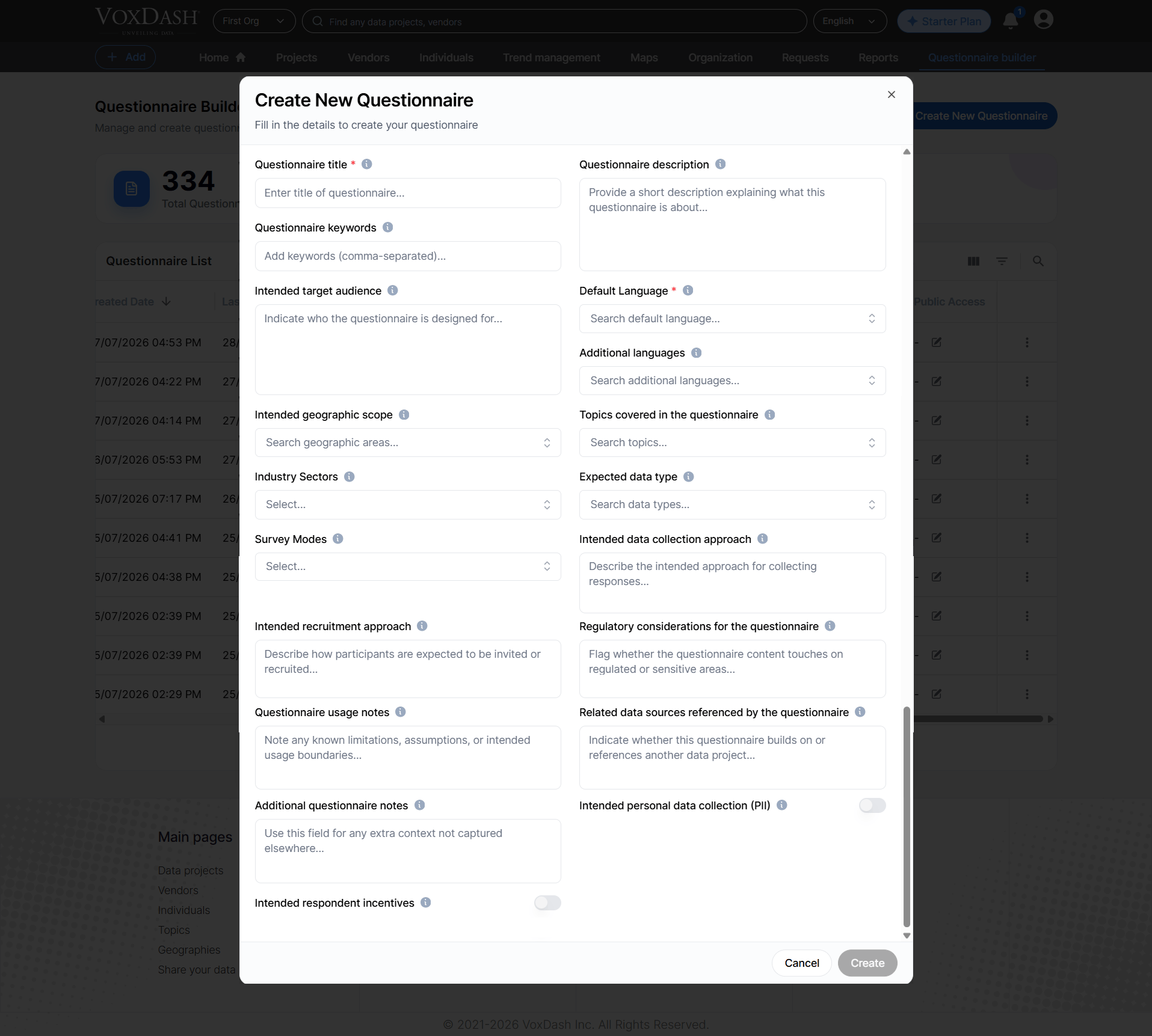
You can create a questionnaire from scratch using the built‑in SurveyJS editor. Before entering the editor, you must provide key information such as:• Questionnaire name
• Target group
• Category or project details
• Language and default settings Once this information is submitted, the system creates an empty questionnaire and opens the editor, where you can add questions, logic, branching, and other settings.
Step-by-Step Guide
A. Uploading From Your Device
- Click Create New Questionnaire and choose Upload File.
- Select one or multiple files (Word, Excel, PDF, SPSS).
- Wait while the system processes questions, responses, logic, and metadata.
- Once processing is complete, you are automatically redirected to the Editor Panel to review and edit the structure.
- Your questionnaire project is now created and appears in:
• The Questionnaire List
• The Data Projects List
B. Uploading From the VoxDash Library
- Click Create New Questionnaire and choose Upload From Library.
- Select one or more files from your previously uploaded library files.
- The system processes your selected files following the same steps as device uploads.
- You are redirected to the Editor Panel to finalize your questionnaire.
C. Creating Manually
- Click Create Manually.
- Provide the required information (e.g., questionnaire name, target group, language).
- After submitting, the system creates a blank questionnaire.
- You are redirected to the Editor Panel, where you can:
• Add questions
• Define logic and branching
• Organize pages and sections
• Adjust display settings