On This Page, You Will Find:
-
Total Created Questionnaires
Shows the complete number of questionnaires you have built. This includes both drafts and published versions. -
Total Drafted Questionnaires
Indicates how many questionnaires are still in progress. Drafts can be revisited and edited at any time before activation. -
Total Active Questionnaires
Displays the number of questionnaires currently published and available for respondents. Active questionnaires can continue collecting data until you disable or archive them.
Questionnaires Table
The Questionnaires Table provides a detailed, structured view of all questionnaires along with their key properties. This table is designed to help you efficiently track progress, audit changes, and locate relevant items. Each row includes:-
Questionnaire Name
The title you assigned to the questionnaire. This helps you easily identify its purpose or target audience. -
Created Date
The exact date the questionnaire was originally created. -
Last Modified Date
Shows when the most recent update was made—useful for tracking revisions or collaborative edits. -
Status
Indicates whether the questionnaire is in Draft, Active, or Archived state.- Draft: Under construction, not visible to respondents.
- Active: Published and collecting responses.
- Archived: No longer active but preserved for record‑keeping.
-
Version
Displays the current questionnaire version, especially helpful when managing incremental improvements or A/B test variations.
Questionnaires Table Features
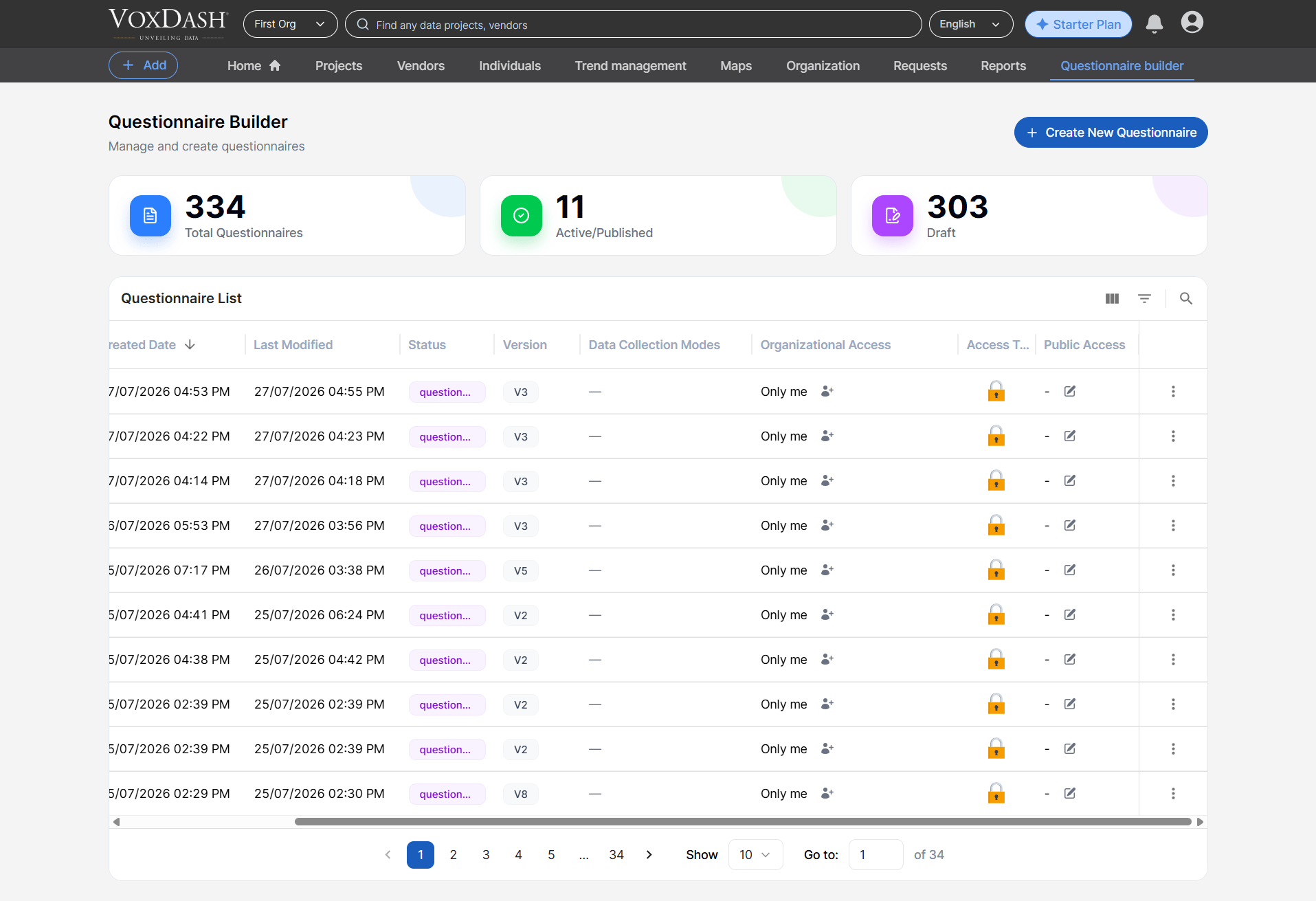
Column Order Customization
Drag and drop columns to adjust their position. This helps you build a layout tailored to your review style—whether you prefer seeing status, dates, or version numbers first.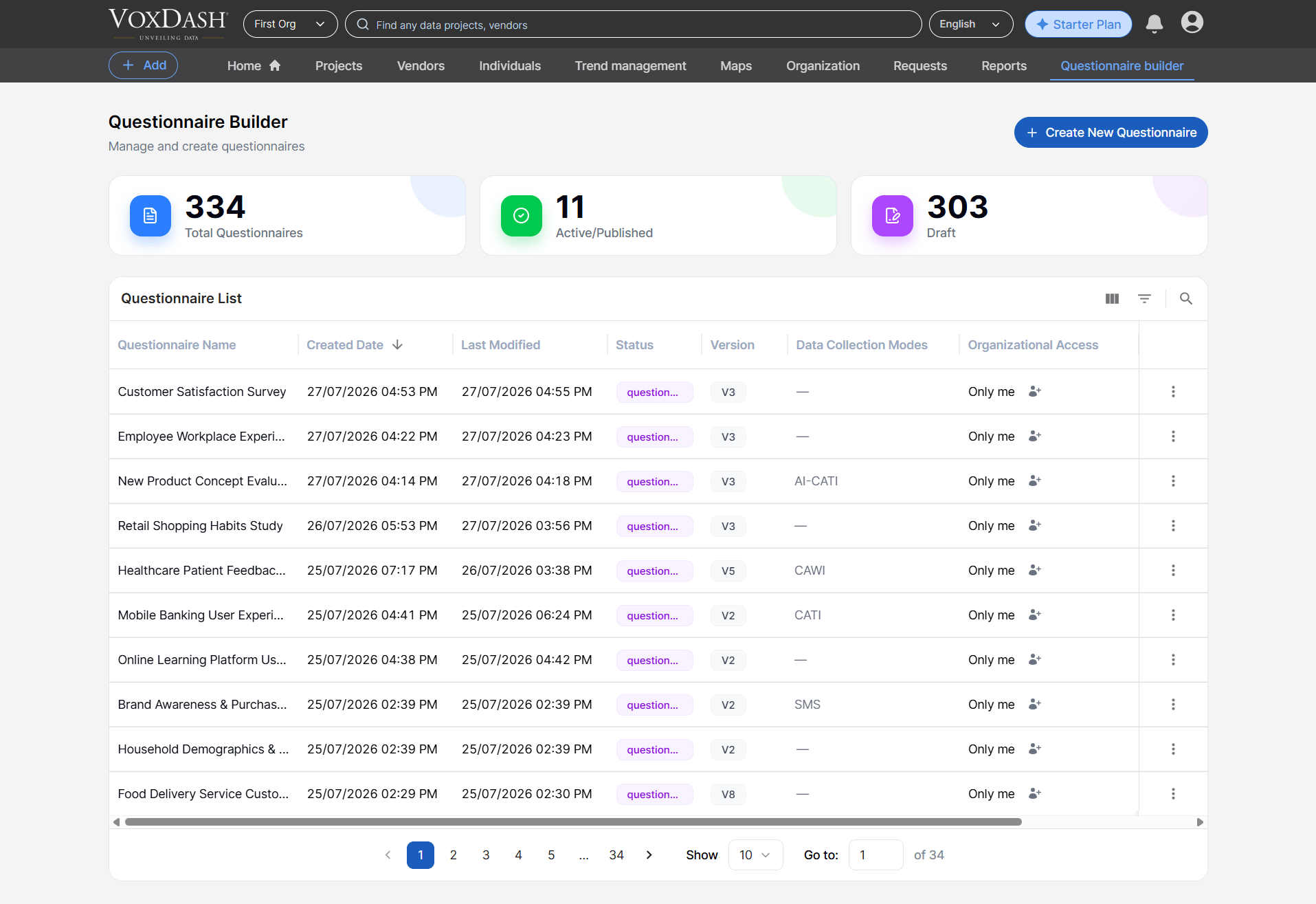
Search and Filter
Quickly narrow down large lists by applying filters such as:- Name
- Status
- Creation Date
- Last Modified Date
- Version
Burger Menu Features (Row Actions)
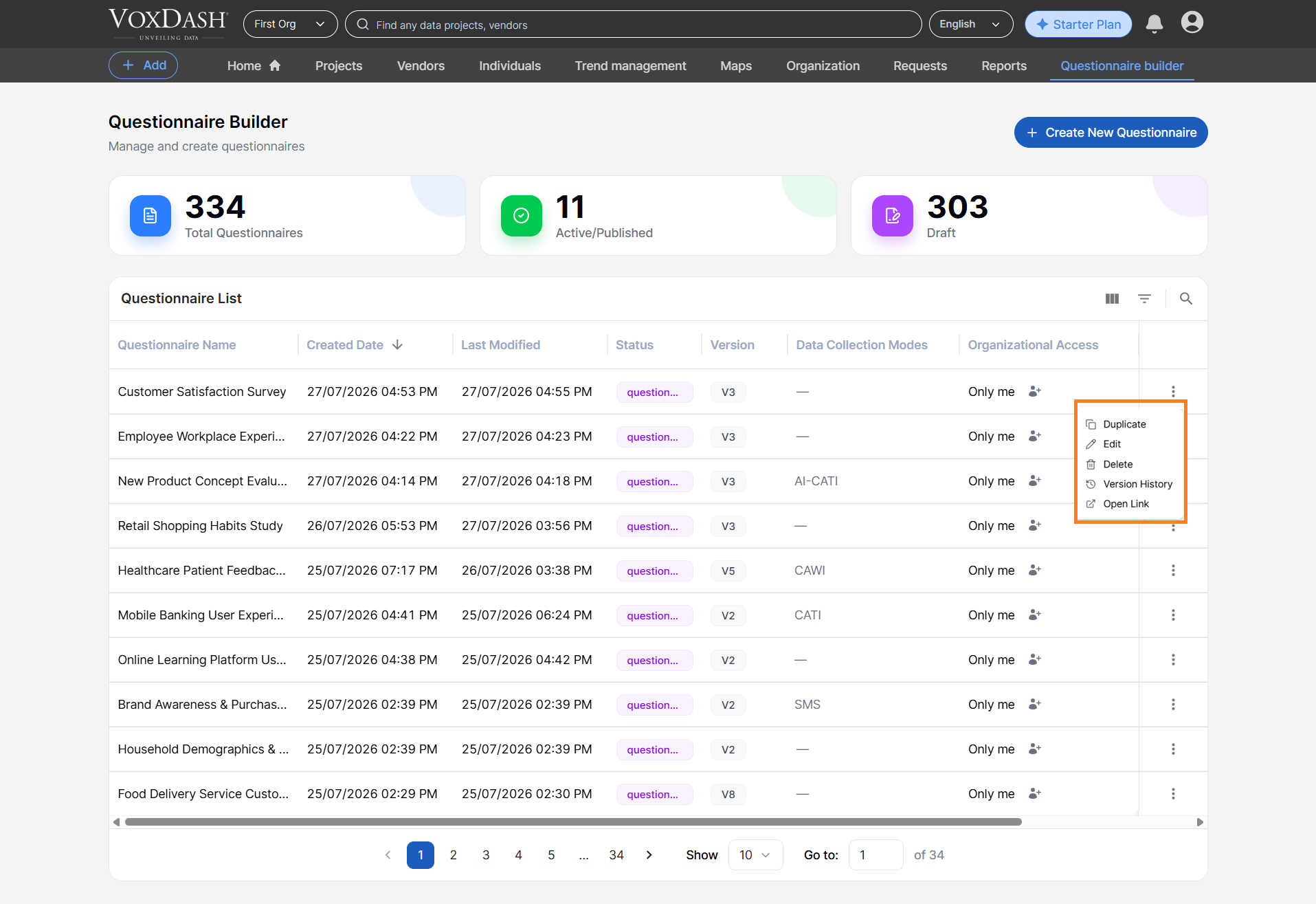
Each questionnaire row includes an Action Menu (⋮) with a selection of shortcuts that streamline your workflow:-
Duplicate
Instantly create an exact replica of the selected questionnaire. This is ideal for building similar forms without starting from scratch. -
Edit
Open the questionnaire in edit mode to adjust questions, logic, settings, or appearance. -
Open Link
Open the questionnaire in VoxDash, allowing you to share or access the questionnaire directly within the platform. - Version History The Version History option displays previous versions of the questionnaire.
-
Delete
Permanently remove the questionnaire from your list. Deleted questionnaires cannot be recovered, so use this action cautiously.
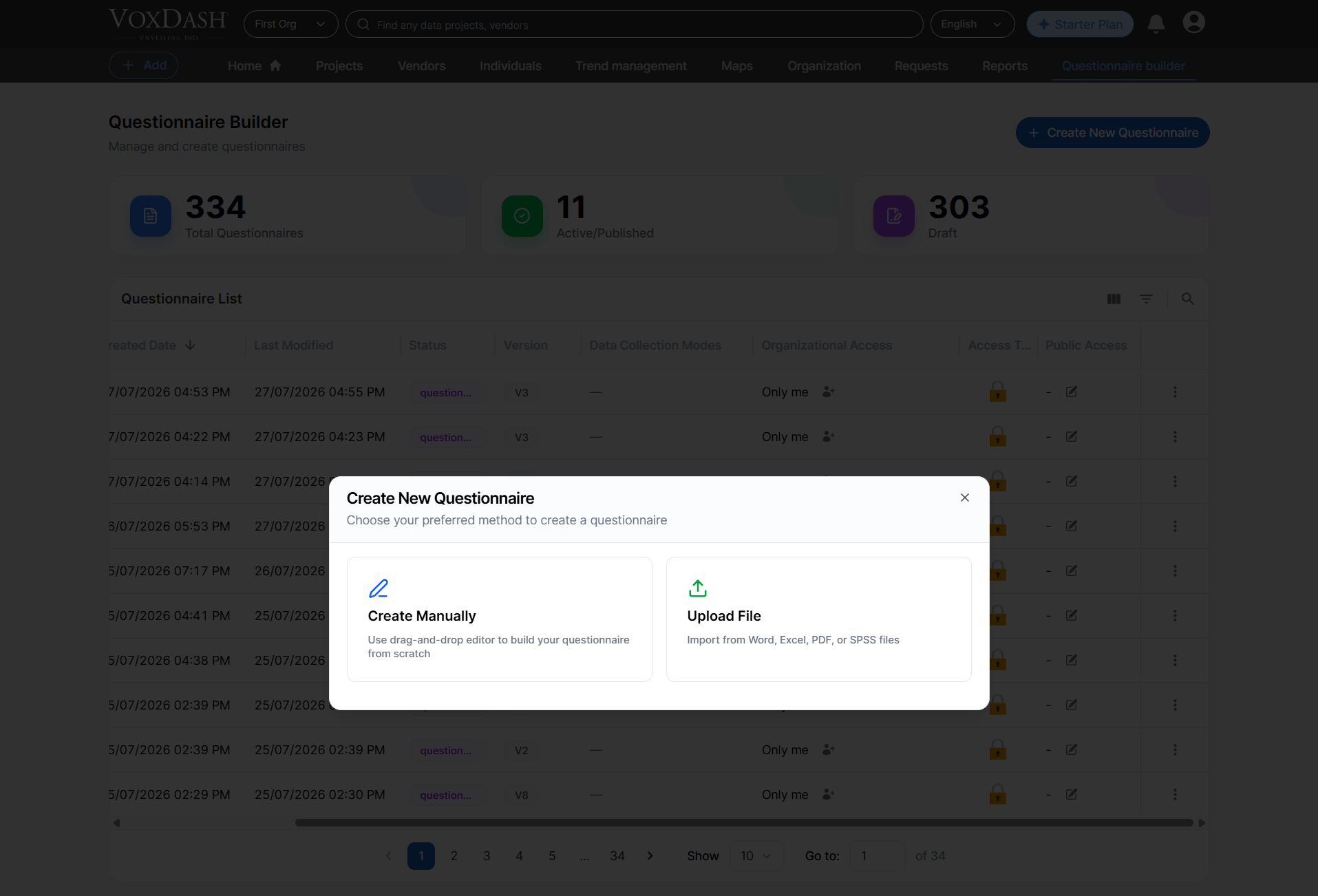
Create a Questionnaire
Select the Create Questionnaire button to begin building a new questionnaire. You can choose between:-
Create from Scratch
Start with a blank canvas and design every question exactly as needed. -
Import a File
You can eaither import a file from your device or VoxDash library.