

Note: Dummy data is intended for testing and quality assurance only. It does not represent real respondent data.
Accessing Dummy Data Generation
To generate dummy data:- Open the questionnaire.
- Select Generate dummy data in the top-right corner of the editor.
- Configure the generation settings on the Configure step.
- Click Continue to run validation on the Validation step.
- Resolve any validation issues if necessary.
- Generate the dummy data.
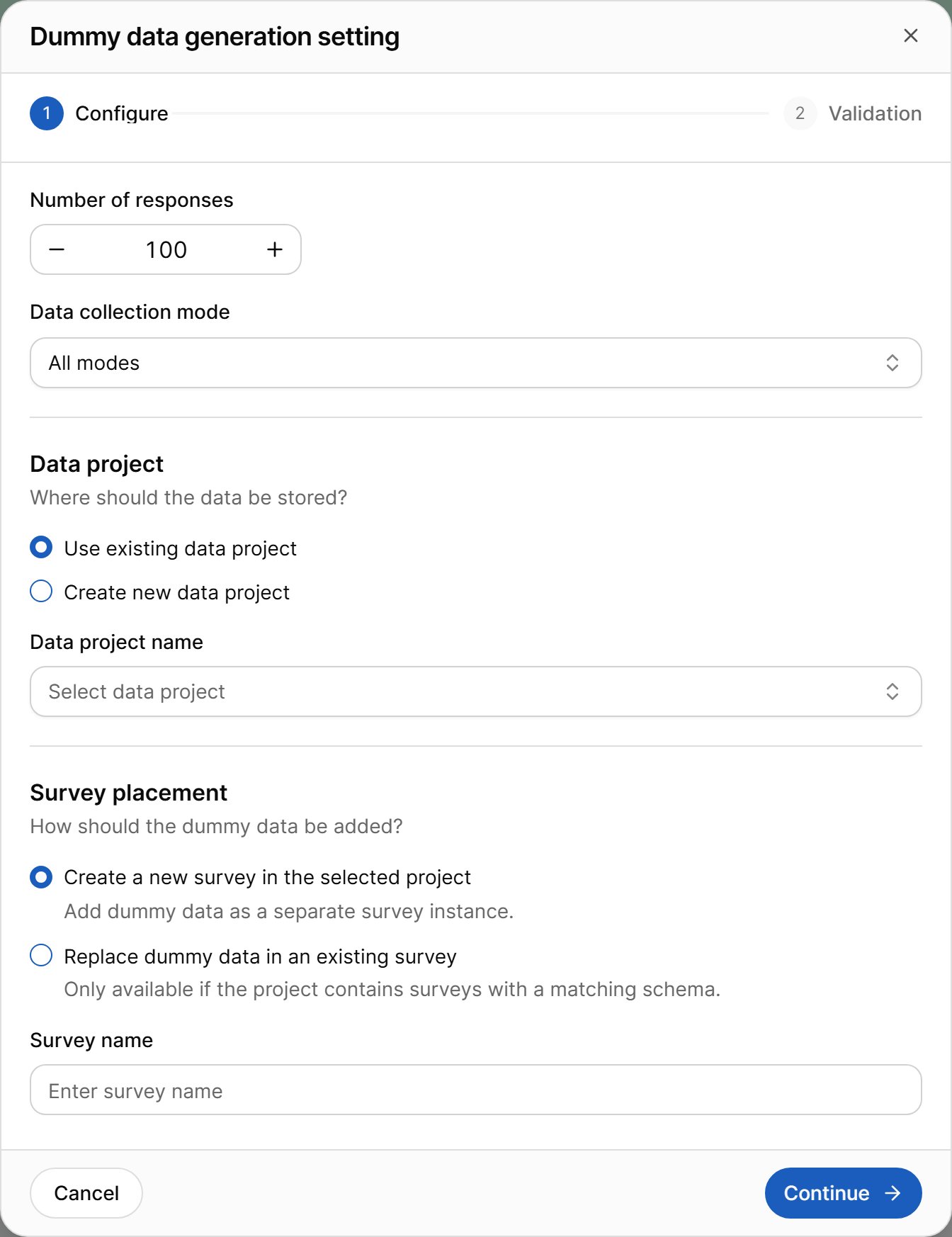
Generation Settings
Before generating dummy responses, configure the following options.Dummy Data Count
In Number of responses, specify how many synthetic respondent records to generate. You can generate between 1 and 100 responses per run. Choose a number appropriate for your testing or validation scenario. To build a larger test set, run the generation again and add the new responses as another survey.Data Collection Mode
Select the Data Collection Mode for which dummy responses should be generated. This ensures that the generated data follows the questionnaire configuration for the selected collection method.Data Project
Select the Data Project where the generated survey data will be stored.Storage Location
Choose where VoxDash should save the generated data.Use Existing Data Project
Store the generated survey in an existing Data Project. Select the target project from the available list.Create New Data Project
Create a new Data Project and store the generated survey within it. When this option is selected, specify a Data Project Name.Data Project Name
If you choose to create a new project, enter a unique and descriptive name for the Data Project (up to 255 characters).Survey Placement
Choose how the generated dummy data should be stored within the selected Data Project.Create a New Survey
Creates a new survey instance containing the generated dummy responses. This is the recommended option when testing a questionnaire for the first time. Survey Name Specify the name of the survey that will contain the generated dummy responses (up to 255 characters).Replace Dummy Data in an Existing Survey
Replaces the dummy responses in a survey that already exists in the selected Data Project. This option is only available when the project contains a survey with a matching questionnaire structure. Use it when you regenerate test data after changing the questionnaire and want to keep testing in the same survey. You can also add an optional description for the generated survey.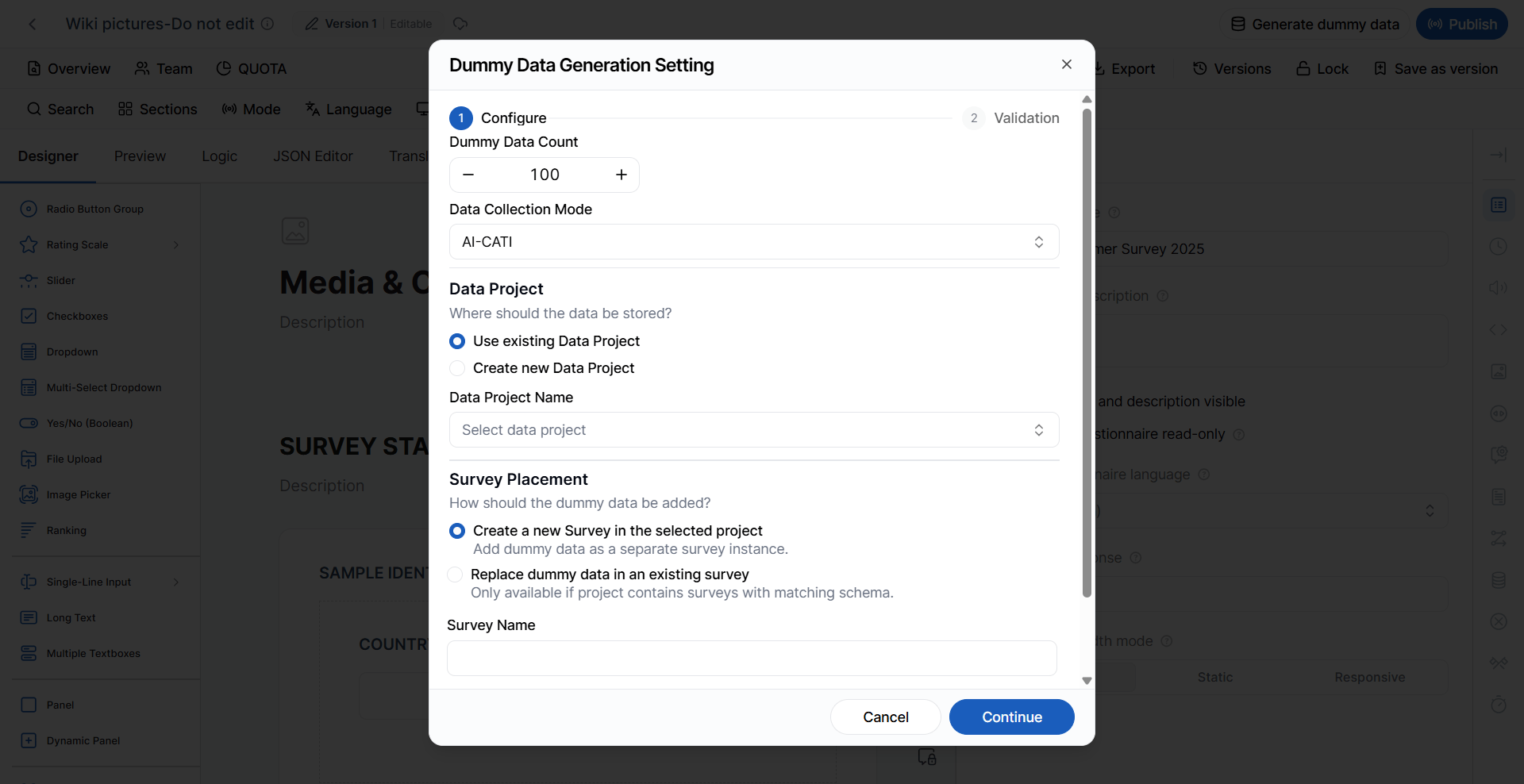
Generation Progress
After you start the generation, a progress widget shows each stage: preparing, generating, and finalizing. You can minimize the widget and keep working in the editor, or stop tracking the progress — the generation continues in the background. Only one generation can run for a questionnaire at a time. If you start a new one while another is still running, VoxDash tells you to wait for the first to finish.After Generation
When the generation finishes, the widget offers two actions:- View result — opens the Data Project that contains the generated survey.
- Download — downloads the generated data file.
- The questionnaire is converted into a survey.
- The selected Data Project is published within VoxDash.
- The generated survey becomes available in the selected Data Project.
- The dummy responses can be viewed, analyzed, and used for testing throughout the platform.
For more information about published projects, refer to the Project Overview documentation.
Validation Before Generation
Before generating dummy data, VoxDash automatically validates the questionnaire. Validation helps identify configuration issues that could affect the quality or accuracy of the generated data. Validation results are categorized as either:- Warnings
- Errors
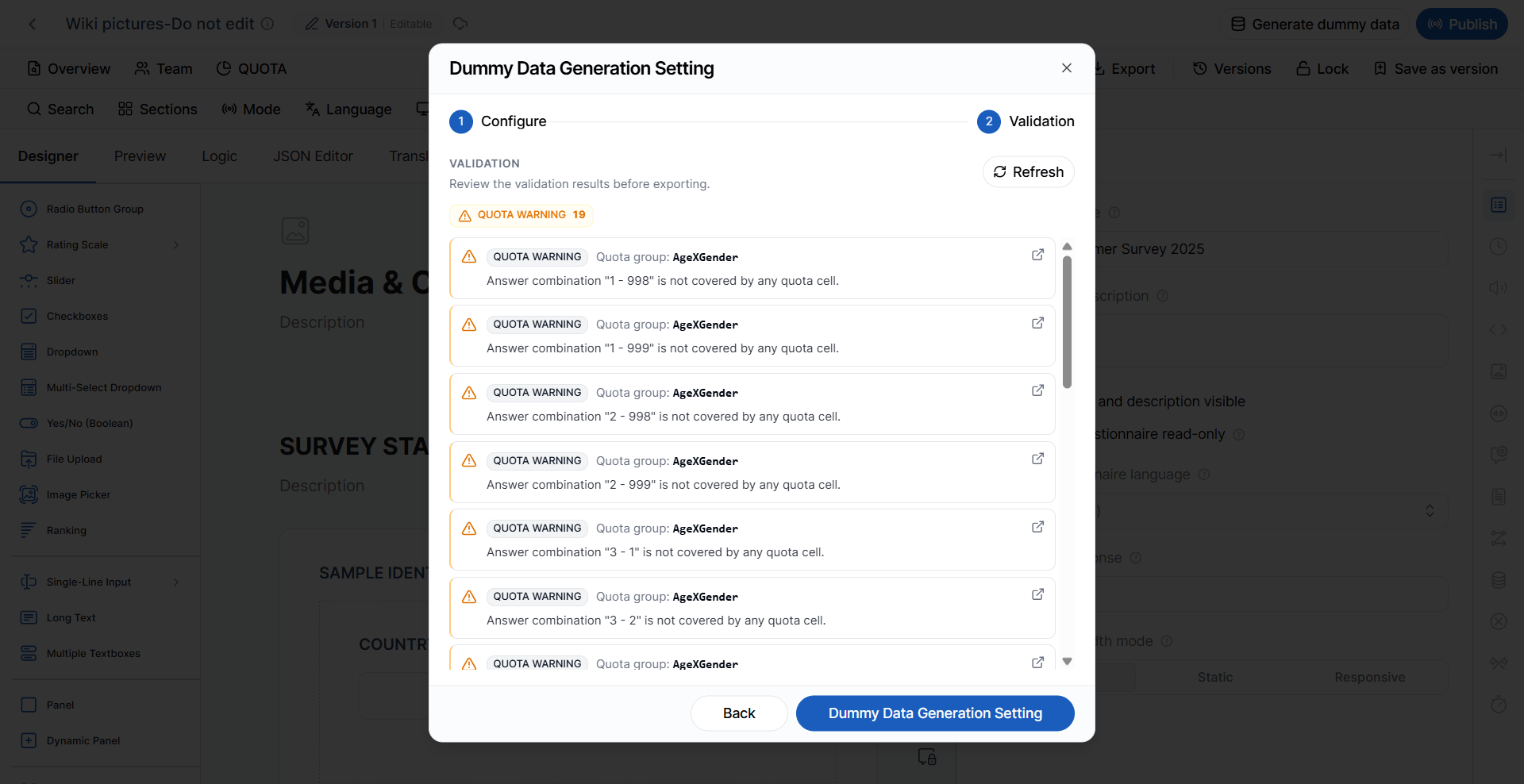
Validation Warnings
Warnings indicate potential issues that may affect the generated data but do not prevent dummy data generation. Reviewing and resolving warnings is recommended to produce more realistic and reliable synthetic data.Screener Without Terminate
A screener question exists but does not contain a terminate or disqualification branch. As a result, simulated respondents will never be screened out.Quota Question Not in Group
A question is tagged as a quota question but has not been assigned to any quota group.In-house Randomization Without Placeholder
Randomization has been enabled, but no placeholder has been configured to receive the randomized content.Quota Group Has Warnings
One or more quota groups contain validation warnings that may affect quota distribution during dummy data generation.Screener or Quota Question Too Late
A screener or quota question appears too far into the questionnaire. Simulated respondents may answer many questions before they are screened out or assigned to a quota cell. Move these questions closer to the start.In-house Randomization Too Late
A question with in-house randomization appears too far into the questionnaire. Move it closer to the start.Unsupported Function
A logic expression uses a function that the dummy-data generator cannot evaluate (for example, some date or aggregate functions). Questions that depend on it may not be filled as expected.Nested Dynamic Panel
The questionnaire contains a dynamic panel inside another dynamic panel. Dummy data cannot be generated for the inner panel. The following warnings can appear while the data is being generated:Performance Threshold
The questionnaire contains a very large or complex logic flow, and simulation exceeded the expected performance threshold.Required But Empty
A required question did not receive a value during simulated questionnaire traversal.Constraint Conflict
Conflicting visibility or validation rules prevented VoxDash from generating a valid dummy response.Quota Warnings
The following warnings relate specifically to quota configuration:- The quota group contains no quota cells.
- A quota group is configured as multi-select while linked to a single-select question.
- The combined maximum target for all quota cells equals zero.
- Numeric quota ranges contain gaps.
- Multiple quota groups reference the same questions without conflicting hard quotas.
- A quota-linked question is missing a translation.
- One or more answer choices are missing translations.
- Cell targets do not match the declared sample size.
- Combined minimum targets exceed the questionnaire sample size.
- Some valid answer combinations are not represented by any quota cell.
- Numeric quota ranges leave uncovered values.
- The configured maximum selections exceed the number of available cells.
- Least-filled routing is disabled, but related settings remain configured.
Validation Errors
Errors prevent dummy data generation and must be resolved before generation can continue.Translation Errors
One or more questionnaire titles, answer choices, or required text elements have not been translated for the selected export or survey language. Complete the missing translations before generating dummy data.Questionnaire Errors
The questionnaire cannot be processed because:- It does not exist.
- It has been deleted.
- It has no questionnaire definition.
- The JSON cannot be parsed.
Quota Errors
The following errors relate specifically to quota configuration:- Questionnaire JSON cannot be parsed.
- Quota cell definitions contain invalid JSON.
- A linked quota question no longer exists.
- A quota cell references an answer choice that does not exist.
- Multiple quota cells use the same label.
- A quota cell with a maximum target of zero is not configured as a Hard Quota.
- A quota cell’s minimum target exceeds its maximum target.
- A quota cell contains a negative minimum target.
- A quota cell contains a negative maximum target.
- A quota cell contains a negative overshoot value.
- Target values must be whole numbers.
- A quota cell has no answer mappings.
- Combined minimum targets exceed the quota group’s total target.
- Combined maximum targets exceed the quota group’s total target.
- A quota-linked question is hidden by questionnaire logic.
- A quota question appears after logic that depends on its answer.
- Multiple overlapping Hard Quotas create conflicting routing rules.
- A numeric range has a minimum value greater than its maximum value.
- A numeric range contains negative bounds where they are not allowed.
- Numeric ranges overlap between quota cells.
- The maximum selection value for Least-filled routing is less than 1.
Best Practices
To produce realistic and reliable dummy data:- Validate the questionnaire before every generation.
- Resolve all validation errors before generating data.
- Review and resolve warnings whenever possible to improve data quality.
- Ensure all quota groups are complete and validated.
- Verify that questionnaire logic, skip rules, and branching have been fully tested.
- Generate an appropriate number of respondents based on your testing requirements.
- Use a separate Data Project for QA and testing to avoid mixing synthetic data with production data.
- Review the generated survey after creation to confirm that responses, quotas, and routing behave as expected.