

- Language
- Data Collection Mode
- Section
- Question Scope
Note: Before exporting, VoxDash validates your questionnaire to identify any issues that may affect the exported file.
How Export Works
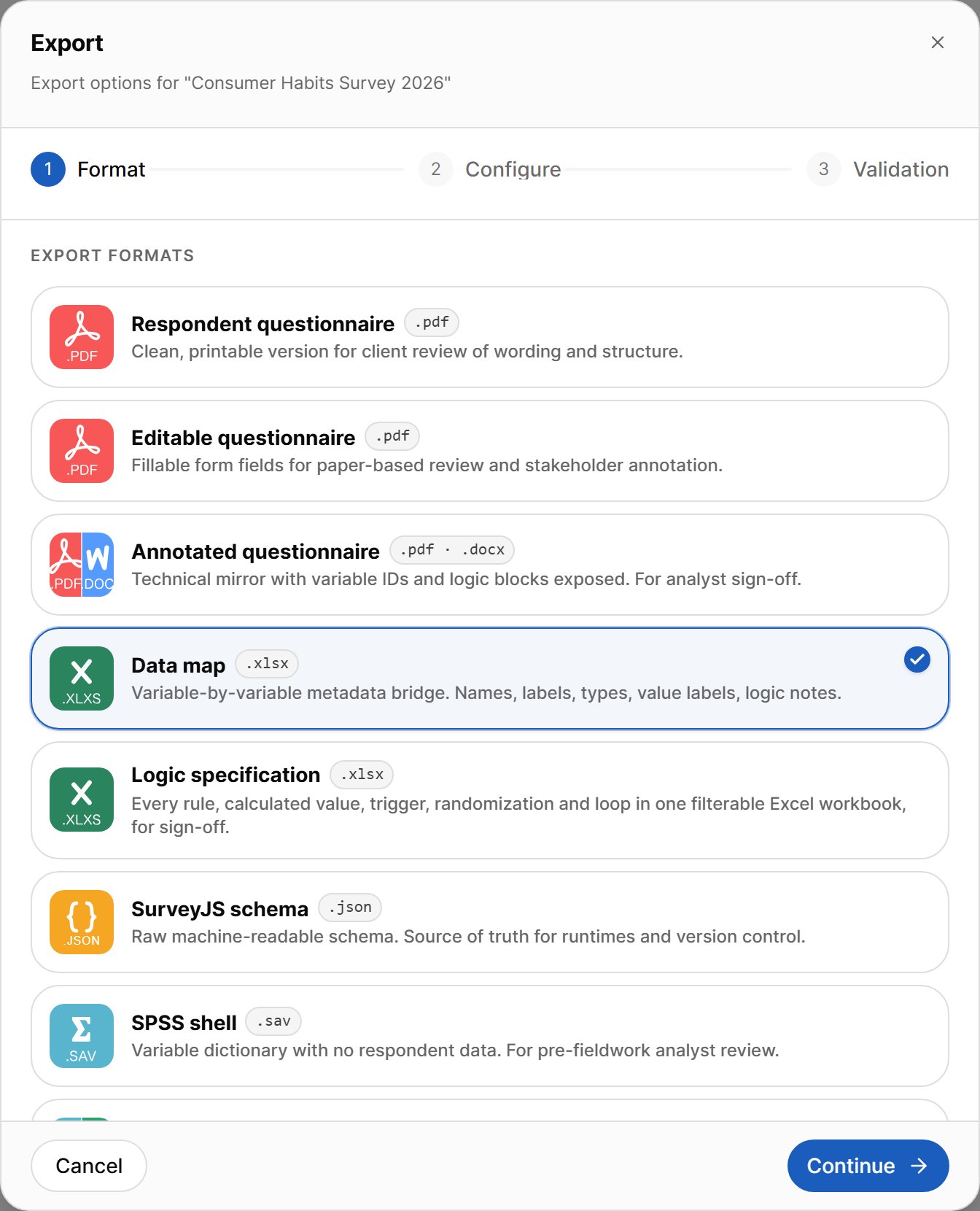
Click Export in the editor toolbar to open the export dialog. Exporting takes three steps:- Format — choose the type of file you want.
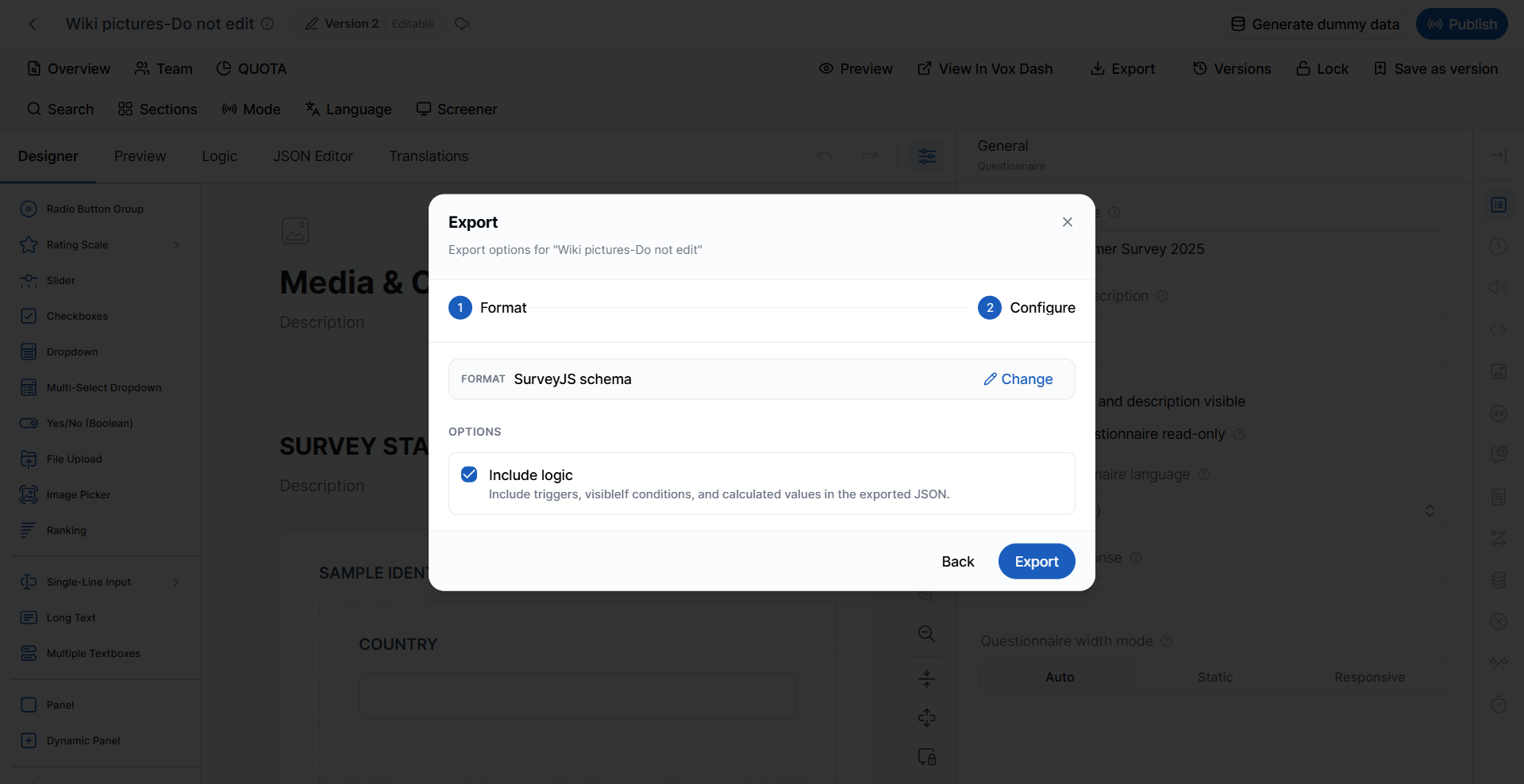
- Configure — choose the language, data collection mode, sections, and other options that apply to that format.
- Validation — review the validation results, then click Export to download the file.
Configure Options
The options on the Configure step depend on the format you chose: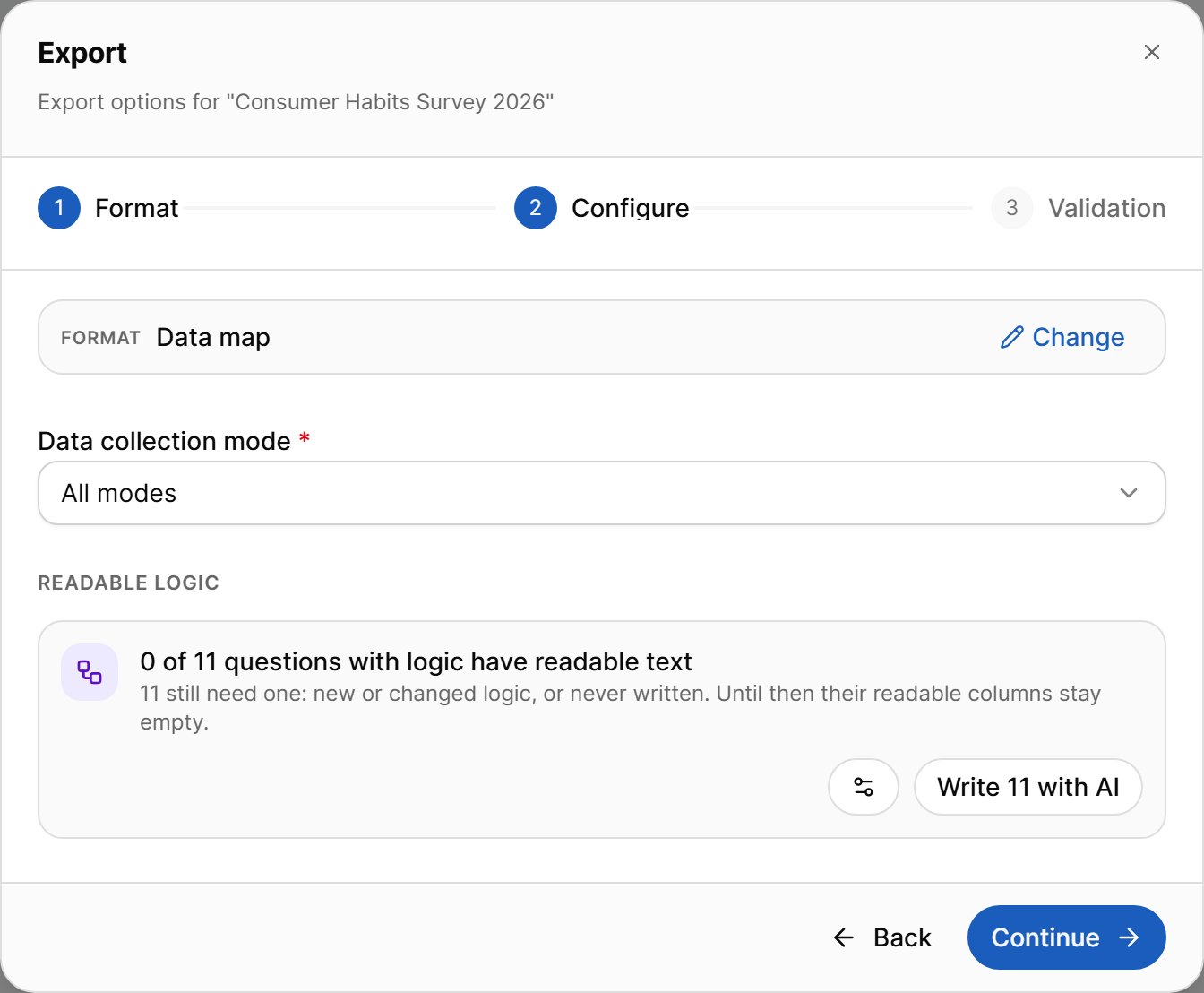
Export Validation
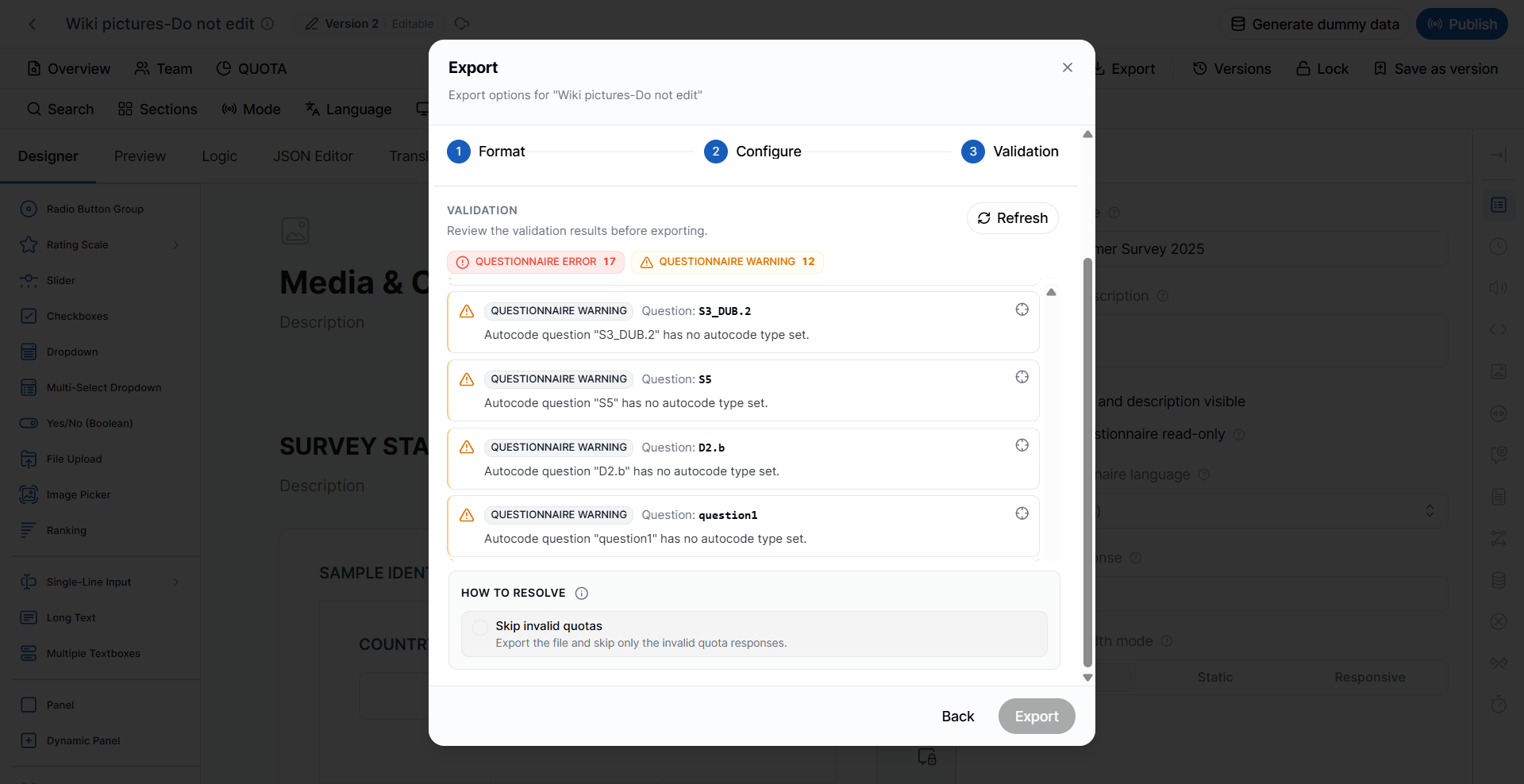
When you start an export, VoxDash automatically validates the questionnaire. Validation may return either Warnings or Errors. Results are grouped by category — questionnaire errors and warnings, quota errors and warnings, translation warnings, and dummy-data warnings. Click the arrow icon on a result to jump to the affected question, and click Refresh to run validation again after you fix something.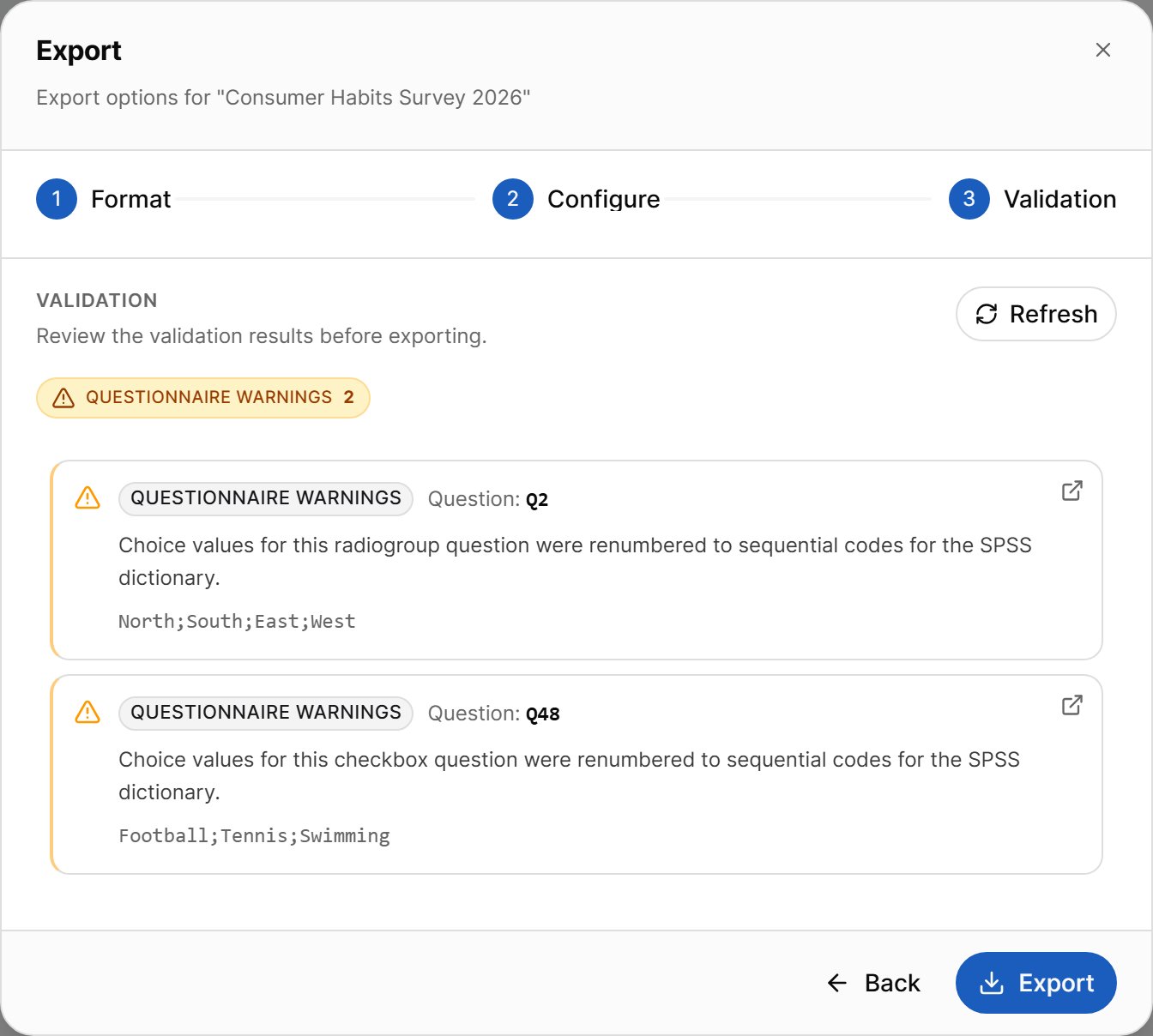
Warnings
Warnings indicate potential issues that do not prevent the questionnaire from being exported. Although the export can continue, it is recommended that you review and resolve warnings to ensure the exported questionnaire is complete and accurate. Examples may include:- Missing translations
- Unused variables
- Incomplete metadata
- Optional configuration issues
Errors
Errors indicate issues that prevent the questionnaire from being exported. You must correct all errors before the export can continue. Examples include:- Invalid questionnaire logic
- Missing required properties
- Broken references
- Invalid question configurations
Quota Errors
If the only errors are in your quota groups, you do not have to fix them before exporting. Under How to resolve, choose one of:
The export button changes to match your choice, for example Export (skip invalid quotas).
Note: Skipping quotas may affect data quality, especially in files that contain dummy data.
Downloading the File
After you click Export, VoxDash prepares the file and starts the download automatically. If the download does not start, use the manual download link shown in the dialog.Respondent Questionnaire (.pdf)
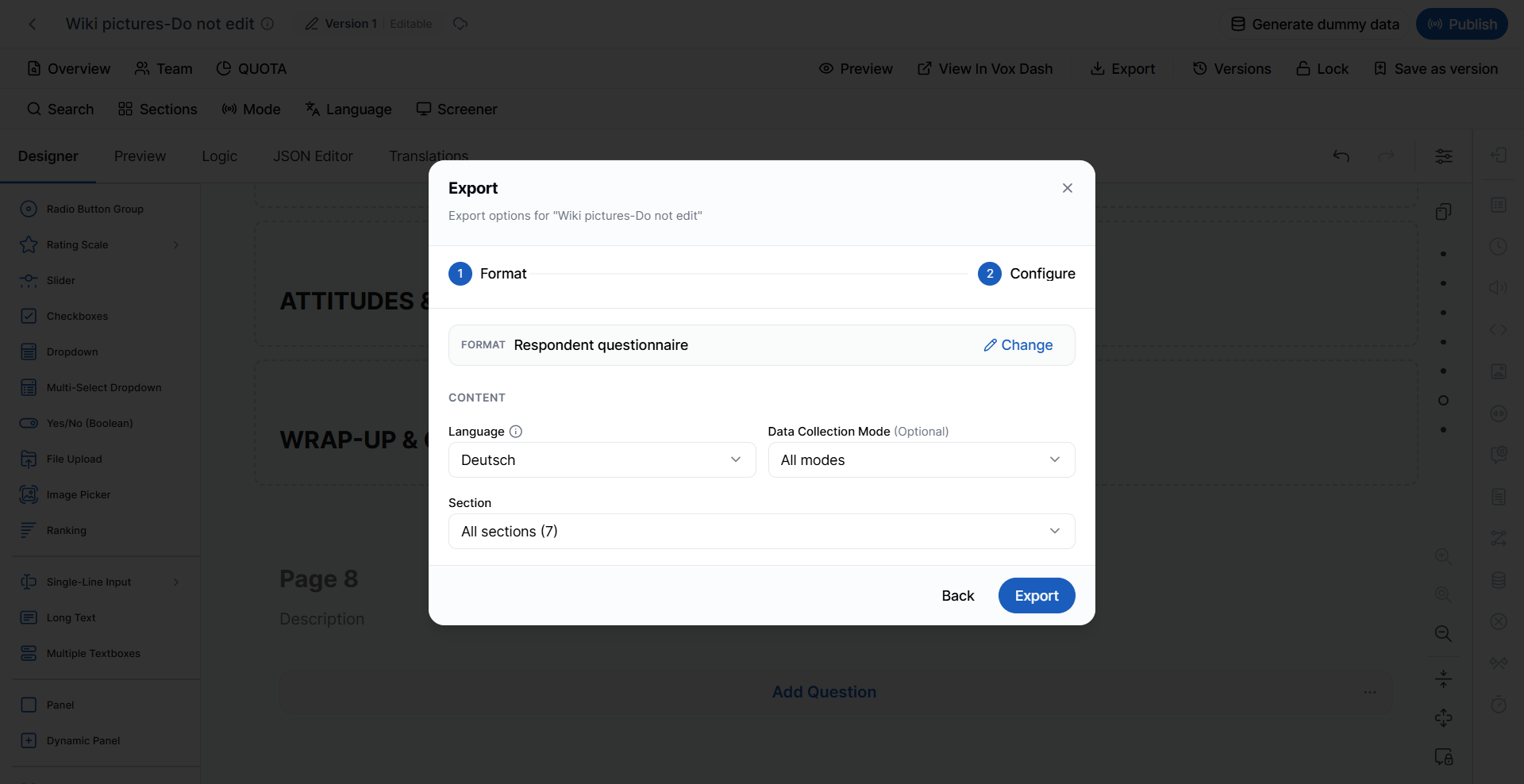
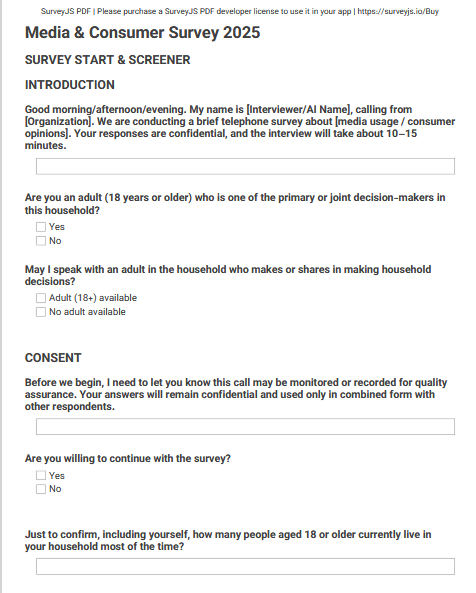
The Respondent Questionnaire generates a clean, print-ready version of the questionnaire exactly as respondents are expected to see it. This version focuses on questionnaire wording and structure without exposing technical implementation details.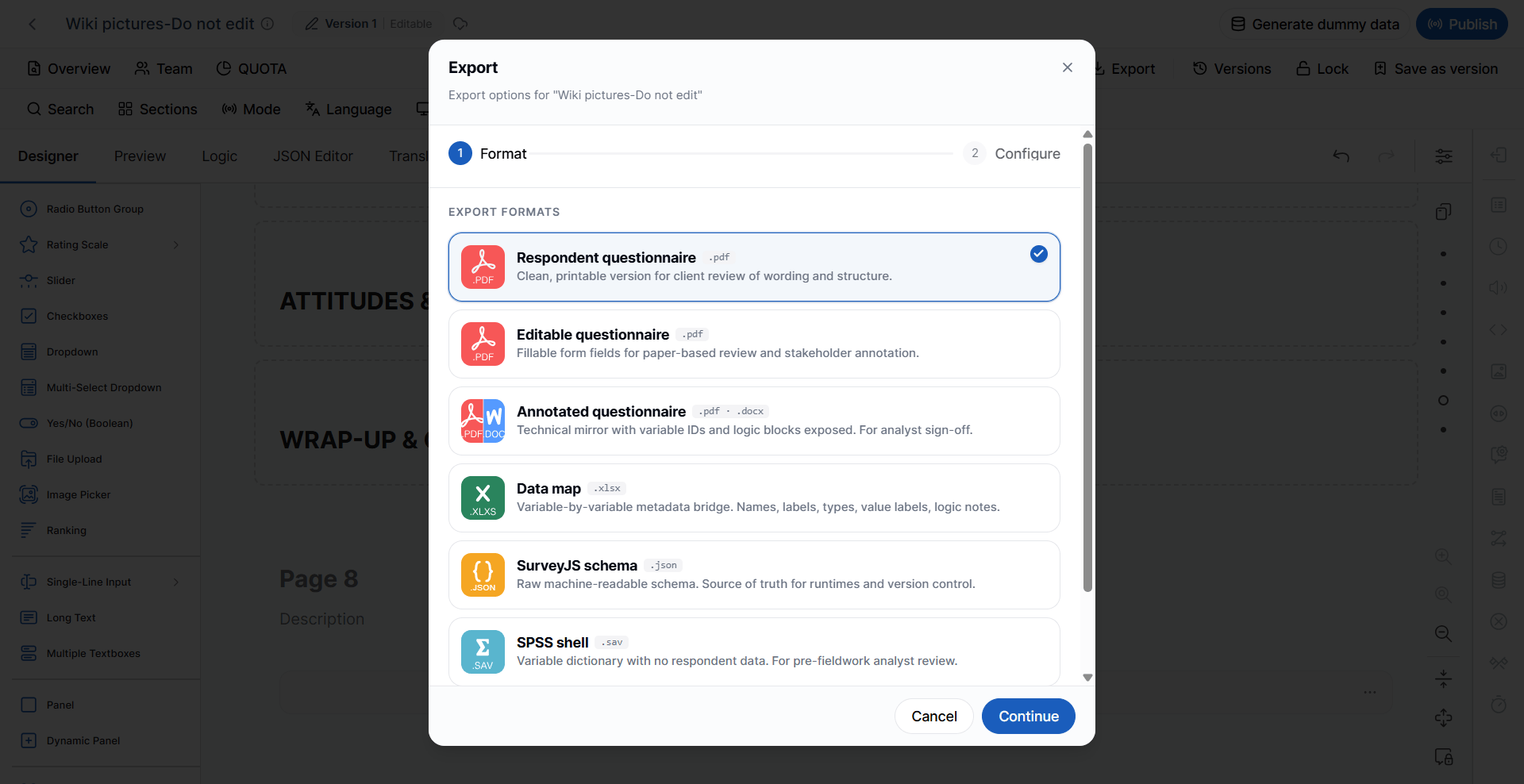
- Client review
- Questionnaire approval
- Printing
- Fieldwork preparation
- Reviewing question wording and flow
- Language
- Data Collection Mode
- Section (optional, if applicable)
Editable Questionnaire (.pdf)
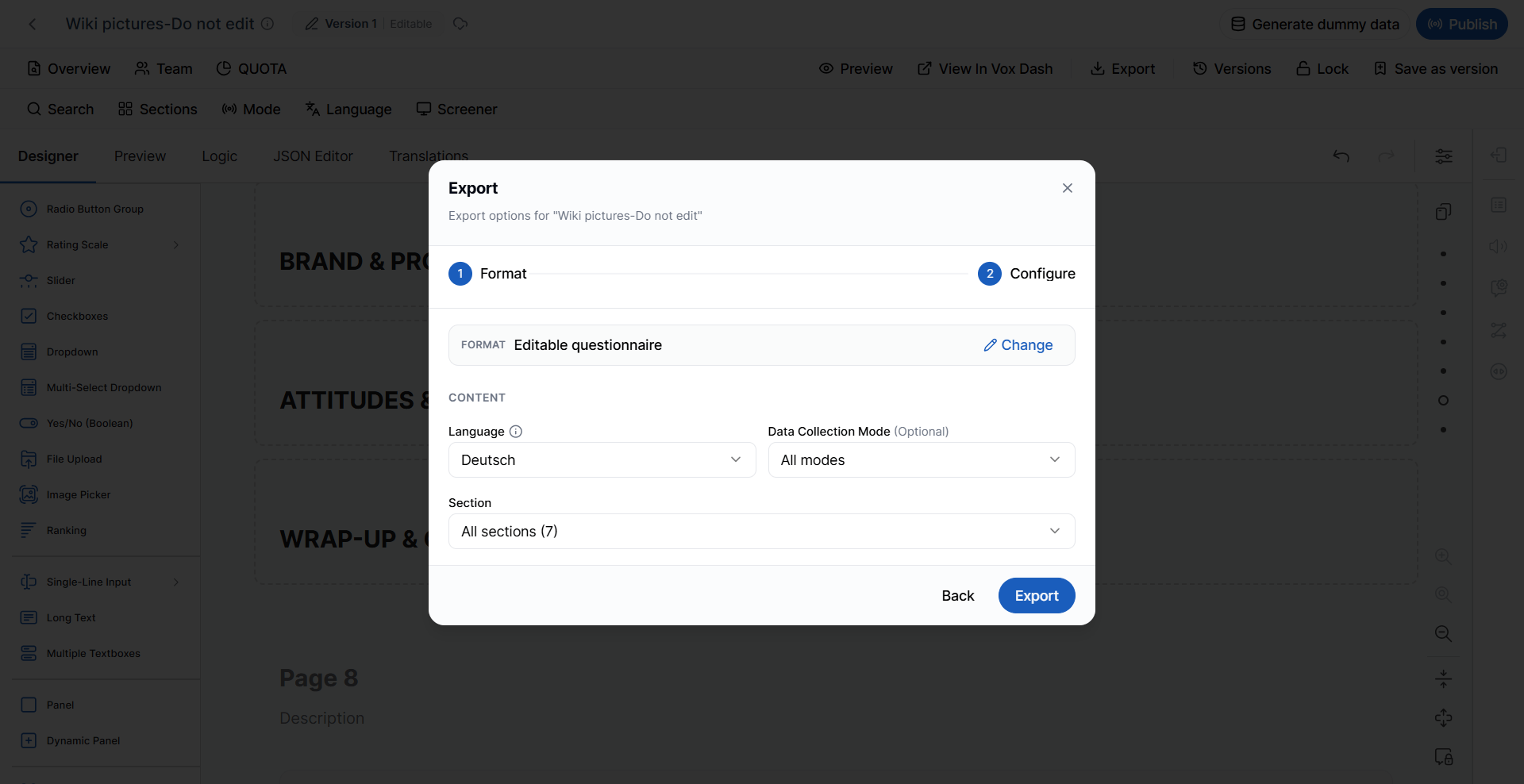
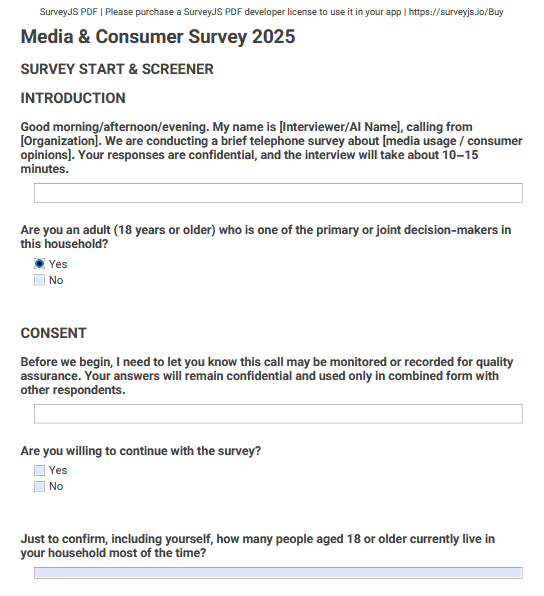
The Editable Questionnaire exports the questionnaire as a fillable PDF. Unlike the standard respondent questionnaire, this version includes editable form fields that allow reviewers to write comments or complete the questionnaire digitally.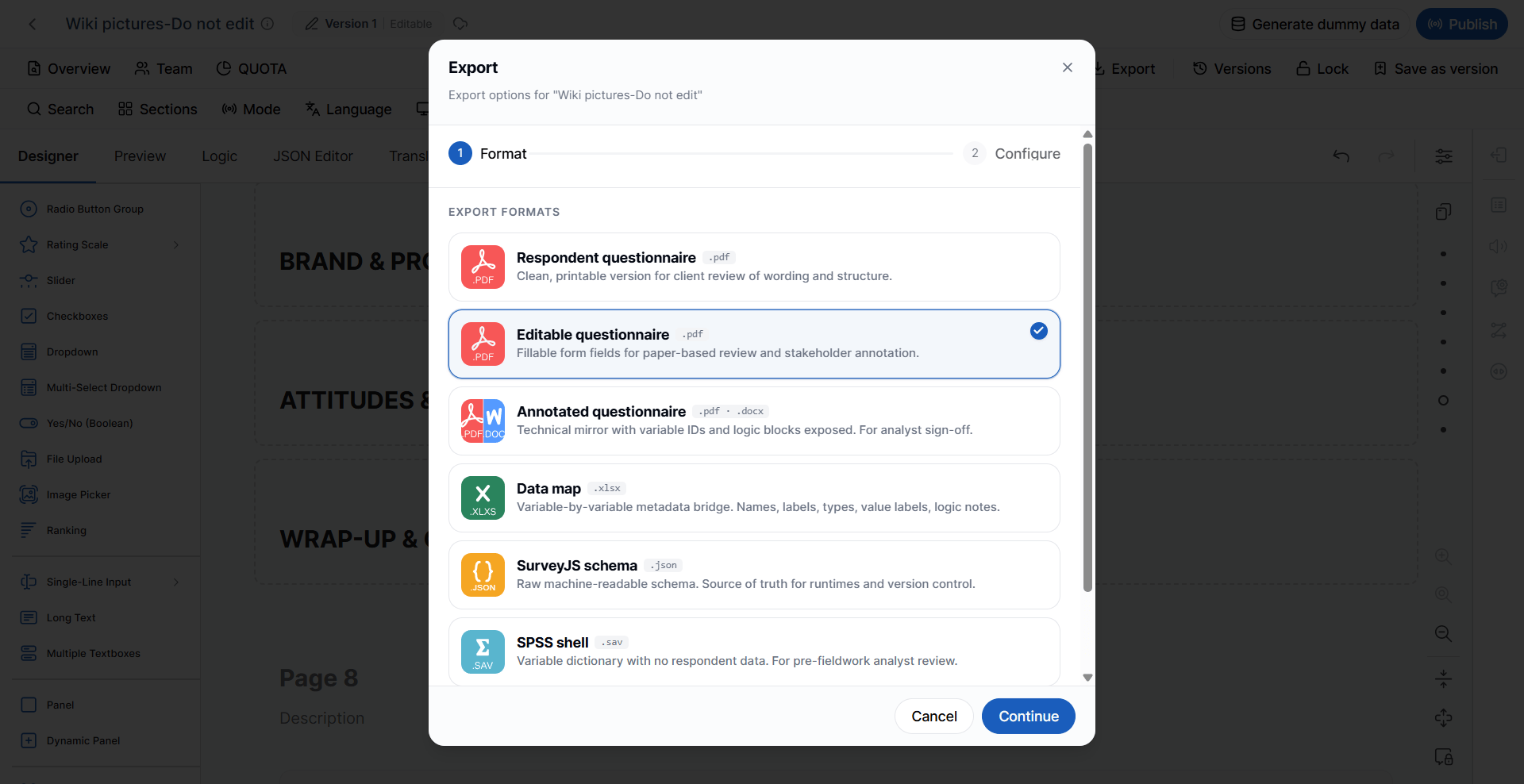
- Internal reviews
- Stakeholder feedback
- Paper-based testing
- Questionnaire annotation
- Language
- Data Collection Mode
- Section (optional)
Annotated Questionnaire (.pdf / .docx)
The Annotated Questionnaire is a technical version of the questionnaire intended for survey designers, analysts, and developers.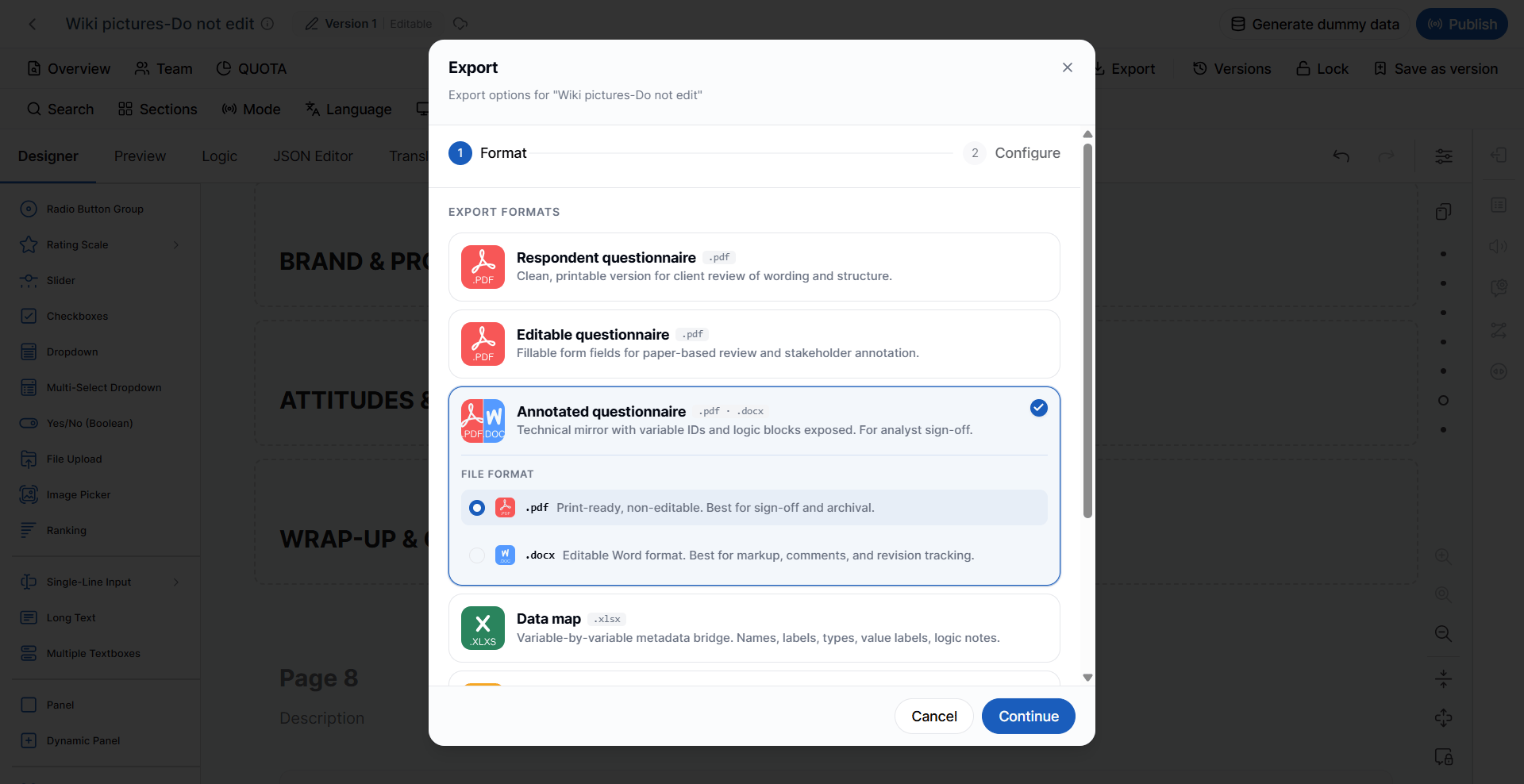
- Variable IDs
- Question names
- Logic blocks
- Routing information
- Technical annotations
PDF Format
The PDF version is a print-ready, non-editable document. Best suited for:- Final approval
- Client sign-off
- Documentation
- Archival
DOCX Format
The Microsoft Word (.docx) version is fully editable. It is ideal for:- Review cycles
- Adding comments
- Revision tracking
- Collaborative editing
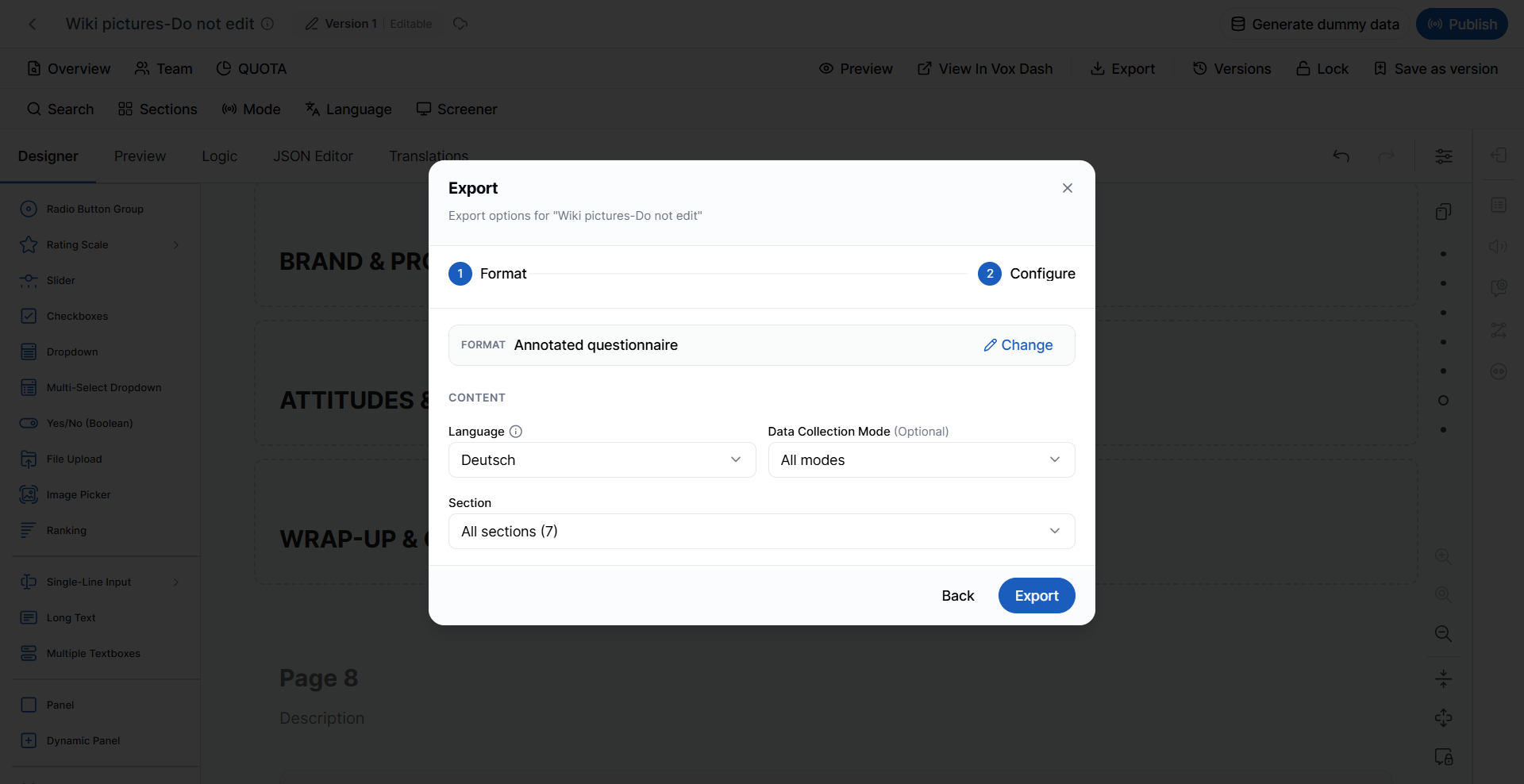
- Language
- Data Collection Mode
- Section (optional)
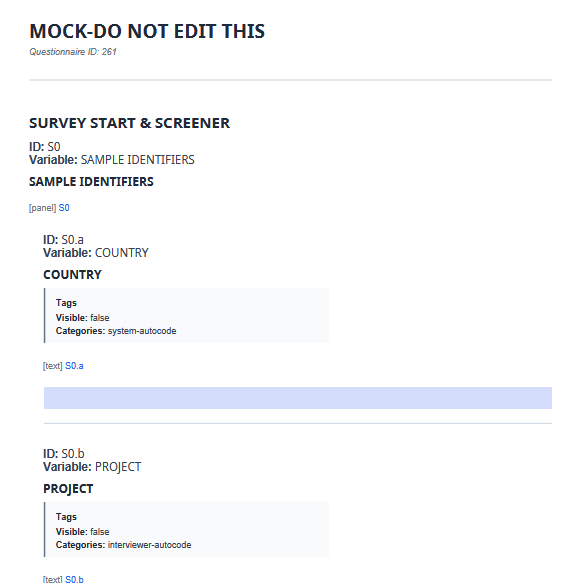
PDF Format Exported
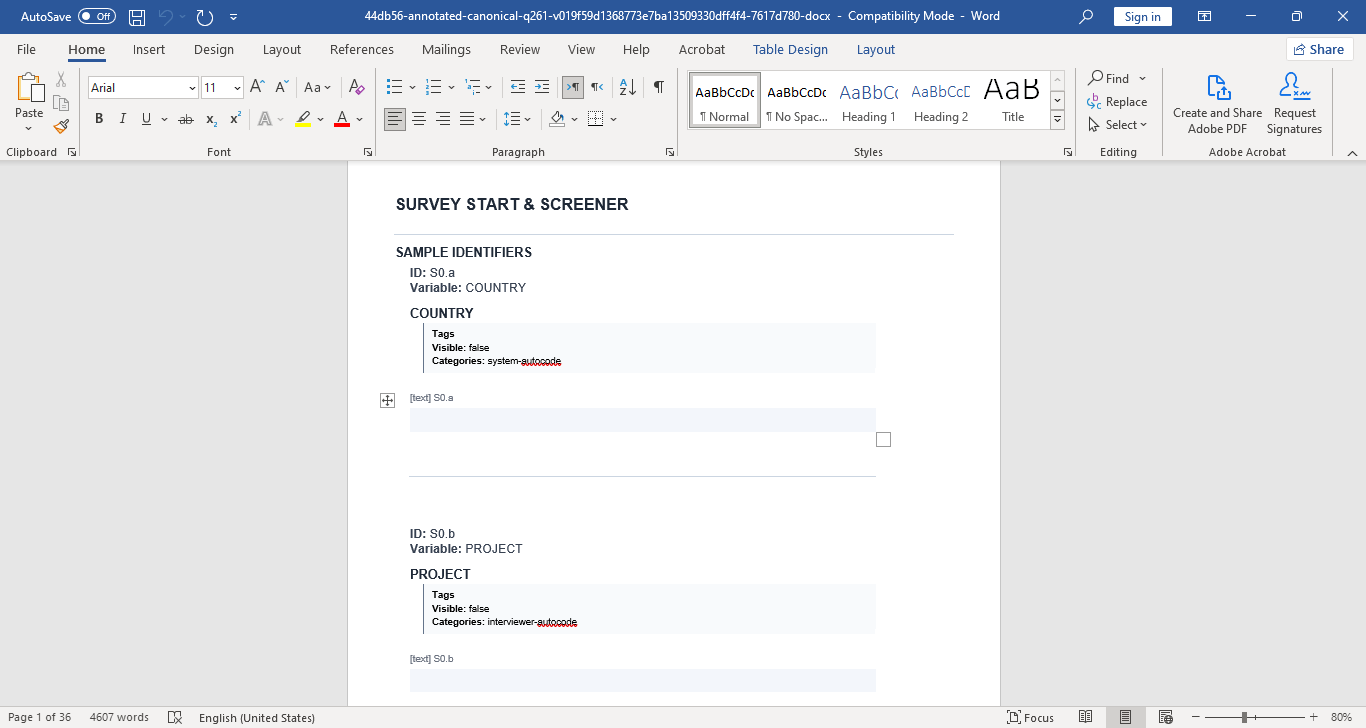
DOCX Format Exported
Data Map (.xlsx)
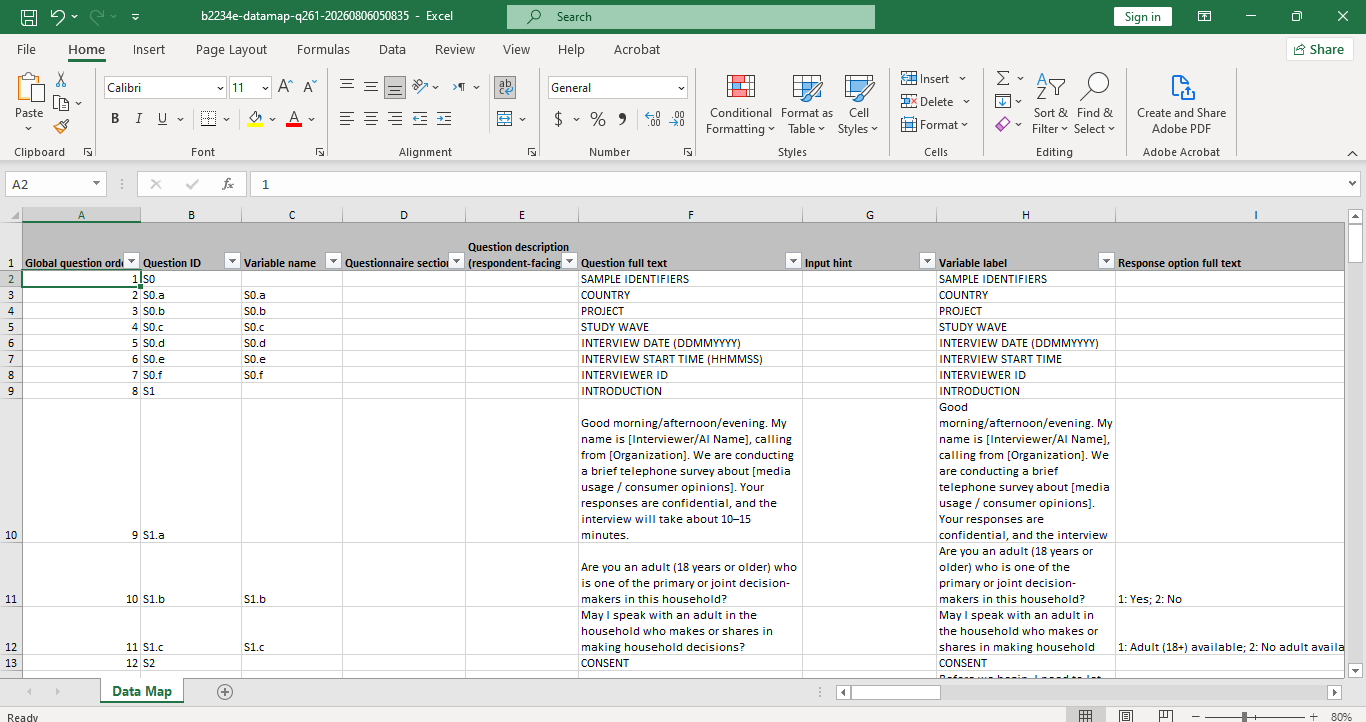
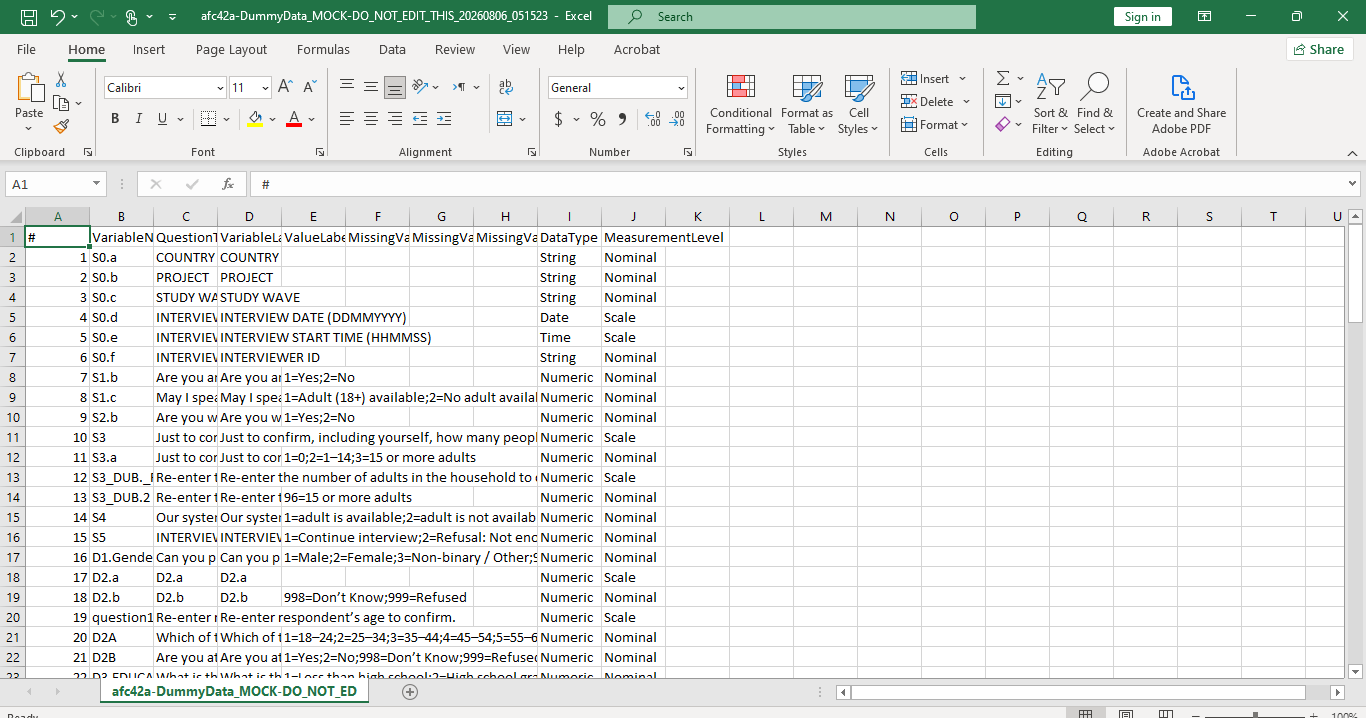
The Data Map exports the questionnaire metadata as an Excel spreadsheet. A Data Map serves as the bridge between questionnaire design and data processing by documenting every questionnaire variable.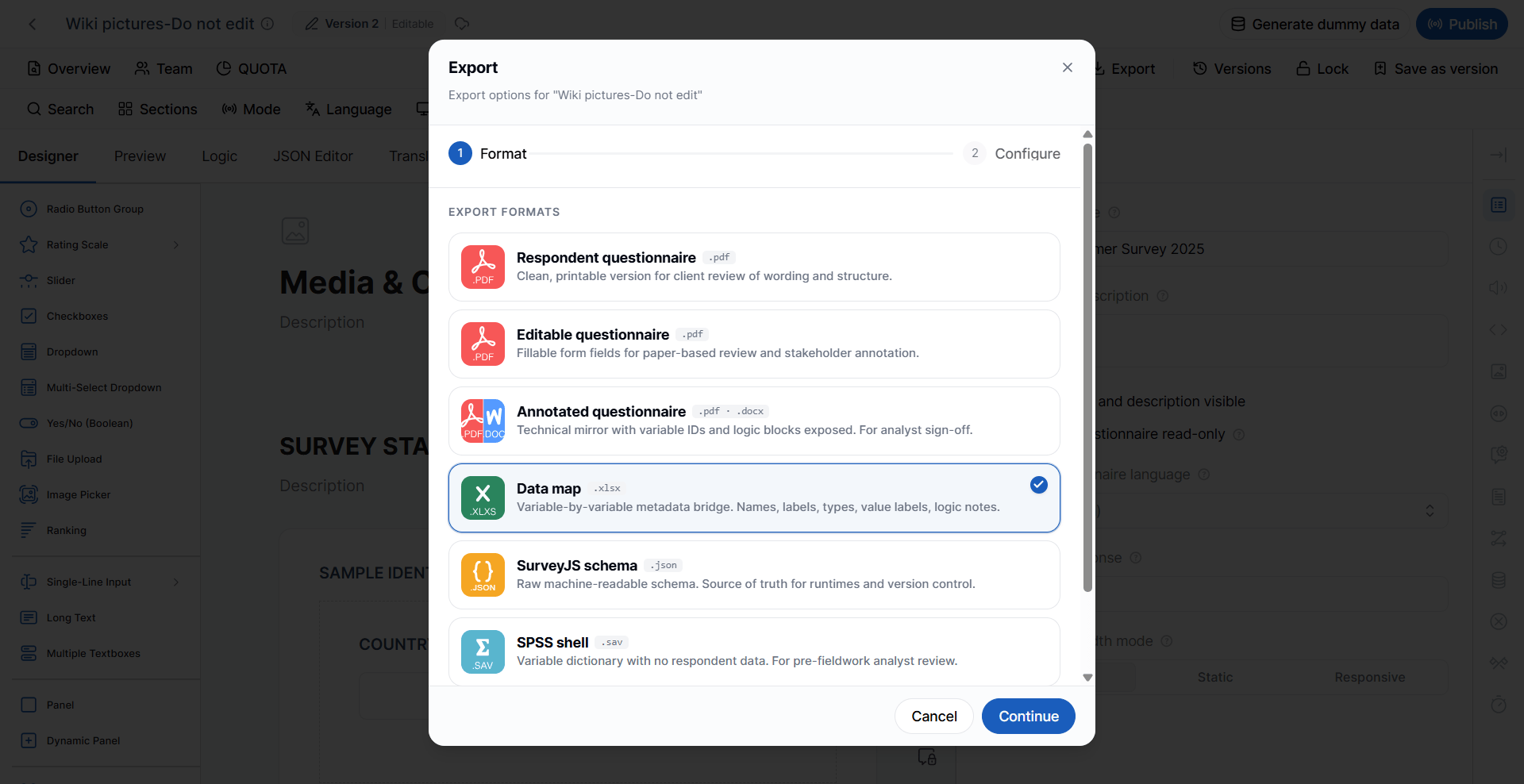
- Variable names
- Question labels
- Data types
- Value labels
- Logic notes
- Metadata
- Data analysts
- Programmers
- Reporting teams
- Data processing teams
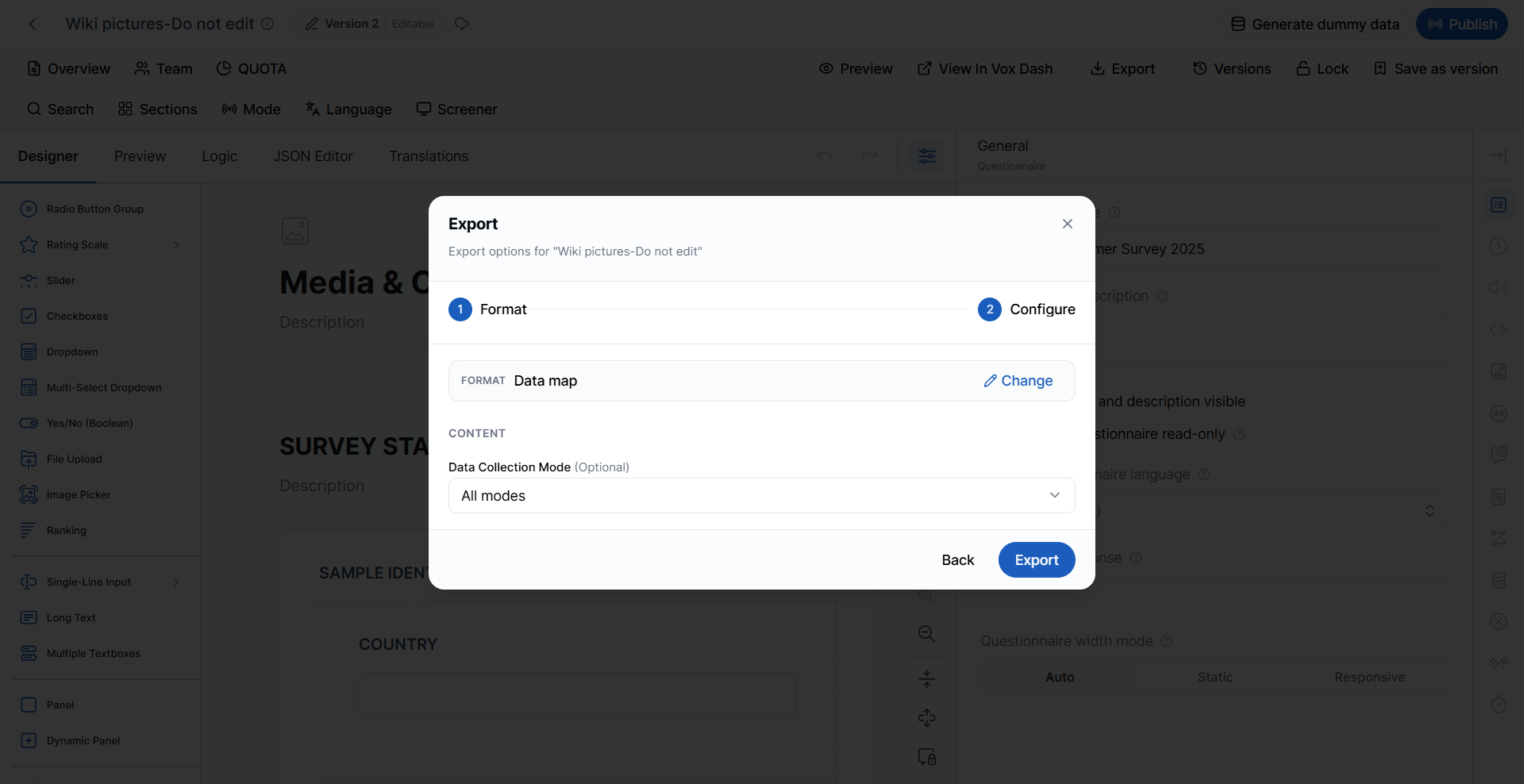
- Data Collection Mode
Logic Specification (.xlsx)
The Logic Specification exports every rule in the questionnaire into one filterable Excel workbook. It includes:- Display and skip conditions
- Calculated values
- Triggers
- Randomization
- Loops
- Data Collection Mode
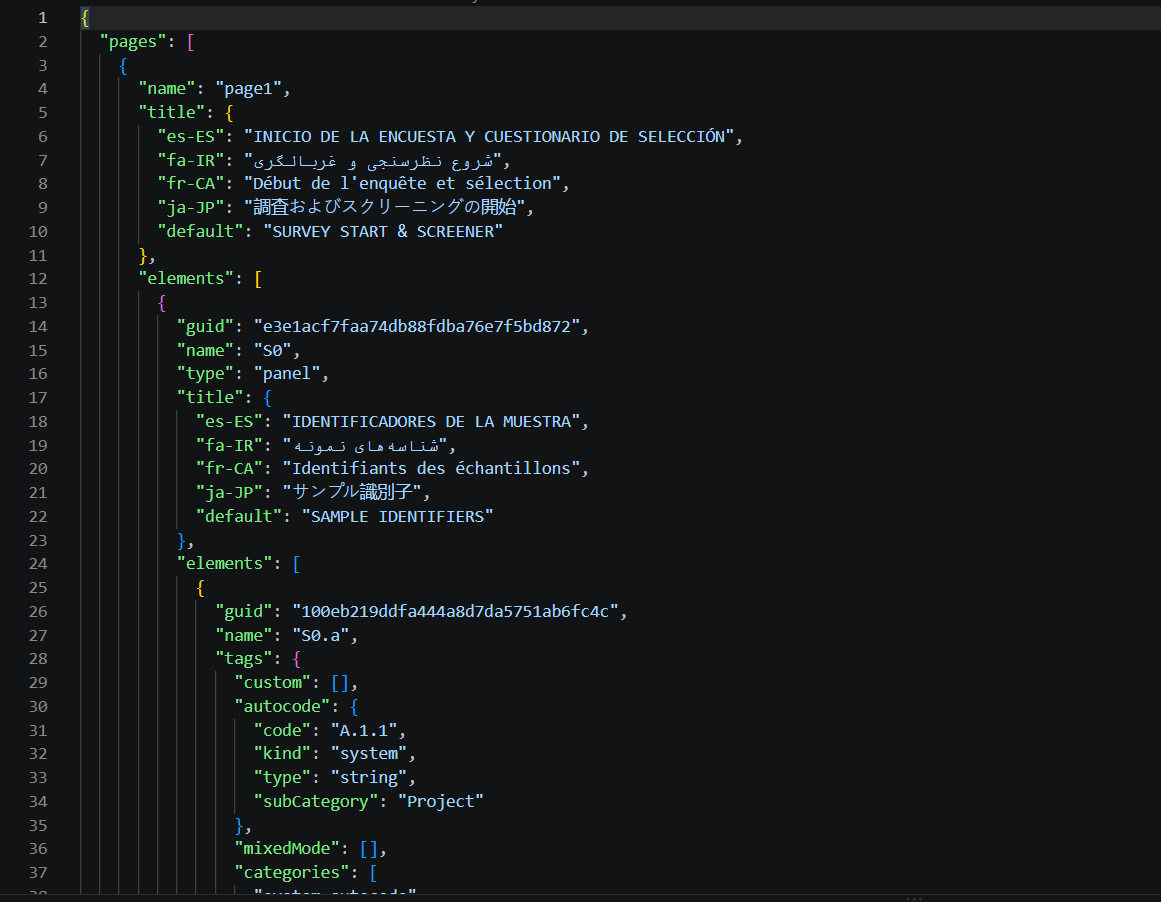
SurveyJS Schema (.json)
The SurveyJS Schema exports the questionnaire as a raw JSON schema compatible with SurveyJS. This export contains the complete questionnaire definition in machine-readable format.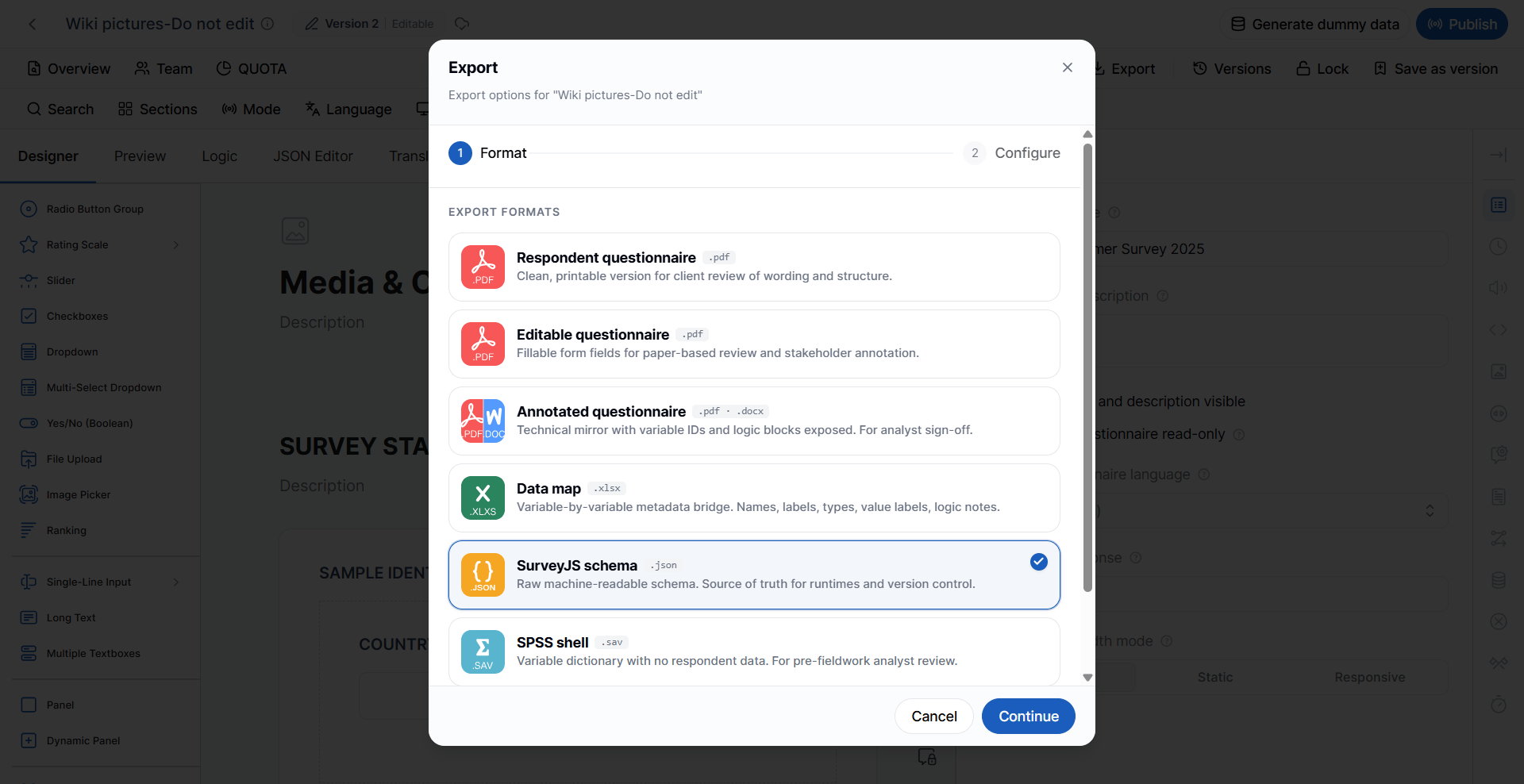
- Questionnaire structure
- Pages
- Questions
- Properties
- Logic
- Validation
- Layout configuration
- Version control
- Development
- Integration
- Runtime deployment
- Backup and migration
SPSS Shell (.sav)
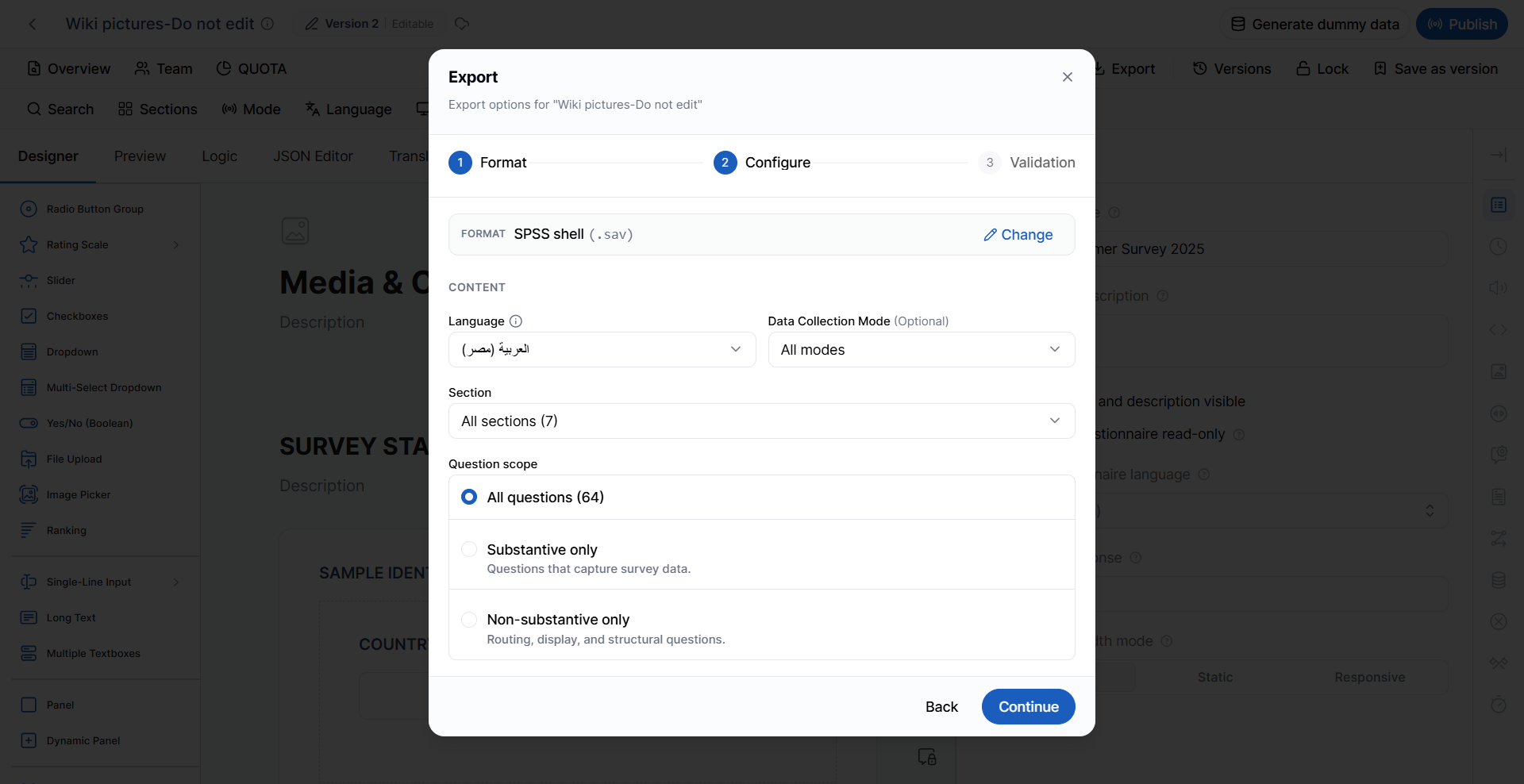
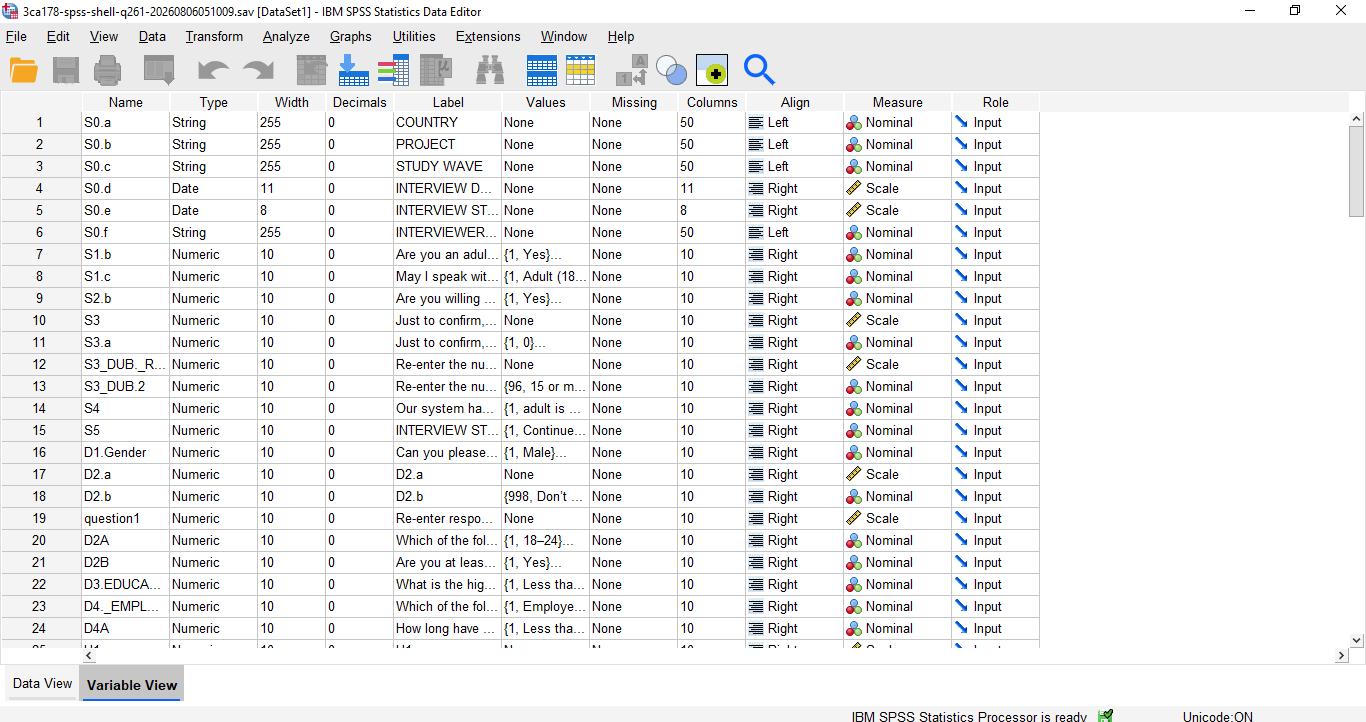
The SPSS Shell exports the questionnaire structure as an SPSS data dictionary without respondent data.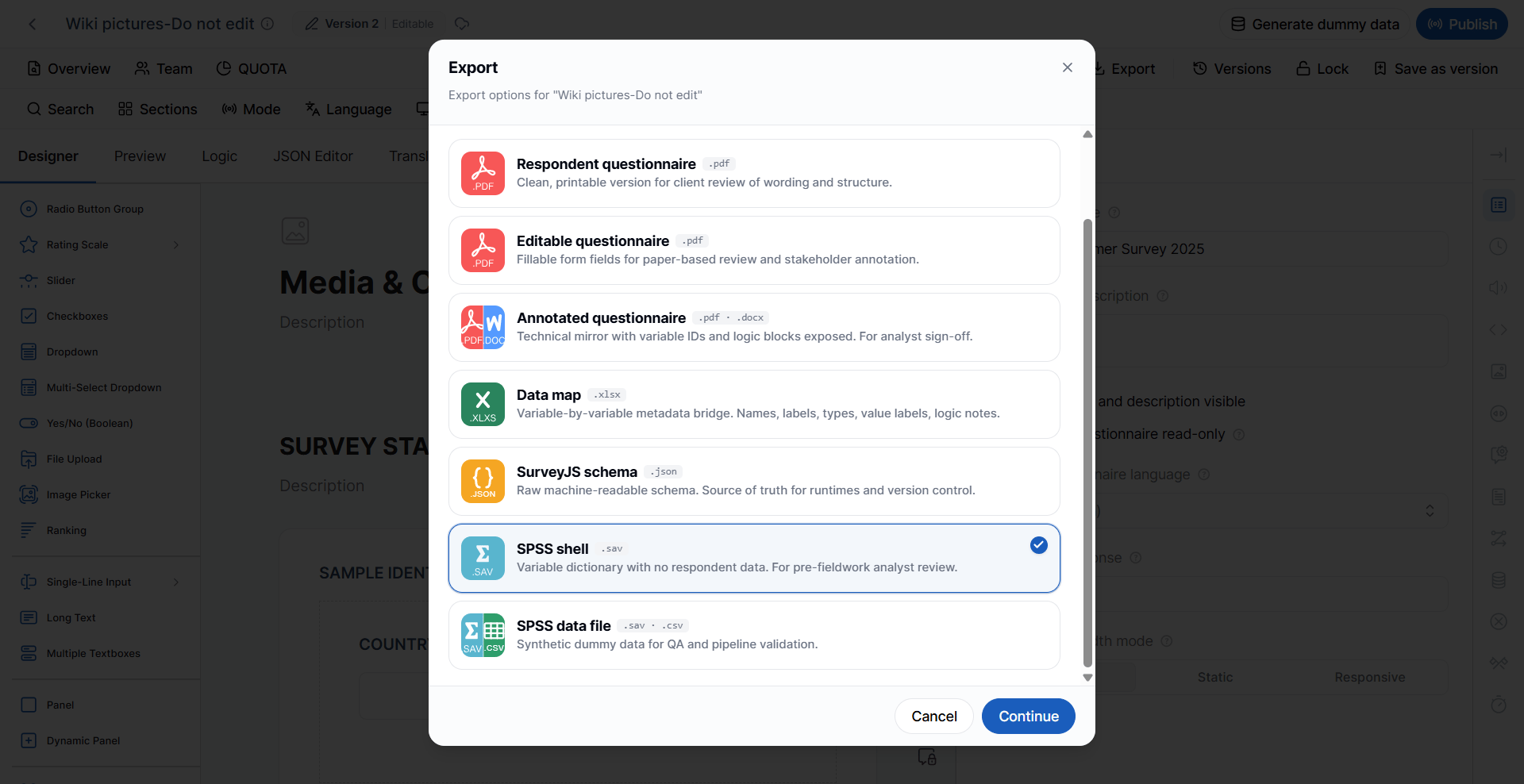
- Variables
- Labels
- Value labels
- Missing value definitions
- Metadata
- Language
- Data Collection Mode
- Section
- Question Scope
Question Scope
Choose which questions to include in the export.All Questions
Exports every questionnaire question.Substantive Only
Exports only questions that collect respondent data. Examples include:- Demographic questions
- Rating questions
- Product usage questions
Non-Substantive Only
Exports structural questionnaire elements that support survey execution but do not collect substantive survey data. Examples include:- Routing questions
- Display conditions
- Administrative questions
- Structural questions
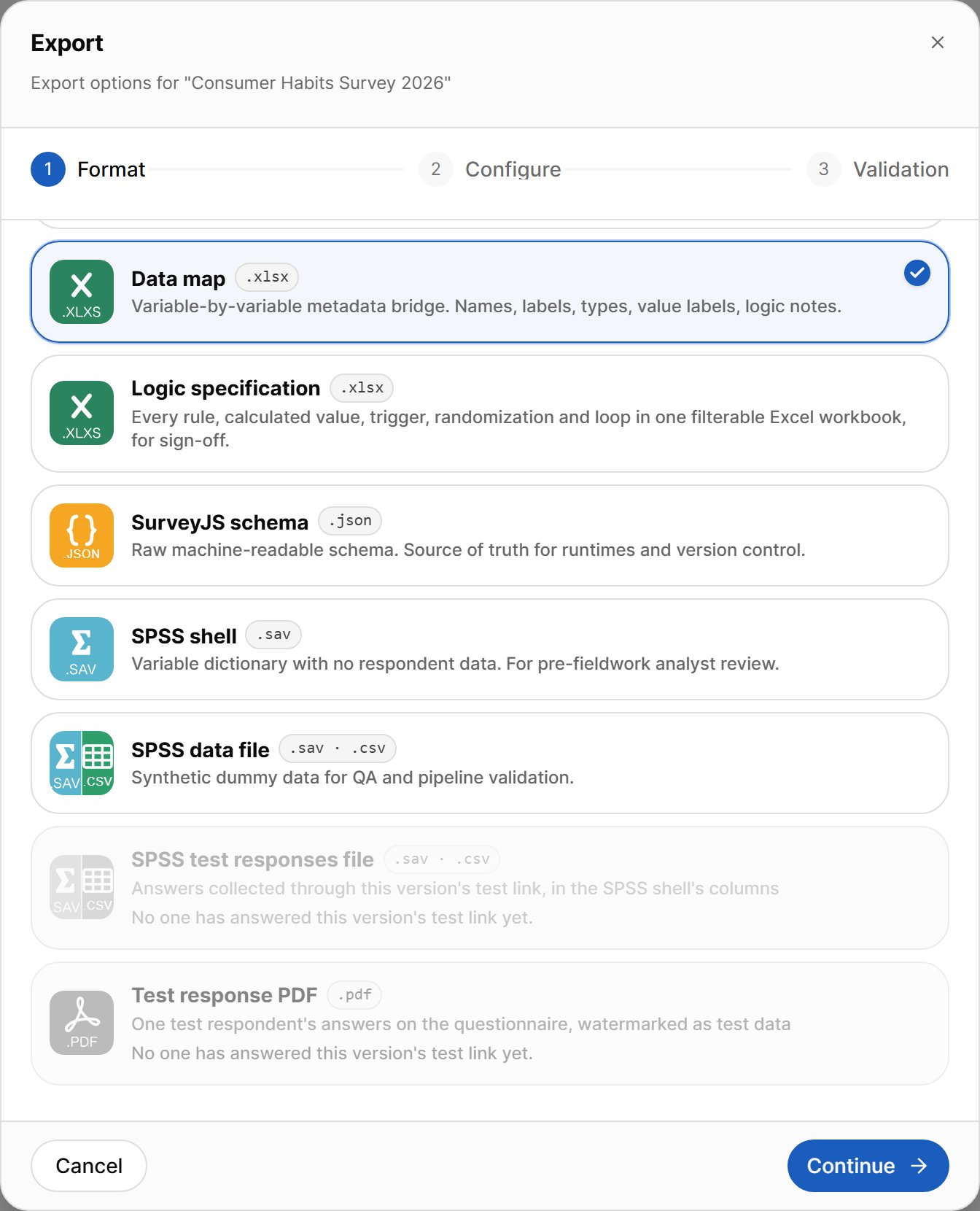
SPSS Data File (.sav / .csv)
The SPSS Data File exports the questionnaire together with synthetic (dummy) respondent data.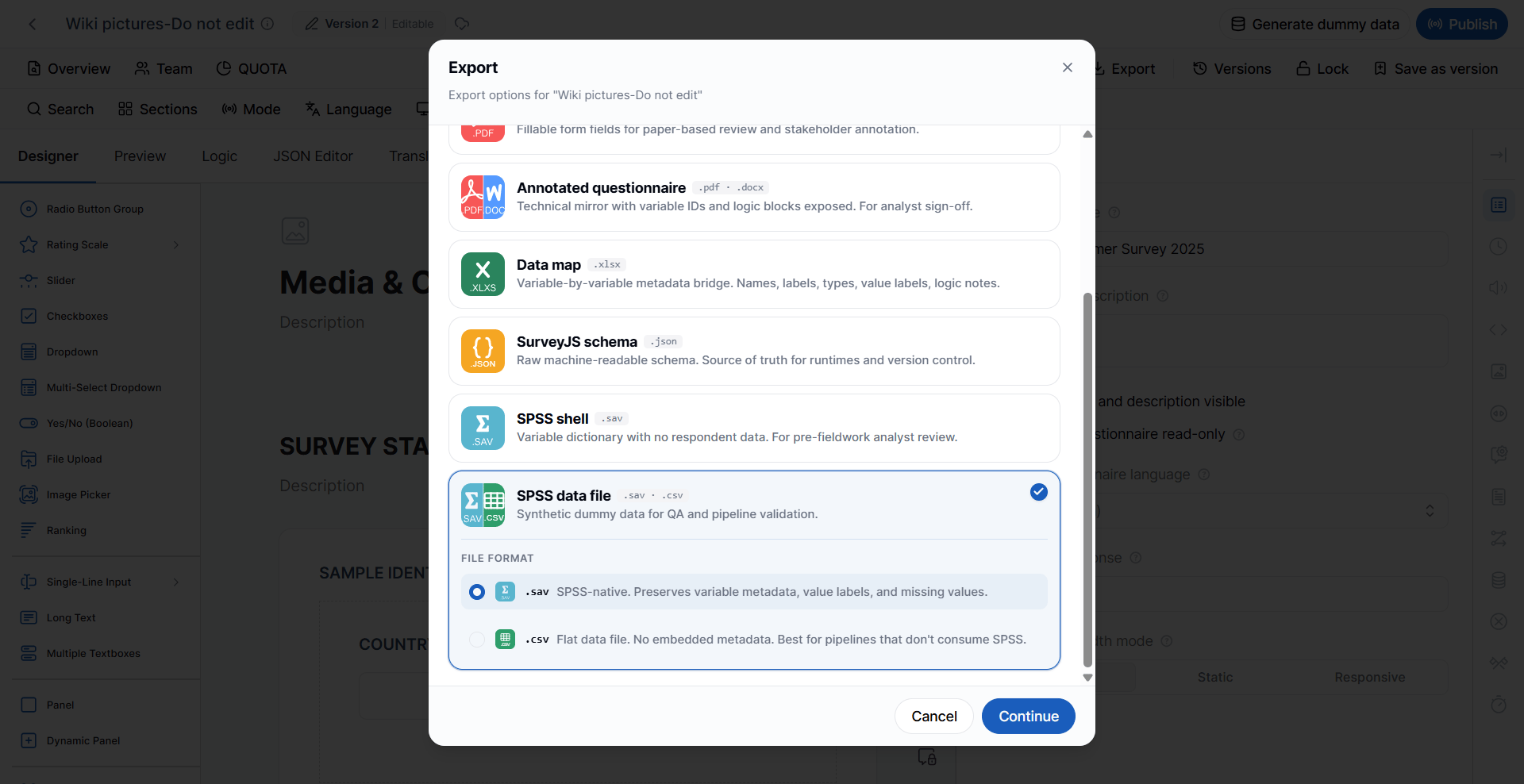
- Quality assurance (QA)
- Pipeline testing
- Data validation
- Dashboard testing
- Report development
SPSS (.sav)
The SPSS format preserves:- Variable labels
- Value labels
- Missing value definitions
- Metadata
CSV (.csv)
The CSV format exports a flat data file. Unlike SPSS, CSV files do not include embedded metadata such as:- Variable labels
- Value labels
- Missing value definitions
- Data pipelines
- ETL processes
- Importing into third-party applications
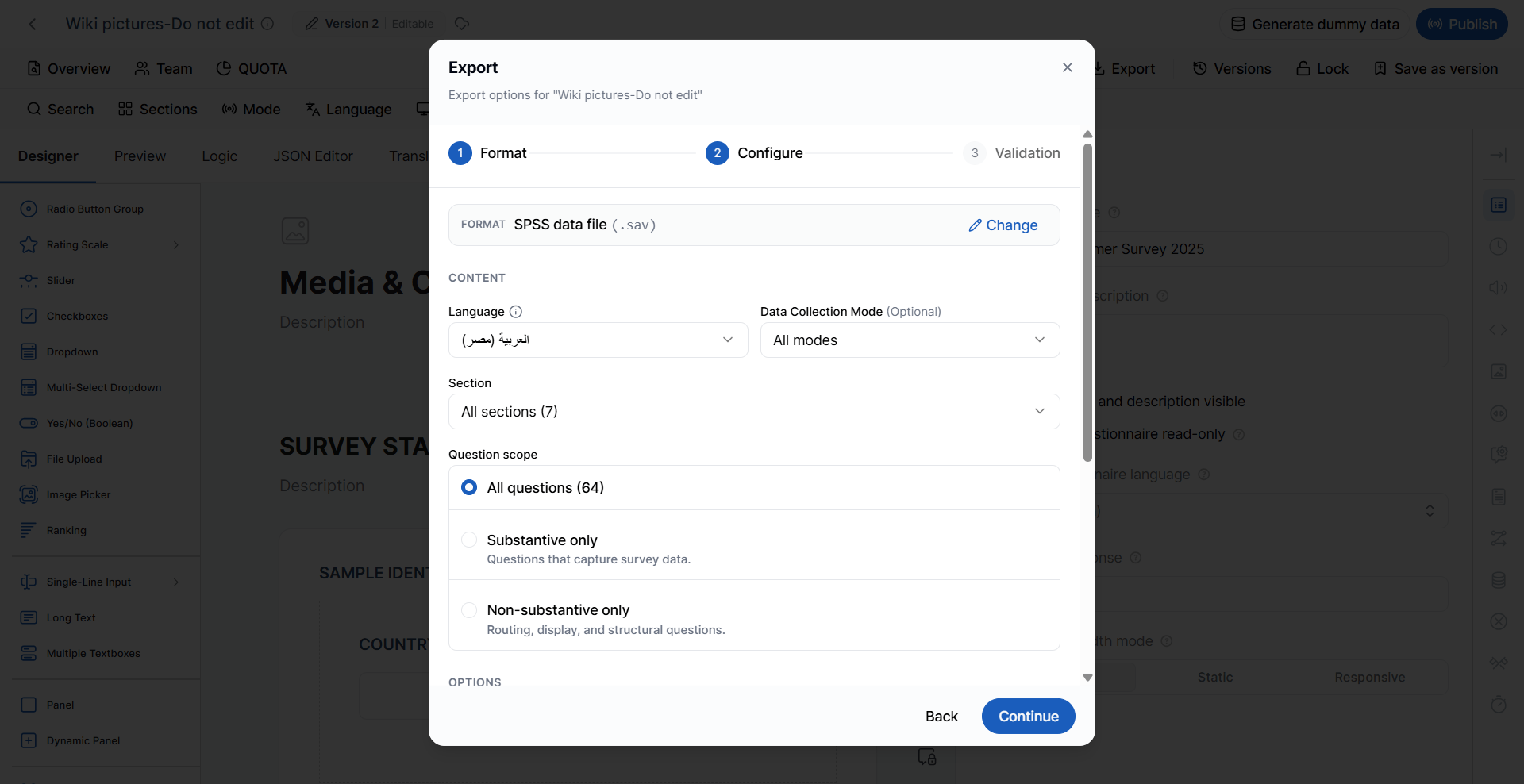
- Language
- Data Collection Mode
- Section
- Question Scope
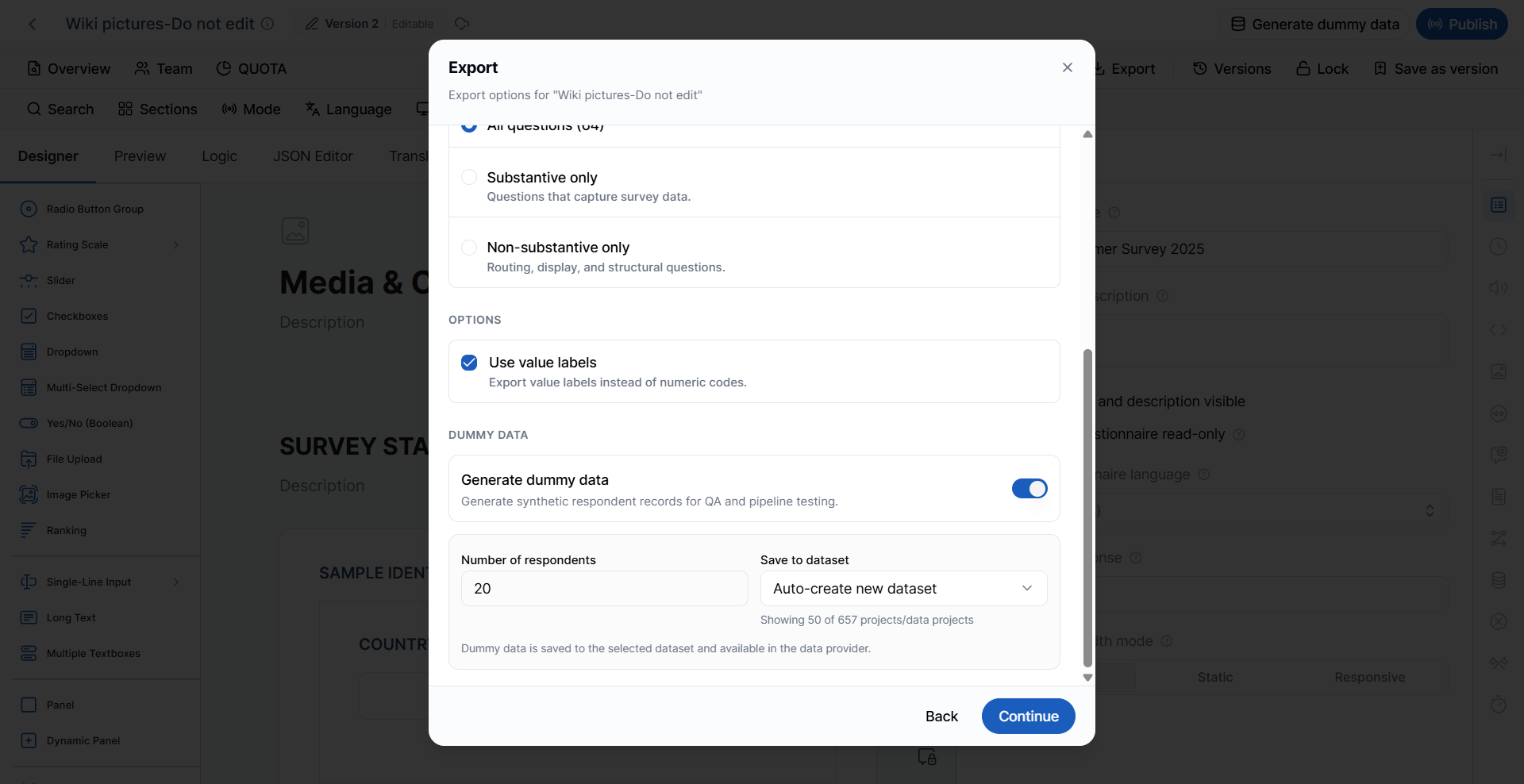
Use Value Labels
Enable Use Value Labels to export response labels instead of numeric codes. For example:
When disabled, the exported file contains only the numeric values.
Dummy Data Generation
VoxDash can automatically generate synthetic respondent data for testing purposes. Dummy data simulates completed questionnaire responses without using real respondent information. This feature is useful for:- QA testing
- Data processing validation
- Dashboard development
- Report testing
- Integration testing
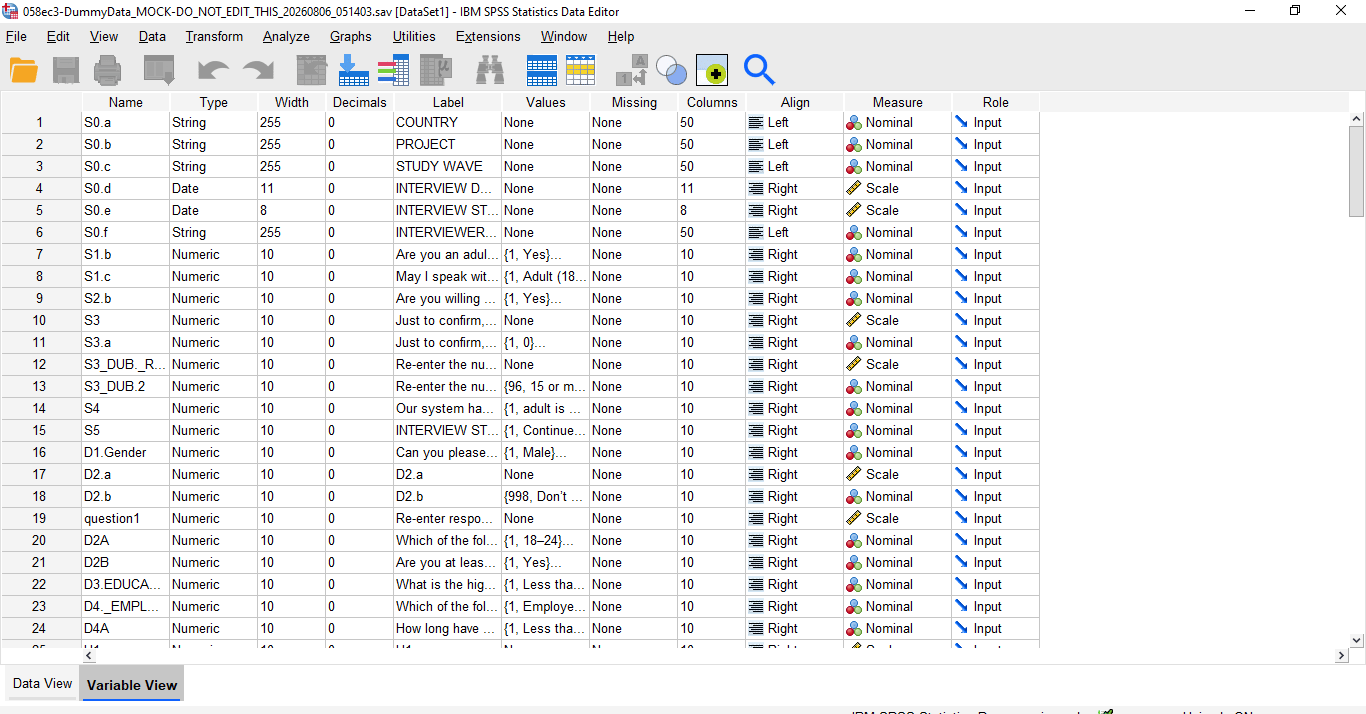
SPSS Format Exported
CSV Format Exported
SPSS Test Responses File (.sav / .csv)
The SPSS Test Responses File exports the answers collected through this version’s test link, using the same columns as the SPSS shell. Use it to check that real answers from your testers come out with the right variables, codes, and labels before fieldwork starts.Test Response PDF (.pdf)
The Test Response PDF exports one test respondent’s answers laid out on the questionnaire. The PDF is watermarked as test data. On the Configure step, choose the respondent whose answers you want to export.Both test-response formats stay disabled until someone has answered this version’s test link. If no test link has been started, or nobody has answered it yet, the format shows “No one has answered this version’s test link yet.” To start a test link, see Share and Test Links.
Choosing the Right Export Format
Best Practices
To ensure successful exports:- Validate the questionnaire before exporting.
- Resolve all errors before attempting an export.
- Review and resolve warnings whenever possible to improve questionnaire quality.
- Select the appropriate Language, Data Collection Mode, Section, and Question Scope based on the intended audience.
- Use the Respondent Questionnaire for business and client reviews.
- Use the Annotated Questionnaire for technical reviews and analyst sign-off.
- Export a Data Map for programming and data processing teams.
- Use SurveyJS Schema for development, backups, and version control.
- Generate Dummy Data to test reporting, integrations, and analysis pipelines before collecting live respondent data.