

Users
organization_users_sample.xlsx
User groups
organization_user_groups_sample.xlsx
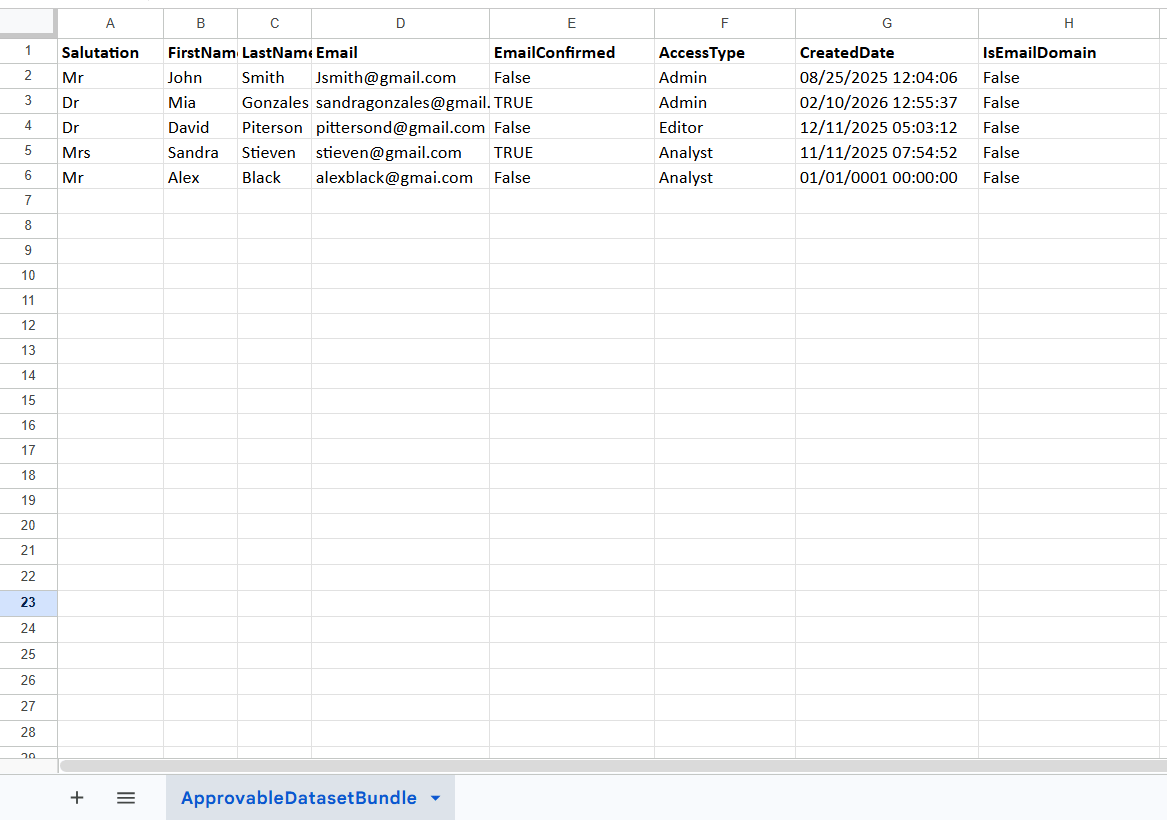
Admins
Same columns as the Users export.
Users / Admins export
Found in Organization → User management (and Admin management). Click the Export action to download the current list.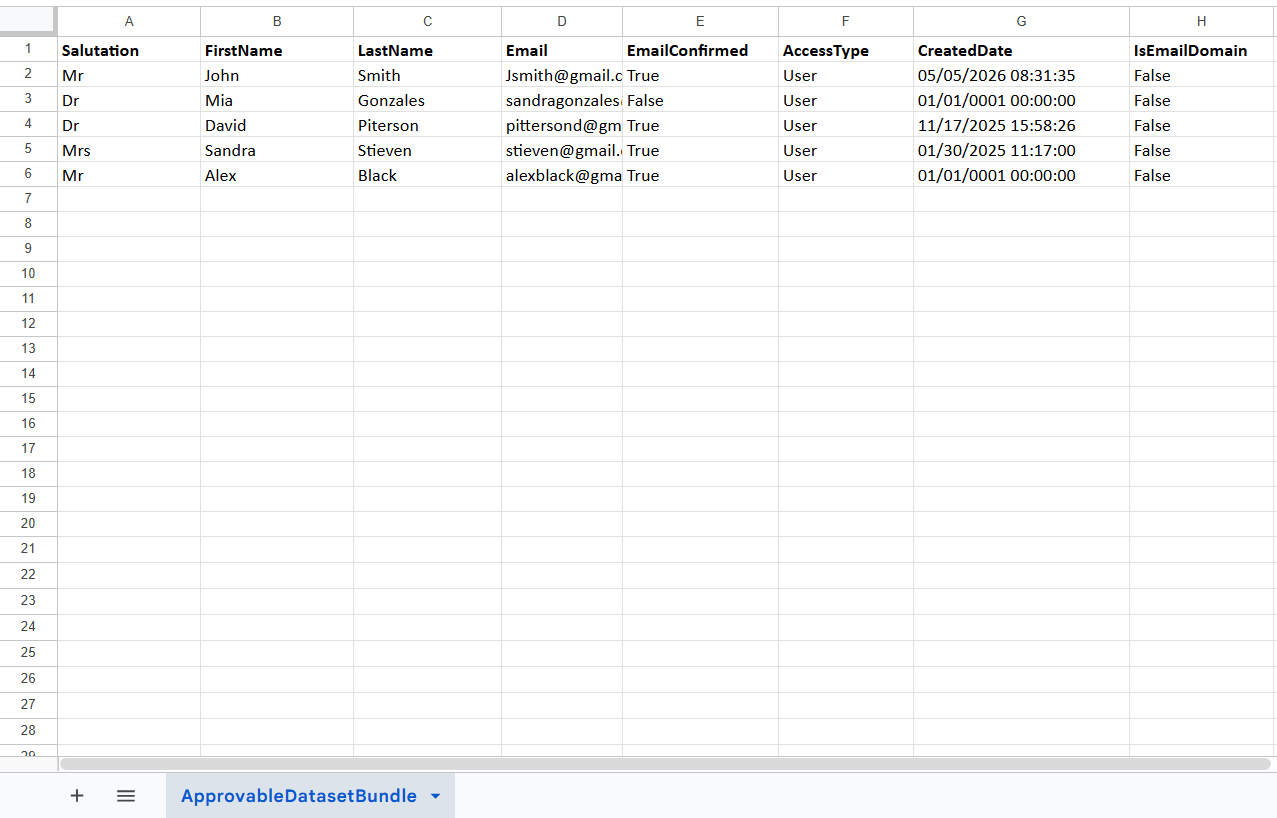
User groups export
Found in Organization → User groups. Click Export.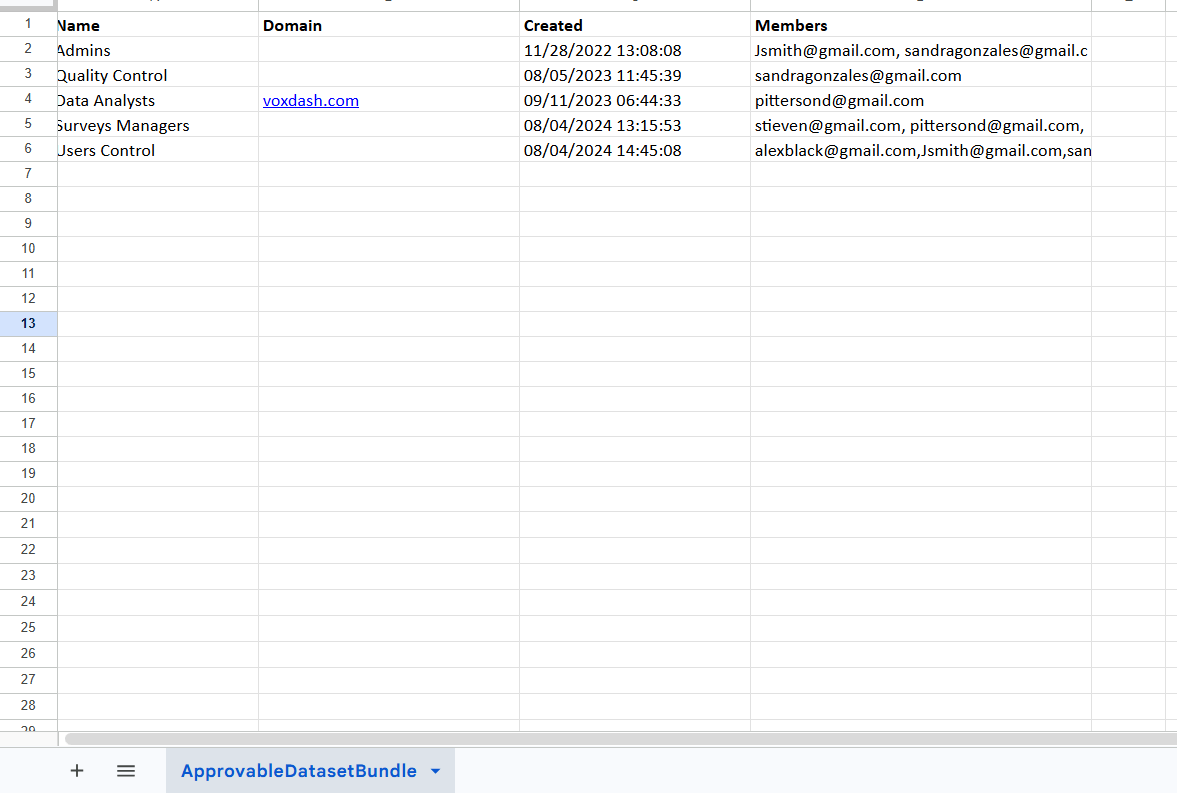
Files download with an automatic name like
organization_users_20260620_090807.xlsx. The columns you see depend on the table’s
current configuration, so your export may include additional columns.