

- Planning data collection projects
- Estimating respondent engagement
- Managing survey budgets and incentives
- Selecting the appropriate service tier
- Identifying questionnaires that may be too long for respondents
Note: The LOI is an estimate only. Actual completion times may vary depending on respondent behavior, questionnaire complexity, device type, language, and other factors. It should be used as a planning guide rather than a guaranteed interview duration.
How LOI Estimation Works
When you select a Data Collection Method in the Questionnaire Metadata section, VoxDash automatically assigns a default completion time to each question type. These default times are based on the selected collection method because respondents interact with surveys differently depending on how the data is collected. For example, completing a web-based questionnaire may require a different amount of time than participating in an interviewer-assisted survey. The system combines these default values with your questionnaire structure to calculate the estimated interview length.Accessing the LOI Settings
You can configure the LOI estimation from the Editor Panel. To access the feature:- Open your questionnaire in the Editor Panel.
- Locate the Properties Panel on the right side of the screen.
- Expand the LOI (Length of Interview) section.
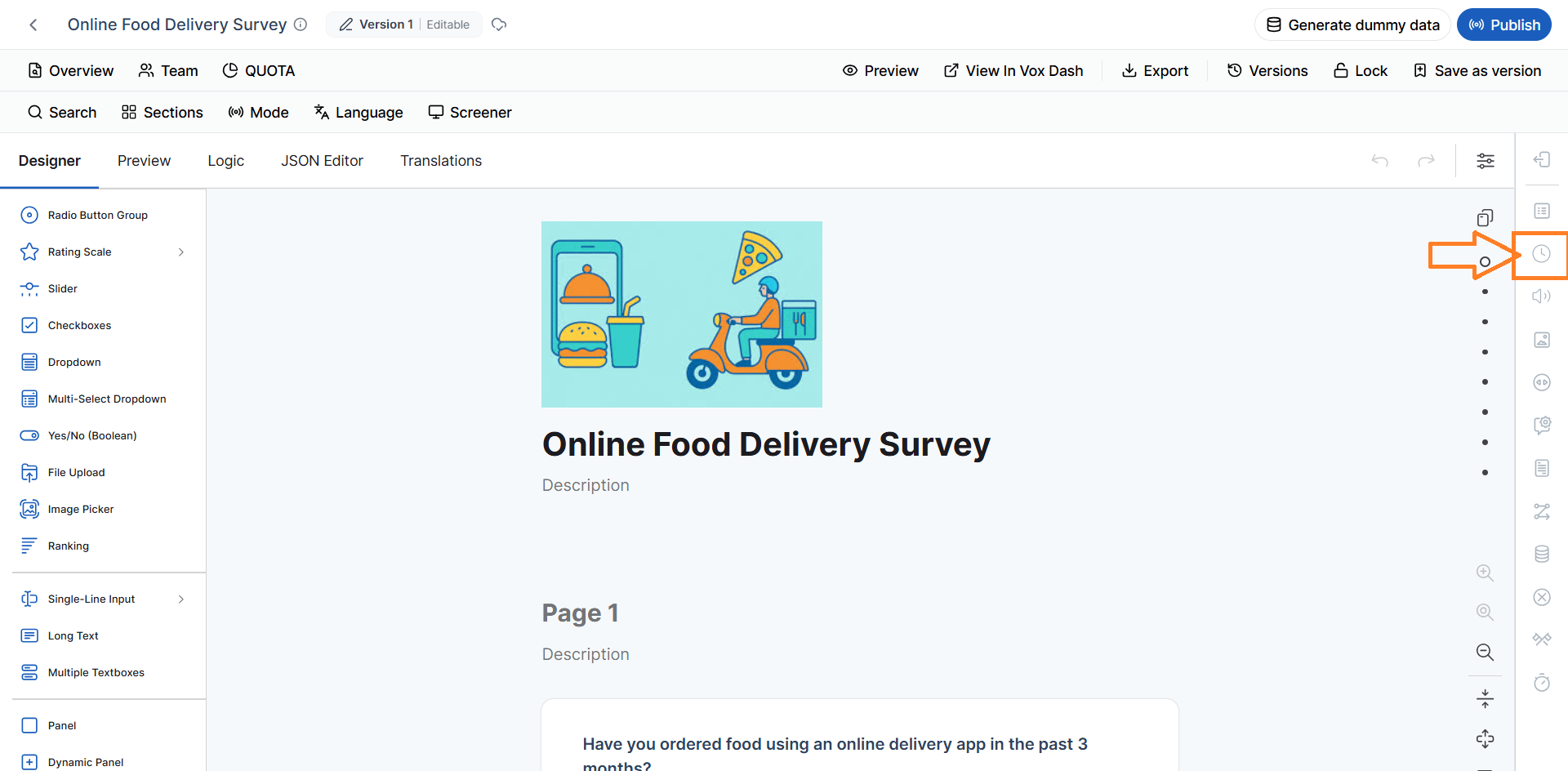
- Adjustments — the Estimation Settings described below.
- Estimate — the Interview Length Estimation for each data collection mode.
Note: On a published, AI-CATI, or locked version, the LOI panel is read-only. The LOI estimate is available on plans that include it; otherwise the panel shows an upgrade message.
Estimation Settings
The Estimation Settings section allows you to customize how the interview length is calculated. These settings help produce a more realistic estimate by accounting for factors that may affect how long respondents take to answer your questionnaire.Time Adjustment
The Time Adjustment settings allow you to fine-tune the calculation based on the expected characteristics of your survey and respondents. The available adjustment factors include:Language Multiplier
Adjusts the estimated completion time based on the language of the questionnaire. Some languages naturally require more or less reading time, which can affect the overall interview length. Example: A translated questionnaire may require additional reading time compared to the original version.Respondent Complexity Multiplier
Adjusts the estimate according to the expected respondent profile. Respondents with specialized knowledge, technical expertise, or complex decision-making processes may require more time to answer questions accurately. Example:- General consumers may complete the survey quickly.
- Industry professionals or business decision-makers may take longer to evaluate each question.
Topic Complexity Multiplier
Adjusts the interview length based on how difficult or technical the survey content is. Simple questionnaires generally require less time, while surveys covering technical, financial, healthcare, or analytical topics may increase completion time. Example: A customer satisfaction survey typically takes less time than a detailed product research questionnaire.Average Path Percentage
Not every respondent answers every possible question. Branching logic, skip logic, and display conditions often cause respondents to follow different paths through a questionnaire. The Average Path Percentage estimates how much of the questionnaire an average respondent is expected to complete. This helps produce a more realistic LOI by accounting for conditional question flows. Example: If most respondents answer only 70% of the available questions due to skip logic, the estimated interview length will be based on that average path rather than the full questionnaire.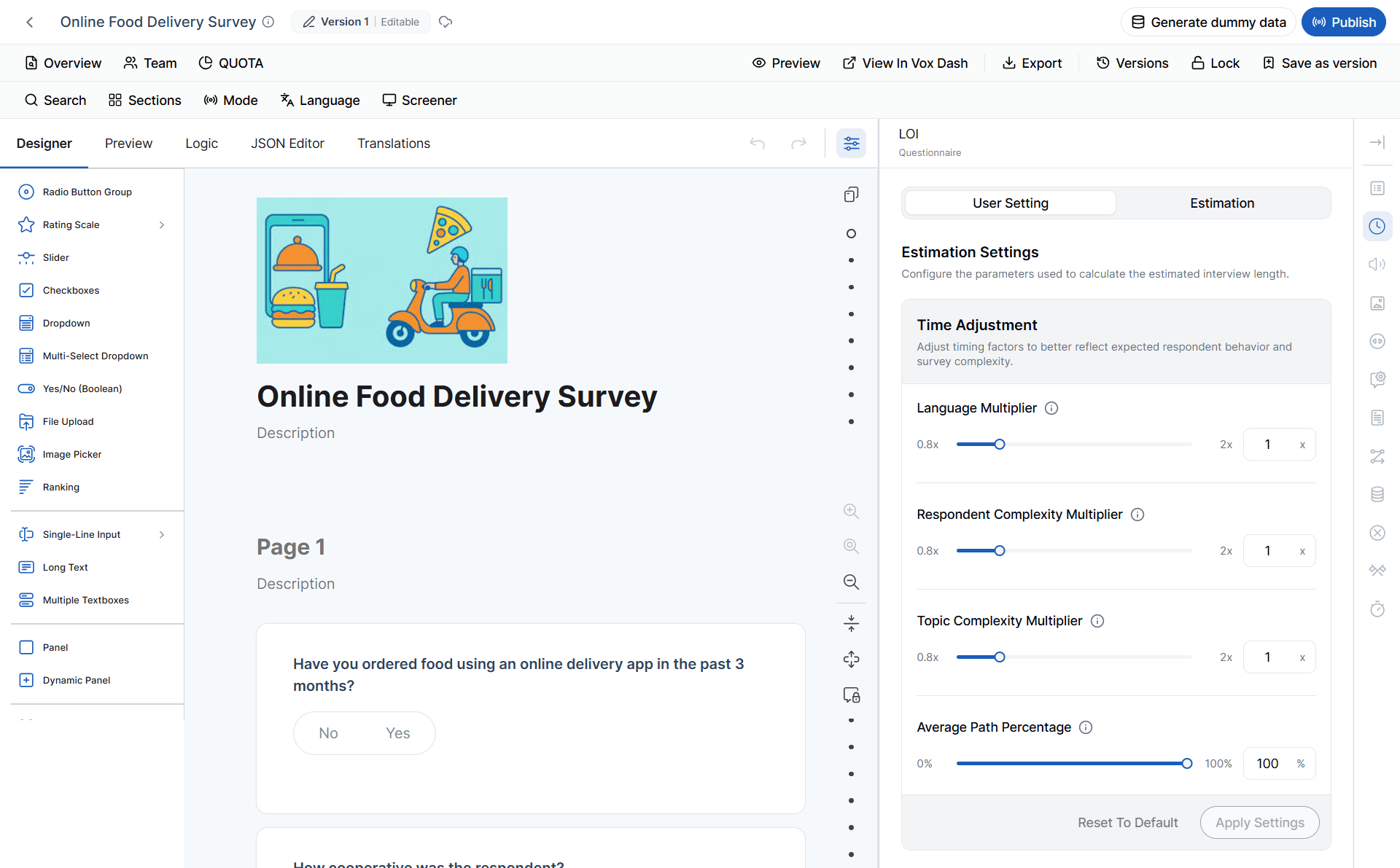
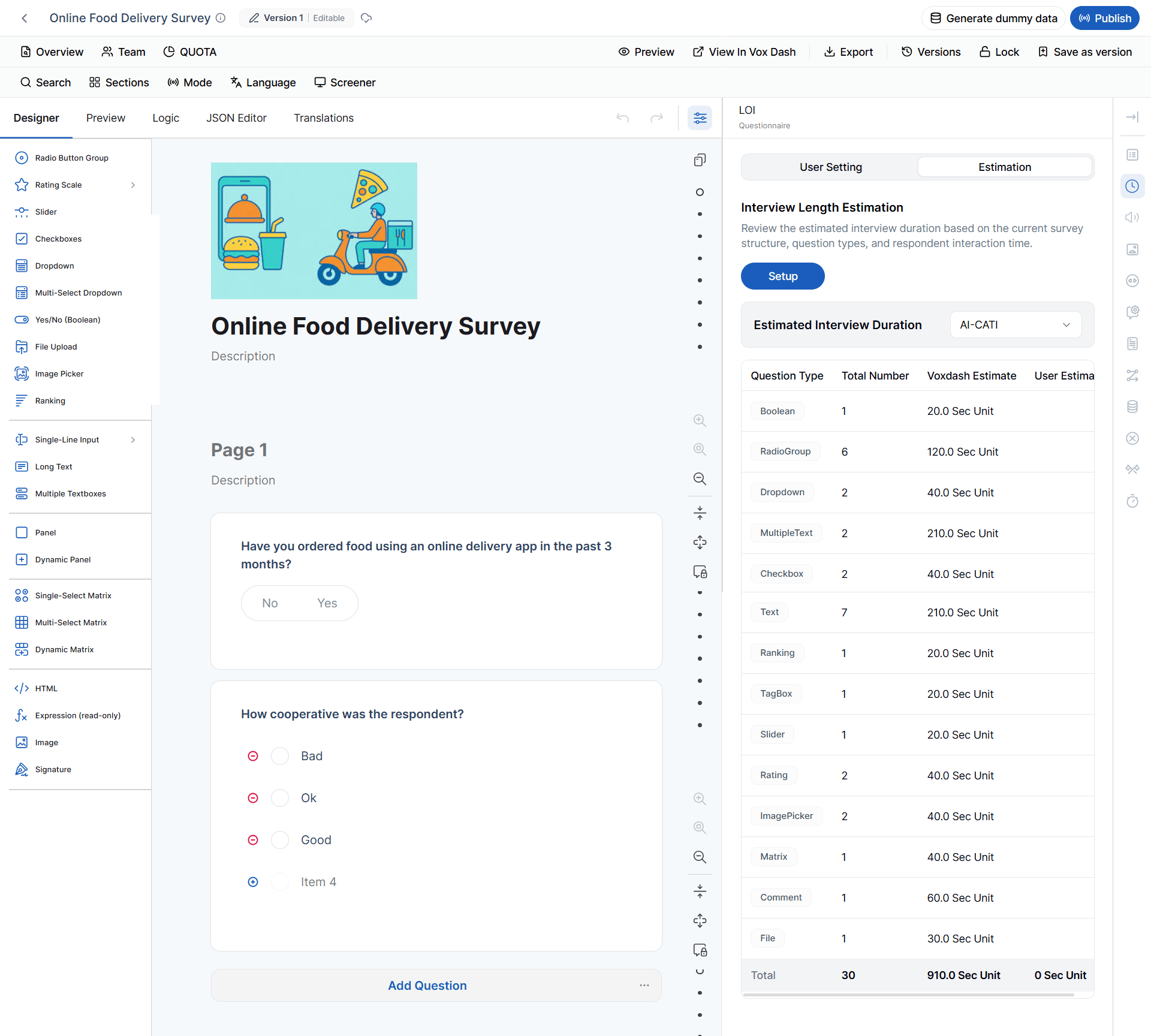
Interview Length Estimation
The Interview Length Estimation section displays the calculated interview duration based on the current questionnaire configuration. The estimate considers:- The selected data collection method
- The number of questions in the questionnaire
- The types of questions used
- The default completion time for each question type
- Your custom LOI settings and adjustment factors
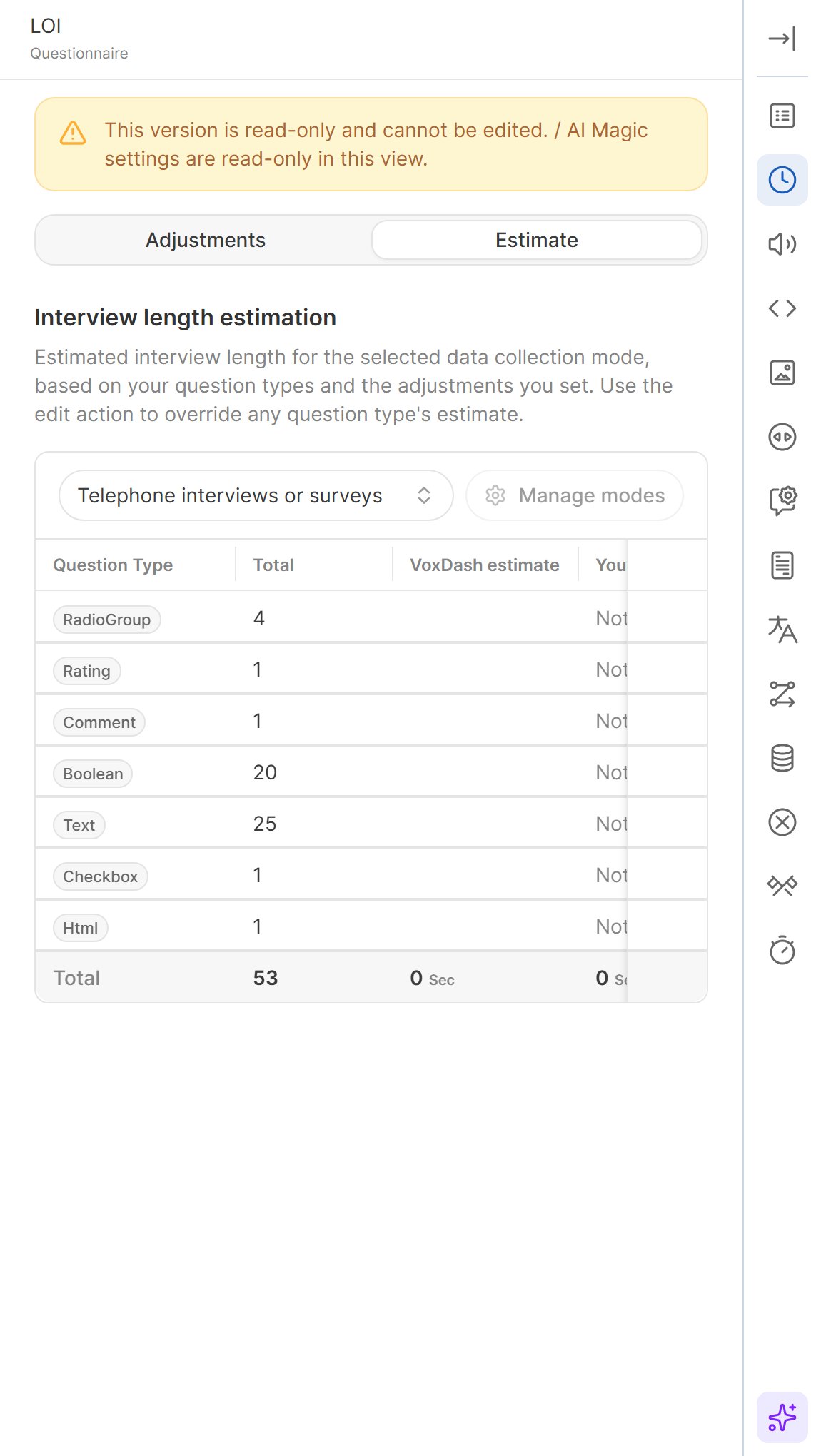
Estimates per Data Collection Mode
Respondents take a different amount of time in each data collection mode, so the estimate is calculated per mode. Use the mode selector at the top of the Estimate tab to switch between the modes configured for the questionnaire. For each question type, the table shows:
The Total row shows the estimated interview length for the selected mode.
LOI and AI-CATI
When you use the questionnaire in an AI-CATI study, its LOI is shown when you choose the questionnaire version, and the study’s maximum interview duration cannot be shorter than the LOI — a shorter cap would end every call before it could complete.Shortening the Interview with AI
If the questionnaire is too long, the AI Assistant can suggest shorter wording for questions. Each accepted suggestion shows how many seconds it saves.Customizing Question Timing
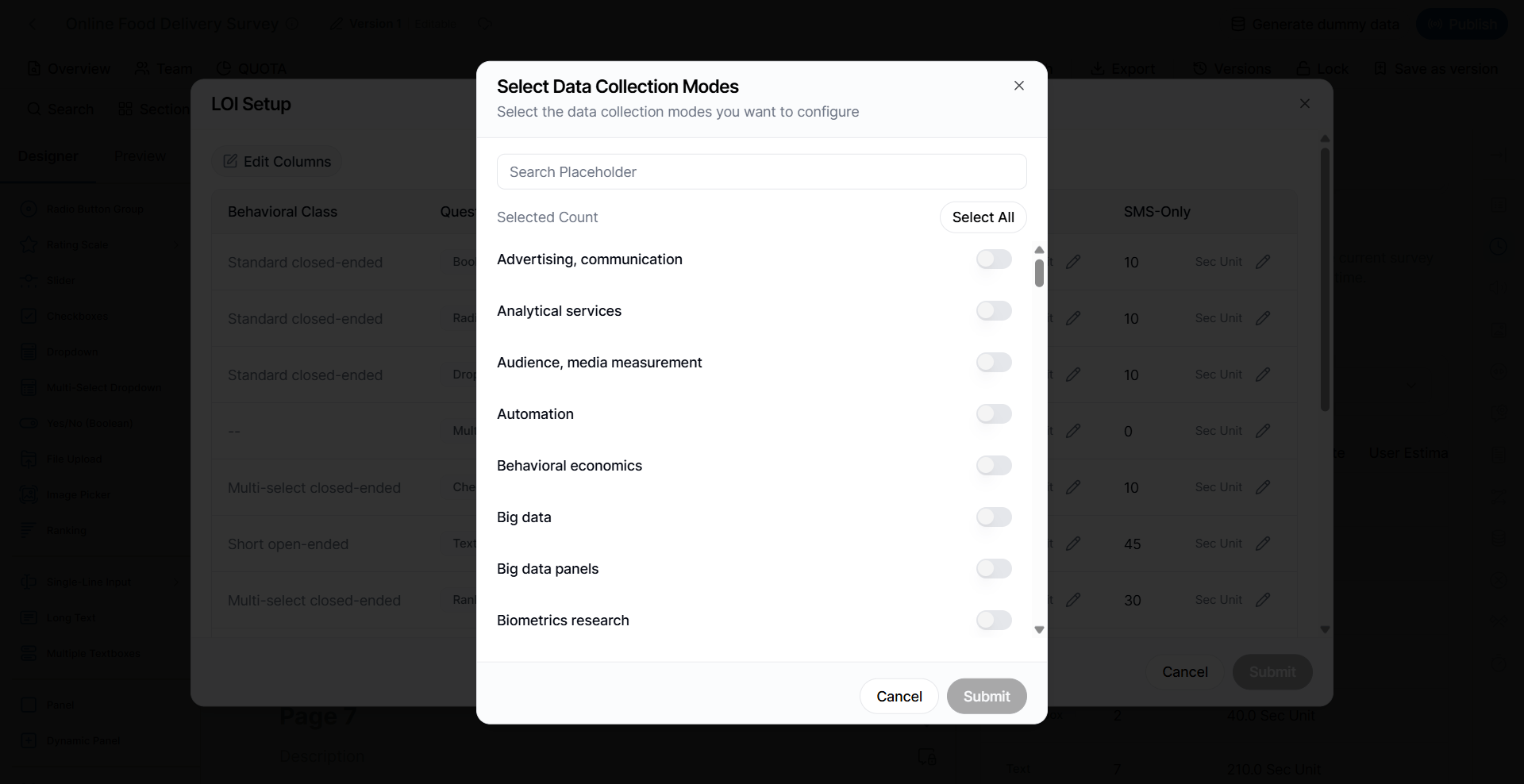
After selecting a Data Collection Method, VoxDash displays the default estimated completion time for each available question type.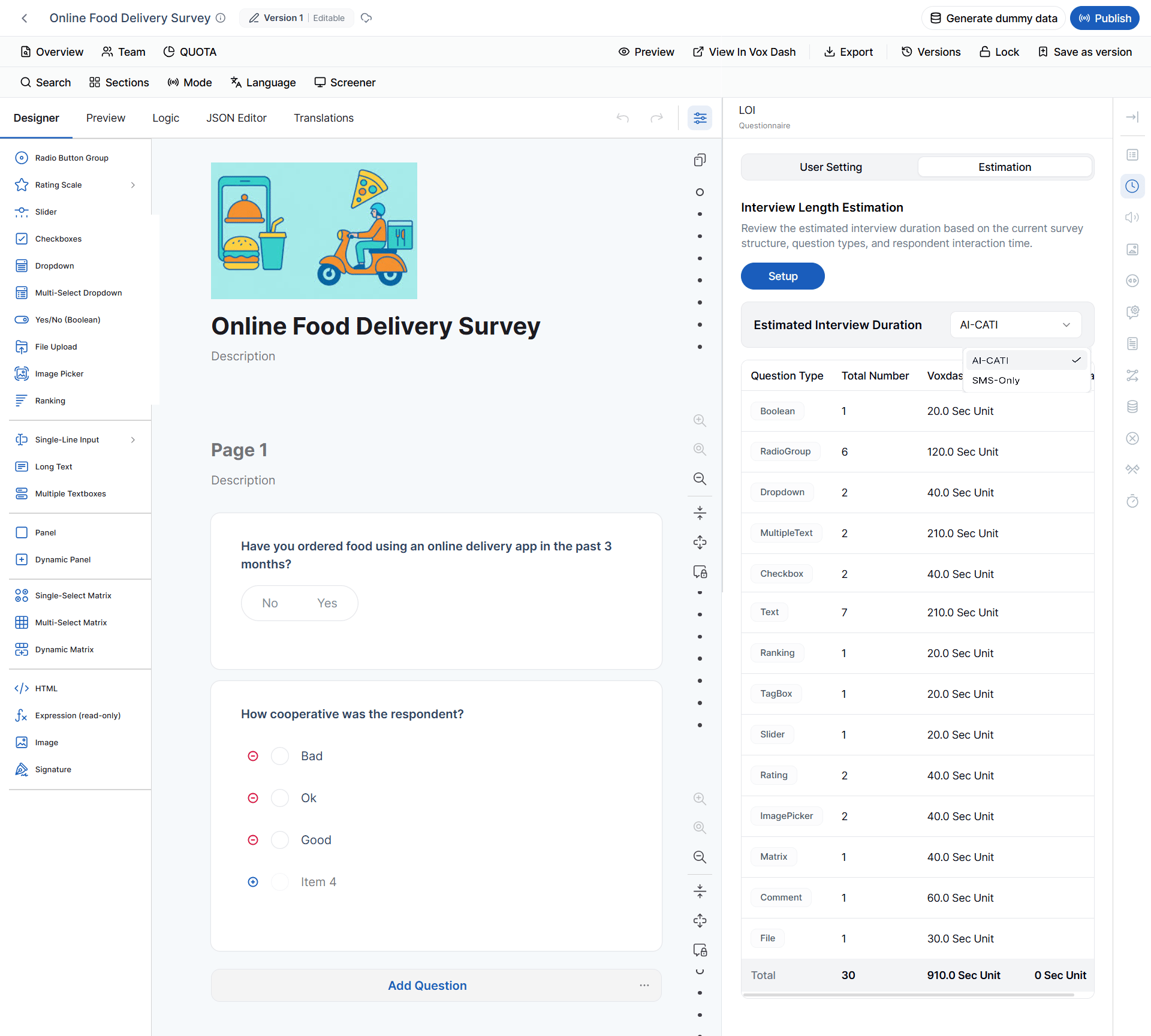
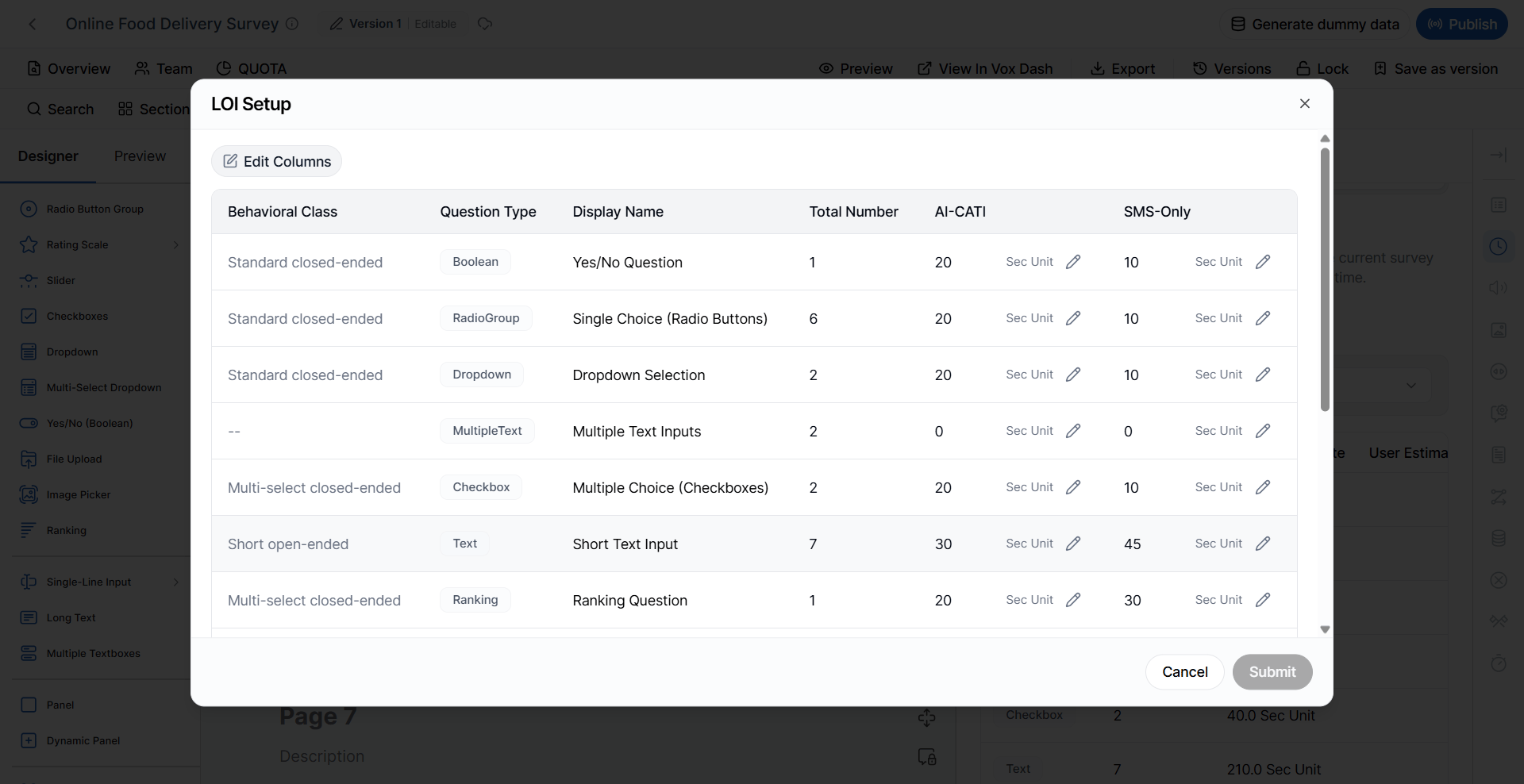
- Long Text questions that require detailed written responses.
- Dynamic Panels containing multiple repeated questions.
- Complex Matrix questions with many rows and columns.
Best Practices
To produce the most accurate interview length estimate:- Select the appropriate Data Collection Method before reviewing the LOI.
- Review the default timing values for each question type.
- Adjust question timings only when your questionnaire differs significantly from typical surveys.
- Configure the estimation multipliers to match your target audience and survey complexity.
- Recheck the estimated interview length after adding, removing, or modifying questions.