

Sample file
maps_geonames_sample.xlsx
Export
1
Open the map
Go to Maps and open the map you want to enrich.
2
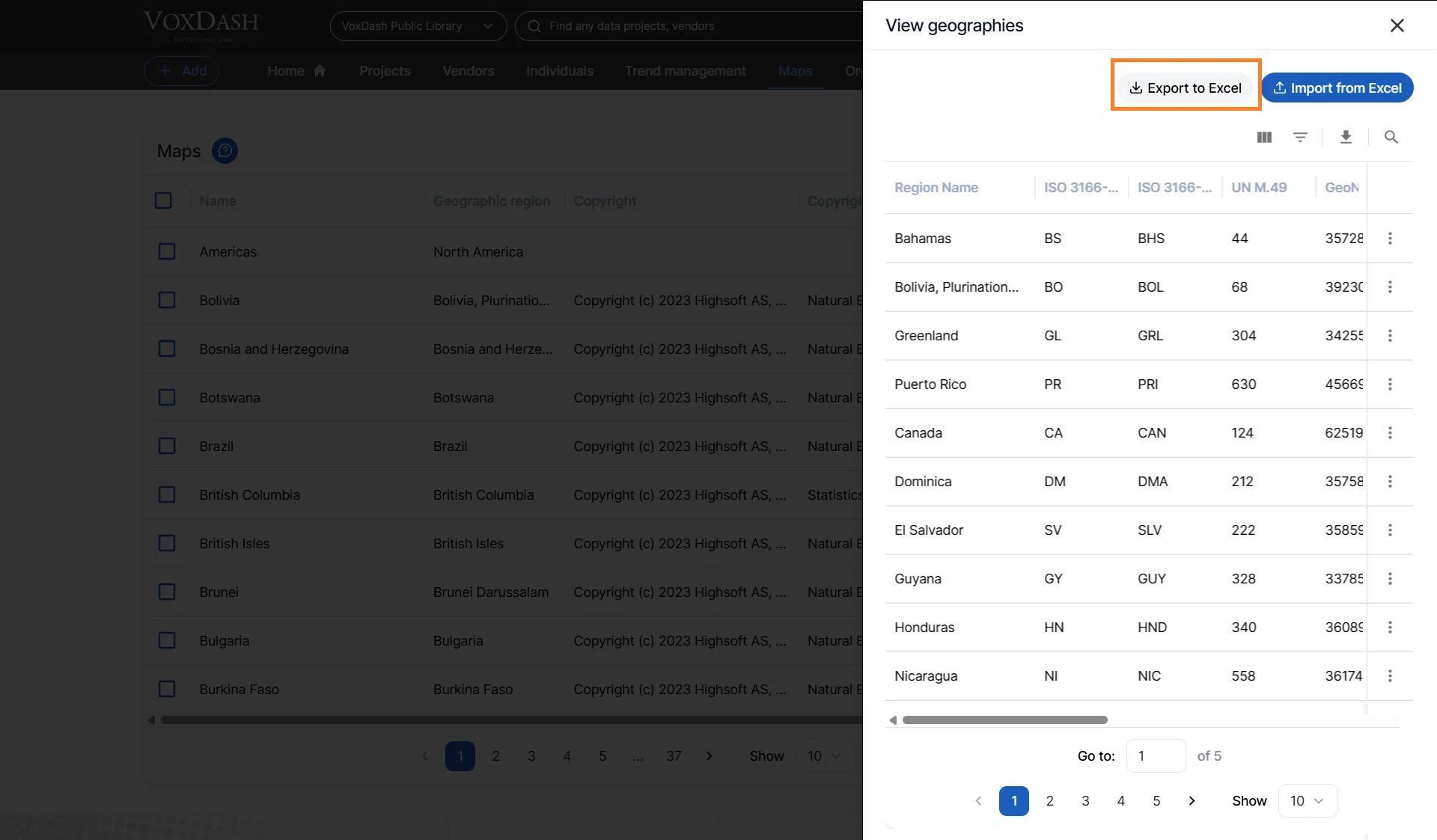
Export regions
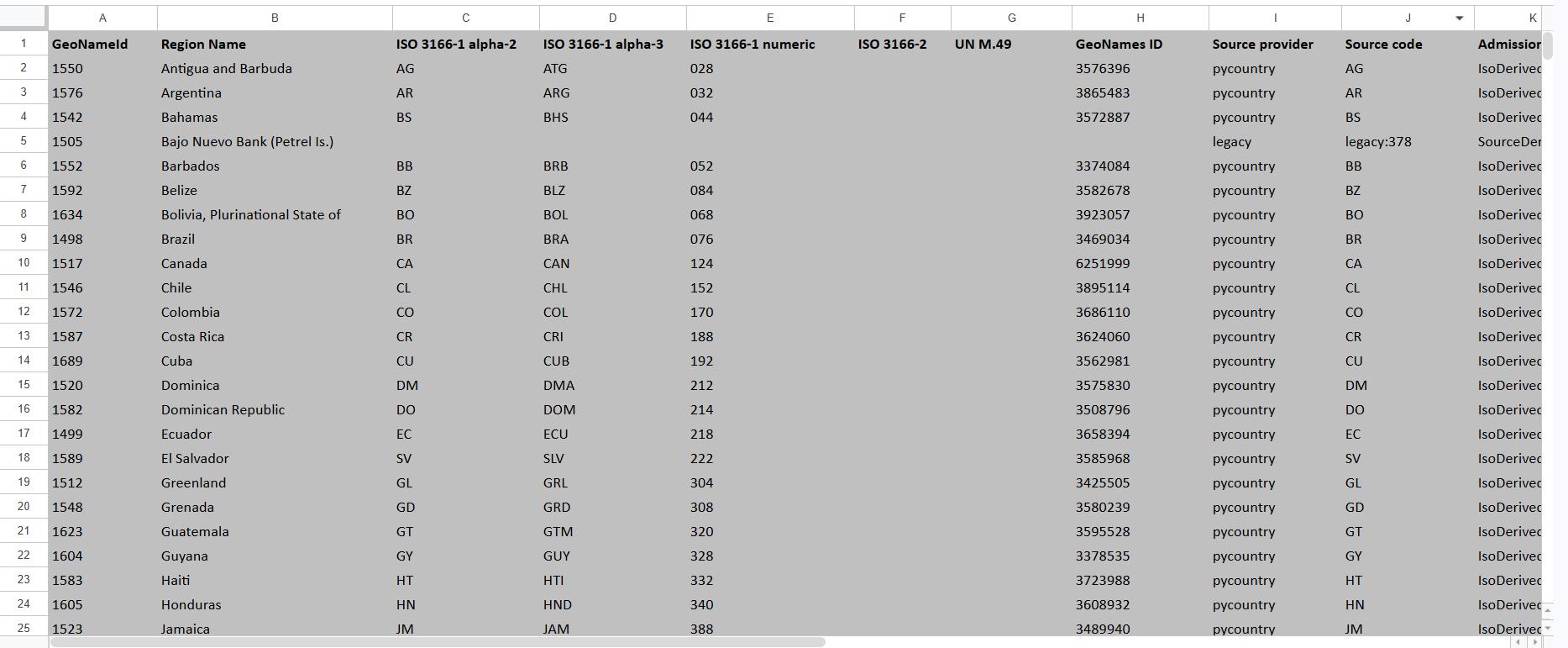
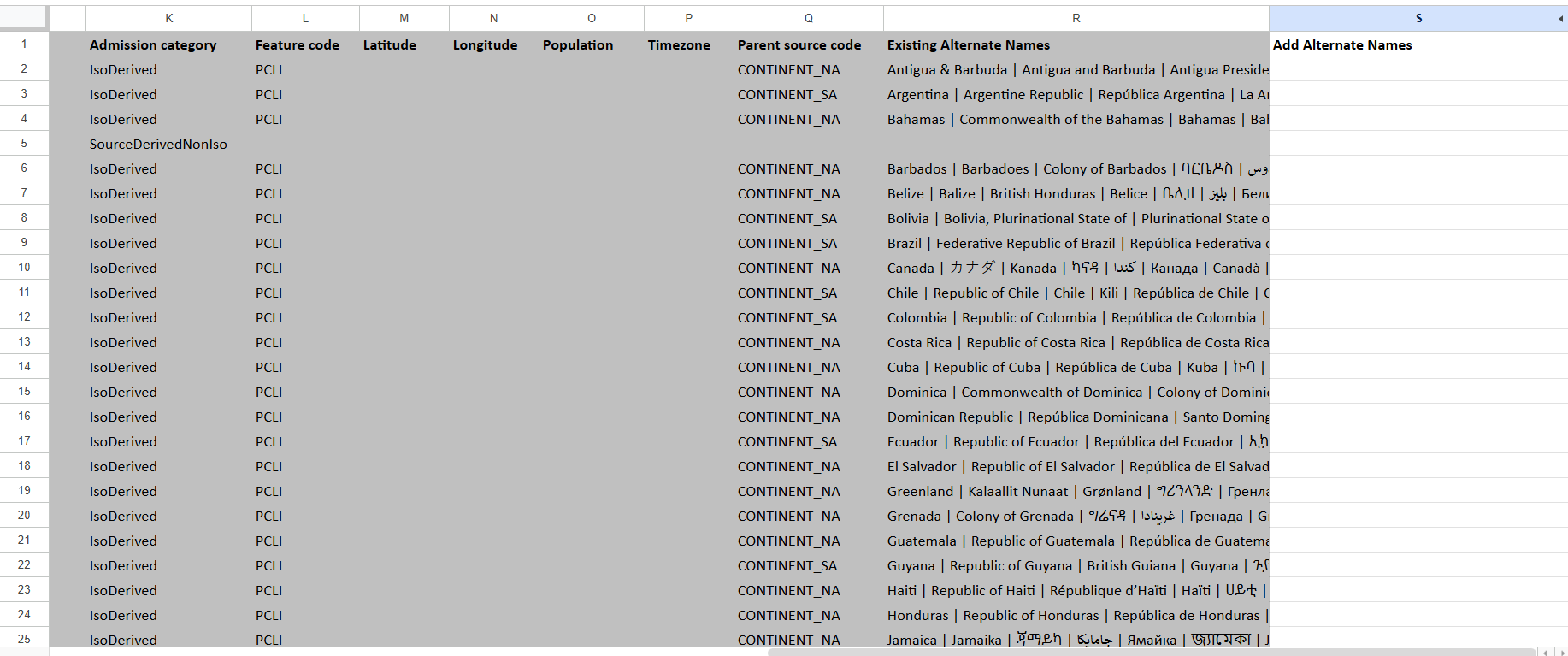
Click Export. The file lists every region with any names it already has.
Import (add alternate names)
1
Add names
In the Add Alternate Names column, type the new names. Separate multiple names
with a pipe
|, a semicolon ;, or a new line.2
Keep the IDs
Do not change GeoNameId — it identifies the region.
3
Upload
Click Import and choose your file. A summary reports how many regions were
updated and lists any skipped rows.
Columns
Limits & rules
Only rows whose GeoNameId belongs to this map are applied; others are reported as
skipped. Duplicate or already-present names are ignored.