

Sample file
openai_daily_cost_sample.xlsx
How to export
1
Open AI Credits
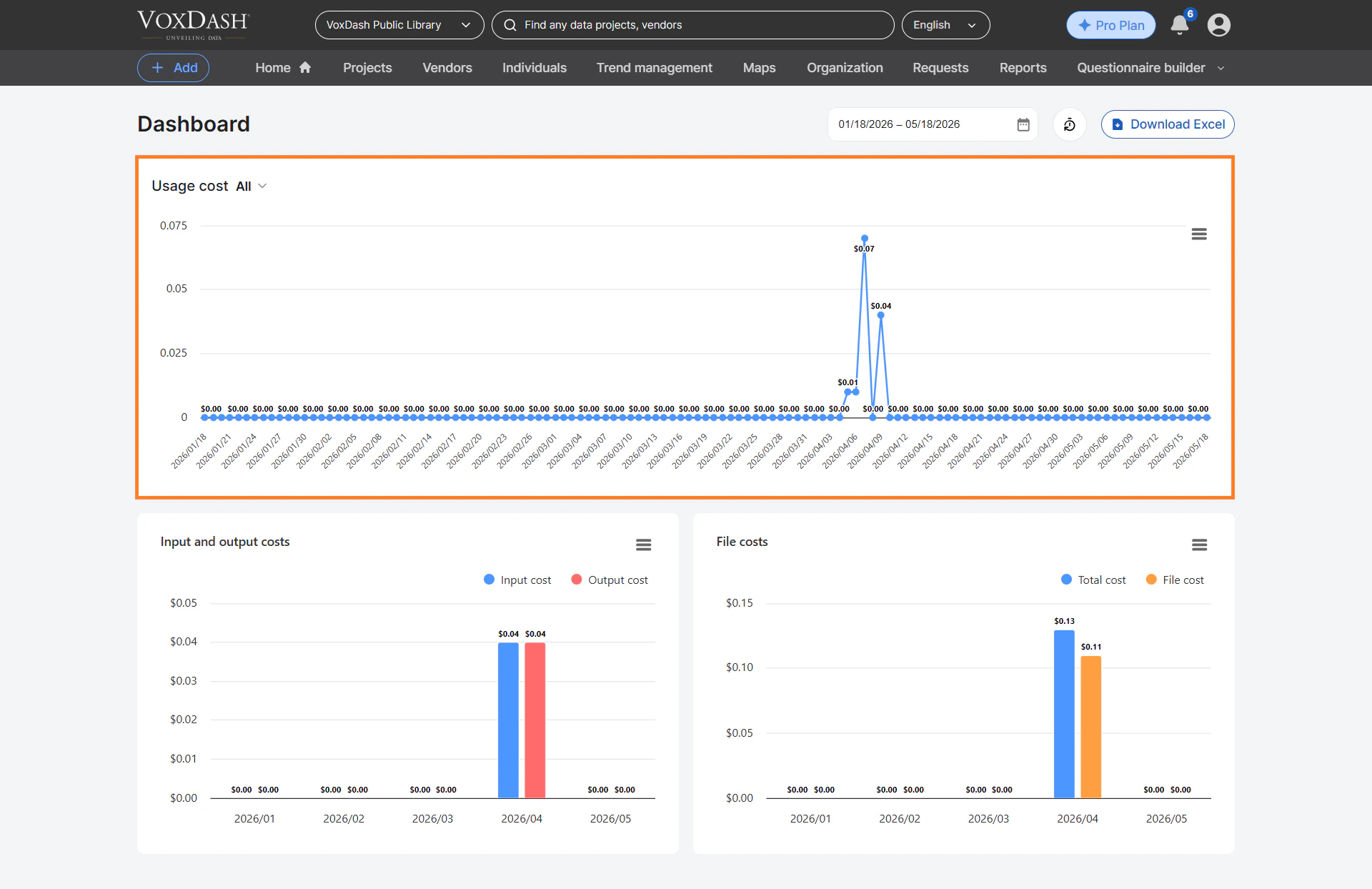
Go to AI Credits and select the date range you want.
2
Export
Click Export to Excel to download the report.
Columns
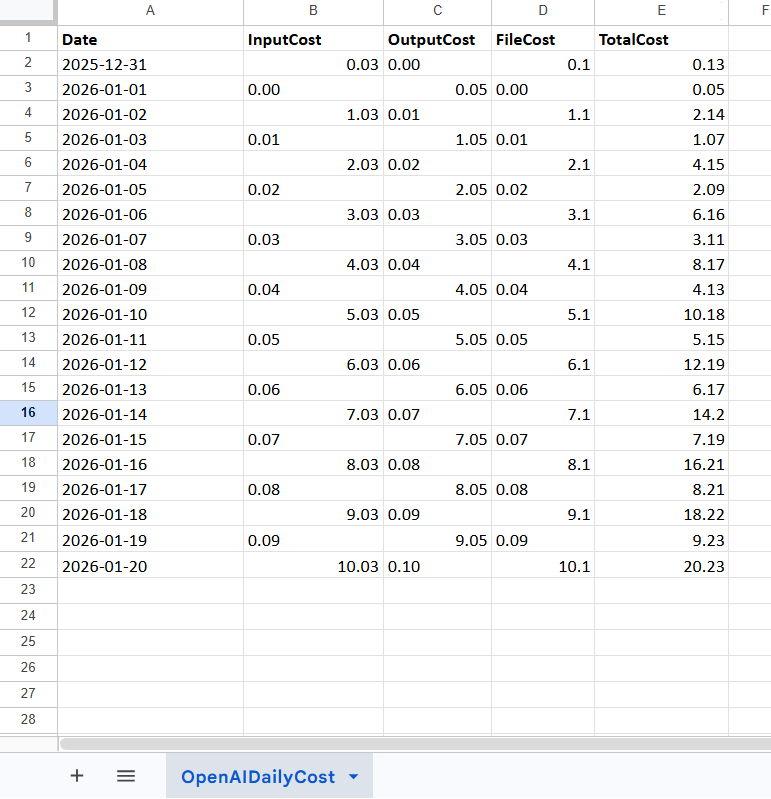
Amounts are in your billing currency. The file is named automatically, e.g.
openai_daily_cost_20260620_090807.xlsx.