The Approval Management page allows users to track the approval status of requests submitted across different sections of the platform. This page provides visibility into the review process and helps users monitor whether submitted items have been approved, rejected, or require further action. The page is organized into several tabs, each representing a different category of submitted requests.

Topics Tab

The Topics tab displays all topic-related requests submitted by the user. It provides an overview of each topic along with its current approval status and feedback from the administrator. The table includes the following information:
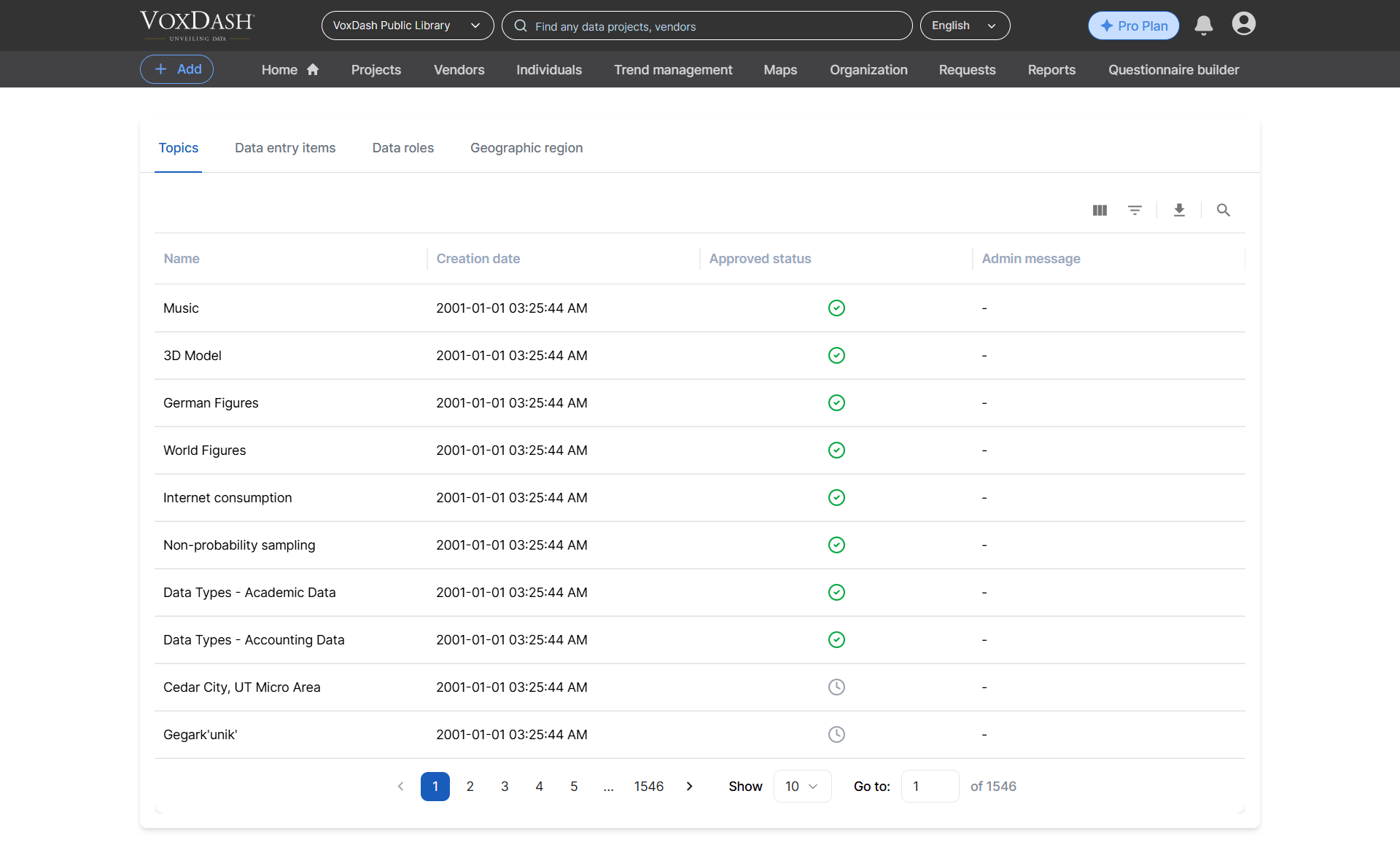
Field Value Roles
Use this tab to monitor the review progress of submitted topics and check administrator feedback when updates or corrections are required.

Data Entry Items Tab

The Data Entry Items tab displays all submitted data entry fields that are currently under review or have already been processed. This section helps users track the approval progress of individual data entry fields and review administrator comments when necessary. The table includes the following columns:
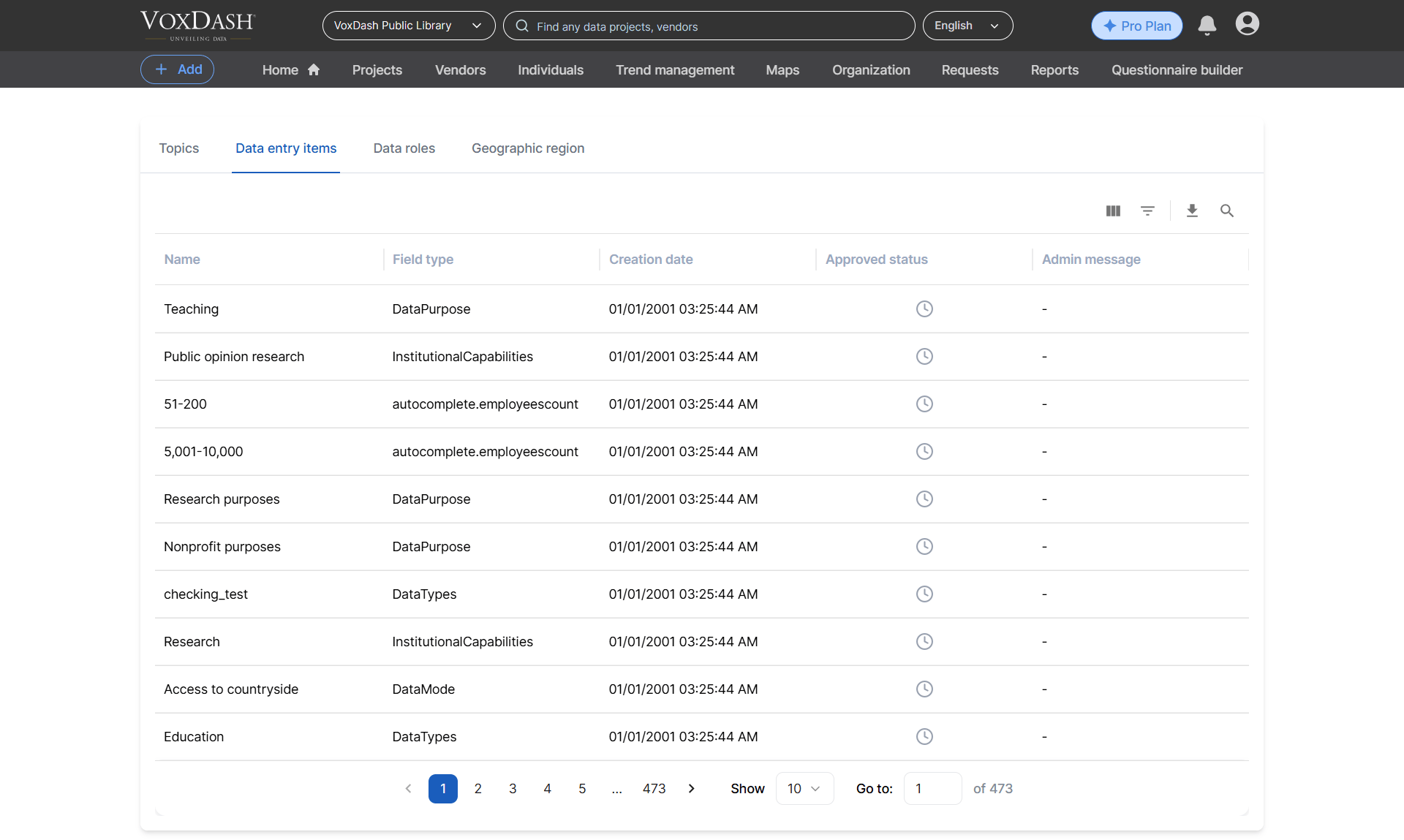
Field Value Roles
This tab is useful for verifying whether newly created data fields have been approved and identifying any required modifications.

Data Roles Tab

The Data Roles tab allows users to review the approval history and status of submitted data roles. This section helps users understand who reviewed the request and when the latest status update was made. The table includes the following information:
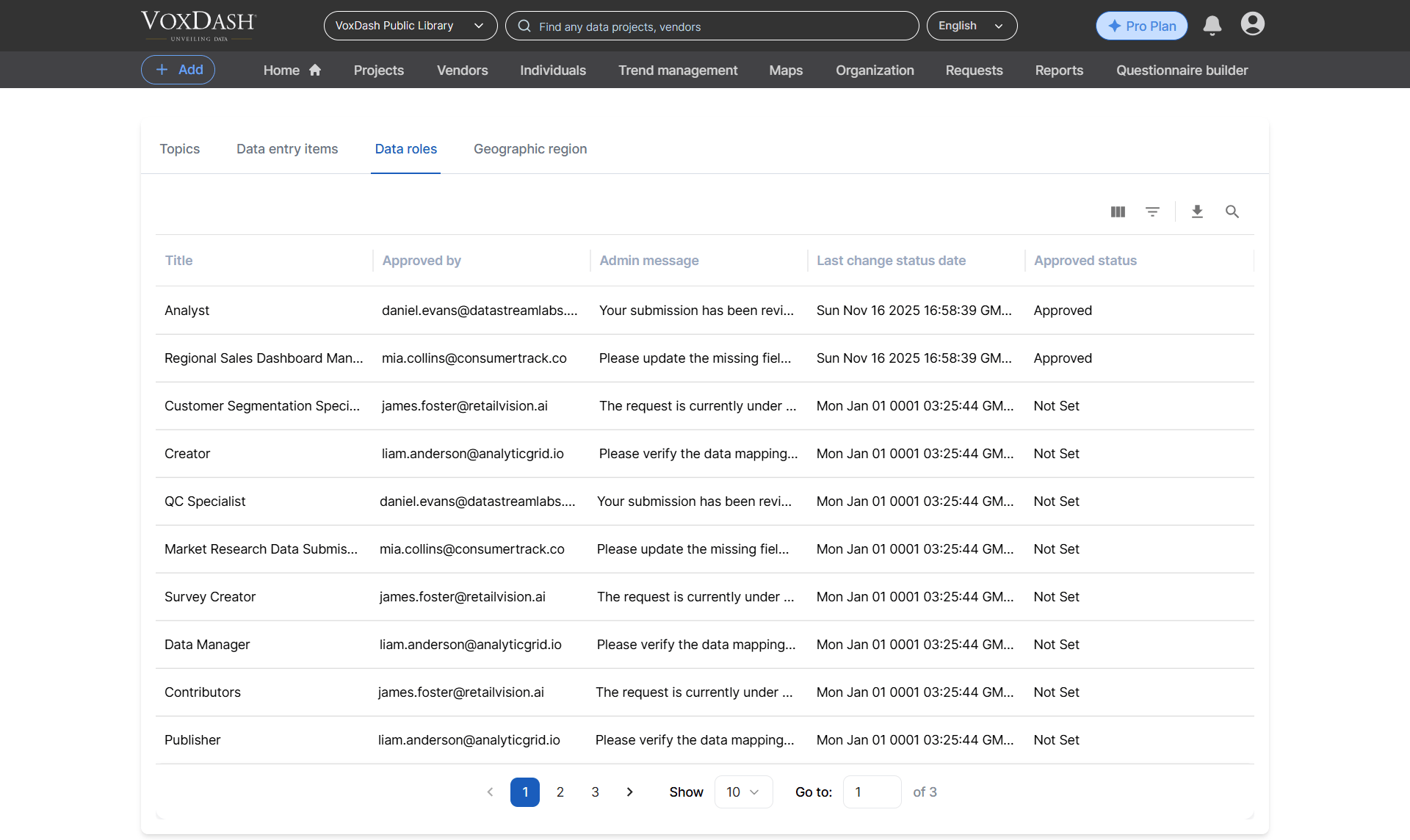
Field Value Roles
Use this tab to track the approval workflow for role-related requests and review administrator feedback.

Geographic Region Tab

The Geographic Region tab displays all geographic region requests submitted for approval. This section helps users track region-related submissions and review approval decisions made by administrators. The table contains the following columns:
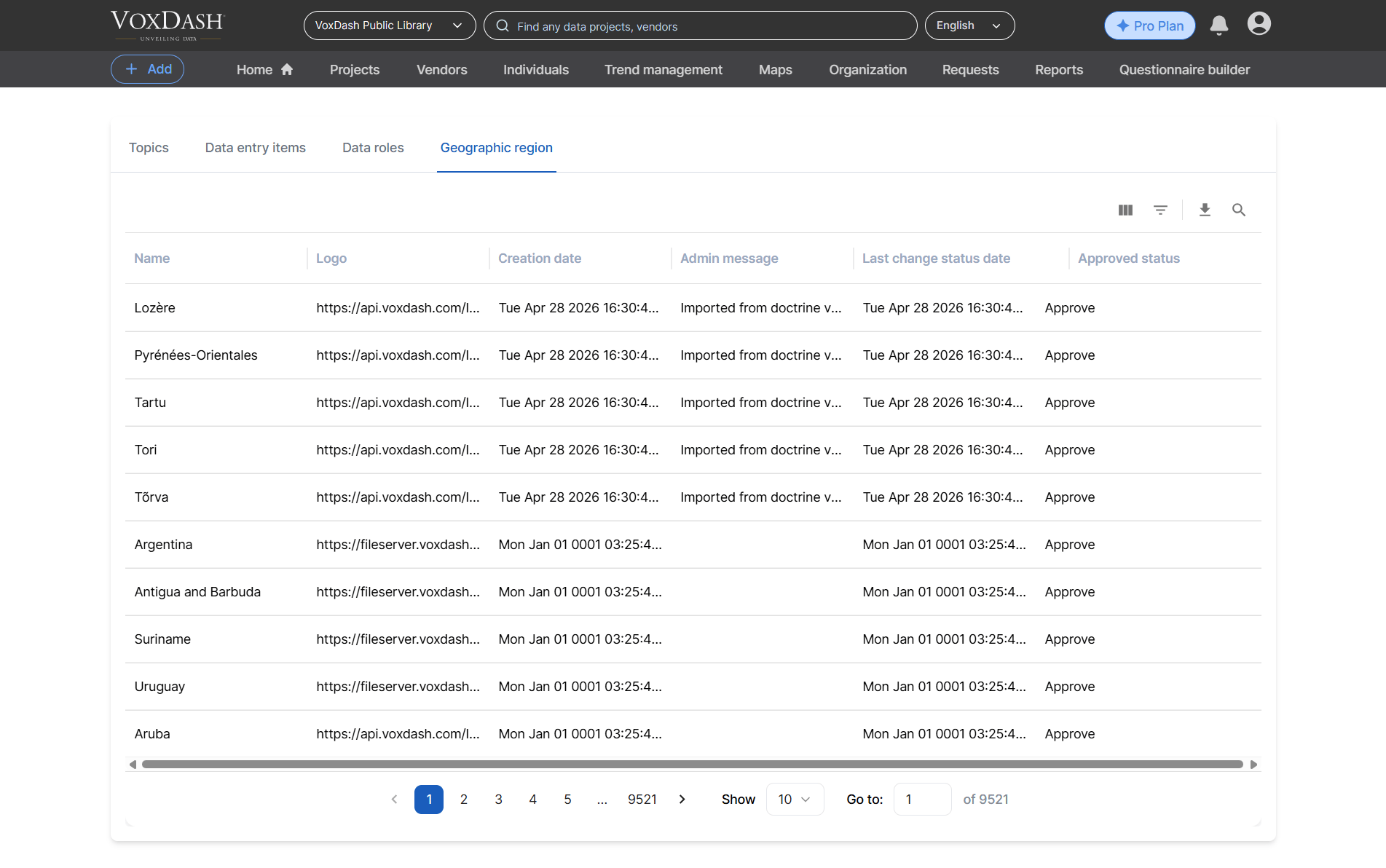
Field Value Geographic
Use this tab to monitor the approval process for geographic regions and check for any administrator feedback that may require further action.

General Note

Each section on the Field Value page helps users keep track of submitted requests and stay informed about their approval progress. If an item is rejected or requires changes, review the Admin Message column for additional details and take the necessary corrective action before resubmitting.