

Understanding Dashboard
The VoxDash Data Panel is organized into modular widgets. Each widget offers a snapshot of a specific aspect of your account. You can navigate through these sections to monitor performance, manage resources, and track activity.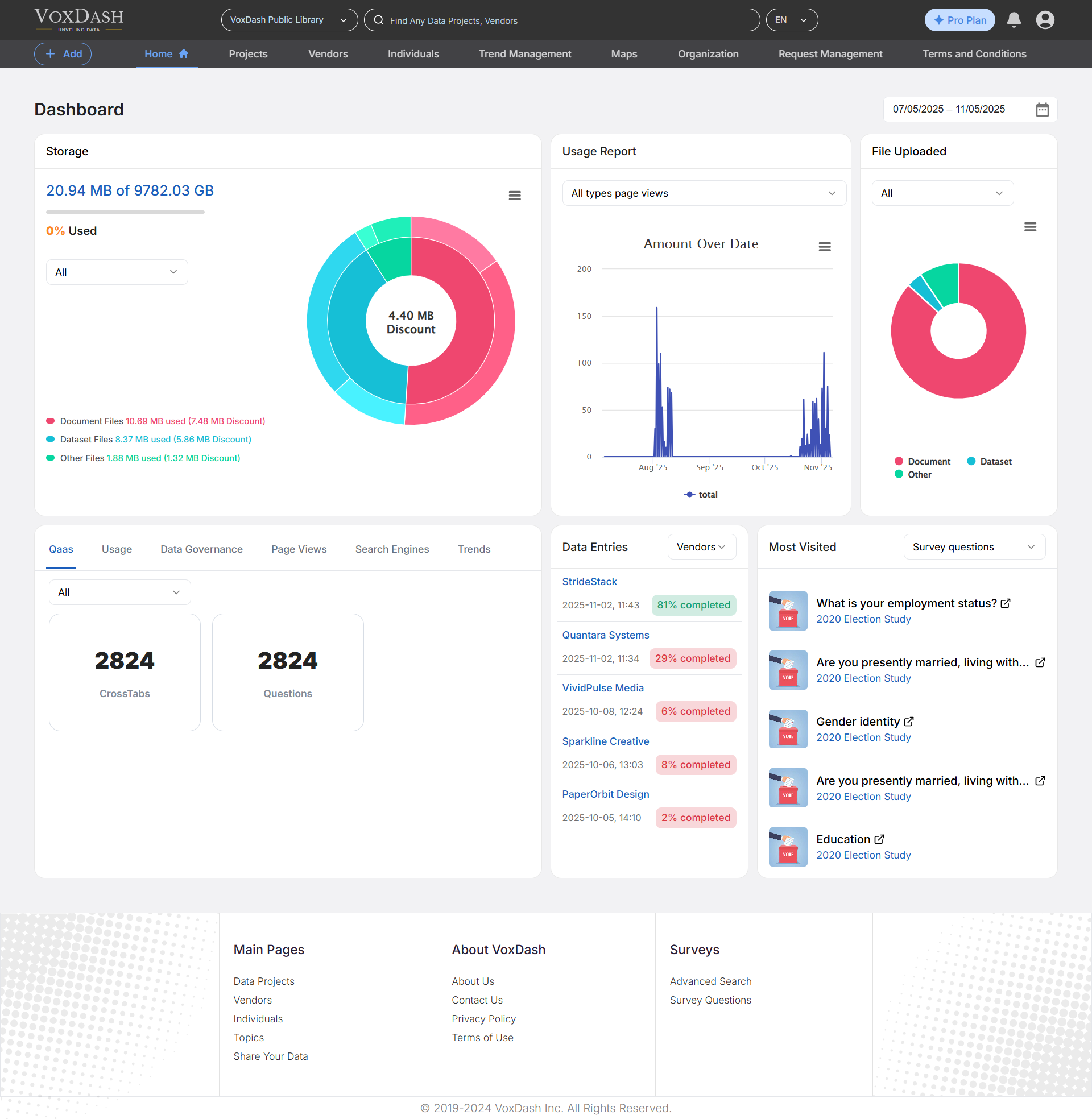
Storage Usage
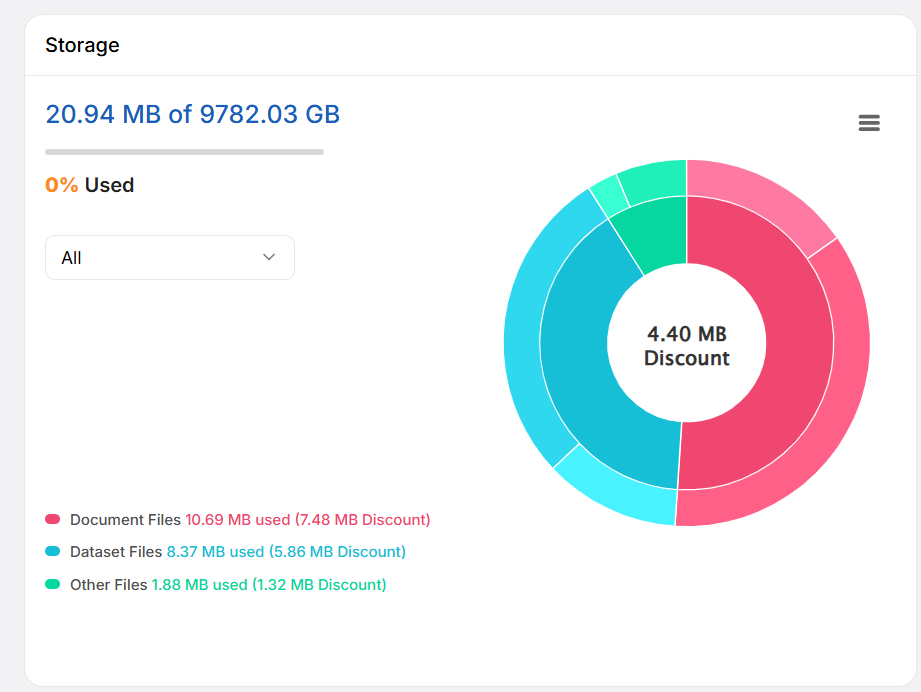
This widget keeps you informed about your account’s resource consumption.- What it shows: The total amount of storage space utilized by your uploaded files.
Usage Reports
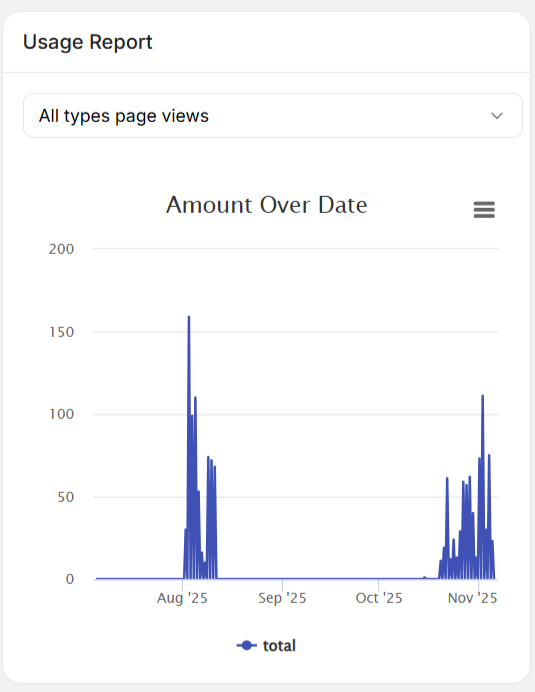
The Usage Report widget provides a visual summary of page traffic across the VoxDash platform.- How to use it: Use the dropdown menu at the top of the chart to select specific pages you wish to monitor.
- Deeper Insights: The dashboard shows a quick summary, but if you need a granular analysis of traffic patterns or peak activity times, click the Report tab to navigate directly to the dedicated Reports Page.
Files Uploaded
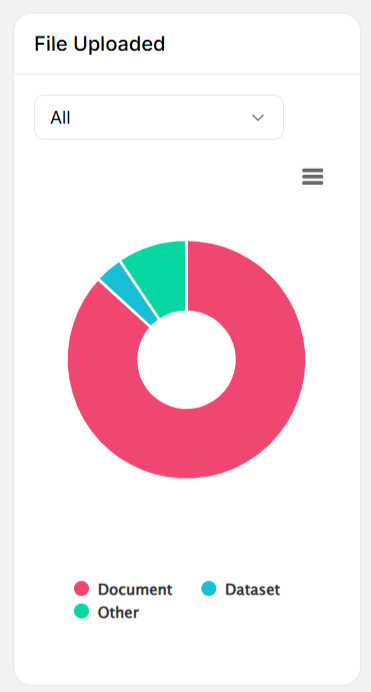
This section displays a breakdown of your uploaded data.- What it shows: A percentage-based visual of your file inventory.
- Filtering: You can filter the chart to view the distribution of All Files, Private, Semi-Private, or Public files. This is particularly useful for data governance, helping you ensure that sensitive data is correctly categorized.
2. Quick Access & Engagement Metrics
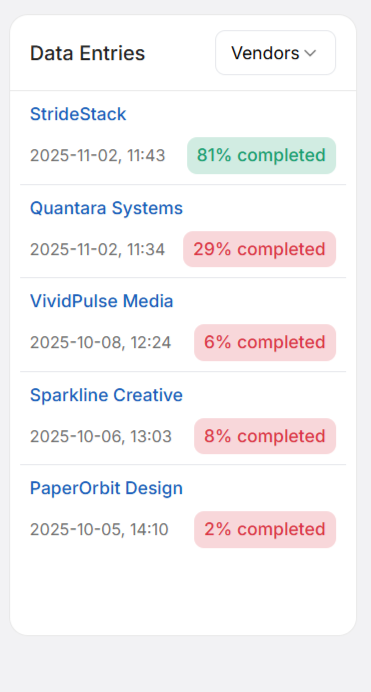
Data Entries
This widget serves as your “Recent Activity” feed, providing immediate access to the items you work with most frequently:- Data Projects: Your active analytic environments.
- Vendors: Third-party data sources or providers linked to your account.
- Individuals: Specific profiles or stakeholders you are currently tracking.
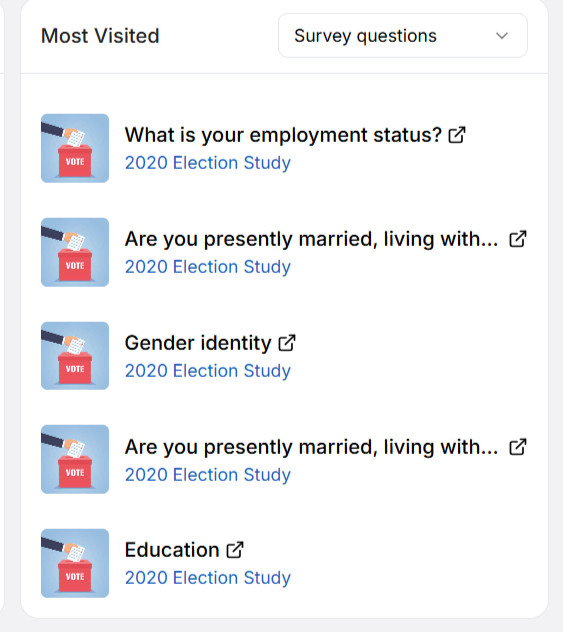
Most Visited
Stay in the loop with what matters most. This section highlights your most frequently accessed assets:- Survey Questions: Identify which questions generate the most interest.
- Vendors & Individuals: See which entities your team is interacting with the most.
- Datasets: Quickly jump back into the datasets that are central to your current analysis.
3. Total View Counts (Reporting Overview)
VoxDash categorizes data provider metrics into distinct domains to ensure you have the right context for every report. On the dashboard, you will see the total aggregate numbers for each of these sub-categories. Primary Report Categories:- Page Views: Tracking how often your dashboards or reports are opened.
- QaaS (Questions as a Service): Usage metrics for your survey questions.
- Search Engines: Visibility and performance of your data within search tools.
- Usage: General platform engagement metrics.
- Data Governance: Compliance and access metrics for your files.
- Trend: Insights into the movement and patterns of your data over time.
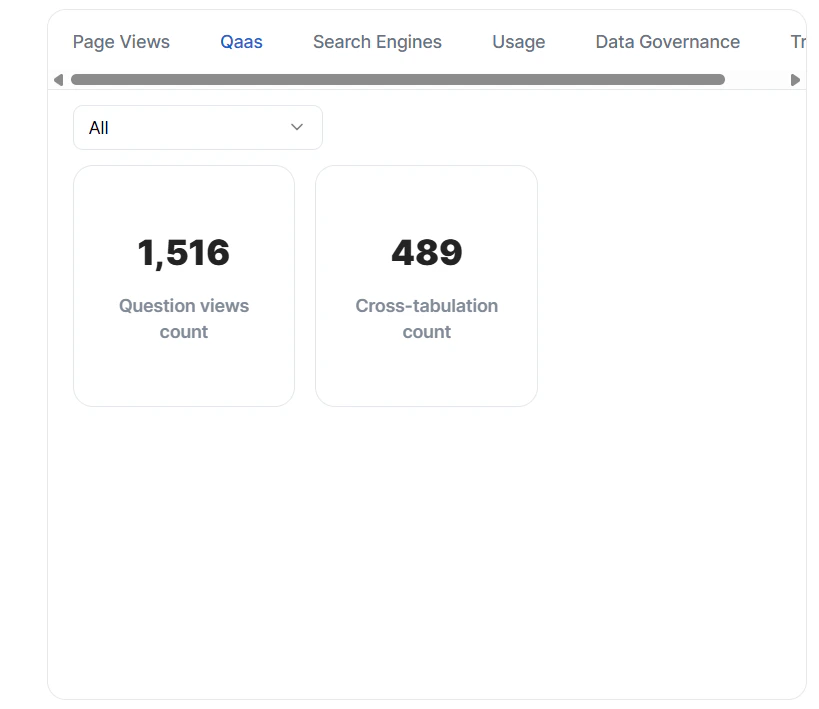
Note: The dashboard provides a high-level “Total Count” for these metrics. To perform deep-dive analysis, investigate trends, or export raw data, please navigate to the full Reports Page.
Tips for Success
- Customize your view: Regularly use the filters at the top of your charts to toggle between project types.
- Monitor Trends: Use the “Total View Counts” as a pulse check; if you notice a sudden spike or drop in a category, head over to the Reports Page to investigate the underlying cause.
- Collaborate: Use the dashboard as a baseline for team meetings. It provides a shared “source of truth” that helps align your team on current project status and data priorities.