

- Warnings — Issues that may affect questionnaire behavior but do not prevent publishing.
- Blocking Errors — Critical configuration issues that must be fixed before the questionnaire can be published.
- Suggestions — Informational checks that help you review and improve your questionnaire configuration.
Tip: We recommend reviewing and resolving all warnings and suggestions before publishing, even when they do not prevent publication. This helps reduce unexpected behavior during data collection and dummy-data generation.
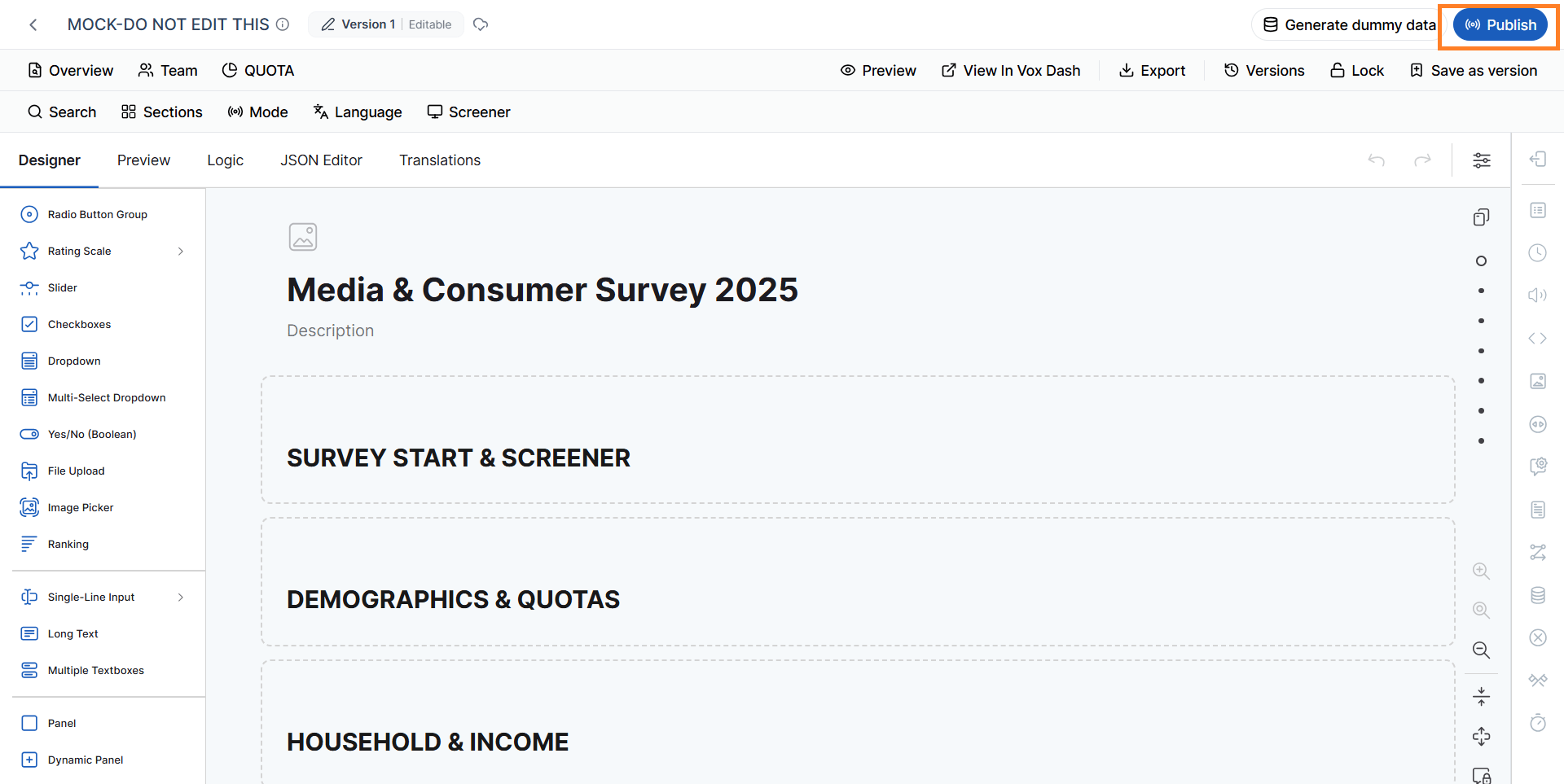
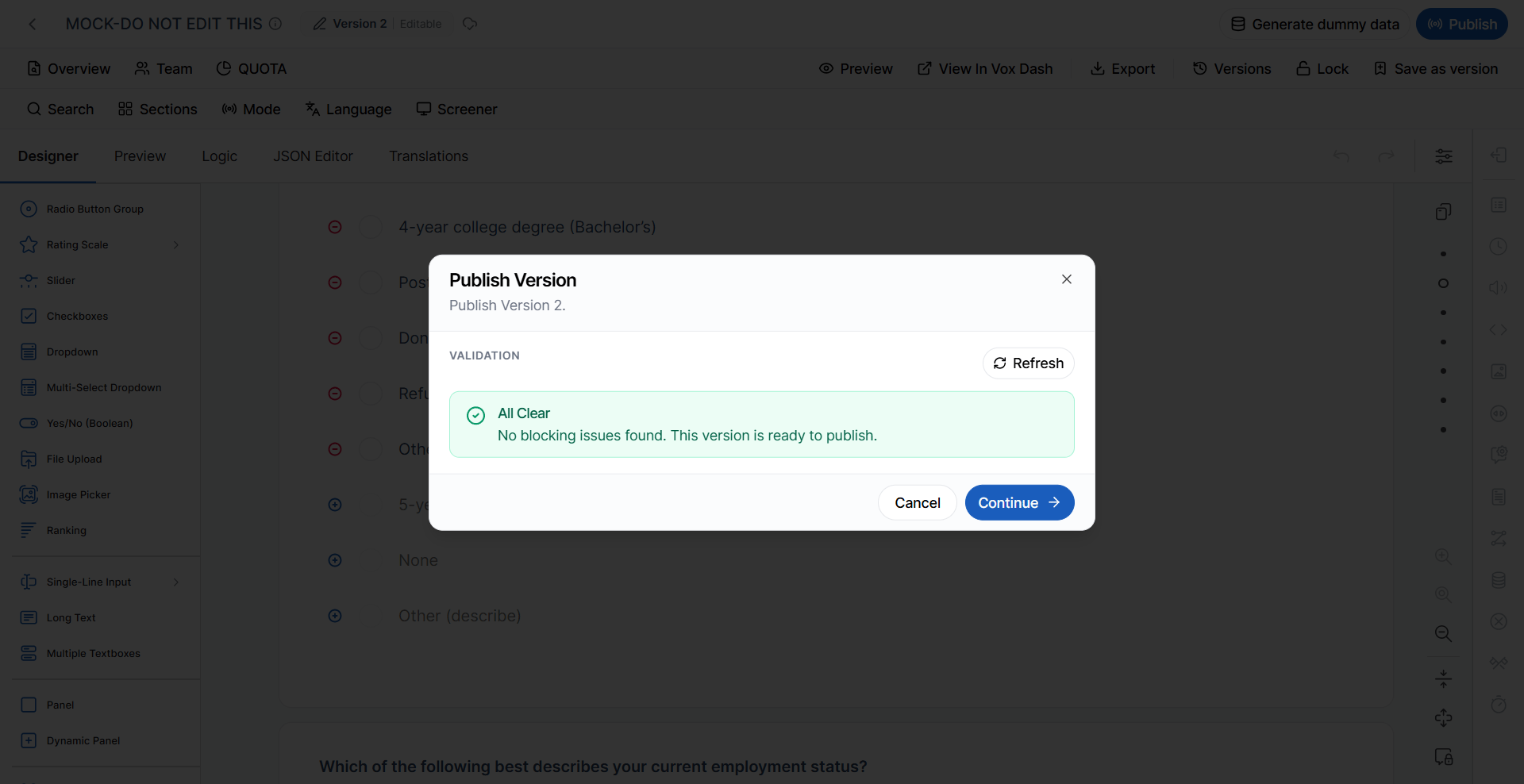
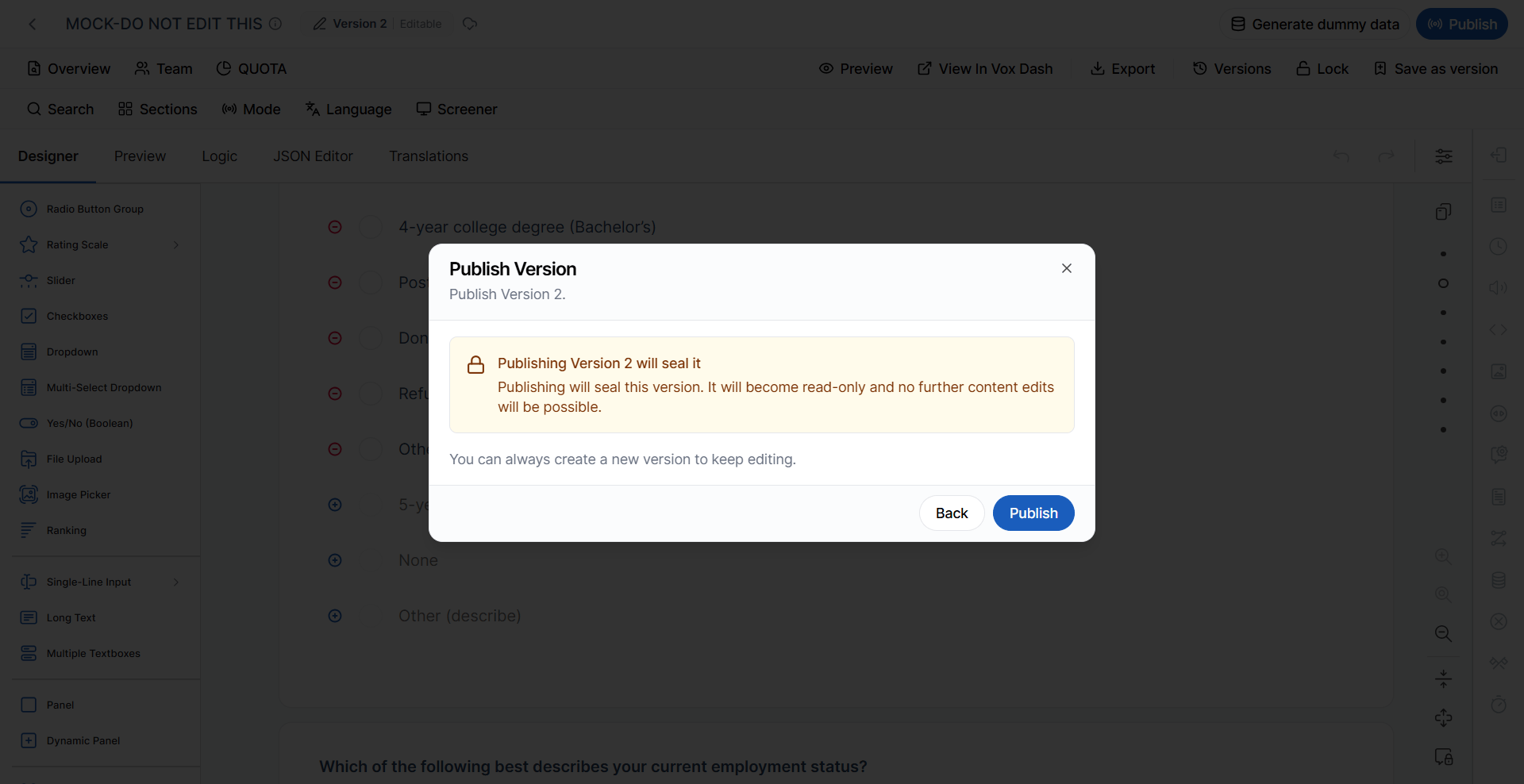
1. Review Validation Results
When you select Publish, VoxDash runs the questionnaire validation process and displays the results. Review each message and make the necessary changes in the questionnaire editor.Warnings
Warnings indicate potential configuration issues. A warning does not necessarily prevent publication, but the affected feature may not work as expected.Screener and Quota Warnings
Answer Mapping and Coverage Warnings
Randomization and Translation Warnings
Note: Some warning messages may describe the same underlying configuration issue using slightly different wording—for example, quota groups with no cells. Treat these messages as an indication that the quota group’s cell configuration needs to be reviewed.
2. Fix Blocking Errors
Blocking Errors are critical validation failures. Unlike warnings, these issues must be resolved before the questionnaire can be published. Blocking errors usually indicate invalid questionnaire data, inconsistent quota configuration, invalid routing logic, or unsupported questionnaire structures.Questionnaire Structure
Quota Configuration
Quota Routing and Question Logic
Numeric Range Validation
Important: A questionnaire with a blocking error cannot be published. Return to the relevant questionnaire or quota configuration, correct the issue, and run validation again.
3. Review Suggestions
Suggestions are informational validation results. They confirm that a configuration is valid or provide additional information that can help you review your questionnaire. Suggestions do not prevent publication.
These messages can be used as a final checklist to verify that your questionnaire and quota configuration are complete.
4. Publish the Questionnaire
After reviewing the validation results:- Open the questionnaire in the Questionnaire Editor.
- Complete your questionnaire configuration and content.
- Select Publish.
- Wait for VoxDash to complete the validation.
- Review the validation results.
- Resolve all Blocking Errors.
- Review and, where appropriate, resolve Warnings and Suggestions.
- Publish the questionnaire.
Best practice: Even though warnings do not block publication, resolving them before publishing can help prevent problems with quota filling, screening, translations, routing, and simulated respondents.
Publishing a Questionnaire for AI CATI
After publishing your questionnaire, you can continue to the next step and publish it for AI CATI. AI CATI performs an additional validation process because questionnaires used for AI-powered telephone interviews have specific structural and logic requirements. A questionnaire that is valid for standard publication may therefore still require changes before it can be published for AI CATI.Important: You must resolve all AI CATI validation errors before publishing the questionnaire for AI CATI.
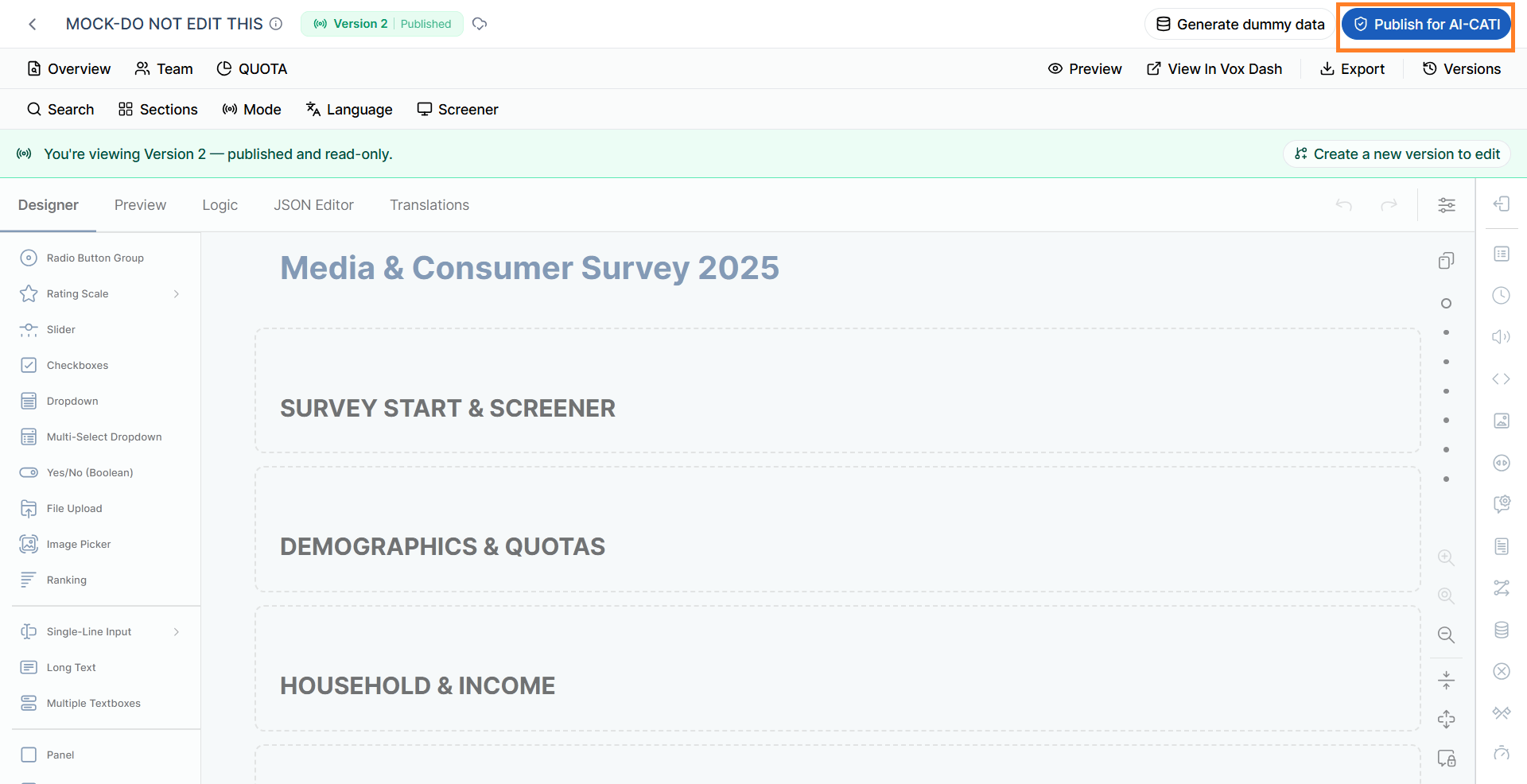
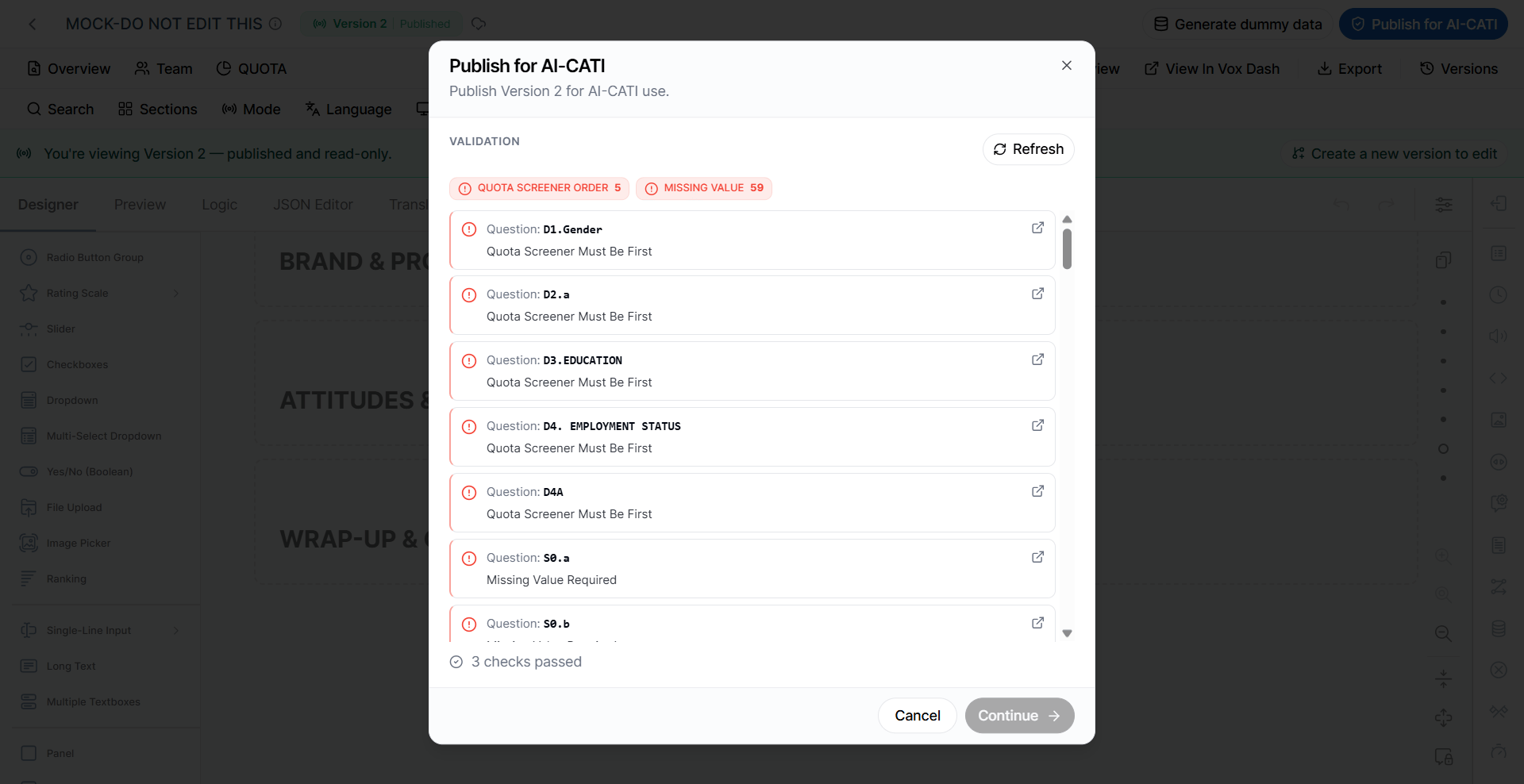
AI CATI Validation Rules
1. Screener and Quota Questions Must Be at the Beginning
Validation rule:Quota/Screener-tagged questions must be one unbroken block at the start. Once the first untagged question appears, no later question may carry a quota/screener tag.This means that all questions marked with a Quota or Screener tag must appear consecutively at the beginning of the questionnaire. For example: Valid:
- Screener question
- Screener question
- Quota question
- Quota question
- Regular question
- Regular question
- Screener question
- Regular question
- Quota question ❌
2. Answerable Questions Must Have a Missing Value
Validation rule:Every answerable question needs at least one enabled question-level (L3) missing value in that version’s frozen copy. Unsupported-type questions are skipped.Each answerable question must have at least one enabled question-level missing value in the version being published. This allows AI CATI to distinguish between a valid response and a response that should be treated as missing. Questions with unsupported types are excluded from this validation.
3. Questions Must Be Reachable
AI CATI checks whether a question can actually be displayed during the interview. A question fails validation if it can never be shown because:visibleIfis set to the literal value"false".- A parent page or panel is permanently hidden.
- A question contains logic that creates a provably unreachable condition, such as an impossible combination of equality conditions.
Tip: Review visibleIf conditions and the visibility settings of parent pages and panels when a question is reported as unreachable.
4. Logic Cannot Reference Later Questions
AI CATI does not allow certain logic expressions to reference a question that appears later in the questionnaire—or the question itself. This applies to:visibleIfenableIfrequiredIfsetValueIfresetValueIfdefaultValueExpression
5. Unsupported Question and Matrix Types
AI CATI does not support certain questionnaire element types. The following types are not supported:signaturepadhtmlfileimageimagepickerimagepickermulti
Tip: Before publishing for AI CATI, replace unsupported elements with compatible question types where possible.
6. Questionnaire Version and JSON Must Be Valid
AI CATI requires a valid questionnaire version and a readable questionnaire definition. Publishing fails if:- The questionnaire version is missing.
- The
SurveyJSJsonStringis missing or blank. - The questionnaire JSON cannot be parsed.
AI CATI Validation Workflow
When preparing a questionnaire for AI CATI, use the following workflow:- Publish the questionnaire through the standard publishing process.
- Review and resolve all standard Blocking Errors.
- Review standard Warnings and Suggestions.
- Select the option to publish for AI CATI.
- VoxDash runs the AI CATI-specific validation.
- Review any AI CATI validation errors.
- Update the questionnaire to resolve the reported issues.
- Run the validation again.
- Once all AI CATI validation errors are resolved, publish the questionnaire for AI CATI.
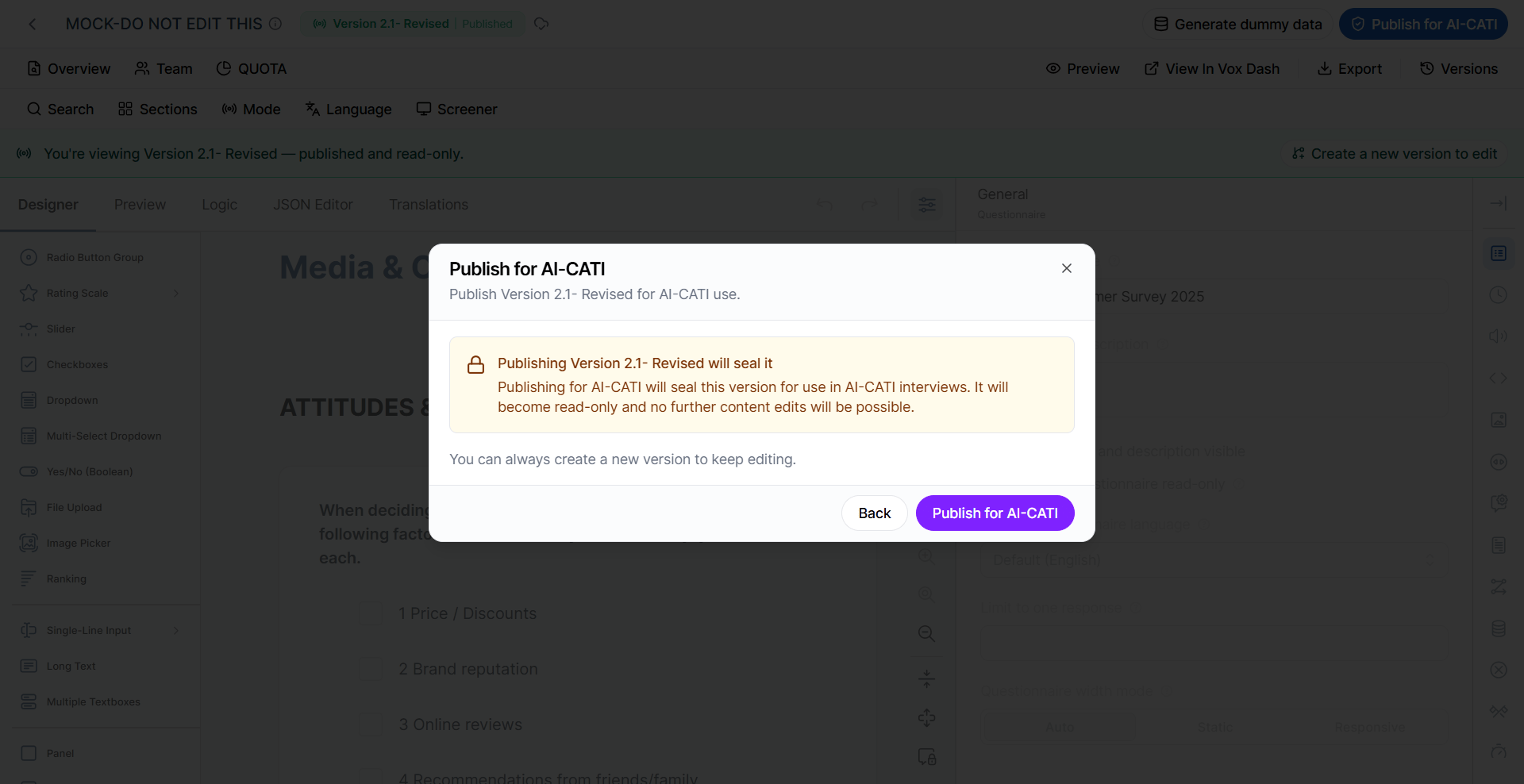
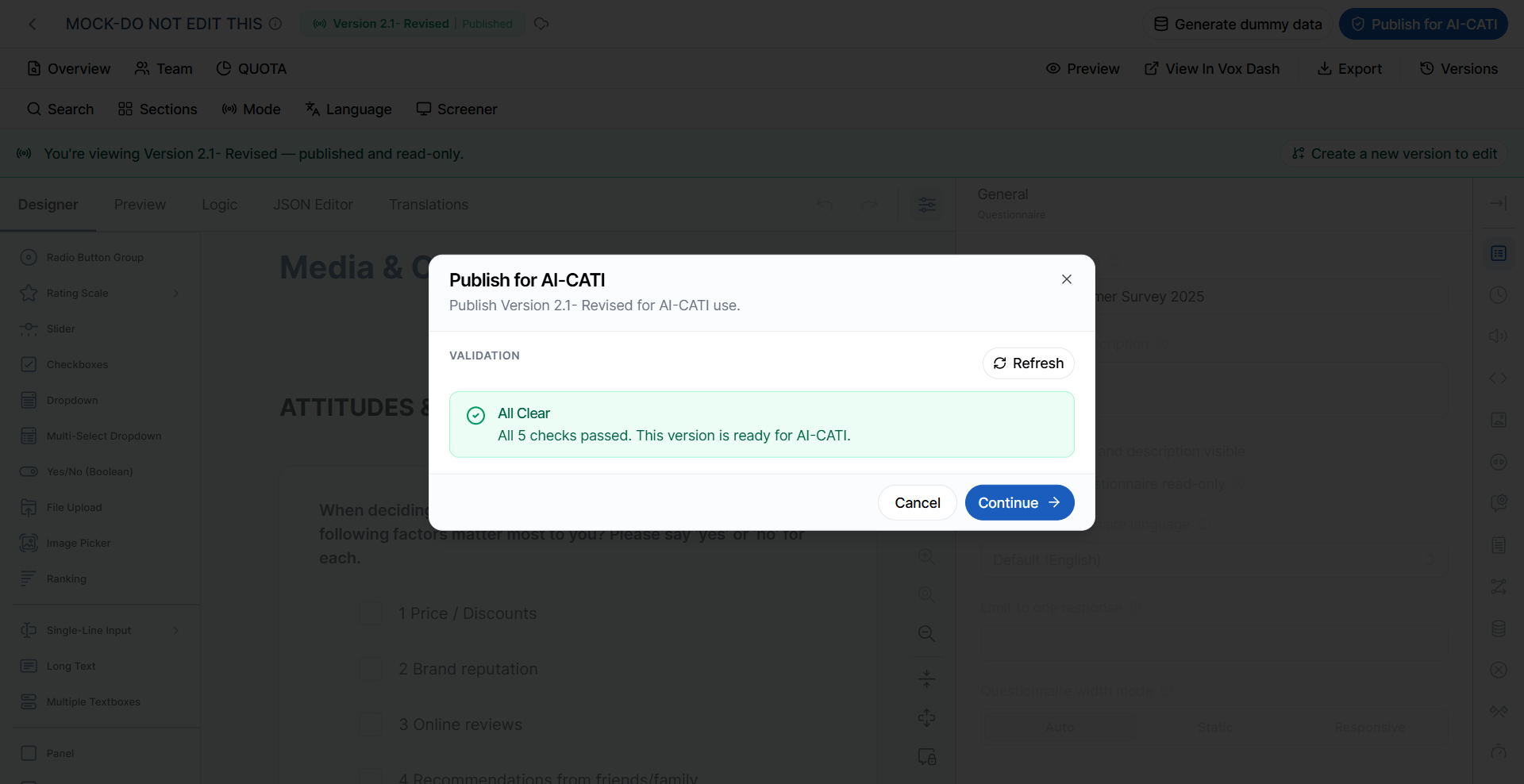
Important: Standard questionnaire validation and AI CATI validation serve different purposes. Passing the standard validation does not automatically mean that the questionnaire meets all AI CATI requirements.
Summary
Publishing a questionnaire is the final step after you have completed its setup and review. Before publishing, VoxDash automatically validates the questionnaire to make sure it is correctly configured and ready for use. During validation:- Blocking Errors must be fixed before the questionnaire can be published.
- Warnings do not prevent publishing, but they may affect questionnaire behavior, quotas, or dummy-data generation and should be reviewed.
- Info/Suggestions confirm that a configuration is valid or provide additional guidance.
Best practice: Always resolve Blocking Errors and review Warnings before publishing. This helps ensure that your questionnaire behaves as expected and that downstream processes, such as dummy-data generation, quota management, and AI-CATI interviews, work correctly.