

What is a placeholder file?
A placeholder file is a small, usually empty file used to preserve a folder structure or indicate where future files will be added. It helps the platform, developers, and other users recognize expected directories or content even when no real data is uploaded yet. Placeholder files are also useful when users want to explore or test the platform before uploading sensitive or complete datasets. This allows them to experience the platform’s features, such as metadata management, analytics, and sharing without exposing real data.How to add a placeholder file?
You can add a placeholder file in two ways:
- Upload a file following the steps in Bulk File Upload and Multiple File Bulk Upload.
- Create an empty project and use the Add Placeholder File option to manually add placeholder information.
To add a placeholder file manually
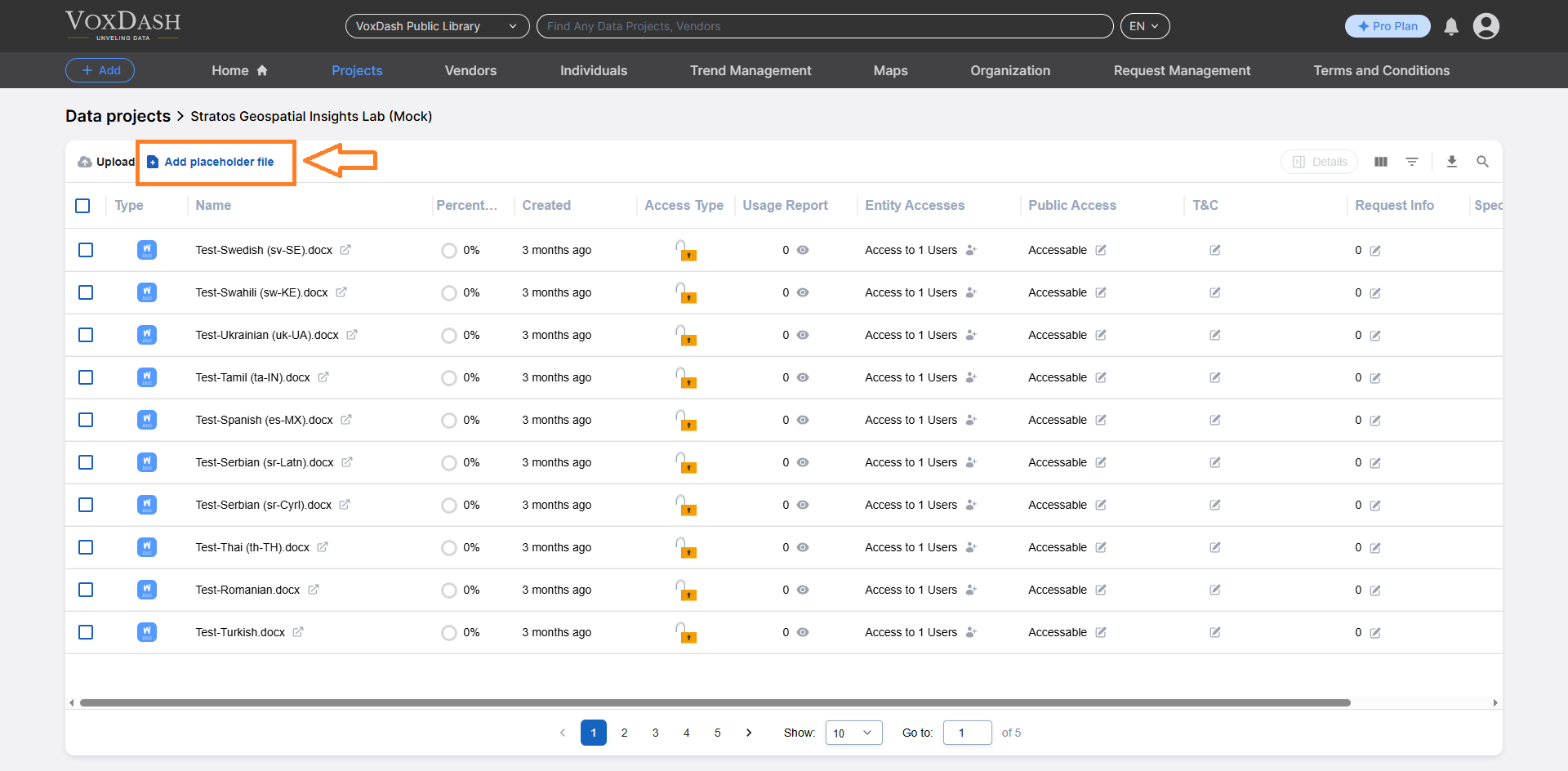
- Navigate to the Data Project Files section of your project.
- Click the Add Placeholder File button.
- Complete the required fields:
- Name: Enter a clear, descriptive name for your placeholder file. This helps others understand its purpose or what content is expected later.
- Size: Placeholder files usually have no content, so the size will appear as zero. Use this field to confirm that the file record has been created successfully.
- Extension: Confirm the file type for your placeholder (for example,
.csv,.xlsx, or.zip) to indicate what kind of file will replace it later.
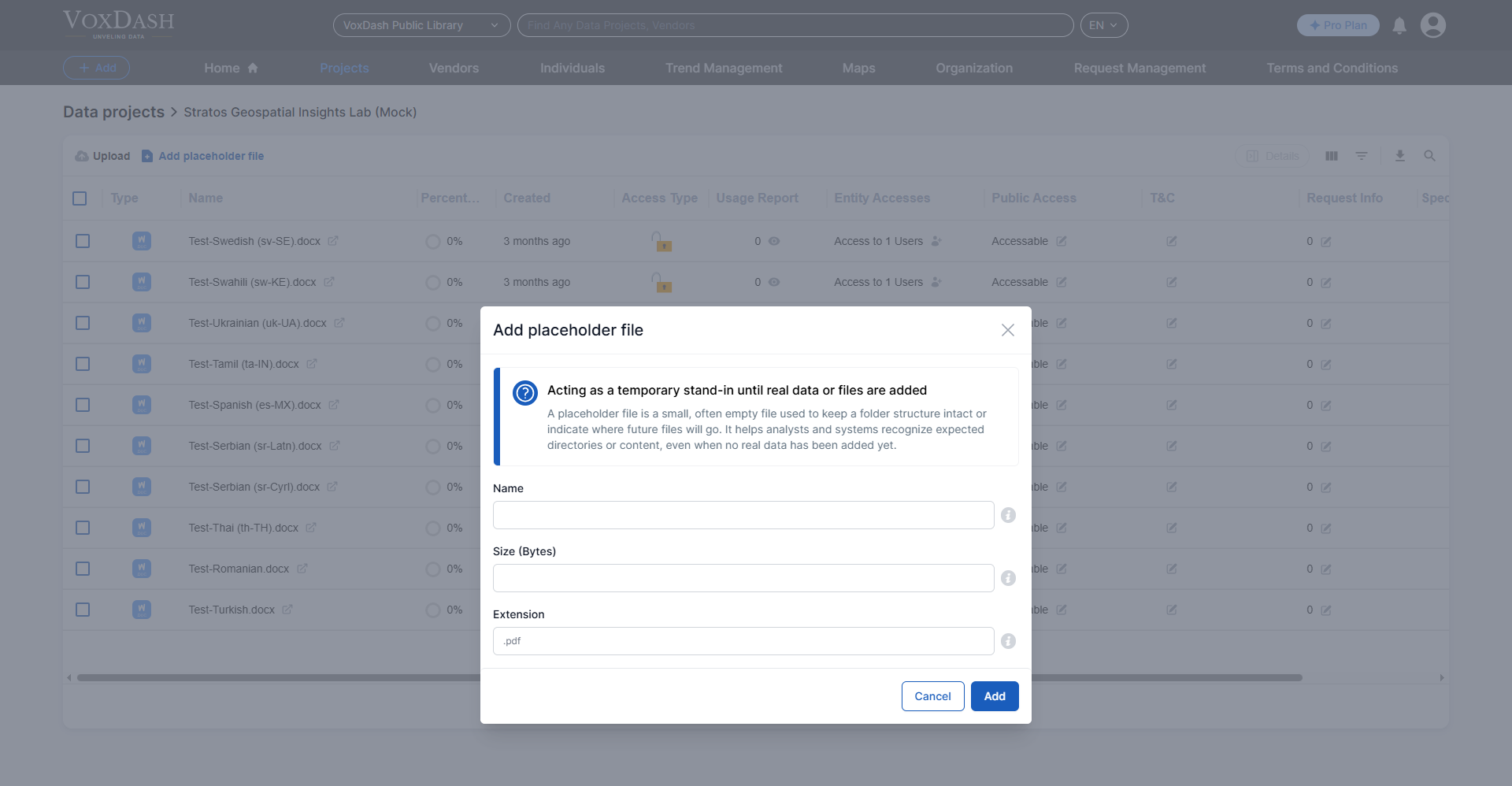
- Click Add to save your placeholder file.