

Key Features of Contract Customization
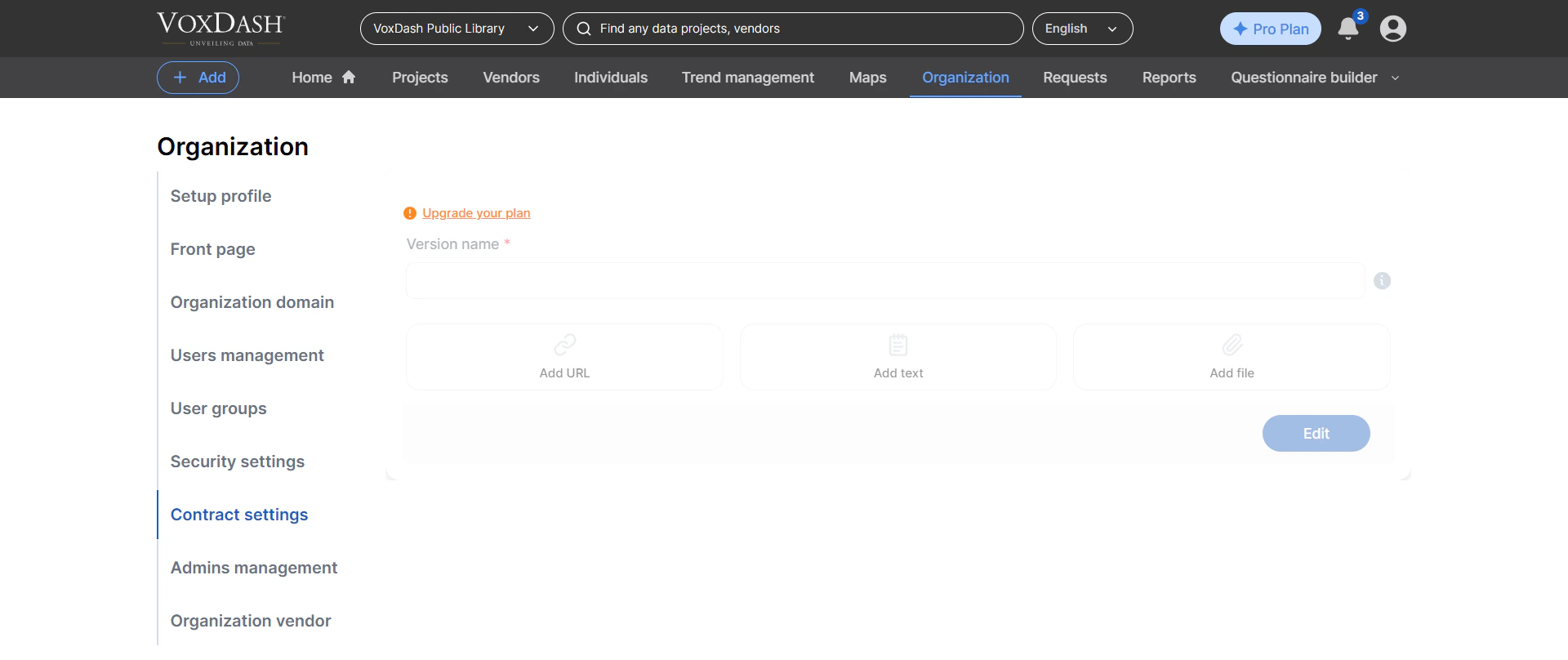
When customizing contract settings, you can configure the following components:1. Version Name
Assign a version name to your contract (for example, v1.0, 2026 Standard Terms, or Enterprise Agreement A). This helps you:- Track changes over time
- Maintain version history
- Ensure users are agreeing to the correct version of the contract
2. Custom Text Sections
You can add custom text blocks to include specific terms, conditions, or explanations. Examples include:- Data usage restrictions
- Licensing terms
- Privacy and compliance statements
- Service-level expectations
- Use clear and concise language
- Avoid ambiguous wording
- Structure content with headings or bullet points for readability
3. External URLs
You can include links to external resources such as:- Full legal agreements
- Privacy policies
- Terms of service
- Documentation or knowledge base articles
- The contract references longer documents
- You want to keep the contract concise while providing additional details
4. File Attachments
Instead of adding free-form notes, you can upload files to be included as part of the contract. Supported use cases include:- Full legal agreements in PDF format
- Supporting documentation or appendices
- Compliance certificates
- Custom policy documents
- Use clear, descriptive file names (e.g., Data_Usage_Policy_v2.pdf)
- Ensure files are up to date and approved
- Avoid uploading duplicate or outdated documents
How Contract Generation Works
Once you configure the contract settings:- VoxDash automatically compiles all inputs into a standardized contract file
- The system ensures consistent formatting across all projects
- The generated contract is attached to your data project and presented to users when required
Accessing Contract Settings
To customize your contract:- Go to the Data Provider Panel
- Navigate to Organization Settings
- Select Contract Settings
- Edit the fields according to your requirements
- Save your changes
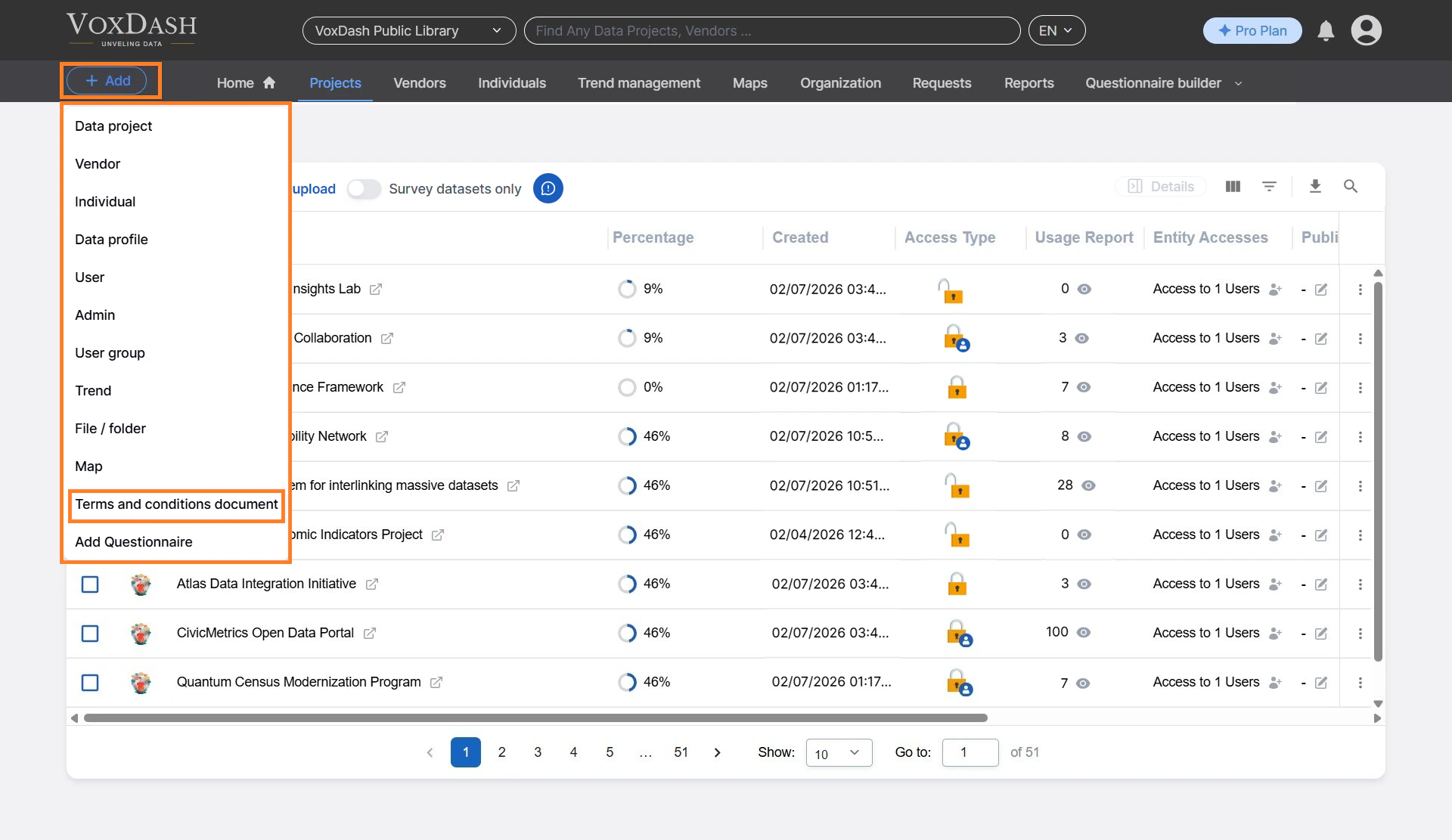
- Your new contract document will be saved in terms and contract page. You can access the terms and contract page from the add button in the header.
Important Notes
- Changes to contract settings may not apply retroactively to already accepted contracts
- Always review your contract content for legal accuracy before publishing
- Consider coordinating with your legal team when making significant updates
- Test your contract by generating a sample file to verify formatting and content
Tips for Effective Contracts
- Keep language simple and easy to understand
- Clearly define user responsibilities and limitations
- Avoid overly long paragraphs—break content into sections
- Regularly review and update contracts to reflect policy or regulatory changes