

Adding a Contract to a Data Project
Data providers can attach a contract during dataset setup or later through the File Manager.You can add a contract in two ways:
-
During Dataset Creation
While adding a new dataset in the Data Provider Panel, you can upload a contract document (usually a PDF) in the “Contract” section of the form. -
Through the File Manager Table
If T&C were not added initially, you can attach them later from the File Manager in the Data Provider Panel.
How Contract Acceptance Works
After a contract is added, data providers decide whether users must explicitly accept it before accessing the data or whether acceptance can be implicit depending on the project’s visibility settings.1. Explicit Acceptance
Users must open the contract document, review its content, and actively confirm acceptance.This is recommended when:
- The data access has financial/legal constraints
- The provider requires a signed or acknowledged agreement
- More sensitive datasets are involved
2. Implicit Acceptance
If a project is made public, VoxDash does not require users to manually agree to the contract. Instead:- The system logs access as an implicit acceptance
- Users can view data immediately
- No acceptance form is displayed
Viewing Accepted Contracts (Audit Log)
VoxDash provides a dedicated Accepted Contracts page where admins can review all users who accepted a contract—explicitly or implicitly.To view accepted contracts:
- Open the Data Provider Panel.
- Navigate to File Manager.
- Find the dataset you want to inspect.
- Click the menu icon (⋮) next to the project.
- Select View Accepted Contract.
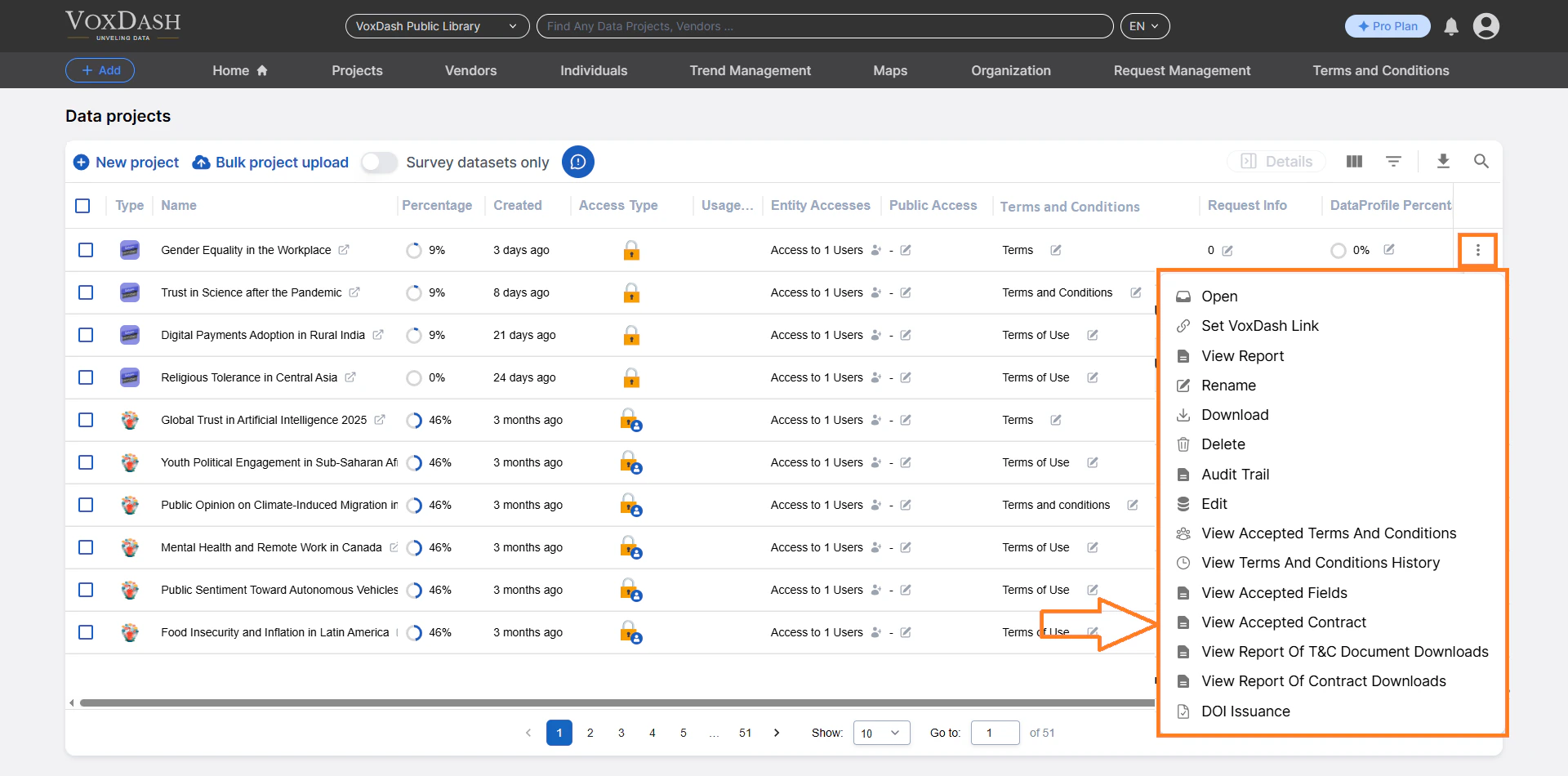
Information Displayed in the Accepted Contract Table
Each row in the table represents one user acceptance record. The system displays:-
Contract Name
The title of the contract document attached to the project. -
Version ID
Each time you upload a new contract version, its Version ID changes. VoxDash associates each user acceptance with the correct version. -
Accepted Email
The email address of the user who accepted the contract. -
Accepted Date
The timestamp when the acceptance occurred. -
Acceptance Type
- Explicit: User manually accepted the contract
- Implicit: System auto‑logged acceptance for public projects
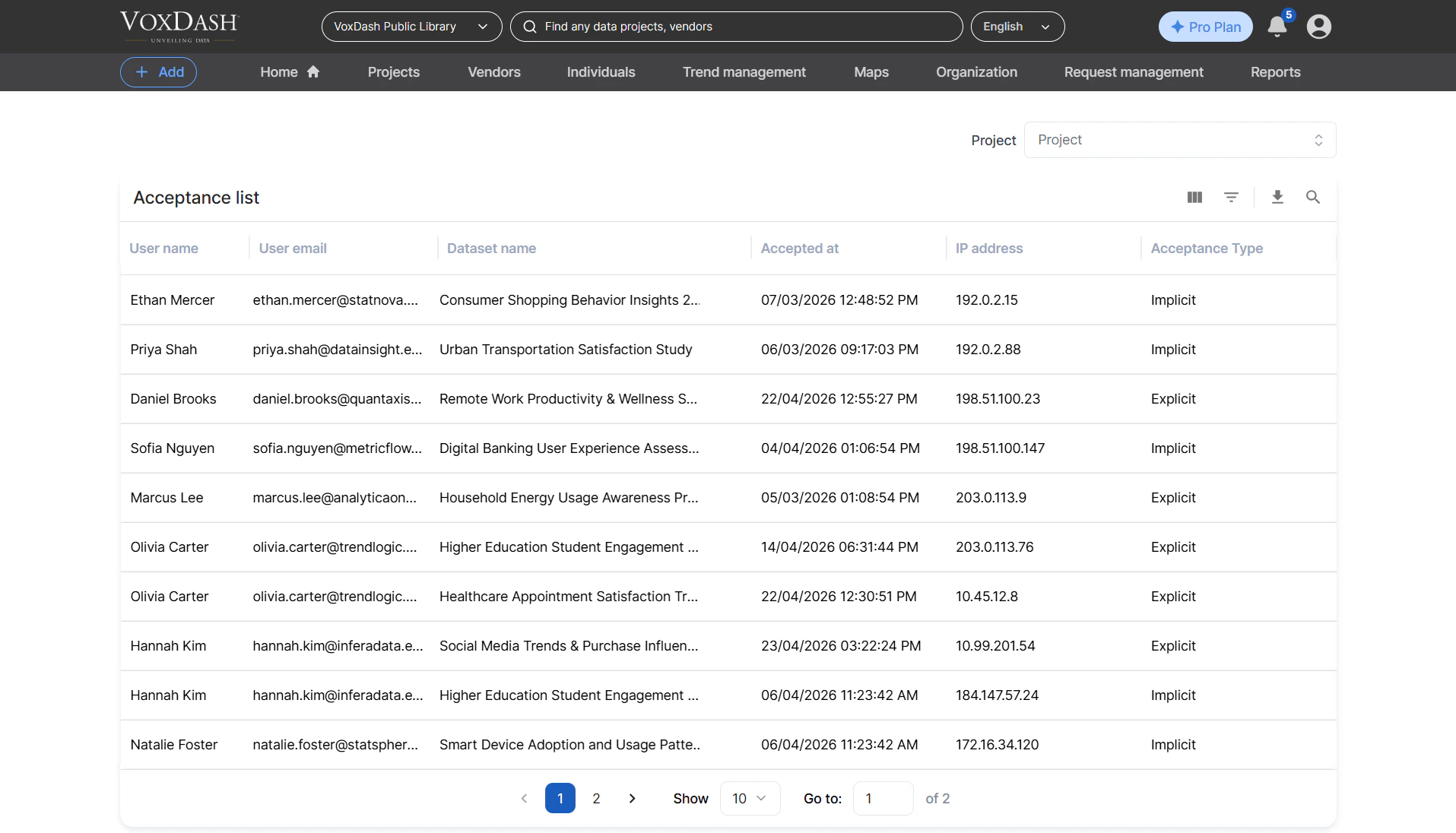
Searching Across Projects
At the top of the Accepted Contract page, a search bar allows you to switch between data projects without navigating back to the File Manager.- Type part of the project name
- Select it from the results
- View its contract acceptance records instantly