

Adding Terms & Conditions to a Data Project
When creating or editing a data project, data providers can attach a custom Terms & Conditions document. This can be done in two ways:-
During the Data Entry Process:
While uploading or configuring a dataset, you can define its T&C directly in the setup form. -
Through the File Manager Table:
If T&C were not added initially, you can attach them later from the File Manager in the Data Provider Panel.
For detailed instructions on creating and attaching Terms & Conditions, refer to the Terms & Conditions Setup Guide.
Understanding Explicit vs. Implicit Acceptance
After T&C are attached, data providers can choose how users must accept them before accessing the data.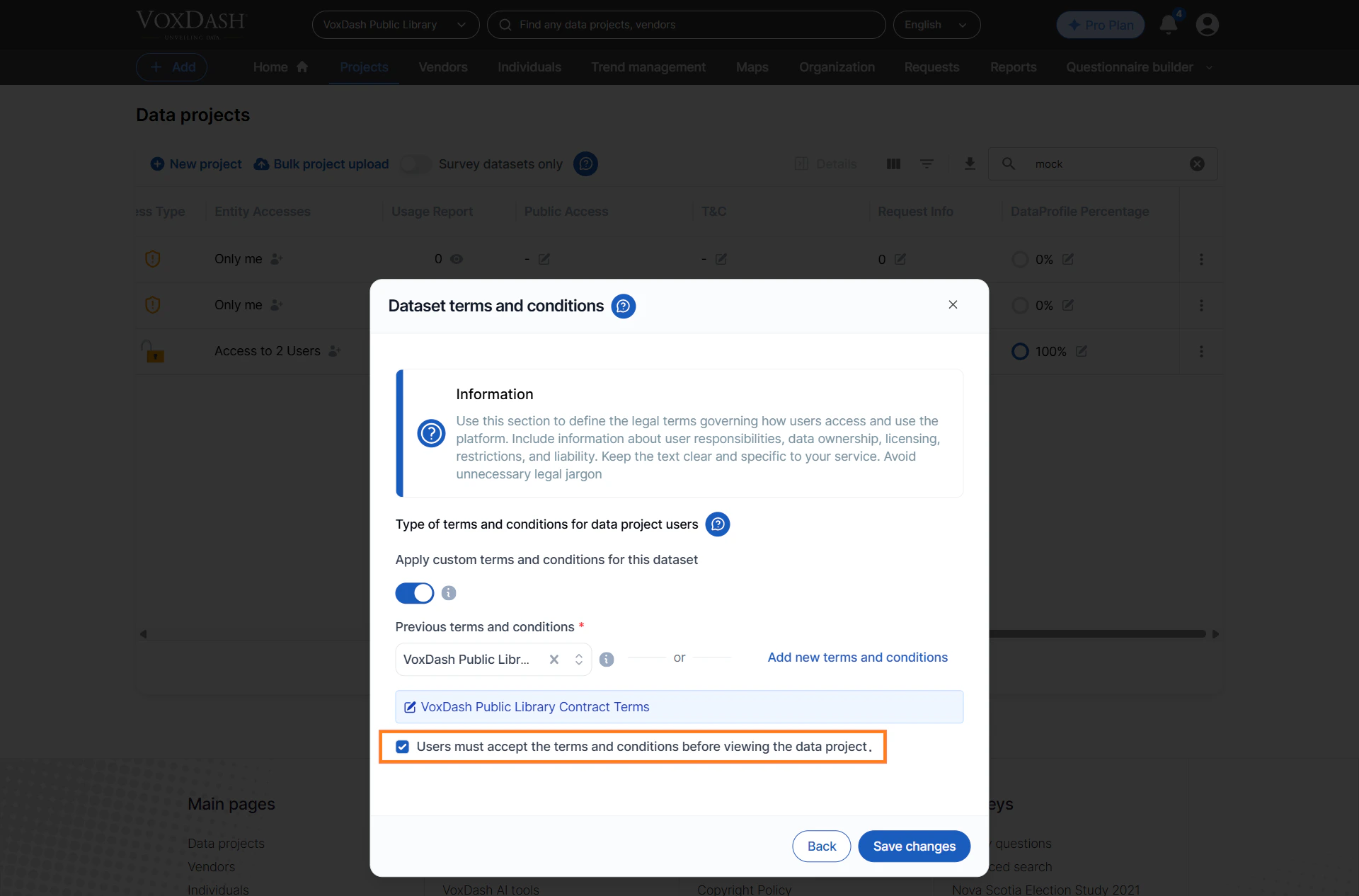
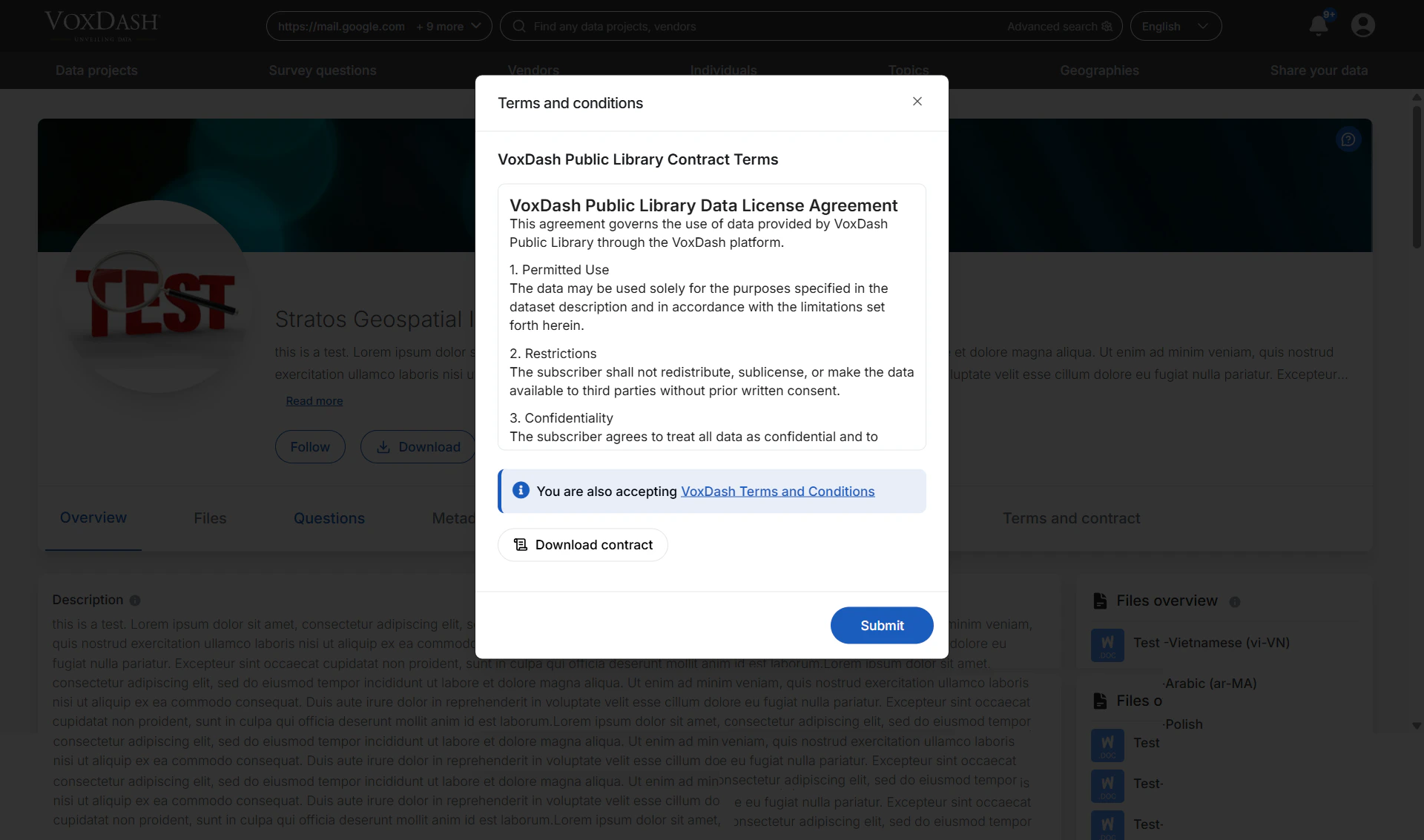
1. Explicit Acceptance
Users must actively accept the T&C before viewing the dataset.This is used when:
- The dataset contains sensitive information
- Access must be logged for compliance
- You need a clear audit trail of who agreed to the terms
2. Implicit Acceptance
If the data project is set to Public, users can access the dataset without manually accepting the T&C.In this case, VoxDash automatically marks the acceptance type as implicit, meaning:
- No acceptance form is shown to the user
- Access is allowed immediately
- The system still logs access as an implicit acceptance for auditing
Viewing Users Who Accepted the Terms & Conditions
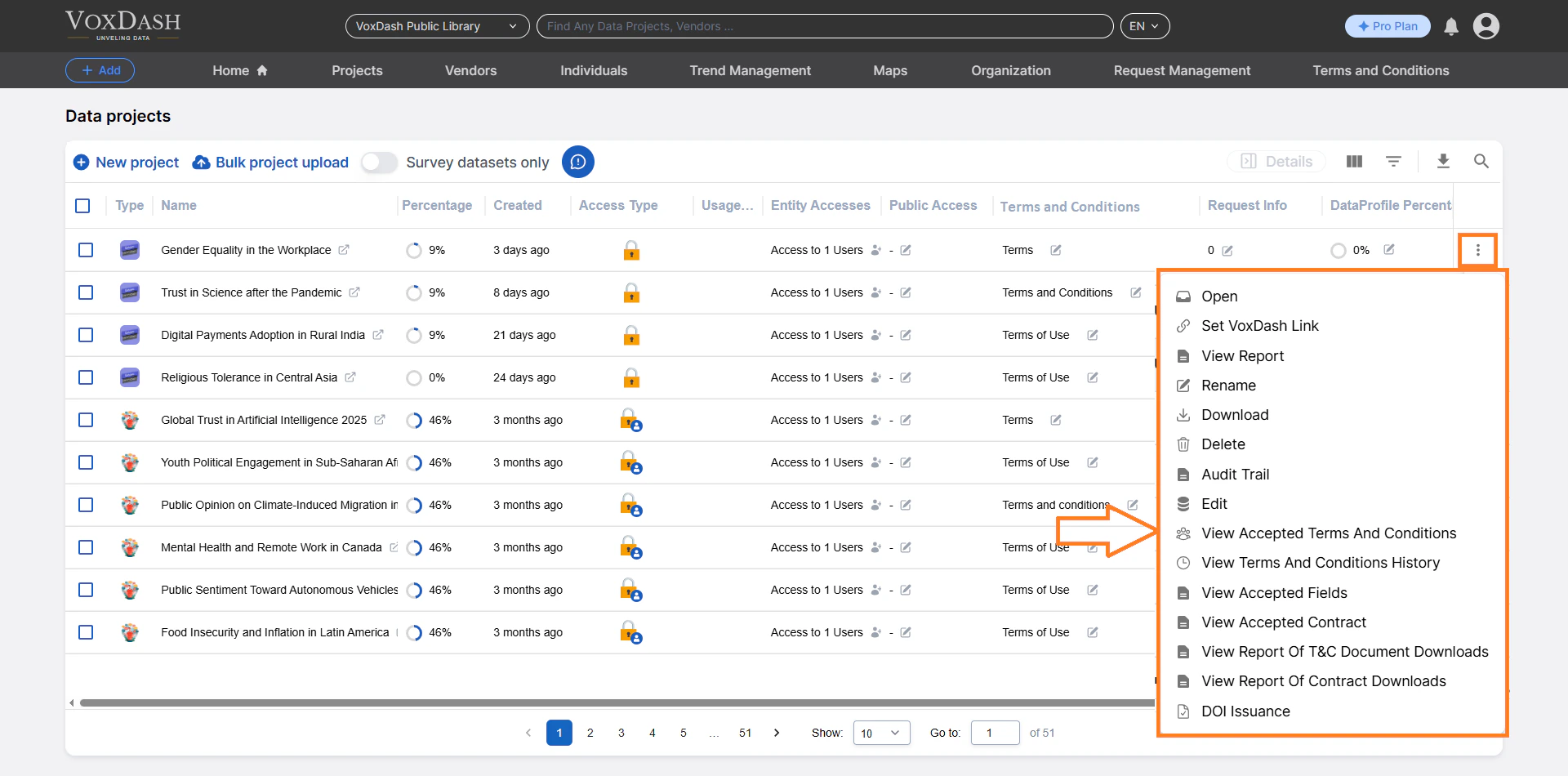
All T&C acceptance records can be viewed from the File Manager Table in the Data Provider Panel.How to View Accepted T&C:
- Open the Data Provider Panel.
- Navigate to File Manager.
- Locate the data project you want to review.
- Click the menu icon (⋮) next to the project.
- Select View Accepted Terms & Conditions.
Information Displayed in the Accepted T&C Table
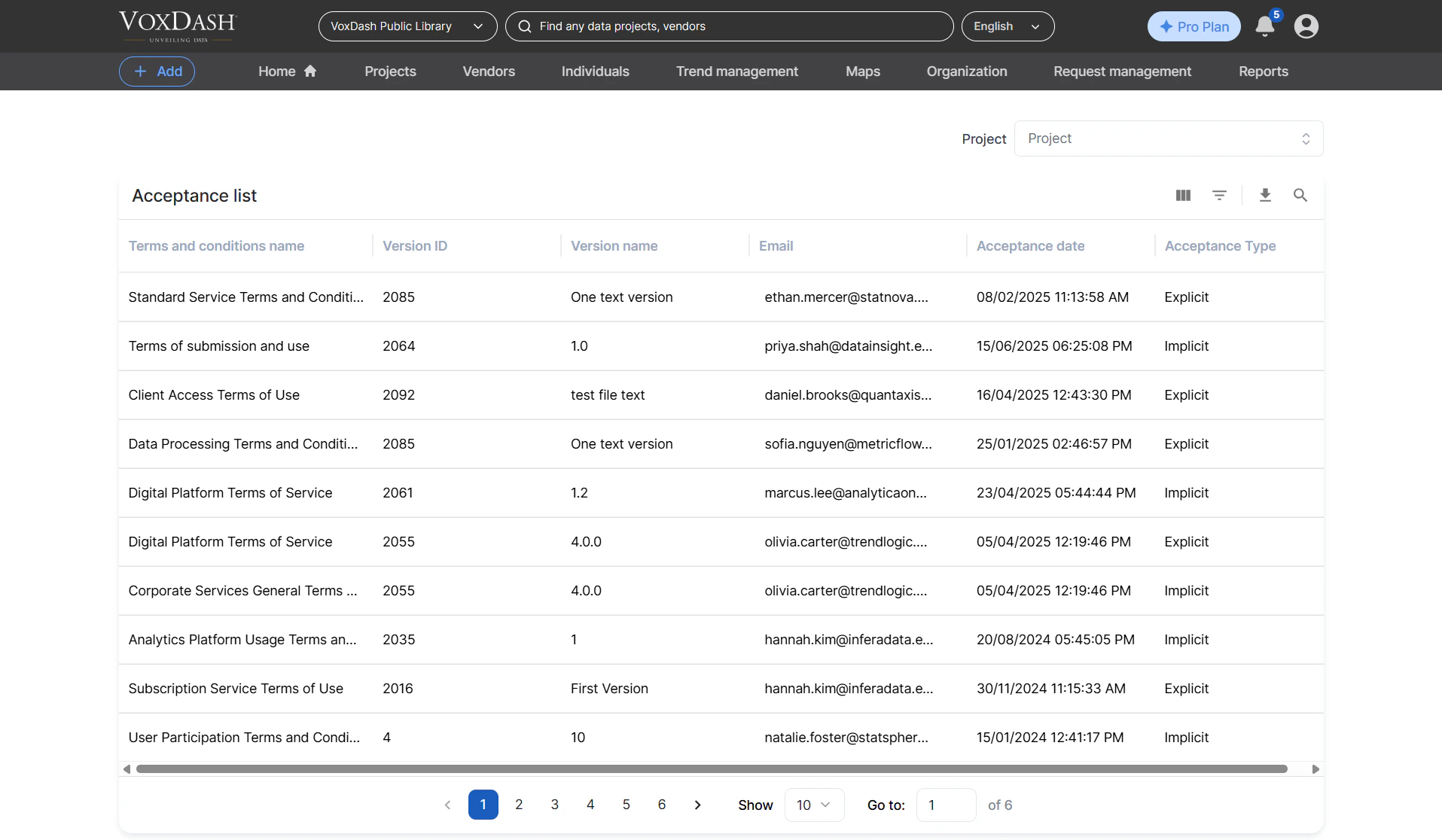
The table provides a complete audit log of acceptance events. Each entry includes:- Terms & Conditions Name
- Version ID (useful when you update the terms)
- Accepted Email (user who agreed to the terms)
- Accepted Date (timestamp of acceptance)
- Acceptance Type
- Explicit: User manually accepted
- Implicit: Automatically accepted because the project is public
Navigating Between Projects
At the top of the Accepted T&C page, a search bar allows you to switch between different data projects without returning to the File Manager Table.Simply enter the project name or keyword, and the system will display the corresponding acceptance records.