

Unlike simple acceptance tracking, this report provides insight into when and from where users accessed the Organization Contract document, enabling full transparency and compliance auditing for data sharing and licensing.
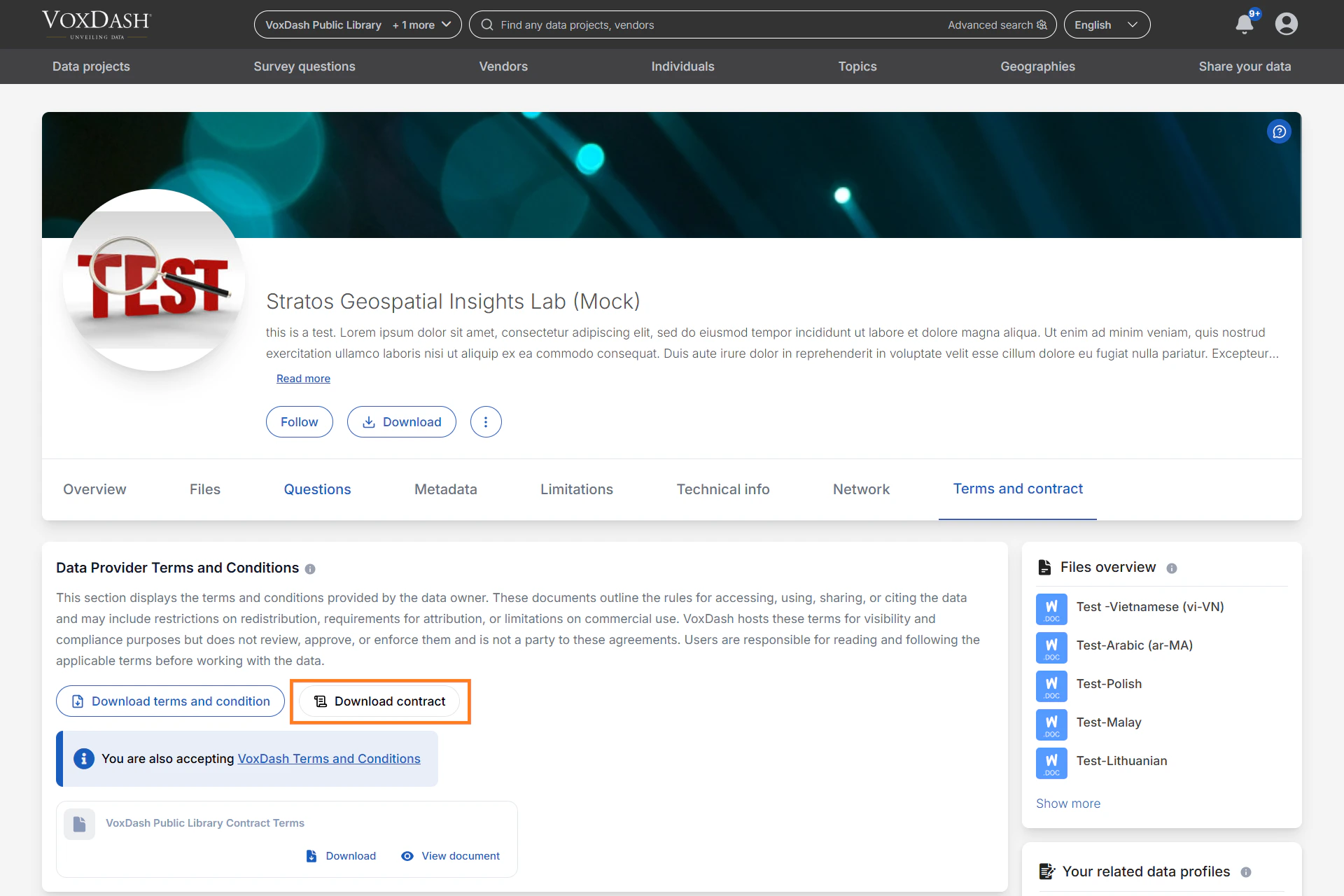
What the Downloaded Contracts Report Displays
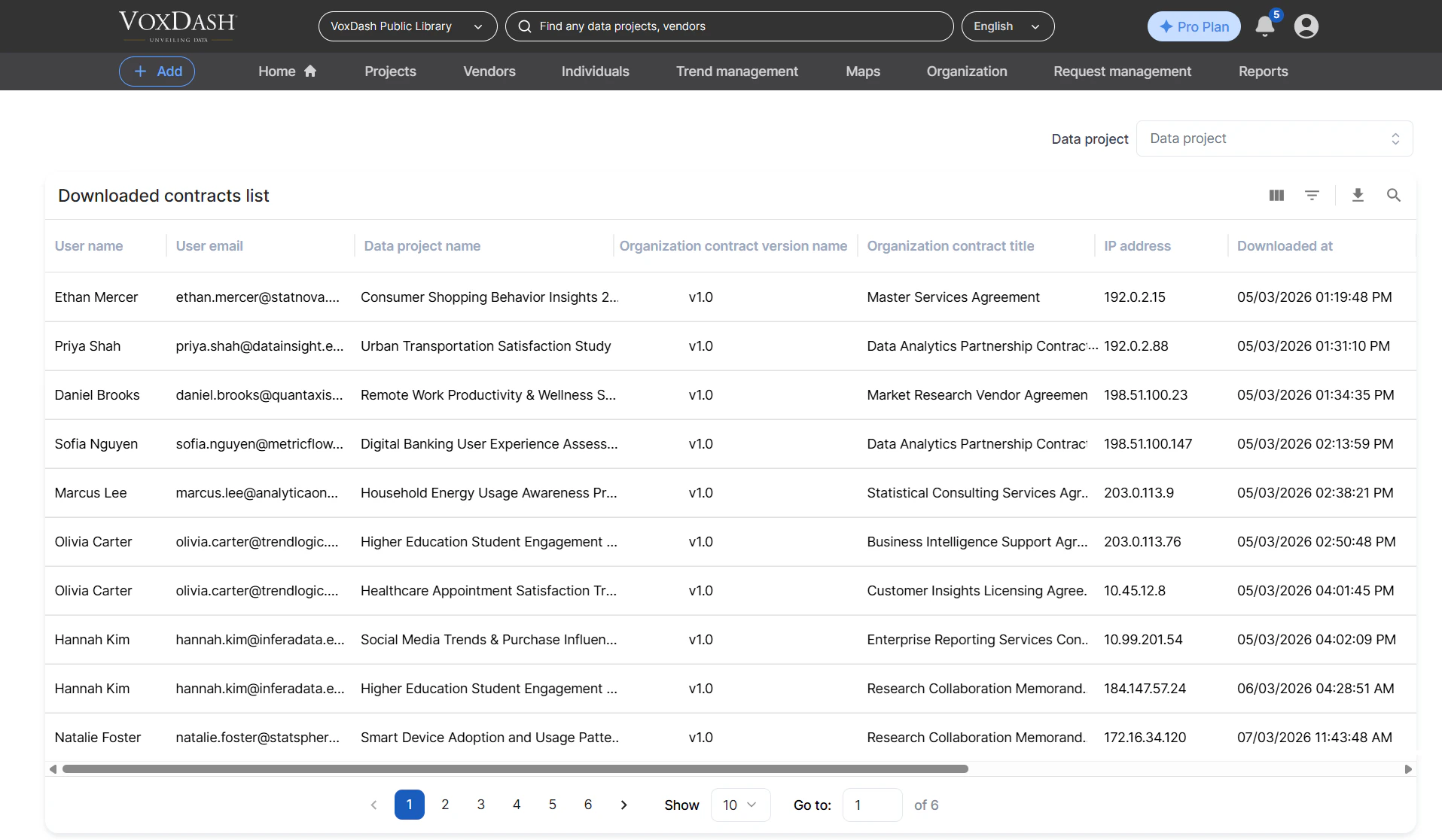
Each download generates a log entry with essential details for auditing and compliance review.The table on this page shows:
-
User Name
The full name of the user who downloaded the contract document. -
User Email
The registered email address of that user, allowing easy identification. -
Data Project Name
The name of the dataset the contract belongs to. -
Organization Contract Version Name
The version identifier for the specific contract document. Each upload or update generates a unique version, making it easy to review which version was downloaded. -
Organization Contract Title
The document’s title, helping admins quickly distinguish between multiple contract types attached to various data projects. -
IP Address
The device IP address from which the contract was downloaded — useful for detecting unusual access patterns or verifying geographic compliance. -
Downloaded At
The exact date and time of the download event, providing a reliable timeline for reporting and audits.
Accessing the Downloaded Contracts Report
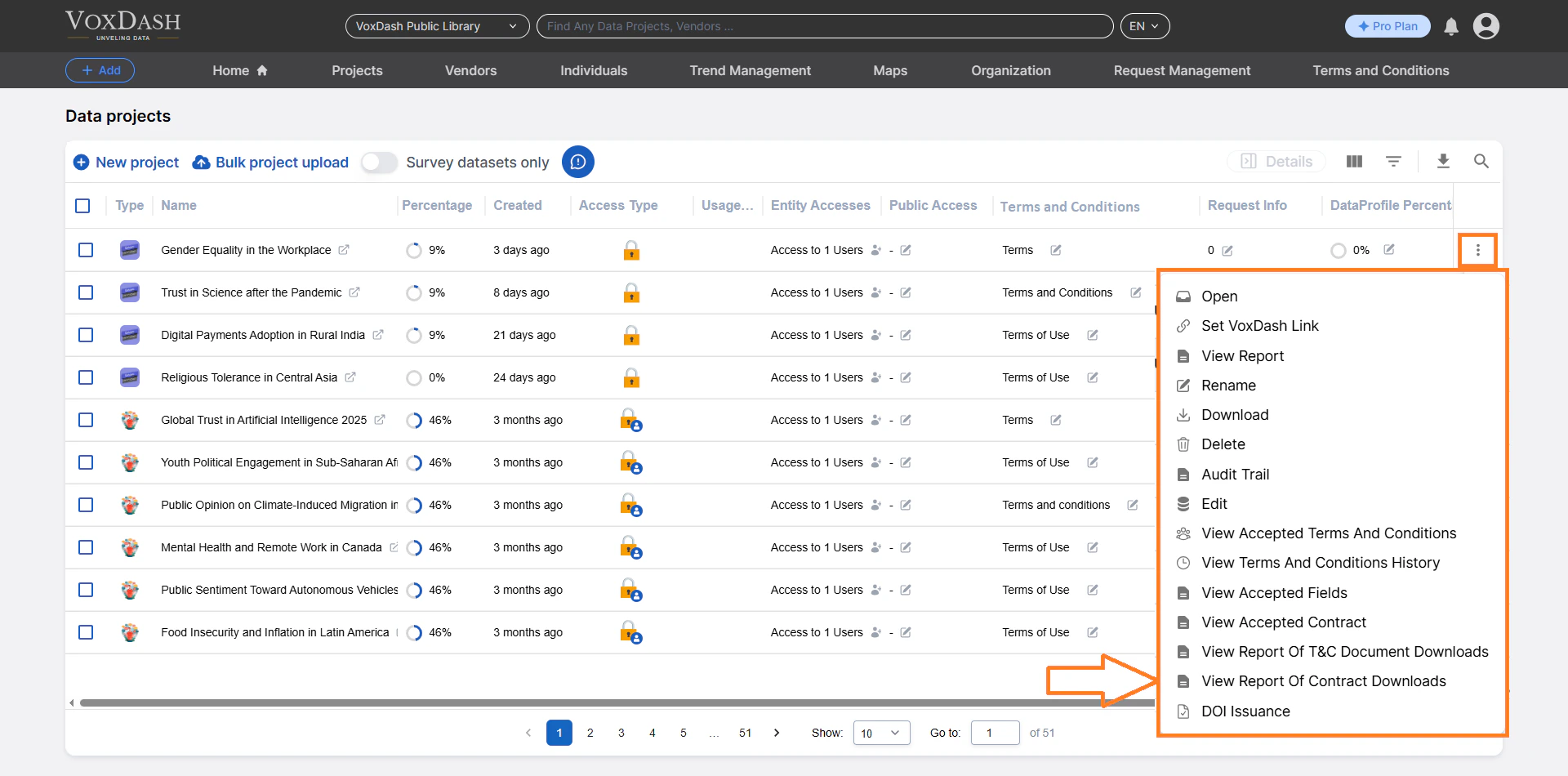
To view or export the download logs:- Go to the Data Provider Panel.
- Open File Manager.
- Locate the project containing the contract.
- Click the menu icon (⋮) next to the project entry.
- Select View Downloaded Contracts.
Navigating Between Projects
A search bar at the top of the download report page allows you to quickly view reports for other data projects without returning to the main File Manager. Simply enter the project name or relevant keyword, and VoxDash will display its corresponding download log.Why This Report Matters
Tracking contract downloads provides legal and operational visibility into user activity.It allows providers to:
- Confirm who accessed contractual documents
- Verify document version control
- Maintain clear records for audits or compliance requests