

This is especially useful when your terms include important legal details, require offline review, or when compliance processes demand proof that a user accessed the document—even before acceptance.
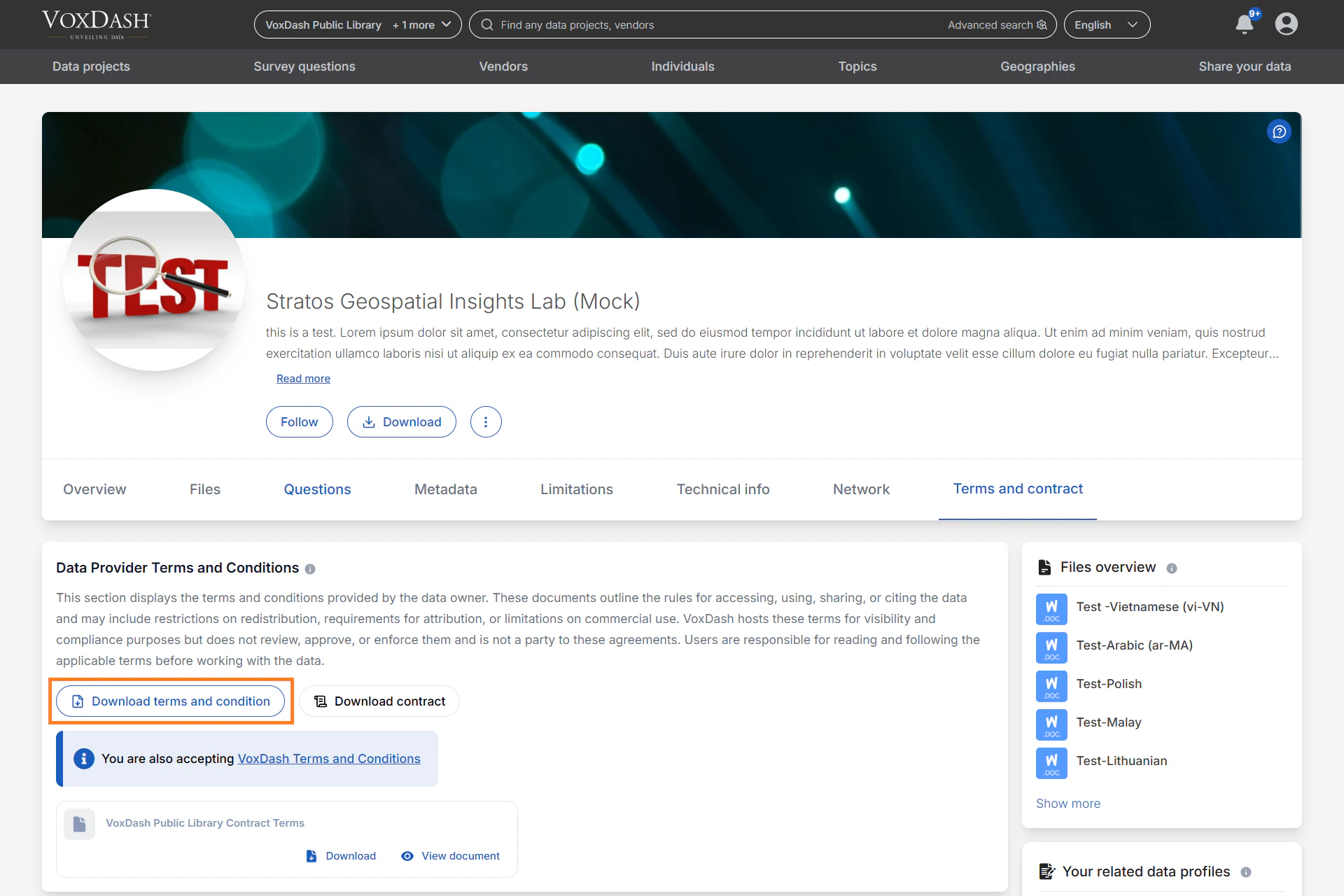
What the Downloaded T&C Report Shows
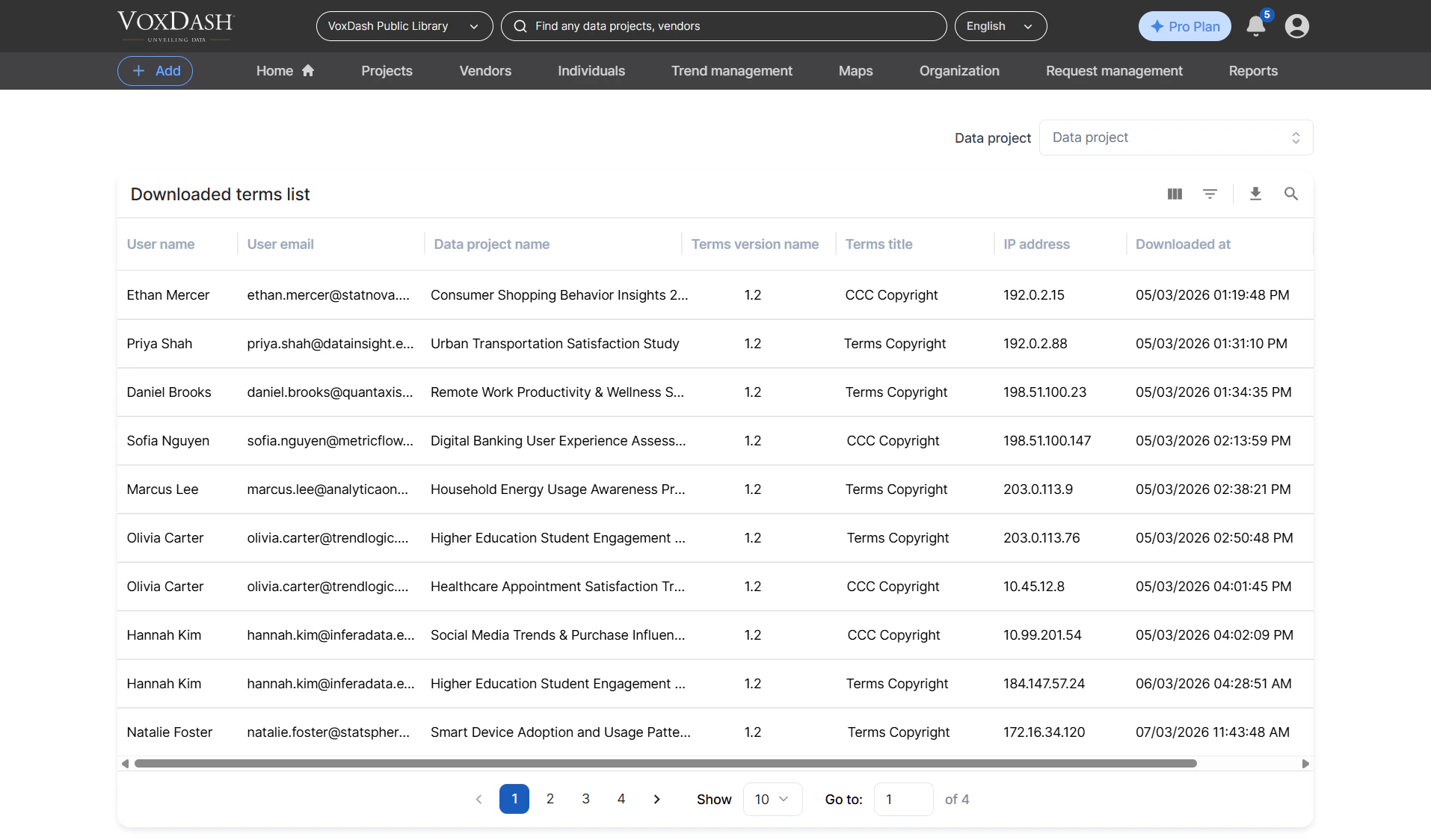
Each time a user downloads a T&C document attached to a data project, VoxDash logs the event. Admins can view these events in a dedicated report page. The report includes:-
User Name
The full name of the user who downloaded the document. -
User Email
The email address associated with the user’s account. -
Data Project Name
The specific project for which the T&C document was downloaded. -
Terms Version Name
Indicates which version of the T&C was downloaded—useful if terms have been updated over time. -
Terms Title
The displayed title of the T&C document. -
IP Address
The user’s IP address at the time of download, helping support security and compliance tracking. -
Downloaded At
The exact timestamp when the user downloaded the terms.
How to Access the Downloaded T&C Report
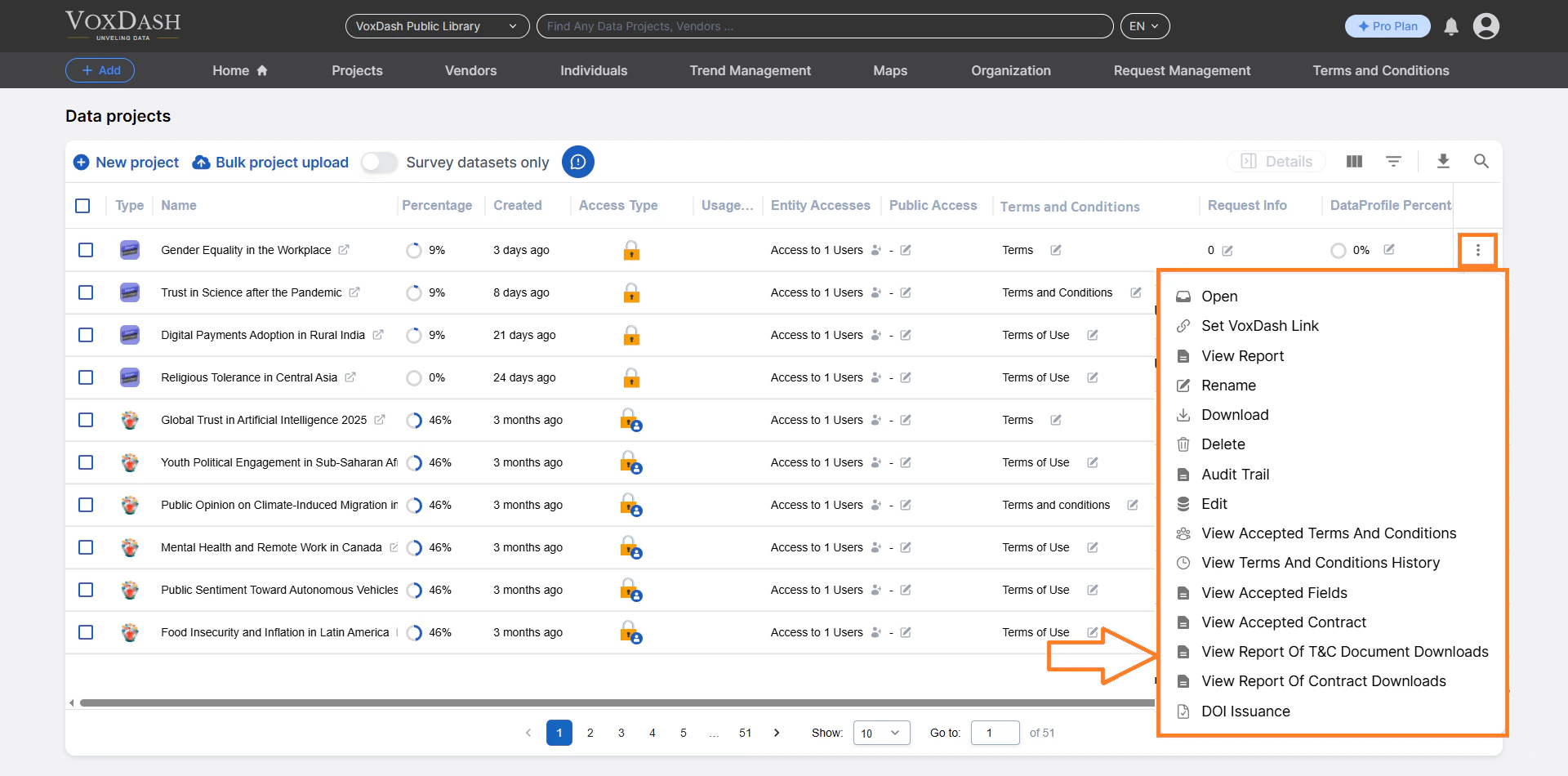
To view download logs:- Open the Data Provider Panel.
- Navigate to File Manager.
- Find the dataset with the T&C you want to track.
- Click the menu icon (⋮) next to the project.
- Select View Downloaded Terms & Conditions.
Using the Search and Navigation Tools
The top of the Download Report page includes a project search bar. You can:- Type a project name or keyword
- Quickly switch to another dataset’s download report
- Avoid returning to the main File Manager