

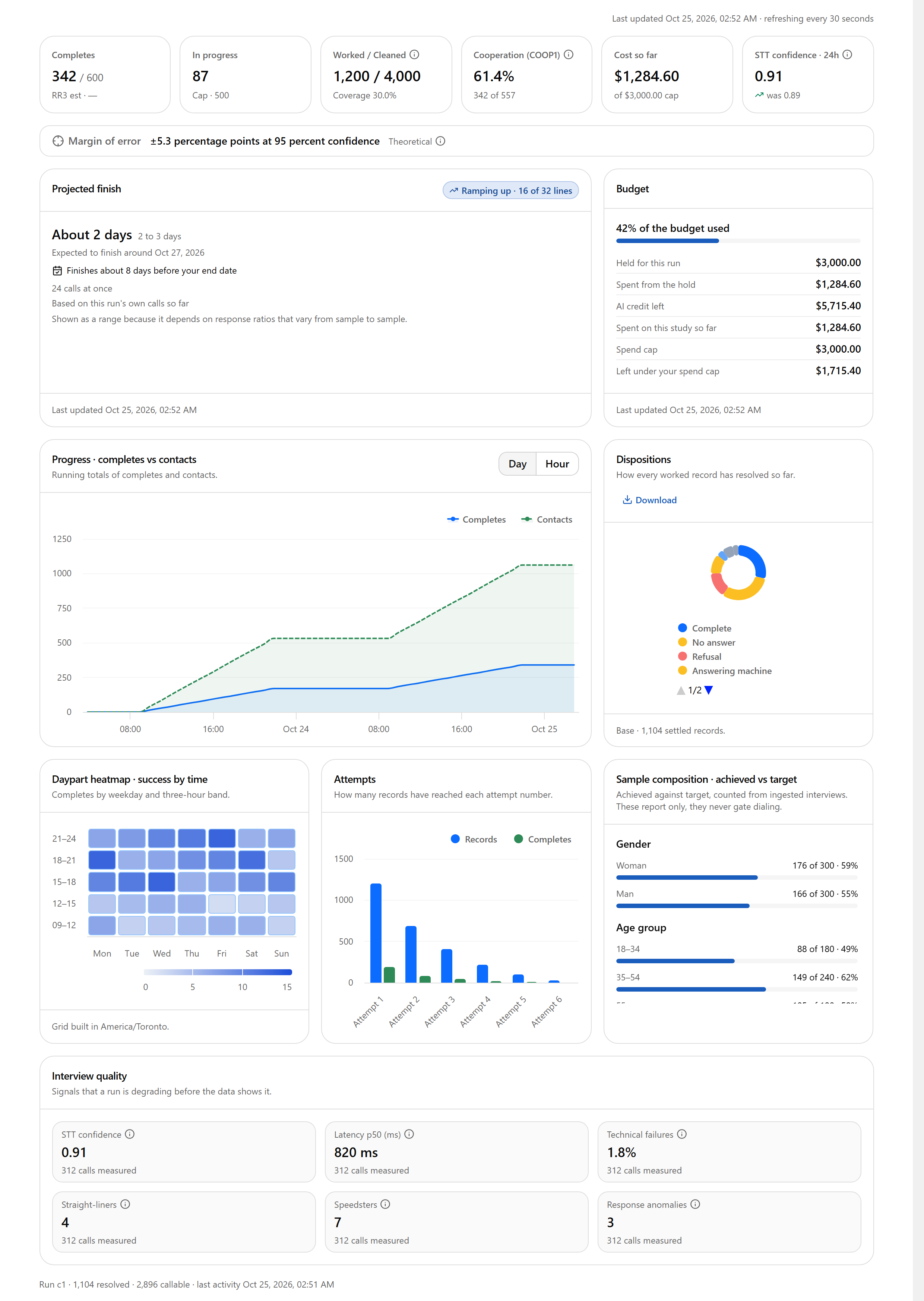
The screenshots on this page show example figures.
Refresh and modes
- While the study is calling, the dashboard refreshes every 30 seconds. The top line shows Last updated and the refresh interval. Select Refresh in the study header to update immediately.
- If a refresh fails, the cards keep showing the last loaded data with a Couldn’t refresh note.
KPI row

Margin of error
The strip under the KPI row shows the margin of error, for example ±5.3 percentage points at 95 percent confidence, covering every completed interview in the study.- It is theoretical: it assumes a simple random sample, no weighting and an evenly split question, corrected for the population size.
- It needs a population size. If none was entered in step 4, select Add population size (available while the setting can still be edited).
Projected finish and ramp-up
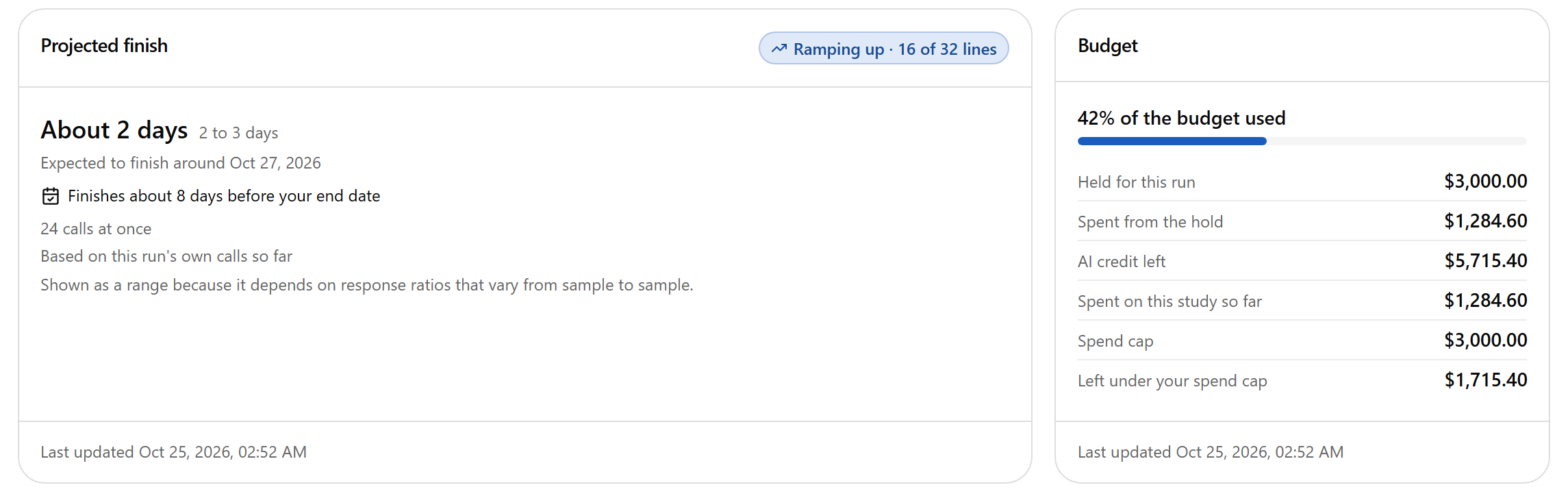
Sometimes the limit is set by something other than the ramp: the platform’s shared calling lines, or your remaining credit. The chip says so.
Budget
The Budget card shows what the study can still spend:
The card also tells you which limit binds first and, at the current pace, roughly how many hours remain:
- If your AI credit runs out before your spend cap, calling stops when it does, and a top-up lets you resume.
- If your spend cap is reached first, the study closes and cannot be resumed.
Charts
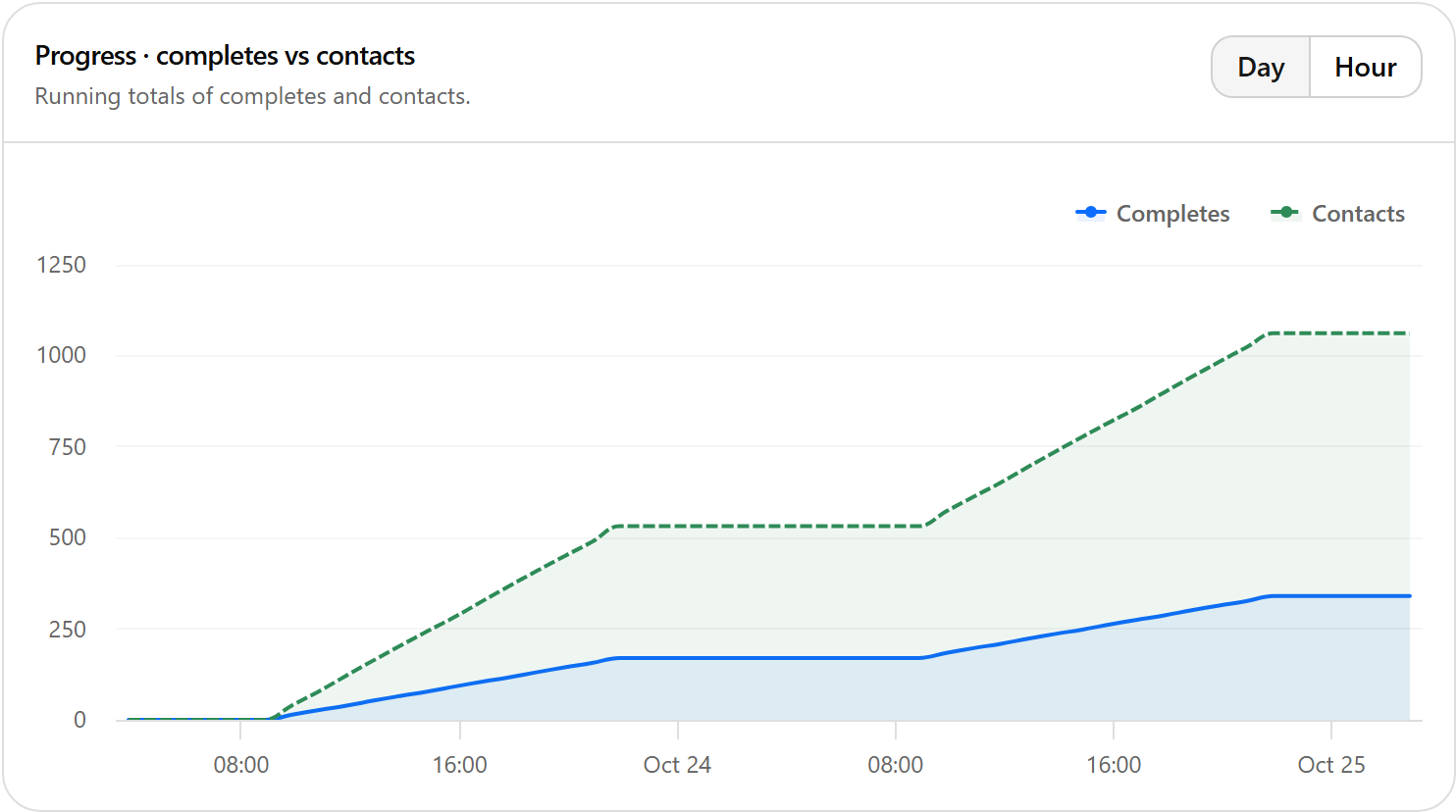
- Progress · completes vs contacts: running totals of completes and contacts over time. Switch the time grain between Day and Hour.
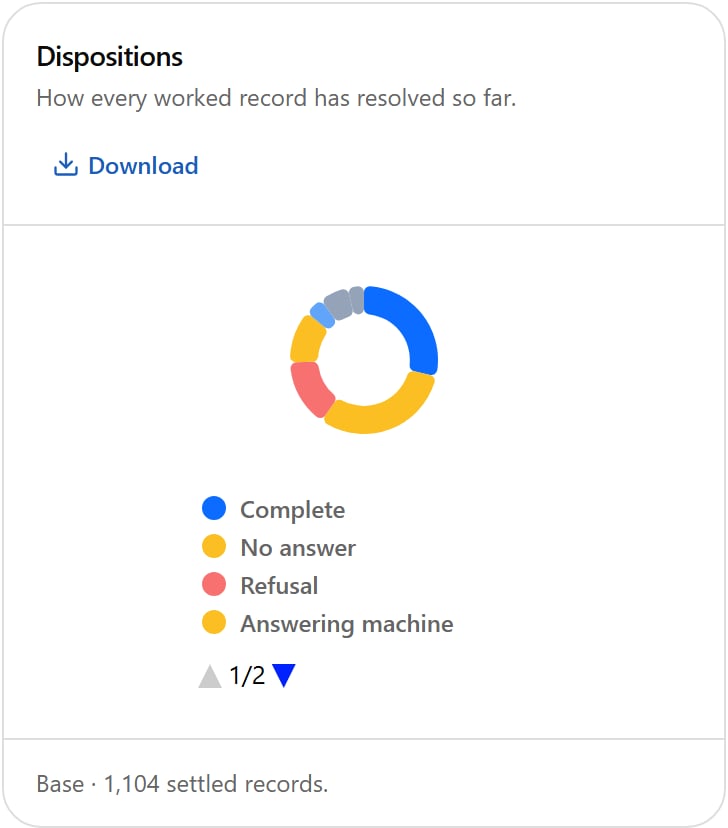
- Dispositions: how every worked record has resolved so far (complete, no answer, refusal, answering machine, partial, not eligible, invalid number, and others), with the number of settled records as the base. Select Download to save the figures.
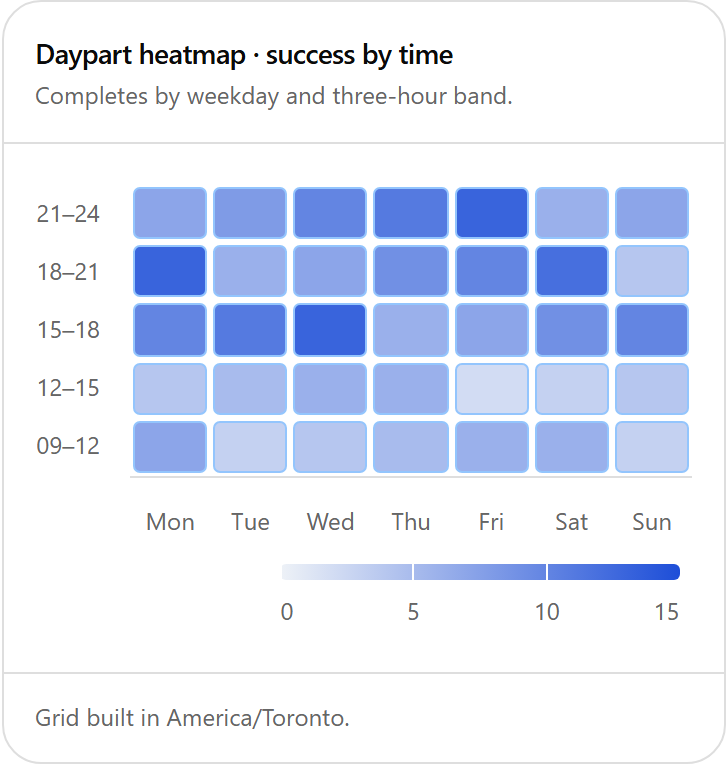
- Daypart heatmap · success by time: completes and dials by weekday and three-hour band, built in your own time zone. Use it to see when people answer and complete.
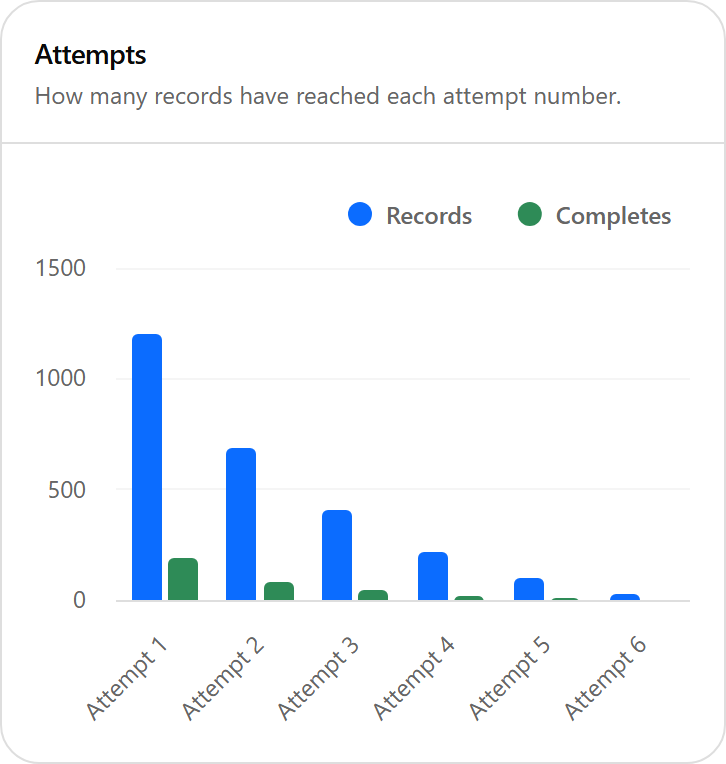
- Attempts: how many records have reached each attempt number, and their completes, so you can see how many needed a second or later attempt.
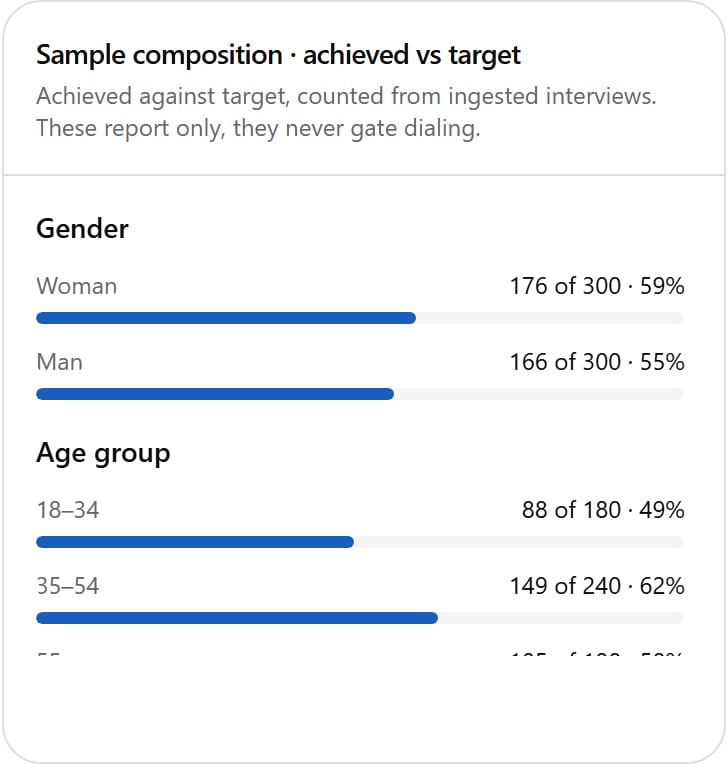
Sample composition · achieved vs target
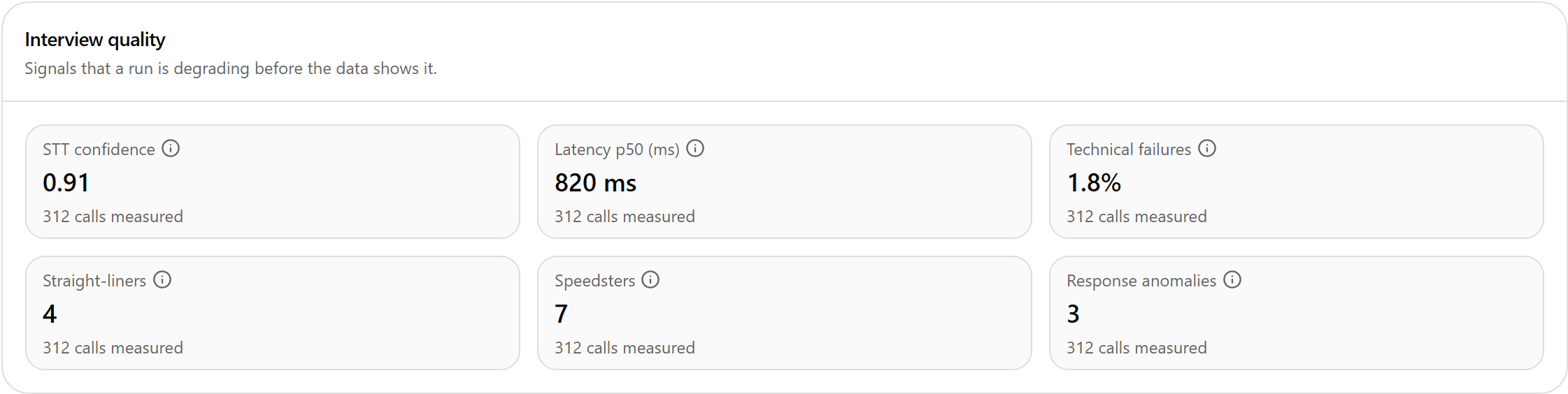
Interview quality
The footnote under the dashboard shows the calling engine’s own counts for the run: records resolved (finished with) and callable (can still be called), and the last activity.