

Voice Pipeline
The voice pipeline decides how the AI listens and speaks.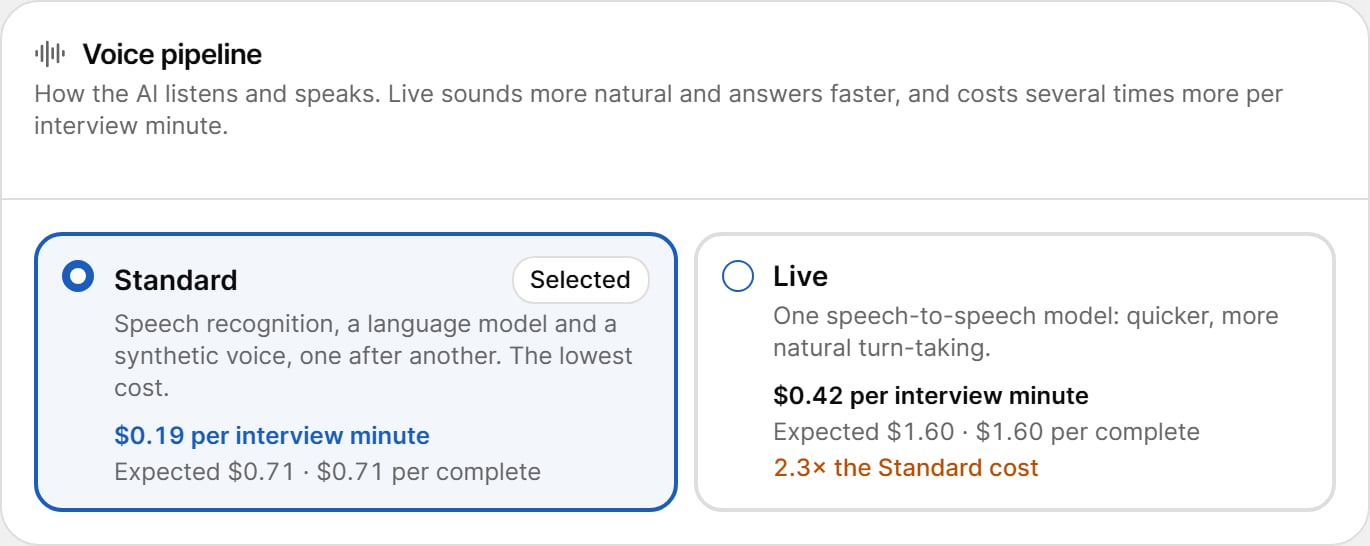
Each card shows the price per interview minute, the expected total, the cost per complete, and for Live, how many times the Standard cost it is. Live only appears when it is available for your study.
Concurrency and Pacing
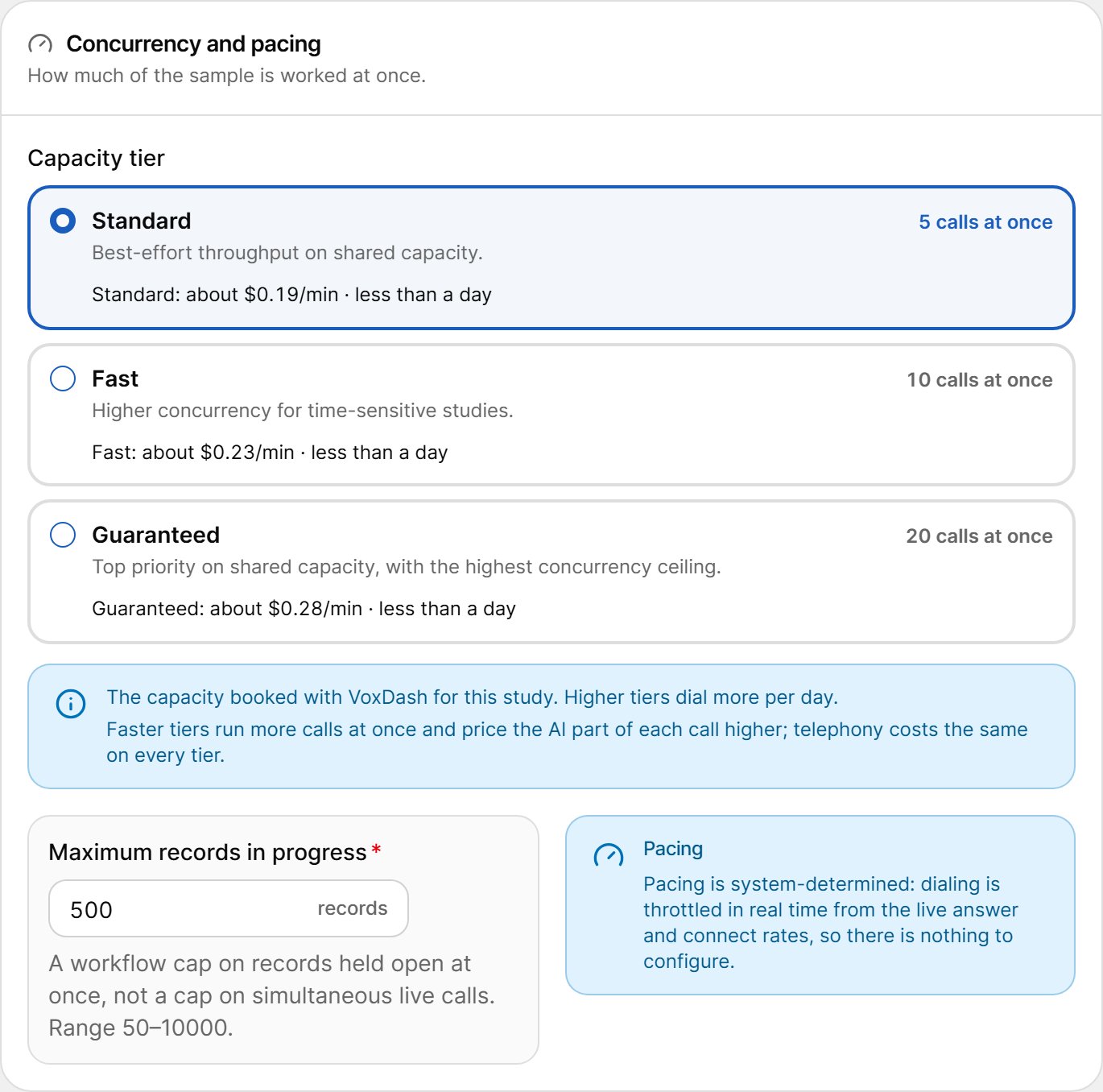
Capacity Tier
The capacity tier is the calling capacity booked for this study.
Each card shows how many calls run at once, the price per minute and the expected time to finish. Higher tiers place more calls at the same time and price the AI part of each call higher. Telephony costs the same on every tier.
Maximum Records in Progress
The number of records held open at once (for example, waiting for a retry or callback). It is not a cap on simultaneous live calls.- Range: 50–10,000. Default: 500.
Pacing
Pacing is automatic. Dialing is throttled in real time from the live answer and connect rates, so there is nothing to configure.Estimated Cost
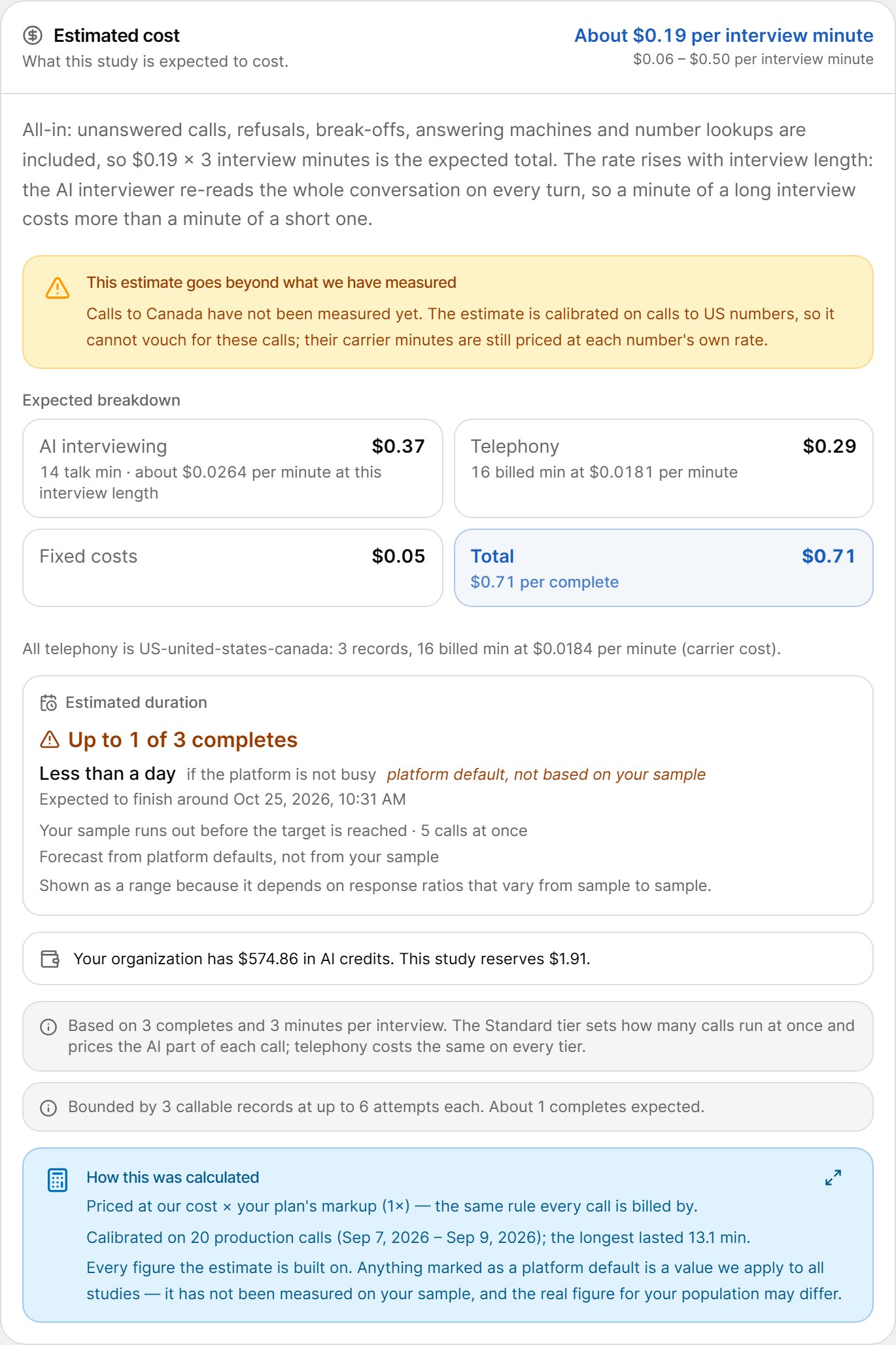
A yellow notice such as “This estimate goes beyond what we have measured” means part of the estimate is extrapolated — for example, calls to a country, a language or an interview length that has not been measured yet. The real cost may differ.
Your Expected Response Rates
By default the estimate uses platform figures. If you know your own response rates for this population, turn on Use my own expected response rates and enter: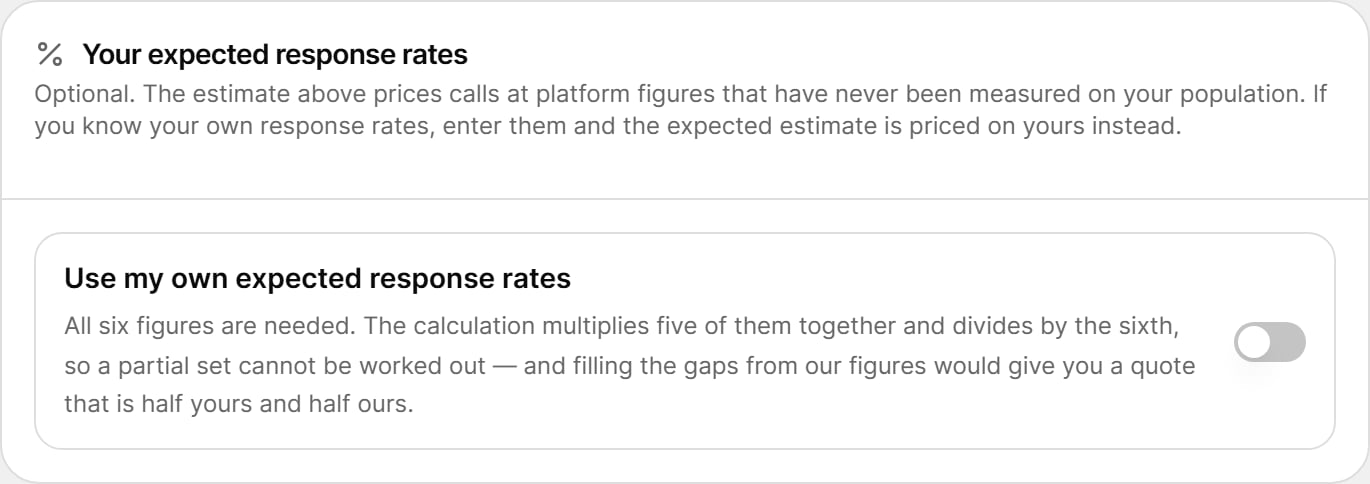
All six figures are required once the switch is on. The calculation combines all of them, so a partial set cannot be worked out.
Review
The Review card summarizes everything you configured, one tile per step: Study, Questionnaire, AI interview, Sample, Screening and targets, and Calling rules. Each tile links back to its step for editing.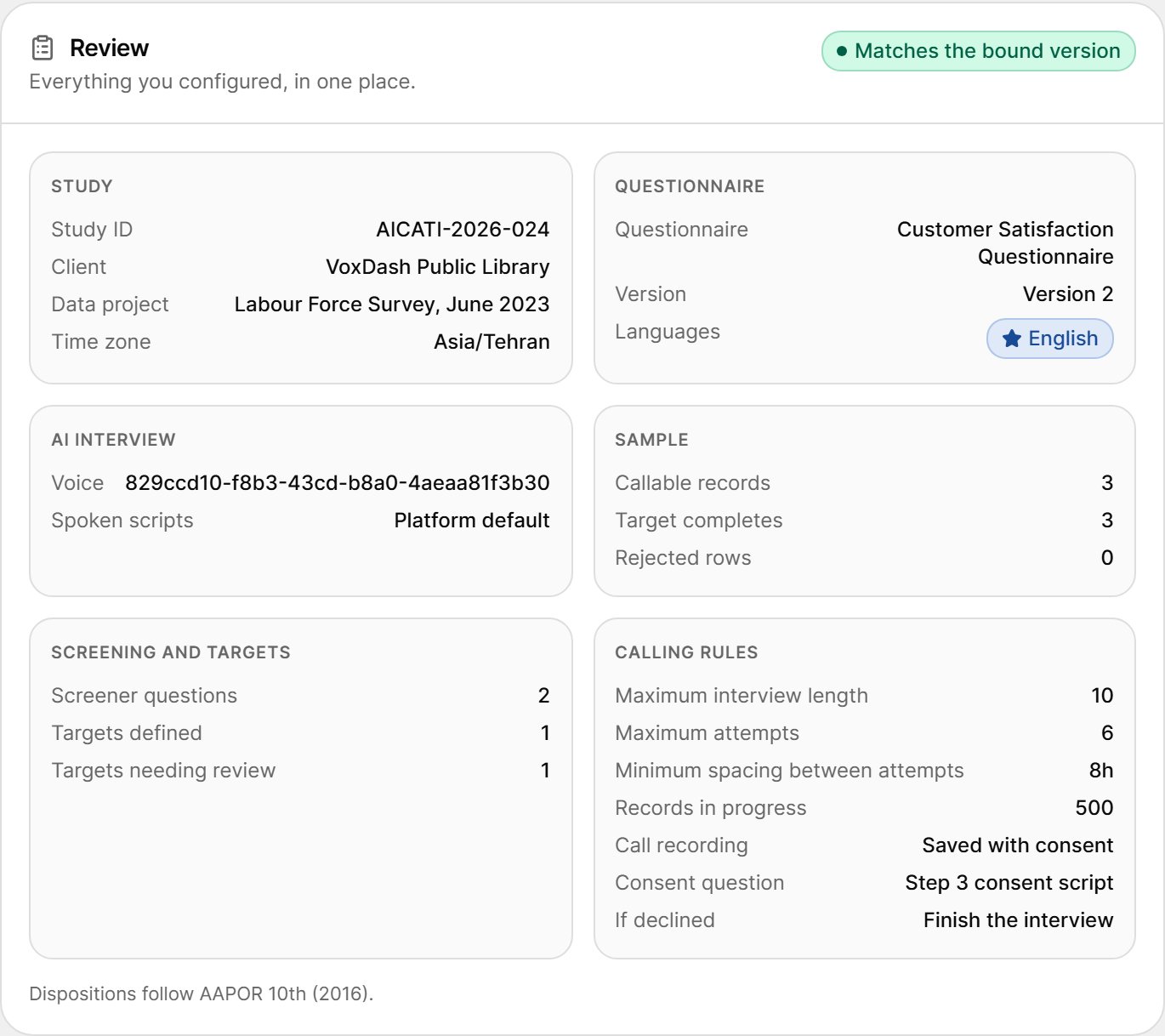
Authorization
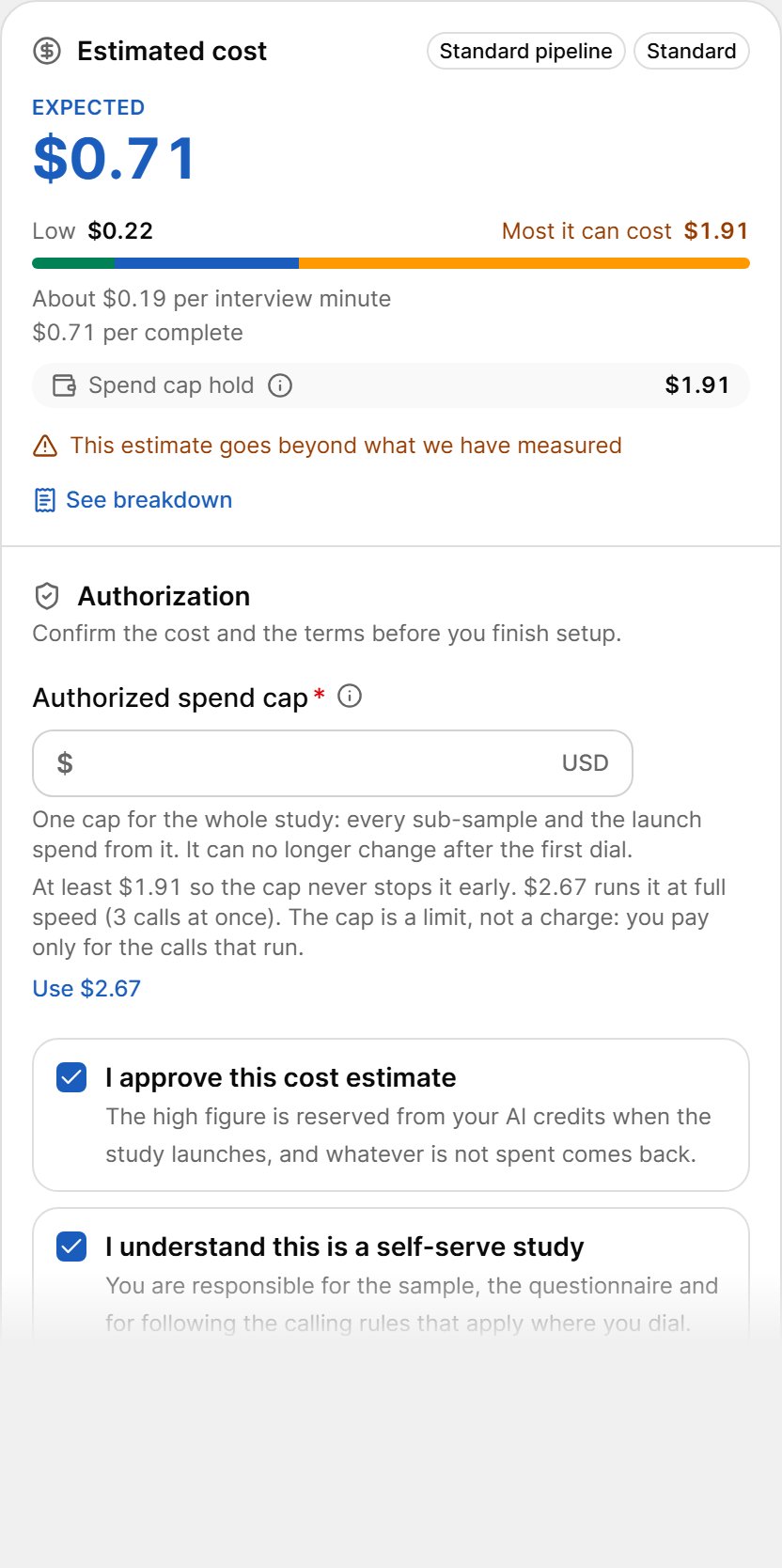
Authorized Spend Cap
The Authorized spend cap (USD) is one cap for the whole study: the main launch and every sub-sample spend from it. Calling stops once this amount is reached.- The minimum is $1.
- Once set, it cannot be cleared, and it can no longer change after the first dial.
- The page recommends an amount: the lowest cap that never stops the study early, and the cap that runs it at full speed. Select Use $… to apply it.
- If the cap is below the high estimate, launch is refused until the cap covers it.
Approvals
Tick both boxes to finish setup:- I approve this cost estimate — the high figure is reserved from your AI credits when the study launches, and whatever is not spent comes back. The estimate is a projection, not a quote.
- I understand this is a self-serve study — VoxDash does not review your questionnaire, sample or calling rules. You are responsible for following the rules that apply where you dial.
Finish Setup
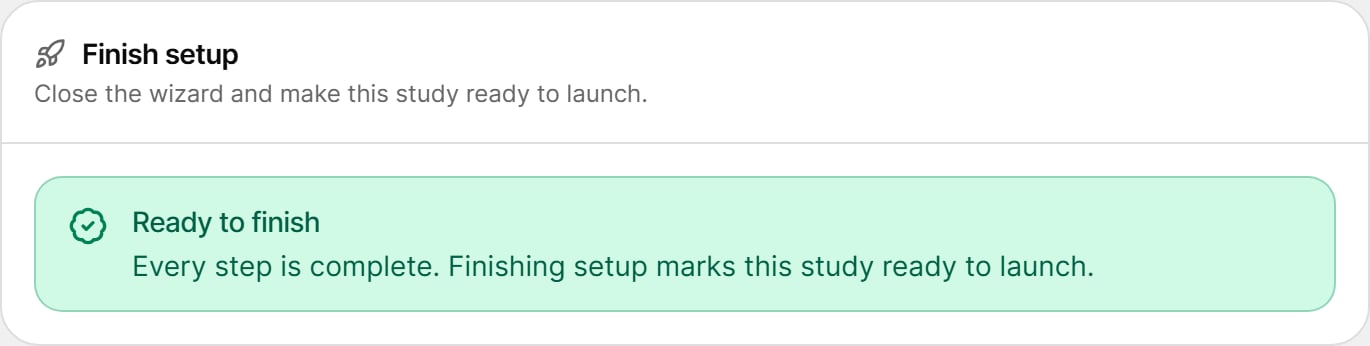
1
Select Finish
Select Finish in the footer.
2
The study becomes Ready to launch
The study moves from Draft to Ready to launch. Any sub-sample plans are frozen into prepared runs.
3
Launch
The study page opens with the Launch dialog. See Launch and Readiness.