

Calling Windows
The grid sets the hours in which each record may be dialed. It has seven days and eight three-hour blocks (0–3, 3–6 … 21–24).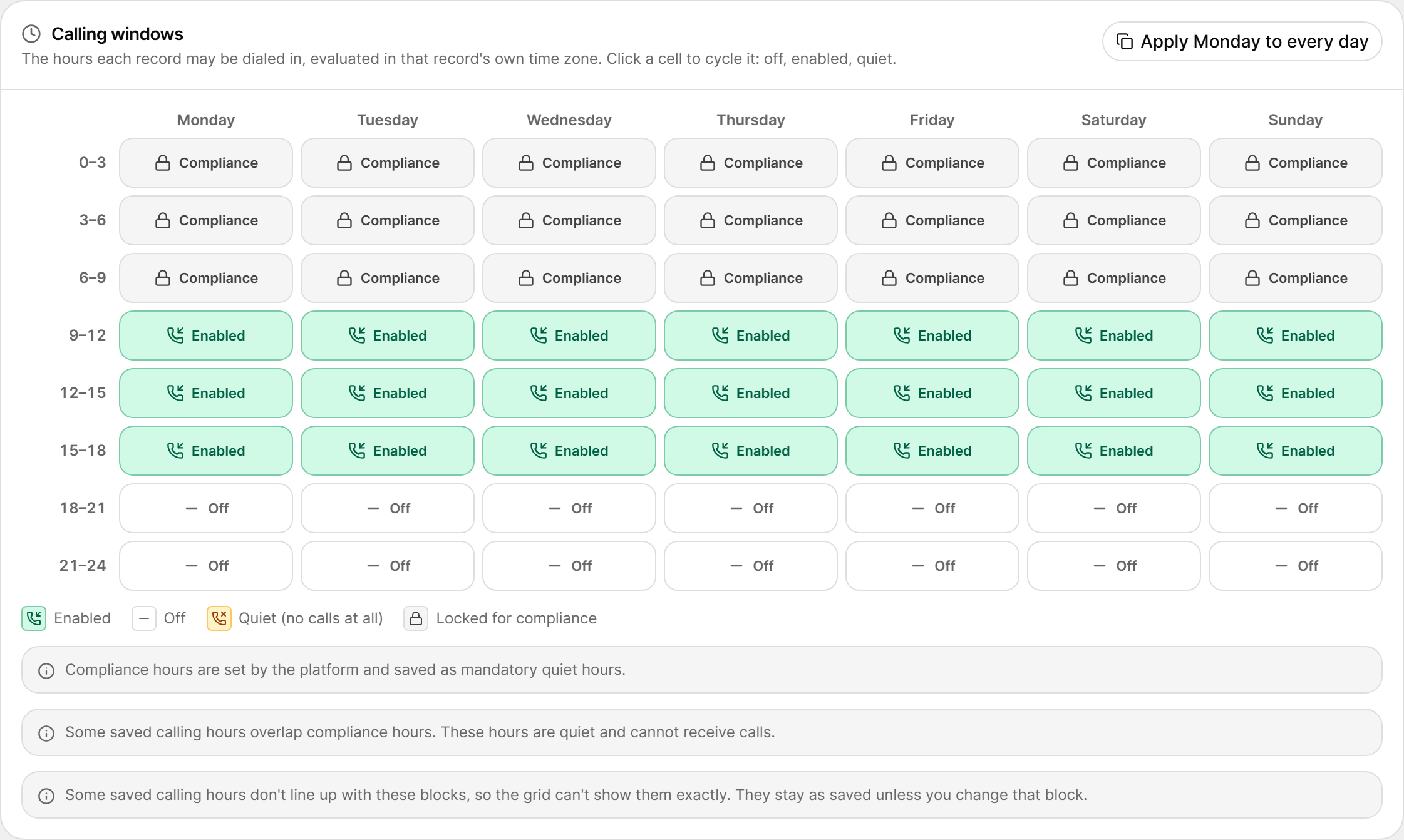
- Hours are evaluated in each record’s own time zone, so a 9–12 block means 9 a.m.–12 p.m. where the respondent lives.
- Click a cell to cycle it through Off → Enabled → Quiet.
- Apply Monday to every day copies Monday’s pattern to the whole week.
Some studies may show notices such as “Some saved calling hours overlap compliance hours” or “Some saved calling hours don’t line up with these blocks”. Overlapping hours stay quiet. Hours that don’t fit the blocks stay as saved until you change that block.
Retry, Spacing and Attempts
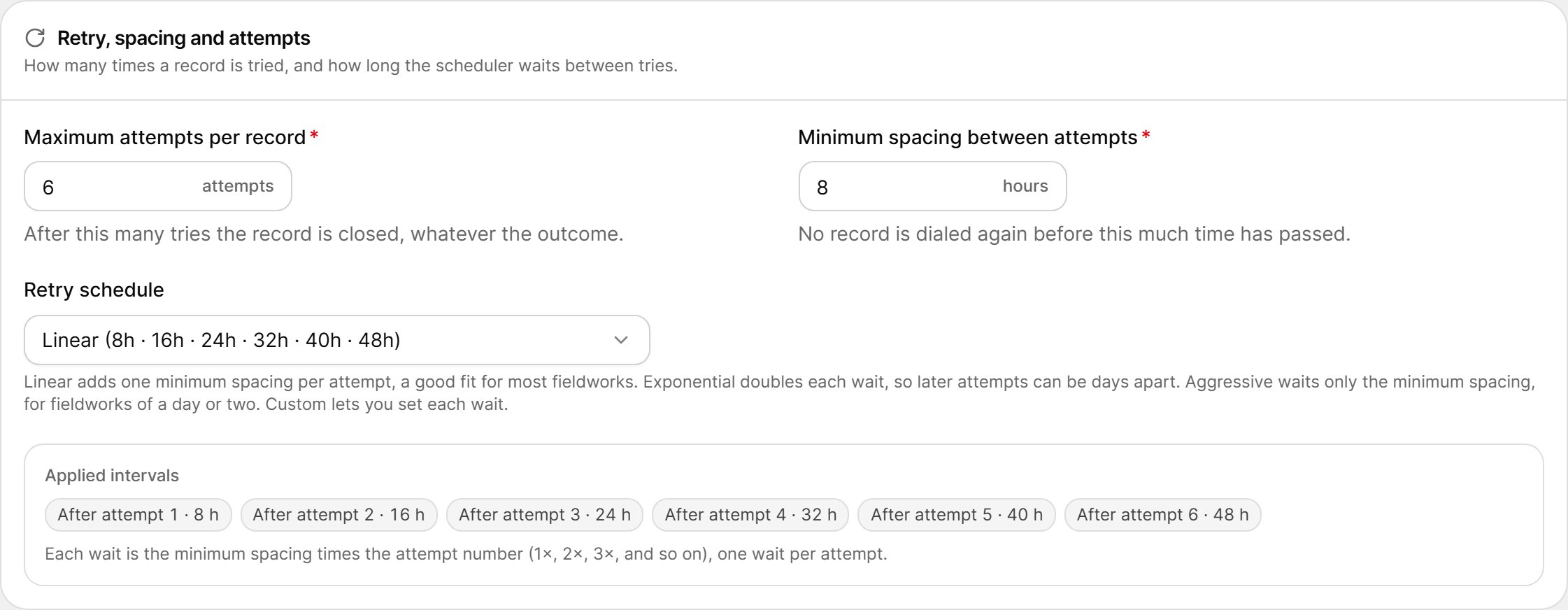
Retry Schedules
The Applied intervals chips show the exact wait after each attempt.
For a Custom schedule, each interval must be 1–48 hours and at least the minimum spacing. You need exactly one interval per attempt, up to 30.
What Happens After Each Outcome
These rules are fixed by the platform:Callbacks
Callbacks control what happens when a respondent asks to be called back.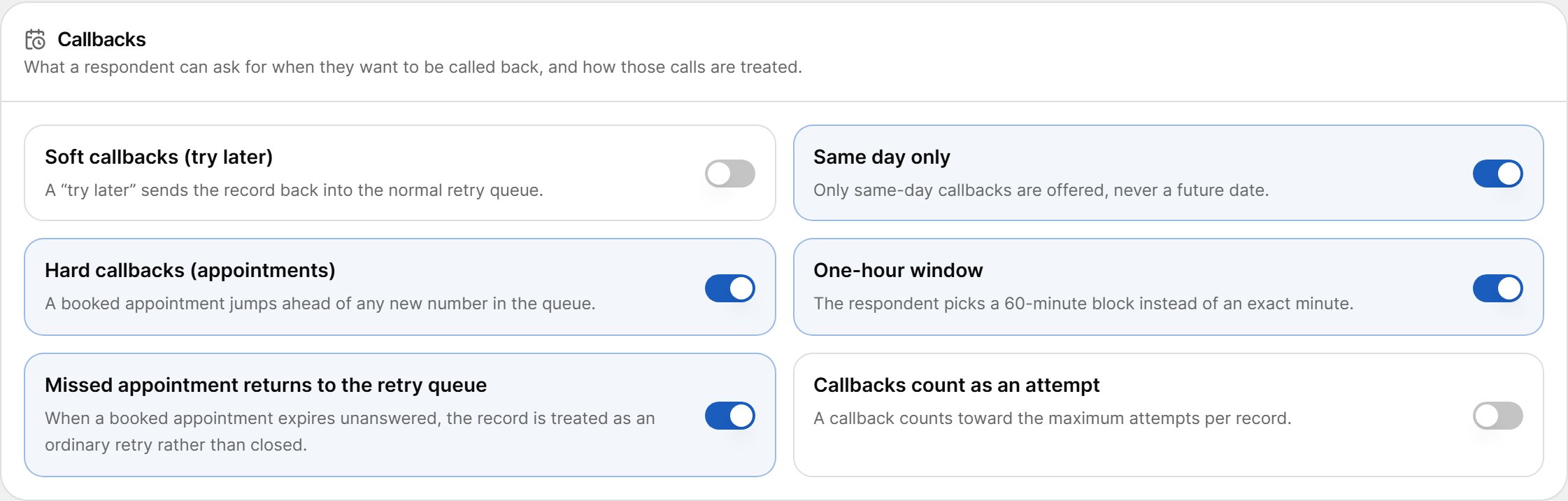
Stop Rules
Stop rules decide what ends the study. At least one automatic stop rule is required before the study can launch.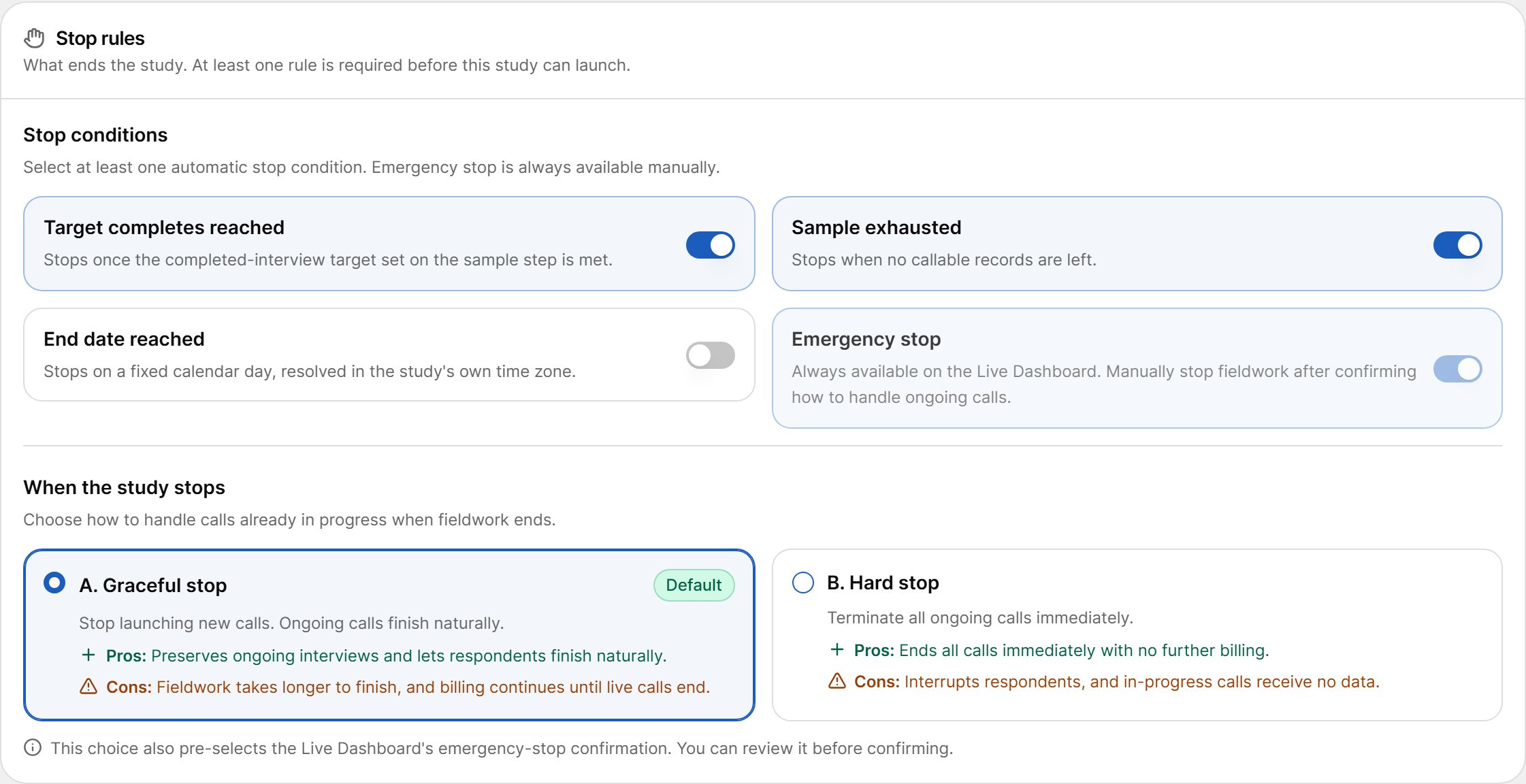
When the Study Stops
Choose how calls already in progress are handled when a stop rule fires:
This choice also pre-selects the option in the Emergency stop dialog. You can still change it there before confirming.
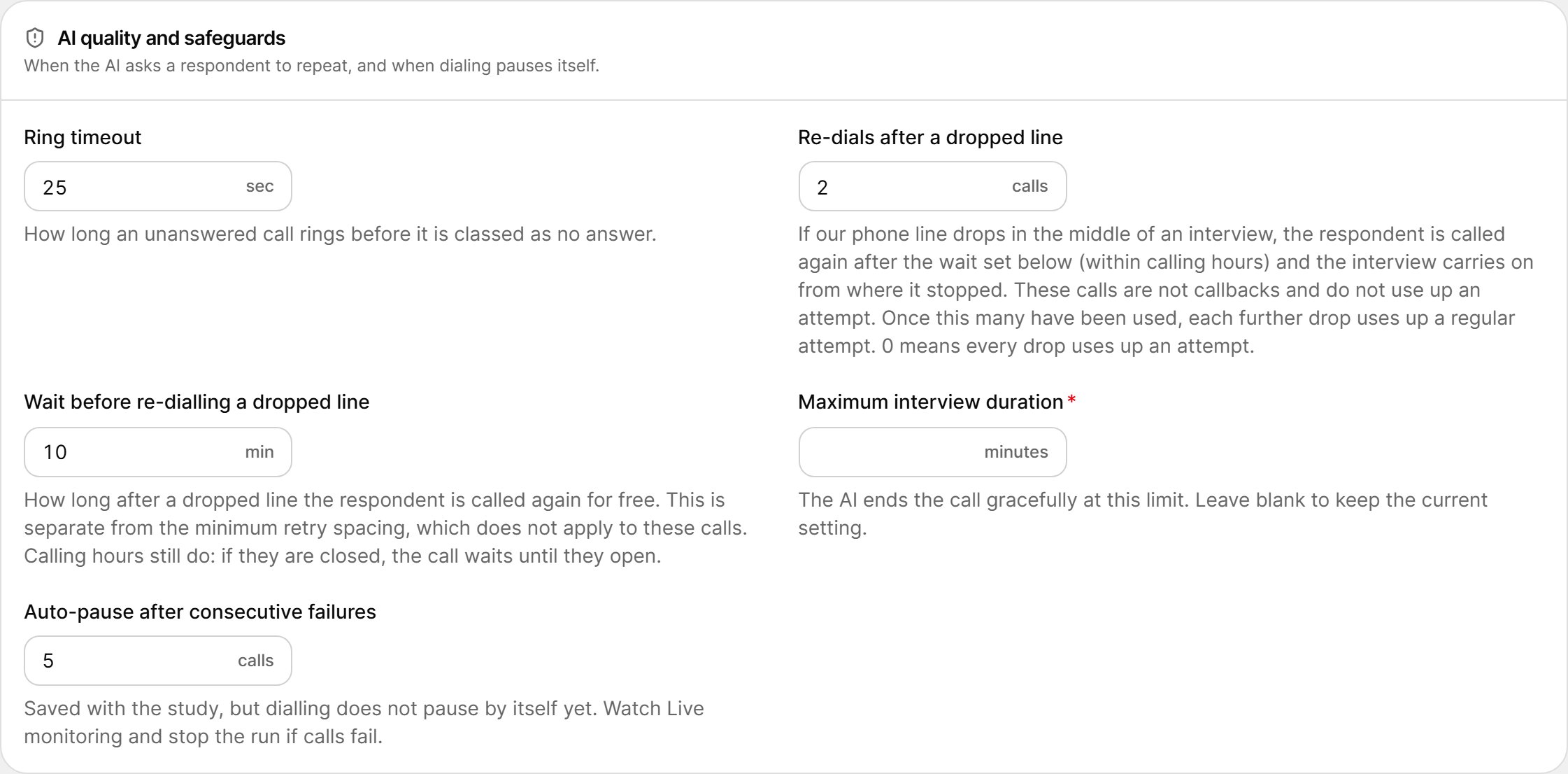
AI Quality and Safeguards
Call Recording
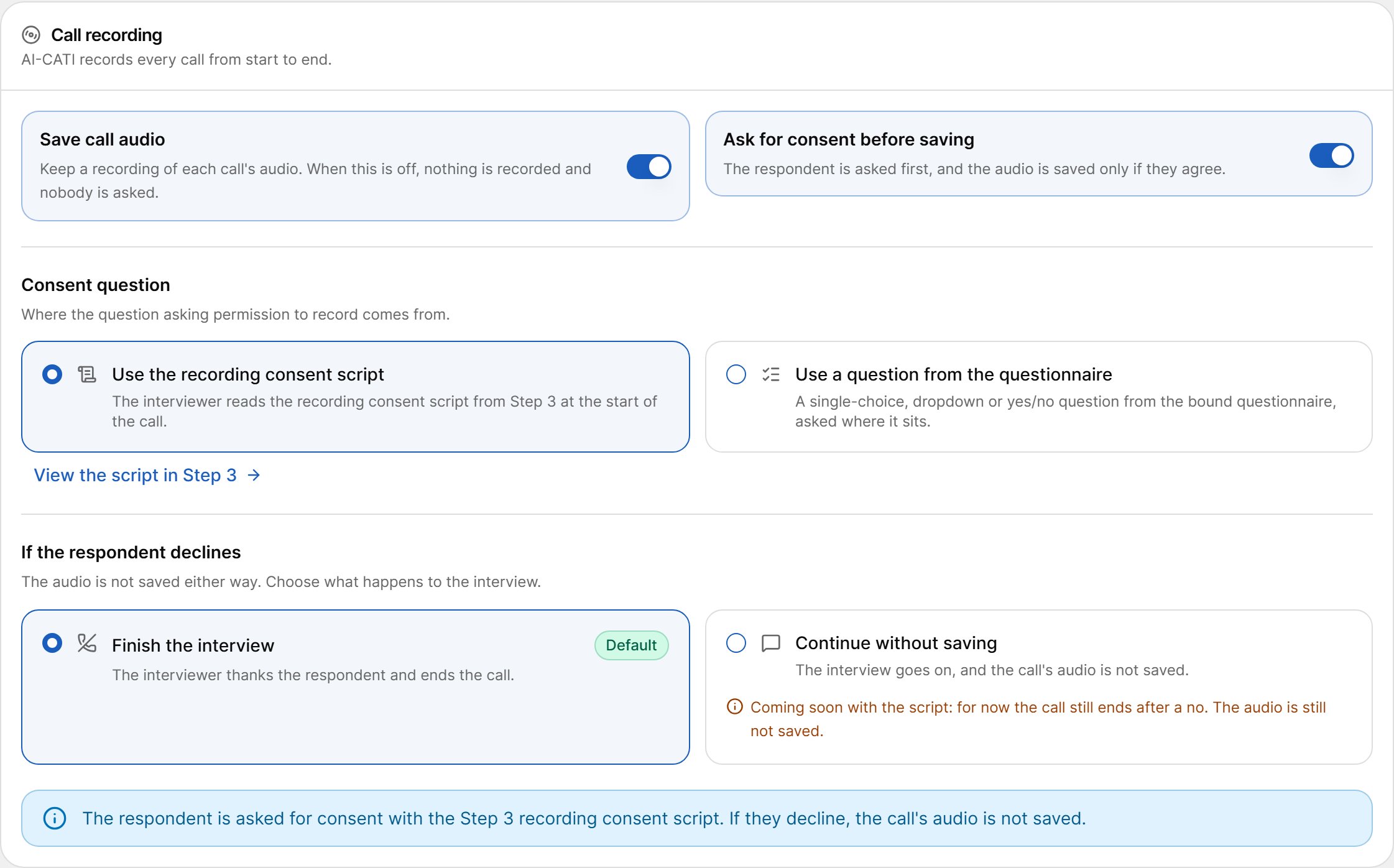
Consent Question
When consent is on, choose where the consent question comes from:- Use the recording consent script — the AI reads the recording consent script from Step 3 at the start of the call.
- Use a question from the questionnaire — pick a single-choice, dropdown or yes/no question from the bound questionnaire. Then tick which answers mean agree and which mean decline. Both must be set.
If the Respondent Declines
The audio is never saved after a “no”. Choose what happens to the interview:- Finish the interview (default) — the AI thanks the respondent and ends the call.
- Continue without saving — the interview continues without recording. The UI marks this option as coming soon for the recording consent script; for now the call still ends after a “no”.