

Viewing Your Subscription Details
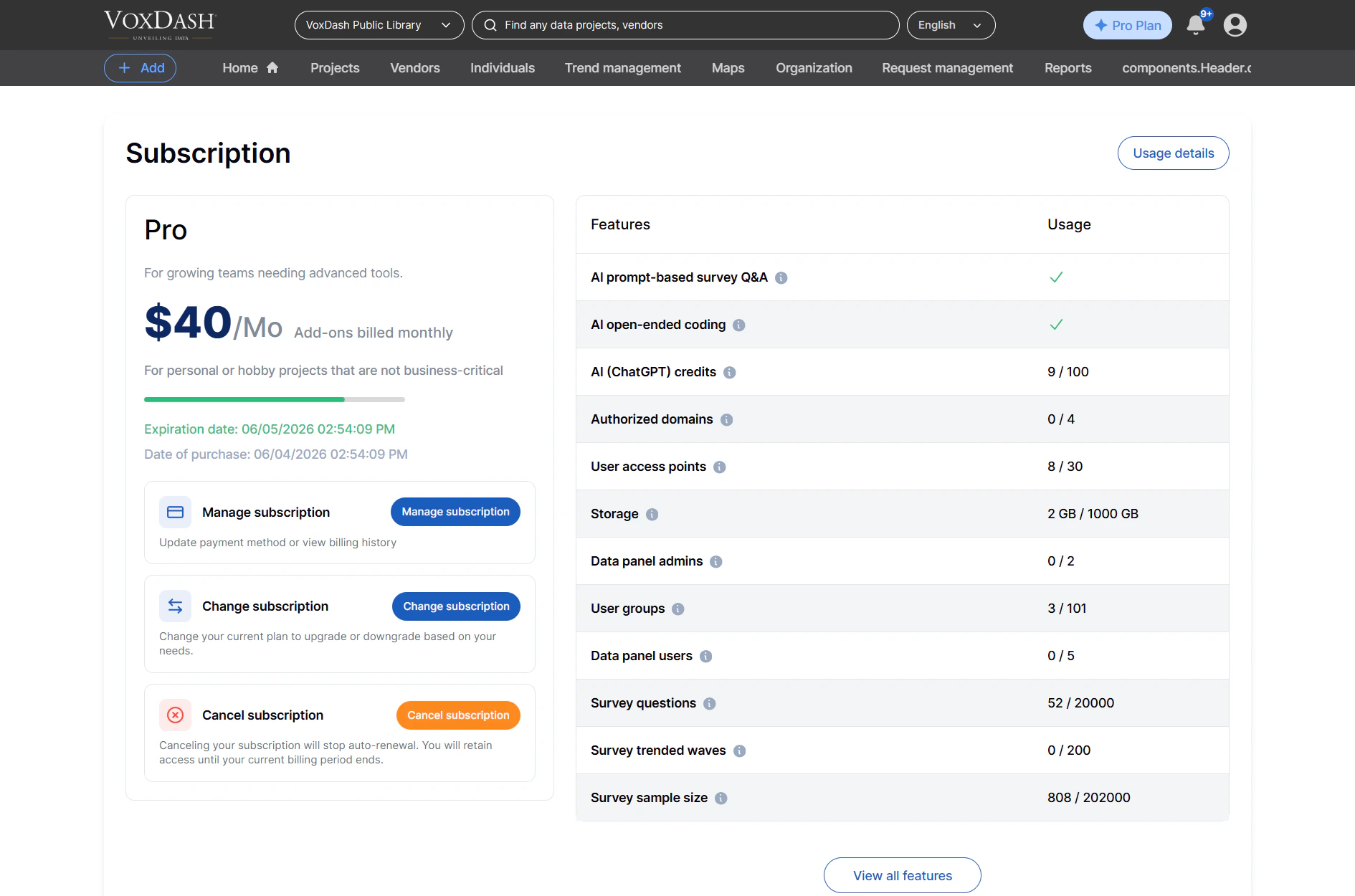
Upon navigating to the subscription section within the Data Provider Panel, you’ll find:Plan Overview:
- Plan Name: Clearly displays your current subscription tier (e.g., Free, Starter, Pro).
- Activation Date: The exact date your current plan became active.
- Renewal/Expiration Date: Indicates when your current subscription period ends and will automatically renew, or when it will expire if on a pre-paid term.
Feature Usage:
- A detailed breakdown of all features available under your current plan.
- Usage Metrics: For each feature, you’ll see how much of the allocated limit you have consumed (e.g., “1500/2000 AI Credits Used,” “5/10 Authorized Domains Active”).
- Remaining Capacity: Clearly shows how much of each feature’s limit is still available.
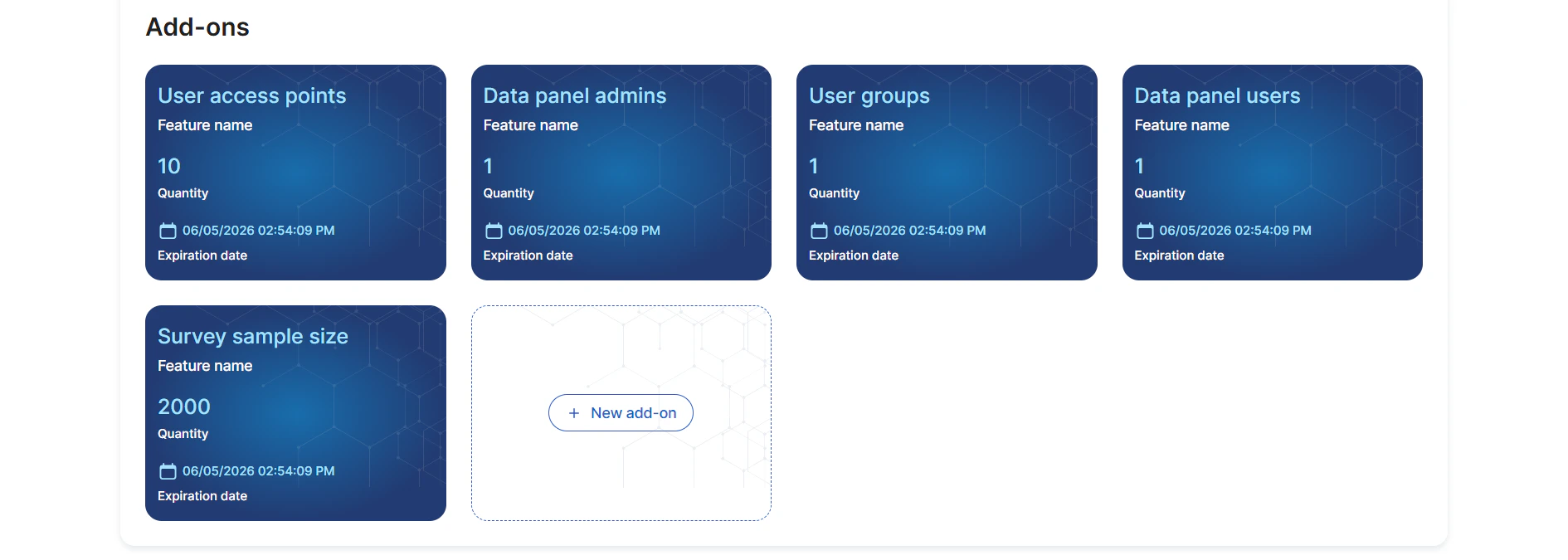
Add-Ons:
- A list of any add-ons you have purchased, such as extra “AI Credits” or “Authorized Domains.”
- Displays the specific limits and current usage for each active add-on.
Managing Your Subscription
This section empowers you to actively manage your VoxDash experience:Plan Management:
- Upgrade Plan: Seamlessly transition to a higher-tier plan (e.g., from Pro to Enterprise) to access more advanced features and higher limits.
- Downgrade Plan: Switch to a lower-tier plan if your needs have changed, ensuring you’re only paying for what you use.
- Change Add-Ons: Add new add-ons or adjust the quantity of existing ones to precisely match your evolving requirements.
Billing and Payments:
- Payment Methods: Securely add, update, or remove your payment methods (e.g., credit cards, bank transfers).
- Billing History: Access past invoices and transaction records for your accounting needs.
- Download Invoices: Easily download receipts or detailed invoices for your records.
Cancellation:
- Cancel Subscription: If your needs change or you decide to discontinue using VoxDash, you can cancel your subscription directly from this page. The system will guide you through the necessary steps and confirm the cancellation.