

Understanding VoxDash Report Categories
VoxDash offers a comprehensive suite of reports designed to provide data providers with deep insights into various aspects of platform activity, data usage, and user engagement. These reports are categorized to help you efficiently find the information you need. Below is an overview of the main report categories available:Page Views Reports
These reports focus on tracking user interactions with specific pages and content within the VoxDash platform. They are essential for understanding content performance, user navigation, and engagement with different sections of the application. Key insights you can gain:- Which pages are most frequently visited.
- How users navigate through the platform.
- The performance of specific content or features in attracting and retaining user attention.
- Identifying areas of high user interest or potential drop-off points.

QaaS (Questions as a Service) Reports
QaaS reports are dedicated to the creation, management, and utilization of questions within VoxDash, often used for surveys, data collection, or structured data input. These reports help in auditing question content, understanding usage patterns, and managing the lifecycle of your question assets. Key insights you can gain:- Tracking the number and types of questions created or uploaded.
- Understanding which questions are associated with which surveys or datasets.
- Monitoring the usage and potential impact of specific questions.
- Ensuring the quality and consistency of data collected through QaaS features.

Search Engines Reports
These reports provide insights into how users are searching for information within VoxDash, as well as how your content is performing in external search engines if integrated. They are crucial for optimizing content discoverability and understanding user intent. Key insights you can gain:- The most common search terms used within VoxDash.
- Identifying gaps in content based on search queries.
- (If applicable) Performance metrics for your content on external search engines.
- Understanding user information needs and refining search functionality.

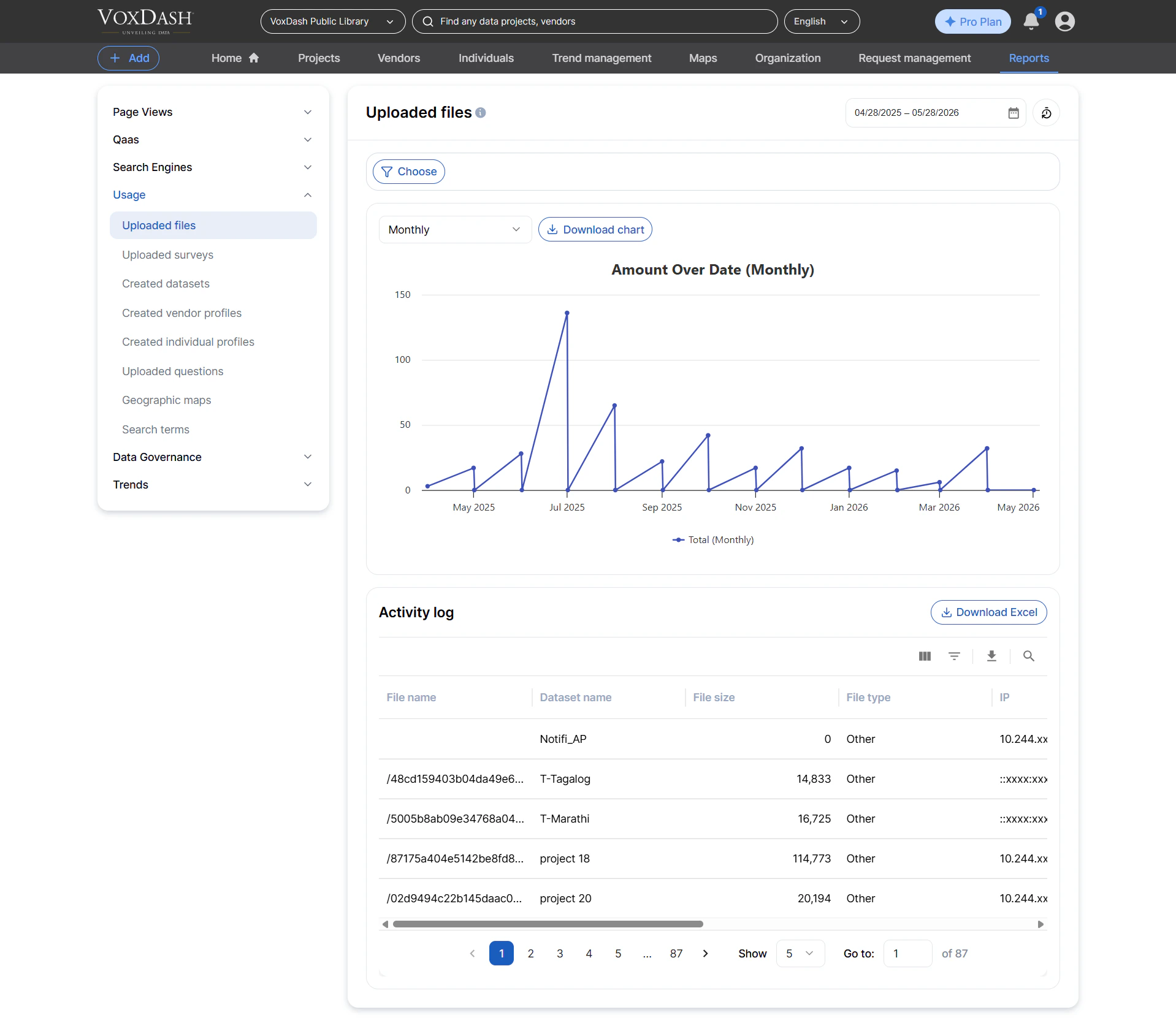
Usage Reports
Usage reports offer a broad overview of how the VoxDash platform is being utilized. They track various actions users take, such as uploading files, creating datasets, and interacting with different platform features. These are vital for monitoring overall platform adoption and activity. Key insights you can gain:- Volume of data uploads and dataset creations.
- User activity patterns related to content management.
- Understanding the overall engagement with platform tools.
- Auditing resource consumption and activity logs.
Data Governance Reports
The Data Governance category provides critical tools for managing and auditing access, permissions, and organizational structures within VoxDash. These reports are essential for security, compliance, and maintaining data integrity. Key insights you can gain:- Tracking user registrations, roles, and group memberships.
- Auditing access permissions, both private and public.
- Managing organizational settings and approved domains.
- Ensuring compliance with data security policies.

Trend Reports
Trend reports are designed for analyzing how data, particularly survey responses, changes over time. They allow you to track longitudinal data, monitor the evolution of specific questions, and understand the processing involved in these time-series analyses. Key insights you can gain:- Monitoring the progress and history of trend surveys.
- Understanding the scope of questions being trended.
- Assessing the computational resources used for trend analysis.
- Identifying unique questions that form the basis of your trend data.
