

What is an individual, and how to add one?
An individual is a person involved in various roles related to data collection and research. This can include acting as an author of a dataset, contributing to the development or analysis of the data, or conducting research. Individuals may also be responsible for data management, data cleaning, or interpreting results. In many cases, they play a key role in ensuring the quality and accuracy of the data, as well as maintaining ethical standards in research and data usage. Their contributions can span across academic, professional, and scientific fields.How to Add an Individual
There are two ways to add an individual:- Directly from the Individual Section.
- Add a new individual during the data entry process and complete the information later (Wizard 4 in the general data entry process).
1- Directly from the individual section
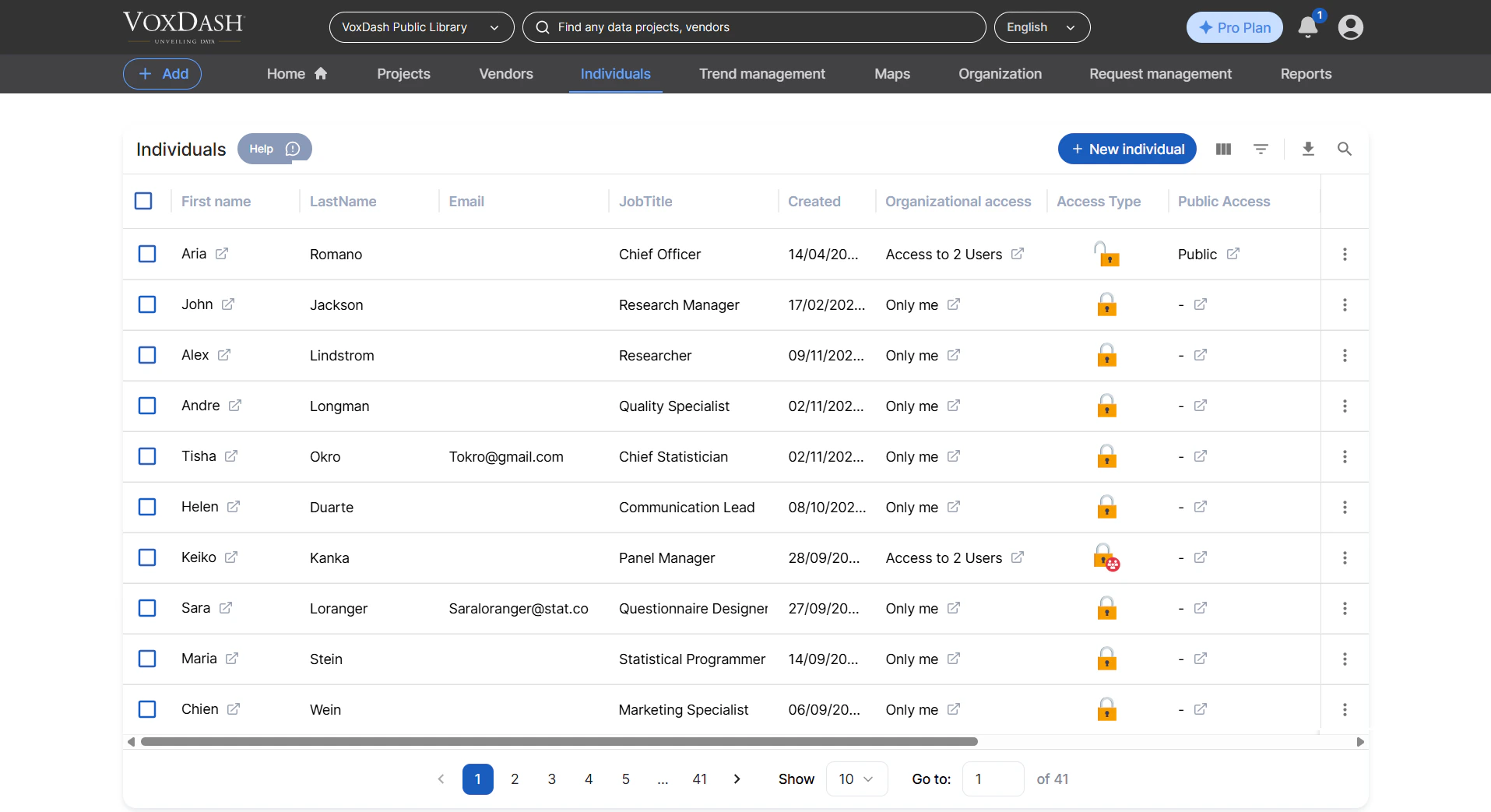
The Individual Section is the third section in the heading. To add a new individual:- Click the blue New Person button located in the top-right corner.
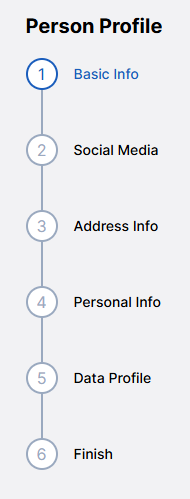
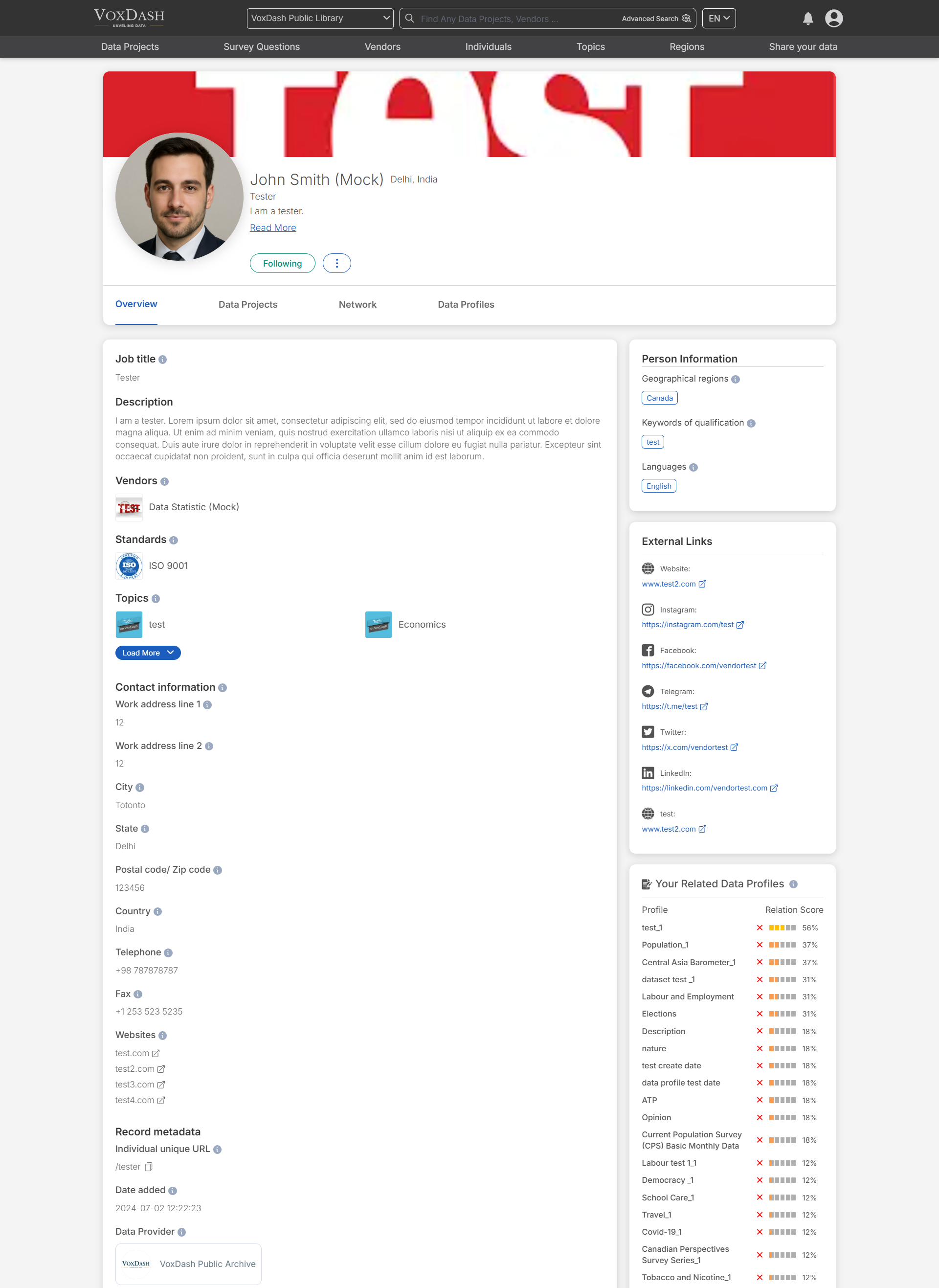
- The person’s name and salutation.
- Their associated institution.
- Social media links.
- Contact details (e.g., email, phone number).
- Address and any other relevant information.
2- Add a new individual during the data entry process
The Person Info section is located in the fourth wizard of the general data entry process. On this page, you can:- Add a new individual by clicking the blue New Person button in the top-right corner, or
- Select an individual role from the identification section and edit the existing details as needed.
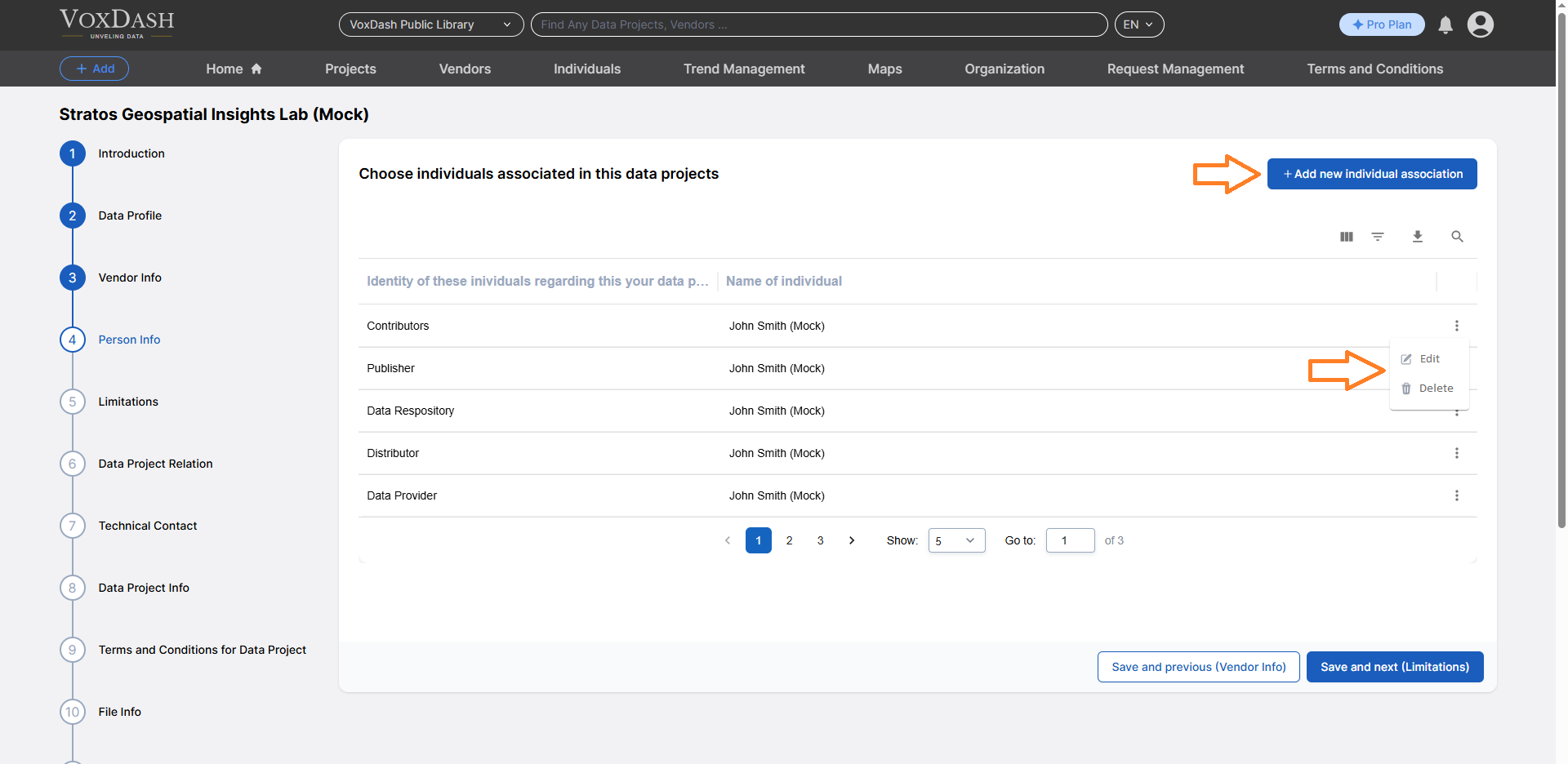
- Select an existing individual from the list
- Add a new individual.
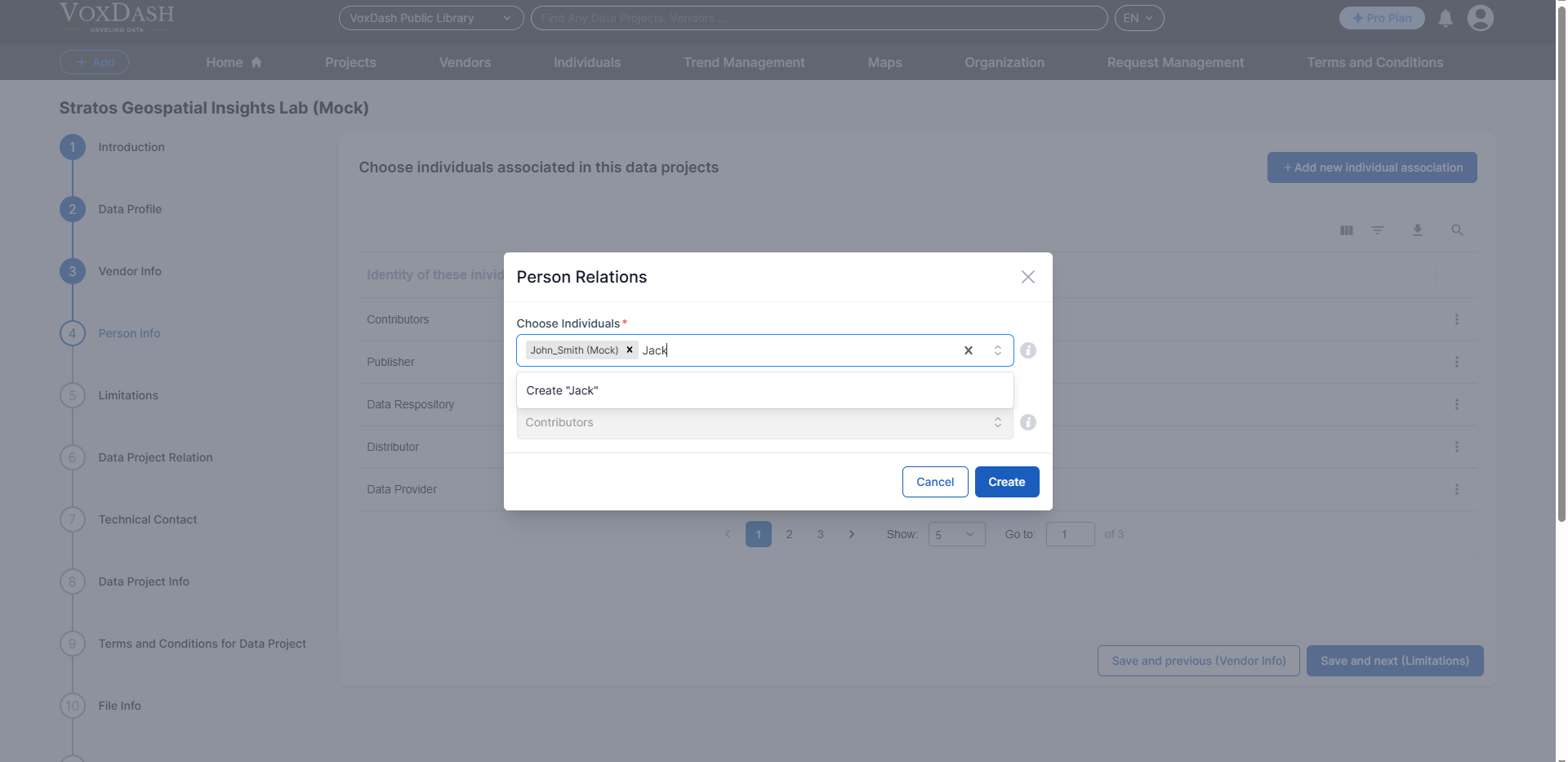
Final Steps
After clicking the Create button:- Enter the person’s name and salutation.
- Submit the details.
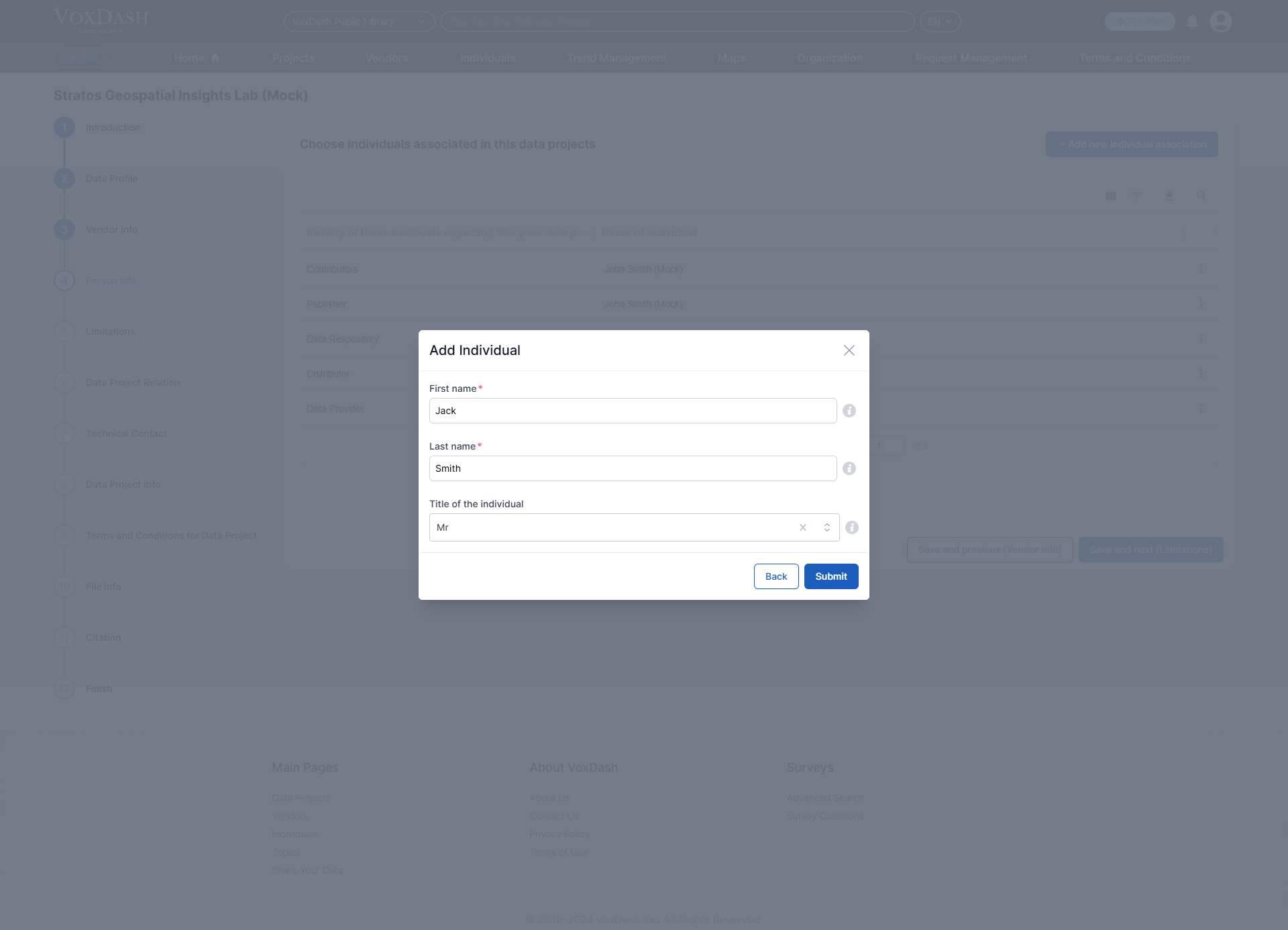
Finding an Individual
- Use the First Name or Last Name filter to find a specific individual.
- Enter the person’s name (or part of it) in the respective filter field, and the system will narrow down the list accordingly.
- Search for the Name in VoxDash: Use the search feature in VoxDash to locate the individual by entering their name.
- Click on the person’s name in the Data Project: Navigate to the data project and click directly on the person’s name to view their detailed profile.